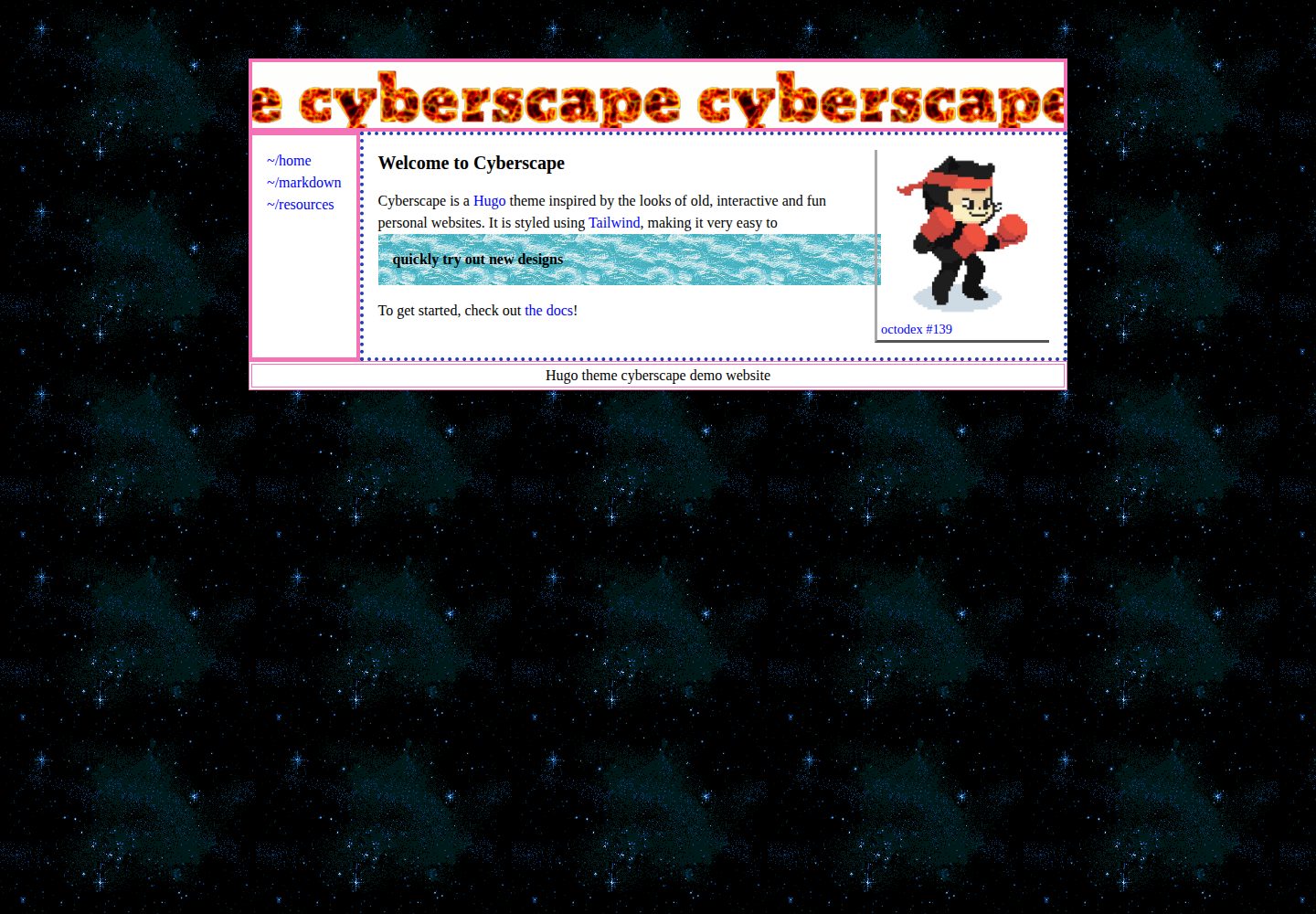
Hugo 主题,用于搭建个人网站
Hugo作品集
cyberscape — Hugo 作品集模板
作者 isaksolheim
Cyberscape 是一个采用 MIT 许可的 Hugo 主题,用于搭建个人网站,风格活泼,使用 Tailwind CSS 进行样式处理。
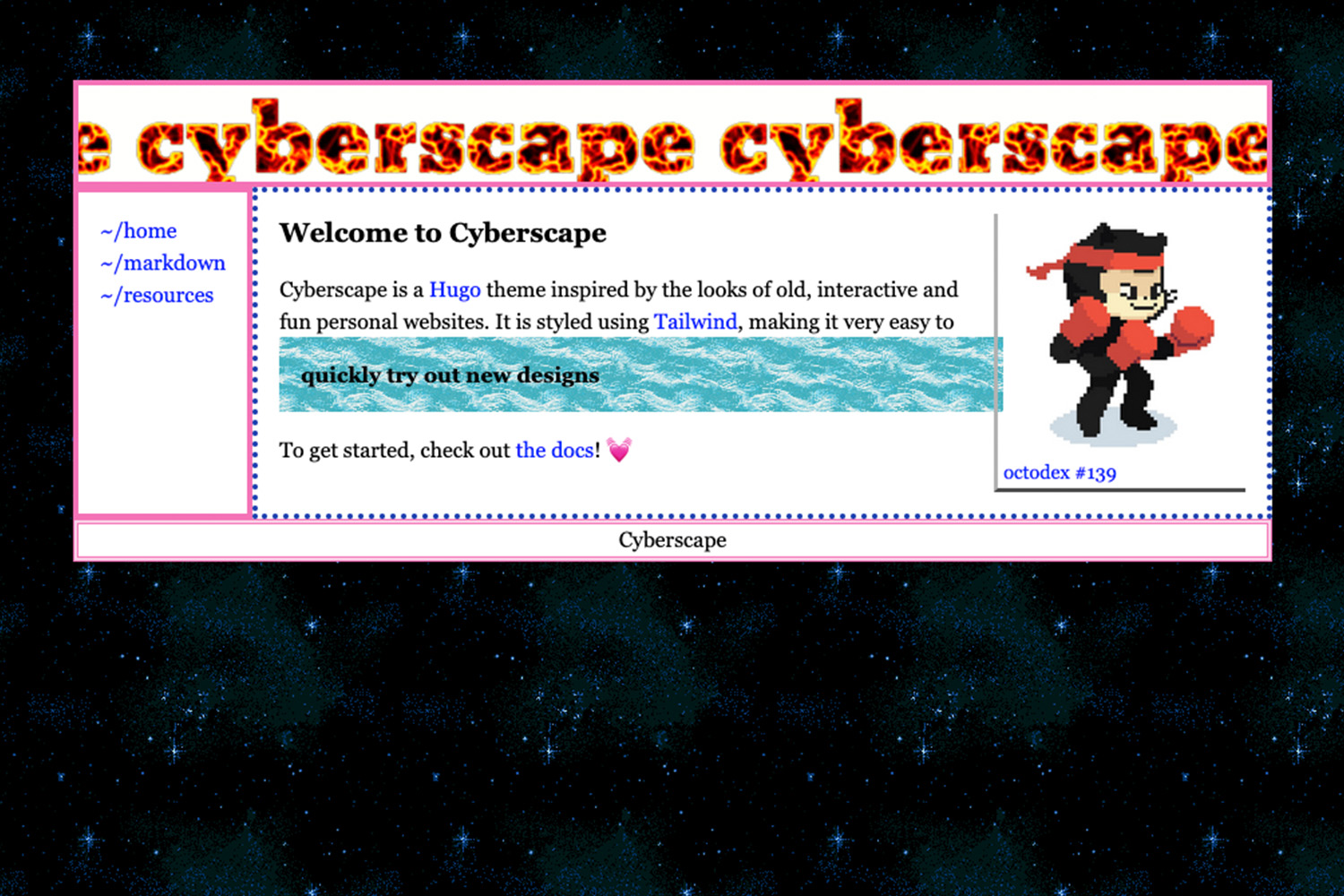
看看你的网站会是什么样
浏览真实页面截图,比较内容排版与手机效果。点击下方缩略图切换,放大查看整页细节。
全部页面与视图 2
截图用于了解视觉与布局,交互效果请以实际项目为准。
采集于 2026-10-02查看来源
值得关注的模板亮点
从已有项目资料中,快速了解它的特点。
使用 Tailwind CSS 处理样式,并提供 npm run watch 编译流程
通过 git submodule 安装,配置 theme 与 [[menu.main]] 菜单项
README 说明可在 Markdown 中启用 Goldmark unsafe 渲染以使用 Tailwind 类
仓库采用 MIT 许可,提供在线演示站与演示站仓库
模板详细介绍
Cyberscape 是 isaksolheim 发布的 Hugo 主题,定位为生动、有趣的个人网站主题,适合喜欢自己动手搭建个人站点的用户。仓库提供在线演示站(cyberscape.isak.me)及对应的演示站仓库,可先看效果再决定是否使用。
安装方式为把主题作为 git submodule 加入项目的 themes/cyberscape 目录,然后在 config.toml 中设置 theme = "cyberscape",并通过 [[menu.main]] 添加指向 /content/ 下内容的菜单链接。主题使用 Tailwind CSS 处理样式,需要在主题目录执行 npm i 安装依赖;开发时运行 npm run watch 让 Tailwind 随改动重新编译。若要在 Markdown 文件中直接使用 Tailwind 类,README 建议开启 Goldmark 的 unsafe 渲染;tailwind.config.js 默认扫描 content/**/*.md、layouts/**/*.html 以及 ../../content/**/*.md,如需覆盖其他目录,可把相对路径加入 content 字段。
许可方面,仓库采用 MIT 许可,允许免费使用、修改、商用和分发该版本代码,分发代码副本或实质性部分时需保留版权声明与完整 MIT 许可声明;代码按现状提供。演示图片、字体、图标等第三方素材的许可需单独核对,域名、托管等外部服务也可能产生费用。
Hugo作品集
适合你的项目吗?
适用场景
- 搭建个人主页或作品集网站
- 需要以 Tailwind CSS 自定义样式的 Hugo 站点
- 参考演示站仓库了解主题的实际配置方式
适合人群
- 使用 Hugo 并希望快速起步个人网站的用户
- 愿意通过 npm 与 Tailwind 调整样式的开发者
- 偏好 MIT 许可、可自由修改主题代码的项目
上手与定制指南
结合仓库当前版本的说明,按下面的资料检查内容、配置与运行要求。
- 1
在项目根目录执行 git submodule add https://github.com/isaksolheim/cyberscape themes/cyberscape
- 2
在 config.toml 中设置 theme = "cyberscape",并按需添加 [[menu.main]] 菜单链接
- 3
进入 themes/cyberscape 执行 npm i 安装依赖,开发时运行 npm run watch 编译 Tailwind CSS
- 4
如需在 Markdown 中使用 Tailwind 类,按 README 开启 markup.goldmark.renderer 的 unsafe
- 5
若样式需覆盖其他目录,把相对路径加入 tailwind.config.js 的 content 字段
授权与来源资料
使用条件与限制
免费使用 · 保留许可声明本次收录的是公开仓库中采用 MIT 许可的免费版本;免费范围为该版本代码,不代表外部服务或第三方素材免费。
使用时需要遵守
- 允许免费使用、修改、商用和分发该版本代码。
- 分发代码副本或实质性部分时,保留原作者版权声明和完整 MIT 许可声明。
- 代码按现状提供;担保与责任限制以原许可证及适用法律为准。
额外费用与待核对事项
- 使用该主题需在主题目录执行 npm i 安装依赖,并在开发时运行 npm run watch 编译 Tailwind CSS,否则样式可能不是最新的。
- 安装方式为将主题作为 git submodule 添加到项目的 themes/cyberscape 目录,需在 config.toml 中设置 theme = "cyberscape" 才能生效。
- 若要在 Markdown 文件中直接使用 Tailwind 类,需按 README 开启 Goldmark 的 unsafe 渲染,这会允许原始 HTML 输出。
- 演示图片、字体、图标及其他第三方素材需按各自许可核对,不能仅凭代码的 MIT 许可判断。
- 域名、托管、数据库、支付或 AI 等外部服务可能另外收费。
查看原文依据
Permission is hereby granted, free of charge
许可证原文
Cyberscape uses Tailwind CSS for styling. To ensure styles are up to date during development, run the following command from the themes directory:
README 原文
git submodule add https://github.com/isaksolheim/cyberscape themes/cyberscape
README 原文
https://github.com/isaksolheim/cyberscape/blob/main/LICENSEhttps://github.com/isaksolheim/cyberscape/blob/main/README.md# Enable this for tailwind in markdown files [markup.goldmark.renderer] unsafe=true
README 原文
DeepSeek 根据仓库许可证和 README 整理 ·2026-10-02。结果仅覆盖已读取资料,依赖、图片、字体及后续条款变更以各自原文为准。
项目核对记录与介绍依据
模板资料
- 来源平台
- GitHub
- 资料与维护参考分
- 资料一般 · 72 / 100
- 技术栈
- Hugo
- 网站类型
- 作品集
这个分数如何计算
本站按许可资料(最高30分)、演示链接(12分)、预览图(10分)、Star数(15分)、记录的维护时间(15分)、描述完整度(8分)、功能记录(5分)和分类资料(5分)计算。它不是代码、安全或性能测试,也不是 Google 评分;有链接不代表已实测可用。
这个项目需要核对什么
- 记录的仓库更新时间
- 2023-12-15
- 截图检查日期
- 2026-10-02
已收录演示链接。请用你的内容与屏幕尺寸检查;有演示不代表表单、认证或支付已经可用。
目录记录的主要技术栈是 Hugo。请通过依赖清单和锁文件核对实际版本与托管要求。这些说明基于收录资料,不代表代码审计或部署实测。
查看具体选型方法 →介绍的制作与核对状态
介绍由 AI 辅助整理目录与仓库资料。仓库作者不等于这篇介绍的审核者。
已完成服务器许可规则与 AI 来源核对;未经过人工编辑审核。
查看当时使用的来源资料
SHA-256: bba4dc649ceb1b64466ecfe231b6bc1d07fb64e05fbd536cd35aeb252d412df3
2026-10-02T16:27:14.352Z
来源文件 / 仓库# Cyberscape
A lively and fun Hugo theme for creating personal websites 🌐
💻 [Demo site](https://cyberscape.isak.me/)
🔨 [Demo site repo](https://github.com/isaksolheim/cyberspace)
## Overview
Cyberscape is designed to be a vibrant and engaging theme, perfect for those who enjoy the process of building personal websites.
## Install
To get started with Cyberscape, use the following command:
```
git submodule add https://github.com/isaksolheim/cyberscape themes/cyberscape
```
Then, open `config.toml` and add the following:
```
theme = "cyberscape"
# Enable this for tailwind in markdown files
[markup.goldmark.renderer]
unsafe=true
# Add menu links to things from /content/ here (eg. markdown.md)
[[menu.main]]
name = "markdown"
url = "/markdown/"
weight = 1
```
Navigate to the themes directory and install dependencies:
```
cd themes/cyberscape
npm i
```
## A Note on Tailwind
Cyberscape uses Tailwind CSS for styling. To ensure styles are up to date during development, run the following command from the themes directory:
```
npm run watch
```
This command will compile your Tailwind CSS as you make changes, keeping your development process smooth and streamlined.
The `tailwind.config.js` comes configured like the following:
```
/** @type {import('tailwindcss').Config} */
module.exports = {
content: ["content/**/*.md", "layouts/**/*.html", "../../content/**/*.md"],
theme: {
extend: {},
},
plugins: [],
};
```
If you wish to write Tailwind in any additional directories, add their relative path from the config file to the `content` field.
## Contributing
Feel free to contribute!
## License
[MIT](https://github.com/isaksolheim/cyberscape/blob/main/LICENSE)
看看同类模板
对比同技术栈与用途的模板,找到更适合的视觉与内容结构。

hugo-PaperMod
PaperMod 是 Hugo 生态里知名度较高的主题之一,定位很明确:给博客和轻量作品集站点提供一套干净、响应式的阅读界面。
Hugo · 作品集

Congo
Congo 是一款为 Hugo 设计的现代内容主题,核心定位是让内容本身成为页面焦点。 它基于 Tailwind CSS 3.0 构建,整体布局完全响应式,视觉风格干净且克制,没有多余装饰。
Hugo · 博客

toha
Toha 是一款面向个人作品集场景的 Hugo 主题,以极简设计和响应式布局为核心,适合用来搭建个人主页、作品展示或技术博客。
Hugo · 作品集

hugo-profile
A highly customizable and mobile first Hugo template for personal portfolio and blog.
Hugo · 作品集

hugo-theme-introduction
Minimal, single page, smooth-scrolling theme for Hugo static site generator.
Hugo · 作品集

hugo-theme-console
hugo-theme-console 是一款以系统终端为灵感的极简 Hugo 主题,基于 Terminal CSS 构建,整体视觉干净利落,强调快速加载与响应式布局。
Hugo · 作品集