
支持在同一仓库内以 ES 模块语法维护多个 Cloudflare Workers
Vite启动器
cloudflare-starter-kit — Vite 启动器模板
作者 kriasoft
kriasoft 维护的 Cloudflare Workers 项目脚手架模板,采用 Vite 与 TypeScript,内置 api、app、edge 三个工作区,预置本地测试、多环境与 GitHub Actions 部署流程。
看看你的网站会是什么样
浏览真实页面截图,比较内容排版与手机效果。点击下方缩略图切换,放大查看整页细节。
全部页面与视图 3
截图用于了解视觉与布局,交互效果请以实际项目为准。
采集于 2026-10-02查看来源
值得关注的模板亮点
从已有项目资料中,快速了解它的特点。
预置 local、test、prod 三套环境及对应的 *.env 变量加载
集成 TypeScript、ESLint、Prettier、Vitest、Miniflare、Wrangler CLI 等开发工具
包含 GitHub Actions 工作流,main 分支部署测试环境、release 分支部署生产环境
提供 Web Crypto API 调用第三方服务的示例代码
附带 VS Code 代码片段、推荐扩展与工作区 TypeScript 配置
模板详细介绍
这是一个用于生成 Cloudflare Workers 项目的模板仓库,通过 GitHub 的模板生成功能创建新仓库后即可开始开发。仓库采用 Yarn workspaces 组织代码,包含 api(处理 API 请求的 Worker)、app(基于 Vite 与 React 的前端)和 edge(用于静态站点反向代理的 Worker)三个工作区,并共享 TypeScript 配置。
模板预置了 local、test(staging/QA)和 prod(production)三套环境,支持从 *.env 文件加载环境变量,并提供了本地测试与调试的配置。部署方面,仓库包含 GitHub Actions 工作流:main 分支部署到测试环境,release 分支部署到生产环境;也可通过 yarn deploy 手动指定 --env 参数部署,或单独部署某个工作区。
使用前需要 Node.js v18+ 并启用 Corepack,推荐在 VS Code 中配合仓库提供的扩展与代码片段使用。模板本身不包含业务逻辑,示例代码展示了如何用 Hono 编写 Worker 脚本、用 Miniflare 编写单元测试,以及通过 wrangler.toml 配置部署。README 中的部署示例使用了占位域名,实际使用时需要替换为自己的域名与 Cloudflare 账户信息。
Vite启动器
适合你的项目吗?
适用场景
- 从模板生成新的 Cloudflare Workers 项目仓库并开始开发
- 在同一 monorepo 中同时维护 API Worker、前端应用与边缘反向代理 Worker
- 为 Workers 项目配置本地测试、单元测试与多环境部署流程
- 参考 Hono 路由、Miniflare 测试与 wrangler.toml 配置的示例写法
适合人群
- 需要快速搭建 Cloudflare Workers 项目骨架的开发者
- 习惯使用 TypeScript、Yarn workspaces 与 GitHub Actions 的团队
- 希望在同一仓库内管理多个 Worker 与前端应用的项目
上手与定制指南
结合仓库当前版本的说明,按下面的资料检查内容、配置与运行要求。
- 1
需要 Node.js v18 及以上版本,并执行 corepack enable 启用 Corepack
- 2
克隆后运行 yarn install 安装依赖,yarn start 启动本地开发服务
- 3
在 VS Code 中需确保使用工作区版本的 TypeScript
- 4
部署前需在 *.env 文件中配置 CLOUDFLARE_API_TOKEN、APP_HOSTNAME 等环境变量
- 5
手动部署使用 yarn deploy --env=test 或 --env=prod,也可按工作区单独部署
授权与来源资料
使用条件与限制
免费使用 · 保留许可声明本次收录的是公开仓库中采用 MIT 许可的免费版本;免费范围为该版本代码,不代表外部服务或第三方素材免费。
使用时需要遵守
- 允许免费使用、修改、商用和分发该版本代码。
- 分发代码副本或实质性部分时,保留原作者版权声明和完整 MIT 许可声明。
- 代码按现状提供;担保与责任限制以原许可证及适用法律为准。
额外费用与待核对事项
- 部署依赖外部云服务:需使用 Cloudflare Workers(或 Google Cloud Functions)账号,并配置 CLOUDFLARE_API_TOKEN、CLOUDFLARE_ACCOUNT_ID、APP_HOSTNAME 等环境变量,可能产生相应服务费用。
- 运行与部署前需自行创建并填写 *.env 文件中的环境变量(如 Cloudflare 账户与域名信息),模板不提供可直接使用的凭据。
- 使用需本地安装 Node.js v18 及以上版本并启用 Corepack,存在运行环境要求。
- 演示图片、字体、图标及其他第三方素材需按各自许可核对,不能仅凭代码的 MIT 许可判断。
- 域名、托管、数据库、支付或 AI 等外部服务可能另外收费。
查看原文依据
Permission is hereby granted, free of charge
许可证原文
Deploys the app to [Cloudflare Workers](https://developers.cloudflare.com/workers/) / [GCF](https://cloud.google.com/functions)
README 原文
loading environment variables from `*.env` files
README 原文
https://github.com/kriasoft/cloudflare-starter-kit/blob/main/LICENSEhttps://github.com/kriasoft/cloudflare-starter-kit/blob/main/README.md[Node.js](https://nodejs.org/) v18+ with [Corepack](https://nodejs.org/api/corepack.html) (`$ corepack enable`)
README 原文
DeepSeek 根据仓库许可证和 README 整理 ·2026-10-02。结果仅覆盖已读取资料,依赖、图片、字体及后续条款变更以各自原文为准。
项目核对记录与介绍依据
模板资料
- 来源平台
- GitHub
- 资料与维护参考分
- 资料较完整 · 76 / 100
- 技术栈
- Vite
- 网站类型
- 启动器
这个分数如何计算
本站按许可资料(最高30分)、演示链接(12分)、预览图(10分)、Star数(15分)、记录的维护时间(15分)、描述完整度(8分)、功能记录(5分)和分类资料(5分)计算。它不是代码、安全或性能测试,也不是 Google 评分;有链接不代表已实测可用。
这个项目需要核对什么
- 记录的仓库更新时间
- 2023-02-19
- 截图检查日期
- 2026-10-02
已收录演示链接。请用你的内容与屏幕尺寸检查;有演示不代表表单、认证或支付已经可用。
目录记录的主要技术栈是 Vite。请通过依赖清单和锁文件核对实际版本与托管要求。这些说明基于收录资料,不代表代码审计或部署实测。
查看具体选型方法 →介绍的制作与核对状态
介绍由 AI 辅助整理目录与仓库资料。仓库作者不等于这篇介绍的审核者。
已完成服务器许可规则与 AI 来源核对;未经过人工编辑审核。
查看当时使用的来源资料
SHA-256: cbe8478099b57be5c99340ffe9101b9ace98af4854fc82b5d37c86d5e3e294ed
2026-10-02T11:46:06.320Z
来源文件 / 仓库# Cloudflare Workers Starter Kit
<a href="http://www.typescriptlang.org/"><img src="https://img.shields.io/badge/%3C%2F%3E-TypeScript-%230074c1.svg?style=flat-square" height="20"></a>
<a href="http://patreon.com/koistya"><img src="https://img.shields.io/badge/dynamic/json?color=%23ff424d&label=Patreon&style=flat-square&query=data.attributes.patron_count&suffix=%20patrons&url=https%3A%2F%2Fwww.patreon.com%2Fapi%2Fcampaigns%2F233228" height="20"></a>
<a href="https://discord.gg/QEd934tZvR"><img src="https://img.shields.io/discord/643523529131950086?label=Chat&style=flat-square" height="20"></a>
<a href="https://github.com/kriasoft/cloudflare-starter-kit/stargazers"><img src="https://img.shields.io/github/stars/kriasoft/cloudflare-starter-kit.svg?style=social&label=Star&maxAge=3600" height="20"></a>
<a href="https://twitter.com/koistya"><img src="https://img.shields.io/twitter/follow/koistya.svg?style=social&label=Follow&maxAge=3600" height="20"></a>
Project template for [scaffolding](https://github.com/kriasoft/cloudflare-starter-kit/generate)
[Cloudflare Workers](https://workers.cloudflare.com/) projects.
## Features
- Supports [multiple CF Workers](https://miniflare.dev/core/mount) within the same (mono)repo; using ES modules syntax
- Pre-configured with [TypeScript](https://typescriptlang.org/), [Babel](https://babeljs.io/),
[Rollup](https://rollupjs.org/), [ESLint](https://eslint.org/), [Vitest](https://vitest.dev/),
[Prettier](https://prettier.io/), [Wrangler CLI](https://developers.cloudflare.com/workers/wrangler/),
[Miniflare](https://miniflare.dev/)
- Pre-configured with `local`, `test` (staging/QA), and `prod` (production) environments
- Pre-configured with local testing and debugging; loading environment variables from `*.env` files
- [Web Crypto API](https://developer.mozilla.org/en-US/docs/Web/API/Web_Crypto_API) usage example for integrating with 3rd party services (Google Cloud, etc.)
- Code snippets and other VSCode settings; CI/CD workflows with GitHub Actions
---
This project was bootstrapped with [Cloudflare Starter Kit](https://github.com/kriasoft/cloudflare-starter-kit).
Be sure to join our [Discord channel](https://discord.gg/QEd934tZvR) for assistance.
## Directory Structure
`├──`[`.github/workflows`](./.github/workflows/) — CI/CD workflows powered by [GitHub Actions](https://github.com/features/actions)<br>
`├──`[`.vscode`](.vscode) — [VSCode](https://code.visualstudio.com/) settings including code snippets, recommended extensions etc.<br>
`├──`[`api`](./api) — Cloudflare Worker script for handling API requests<br>
`├──`[`app`](./app) — Web application front-end powered by [Vite](https://vitejs.dev/) and [React.js](https://reactjs.org/)<br>
`├──`[`edge`](./edge) — [Cloudflare Workers](https://workers.cloudflare.com/) script for serving static websites (reverse proxy)<br>
`├──`[`scripts`](./scripts) — Automation scripts, such as `yarn deploy`<br>
`├──`[`package.json`](./project.json) — The list of [NPM](https://www.npmjs.com/) dependencies and [Yarn](https://yarnpkg.com/) workspaces<br>
`└──`[`tsconfig.base.json`](./tsconfig.base.json) — [TypeScript](https://www.typescriptlang.org/) configuration shared across packages/workspaces<br>
## Tech Stack
- [TypeScript](https://www.typescriptlang.org/), [Cloudflare Workers](https://workers.cloudflare.com/),
[Hono](https://honojs.dev/)
- [Vite](https://vitejs.dev/), [Rollup](https://rollupjs.org/),
[Miniflare](https://miniflare.dev/), [Wrangler CLI](https://developers.cloudflare.com/workers/wrangler/),
[ESLint](https://eslint.org/), [Prettier](https://prettier.io/),
[Vitest](https://vitest.dev/), [Yarn](https://yarnpkg.com/) with PnP
## Requirements
- [Node.js](https://nodejs.org/) v18+ with [Corepack](https://nodejs.org/api/corepack.html) (`$ corepack enable`)
- [VS Code](https://code.visualstudio.com/) editor with [recommended extensions](.vscode/extensions.json)
## Getting Started
[Generate a new repository](https://github.com/kriasoft/cloudflare-starter-kit/generate)
from this template, clone, install dependencies, open it in VSCode and start hacking:
```bash
$ git clone https://github.com/kriasoft/cloudflare-starter-kit.git
$ cd ./cloudflare-starter-kit
$ yarn install
$ yarn start
$ yarn test
```
Find the worker scripts inside of the [`./edge`](./edge/) and [`./api`](./api/) folders.
**IMPORTANT**: Ensure that VSCode is using the [workspace version of TypeScript](https://code.visualstudio.com/docs/typescript/typescript-compiling#_using-newer-typescript-versions).
## Scripts
- **`yarn start`** - Launches web application on [`http://localhost:5173/`](http://localhost:5173/)
- **`yarn lint`** — Validates the code using [ESLint](https://eslint.org/)
- **`yarn tsc`** — Validates the code using [TypeScript](https://www.typescriptlang.org/) compiler
- **`yarn test`** — Runs unit tests with [Vitest](https://vitest.dev/), [Miniflare](https://miniflare.dev/), and [Supertest](https://github.com/visionmedia/supertest)
- **`yarn build`** — Compiles and bundles worker scripts into the `./dist` folder(s)
- **`yarn deploy`** — Deploys the app to [Cloudflare Workers](https://developers.cloudflare.com/workers/) / [GCF](https://cloud.google.com/functions)
## How to Create a CF Worker
Find below the minimal boilerplate for creating a new CF Worker script using TypeScript with ESM syntax:
#### `example/index.ts` — CF Worker script
```ts
import { Hono } from "hono";
const app = new Hono<Env>();
app.get("/", ({ text }) => {
return text("Hello world!", 200);
});
export default app;
```
#### `example/index.test.ts` — unit test powered by Miniflare
```ts
import { expect, test } from "vitest";
import app from "./index.js";
test("GET /", async () => {
const req = new Request(`https://${env.APP_HOSTNAME}/`);
const res = await app.fetch(req, bindings);
const body = await res.text();
expect({ status: res.status, body }).toEqual({
status: 200,
body: "Hello world!",
});
});
```
#### `example/wrangler.toml` — deployment configuration
```toml
name = "example"
main = "index.js"
compatibility_date = "2022-04-18"
account_id = "$CLOUDFLARE_ACCOUNT_ID"
route = "$APP_HOSTNAME/*"
[vars]
APP_ENV = "$APP_ENV"
APP_HOSTNAME = "$APP_HOSTNAME"
[[rules]]
type = "ESModule"
globs = ["**/*.js"]
```
Plus [`package.json`](./edge/package.json), [`tsconfig.json`](./edge/tsconfig.json),
and [`global.d.ts`](./edge/global.d.ts) files configuring TypeScript for the workspace.
Note that `$APP_HOSTNAME` and `$CLOUDFLARE_ACCOUNT_ID` placeholders in the
example above will be automatically replaced with values from [`*.env`](./env/)
files for the target environment during local testing or deployment.
For more sophisticated examples visit [Cloudflare Workers Examples](https://developers.cloudflare.com/workers/examples/) directory.
## How to Deploy
The deployments are handled automatically by [GitHub Actions](https://github.com/features/actions)
(see [`.github/workflows`](.github/workflows/)) whenever a new commit lands onto
one of these branches:
- **`main`** — Deploys the app to [`https://test.example.com`](https://test.example.com/) (test/QA)
- **`release`** — Deploys the app to [`https://example.com`](https://example.com/) (production)
Alternatively, you can deploy the app manually by ensuring the all the
required environment variables found in the [`*.env`](./env/) files are
up-to-date (e.g. `CLOUDFLARE_API_TOKEN`), then running `yarn deploy [--env #0]`,
specifying the target deployment area via `--env` flag, e.g. `--env=test`
(default) or `--env=prod`.
You can also deploy packages (workspaces) individually, for example:
```bash
$ yarn api:deploy --env=prod
$ yarn edge:deploy --env=prod
```
<p align="center"><img src="https://files.tarkus.me/cloudflare-workers-deploy.svg" /></p>
## How to View Logs
```
$ yarn workspace api wrangler tail [--env #0]
$ yarn workspace api wrangler tail [--env #0]
```
## How to Update
- `yarn set version stable` — Bump Yarn to the latest version
- `yarn upgrade-interactive` — Update Node.js modules (dependencies)
- `yarn dlx @yarnpkg/sdks vscode` — Update TypeScript, ESLint, and Prettier settings in VSCode
## Backers 💰
<a href="https://reactstarter.com/b/1"><img src="https://reactstarter.com/b/1.png" height="60" /></a> <a href="https://reactstarter.com/b/2"><img src="https://reactstarter.com/b/2.png" height="60" /></a> <a href="https://reactstarter.com/b/3"><img src="https://reactstarter.com/b/3.png" height="60" /></a> <a href="https://reactstarter.com/b/4"><img src="https://reactstarter.com/b/4.png" height="60" /></a> <a href="https://reactstarter.com/b/5"><img src="https://reactstarter.com/b/5.png" height="60" /></a> <a href="https://reactstarter.com/b/6"><img src="https://reactstarter.com/b/6.png" height="60" /></a> <a href="https://reactstarter.com/b/7"><img src="https://reactstarter.com/b/7.png" height="60" /></a> <a href="https://reactstarter.com/b/8"><img src="https://reactstarter.com/b/8.png" height="60" /></a>
## Related Projects
- [React Starter Kit](https://github.com/kriasoft/react-starter-kit) — front-end template for React and Relay using Jamstack architecture
- [Node.js API Starter Kit](https://github.com/kriasoft/node-starter-kit) — project template, pre-configured with Node.js, GraphQL, and PostgreSQL
- [GraphQL API and Relay Starter Kit](https://github.com/kriasoft/graphql-starter) — monorepo template, pre-configured with GraphQL API, React, and Relay
## How to Contribute
Anyone and everyone is welcome to [contribute](.github/CONTRIBUTING.md). Start
by checking out the list of [open issues](https://github.com/kriasoft/cloudflare-starter-kit/issues)
marked [help wanted](https://github.com/kriasoft/cloudflare-starter-kit/issues?q=label:"help+wanted").
However, if you decide to get involved, please take a moment to review the
[guidelines](.github/CONTRIBUTING.md).
## License
Copyright © 2020-present Kriasoft. This source code is licensed under the MIT license found in the
[LICENSE](https://github.com/kriasoft/cloudflare-starter-kit/blob/main/LICENSE) file.
---
<sup>Made with ♥ by Konstantin Tarkus ([@koistya](https://twitter.com/koistya), [blog](https://medium.com/@koistya))
and [contributors](https://github.com/kriasoft/cloudflare-starter-kit/graphs/contributors).</sup>
看看同类模板
对比同技术栈与用途的模板,找到更适合的视觉与内容结构。

react-starter-kit
Modern React starter kit with Bun, TypeScript, Tailwind CSS, tRPC, Stripe, and Cloudflare Workers. Production-…
Vite · SaaS

cove
The Cove Stack: 🏝️ minimal TanStack Start template with Vite+, Better Auth, Drizzle ORM, shadcn/ui
Vite · SaaS

vite-react-boilerplate
A production ready, scalable starter template for Vite + React
Vite · 启动器

react-vite-admin
This Starter utilizes React, Recoil, React Query, React Hooks, Typescript, Axios And Vite. 全新技术栈的后台管理系统
Vite · 后台

typescript-react_best_practices-vite_template
<⚡⚛️> Start your React project with Vite following code best practices (TypeScript, Linting, testing, CI/CD…)
Vite · 启动器
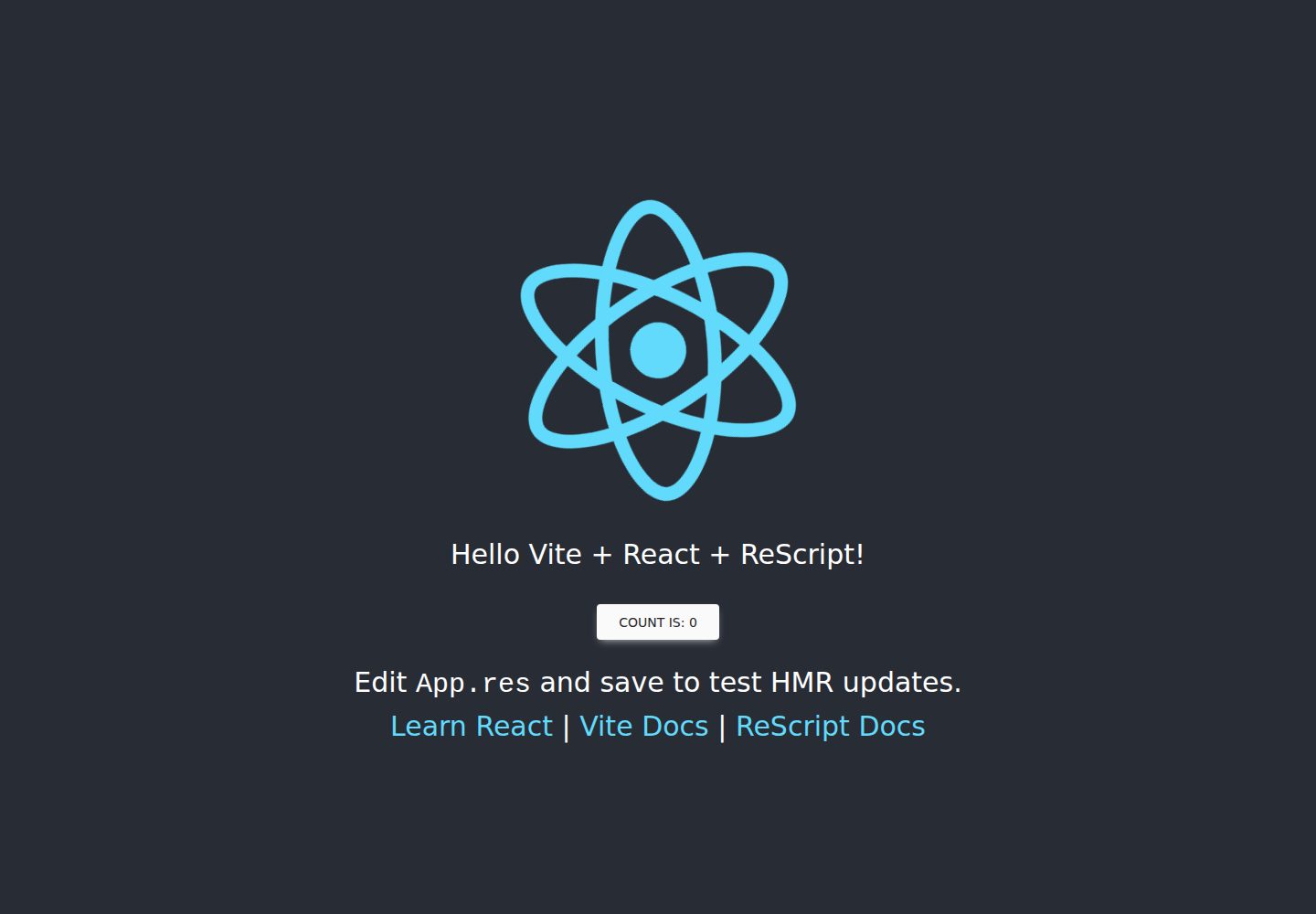
vitejs-template-react-rescript
Integrating ReScript and rescript-react into the official Vite React template
Vite · 启动器