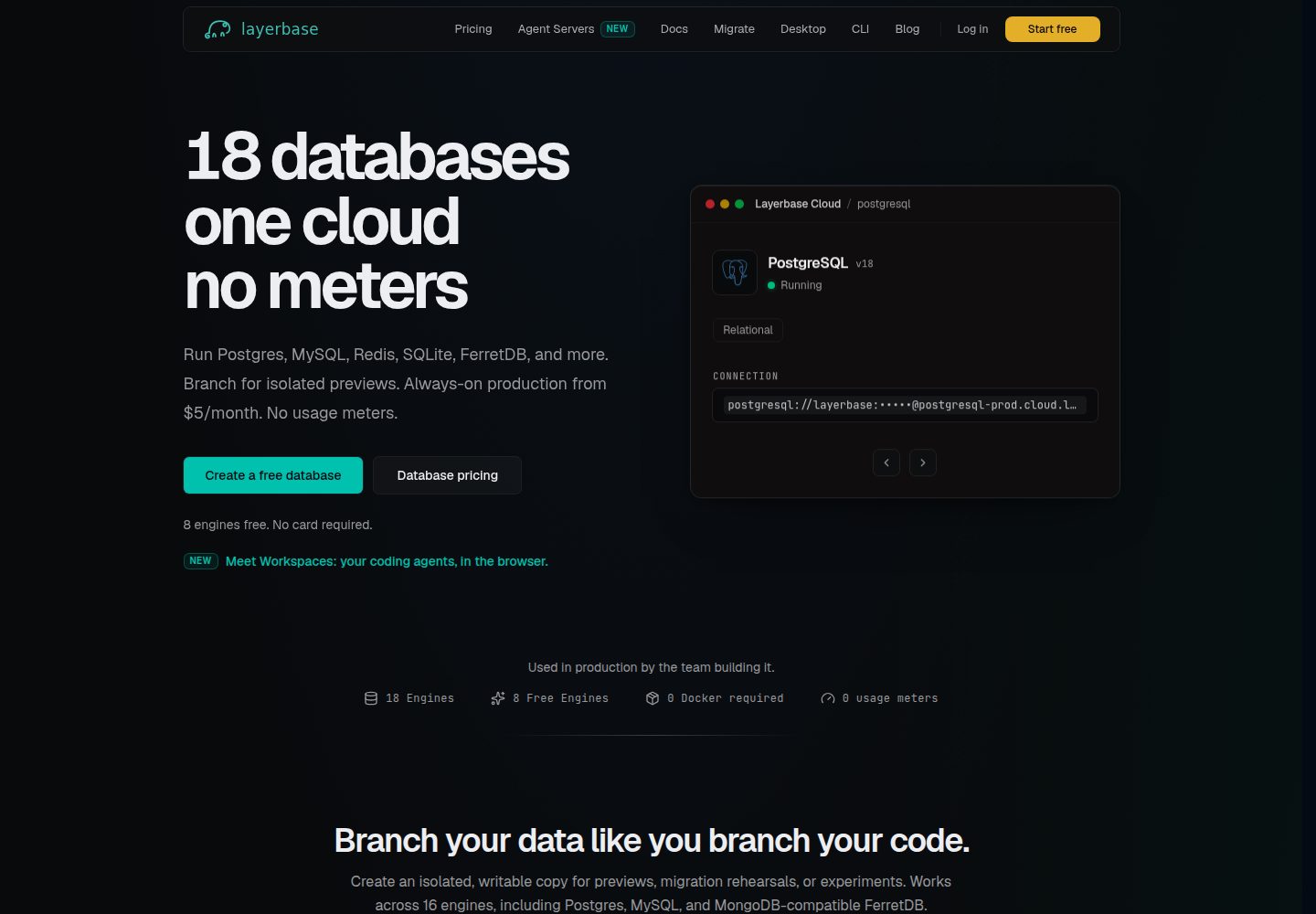
提供 node-vite 与 nextjs 两个自包含示例,均实现同一个待办列表
Next.jsViteReact启动器
layerbase-app-starter — Next.js 启动器模板
作者 Layerbase-LLC
Layerbase 官方应用启动模板,提供 node-vite 与 nextjs 两个自包含示例,均实现同一个待办列表,并内置发布工作流。
看看你的网站会是什么样
浏览真实页面截图,比较内容排版与手机效果。点击下方缩略图切换,放大查看整页细节。
全部页面与视图 3
截图用于了解视觉与布局,交互效果请以实际项目为准。
采集于 2026-10-14查看来源
值得关注的模板亮点
从已有项目资料中,快速了解它的特点。
每个示例文件夹可单独复制使用,并自带发布工作流
演示 Layerbase 应用契约:PORT 监听、DATABASE_URL 持久化、幂等启动迁移、双健康检查端点、SIGTERM 优雅退出、预构建镜像与 OCI 版本标签
包含针对 AI 编码助手的提示词,指导替换示例功能并保留平台契约部分
本地开发使用 spindb 创建 PostgreSQL,并设置 DATABASE_URL
模板详细介绍
该仓库是 Layerbase 平台的应用启动模板,包含两个完整且最小化的示例应用,二者实现相同的待办列表功能,但技术栈不同:node-vite 使用 Hono 服务端与 React(Vite)前端,运行在单个进程中;nextjs 使用 Next.js App Router,采用 standalone 输出。每个示例文件夹都是自包含的仓库,可单独复制出来使用,并自带发布工作流。
README 说明模板旨在演示 Layerbase 应用需满足的契约:监听 PORT 并绑定所有接口、仅通过 DATABASE_URL 持久化并在启动时幂等迁移、提供 GET /healthz(存活)与 GET /health(就绪)两个健康检查端点、在 SIGTERM 时干净退出、以预构建镜像形式发布并带有 OCI 版本标签。模板还提供了针对 AI 编码助手的提示词,用于替换示例中的待办功能,并强调不要修改平台契约相关部分。
本地运行方面,README 建议使用 Layerbase 的 spindb CLI 创建 PostgreSQL 数据库,复制 .env.example 为 .env 并设置 DATABASE_URL,然后执行 pnpm install 与 pnpm dev。部署方面,将代码推送到自己的 GitHub 仓库后,捆绑的 .github/workflows/publish.yml 会激活,每次推送到 main 分支都会构建镜像并发布到自己的 GHCR 命名空间。README 未提供关于模板性能、生产就绪程度或除上述内容外的其他功能说明。
Next.jsVite启动器
适合你的项目吗?
适用场景
- 基于 Layerbase 平台启动一个新的容器化应用项目
- 参考 node-vite 或 nextjs 示例了解平台契约的具体实现方式
- 使用 AI 编码助手根据提示词快速替换示例功能为自己的应用
- 将模板复制到自己的 GitHub 仓库,利用捆绑工作流自动构建并发布镜像到 GHCR
适合人群
- 准备在 Layerbase 平台上部署应用的开发者
- 需要同时参考 Hono + React(Vite)和 Next.js App Router 两种栈的示例的开发者
- 希望通过 AI 编码助手快速搭建符合平台契约的应用原型的开发者
上手与定制指南
结合仓库当前版本的说明,按下面的资料检查内容、配置与运行要求。
- 1
使用 pnpx tiged Layerbase-LLC/layerbase-app-starter/node-vite [APP_NAME] 或 pnpx tiged Layerbase-LLC/layerbase-app-starter/nextjs [APP_NAME] 复制示例
- 2
本地开发需使用 spindb create [APP_NAME] --engine postgresql 创建 PostgreSQL 数据库
- 3
复制 .env.example 为 .env 并设置 DATABASE_URL 为数据库连接字符串
- 4
执行 pnpm install 与 pnpm dev 启动本地开发
- 5
推送到自己的 GitHub 仓库 main 分支后,捆绑的 publish.yml 工作流会自动构建并发布镜像到 GHCR
授权与来源资料
使用条件与限制
免费使用 · 保留许可声明本次收录的是公开仓库中采用 MIT 许可的免费版本;免费范围为该版本代码,不代表外部服务或第三方素材免费。
使用时需要遵守
- 允许免费使用、修改、商用和分发该版本代码。
- 分发代码副本或实质性部分时,保留原作者版权声明和完整 MIT 许可声明。
- 代码按现状提供;担保与责任限制以原许可证及适用法律为准。
额外费用与待核对事项
- 演示图片、字体、图标及其他第三方素材需按各自许可核对,不能仅凭代码的 MIT 许可判断。
- 域名、托管、数据库、支付或 AI 等外部服务可能另外收费。
- 本地开发需要 PostgreSQL 数据库;可使用 Layerbase 的 spindb CLI 创建,或自备数据库。
- 使用 spindb 创建本地 PostgreSQL 数据库时需执行该命令,依赖 spindb CLI。
- 需复制 .env.example 为 .env 并手动设置 DATABASE_URL 为数据库连接字符串。
- 将新应用列入 Layerbase 应用目录目前需联系官方完成,而非自助操作。
- 应用需符合该契约才可申请上架 Layerbase 目录。
- 上架目录需通过 Layerbase 支持渠道联系官方。
查看原文依据
Permission is hereby granted, free of charge
许可证原文
# A local Postgres (Layerbase's spindb CLI, or bring your own)
README 原文
spindb create todos --engine postgresql
README 原文
cp .env.example .env # then set DATABASE_URL to its connection string
README 原文
Listing a new app in the catalog is currently done with us rather than
README 原文
self-serve: if you have an app that fits this contract,
README 原文
https://github.com/Layerbase-LLC/layerbase-app-starter/blob/main/LICENSEhttps://github.com/Layerbase-LLC/layerbase-app-starter/blob/main/README.md[get in touch](https://layerbase.com/support).
README 原文
DeepSeek 根据仓库许可证和 README 整理 ·2026-10-14。结果仅覆盖已读取资料,依赖、图片、字体及后续条款变更以各自原文为准。
项目核对记录与介绍依据
模板资料
- 来源平台
- GitHub
- 资料与维护参考分
- 资料较完整 · 85 / 100
- 技术栈
- Next.js · Vite · React
- 网站类型
- 启动器
这个分数如何计算
本站按许可资料(最高30分)、演示链接(12分)、预览图(10分)、Star数(15分)、记录的维护时间(15分)、描述完整度(8分)、功能记录(5分)和分类资料(5分)计算。它不是代码、安全或性能测试,也不是 Google 评分;有链接不代表已实测可用。
这个项目需要核对什么
- 记录的仓库更新时间
- 2026-07-04
- 截图检查日期
- 2026-10-14
已收录演示链接。请用你的内容与屏幕尺寸检查;有演示不代表表单、认证或支付已经可用。
目录记录的主要技术栈是 Next.js。请通过依赖清单和锁文件核对实际版本与托管要求。这些说明基于收录资料,不代表代码审计或部署实测。
查看具体选型方法 →介绍的制作与核对状态
介绍由 AI 辅助整理目录与仓库资料。仓库作者不等于这篇介绍的审核者。
审核声明: codex-user-requested-batch-review-20261015 · 2026-10-15
查看当时使用的来源资料
SHA-256: 2f990deebdfd747ab7644ff0ec224099fcc5bb712e0b2ccf8ec6710d04df7b1e
2026-10-14T22:33:11.726Z
来源文件 / 仓库# Layerbase App Starter
Two complete, minimal Layerbase apps - the same todo list, implemented twice.
**Each folder is a self-contained repo**: copy one out and it comes with
everything, including its own publish workflow.
| Example | Stack |
| --- | --- |
| [`node-vite/`](node-vite/) | Hono server + React (Vite) frontend, one process |
| [`nextjs/`](nextjs/) | Next.js App Router, standalone output |
## Start with a prompt
Building with an AI coding assistant? Pick the prompt for your stack, fill in
the `[BRACKETED]` parts, and paste it in.
### Node app with a Vite frontend
```text
Bootstrap a Layerbase app for me.
1. Scaffold from the starter:
pnpx tiged Layerbase-LLC/layerbase-app-starter/node-vite [APP_NAME]
2. The app I am building: [WHAT YOUR APP DOES, e.g. "a link shortener with
click analytics"]. Replace the example todo feature (the /api routes in
src/server/index.ts, the schema in src/server/db.ts, and the UI in
src/web/) with it, keeping the same structure.
3. Frontend: it ships as Vite + React. I want [react | vue | svelte]; if not
React, swap the Vite plugin and rewrite src/web accordingly.
4. Do NOT change the platform contract pieces: the PORT/HOST binding, the
idempotent boot migration against DATABASE_URL (extend the schema, keep it
idempotent), the GET /healthz (liveness) + GET /health (readiness) split,
the Dockerfile HEALTHCHECK, SIGTERM draining, the multi-stage Dockerfile,
and .github/workflows/publish.yml.
5. For local dev, create a Postgres with spindb
(spindb create [APP_NAME] --engine postgresql) then copy .env.example to .env and
set DATABASE_URL to its connection string.
6. Create a GitHub repository named [APP_NAME] and push to main - the bundled
workflow publishes the image to my GHCR namespace automatically.
Hosting reference: https://layerbase.com/docs/apps - the app runs as one
stateless container with a managed database injected as DATABASE_URL; TLS,
domains, and self-healing are handled by the platform.
```
### Next.js app
```text
Bootstrap a Layerbase app for me.
1. Scaffold from the starter:
pnpx tiged Layerbase-LLC/layerbase-app-starter/nextjs [APP_NAME]
2. The app I am building: [WHAT YOUR APP DOES, e.g. "a changelog page with an
admin editor"]. Replace the example todo feature (the route handlers in
app/api/todos/, the schema in lib/db.ts, and the UI in app/page.tsx +
components/) with it, keeping the same structure.
3. Do NOT change the platform contract pieces: the standalone output config,
the idempotent boot migration in lib/db.ts wired through
instrumentation.ts (extend the schema, keep it idempotent),
app/healthz/route.ts (liveness) + app/health/route.ts (readiness), the
Dockerfile HEALTHCHECK, the multi-stage Dockerfile, and
.github/workflows/publish.yml.
4. For local dev, create a Postgres with spindb
(spindb create [APP_NAME] --engine postgresql) then copy .env.example to .env and
set DATABASE_URL to its connection string.
5. Create a GitHub repository named [APP_NAME] and push to main - the bundled
workflow publishes the image to my GHCR namespace automatically.
Hosting reference: https://layerbase.com/docs/apps - the app runs as one
stateless container with a managed database injected as DATABASE_URL; TLS,
domains, and self-healing are handled by the platform.
```
## Or by hand
```bash
pnpx tiged Layerbase-LLC/layerbase-app-starter/node-vite my-app
# or: pnpx tiged Layerbase-LLC/layerbase-app-starter/nextjs my-app
cd my-app && git init && git add -A && git commit -m "init from layerbase-app-starter"
```
Push it to your own GitHub repo and the bundled workflow
(`.github/workflows/publish.yml`) activates: every push to `main` builds the
image and publishes it to **your** GHCR namespace with the tags and OCI
version label the Layerbase platform expects. (Inside this monorepo the
per-folder workflows are dormant - GitHub only executes workflows at a repo
root, and this repo deliberately has none.)
Then replace the todo parts with your real app. The platform-facing plumbing
is already done.
## The contract
A Layerbase app is a container the platform can run without knowing anything
about it. That takes exactly five things, all demonstrated in both examples:
| Requirement | Why |
| --- | --- |
| Listen on `PORT`, bound to all interfaces | The platform's proxy terminates TLS and routes to your container |
| Persist ONLY to `DATABASE_URL`, migrate on boot, idempotently | The container is disposable - every redeploy replaces it |
| Answer `GET /healthz` (liveness) and `GET /health` (readiness) | Two probes with two jobs - see [Health checks](#health-checks) below |
| Exit cleanly on `SIGTERM` | Redeploys drain in-flight requests instead of dropping them |
| Ship as a prebuilt image with an OCI version label | Nothing builds on boot; the platform detects available updates |
Everything else - TLS, domains, DNS, the database itself, backups, restarts -
is the platform's job, not yours.
## Health checks
An app answers **two** health endpoints, and they must not be the same handler:
| Endpoint | Job | Touches the DB? | Who probes it |
| --- | --- | --- | --- |
| `GET /healthz` | Liveness - is the process serving HTTP at all? | **No.** Instant 200, no auth, no I/O | The **image's own `HEALTHCHECK`** in the `Dockerfile` (what `docker inspect` reports) |
| `GET /health` | Readiness - can it actually serve, DB and all? | **Yes.** Pings the database | The **Layerbase platform** reconciler, which recreates the container and can revive the backing store |
Why split them? The platform injects **no** Docker healthcheck, so your image's
`HEALTHCHECK` is what Docker reports on its own. If that healthcheck probes a
DB-dependent path, one database blip flips a container that is serving fine to
permanently "unhealthy". Keep liveness (`/healthz`) dependency-free so it only
fails when the process is genuinely wedged; let the platform's readiness probe
(`/health`) be the one that cares about the database, because its remediation
can revive that database.
Two rules the `HEALTHCHECK` lines in both examples follow, both learned the
hard way in production:
- **Read the port from `PORT`** (`http://127.0.0.1:${PORT}/healthz`), never a
hardcoded literal. The platform allocates the port and injects it as `PORT`;
a hardcoded port probes the wrong place and always reports unhealthy.
- **Use a dependency the runtime image actually has.** These slim images have
no `curl`, so the probe uses Node's built-in global `fetch`
(`node -e "fetch(...)"`), not `curl`.
## Run an example locally
```bash
cd node-vite # or nextjs
# A local Postgres (Layerbase's spindb CLI, or bring your own)
spindb create todos --engine postgresql
cp .env.example .env # then set DATABASE_URL to its connection string
pnpm install
pnpm dev
```
Each example's README has the stack-specific details.
## Hosting on Layerbase
Layerbase provisions the container, the hidden backing database, the
`DATABASE_URL` wiring, an HTTPS hostname, and optional custom domains - the
same machinery that runs [Session Replay](https://layerbase.com/docs/apps).
Listing a new app in the catalog is currently done with us rather than
self-serve: if you have an app that fits this contract,
[get in touch](https://layerbase.com/support).
看看同类模板
对比同技术栈与用途的模板,找到更适合的视觉与内容结构。

ai-website-cloner-template
Clone any website with one command using AI coding agents
Next.js · 启动器

Next.js SaaS Starter
Next.js SaaS Starter 是 Next.js 官方维护的 SaaS 起点模板,定位介于学习资源和可直接部署的脚手架之间。
Next.js · SaaS

Next.js Commerce
Next.js Commerce 是 Vercel 团队维护的电商启动模板,基于 Next.js App Router 构建,采用服务端渲染、React Server Components、Server Actions …
Next.js · 电商

Next-js-Boilerplate
Next-js-Boilerplate 是一个面向 Next.js 16、Tailwind CSS 4 和 TypeScript 的启动器,核心定位是开发者体验优先。
Next.js · 启动器

tailwind-nextjs-starter-blog
tailwind-nextjs-starter-blog 是一个面向个人技术博客的 Next.js 与 Tailwind CSS 启动模板,其 v2 版本基于 App Router 与 React Server Comp…
Next.js · 博客

next-forge
Production-grade Turborepo template for Next.js apps.
Next.js · 启动器