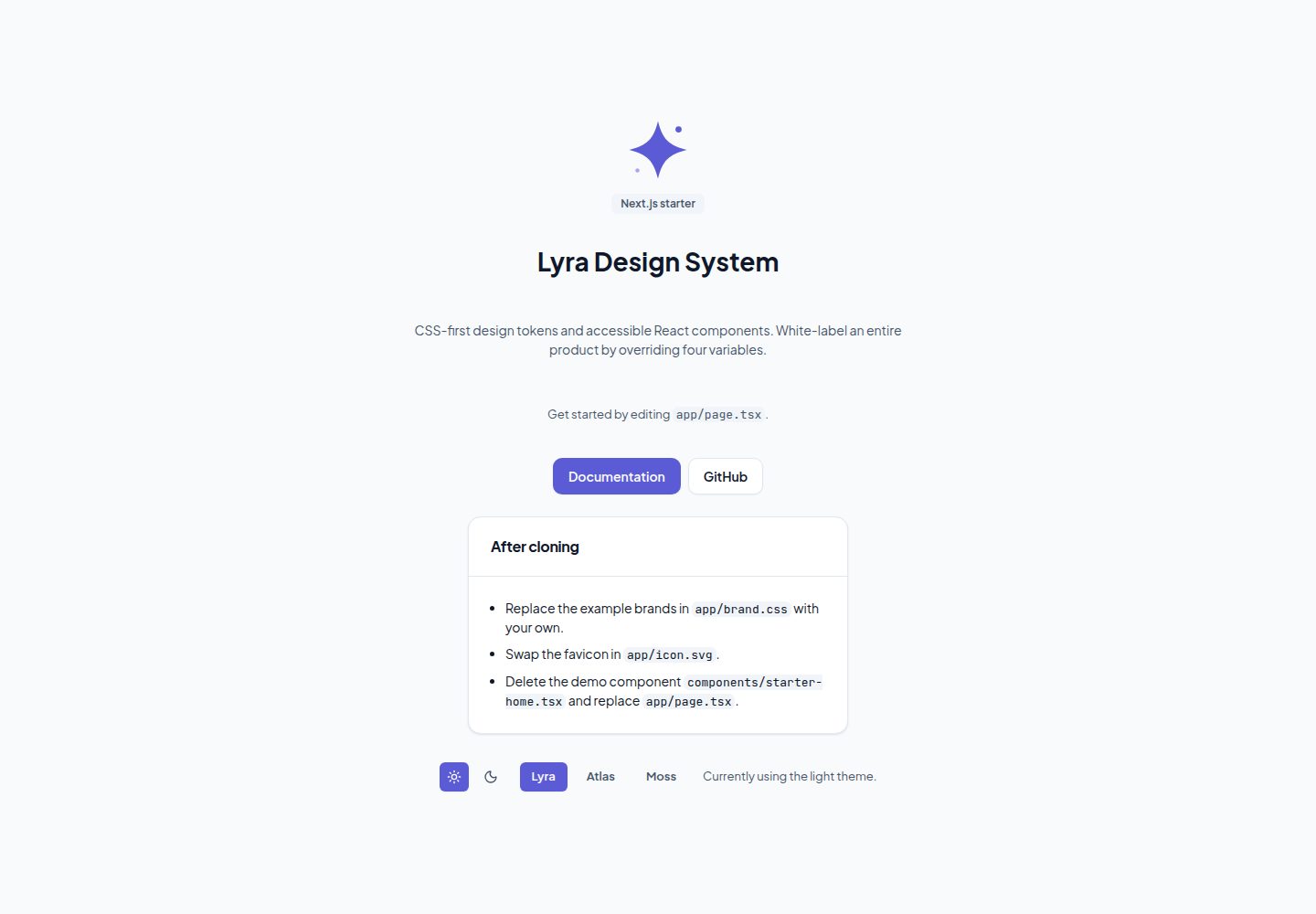
包含 Lyra 公共样式与 React 包,以及本地字体
Next.jsReact启动器
starter-next-demo — Next.js 启动器模板
作者 lyra-ds
基于 Next.js 的 Lyra Design System 起步模板,内置公共样式与 React 包、本地字体、明暗主题切换、白标品牌变量,以及 lint、测试与 CI 配置。
看看你的网站会是什么样
浏览真实页面截图,比较内容排版与手机效果。点击下方缩略图切换,放大查看整页细节。
全部页面与视图 2
截图用于了解视觉与布局,交互效果请以实际项目为准。
采集于 2026-10-14查看来源
值得关注的模板亮点
从已有项目资料中,快速了解它的特点。
支持 light / dark / system 主题选择
通过四个 CSS 变量实现白标品牌切换
提供 lint、格式化、测试(Vitest + jsdom)与 CI 脚本
附带 AGENTS.md,指向 Lyra DS 文档与组件契约
演示通过 GitHub Actions 部署到 GitHub Pages
模板详细介绍
这是 Lyra Design System 的极简 Next.js 模板,用于快速搭建使用 Lyra 公共样式与 React 组件的项目。模板自带本地字体、light/dark/system 主题选择、通过 CSS 变量实现的白标品牌切换,以及可运行的 lint、测试和 CI 脚本。README 说明了创建项目、克隆后需要修改的几处配置、品牌变量用法、可用脚本和 GitHub Pages 部署流程。
模板附带 AGENTS.md,用于把 AI 编码代理指向 Lyra DS 文档、机器可读的组件契约(llms.txt)以及本项目的命令与约定。README 未提供关于具体框架版本、运行性能或生产就绪程度的说明。
Next.jsReact启动器
适合你的项目吗?
适用场景
- 使用 Lyra Design System 启动新的 Next.js 项目
- 需要明暗主题与白标品牌切换的界面原型
- 希望自带 lint、测试与 CI 配置的起步项目
- 需要为 AI 编码代理提供项目约定与组件文档入口
适合人群
- 使用 Lyra Design System 的前端开发者
- 需要快速搭建 Next.js 项目骨架的团队
- 需要白标或主题定制能力的项目
上手与定制指南
结合仓库当前版本的说明,按下面的资料检查内容、配置与运行要求。
- 1
可通过 GitHub 的 Use this template、create-next-app 或直接克隆创建项目
- 2
安装依赖并启动开发服务器:pnpm install 后运行 pnpm dev,npm 和 yarn 也可用
- 3
克隆后需重命名 package.json 中的 name、编辑 app/layout.tsx 的 metadata、替换 app/brand.css 中的示例品牌与 app/icon.svg
- 4
开始构建时删除 components/starter-home.tsx 及其测试,并替换 app/page.tsx
- 5
部署到 GitHub Pages 需设置 basePath 为仓库名(或自定义域名时移除),并在 Settings → Pages → Source 选择 GitHub Actions
授权与来源资料
使用条件与限制
免费使用 · 保留许可声明本次收录的是公开仓库中采用 MIT 许可的免费版本;免费范围为该版本代码,不代表外部服务或第三方素材免费。
使用时需要遵守
- 允许免费使用、修改、商用和分发该版本代码。
- 分发代码副本或实质性部分时,保留原作者版权声明和完整 MIT 许可声明。
- 代码按现状提供;担保与责任限制以原许可证及适用法律为准。
额外费用与待核对事项
- 演示图片、字体、图标及其他第三方素材需按各自许可核对,不能仅凭代码的 MIT 许可判断。
- 域名、托管、数据库、支付或 AI 等外部服务可能另外收费。
查看原文依据
https://github.com/lyra-ds/starter-next-demo/blob/main/LICENSEhttps://github.com/lyra-ds/starter-next-demo/blob/main/README.mdPermission is hereby granted, free of charge
许可证原文
DeepSeek 根据仓库许可证和 README 整理 ·2026-10-14。结果仅覆盖已读取资料,依赖、图片、字体及后续条款变更以各自原文为准。
项目核对记录与介绍依据
模板资料
- 来源平台
- GitHub
- 资料与维护参考分
- 资料较完整 · 85 / 100
- 技术栈
- Next.js · React
- 网站类型
- 启动器
这个分数如何计算
本站按许可资料(最高30分)、演示链接(12分)、预览图(10分)、Star数(15分)、记录的维护时间(15分)、描述完整度(8分)、功能记录(5分)和分类资料(5分)计算。它不是代码、安全或性能测试,也不是 Google 评分;有链接不代表已实测可用。
这个项目需要核对什么
- 记录的仓库更新时间
- 2026-10-14
- 截图检查日期
- 2026-10-14
已收录演示链接。请用你的内容与屏幕尺寸检查;有演示不代表表单、认证或支付已经可用。
目录记录的主要技术栈是 Next.js。请通过依赖清单和锁文件核对实际版本与托管要求。这些说明基于收录资料,不代表代码审计或部署实测。
查看具体选型方法 →介绍的制作与核对状态
介绍由 AI 辅助整理目录与仓库资料。仓库作者不等于这篇介绍的审核者。
审核声明: codex-user-requested-batch-review-20261017 · 2026-10-16
查看当时使用的来源资料
SHA-256: 3384daa8883286fb13e43a7377e465130e0378b0ea7b1b13745d29859570d6c0
2026-10-14T22:35:33.353Z
来源文件 / 仓库# Lyra DS Next.js template
A minimal [Next.js](https://nextjs.org) template for
[Lyra Design System](https://lyra-ds.dev). It ships the public Lyra styles
and React packages, local fonts, theme selection (light / dark / system),
live white-label branding, and ready-to-go lint, test, and CI setup.
**[See the live demo →](https://lyra-ds.github.io/starter-next-demo/)**
## Create your project
Click **Use this template** on GitHub, or:
```sh
npx create-next-app@latest my-app -e https://github.com/lyra-ds/starter-next
```
Plain cloning works too. Then:
```sh
pnpm install
pnpm dev
```
`npm` and `yarn` work as well.
## After cloning
- [ ] Rename `name` in `package.json`.
- [ ] Edit the `metadata` export in `app/layout.tsx` (title, description).
- [ ] Replace the example brands in `app/brand.css` with your own.
- [ ] Swap `app/icon.svg` for your favicon.
- [ ] When you start building, delete `components/starter-home.tsx` (and its
test) and replace `app/page.tsx`.
## White-label branding
Lyra rebrands with only four CSS variables — everything else derives from
them:
```css
[data-brand='acme'] {
--brand: #176b87;
--brand-contrast: #ffffff;
--brand-radius: 0.75rem;
--brand-font: 'Plus Jakarta Sans', sans-serif;
}
```
See `app/brand.css` for the two example brands the demo switches between.
The demo's "Lyra" option is the baseline look: it removes `data-brand`
entirely — never set the attribute without defining `--brand`, or the
derived accent group resolves to nothing.
## Scripts
| Script | What it does |
| ------------------- | --------------------------- |
| `pnpm dev` | Start the dev server |
| `pnpm build` | Production build |
| `pnpm test` | Run tests (Vitest + jsdom) |
| `pnpm lint` | ESLint (next presets) |
| `pnpm format` | Prettier write |
| `pnpm format:check` | Prettier check (used in CI) |
CI runs lint, format check, tests, and build on every push and PR.
## Deploy
This demo is deployed to GitHub Pages by
[`.github/workflows/deploy.yml`](./.github/workflows/deploy.yml) on every
push to `main`. Pages serves static files only, so the workflow builds
with `GITHUB_PAGES=true`, which turns on `output: 'export'` and the
`basePath` in `next.config.ts` and publishes `out/`.
The flag keeps those settings out of local dev, which still serves from
the root. To deploy your own fork: set the `basePath` to your repository
name (or drop it for a custom domain), then enable _Settings → Pages →
Source: GitHub Actions_.
## AI agents
The template ships an [`AGENTS.md`](./AGENTS.md) that points AI coding
agents at the Lyra DS docs, the machine-readable component contracts
([llms.txt](https://lyra-ds.dev/llms.txt)), and this project's commands and
conventions. Keep it updated as your project evolves.
## Links
- [Lyra DS](https://lyra-ds.dev)
- [Lyra repository](https://github.com/lyra-ds/lyra)
- [@lyra-ds/styles on npm](https://www.npmjs.com/package/@lyra-ds/styles)
- [@lyra-ds/react on npm](https://www.npmjs.com/package/@lyra-ds/react)
看看同类模板
对比同技术栈与用途的模板,找到更适合的视觉与内容结构。

ai-website-cloner-template
Clone any website with one command using AI coding agents
Next.js · 启动器

Next.js SaaS Starter
Next.js SaaS Starter 是 Next.js 官方维护的 SaaS 起点模板,定位介于学习资源和可直接部署的脚手架之间。
Next.js · SaaS

Next.js Commerce
Next.js Commerce 是 Vercel 团队维护的电商启动模板,基于 Next.js App Router 构建,采用服务端渲染、React Server Components、Server Actions …
Next.js · 电商

Next-js-Boilerplate
Next-js-Boilerplate 是一个面向 Next.js 16、Tailwind CSS 4 和 TypeScript 的启动器,核心定位是开发者体验优先。
Next.js · 启动器

tailwind-nextjs-starter-blog
tailwind-nextjs-starter-blog 是一个面向个人技术博客的 Next.js 与 Tailwind CSS 启动模板,其 v2 版本基于 App Router 与 React Server Comp…
Next.js · 博客

next-forge
Production-grade Turborepo template for Next.js apps.
Next.js · 启动器