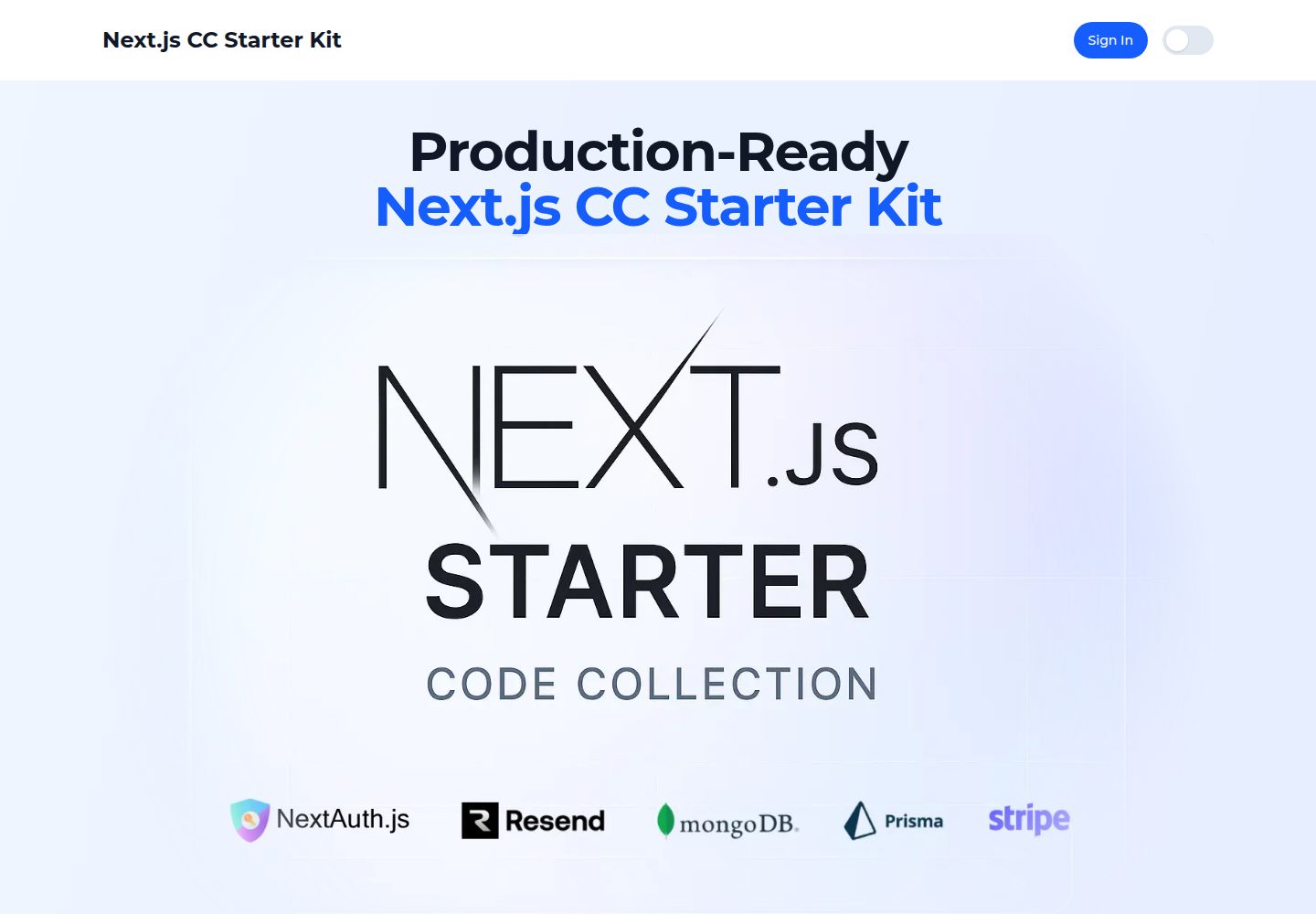
NextAuth.js 认证体系,支持邮箱密码、Google OAuth 与 GitHub OAuth
Next.jsReactSaaS启动器
NextJS-CC-Starter-Kit — Next.js SaaS模板
作者 mklozinski
基于 Next.js 的 SaaS 启动器,集成 NextAuth 认证、Prisma + MongoDB 数据库、Resend 邮件与 Stripe 支付,含密码重置流程。
看看你的网站会是什么样
浏览真实页面截图,比较内容排版与手机效果。点击下方缩略图切换,放大查看整页细节。
全部页面与视图 2
截图用于了解视觉与布局,交互效果请以实际项目为准。
采集于 2026-10-02查看来源
值得关注的模板亮点
从已有项目资料中,快速了解它的特点。
Prisma + MongoDB 数据模型,含 User、Account、Session、VerificationToken
带邮件通知的密码重置流程,重置令牌有效期 1 小时
使用 Resend 与 React Email、Tailwind CSS 编写的响应式邮件模板
Stripe Checkout 会话与 webhook 处理示例,含定价页与多档价格 ID 配置
next-themes 实现深色/浅色主题切换,TypeScript 全量类型
模板详细介绍
NextJS-CC-Starter-Kit 是一个面向 SaaS 开发的 Next.js 启动器,仓库采用 MIT 许可。它把 SaaS 项目常见的几块基础能力预先搭好:NextAuth.js 认证(邮箱密码、Google OAuth、GitHub OAuth)、基于 Prisma 与 MongoDB 的数据模型、带邮件通知的密码重置流程,以及 Stripe Checkout 与 webhook 的支付示例。页面层面提供首页、定价页、受保护的 dashboard 示例、登录、注册、忘记密码和重置密码等路由。
邮件部分使用 Resend 配合 React Email 与 Tailwind CSS 编写模板,仓库内包含忘记密码与重置成功两类模板。数据库模型覆盖 User、Account、Session 与 VerificationToken,其中角色字段标注为未来使用,当前未实现管理后台。
使用前需要自行准备 MongoDB、Resend 与 Stripe 账号,并在 .env 中填写数据库、NextAuth、OAuth、邮件和 Stripe 价格 ID 等变量。仓库提供 db:push、db:seed、db:studio 等脚本,生产环境建议改用 prisma migrate deploy。演示图片、字体、图标等第三方素材需按各自许可单独核对,域名、托管、数据库、支付与邮件等外部服务可能另外计费。
Next.jsSaaS启动器
适合你的项目吗?
适用场景
- 快速搭建需要账号体系与订阅付费的 SaaS 产品原型
- 为 Next.js 项目接入邮箱密码登录、OAuth 登录与密码重置
- 参考 Stripe Checkout 与 webhook 在 Next.js 中的集成方式
- 使用 React Email 与 Tailwind CSS 编写事务性邮件模板
- 以 Prisma + MongoDB 建立用户与会话相关的数据模型
适合人群
- 熟悉 Next.js 与 TypeScript、希望跳过基础认证与支付搭建的开发者
- 需要邮箱密码与 OAuth 混合登录方案的 SaaS 项目
- 计划使用 MongoDB 并通过 Prisma 访问数据库的团队
- 需要 Stripe 订阅结账与邮件通知示例的开发者
上手与定制指南
结合仓库当前版本的说明,按下面的资料检查内容、配置与运行要求。
- 1
需要 Node.js 18+、MongoDB(本地或 Atlas)、Resend 账号与 Stripe 账号
- 2
复制 .env.example 为 .env,填写 DATABASE_URL、NEXTAUTH_URL、NEXTAUTH_SECRET 等核心变量
- 3
OAuth、Google Analytics、Resend 与 Stripe 相关变量按需配置,未使用时留空
- 4
执行 npx prisma generate 与 npx prisma db push 初始化数据库,可选运行 npm run db:seed
- 5
生产环境使用 npx prisma migrate deploy 迁移,并在部署平台设置全部必需环境变量
授权与来源资料
使用条件与限制
免费使用 · 保留许可声明本次收录的是公开仓库中采用 MIT 许可的免费版本;免费范围为该版本代码,不代表外部服务或第三方素材免费。
使用时需要遵守
- 允许免费使用、修改、商用和分发该版本代码。
- 分发代码副本或实质性部分时,保留原作者版权声明和完整 MIT 许可声明。
- 代码按现状提供;担保与责任限制以原许可证及适用法律为准。
额外费用与待核对事项
- 使用邮件功能(密码重置邮件、邮件模板)需要自行注册 Resend 账号并提供 RESEND_API_KEY,属于外部服务依赖。
- 使用支付功能需要自行注册 Stripe 账号,并配置 STRIPE_SECRET_KEY、STRIPE_WEBHOOK_SECRET 及各价格 ID 等密钥。
- 需要自备 MongoDB 数据库(本地安装或 MongoDB Atlas),并填写 DATABASE_URL 才能运行。
- User 模型中的角色字段仅供未来使用,当前未实现管理后台功能,不应期待现成的后台管理界面。
- 生产环境应使用 prisma migrate deploy 进行数据库迁移,而非开发用的 db push。
- 演示图片、字体、图标及其他第三方素材需按各自许可核对,不能仅凭代码的 MIT 许可判断。
- 域名、托管、数据库、支付或 AI 等外部服务可能另外收费。
查看原文依据
Permission is hereby granted, free of charge
许可证原文
Resend account for email functionality
README 原文
Stripe account for payments
README 原文
MongoDB (local installation or MongoDB Atlas)
README 原文
roles for future use, right now admin dashboard not implemented
README 原文
https://github.com/mklozinski/NextJS-CC-Starter-Kit/blob/main/LICENSEhttps://github.com/mklozinski/NextJS-CC-Starter-Kit/blob/main/README.md# In production, use migrate instead of db push
README 原文
DeepSeek 根据仓库许可证和 README 整理 ·2026-10-02。结果仅覆盖已读取资料,依赖、图片、字体及后续条款变更以各自原文为准。
项目核对记录与介绍依据
模板资料
- 来源平台
- GitHub
- 资料与维护参考分
- 资料较完整 · 82 / 100
- 技术栈
- Next.js · React
- 网站类型
- SaaS · 启动器
这个分数如何计算
本站按许可资料(最高30分)、演示链接(12分)、预览图(10分)、Star数(15分)、记录的维护时间(15分)、描述完整度(8分)、功能记录(5分)和分类资料(5分)计算。它不是代码、安全或性能测试,也不是 Google 评分;有链接不代表已实测可用。
这个项目需要核对什么
- 记录的仓库更新时间
- 2025-09-18
- 截图检查日期
- 2026-10-02
已收录演示链接。请用你的内容与屏幕尺寸检查;有演示不代表表单、认证或支付已经可用。
目录记录的主要技术栈是 Next.js。请通过依赖清单和锁文件核对实际版本与托管要求。这些说明基于收录资料,不代表代码审计或部署实测。
查看具体选型方法 →介绍的制作与核对状态
介绍由 AI 辅助整理目录与仓库资料。仓库作者不等于这篇介绍的审核者。
已完成服务器许可规则与 AI 来源核对;未经过人工编辑审核。
查看当时使用的来源资料
SHA-256: 56310284c17ce086a30fdcf9fbde7acec91c4f5f75f3207899f3b02c9d217b99
2026-10-02T14:02:06.641Z
来源文件 / 仓库# Next.js Starter Kit A modern, production-ready Next.js starter kit with authentication, database integration, password reset functionality, and all the essential tools you need to build your next web application. ## Features - **Next.js 15** - App Router, Server Components, and optimized performance - **Authentication** - Complete auth system with NextAuth.js - **Password Reset** - Secure password reset functionality with email notifications - **Email Templates** - Beautiful email templates using React Email and Tailwind CSS - **Database** - MongoDB with Prisma ORM for type-safe database operations - **Payments** - Stripe Checkout sessions with secure webhook handling - **Styling** - Tailwind CSS for rapid UI development - **Dark/Light Theme** - Theme switching with `next-themes` - **TypeScript** - Full type safety throughout the application - **Developer Experience** - ESLint, hot reload, and modern tooling ## Tech Stack - **Framework**: [Next.js 15](https://nextjs.org/) - **Language**: [TypeScript](https://www.typescriptlang.org/) - **Styling**: [Tailwind CSS](https://tailwindcss.com/) - **Authentication**: [NextAuth.js](https://next-auth.js.org/) - **Database**: [MongoDB](https://www.mongodb.com/) - **ORM**: [Prisma](https://www.prisma.io/) - **Email**: [Resend](https://resend.com/) with [React Email](https://react.email/) - **Payments**: [Stripe](https://stripe.com/) - **Theme**: [next-themes](https://github.com/pacocoursey/next-themes) - **UI Components**: Custom components with Tailwind CSS ## Getting Started ### Prerequisites - Node.js 18+ - MongoDB (local installation or MongoDB Atlas) - Git - Resend account for email functionality - Stripe account for payments ### Installation 1. **Clone the repository** ```bash git clone https://github.com/mklozinski/NextJS-CC-Starter-Kit my-app cd my-app ``` 2. **Install dependencies** ```bash npm install ``` 3. **Set up environment variables** ```bash cp .env.example .env ``` Update the `.env` file with your configuration: ```env # Core DATABASE_URL="<your-mongodb-url>" NEXTAUTH_URL="http://localhost:3000" NEXT_PUBLIC_URL="http://localhost:3000" NEXTAUTH_SECRET="<generate-strong-secret>" # OAuth (optional) GOOGLE_CLIENT_ID="" GOOGLE_CLIENT_SECRET="" GITHUB_CLIENT_ID="" GITHUB_CLIENT_SECRET="" # Analytics (optional) NEXT_PUBLIC_GOOGLE_ANALYTICS="" # Emails (Resend) RESEND_API_KEY="" FROM_EMAIL="[email protected]" EMAIL_NAME="Your App" # Stripe STRIPE_SECRET_KEY="" STRIPE_WEBHOOK_SECRET="" STRIPE_PRICE_PRO_MONTHLY="" STRIPE_PRICE_PRO_YEARLY="" STRIPE_PRICE_ULTRA_MONTHLY="" STRIPE_PRICE_ULTRA_YEARLY="" ``` 4. **Set up the database** ```bash # Generate Prisma client npx prisma generate # Push the schema to your database npx prisma db push # Optional: Seed the database npm run db:seed ``` 5. **Start the development server** ```bash npm run dev ``` Visit [http://localhost:3000](http://localhost:3000) to see your application. ## Authentication Features ### Available Authentication Methods - **Email/Password** - Traditional credential-based authentication - **Google OAuth** - Sign in with Google (configure in .env) - **GitHub OAuth** - Sign in with GitHub (configure in .env) ### Password Reset Flow 1. User clicks "Forgot Password?" on the login page 2. User enters their email address 3. System generates a secure reset token (valid for 1 hour) 4. Beautiful email with reset link is sent via Resend 5. User clicks the link and enters a new password 6. Password is securely hashed and updated in the database ### Pages - `/` - Home (instructions) - `/pricing` - Pricing page with Stripe checkout example - `/dashboard` - Protected example page - `/login` - Sign in page with all authentication methods - `/register` - User registration - `/forgot-password` - Request password reset - `/reset-password` - Reset password with token ## 📧 Email Templates The starter kit includes beautiful, responsive email templates built with React Email and Tailwind CSS: - **Forgot Password Email** - Clean, professional password reset email - **Password Reset Success** - Confirmation email after successful reset Templates are located in `src/components/emails/` and use: - React Email components for structure - Tailwind CSS for styling - Reusable header and footer components ## 🗄️ Database Schema The application uses the following main models: ### User - Basic user information (name, email) - Password (hashed with bcryptjs) - Account status and role (roles for future use, right now admin dashboard not implemented) - Password reset tokens and expiry ### Account & Session - NextAuth.js models for OAuth and session management ### VerificationToken - Email verification and password reset tokens ## 🚀 Deployment ### Environment Variables for Production Make sure to set all required environment variables in your deployment platform: ```env DATABASE_URL="your-production-mongodb-url" NEXT_PUBLIC_URL="https://yourdomain.com" NEXTAUTH_URL="https://yourdomain.com" NEXTAUTH_SECRET="your-production-secret" RESEND_API_KEY="your-resend-api-key" FROM_EMAIL="[email protected]" # OAuth credentials if using (optional) GOOGLE_CLIENT_ID="" GOOGLE_CLIENT_SECRET="" GITHUB_CLIENT_ID="" GITHUB_CLIENT_SECRET="" # Stripe STRIPE_SECRET_KEY="sk_live_your_key" NEXT_PUBLIC_STRIPE_PUBLISHABLE_KEY="pk_live_your_key" STRIPE_WEBHOOK_SECRET="whsec_your_live_secret" STRIPE_PRICE_PRO_MONTHLY="price_plan1-monthly" STRIPE_PRICE_PRO_YEARLY="price_plan1-yearly" STRIPE_PRICE_ULTRA_MONTHLY="price-plan2-monthly" STRIPE_PRICE_ULTRA_YEARLY="price-plan2-yearly" ``` ### Database Migration ```bash # In production, use migrate instead of db push npx prisma migrate deploy ``` ## 🔧 Development ### Available Scripts - `npm run dev` - Start development server with Turbopack - `npm run build` - Build for production - `npm run start` - Start production server - `npm run lint` - Run ESLint - `npm run db:generate` - Generate Prisma client - `npm run db:push` - Push schema changes to database - `npm run db:studio` - Open Prisma Studio - `npm run db:seed` - Seed the database ### Project Structure ``` src/ ├── app/ # Next.js 13+ app directory │ ├── api/ # API routes │ │ ├── auth/ # Authentication endpoints │ │ ├── stripe/ # Stripe checkout + webhook │ │ └── user/ # User profile/password endpoints │ ├── pricing/ # Pricing page (Stripe example) │ ├── (auth)/dashboard/ # Protected example page │ ├── login/ # Login page │ ├── register/ # Registration page │ ├── forgot-password/ # Password reset request │ └── reset-password/ # Password reset form ├── components/ # React components │ ├── auth/ # Authentication components │ ├── emails/ # Email templates │ ├── providers/ # Context providers (theme, auth) │ └── ui/ # UI components ├── lib/ # Utility functions └── types/ # TypeScript type definitions ``` ## Contributing 1. Fork the repository 2. Create your feature branch (`git checkout -b feature/amazing-feature`) 3. Commit your changes (`git commit -m 'Add some amazing feature'`) 4. Push to the branch (`git push origin feature/amazing-feature`) 5. Open a Pull Request ## License This project is licensed under the MIT License - see the [LICENSE](LICENSE) file for details. ## Support If you have any questions or need help, please open an issue on GitHub. --- Built using Next.js, TypeScript, NextAuth, Prisma, and Stripe with dark/light theme support.
看看同类模板
对比同技术栈与用途的模板,找到更适合的视觉与内容结构。

ai-website-cloner-template
Clone any website with one command using AI coding agents
Next.js · 启动器

Next.js SaaS Starter
Next.js SaaS Starter 是 Next.js 官方维护的 SaaS 起点模板,定位介于学习资源和可直接部署的脚手架之间。
Next.js · SaaS

Next.js Commerce
Next.js Commerce 是 Vercel 团队维护的电商启动模板,基于 Next.js App Router 构建,采用服务端渲染、React Server Components、Server Actions …
Next.js · 电商

Next-js-Boilerplate
Next-js-Boilerplate 是一个面向 Next.js 16、Tailwind CSS 4 和 TypeScript 的启动器,核心定位是开发者体验优先。
Next.js · 启动器

tailwind-nextjs-starter-blog
tailwind-nextjs-starter-blog 是一个面向个人技术博客的 Next.js 与 Tailwind CSS 启动模板,其 v2 版本基于 App Router 与 React Server Comp…
Next.js · 博客

next-forge
Production-grade Turborepo template for Next.js apps.
Next.js · 启动器