纯 HTML 与 CSS 静态模板,无需构建工具或后端服务
HTML启动器
ScholarSite — HTML 启动器模板
作者 muhammedrashidx
面向学术研究者的响应式个人网站模板,包含关于、研究、论文与图库四个 HTML 页面。
看看你的网站会是什么样
浏览真实页面截图,比较内容排版与手机效果。点击下方缩略图切换,放大查看整页细节。
全部页面与视图 2
截图用于了解视觉与布局,交互效果请以实际项目为准。
采集于 2026-10-03查看来源
值得关注的模板亮点
从已有项目资料中,快速了解它的特点。
包含关于、研究、论文、图库四个独立页面
响应式布局,适配桌面与移动端屏幕
style.css 按区块划分并带注释,便于调整布局、字体和配色
README 提供 GitHub Pages 部署步骤与 VS Code Live Server 本地预览方式
模板详细介绍
ScholarSite 是一个基于纯 HTML 与 CSS 的静态网站模板,用于搭建学术研究者的个人主页,展示个人简介、研究项目、已发表论文和图片集。仓库提供四个页面:index.html 为关于页,可放置个人简介、头像与社交或学术主页链接;research.html 用于展示研究项目,支持文字描述、配图与论文链接;publications.html 用于列出发表成果并链接全文或摘要;gallery.html 为图片画廊,可放研究、活动或个人照片。样式集中在 style.css,按区块划分并带有注释,便于修改布局、字体与配色。模板为响应式设计,适配不同屏幕尺寸,桌面端与移动端均有实际截图可参考。使用方式为 Fork 或克隆仓库后在本地编辑 HTML 与 CSS,可用浏览器直接打开 index.html,也可借助 VS Code 的 Live Server 扩展实时预览;部署方面 README 给出 GitHub Pages 的步骤,将仓库重命名为用户名并选择 main 分支作为发布源后即可通过 https://用户名.github.io 访问。模板本身不含后端、数据库或内容管理系统,所有内容需手动写入 HTML 文件;仓库未提供构建工具或依赖清单,属于开箱即用的静态文件集合。代码采用 MIT 许可,可免费使用、修改、商用和分发,但需保留版权与许可声明;演示图片、字体、图标等第三方素材需单独核对其许可。
HTML启动器
适合你的项目吗?
适用场景
- 学术研究者搭建个人主页,集中展示简介、研究方向与发表成果
- 研究生或博士生制作用于求职、申请或学术交流的个人网站
- 将已有论文列表与项目图片整理为可公开访问的静态页面
- 作为 HTML/CSS 练习项目,学习多页面静态站点的结构与样式组织
适合人群
- 希望以低成本维护个人学术主页的研究人员
- 熟悉或愿意手动编辑 HTML 与 CSS 的用户
- 需要将网站托管在 GitHub Pages 等静态托管服务上的用户
- 不依赖内容管理系统、偏好直接控制页面代码的用户
上手与定制指南
结合仓库当前版本的说明,按下面的资料检查内容、配置与运行要求。
- 1
Fork 或克隆仓库到本地,用编辑器打开项目文件夹
- 2
编辑 index.html、research.html、publications.html、gallery.html 替换为自己的内容
- 3
在 style.css 中调整布局、字体与颜色,该文件已按区块注释
- 4
本地可直接用浏览器打开 index.html,或在 VS Code 中通过 Live Server 扩展预览
- 5
部署到 GitHub Pages 时,在仓库 Settings > Pages 中选择 main 分支作为发布源
授权与来源资料
使用条件与限制
免费使用 · 保留许可声明本次收录的是公开仓库中采用 MIT 许可的免费版本;免费范围为该版本代码,不代表外部服务或第三方素材免费。
使用时需要遵守
- 允许免费使用、修改、商用和分发该版本代码。
- 分发代码副本或实质性部分时,保留原作者版权声明和完整 MIT 许可声明。
- 代码按现状提供;担保与责任限制以原许可证及适用法律为准。
额外费用与待核对事项
- 部署依赖 GitHub Pages 这一外部托管服务,需注册 GitHub 账号并按其条款使用;若改用其他托管方式则需自行承担相应费用。
- 本地实时预览依赖第三方 VS Code 扩展 Live Server,该扩展为独立项目,需另行安装并遵守其自身许可。
- MIT 许可仅覆盖本仓库代码;README 未对演示图片、字体、图标等第三方素材作出授权说明,使用前需自行核实其许可。
- 演示图片、字体、图标及其他第三方素材需按各自许可核对,不能仅凭代码的 MIT 许可判断。
- 域名、托管、数据库、支付或 AI 等外部服务可能另外收费。
查看原文依据
Permission is hereby granted, free of charge
许可证原文
You can host your website for free using **GitHub Pages**
README 原文
Install the [Live Server extension](https://marketplace.visualstudio.com/items?itemName=ritwickdey.LiveServer) for VS Code
README 原文
https://github.com/muhammedrashidx/ScholarSite/blob/main/LICENSEhttps://github.com/muhammedrashidx/ScholarSite/blob/main/README.mdThis project is licensed under the MIT License - see the [LICENSE](LICENSE) file for details.
README 原文
DeepSeek 根据仓库许可证和 README 整理 ·2026-10-03。结果仅覆盖已读取资料,依赖、图片、字体及后续条款变更以各自原文为准。
项目核对记录与介绍依据
模板资料
- 来源平台
- GitHub
- 资料与维护参考分
- 资料较完整 · 77 / 100
- 技术栈
- HTML
- 网站类型
- 启动器
这个分数如何计算
本站按许可资料(最高30分)、演示链接(12分)、预览图(10分)、Star数(15分)、记录的维护时间(15分)、描述完整度(8分)、功能记录(5分)和分类资料(5分)计算。它不是代码、安全或性能测试,也不是 Google 评分;有链接不代表已实测可用。
这个项目需要核对什么
- 记录的仓库更新时间
- 2025-03-10
- 截图检查日期
- 2026-10-03
已收录演示链接。请用你的内容与屏幕尺寸检查;有演示不代表表单、认证或支付已经可用。
目录记录的主要技术栈是 HTML。请通过依赖清单和锁文件核对实际版本与托管要求。这些说明基于收录资料,不代表代码审计或部署实测。
查看具体选型方法 →介绍的制作与核对状态
介绍由 AI 辅助整理目录与仓库资料。仓库作者不等于这篇介绍的审核者。
审核声明: [email protected] · 2026-10-04
查看当时使用的来源资料
SHA-256: 376abf1bf4f1387b510ff4fc3120c0db5f93a66af94636eb7b70a0759ed3ddf8
2026-10-03T20:14:05.192Z
来源文件 / 仓库# ScholarSite
A fully responsive, modern website template designed for academic researchers to showcase their research, publications, and accomplishments. This template is perfect for creating a personal academic website to share your work with the world.


## 🌟 Features
- **Responsive Design**: Adapts to different screen sizes.
- **Easy to Customize**: Well-commented CSS for easy edits.
- **Modern Look**: Clean and minimal design for academic profiles.
- **Includes**: About page (`index.html`), Research page (`research.html`), Publications page (`publications.html`), Gallery page (`gallery.html`).
## 🚀 Quick Start
1. **Fork the Repository**
- Click the **Fork** button in the top-right corner of this page to create your own copy of the repository.
[](https://github.com/muhammedrashidx/ScholarSite/fork)
2. **Clone the Repository**
- Use Git to clone the repository to your local machine:
```bash
git clone https://github.com/your-username/ScholarSite.git
```
3. **Open the Project in VS Code**
- Open Visual Studio Code, and then open the project folder.
- To open a terminal in VS Code, press `Ctrl + \`` (backtick).
4. **Make Changes to Your Site**
- Edit the HTML files (`index.html`, `research.html`, `publications.html`, `gallery.html`) and CSS files to add your own content and style.
- The CSS is already structured and commented for easy customization. You can modify the `index.html` for your profile, `research.html` for your research work, etc.
5. **Test Your Site Locally**
- You can test the website on your local machine by opening `index.html` in your browser.
- Alternatively, you can use a Live Server extension in VS Code to automatically refresh changes.
6. **Push Changes to GitHub**
- Once you're happy with your changes, commit and push them to your GitHub repository:
```bash
git add .
git commit -m "Customizing the academic website"
git push origin main
```
## 🌐 Hosting on GitHub Pages
You can host your website for free using **GitHub Pages**, and by following the steps below, your website will be accessible directly at `https://your-username.github.io`.
### Steps to Host on GitHub:
1. **Rename the Repository (Optional but Recommended)**
- Go to your repository on GitHub.
- Click on `Settings`.
- Scroll to the **Repository name** section and rename the repository to match your GitHub username.
- For example, if your GitHub username is `janedoe`, rename the repository to `janedoe`.
- This will allow your website to be live at `https://your-username.github.io` (e.g., `https://janedoe.github.io`).
2. **Enable GitHub Pages**
- Go to your repository on GitHub.
- Click on `Settings` > `Pages`.
- Under the "Source" section, select the `main` branch and click **Save**.
[](https://github.com/your-username/your-repo/settings/pages)
3. **Access Your Website**
- After a few minutes, your website will be live at `https://your-username.github.io`.
- You can now share your website URL with others!
## 🛠️ Customization Guide
This website template is made up of four main HTML pages:
1. **`index.html`**: This is the About page, where you can include your bio, profile picture, and links to social media or professional profiles.
2. **`research.html`**: Showcase your research projects with detailed descriptions, images, and links to papers.
3. **`publications.html`**: A page to list all your published works with links to their full text or abstract.
4. **`gallery.html`**: A photo gallery page where you can include images of your research, events, or personal photos.
### Editing CSS
- The CSS is fully commented and divided into sections for easy understanding.
- You can modify the styles in the `style.css` file, which controls the layout, fonts, and colors for all pages.
## 🛠️ Tools You Need
- [Visual Studio Code](https://code.visualstudio.com/) - A powerful, free code editor.
- [Git](https://git-scm.com/) - A version control system to manage and push your changes.
### Using VS Code to Clone and Update the Page
1. **Clone the Repository**
- In VS Code, open the Command Palette (Ctrl + Shift + P), and type `Git: Clone`.
- Paste your repository URL (from GitHub).
2. **Open Files and Make Changes**
- Once cloned, open the folder in VS Code and start editing `index.html`, `style.css`, etc.
3. **Using Live Server to Preview**
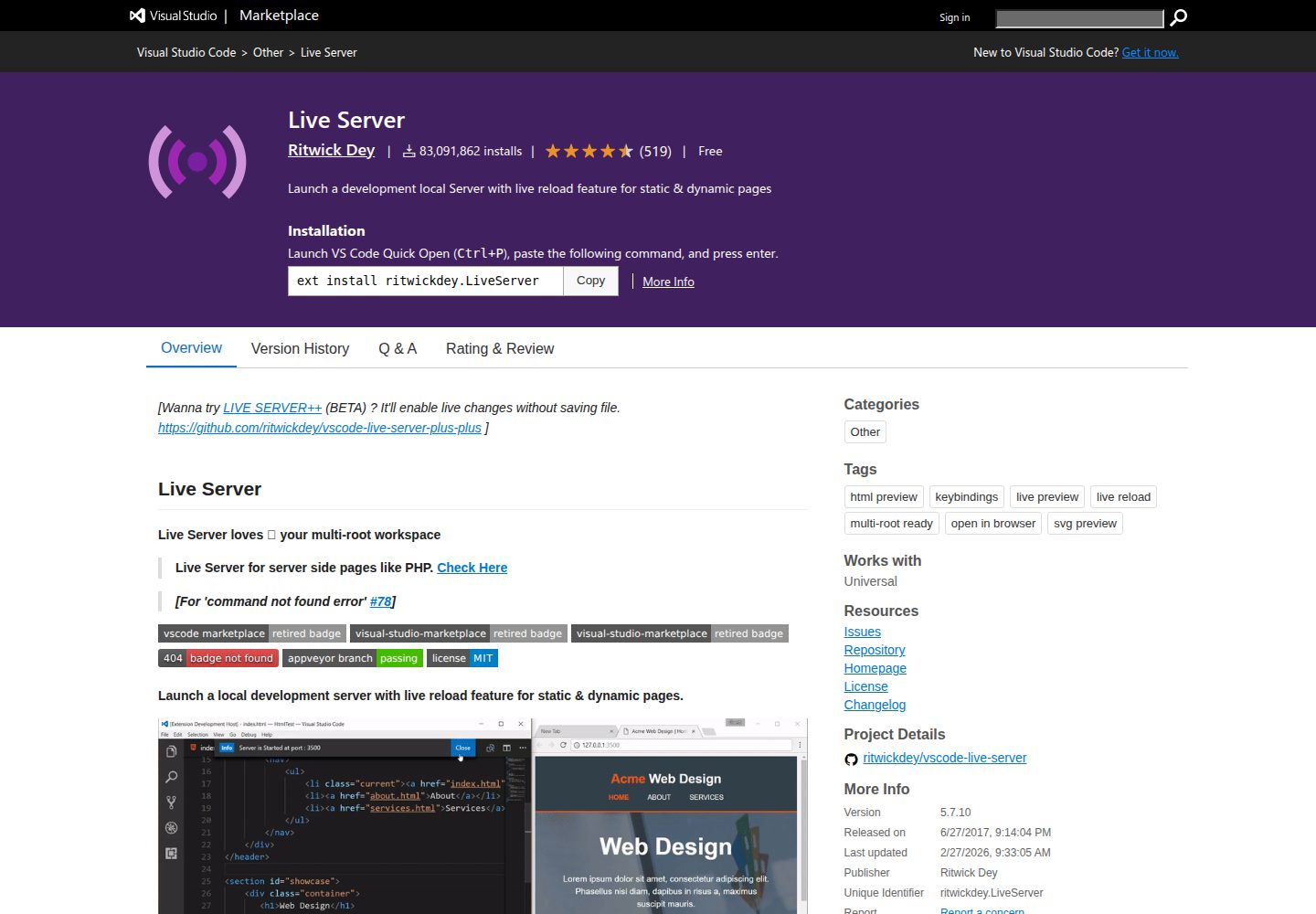
- Install the [Live Server extension](https://marketplace.visualstudio.com/items?itemName=ritwickdey.LiveServer) for VS Code to see changes in real-time.
- Right-click on `index.html` and select `Open with Live Server`.
## 👥 Contributing
Feel free to contribute to this project by submitting pull requests for enhancements or bug fixes. Fork the repository, make your changes, and submit a PR!
## 📄 License
This project is licensed under the MIT License - see the [LICENSE](LICENSE) file for details.
---
### ✨ Enjoy your new ScholarSite and share your work with the world!
[](https://github.com/muhammedrashidx/ScholarSite/stargazers)
[](https://github.com/muhammedrashidx/ScholarSite/fork)
看看同类模板
对比同技术栈与用途的模板,找到更适合的视觉与内容结构。

startbootstrap-simple-sidebar
An off canvas sidebar navigation Bootstrap HTML template created by Start Bootstrap
HTML · 启动器

adminkit
AdminKit is a free & open-source HTML dashboard & admin template based on Bootstrap 5
HTML · 后台

Landing-Page
Tailwind CSS Starter Template - Landing Page
HTML · 企业官网

light-bootstrap-dashboard
Light Bootstrap Dashboard is an admin dashboard template designed to be beautiful and simple.
HTML · 后台

sing-app
💥Free and open-source admin dashboard template built with Bootstrap 4.5 💥
HTML · 后台

startbootstrap-modern-business
A multipurpose Bootstrap full website template created by Start Bootstrap
HTML · 启动器