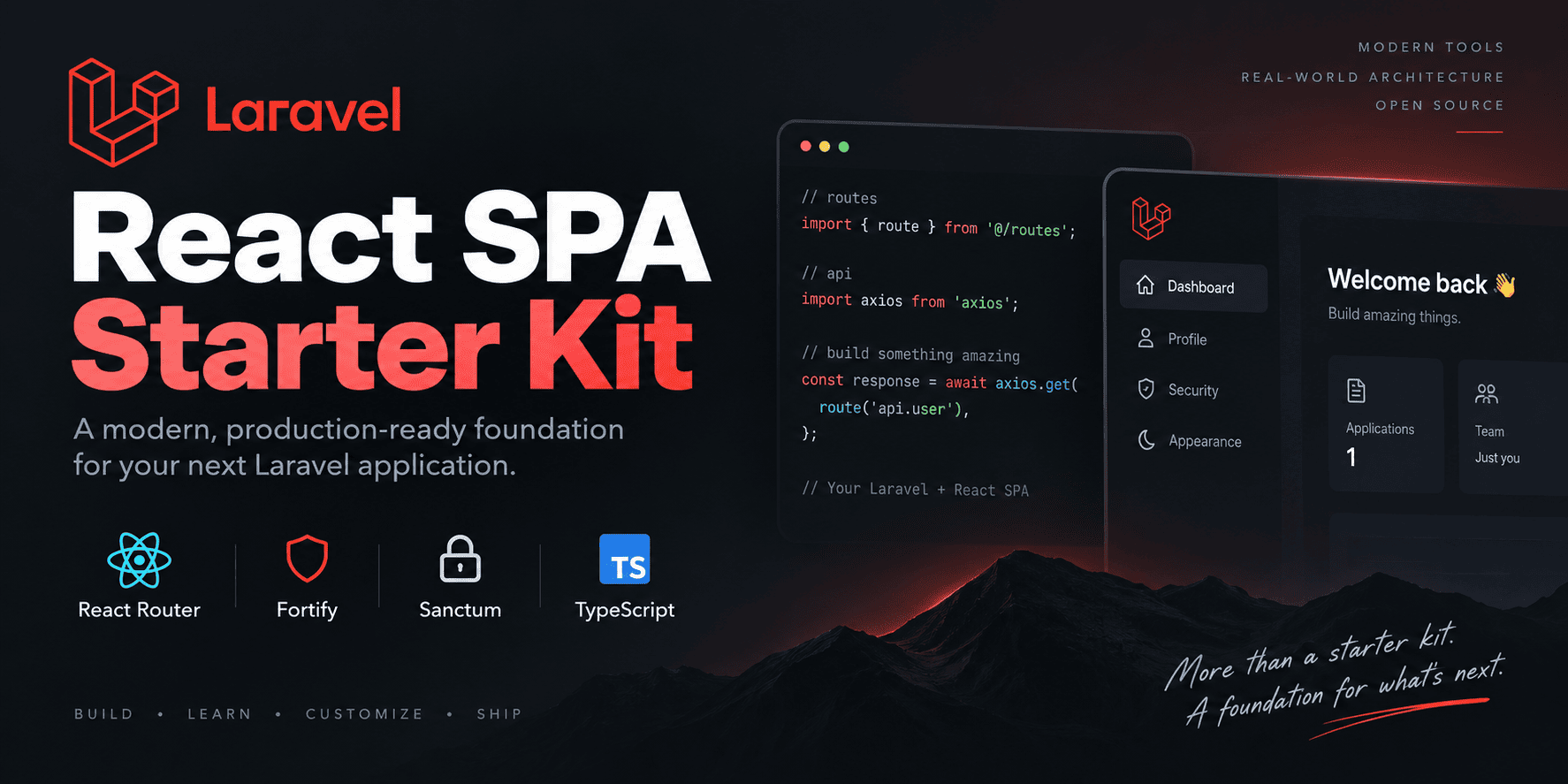
使用 React Router 承担浏览器路由,不使用 Inertia.js
LaravelViteReact启动器
laravel-react-spa-starter-kit — Laravel 启动器模板
作者 muradyanvano
社区维护的 Laravel + React 单页应用启动器,用 React Router 替代 Inertia.js,集成 Fortify、Sanctum 与 WebAuthn 通行密钥认证。
看看你的网站会是什么样
浏览真实页面截图,比较内容排版与手机效果。点击下方缩略图切换,放大查看整页细节。
目前有 1 张原始预览,可打开完整图片查看设计细节。
截图用于了解视觉与布局,交互效果请以实际项目为准。
采集于 2026-10-03查看来源
值得关注的模板亮点
从已有项目资料中,快速了解它的特点。
Laravel Fortify 提供认证端点,Sanctum 以有状态 Cookie + CSRF 保护 SPA 会话,不在 localStorage 存令牌
支持 WebAuthn 通行密钥登录、密码确认与安全设置中的通行密钥管理
包含两步验证与恢复码(适用于密码登录路径)
TypeScript、Wayfinder 类型化路由、Tailwind CSS 与 shadcn/ui
Pest、Vitest、PHPStan、Pint 等测试与质量工具
模板详细介绍
这是一个社区维护的 Laravel 启动器,用于搭建同源的传统 React 单页应用。它不使用 Inertia.js,而是由 Laravel 提供 API、Fortify 认证端点、Sanctum 会话认证以及 Blade SPA 外壳,React 负责浏览器端路由、布局页面与 API 交互。技术栈包括 Laravel、React、TypeScript、React Router、Fortify、Sanctum、Wayfinder 与 Vite,HTTP 客户端使用 Axios。
功能覆盖认证与应用两端:认证侧提供登录、注册、登出、密码重置、邮箱验证、密码确认、WebAuthn 通行密钥登录与密码确认、基于密码登录的两步验证及恢复码;应用侧提供响应式侧边栏外壳与移动导航、仪表盘、个人资料设置(含改密与删号)、安全设置(密码、两步验证、通行密钥管理)以及浅色/深色/跟随系统的外观设置。
需要注意的边界:该项目并非 Laravel 官方启动器,也未获 Laravel 认可;通行密钥依赖浏览器与平台的 WebAuthn 支持,不支持条件式 WebAuthn 自动填充、通行密钥“记住我”或自定义凭据同步;通行密钥登录直接完成会话,不经过密码登录的两步验证挑战;默认设计为同源部署,跨源部署需要自行配置 SANCTUM_STATEFUL_DOMAINS、会话 Cookie 域与 SameSite、CORS 及 CSRF,不在默认套件范围内。密码重置与邮箱验证依赖 Laravel 邮件配置,需先设置 MAIL_* 或本地驱动。
LaravelViteReact启动器
适合你的项目吗?
适用场景
- 希望用 Laravel 做后端、React 做前端且不引入 Inertia.js 的同源 SPA 项目
- 需要开箱可用的登录、注册、密码重置、邮箱验证与两步验证流程
- 计划在应用中提供 WebAuthn 通行密钥登录与通行密钥管理界面
- 需要响应式侧边栏外壳、仪表盘、个人资料与安全设置等基础页面结构
适合人群
- 接受社区维护、非官方 Laravel 启动器的开发团队
- 使用 PHP 8.3+、Composer、Node.js 22+ 与 SQLite 或其他受支持数据库的开发者
- 偏好 TypeScript 与 React Router 路由模型的 React 开发者
- 需要同源 Cookie 会话认证而非浏览器存储 JWT 的项目
上手与定制指南
结合仓库当前版本的说明,按下面的资料检查内容、配置与运行要求。
- 1
环境要求:PHP 8.3+、Composer、Node.js 22+(推荐,CI 也覆盖 Node 25),默认使用 SQLite 或其他受支持数据库。
- 2
可通过 laravel new my-app --using=muradyanvano/laravel-react-spa-starter-kit 或 composer create-project muradyanvano/laravel-react-spa-starter-kit my-app 创建项目,需要可复现安装时可指定版本号。
- 3
resources/js/actions、resources/js/routes、resources/js/wayfinder 为生成目录且被 gitignore,不要编辑或提交;全新目录需先运行 composer setup 或 npm run build / npm run types:check 才能解析 @/routes 导入。
- 4
密码重置与邮箱验证依赖 Laravel 邮件配置,使用前需设置 MAIL_* 或 log / Mailpit 等本地驱动。
- 5
跨源部署需自行配置 SANCTUM_STATEFUL_DOMAINS、会话 Cookie 域与 SameSite、CORS 和 CSRF,默认套件不覆盖该场景。
授权与来源资料
使用条件与限制
免费使用 · 保留许可声明本次收录的是公开仓库中采用 MIT 许可的免费版本;免费范围为该版本代码,不代表外部服务或第三方素材免费。
使用时需要遵守
- 允许免费使用、修改、商用和分发该版本代码。
- 分发代码副本或实质性部分时,保留原作者版权声明和完整 MIT 许可声明。
- 代码按现状提供;担保与责任限制以原许可证及适用法律为准。
额外费用与待核对事项
- 该项目为社区维护,并非 Laravel 官方启动器,也未获 Laravel 认可或背书;不得将其宣传为官方项目。
- 默认仅支持同源部署;跨源部署需自行配置 SANCTUM_STATEFUL_DOMAINS、会话 Cookie 域与 SameSite、CORS 及 CSRF,且不在默认套件支持范围内。
- 密码重置与邮箱验证依赖 Laravel 邮件服务,测试之外使用前必须配置 MAIL_* 或 log/Mailpit 等本地驱动,否则相关流程不可用。
- 通行密钥依赖浏览器与平台的 WebAuthn 支持;不支持的浏览器只能查看和删除已有通行密钥,无法通过界面注册新通行密钥。
- 该套件不实现条件式 WebAuthn 自动填充、通行密钥“记住我”以及自定义凭据同步功能。
- 通行密钥登录会直接完成会话,不经过密码登录的两步验证挑战,因此两步验证不覆盖通行密钥登录路径。
- resources/js/actions、resources/js/routes、resources/js/wayfinder 为生成目录且被 gitignore,不应编辑或提交;全新目录需先运行 composer setup 或 npm run build / npm run types:check 才能解析 @/routes 导入。
- Laravel Boost 为可选开发依赖,其安装并非必需;相关生成状态被 gitignore 且不随 Packagist 分发给使用者。
- 演示图片、字体、图标及其他第三方素材需按各自许可核对,不能仅凭代码的 MIT 许可判断。
- 域名、托管、数据库、支付或 AI 等外部服务可能另外收费。
查看原文依据
Permission is hereby granted, free of charge
许可证原文
This is **not** an official Laravel starter kit and is not endorsed by Laravel.
README 原文
Split-origin deployments need correct `SANCTUM_STATEFUL_DOMAINS`, session cookie domain/SameSite, CORS, and CSRF configuration. That layout is out of scope for the default kit.
README 原文
Password reset and email verification use Laravel’s mailer. Configure `MAIL_*` (or a local driver such as log / Mailpit) before relying on those flows outside tests.
README 原文
Passkeys depend on browser and platform WebAuthn support. Unsupported browsers can still view and delete existing passkeys, but cannot register new ones from the UI.
README 原文
This kit does **not** implement conditional WebAuthn autofill, passkey “remember me”, or custom credential synchronization.
README 原文
**Passkey login:** Native Fortify passkey authentication completes the session directly and does **not** route through the password-login two-factor challenge.
README 原文
These directories are **generated** and gitignored:
README 原文
https://github.com/muradyanvano/laravel-react-spa-starter-kit/blob/main/LICENSEhttps://github.com/muradyanvano/laravel-react-spa-starter-kit/blob/main/README.mdBoost setup is **not** mandatory.
README 原文
DeepSeek 根据仓库许可证和 README 整理 ·2026-10-03。结果仅覆盖已读取资料,依赖、图片、字体及后续条款变更以各自原文为准。
项目核对记录与介绍依据
模板资料
- 来源平台
- GitHub
- 资料与维护参考分
- 资料较完整 · 88 / 100
- 技术栈
- Laravel · Vite · React
- 网站类型
- 启动器
这个分数如何计算
本站按许可资料(最高30分)、演示链接(12分)、预览图(10分)、Star数(15分)、记录的维护时间(15分)、描述完整度(8分)、功能记录(5分)和分类资料(5分)计算。它不是代码、安全或性能测试,也不是 Google 评分;有链接不代表已实测可用。
这个项目需要核对什么
- 记录的仓库更新时间
- 2026-09-17
- 截图检查日期
- 2026-10-03
已收录演示链接。请用你的内容与屏幕尺寸检查;有演示不代表表单、认证或支付已经可用。
目录记录的主要技术栈是 Laravel。请通过依赖清单和锁文件核对实际版本与托管要求。这些说明基于收录资料,不代表代码审计或部署实测。
查看具体选型方法 →介绍的制作与核对状态
介绍由 AI 辅助整理目录与仓库资料。仓库作者不等于这篇介绍的审核者。
审核声明: [email protected] · 2026-10-04
查看当时使用的来源资料
SHA-256: 80b031ec93881af3a3753297e888499c7691ecdf0bbd00d980734f53a654eaf6
2026-10-03T15:22:24.080Z
来源文件 / 仓库# Laravel React SPA Starter Kit
A community Laravel starter kit for a first-party React SPA using React Router instead of Inertia.js.
[](https://github.com/muradyanvano/laravel-react-spa-starter-kit/actions/workflows/tests.yml)
[](https://packagist.org/packages/muradyanvano/laravel-react-spa-starter-kit)
[](https://packagist.org/packages/muradyanvano/laravel-react-spa-starter-kit)
[](https://packagist.org/packages/muradyanvano/laravel-react-spa-starter-kit)
[](https://laravel.com)
[](LICENSE)
<p align="center">
<img
src=".github/assets/social-preview.png"
alt="Laravel React SPA Starter Kit"
width="100%"
>
</p>
This is **not** an official Laravel starter kit and is not endorsed by Laravel.
## Why this starter kit
Stack: **Laravel**, **React**, **TypeScript**, **React Router**, **Fortify**, **Sanctum**, **Wayfinder**, and **Vite**.
Architecture choice: a traditional same-origin SPA instead of Inertia.js.
```text
Laravel (API / Fortify / Sanctum)
→ Blade SPA shell
→ React + React Router
→ Axios
```
UI and developer experience are inspired by Laravel’s official React starter kit; the runtime is a conventional SPA with browser-owned routing.
## Quick Start
### Laravel Installer
```bash
laravel new my-app --using=muradyanvano/laravel-react-spa-starter-kit
cd my-app
npm run dev
```
### Composer create-project
Install the latest stable release from Packagist:
```bash
composer create-project muradyanvano/laravel-react-spa-starter-kit my-app
cd my-app
npm run dev
```
Pin a specific version when you need a reproducible install:
```bash
composer create-project muradyanvano/laravel-react-spa-starter-kit my-app v1.1.0
```
### Requirements
- PHP 8.3+
- Composer
- Node.js 22+ (recommended; CI also covers Node 25)
- SQLite (default) or another supported database
The generated project is a normal Laravel application you own and can customize freely.
## Features
### Authentication
- Login / registration / logout
- Password reset
- Email verification
- Password confirmation
- **Passkey sign-in** (WebAuthn)
- **Passkey password confirmation**
- Two-factor authentication (password login)
- Recovery codes
### Application
- Responsive sidebar shell and mobile navigation
- Dashboard
- Profile settings (including password change and account deletion)
- Security settings (password, 2FA, **passkey management**)
- Appearance settings (light / dark / system)
### Passkeys
Passkeys provide passwordless sign-in through your browser or platform authenticator (Touch ID, Windows Hello, security keys, and similar).
**Sign in:** On the login page, use **Sign in with a passkey** when your browser supports WebAuthn. Password login remains available as a fallback.
**Confirm sensitive actions:** On the confirm-password page, you can confirm with a passkey instead of re-entering your password when supported.
**Manage passkeys:** In **Settings → Security**, you can:
- view registered passkeys (name, authenticator label, created/last-used metadata)
- add/register a new passkey
- delete a passkey (with confirmation)
Adding or deleting passkeys requires recent password or passkey confirmation when Fortify password confirmation is enabled.
Passkeys depend on browser and platform WebAuthn support. Unsupported browsers can still view and delete existing passkeys, but cannot register new ones from the UI.
This kit does **not** implement conditional WebAuthn autofill, passkey “remember me”, or custom credential synchronization.
### Developer experience
- TypeScript
- Laravel Wayfinder
- Axios
- Tailwind CSS + shadcn/ui
- Pest, Vitest, PHPStan, Pint
- Optional Laravel Boost support
## Architecture
| Concern | This kit |
| ---------------------- | ------------------------------- |
| Browser routing | React Router |
| Auth capabilities | Laravel Fortify |
| SPA session auth | Sanctum stateful cookies + CSRF |
| HTTP client | Axios |
| WebAuthn ceremonies | `@laravel/passkeys` |
| Typed routes / actions | Laravel Wayfinder |
| Page shell | Blade SPA shell + React |
| Inertia | Not used |
**Laravel** owns the API/backend, Fortify endpoints, Sanctum session authentication, and the SPA shell/fallback.
**React** owns browser routing, layouts/pages, authentication state, and API interaction.
Laravel serves the Blade SPA shell for browser routes such as `/dashboard` and `/settings/profile`. The catch-all does **not** swallow `/api/*`, `/sanctum/*`, `/up`, `/email/*`, `/storage/*`, Fortify endpoints, or public assets.
## Authentication and security
Default design: Laravel and the SPA share one origin (for example `https://example.com`).
- Sanctum cookie / session authentication (not JWT or bearer tokens in browser storage)
- CSRF protection via `/sanctum/csrf-cookie` and `X-XSRF-TOKEN`
- No auth tokens stored in `localStorage`
- Session regeneration on authentication events
- Password confirmation for sensitive actions (including passkey registration and deletion when configured)
- Email verification
- Two-factor authentication and recovery-code handling for **password login**
- WebAuthn passkeys through Laravel Fortify and `laravel/passkeys`
**Password login and 2FA:** When two-factor authentication is enabled, password login continues through Fortify’s normal TOTP/recovery-code challenge.
**Passkey login:** Native Fortify passkey authentication completes the session directly and does **not** route through the password-login two-factor challenge.
**Passkey metadata:** The settings passkey list API returns display metadata only (name, authenticator label, human-readable timestamps). Credential material is never exposed to the frontend.
Split-origin deployments need correct `SANCTUM_STATEFUL_DOMAINS`, session cookie domain/SameSite, CORS, and CSRF configuration. That layout is out of scope for the default kit.
Useful variables: `APP_URL`, `SESSION_DOMAIN`, `SESSION_SECURE_COOKIE`, `SANCTUM_STATEFUL_DOMAINS`, `MAIL_*`.
Password reset and email verification use Laravel’s mailer. Configure `MAIL_*` (or a local driver such as log / Mailpit) before relying on those flows outside tests.
## Appearance
Appearance is client-driven (light / dark / system) via `localStorage` and an `appearance` cookie, matching the official-kit style settings experience.
## Development
From a generated app or a clone of this repository:
```bash
composer setup # install deps, .env, key, migrate, build
composer dev # concurrent PHP + Vite + queue/logs helpers
composer test # Pint + PHPStan + Pest
composer ci:check # frontend gates + backend suite
```
Frontend:
```bash
npm run dev
npm run build
npm run test
npm run check
npm run types:check
```
Or run `php artisan serve` and `npm run dev` in separate terminals.
### Working on this repository
```bash
git clone https://github.com/muradyanvano/laravel-react-spa-starter-kit.git
cd laravel-react-spa-starter-kit
composer setup
```
## Testing and quality
CI runs on pushes and pull requests against `main`, including:
- Pest (PHP)
- Vitest (React)
- PHPStan
- TypeScript (`types:check`)
- ESLint / formatting (`check`)
- Laravel Pint
- Production build verification
- Fresh git-archive consumer install checks
- Node.js **22** and **25** matrix coverage
Exact test counts belong in release notes; they change over time.
## Wayfinder
These directories are **generated** and gitignored:
- `resources/js/actions`
- `resources/js/routes`
- `resources/js/wayfinder`
Do not edit or commit them. `npm run build` / `npm run dev` generate them via `@laravel/vite-plugin-wayfinder`. `npm run types:check` also ensures they exist before TypeScript runs.
On a completely fresh tree, run `composer setup` (or at least `npm run build` / `npm run types:check`) before expecting TypeScript imports from `@/routes` to resolve.
## Laravel Boost
[`laravel/boost`](https://github.com/laravel/boost) is an optional development dependency for AI-assisted coding.
Boost setup is **not** mandatory. After creating an app, install Boost guidelines/skills only if you want them:
```bash
php artisan boost:install
```
The Laravel installer may also offer Boost during `laravel new`. Generated Boost state (`boost.json`, agent guideline files such as `AGENTS.md`) is gitignored and is **not** shipped to Packagist consumers.
## Attribution
UI and developer experience inspired by Laravel’s official [React starter kit](https://github.com/laravel/react-starter-kit), including passkey UI patterns.
This community project is independent of Laravel and is **not** an official starter kit maintained by Laravel. See [`NOTICE.md`](NOTICE.md) for third-party notices.
## Links
- [GitHub repository](https://github.com/muradyanvano/laravel-react-spa-starter-kit)
- [Packagist package](https://packagist.org/packages/muradyanvano/laravel-react-spa-starter-kit)
- [Contributing](CONTRIBUTING.md)
- [Security policy](SECURITY.md)
- [License](LICENSE)
- [Notice](NOTICE.md)
- [Laravel documentation](https://laravel.com/docs)
- [React documentation](https://react.dev)
- [React Router documentation](https://reactrouter.com)
## License
MIT — see [`LICENSE`](LICENSE) and [`NOTICE.md`](NOTICE.md).
看看同类模板
对比同技术栈与用途的模板,找到更适合的视觉与内容结构。

sage
WordPress starter theme with Laravel Blade components and templates, Tailwind CSS, and block editor support
Laravel · 启动器

wave
Wave - The Software as a Service Starter Kit, designed to help you build the SAAS of your dreams 🚀 💰
Laravel · SaaS

filament-starter
A beautiful starting point for your next TALL stack project using Filament. ⚡
Laravel · 启动器

electrik
Laravel SaaS starter kit: auth, teams, Stripe billing, and Slate 3 — Composer package for Laravel 12
Laravel · SaaS

php-saas
The everything-included starter kit for your next idea
Laravel · SaaS

filament-jetstream
A Laravel starter kit built with Filament inspired by Jetstream.
Laravel · 启动器