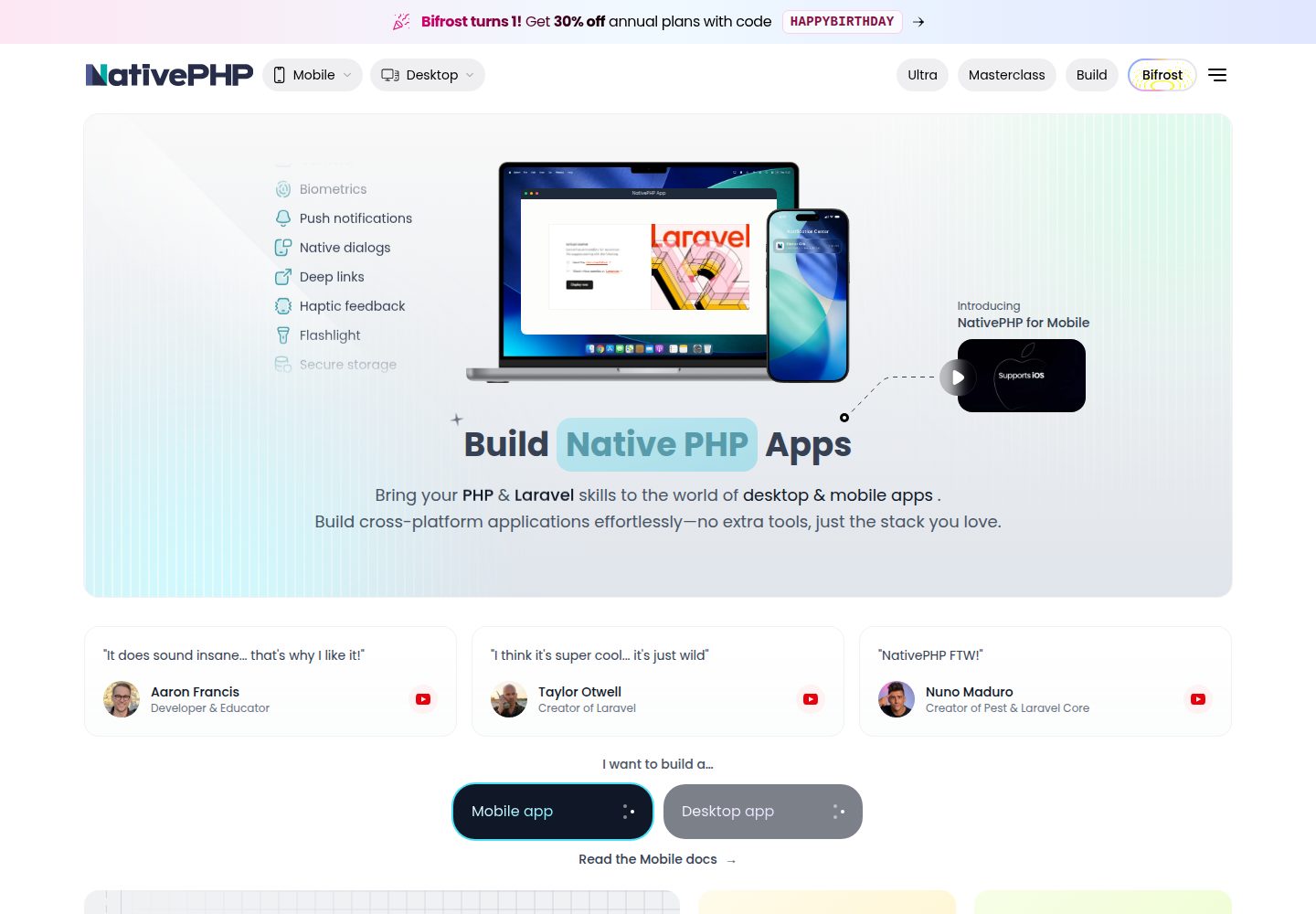
基于 Laravel 的启动器骨架,包含首页、管理后台与 API 路由
Laravel启动器
superstack — Laravel 启动器模板
作者 NativePHP
NativePHP 开源的 Laravel 启动器,集成 Filament 管理面板、NativePHP SuperNative 原生界面与 Laravel MCP 服务端。
看看你的网站会是什么样
浏览真实页面截图,比较内容排版与手机效果。点击下方缩略图切换,放大查看整页细节。
全部页面与视图 3
截图用于了解视觉与布局,交互效果请以实际项目为准。
采集于 2026-10-01查看来源
值得关注的模板亮点
从已有项目资料中,快速了解它的特点。
Filament 管理面板默认挂载在 /admin
首页为 SuperNative 屏幕,手机端原生渲染、浏览器端由 Web UI 渲染同一 Blade
内置 Laravel MCP 服务端,提供 Web 端点与本地 artisan 命令
附带 app-info MCP 工具,返回应用与依赖包版本
Sanctum 已接入 API 认证路由,但未提供示例接口
模板详细介绍
Super Stack 是 NativePHP 团队维护的开源 Laravel 启动器,把 Filament 管理面板、NativePHP SuperNative 与 Laravel MCP 组合在一个项目骨架里。首页是一个 SuperNative 屏幕,通过 Route::native 定义:在手机上由 NativePHP Mobile v4 原生渲染,在浏览器中由 Web UI 把同一份 Blade 模板渲染为 HTML。管理后台由 Filament 提供,默认位于 /admin 路径。API 认证使用 Laravel Sanctum,已接入路由但除 /api/user 外没有示例接口。MCP 服务端路由写在 routes/ai.php,提供 Web 端点 POST /mcp/superstack 和本地命令 php artisan mcp:start superstack,并附带一个返回应用与依赖包版本的 app-info 工具。
使用前需要 PHP 8.4+、Composer,可选 Node 用于 Vite;要运行原生端还需 Xcode 或 Android Studio。项目可通过 Laravel 安装器或 Laravel Herd 的社区启动器入口创建,创建后执行数据库迁移和 native:install。README 明确说明 MCP 服务端未配置认证,只适合本地探索,不能按现状用于生产;Sanctum 的令牌认证也未提供示例接口演示。nativephp/ 目录被 gitignore,升级后需要重新执行 native:install 生成。
Laravel启动器
适合你的项目吗?
适用场景
- 想同时体验 Filament 后台、NativePHP 原生界面与 Laravel MCP 的 Laravel 项目
- 需要一份把同一 Blade 模板同时用于手机原生端和浏览器端的起步代码
- 在本地搭建 MCP 服务端并试用 artisan mcp:inspector 调试工具
- 作为 Laravel 新项目的起点,按需替换或扩展后台、API 与原生端
适合人群
- 熟悉 Laravel 并希望快速了解 NativePHP SuperNative 与 MCP 组合的开发者
- 需要 Filament 管理面板与移动端原生界面共用一套模板的本地原型项目
- 在本地环境探索 Laravel MCP 服务端与工具定义的开发者
上手与定制指南
结合仓库当前版本的说明,按下面的资料检查内容、配置与运行要求。
- 1
需要 PHP 8.4+ 与 Composer;运行原生端还需 Xcode 或 Android Studio,Node 仅用于 Vite。
- 2
可用 laravel new my-app --using=nativephp/superstack 创建,或在 Laravel Herd 中选择社区启动器并输入 nativephp/superstack。
- 3
创建后执行 php artisan migrate,并运行 php artisan native:install both --no-interaction;升级后需重新执行 native:install。
- 4
使用 php artisan make:filament-user 创建 Filament 管理员账号。
- 5
MCP 服务端未配置认证,README 说明其仅适合本地探索,不应按现状用于生产。
授权与来源资料
使用条件与限制
免费使用 · 保留许可声明本次收录的是公开仓库中采用 MIT 许可的免费版本;免费范围为该版本代码,不代表外部服务或第三方素材免费。
使用时需要遵守
- 允许免费使用、修改、商用和分发该版本代码。
- 分发代码副本或实质性部分时,保留原作者版权声明和完整 MIT 许可声明。
- 代码按现状提供;担保与责任限制以原许可证及适用法律为准。
额外费用与待核对事项
- MCP 服务端未配置任何认证,README 明确说明仅适合本地探索,不能按现状用于生产环境;如需对外暴露必须自行添加认证。
- 运行原生端需要安装 Xcode(macOS)或 Android Studio,属于额外的本地开发环境依赖。
- 要求 PHP 8.4 及以上版本,低版本 PHP 环境无法使用。
- nativephp/ 目录被 gitignore,升级后需重新执行 native:install 生成,否则原生端可能失效。
- Sanctum 令牌认证仅接入路由,除 /api/user 外没有示例接口,需自行实现 API 端点。
- 演示图片、字体、图标及其他第三方素材需按各自许可核对,不能仅凭代码的 MIT 许可判断。
- 域名、托管、数据库、支付或 AI 等外部服务可能另外收费。
查看原文依据
Permission is hereby granted, free of charge
许可证原文
**No authentication is configured** on the MCP server — fine for local exploration, not production-ready as-is.
README 原文
Xcode / Android Studio for native runs
README 原文
PHP 8.4+ (Herd recommended)
README 原文
The `nativephp/` directory is gitignored — regenerate with `php artisan native:install`.
README 原文
https://github.com/NativePHP/superstack/blob/main/LICENSEhttps://github.com/NativePHP/superstack/blob/main/README.mdAPI auth | [`laravel/sanctum`](https://laravel.com/docs/sanctum) — wired, not demoed
README 原文
DeepSeek 根据仓库许可证和 README 整理 ·2026-10-01。结果仅覆盖已读取资料,依赖、图片、字体及后续条款变更以各自原文为准。
项目核对记录与介绍依据
模板资料
- 来源平台
- GitHub
- 资料与维护参考分
- 资料较完整 · 87 / 100
- 技术栈
- Laravel
- 网站类型
- 启动器
这个分数如何计算
本站按许可资料(最高30分)、演示链接(12分)、预览图(10分)、Star数(15分)、记录的维护时间(15分)、描述完整度(8分)、功能记录(5分)和分类资料(5分)计算。它不是代码、安全或性能测试,也不是 Google 评分;有链接不代表已实测可用。
这个项目需要核对什么
- 记录的仓库更新时间
- 2026-09-20
- 截图检查日期
- 2026-10-01
已收录演示链接。请用你的内容与屏幕尺寸检查;有演示不代表表单、认证或支付已经可用。
目录记录的主要技术栈是 Laravel。请通过依赖清单和锁文件核对实际版本与托管要求。这些说明基于收录资料,不代表代码审计或部署实测。
查看具体选型方法 →介绍的制作与核对状态
介绍由 AI 辅助整理目录与仓库资料。仓库作者不等于这篇介绍的审核者。
已完成服务器许可规则与 AI 来源核对;未经过人工编辑审核。
查看当时使用的来源资料
SHA-256: 549c26646986753d051cc6a873d399d5acd38ce68abea317f9ec3ae0ed69fcf5
2026-10-01T02:34:06.775Z
来源文件 / 仓库# Super Stack Open-source Laravel starter kit with **Filament**, **NativePHP SuperNative**, and **Laravel MCP**.   ## Stack | Piece | Package | | --- | --- | | Laravel | [`laravel/framework`](https://laravel.com/docs) | | Admin | [`filament/filament`](https://filamentphp.com/docs) (panel at `/admin`) | | API auth | [`laravel/sanctum`](https://laravel.com/docs/sanctum) — wired, not demoed | | Mobile / SuperNative | [`nativephp/mobile`](https://nativephp.com/docs/mobile/4/getting-started/introduction) | | Native UI | [`nativephp/mobile-ui`](https://github.com/NativePHP/mobile-ui) | | Web UI (browser EDGE) | [`nativephp/web-ui`](https://packagist.org/packages/nativephp/web-ui) | | MCP server | [`laravel/mcp`](https://laravel.com/docs/mcp) — no auth added | ## Requirements - PHP 8.4+ (Herd recommended) - Composer - Node (optional, for Vite) - Xcode / Android Studio for native runs ([NativePHP Mobile v4 environment](https://nativephp.com/docs/mobile/4/getting-started/environment)) ## Quick start ### Laravel installer ```bash laravel new my-app --using=nativephp/superstack ``` ### Laravel Herd In Herd’s site creation wizard, choose a **community / custom starter kit** and enter `nativephp/superstack`. ### After create ```bash cd my-app php artisan migrate # NativePHP (re-run after upgrades) php artisan native:install both --no-interaction ``` Create a Filament admin user with the [Filament installation docs](https://filamentphp.com/docs/panels/installation#creating-a-user) (`php artisan make:filament-user`). With Laravel Herd, the site is available at `http://my-app.test` (or whatever you named the project). - Home (SuperNative via Web UI): [http://superstack.test](http://superstack.test) - Admin panel: [http://superstack.test/admin](http://superstack.test/admin) - API: Sanctum is installed (`routes/api.php`) — wired for token auth, not demoed with sample endpoints beyond `/api/user` ## MCP Routes live in `routes/ai.php`. **No authentication is configured** on the MCP server — fine for local exploration, not production-ready as-is. - Web: `POST /mcp/superstack` - Local: `php artisan mcp:start superstack` Starter tool: `app-info` (`App\Mcp\Tools\AppInfoTool`) — returns app + package versions. ```bash php artisan mcp:inspector mcp/superstack ``` See the [Laravel MCP docs](https://laravel.com/docs/mcp) for servers, tools, and auth options. ## Native / SuperNative Home is a SuperNative screen (`Route::native`). On a phone, [NativePHP Mobile v4](https://nativephp.com/docs/mobile/4/getting-started/introduction) renders it natively; in the browser, Web UI renders the same Blade as HTML. ```bash php artisan native:run ``` See [Installation](https://nativephp.com/docs/mobile/4/getting-started/installation) and [SuperNative](https://nativephp.com/docs/mobile/4/architecture/super-native). `NATIVEPHP_APP_ID` defaults to `com.superstack.app` in `.env`. The `nativephp/` directory is gitignored — regenerate with `php artisan native:install`. ## License MIT © Bifrost Technologies LLC. See [LICENSE](LICENSE) and [CONTRIBUTING](CONTRIBUTING.md).
看看同类模板
对比同技术栈与用途的模板,找到更适合的视觉与内容结构。

sage
WordPress starter theme with Laravel Blade components and templates, Tailwind CSS, and block editor support
Laravel · 启动器

wave
Wave - The Software as a Service Starter Kit, designed to help you build the SAAS of your dreams 🚀 💰
Laravel · SaaS

filament-starter
A beautiful starting point for your next TALL stack project using Filament. ⚡
Laravel · 启动器

electrik
Laravel SaaS starter kit: auth, teams, Stripe billing, and Slate 3 — Composer package for Laravel 12
Laravel · SaaS

php-saas
The everything-included starter kit for your next idea
Laravel · SaaS

filament-jetstream
A Laravel starter kit built with Filament inspired by Jetstream.
Laravel · 启动器