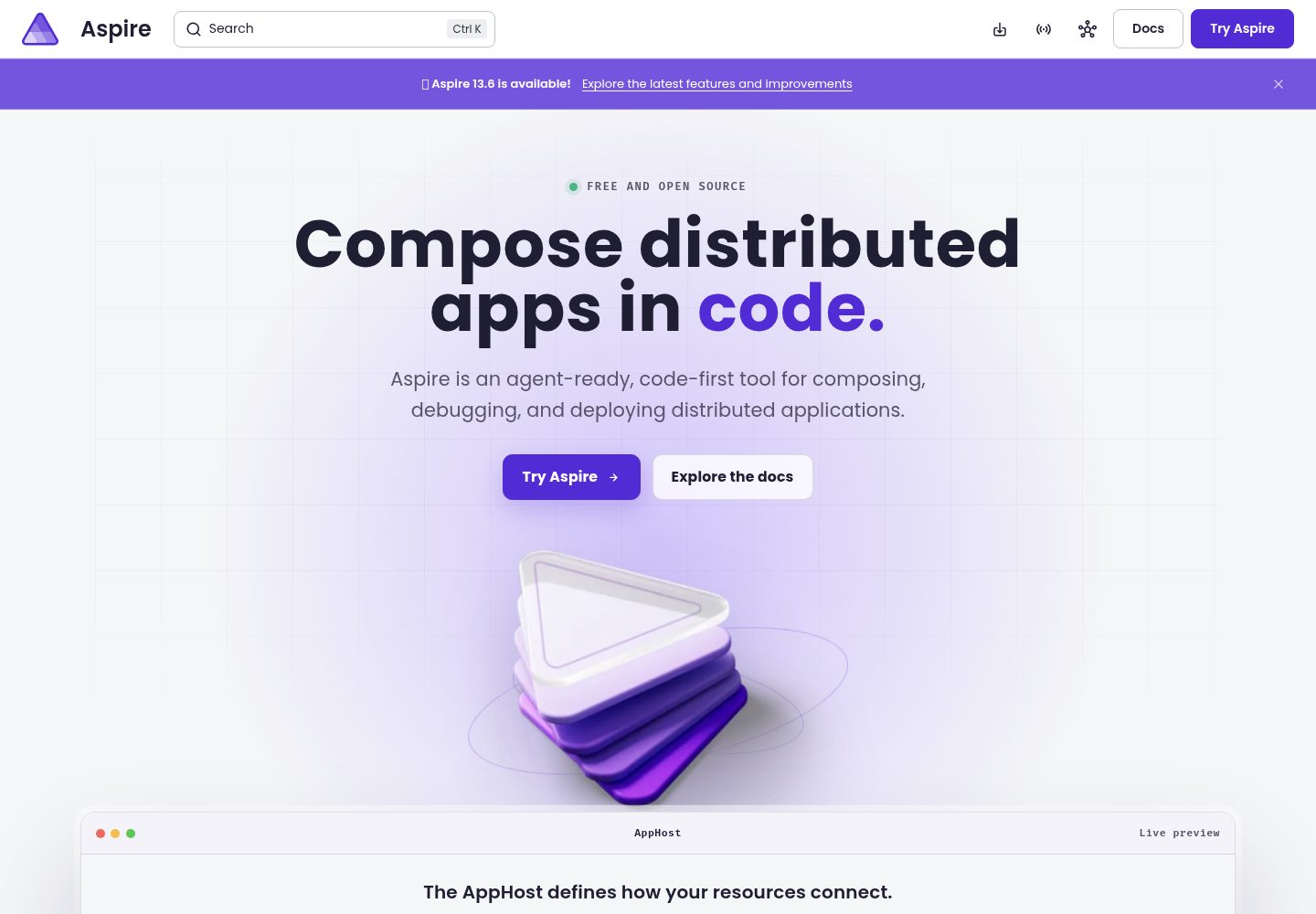
服务定义写入 JSON 配置,增删或切换服务不需要修改 C# 代码或重新构建 AppHost
Next.jsVueAngularReact启动器
Aspire.Nexus — Next.js 启动器模板
作者 nkmnhan
Aspire.Nexus 是一个配置驱动的 .NET Aspire AppHost 模板,通过 JSON 配置管理基础设施、API 和前端服务的启动与编排,无需修改 C# 代码即可增删或切换服务。
看看你的网站会是什么样
浏览真实页面截图,比较内容排版与手机效果。点击下方缩略图切换,放大查看整页细节。
全部页面与视图 3
截图用于了解视觉与布局,交互效果请以实际项目为准。
采集于 2026-10-14查看来源
值得关注的模板亮点
从已有项目资料中,快速了解它的特点。
支持 Container、DotNet、NodeJs、Python、Client 五种服务类型,分别由 docker-compose 或 Aspire 管理
基础设施由 docker-compose 启动,容器在 Aspire 停止后保留,并可复用已在运行的容器
启动前校验配置,配置错误时给出明确错误信息而不是直接崩溃
支持为服务配置 HTTPS 证书、环境变量、安装命令和启动命令,敏感信息存入 .NET user secrets
模板详细介绍
Aspire.Nexus 是一个基于 .NET Aspire 的 AppHost 项目,其核心特点是把服务定义从 Program.cs 移到 JSON 配置中。README 说明,标准 Aspire AppHost 需要在 C# 中硬编码每个服务,而该模板通过 setup-secrets.ps1 将服务配置写入 .NET user secrets,再由此启动流程读取。启动流程分为多个阶段:先校验配置,再通过 docker-compose 启动基础设施,随后构建 .NET 项目、安装前端依赖,最后启动 Aspire 仪表板并编排服务,仪表板地址为 http://localhost:15178。
服务类型包括 Container、DotNet、NodeJs、Python 和 Client。Container 由 docker-compose 管理,DotNet 由 Aspire 管理,NodeJs 和 Python 使用 Aspire 原生生命周期,Client 用于其他开发服务器或自定义命令。README 强调基础设施交给 docker-compose 是为了让容器在 Aspire 停止后仍然保留,并复用已在运行的容器。
配置通过用户机密保存,支持为服务设置端口、分组、环境变量、HTTPS 证书以及安装和启动命令。README 还提供了完整配置架构和属性参考表。需要注意的是,README 未说明该模板在生产环境中的部署方式或生产就绪程度,其定位是本地开发环境编排。
Next.jsVueAngularReact启动器
适合你的项目吗?
适用场景
- 本地同时运行多个 .NET API、前端开发服务器和数据库容器,需要统一启动和查看日志
- 团队中不同开发者只需要运行各自相关的服务子集,希望通过配置开关控制哪些服务启动
- 已有 docker-compose 基础设施文件,希望在 Aspire 仪表板中编排 .NET 和前端服务并复用现有容器
适合人群
- 使用 .NET 10 SDK 和 Docker Desktop 的开发者
- 需要本地编排多个微服务、数据库和前端项目的团队
- 希望用 JSON 配置而非 C# 代码管理 Aspire 服务定义的项目
上手与定制指南
结合仓库当前版本的说明,按下面的资料检查内容、配置与运行要求。
- 1
需要安装 .NET 10 SDK、Docker Desktop 和 Node.js(用于前端客户端)
- 2
克隆仓库后编辑 setup-secrets.ps1 指向实际项目路径,再运行 setup-secrets.cmd 写入用户机密
- 3
运行 START-ASPIRE.cmd 启动,该脚本会依次校验配置、启动 docker-compose 基础设施、构建 .NET 项目、安装前端依赖并启动 Aspire 仪表板
- 4
启动后访问 http://localhost:15178 查看服务和日志
授权与来源资料
使用条件与限制
免费使用 · 保留许可声明本次收录的是公开仓库中采用 MIT 许可的免费版本;免费范围为该版本代码,不代表外部服务或第三方素材免费。
使用时需要遵守
- 允许免费使用、修改、商用和分发该版本代码。
- 分发代码副本或实质性部分时,保留原作者版权声明和完整 MIT 许可声明。
- 代码按现状提供;担保与责任限制以原许可证及适用法律为准。
额外费用与待核对事项
- 演示图片、字体、图标及其他第三方素材需按各自许可核对,不能仅凭代码的 MIT 许可判断。
- 域名、托管、数据库、支付或 AI 等外部服务可能另外收费。
- 使用该模板需要安装 .NET 10 SDK,这是运行和构建项目的前提条件。
- 需要安装并运行 Docker Desktop,基础设施容器依赖 Docker 环境。
- 前端客户端服务需要安装 Node.js 才能运行。
- 需要手动编辑 setup-secrets.ps1 指向实际项目路径,并运行 setup-secrets.cmd 写入用户机密后才能使用。
- 服务定义写入 .NET user secrets,不会存储在源代码管理中,需自行配置。
- 仪表板默认通过 http://localhost:15178 访问,需使用该端口。
- 基础设施启动依赖 Docker Desktop 正在运行,且 DockerComposePath 配置必须正确。
查看原文依据
Permission is hereby granted, free of charge
许可证原文
- [.NET 10 SDK](https://dotnet.microsoft.com/download/dotnet/10.0)
README 原文
- [Docker Desktop](https://www.docker.com/products/docker-desktop)
README 原文
- Node.js (for frontend clients)
README 原文
Edit `setup-secrets.ps1` to point to your projects, then run:
README 原文
This writes your service definitions to [.NET user secrets](https://learn.microsoft.com/en-us/aspnet/core/security/app-secrets) — nothing is stored in source control.
README 原文
Navigate to **http://localhost:15178** to see all your services, logs, and traces.
README 原文
https://github.com/nkmnhan/Aspire.Nexus/blob/main/LICENSEhttps://github.com/nkmnhan/Aspire.Nexus/blob/main/README.md| **Infrastructure not starting** | Docker not running | Ensure Docker Desktop is running and `DockerComposePath` in secrets is correct |
README 原文
DeepSeek 根据仓库许可证和 README 整理 ·2026-10-14。结果仅覆盖已读取资料,依赖、图片、字体及后续条款变更以各自原文为准。
项目核对记录与介绍依据
模板资料
- 来源平台
- GitHub
- 资料与维护参考分
- 资料较完整 · 85 / 100
- 技术栈
- Next.js · Vue · Angular · React
- 网站类型
- 启动器
这个分数如何计算
本站按许可资料(最高30分)、演示链接(12分)、预览图(10分)、Star数(15分)、记录的维护时间(15分)、描述完整度(8分)、功能记录(5分)和分类资料(5分)计算。它不是代码、安全或性能测试,也不是 Google 评分;有链接不代表已实测可用。
这个项目需要核对什么
- 记录的仓库更新时间
- 2026-03-18
- 截图检查日期
- 2026-10-14
已收录演示链接。请用你的内容与屏幕尺寸检查;有演示不代表表单、认证或支付已经可用。
目录记录的主要技术栈是 Next.js。请通过依赖清单和锁文件核对实际版本与托管要求。这些说明基于收录资料,不代表代码审计或部署实测。
查看具体选型方法 →介绍的制作与核对状态
介绍由 AI 辅助整理目录与仓库资料。仓库作者不等于这篇介绍的审核者。
审核声明: codex-user-requested-batch-review-20261017 · 2026-10-16
查看当时使用的来源资料
SHA-256: d7d08a7c82ccb750240cb2ce053e552d55ea059577b7104fa313f0ee44f1b702
2026-10-14T18:59:36.744Z
来源文件 / 仓库# Aspire.Nexus
[](LICENSE)
[](https://dotnet.microsoft.com/download/dotnet/10.0)
[](https://learn.microsoft.com/en-us/dotnet/aspire/)
A **configuration-driven** .NET Aspire AppHost that orchestrates your entire dev environment — infrastructure, APIs, and frontend clients — from JSON config. No C# changes needed to add, remove, or toggle services.
---
## What is .NET Aspire?
[.NET Aspire](https://learn.microsoft.com/en-us/dotnet/aspire/get-started/aspire-overview) is Microsoft's framework for building observable, production-ready cloud-native apps. It gives you:
- A **dashboard** to monitor all your services (logs, traces, metrics) in one place
- **Service orchestration** — start your entire stack with one command
- **Service discovery** — services find each other automatically
If you're running microservices, databases, and frontends locally, Aspire replaces the pain of opening 10 terminals and running things manually.
## The Problem Aspire.Nexus Solves
In a standard Aspire AppHost, you **hardcode every service** in `Program.cs`:
```csharp
// Standard Aspire — every service is hardcoded in C#
var postgres = builder.AddPostgres("postgres").WithPgAdmin();
var redis = builder.AddRedis("redis");
var api = builder.AddProject<Projects.OrderApi>("order-api");
var web = builder.AddNpmApp("web", "../web-client");
// ... repeat for every service in your solution
```
This works for small projects. But when your solution grows to **10+ APIs, 5+ frontends, and multiple databases**, you hit real problems:
- Adding a new service = modify C# code, rebuild the AppHost
- Switching which services to debug = comment/uncomment code
- Infrastructure containers get **destroyed** when Aspire stops = **data loss**
- Every developer needs a different subset of services running
**Aspire.Nexus** fixes all of this by moving service definitions to **JSON configuration**:
```json
{
"order-api": {
"Type": "DotNet",
"ProjectPath": "C:\\src\\OrderApi\\OrderApi.csproj",
"Port": 5000,
"Active": true
}
}
```
Toggle `"Active": true/false` to control what runs. No code changes. No rebuild.
## Features
- **Zero-code service management** — add, remove, toggle services from JSON config
- **Five service types**: Container, DotNet, Client, NodeJs (Aspire-native), Python (Aspire-native)
- **Aspire-native Node.js** — npm, yarn, or pnpm with automatic install, health checks, and dashboard integration
- **Aspire-native Python** — virtual environment support, pip install, and full dashboard lifecycle
- **Startup validation** — misconfigure a service? Get a clear error message, not a crash
- **Infrastructure persistence** — docker-compose keeps your databases alive after Aspire stops
- **Reuse existing containers** — already running MongoDB from docker-compose? Aspire.Nexus reuses it
- **Auto pre-build** — builds your .NET solution before Aspire starts
- **Auto dependency install** — npm install, pip install, or custom commands per service
- **Rebuild on restart** — restart a service from the Aspire dashboard, it rebuilds automatically
- **HTTPS support** — PEM or PFX certificates per service, or HTTPS flag for client dev servers
- **User secrets** — passwords, paths, and certs stay out of source control
- **Cross-platform** — resolves `npm.cmd`/`npx.cmd` on Windows automatically via PATH lookup
## Prerequisites
- [.NET 10 SDK](https://dotnet.microsoft.com/download/dotnet/10.0)
- [Docker Desktop](https://www.docker.com/products/docker-desktop)
- Node.js (for frontend clients)
---
## Quick Start
### 1. Clone and configure
```bash
git clone https://github.com/nkmnhan/Aspire.Nexus.git
cd Aspire.Nexus
```
### 2. Set up your services
Edit `setup-secrets.ps1` to point to your projects, then run:
```
setup-secrets.cmd
```
This writes your service definitions to [.NET user secrets](https://learn.microsoft.com/en-us/aspnet/core/security/app-secrets) — nothing is stored in source control.
### 3. Start everything
```
START-ASPIRE.cmd
```
This will:
1. **Validate** your configuration (catches errors before anything starts)
2. **Start infrastructure** via docker-compose (databases, cache, messaging)
3. **Build** your .NET projects
4. **Install** frontend dependencies
5. **Launch** the Aspire dashboard with all services
### 4. Open the dashboard
Navigate to **http://localhost:15178** to see all your services, logs, and traces.
---
## How It Works
```
setup-secrets.cmd
|
User Secrets (JSON)
|
+------+------+
| Aspire.Nexus |
+------+------+
|
Phase 0: Validate config (fail fast with clear errors)
|
+---------------+---------------+
| | |
Phase 1: Infra Phase 2: Build Phase 3: Install
docker-compose dotnet build npm install
up -d (solutions) (frontends)
| | |
+---------------+---------------+
|
Phase 4: Aspire Host
Dashboard + Service Orchestration
http://localhost:15178
```
### Service Types
| Type | What it runs | Example | Managed By |
|------|-------------|---------|------------|
| `Container` | Infrastructure services | PostgreSQL, MongoDB, Redis, RabbitMQ, Elasticsearch | docker-compose |
| `DotNet` | .NET backend APIs and workers | Your .csproj microservices | Aspire |
| `NodeJs` | Node.js apps via npm/yarn/pnpm | React, Next.js, Vue, Angular (Aspire-native lifecycle) | Aspire |
| `Python` | Python apps and APIs | FastAPI, Flask, Django (Aspire-native lifecycle) | Aspire |
| `Client` | Any other dev server | PHP, Go, Ruby, or custom commands (generic `AddExecutable`) | Aspire |
> **When to use `NodeJs` vs `Client`:** Use `NodeJs` for any npm/yarn/pnpm project — Aspire manages the full lifecycle (install, start, health checks, dashboard). Use `Client` only for non-JavaScript projects (PHP, Go, Ruby) or when you need a fully custom launch command.
### Why docker-compose for infrastructure?
Aspire normally creates its own containers — but they get **destroyed when Aspire stops**. Your database data is gone.
Aspire.Nexus delegates infrastructure to docker-compose instead:
- Containers **persist** after Aspire shutdown
- Containers appear **grouped** in Docker Desktop (easy to manage)
- If containers are **already running**, they're reused — no duplicates
- Volumes keep your data safe across restarts
---
## Configuration Guide
### The setup-secrets.ps1 file
This is where you define your environment. It's a PowerShell script that writes to .NET user secrets:
```powershell
$secrets = [ordered]@{
# Infrastructure — point to your docker-compose file
"AppHost:Infrastructure:DockerComposePath" = "C:\YourProject\infrastructure\docker-compose.yml"
"AppHost:Infrastructure:DockerComposeProject" = "nexus-infrastructure"
"AppHost:Infrastructure:Network" = "nexus-network"
# A .NET API service
"AppHost:Services:order-api:Type" = "DotNet"
"AppHost:Services:order-api:ProjectPath" = "C:\YourProject\src\OrderApi\OrderApi.csproj"
"AppHost:Services:order-api:Port" = "5000"
"AppHost:Services:order-api:Active" = "true"
# An Angular frontend
"AppHost:Services:shop-web:Type" = "Client"
"AppHost:Services:shop-web:WorkingDirectory" = "C:\YourProject\src\shop-web"
"AppHost:Services:shop-web:Port" = "4200"
"AppHost:Services:shop-web:DevCommand" = "npm run start"
"AppHost:Services:shop-web:InstallCommand" = "npm install --force"
"AppHost:Services:shop-web:Active" = "true"
# A Next.js frontend (defaults: npm install + npm run dev)
"AppHost:Services:store-portal:Type" = "Client"
"AppHost:Services:store-portal:WorkingDirectory" = "C:\YourProject\src\store-portal"
"AppHost:Services:store-portal:Port" = "3000"
"AppHost:Services:store-portal:Active" = "true"
}
```
### Full Configuration Schema
```json
{
"AppHost": {
"Environment": {
"LogLevel": "Debug",
"AspNetCoreEnvironment": "Development",
"ExtraVariables": {}
},
"Infrastructure": {
"DockerComposePath": "path/to/docker-compose.yml",
"DockerComposeProject": "nexus-infrastructure",
"Network": "nexus-network",
"DockerComposeServices": ["mongo", "redis-cache", "postgres-sql"]
},
"Services": {
"order-api": {
"Type": "DotNet",
"Group": "Backend/APIs",
"ProjectPath": "C:\\YourProject\\src\\OrderApi\\OrderApi.csproj",
"SolutionPath": "C:\\YourProject\\YourSolution.sln",
"Port": 5000,
"Active": true,
"Certificate": {
"Path": "certs/localhost.pem",
"KeyPath": "certs/localhost-key.pem"
},
"EnvironmentVariables": {
"ConnectionStrings__OrderDb": "Host=localhost;Database=orders;Username=dev;Password=secret",
"IdentityUrl": "https://localhost:5001"
}
},
"shop-web": {
"Type": "Client",
"Group": "Frontend/Web",
"WorkingDirectory": "C:\\YourProject\\src\\shop-web",
"Port": 4200,
"Active": false,
"InstallCommand": "npm install --force --legacy-peer-deps",
"DevCommand": "npm run start"
},
"store-portal": {
"Type": "NodeJs",
"Group": "Frontend/Web",
"Https": true,
"WorkingDirectory": "C:\\YourProject\\src\\store-portal",
"ScriptName": "dev",
"Port": 3000,
"Active": true
},
"ml-service": {
"Type": "Python",
"Group": "Backend/AI",
"WorkingDirectory": "C:\\YourProject\\src\\ml-service",
"ScriptPath": "app.py",
"VirtualEnvironmentPath": ".venv",
"Port": 8000,
"Active": true
}
}
}
}
```
---
### Service Properties Reference
#### Common (all service types)
| Property | Type | Required | Default | Description |
|----------|------|----------|---------|-------------|
| `Type` | `DotNet` \| `NodeJs` \| `Python` \| `Client` \| `Container` | Yes | — | What kind of service this is |
| `Active` | bool | No | `false` | Set `true` to include in the run |
| `Port` | int | No | — | Host port (required for Client, optional for DotNet/Container) |
| `Group` | string | No | — | Display group in console output (e.g. "Backend", "Frontend") |
| `Https` | bool | No | `false` | Mark as HTTPS without a certificate (for dev servers that handle TLS themselves) |
| `EnvironmentVariables` | object | No | `{}` | Key-value env vars injected into the service |
#### DotNet
For .NET APIs and background workers.
| Property | Type | Required | Description |
|----------|------|----------|-------------|
| `ProjectPath` | string | **Yes** | Path to `.csproj` file |
| `SolutionPath` | string | No | Path to `.sln` — builds the solution instead of individual project |
| `Certificate` | object | No | HTTPS certificate — see [Certificate Config](#certificate-config) |
> **Background workers**: If your worker uses `WebApplication.CreateBuilder` but has no endpoint, omit `Port`. Aspire.Nexus assigns an ephemeral port automatically so multiple workers don't fight over the default port 5000.
#### Client
For frontend dev servers (React, Angular, Vue, Next.js, etc.).
| Property | Type | Required | Default | Description |
|----------|------|----------|---------|-------------|
| `WorkingDirectory` | string | **Yes** | — | Path to frontend project root |
| `Port` | int | **Yes** | — | Port the dev server listens on |
| `InstallCommand` | string | No | `npm install` | Custom install command |
| `DevCommand` | string | No | `npm run dev` | Custom dev server command |
| `Https` | bool | No | `false` | Set `true` if your dev server runs HTTPS (e.g. Vite with TLS) |
> **Tip:** If your framework uses the defaults (`npm install` + `npm run dev`), omit `InstallCommand` and `DevCommand` entirely.
**Framework cheat sheet (Client type):**
| Framework | DevCommand | Port | InstallCommand |
|-----------|-----------|------|----------------|
| **PHP** (Laravel) | `php artisan serve` | 8000 | `composer install` |
| **Go** (Air) | `air` | 8080 | — |
| **Ruby** (Rails) | `rails server` | 3000 | `bundle install` |
> **JavaScript frameworks?** Use the `NodeJs` type instead — see [NodeJs (Aspire-native)](#nodejs-aspire-native) above.
#### NodeJs (Aspire-native)
For Node.js applications managed via npm, yarn, or pnpm. Uses Aspire's native `AddJavaScriptApp` — Aspire handles the full lifecycle including dependency install, startup, health checks, and dashboard integration.
| Property | Type | Required | Default | Description |
|----------|------|----------|---------|-------------|
| `WorkingDirectory` | string | **Yes** | — | Path to npm project root (must contain `package.json`) |
| `Port` | int | **Yes** | — | Port the app listens on |
| `ScriptName` | string | No | `start` | npm script to run (e.g. "dev", "start", "serve") |
| `PackageManager` | string | No | `npm` | Package manager: `npm`, `yarn`, or `pnpm` |
> **Install is automatic.** Aspire runs the package manager's install command before starting. You don't need `InstallCommand` for NodeJs services.
**Examples:**
```json
// Next.js with npm (simplest — just 4 properties)
{
"Type": "NodeJs",
"WorkingDirectory": "C:\\src\\my-next-app",
"Port": 3000,
"Active": true
}
// Vite React with yarn and custom script
{
"Type": "NodeJs",
"WorkingDirectory": "C:\\src\\my-react-app",
"ScriptName": "dev",
"PackageManager": "yarn",
"Port": 5173,
"Active": true
}
// Angular with pnpm
{
"Type": "NodeJs",
"WorkingDirectory": "C:\\src\\my-angular-app",
"ScriptName": "start",
"PackageManager": "pnpm",
"Port": 4200,
"Active": true
}
```
#### Python (Aspire-native)
For Python applications. Uses Aspire's native `AddPythonApp` — Aspire manages the Python process lifecycle, virtual environment activation, and dashboard integration.
| Property | Type | Required | Default | Description |
|----------|------|----------|---------|-------------|
| `WorkingDirectory` | string | **Yes** | — | Path to Python project root |
| `Port` | int | **Yes** | — | Port the app listens on |
| `ScriptPath` | string | **Yes** | — | Entry-point script relative to WorkingDirectory (e.g. `app.py`) |
| `VirtualEnvironmentPath` | string | No | `.venv` | Path to virtual environment directory relative to WorkingDirectory |
| `InstallCommand` | string | No | `pip install -r requirements.txt` | Dependency install command |
> **Virtual environment:** Aspire defaults to `.venv` in the project directory. Set `VirtualEnvironmentPath` only if your venv is in a different location. Run `python -m venv .venv` in your project to create one.
**Examples:**
```json
// FastAPI app with default .venv
{
"Type": "Python",
"WorkingDirectory": "C:\\src\\my-fastapi-app",
"ScriptPath": "main.py",
"Port": 8000,
"Active": true
}
// Flask app with custom venv location
{
"Type": "Python",
"WorkingDirectory": "C:\\src\\my-flask-app",
"ScriptPath": "app.py",
"VirtualEnvironmentPath": "venv",
"Port": 5000,
"Active": true,
"EnvironmentVariables": {
"FLASK_ENV": "development",
"FLASK_DEBUG": "1"
}
}
// Django app
{
"Type": "Python",
"WorkingDirectory": "C:\\src\\my-django-app",
"ScriptPath": "manage.py",
"Port": 8000,
"Active": true,
"EnvironmentVariables": {
"DJANGO_SETTINGS_MODULE": "myapp.settings.dev"
}
}
```
#### Client (generic fallback)
For dev servers that aren't Node.js or Python — PHP, Go, Ruby, or anything with a custom launch command. Uses `AddExecutable` under the hood.
> **Prefer `NodeJs` type** for JavaScript/TypeScript projects. It provides Aspire-native lifecycle management that `Client` doesn't.
#### Container (fallback when no docker-compose)
For infrastructure services managed directly by Aspire (only used when docker-compose is not configured).
| Property | Type | Required | Default | Description |
|----------|------|----------|---------|-------------|
| `Image` | string | **Yes** | — | Docker image name |
| `Tag` | string | No | `latest` | Image tag |
| `TargetPort` | int | No | same as `Port` | Container-side port |
| `AdditionalPorts` | list | No | `[]` | Extra port mappings `[{ Port, TargetPort }]` |
| `Volumes` | object | No | `{}` | Volume mounts `{ "volume-name": "/container/path" }` |
| `Args` | list | No | `[]` | Container command arguments |
#### Certificate Config
Two formats supported:
**PEM (recommended):**
```json
{
"Certificate": {
"Path": "certs/localhost.pem",
"KeyPath": "certs/localhost-key.pem"
}
}
```
**PFX:**
```json
{
"Certificate": {
"Path": "certs/aspnetapp.pfx",
"Password": "certpass"
}
}
```
---
### Environment Variables
Aspire.Nexus injects environment variables at three levels:
| Level | Applies to | Set in | Example |
|-------|-----------|--------|---------|
| **ASP.NET defaults** | DotNet services only | `AppHost.Environment` | `ASPNETCORE_ENVIRONMENT`, `Logging__LogLevel__Default` |
| **Global extras** | All service types | `AppHost.Environment.ExtraVariables` | Shared API keys, feature flags |
| **Per-service** | That service only | `Services.<name>.EnvironmentVariables` | Connection strings, service URLs |
Per-service variables override global variables when they share the same key.
**Common pattern — connection strings:**
```json
{
"EnvironmentVariables": {
"ConnectionStrings__MyDb": "Host=localhost;Port=5432;Database=mydb;Username=dev;Password=secret",
"ConnectionStrings__rabbitmq": "amqp://guest:guest@localhost:5672/"
}
}
```
---
## Startup Validation
Aspire.Nexus validates your configuration before starting anything. If something is wrong, you get a clear message:
```
Configuration errors found:
- "order-api" (DotNet): "ProjectPath" is required.
- "shop-web" (Client): "WorkingDirectory" is required.
- "shop-web" (Client): "Port" is required for frontend dev servers.
- "cache" (Container): "Image" is required.
Fix these in your user secrets (setup-secrets.cmd) and try again.
```
No more cryptic `NullReferenceException` stack traces.
---
## Project Structure
```
Aspire.Nexus/
├── Program.cs → Entry point: validate → pre-run → register → start
├── ServiceOrchestrator.cs → Lifecycle orchestration: validate, pre-run, register, rebuild
├── GlobalUsings.cs → Global using for sub-namespaces
├── Configuration/ → Pure data models (JSON DTOs)
│ ├── AppHostConfig.cs → Top-level config + ServiceType enum
│ ├── ServiceDef.cs → Service definition with per-type properties
│ ├── InfrastructureConfig.cs → Docker Compose settings
│ ├── ServiceEnvironmentConfig.cs → Global environment variables
│ ├── CertificateConfig.cs → PEM/PFX certificate settings
│ └── PortMapping.cs → Container port mappings
├── Handlers/ → Strategy pattern — one file per framework
│ ├── IServiceHandler.cs → Interface + RegistrationContext record
│ ├── ServiceHandlerBase.cs → Abstract base with shared validation/install helpers
│ ├── DotNetHandler.cs → dotnet build, AddProject, certificates
│ ├── NodeJsHandler.cs → AddJavaScriptApp, WithNpm/Yarn/Pnpm
│ ├── PythonHandler.cs → AddPythonApp, venv pip, WithVirtualEnvironment
│ ├── ClientHandler.cs → AddExecutable, generic commands
│ └── ContainerHandler.cs → AddContainer, ports, volumes, args
├── Infrastructure/ → Cross-cutting utilities
│ ├── ProcessRunner.cs → Cross-platform process execution + PATH resolution
│ ├── BuildLogger.cs → Colored console output
│ └── ResourceBuilderExtensions.cs → Fluent extensions for endpoints, certs, env vars
├── START-ASPIRE.cmd → Launch script (double-click to start)
├── setup-secrets.cmd/.ps1 → User secrets setup (customize for your project)
├── appsettings.json → Config schema defaults (empty — real config in user secrets)
└── Properties/
└── launchSettings.json → Dashboard ports (15178 / 17178)
```
### Architecture
Each service type is self-contained in a single handler class implementing `IServiceHandler`:
| Handler | Validate | Register | PreRun | Rebuild on Restart |
|---------|----------|----------|--------|--------------------|
| `DotNetHandler` | ProjectPath, cert | `AddProject` | `dotnet build` (solution-dedup) | `dotnet build` (single) |
| `NodeJsHandler` | WorkingDirectory, Port | `AddJavaScriptApp` | — (Aspire handles) | — (Aspire handles) |
| `PythonHandler` | WorkingDirectory, ScriptPath, Port | `AddPythonApp` | `pip install` (venv-aware) | Re-run install |
| `ClientHandler` | WorkingDirectory, Port | `AddExecutable` | Install command | Re-run install |
| `ContainerHandler` | Image | `AddContainer` | — | — |
Adding a new framework (e.g. Go, Ruby) = create one file in `Handlers/` and register it in `ServiceOrchestrator.Handlers`.
## Aspire Dashboard
| Profile | URL |
|---------|-----|
| http | http://localhost:15178 |
| https | https://localhost:17178 |
---
## Troubleshooting
| Problem | Cause | Solution |
|---------|-------|----------|
| **Configuration error on startup** | Missing required property | Read the error message — it tells you exactly which service and property |
| **Aspire exits immediately** | Build failure or config error | Run `START-ASPIRE.cmd` — it pauses on exit so you can read the error |
| **`npm` not found on Windows** | npm not in PATH | Install Node.js and restart your terminal. Aspire.Nexus resolves `npm.cmd` via PATH automatically |
| **Python app can't find modules** | venv not activated | Set `VirtualEnvironmentPath` (e.g. `.venv`). Run `python -m venv .venv && pip install -r requirements.txt` first |
| **NodeJs install fails** | Wrong package manager | Set `PackageManager` to `yarn` or `pnpm` if your project uses a lock file other than `package-lock.json` |
| **Infrastructure not starting** | Docker not running | Ensure Docker Desktop is running and `DockerComposePath` in secrets is correct |
| **Port already in use** | Previous instance still running | Check Docker Desktop or Task Manager for existing instances |
| **Data lost on shutdown** | Using Aspire-managed containers | Switch to docker-compose — containers persist. See [Why docker-compose?](#why-docker-compose-for-infrastructure) |
| **Two workers crash on port 5000** | Both bind Kestrel's default | Omit `Port` for workers — Aspire.Nexus assigns ephemeral ports automatically |
| **HTTPS not working for frontend** | Aspire shows HTTP URL | Set `"Https": true` on the Client service (dev server must handle TLS itself) |
---
## Comparison
| | Standard Aspire AppHost | Aspire.Nexus |
|---|---|---|
| Add a service | Modify C#, rebuild | Add JSON entry |
| Toggle services | Comment/uncomment code | Set `Active: true/false` |
| Misconfiguration | NullReferenceException at runtime | Clear validation error at startup |
| Infrastructure persistence | Containers destroyed on stop | docker-compose keeps them alive |
| Connection strings | Hardcoded in C# or user secrets per project | Per-service `EnvironmentVariables` in one place |
| Sensitive config | In source code | In user secrets |
| Frontend support | Manual `AddExecutable` setup | Aspire-native Node.js/Python + generic Client fallback |
| Multiple developers | Everyone uses same services | Each dev configures their own secrets |
| HTTPS | Manual Kestrel config per project | PEM/PFX certificate config or `Https` flag |
---
## Contributing
Contributions are welcome! Please open an issue or submit a pull request.
## License
This project is licensed under the [MIT License](LICENSE).
看看同类模板
对比同技术栈与用途的模板,找到更适合的视觉与内容结构。

ai-website-cloner-template
Clone any website with one command using AI coding agents
Next.js · 启动器

Next.js SaaS Starter
Next.js SaaS Starter 是 Next.js 官方维护的 SaaS 起点模板,定位介于学习资源和可直接部署的脚手架之间。
Next.js · SaaS

Next.js Commerce
Next.js Commerce 是 Vercel 团队维护的电商启动模板,基于 Next.js App Router 构建,采用服务端渲染、React Server Components、Server Actions …
Next.js · 电商

Next-js-Boilerplate
Next-js-Boilerplate 是一个面向 Next.js 16、Tailwind CSS 4 和 TypeScript 的启动器,核心定位是开发者体验优先。
Next.js · 启动器

tailwind-nextjs-starter-blog
tailwind-nextjs-starter-blog 是一个面向个人技术博客的 Next.js 与 Tailwind CSS 启动模板,其 v2 版本基于 App Router 与 React Server Comp…
Next.js · 博客

next-forge
Production-grade Turborepo template for Next.js apps.
Next.js · 启动器