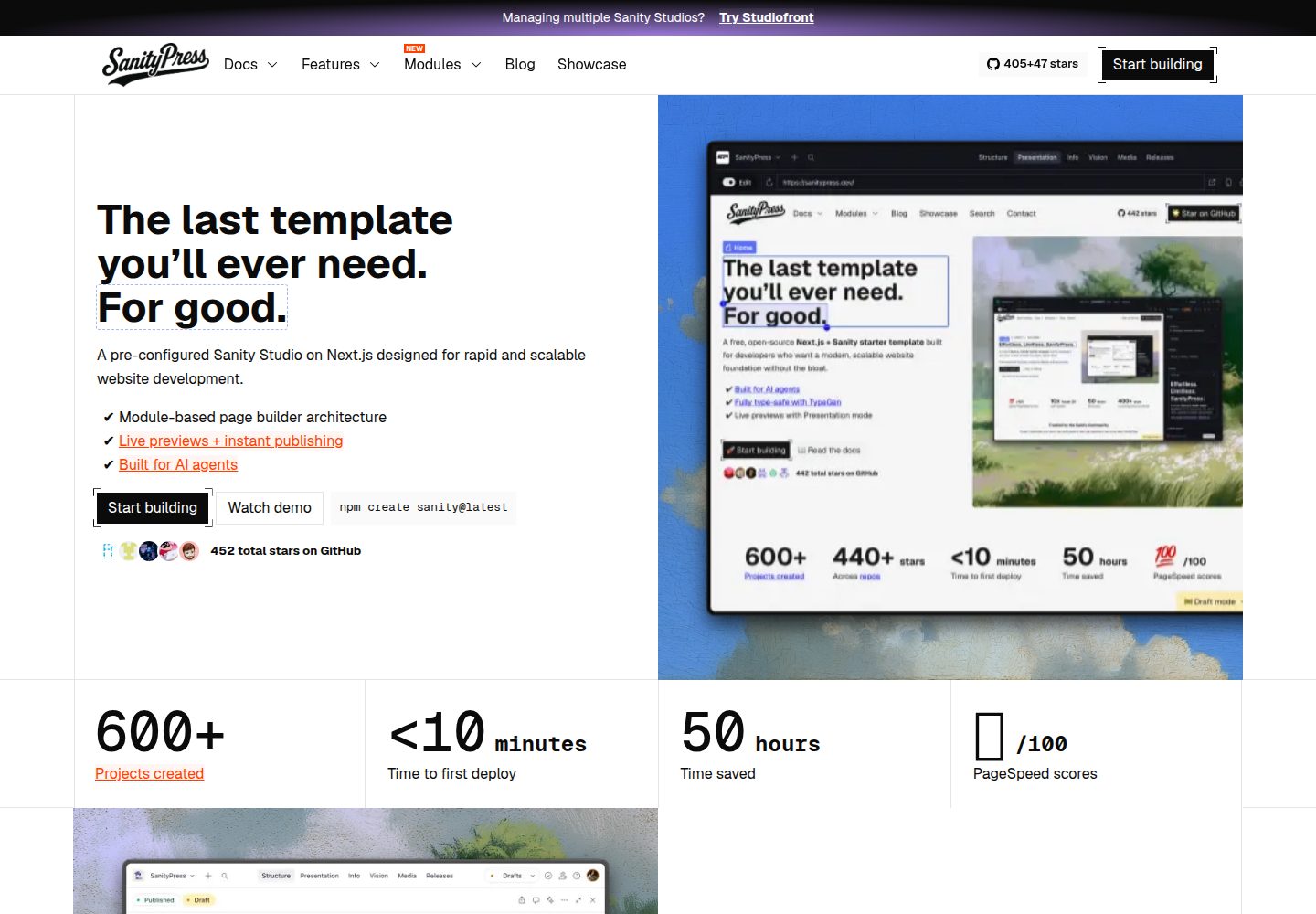
使用 Next.js 16 App Router、Server Components、TypeScript 与 Tailwind 4 构建前端
Next.jsReact企业官网启动器
sanitypress — Next.js 企业官网模板
作者 nuotsu
SanityPress 是一个基于 Next.js 16 和 Sanity 的开源页面构建模板,面向营销站点与博客,编辑可在 Sanity Studio 中用可复用模块搭建页面,开发者获得类型安全的 App Router 代码库。
看看你的网站会是什么样
浏览真实页面截图,比较内容排版与手机效果。点击下方缩略图切换,放大查看整页细节。
全部页面与视图 2
截图用于了解视觉与布局,交互效果请以实际项目为准。
采集于 2026-10-19查看来源
值得关注的模板亮点
从已有项目资料中,快速了解它的特点。
在 Sanity Studio 中通过可复用模块搭建页面,模块按 _type 组织在前端与 schema 中
通过 GROQ TypeGen 从 Sanity Schema 和查询生成 TypeScript 类型
内置 SEO 支持,包括元数据、规范链接、sitemap.xml 和可在 Studio 管理的重定向
提供 Live Content API 与 Visual Editing,以及基于 Next Image 和 Sanity CDN 的图片优化
自动生成博客 RSS 源,并提供 /llms.txt 与页面 Markdown 版本供 AI 爬虫使用
模板详细介绍
SanityPress 是采用 MIT 许可证的开源模板,使用 Next.js 16(App Router、Server Components、TypeScript)与 Tailwind 4 构建前端,并以 Sanity 作为内容管理后台。编辑人员可以在 Sanity Studio 中通过可复用模块搭建页面,开发者则获得一个类型安全的代码库,其中包含 SEO、重定向和 Visual Editing 等内置能力。
该模板提供页面构建器、基于 GROQ 的 TypeGen 类型生成、Live Content API 与 Visual Editing、使用 Next Image 组件和 Sanity CDN 的图片优化、自动生成的 sitemap.xml 与博客 RSS 源,以及可在 Studio 中管理的 SEO 元数据、规范链接和重定向。它还包含面向 AI 爬虫的 /llms.txt 和页面 Markdown 版本,以及供编码代理使用的技能文件与指导文档。
README 说明了项目初始化、环境变量配置、本地启动、必需内容文档和部署方式。使用前需要在 Sanity 中发布 site 和 slug 为 index 的 page 文档,否则前端会显示空白页。README 未提供关于性能、生产就绪程度或除 Vercel/Netlify 之外部署平台的进一步说明。
Next.js企业官网启动器
适合你的项目吗?
适用场景
- 需要由编辑在 CMS 中通过模块化方式搭建营销页面的网站项目
- 希望以 Sanity 作为内容后台、Next.js 作为前端的博客站点
- 需要类型安全代码库并希望从 Sanity Schema 自动生成 TypeScript 类型的开发团队
- 需要在 Studio 中管理 SEO 元数据、重定向和 sitemap 的内容运营场景
适合人群
- 熟悉 Next.js App Router 与 Sanity 的开发者
- 需要为营销站点或博客快速建立内容编辑流程的团队
- 希望使用 MIT 许可开源模板作为项目起点的组织
上手与定制指南
结合仓库当前版本的说明,按下面的资料检查内容、配置与运行要求。
- 1
可通过 Sanity 模板链接或运行 npm create sanity@latest -- --template=nuotsu/sanitypress 初始化项目
- 2
需配置 .env.local 中的 NEXT_PUBLIC_BASE_URL、NEXT_PUBLIC_SANITY_PROJECT_ID、NEXT_PUBLIC_SANITY_DATASET 和 SANITY_API_READ_TOKEN,其中 NEXT_PUBLIC_BASE_URL 必须设为生产域名
- 3
安装依赖后运行 npm run dev,前端位于 http://localhost:3000,Sanity Studio 位于 http://localhost:3000/admin
- 4
必须在 Sanity Studio 中发布 site 文档和 slug 为 index 的 page 文档,否则前端显示空白页;也可运行 sanity dataset import demo.tar.gz 导入包含必需文档的演示数据集
- 5
README 说明可在 Studio 中添加 Vercel(默认)或 Netlify 小组件以启用部署
授权与来源资料
使用条件与限制
免费使用 · 保留许可声明本次收录的是公开仓库中采用 MIT 许可的免费版本;免费范围为该版本代码,不代表外部服务或第三方素材免费。
使用时需要遵守
- 允许免费使用、修改、商用和分发该版本代码。
- 分发代码副本或实质性部分时,保留原作者版权声明和完整 MIT 许可声明。
- 代码按现状提供;担保与责任限制以原许可证及适用法律为准。
额外费用与待核对事项
- 演示图片、字体、图标及其他第三方素材需按各自许可核对,不能仅凭代码的 MIT 许可判断。
- 域名、托管、数据库、支付或 AI 等外部服务可能另外收费。
- 需在 .env.local 中配置 Sanity 项目 ID(NEXT_PUBLIC_SANITY_PROJECT_ID),即需要 Sanity 账户与项目。
- 需提供具有 Viewer 权限的 Sanity API 读取令牌 SANITY_API_READ_TOKEN。
- 必须将 NEXT_PUBLIC_BASE_URL 设置为生产域名。
- 必须在 Sanity Studio 中发布 site 文档和 slug 为 index 的 page 文档,否则前端显示空白页。
- 部署需在 Studio 中添加 Vercel(默认)或 Netlify 小组件;相关托管服务可能产生费用。
查看原文依据
Permission is hereby granted, free of charge
许可证原文
NEXT_PUBLIC_SANITY_PROJECT_ID="abcd1234" # Sanity project id
README 原文
SANITY_API_READ_TOKEN="..." # API token with "Viewer" permissions
README 原文
⚠️ **Required**: Set `NEXT_PUBLIC_BASE_URL` to your production domain.
README 原文
Publish the **required** documents: `site` and `page` (with the slug "index"). Otherwise, you’ll just see a blank page on the Next.js frontend.
README 原文
https://github.com/nuotsu/sanitypress/blob/main/LICENSEhttps://github.com/nuotsu/sanitypress/blob/main/README.mdAdd a [Vercel](https://www.sanity.io/plugins/vercel-dashboard-widget) (default) or [Netlify widget](https://www.sanity.io/plugins/sanity-plugin-dashboard-widget-netlify) to enable deployments from the Studio.
README 原文
DeepSeek 根据仓库许可证和 README 整理 ·2026-10-19。结果仅覆盖已读取资料,依赖、图片、字体及后续条款变更以各自原文为准。
项目核对记录与介绍依据
模板资料
- 来源平台
- GitHub
- 资料与维护参考分
- 资料较完整 · 92 / 100
- 技术栈
- Next.js · React
- 网站类型
- 企业官网 · 启动器
这个分数如何计算
本站按许可资料(最高30分)、演示链接(12分)、预览图(10分)、Star数(15分)、记录的维护时间(15分)、描述完整度(8分)、功能记录(5分)和分类资料(5分)计算。它不是代码、安全或性能测试,也不是 Google 评分;有链接不代表已实测可用。
这个项目需要核对什么
- 记录的仓库更新时间
- 2026-10-18
- 截图检查日期
- 2026-10-19
已收录演示链接。请用你的内容与屏幕尺寸检查;有演示不代表表单、认证或支付已经可用。
目录记录的主要技术栈是 Next.js。请通过依赖清单和锁文件核对实际版本与托管要求。这些说明基于收录资料,不代表代码审计或部署实测。
查看具体选型方法 →介绍的制作与核对状态
介绍由 AI 辅助整理目录与仓库资料。仓库作者不等于这篇介绍的审核者。
审核声明: codex-user-requested-batch-review-20261021 · 2026-10-21
查看当时使用的来源资料
SHA-256: 92470277f15265d6e63d5884620ec09852cbdcef6a6b57eccf1d4b86f3321b93
2026-10-19T00:56:03.336Z
来源文件 / 仓库# SanityPress SanityPress is a free, open-source (MIT) Next.js 16 + Sanity page builder template for marketing sites and blogs. Editors build pages from reusable modules in Sanity Studio, and developers get a type-safe App Router codebase with SEO, redirects, and Visual Editing built in. ```sh npm create sanity@latest -- --template=nuotsu/sanitypress ``` This repository is the actively maintained version of SanityPress. The original 2023 version ([nuotsu/sanitypress-2023](https://github.com/nuotsu/sanitypress-2023)) is archived. [Get started](https://www.sanity.io/get-started?template=sanitypress) | [Read more about TypeGen](https://sanitypress.dev/blog/introducing-sanitypress-with-typegen) | [View on Sanity.io](https://www.sanity.io/templates/sanitypress) 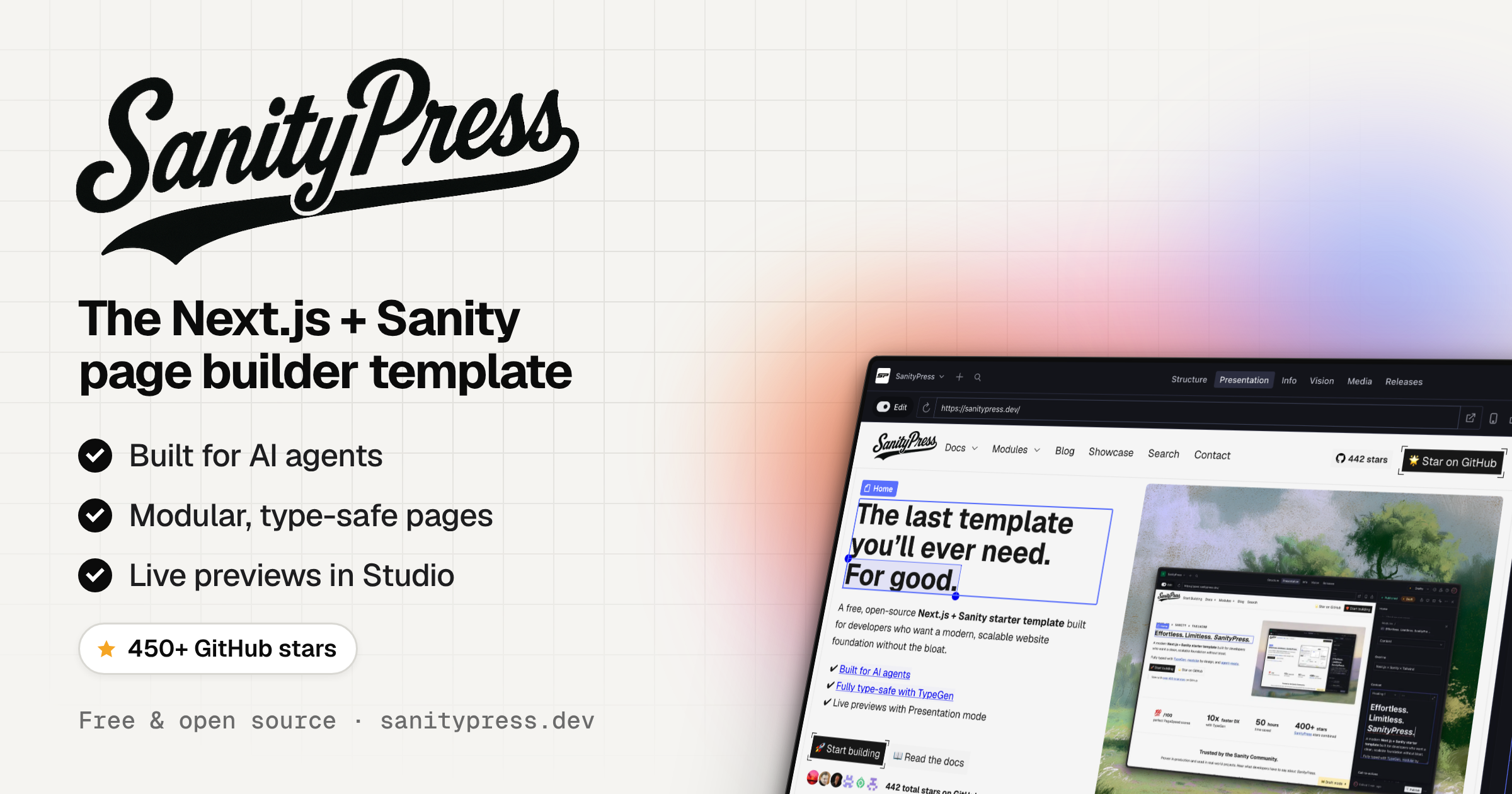 ## Key Features - Next.js 16 (App Router, Server Components, TypeScript) with Tailwind 4 - Page builder with reusable modules - GROQ TypeGen for your Sanity Schema types - [Perfect PageSpeed Insight scores](https://pagespeed.web.dev/analysis/https-typed-sanitypress-dev/78sjwe1x39?form_factor=desktop) - Live Content API with Visual Editing - Optimized images with Next Image component and Sanity CDN - Auto-generated sitemap.xml and blog RSS feed - SEO built in (metadata, canonicals, sitemap.xml, redirects managed in Studio) - AI-agent ready (`/llms.txt` and Markdown versions of pages for AI crawlers) - Agent skills included (`.agents/skills/`, tracked in `skills-lock.json`) plus `AGENTS.md` / `CLAUDE.md` guidance for Claude Code and other coding agents ## File Structure ``` SanityPress ├─ src/ │ ├─ app/ # Next.js App Router │ │ ├─ (frontend)/ # Public-facing site │ │ │ ├─ layout.tsx # Frontend root layout │ │ │ ├─ not-found.tsx # 404 page │ │ │ ├─ [[...slug]]/ # Catch-all for all standard pages │ │ │ ├─ blog/[slug]/ # Individual blog post pages │ │ │ ├─ blog/rss.xml/ # RSS feed endpoint │ │ │ └─ api/ # API route handlers │ │ │ │ ├─ draft-mode/ # Enable/disable Sanity draft mode │ │ │ │ └─ og/ # Open Graph image generation │ │ ├─ (studio)/admin/ # Sanity Studio (CMS editor UI) │ │ └─ sitemap.ts # Auto-generated sitemap │ ├─ modules/ # Colocated modules (one folder per Sanity module `_type`) │ │ └─ <module-name>/ │ │ ├─ index.tsx # Frontend component │ │ ├─ schema.ts # Sanity schema │ │ └─ query.ts # GROQ projection (only if needed) │ ├─ ui/ # React components │ │ ├─ modules/ # ModulesResolver + <Module> wrapper │ │ ├─ blog/ # Shared blog UI helpers (filters, previews, etc.) │ │ ├─ header/ # Header, navigation, megamenu │ │ ├─ footer/ # Footer and link list │ │ └─ ... # Shared components (CTA, Img, Logo, etc.) │ ├─ sanity/ # Sanity CMS configuration │ │ ├─ schemaTypes/ │ │ │ ├─ documents/ # Top-level content types (page, blog.post, site, navigation…) │ │ │ ├─ objects/ # Reusable field groups (cta, link, metadata…) │ │ │ └─ fragments/ # Shared helpers (define-module, modules field) │ │ ├─ lib/ # Queries, GROQ fragments, fetch helpers, image builder │ │ ├─ ui/ # Custom Studio UI components │ │ └─ ... # Sanity files │ ├─ lib/ # Shared app utilities and env helpers │ ├─ hooks/ # Custom React hooks │ └─ types/ # Global TypeScript declarations ├─ public/ │ ├─ module-thumbnails/ # Studio insert-menu previews (`<module-name>.webp`) │ └─ ... # Favicon and other static assets ├─ .env.* # Environment variable template ├─ next.config.ts # Next.js configuration ├─ sanity.config.ts # Sanity Studio configuration ├─ sanity.cli.ts # Sanity CLI configuration └─ package.json ``` ## Getting Started ### 1. Initialize the project Click the [Sanity template link](https://www.sanity.io/get-started?template=sanitypress) -- OR -- install with the Sanity CLI: ```sh npm create sanity@latest -- --template=nuotsu/sanitypress ``` ### 2. Set environment variables If initialized via the Sanity template link, the `.env.local` file should be created automatically. If initialized via the CLI, duplicate the `.env.example` file as `.env.local` and assign the variables to your project: ```sh # .env.local NEXT_PUBLIC_BASE_URL="https://example.com" # your website's domain NEXT_PUBLIC_SANITY_PROJECT_ID="abcd1234" # Sanity project id NEXT_PUBLIC_SANITY_DATASET="production" # Sanity dataset name SANITY_API_READ_TOKEN="..." # API token with "Viewer" permissions ``` ⚠️ **Required**: Set `NEXT_PUBLIC_BASE_URL` to your production domain. ### 3. Install and start local server Install required packages and dependencies with your desired package manager (e.g. npm, pnpm, deno, bun, etc.). ```sh npm install ``` Once installed, run the development script: ```sh npm run dev ``` Then open: - Next.js frontend: http://localhost:3000 - Sanity Studio: http://localhost:3000/admin ### 4. Add content in your Sanity Studio Publish the **required** documents: `site` and `page` (with the slug "index"). Otherwise, you’ll just see a blank page on the Next.js frontend. What you'll need: | Document | Slug or Path | Usage | Required? | Notes | | --------------- | ------------ | ------------------ | :-------: | ------------------------------------ | | `site` | | Global settings | Yes | | | `page` | `index` | Homepage route | Yes | | | `page` | `404` | Not found route | | | | `page` | `blog` | Blog listing route | | Add the **Blog index** module | | `global-module` | `blog/` | Blog post template | | Add the **Blog post content** module | Alternatively, you can run the following command to import a demo dataset with the required documents: ```sh sanity dataset import demo.tar.gz ``` > 📸 See what the Sanity Studio backend looks like on the [Screenshots page](https://sanitypress.dev/docs/sanity-studio-screenshots). ### 5. Set up deployments Add a [Vercel](https://www.sanity.io/plugins/vercel-dashboard-widget) (default) or [Netlify widget](https://www.sanity.io/plugins/sanity-plugin-dashboard-widget-netlify) to enable deployments from the Studio. ### 6. Customize Adjust frontend styles to your liking, edit or add new schema and modules, etc. ## History SanityPress started in 2023 as a Next.js + Sanity.io starter template. That version lives on, archived, at [nuotsu/sanitypress-2023](https://github.com/nuotsu/sanitypress-2023). This repository is its rewrite, adding auto-generated TypeScript types from your Sanity schema and GROQ queries, and is the version that is actively maintained. ## License [MIT](LICENSE)
看看同类模板
对比同技术栈与用途的模板,找到更适合的视觉与内容结构。

ai-website-cloner-template
Clone any website with one command using AI coding agents
Next.js · 启动器

Next.js SaaS Starter
Next.js SaaS Starter 是 Next.js 官方维护的 SaaS 起点模板,定位介于学习资源和可直接部署的脚手架之间。
Next.js · SaaS

Next.js Commerce
Next.js Commerce 是 Vercel 团队维护的电商启动模板,基于 Next.js App Router 构建,采用服务端渲染、React Server Components、Server Actions …
Next.js · 电商

Next-js-Boilerplate
Next-js-Boilerplate 是一个面向 Next.js 16、Tailwind CSS 4 和 TypeScript 的启动器,核心定位是开发者体验优先。
Next.js · 启动器

tailwind-nextjs-starter-blog
tailwind-nextjs-starter-blog 是一个面向个人技术博客的 Next.js 与 Tailwind CSS 启动模板,其 v2 版本基于 App Router 与 React Server Comp…
Next.js · 博客

next-forge
Production-grade Turborepo template for Next.js apps.
Next.js · 启动器