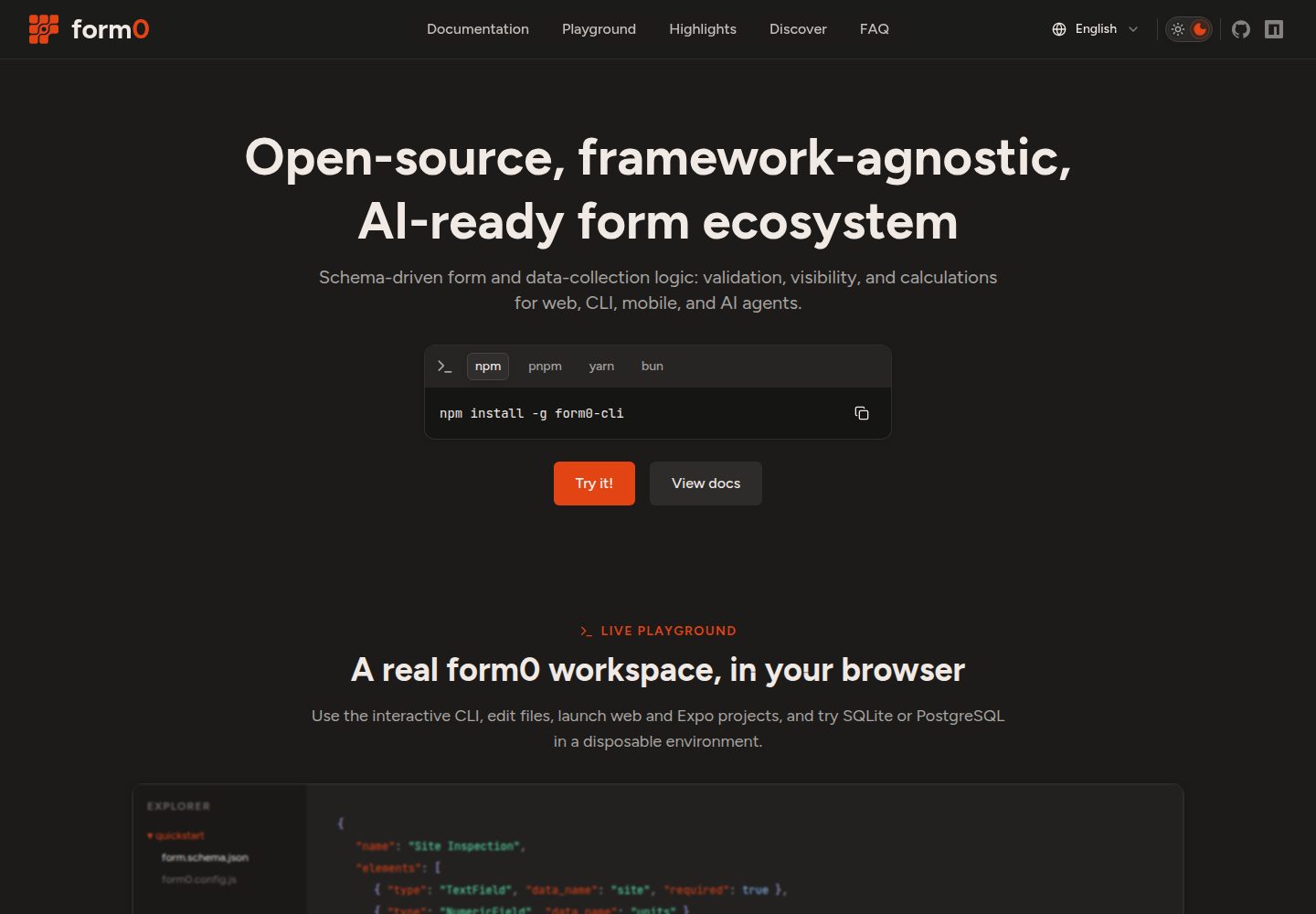
基于 React 与 Vite 的起始应用,面向 form0 生态的 schema 驱动表单
ViteReact工具站启动器
form0-web-tmpl-react-vite — Vite 工具站模板
作者 paqu-io
form0 生态的 React + Vite 表单应用起始模板,内置默认渲染器、主题与示例 schema。
看看你的网站会是什么样
浏览真实页面截图,比较内容排版与手机效果。点击下方缩略图切换,放大查看整页细节。
全部页面与视图 2
截图用于了解视觉与布局,交互效果请以实际项目为准。
采集于 2026-10-08查看来源
值得关注的模板亮点
从已有项目资料中,快速了解它的特点。
内置默认且可替换的字段渲染器、集中式 form0 配置与示例 schema
提供路由与多种表单呈现方式:page、modal、spotlight、standard、simplified
样式层包含 Tailwind CSS、shadcn/ui 基础组件与 Vanilla Extract 主题,支持浅色、深色和跟随系统模式
可选将提交发送到 form0-cli connector 端点
MIT 许可,允许免费使用、修改、商用和分发该版本代码
模板详细介绍
这是 paqu-io 维护的 React + Vite 起始应用,用于搭建由 schema 驱动的表单项目,底层使用 form0-core 与 form0-react。模板自带默认且可替换的字段渲染器、集中式 form0 配置(form0.config.js)、示例 schema、路由、主题定制,以及可选的向 form0-cli connector 端点提交数据的能力。
示例应用在 /:formId 提供表单,并支持 /:formId/:variant 传入展示变体;schema 默认放在 src/forms,页面与表单组件是接入点。样式层包含 Tailwind CSS、shadcn/ui 基础组件与 Vanilla Extract 主题,支持浅色、深色和跟随系统三种颜色模式,以及 page、modal、spotlight、standard、simplified 等表单呈现方式。
README 明确说明 form0 仍在活跃开发中,1.0 之前的版本可能包含破坏性变更,需要锁定版本并在升级时查看发布说明。schema 表达式由 form0-core 求值,因此只应使用可信来源的 schema。仓库采用 MIT 许可,代码可免费使用、修改、商用和分发,但演示图片、字体、图标等第三方素材需单独核对许可,域名、托管、数据库等外部服务可能另行收费。
ViteReact工具站启动器
适合你的项目吗?
适用场景
- 需要以 schema 定义表单结构并渲染为 React 页面的项目起步
- 希望自定义字段渲染器或主题,同时保留 form0-react 默认行为
- 需要在同一套 schema 下切换页面、弹窗、聚焦等不同表单呈现形式
- 希望通过 form0-cli 在本地编辑、预览和校验 schema,并将提交接入 connector 端点
适合人群
- 使用 React 与 Vite 技术栈、准备接入 form0 表单引擎的开发者
- 需要可替换渲染器与主题扩展点的表单类应用
- 接受在 1.0 之前跟随 form0 版本升级并处理潜在破坏性变更的团队
上手与定制指南
结合仓库当前版本的说明,按下面的资料检查内容、配置与运行要求。
- 1
推荐通过 form0-cli 创建项目:全局安装后运行 form0,选择 init、Web app、React + Vite,再执行 npm install 与 npm run dev
- 2
也可用 GitHub 的 Use this template 按钮基于本仓库创建项目,但 CLI 是官方推荐路径
- 3
需要 Node.js 22 或更新版本,包管理器可用 npm、pnpm、Yarn 或 Bun,仓库锁文件使用 npm
- 4
表单布局、主题、schema 目录与提交行为在 form0.config.js 中配置,环境相关 URL 与凭据应放在被忽略的本地环境文件中
- 5
schema 表达式由 form0-core 求值,仅使用可信作者提供的 schema
授权与来源资料
使用条件与限制
免费使用 · 保留许可声明本次收录的是公开仓库中采用 MIT 许可的免费版本;免费范围为该版本代码,不代表外部服务或第三方素材免费。
使用时需要遵守
- 允许免费使用、修改、商用和分发该版本代码。
- 分发代码副本或实质性部分时,保留原作者版权声明和完整 MIT 许可声明。
- 代码按现状提供;担保与责任限制以原许可证及适用法律为准。
额外费用与待核对事项
- 演示图片、字体、图标及其他第三方素材需按各自许可核对,不能仅凭代码的 MIT 许可判断。
- 域名、托管、数据库、支付或 AI 等外部服务可能另外收费。
- form0 仍处于活跃开发阶段,1.0 之前的版本可能包含破坏性变更;使用时应锁定版本,并在升级前查看发布说明。
- schema 表达式由 form0-core 求值,存在代码执行风险,因此只能使用可信作者提供的 schema,并需查阅 form0-core 的安全策略。
- 提交数据是否发送到 form0-cli connector 端点由配置决定,启用该功能需要外部 connector 服务支持。
- 环境相关的 URL 与凭据必须放在被忽略的本地环境文件中,不应提交到模板仓库。
查看原文依据
Permission is hereby granted, free of charge
许可证原文
> form0 is in active development and is available to use today. Its schema format and core > concepts are stable in practice, but releases before 1.0 may include breaking changes. Pin your > versions and review the release notes when upgrading. A formally stable release is coming.
README 原文
Schema expressions are evaluated by `form0-core`. Only use schemas from trusted authors and review the [form0-core security policy](https://github.com/paqu-io/form0-core/blob/main/SECURITY.md).
README 原文
- whether submissions are sent to form0-cli connector endpoints.
README 原文
https://github.com/paqu-io/form0-web-tmpl-react-vite/blob/main/LICENSEhttps://github.com/paqu-io/form0-web-tmpl-react-vite/blob/main/README.mdKeep environment-specific URLs and credentials in ignored local environment files rather than committing them to the template.
README 原文
DeepSeek 根据仓库许可证和 README 整理 ·2026-10-08。结果仅覆盖已读取资料,依赖、图片、字体及后续条款变更以各自原文为准。
项目核对记录与介绍依据
模板资料
- 来源平台
- GitHub
- 资料与维护参考分
- 资料较完整 · 85 / 100
- 技术栈
- Vite · React
- 网站类型
- 工具站 · 启动器
这个分数如何计算
本站按许可资料(最高30分)、演示链接(12分)、预览图(10分)、Star数(15分)、记录的维护时间(15分)、描述完整度(8分)、功能记录(5分)和分类资料(5分)计算。它不是代码、安全或性能测试,也不是 Google 评分;有链接不代表已实测可用。
这个项目需要核对什么
- 记录的仓库更新时间
- 2026-10-08
- 截图检查日期
- 2026-10-08
已收录演示链接。请用你的内容与屏幕尺寸检查;有演示不代表表单、认证或支付已经可用。
目录记录的主要技术栈是 Vite。请通过依赖清单和锁文件核对实际版本与托管要求。这些说明基于收录资料,不代表代码审计或部署实测。
查看具体选型方法 →介绍的制作与核对状态
介绍由 AI 辅助整理目录与仓库资料。仓库作者不等于这篇介绍的审核者。
审核声明: [email protected] · 2026-10-09
查看当时使用的来源资料
SHA-256: caa195ef8739528826cd2e720c84d9058d203590ac96446bec6fc3ee171533e9
2026-10-08T19:26:48.434Z
来源文件 / 仓库# form0 React + Vite Template [](https://github.com/paqu-io/form0-web-tmpl-react-vite/actions/workflows/ci.yml)  [](https://docs.form0.dev) [](https://form0.dev) > [!NOTE] > form0 is in active development and is available to use today. Its schema format and core > concepts are stable in practice, but releases before 1.0 may include breaking changes. Pin your > versions and review the release notes when upgrading. A formally stable release is coming. A maintained React and Vite starter for building a schema-driven form application with [form0-react](https://github.com/paqu-io/form0-react). It includes default renderers, centralized form0 configuration, example schemas, routing, theme customization, and optional submission to a form0-cli connector. ## 🚀 Create a project with `form0-cli` [`form0-cli`](https://github.com/paqu-io/form0-cli) is the canonical way to create a form0 project: ```bash npm install -g form0-cli form0 ``` Run `init`, choose **Web app**, and select **React + Vite**. Then enter the generated directory and start the application: ```bash npm install npm run dev ``` Open the URL printed by Vite, normally <http://localhost:5173>. You can also create a repository from this starter with GitHub's **Use this template** button. The CLI remains the recommended route because it guides project and package-manager selection. ## What is included - React 19 and Vite - form0-core and form0-react - Default and replaceable field renderers - Tailwind CSS, shadcn/ui primitives, and Vanilla Extract theming - Light, dark, and system color modes - Page, modal, spotlight, standard, and simplified form presentations - Example form routing and schema loading - Optional submission to form0-cli connector endpoints ## Project layout ```text . ├── form0.config.js # form layout, theme, schemas, and dev-server integration ├── src/ │ ├── components/ # application and custom form components │ ├── forms/ # form schemas │ ├── pages/ # home and form routes │ └── themes/ # optional application themes └── vite.config.js ``` The example application serves a form at `/:formId` and accepts an optional presentation variant at `/:formId/:variant`. ## Configure form0 Edit `form0.config.js` to change: - global and per-presentation layout; - light, dark, system, or custom themes; - edit and read-only interaction behavior; - the schema directory, which defaults to `./src/forms`; - the application development-server command; and - whether submissions are sent to form0-cli connector endpoints. Configuration values are ordinary JavaScript and can be imported by application components. Keep environment-specific URLs and credentials in ignored local environment files rather than committing them to the template. ## Add or edit a form Place schema files in `src/forms`, then use the existing page and form components as the integration point. For interactive schema editing and preview, run `form0-cli` from the project directory: ```bash form0 ``` Load the schema and use `schema edit`, `preview`, `validate`, or `serve --app` as needed. See the [quickstart](https://docs.form0.dev/getting-started/quickstart) for the complete workflow. ## Customize rendering and styling `form0-react` provides the engine-to-React integration and default styles. This template adds an application-owned layer for custom field renderers and themes. Prefer those extension points over editing package code: - Register application field components through form0-react's renderer registry. - Add theme contracts under `src/themes` and select them in `form0.config.js`. - Keep application layout around `Form0Form`; keep schema behavior in the schema. - Import `form0-react/index.css` before application-level overrides. The source contains working examples of these patterns. Detailed API and schema guidance belongs in the [form0 documentation](https://docs.form0.dev) so the template README can remain focused on getting a project running. ## Available scripts - `npm run dev` — start the Vite development server. - `npm run build` — create a production build in `dist`. - `npm run preview` — preview the production build locally. - `npm run lint` — run ESLint. - `npm run check` — run lint and create a production build. - `npm run security:audit:prod` — audit production dependencies at high severity. ## ✅ Requirements - Node.js 22 or newer - npm, pnpm, Yarn, or Bun; the committed lockfile uses npm - A modern browser supported by the selected Vite configuration ## 📚 Documentation - [React + Vite starter guide](https://docs.form0.dev/starter-apps/react-vite/create-run) - [Project structure and configuration](https://docs.form0.dev/starter-apps/react-vite/project-structure-configuration) - [Forms, routes, and presentations](https://docs.form0.dev/starter-apps/react-vite/forms-routes-presentations) - [Renderers, themes, and styling](https://docs.form0.dev/starter-apps/react-vite/renderers-themes-styling) - [Submissions and connectors](https://docs.form0.dev/starter-apps/react-vite/submissions-connectors) - [Build and deployment](https://docs.form0.dev/starter-apps/react-vite/build-deployment) - [Troubleshooting](https://docs.form0.dev/starter-apps/react-vite/troubleshooting) - [form0 CLI quickstart](https://docs.form0.dev/getting-started/quickstart) - [React binding reference](https://docs.form0.dev/bindings/react/install-render) ## 🔒 Security Schema expressions are evaluated by `form0-core`. Only use schemas from trusted authors and review the [form0-core security policy](https://github.com/paqu-io/form0-core/blob/main/SECURITY.md). Report vulnerabilities according to this repository's [security policy](./SECURITY.md). ## 🤝 Support and contributing See [SUPPORT.md](https://github.com/paqu-io/form0-web-tmpl-react-vite/blob/main/SUPPORT.md) for help and [CONTRIBUTING.md](https://github.com/paqu-io/form0-web-tmpl-react-vite/blob/main/CONTRIBUTING.md) to contribute. ## 📄 License [MIT](./LICENSE)
看看同类模板
对比同技术栈与用途的模板,找到更适合的视觉与内容结构。

react-starter-kit
Modern React starter kit with Bun, TypeScript, Tailwind CSS, tRPC, Stripe, and Cloudflare Workers. Production-…
Vite · SaaS

cove
The Cove Stack: 🏝️ minimal TanStack Start template with Vite+, Better Auth, Drizzle ORM, shadcn/ui
Vite · SaaS

vite-react-boilerplate
A production ready, scalable starter template for Vite + React
Vite · 启动器

vituum
⚡⚙️ Fast Prototyping with Template Engines in Vite. Small and fast static site generator for Vite.
Vite · 工具站

react-vite-admin
This Starter utilizes React, Recoil, React Query, React Hooks, Typescript, Axios And Vite. 全新技术栈的后台管理系统
Vite · 后台

typescript-react_best_practices-vite_template
<⚡⚛️> Start your React project with Vite following code best practices (TypeScript, Linting, testing, CI/CD…)
Vite · 启动器