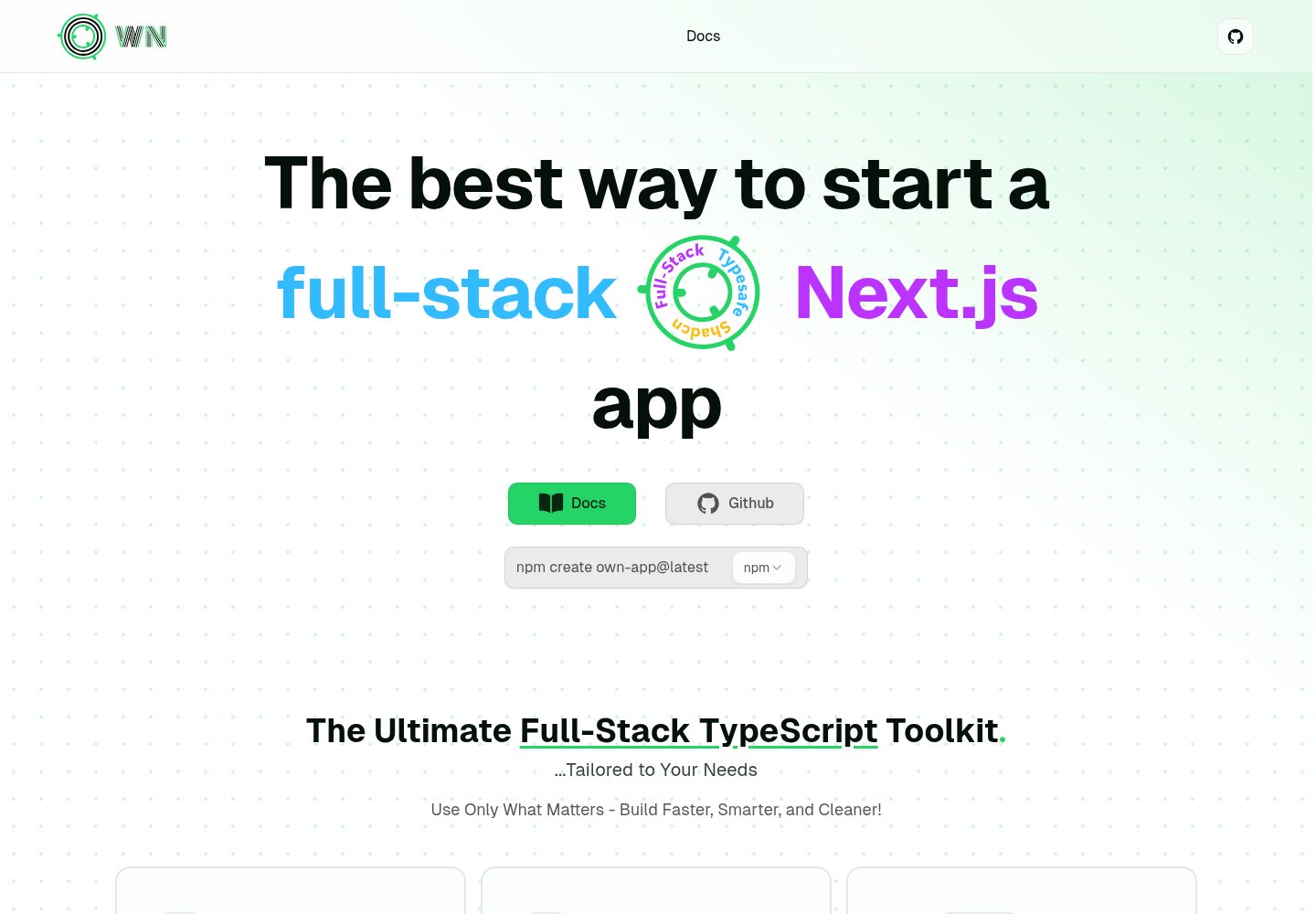
提供 npm、pnpm、yarn、bun 四种包管理器的创建命令
Next.jsReact启动器
create-own-app — Next.js 启动器模板
作者 programming-with-ia
create-own-app 是一个通过 npm、pnpm、yarn 或 bun 命令运行的脚手架工具,用于生成以 Next.js 和 TypeScript 为基础的应用项目,并可按需加入 Tailwind CSS、Shadcn、tRPC、Prisma、Drizzle、NextAuth.js 等技术选项。
看看你的网站会是什么样
浏览真实页面截图,比较内容排版与手机效果。点击下方缩略图切换,放大查看整页细节。
全部页面与视图 2
截图用于了解视觉与布局,交互效果请以实际项目为准。
采集于 2026-10-14查看来源
值得关注的模板亮点
从已有项目资料中,快速了解它的特点。
以 Next.js 和 TypeScript 作为项目基础
README 说明通常包含 Tailwind CSS 与 Shadcn
可按需加入 tRPC、Prisma、Drizzle、NextAuth.js 等选项
提供用于 CI 的非交互式实验性标志
支持指定目录、数据库提供者和 App Router 等配置
模板详细介绍
create-own-app 的 README 将其定位为一个应用脚手架:通过 `npm create own-app@latest`、`pnpm create own-app@latest`、`yarn create own-app@latest` 或 `bun create own-app@latest` 启动,生成新项目。项目基础由 Next.js 和 TypeScript 构成,README 说明 Tailwind CSS 与 Shadcn 通常会被包含,用于快速响应式设计;后端部分则以“可考虑添加”的方式列出 tRPC、Prisma 和 NextAuth.js。
README 还提供了一组用于 CI 的实验性标志,可在不进行交互式提示的情况下完成脚手架初始化,包括指定目录、使用默认选项、添加 tRPC、Prisma、Drizzle、NextAuth.js、Tailwind CSS、配置数据库提供者、使用 App Router,以及跳过 Git 初始化和依赖安装。README 明确说明这些标志是实验性的,未来版本可能变化,且不遵循语义化版本控制。
README 未提供生成后的项目结构、各选项组合后的具体行为、依赖版本、部署步骤或生产就绪程度说明,因此这些方面无法从现有资料确认。
Next.js启动器
适合你的项目吗?
适用场景
- 需要快速生成 Next.js + TypeScript 项目骨架时
- 希望在脚手架阶段选择是否加入 tRPC、Prisma、Drizzle 或 NextAuth.js 时
- 在 CI 环境中以非交互方式自动创建项目时
- 需要指定项目目录、数据库提供者或使用 App Router 时
适合人群
- 使用 Next.js 和 TypeScript 的前端或全栈项目开发者
- 需要可配置脚手架而非固定模板的开发者
- 希望在 CI 中自动化项目初始化的团队
上手与定制指南
结合仓库当前版本的说明,按下面的资料检查内容、配置与运行要求。
- 1
使用 npm create own-app@latest、pnpm create own-app@latest、yarn create own-app@latest 或 bun create own-app@latest 创建项目。
- 2
CI 标志为实验性,README 说明其可能在未来版本中变化且不遵循语义化版本控制。
- 3
可使用 --default 跳过提示并采用默认选项,或通过 --trpc、--prisma、--drizzle、--nextAuth、--tailwind 等标志选择技术选项。
- 4
可使用 --dbProvider 配置数据库提供者,使用 --appRouter 选择 Next.js App Router。
- 5
可使用 --noGit 跳过 Git 初始化,使用 --noInstall 跳过依赖安装。
授权与来源资料
使用条件与限制
免费使用 · 保留许可声明本次收录的是公开仓库中采用 MIT 许可的免费版本;免费范围为该版本代码,不代表外部服务或第三方素材免费。
使用时需要遵守
- 允许免费使用、修改、商用和分发该版本代码。
- 分发代码副本或实质性部分时,保留原作者版权声明和完整 MIT 许可声明。
- 代码按现状提供;担保与责任限制以原许可证及适用法律为准。
额外费用与待核对事项
- 演示图片、字体、图标及其他第三方素材需按各自许可核对,不能仅凭代码的 MIT 许可判断。
- 域名、托管、数据库、支付或 AI 等外部服务可能另外收费。
- CI 标志为实验性功能,未来版本可能在不遵循语义化版本控制的情况下发生变化,自动化脚本不应依赖其稳定性。
查看原文依据
Permission is hereby granted, free of charge
许可证原文
https://github.com/programming-with-ia/create-own-app/blob/master/LICENSEhttps://github.com/programming-with-ia/create-own-app/blob/master/README.md**Note:** These flags are experimental and may change in future versions without following semantic versioning.
README 原文
DeepSeek 根据仓库许可证和 README 整理 ·2026-10-14。结果仅覆盖已读取资料,依赖、图片、字体及后续条款变更以各自原文为准。
项目核对记录与介绍依据
模板资料
- 来源平台
- GitHub
- 资料与维护参考分
- 资料较完整 · 77 / 100
- 技术栈
- Next.js · React
- 网站类型
- 启动器
这个分数如何计算
本站按许可资料(最高30分)、演示链接(12分)、预览图(10分)、Star数(15分)、记录的维护时间(15分)、描述完整度(8分)、功能记录(5分)和分类资料(5分)计算。它不是代码、安全或性能测试,也不是 Google 评分;有链接不代表已实测可用。
这个项目需要核对什么
- 记录的仓库更新时间
- 2024-12-03
- 截图检查日期
- 2026-10-14
已收录演示链接。请用你的内容与屏幕尺寸检查;有演示不代表表单、认证或支付已经可用。
目录记录的主要技术栈是 Next.js。请通过依赖清单和锁文件核对实际版本与托管要求。这些说明基于收录资料,不代表代码审计或部署实测。
查看具体选型方法 →介绍的制作与核对状态
介绍由 AI 辅助整理目录与仓库资料。仓库作者不等于这篇介绍的审核者。
审核声明: codex-user-requested-batch-review-20261015 · 2026-10-15
查看当时使用的来源资料
SHA-256: abba70f91e1bf6d271eff6534b518341357116250c53ebf247b72deafb297597
2026-10-14T03:29:35.828Z
来源文件 / 仓库<p align="center">
<a href="https://create-own-app.vercel.app/">
<img src="https://raw.githubusercontent.com/programming-with-ia/public-files/0e77acf319696f37be023fe5134f174f319f0700/create-own-app/assets/create-own-app-logo.png" width="130" alt="own app">
</a>
</p>
<h1 align="center">
create-own-app
</h1>
## [Docs](https://create-own-app.vercel.app/)
visit: [create-own-app](https://create-own-app.vercel.app/)
## Installation
To get started with the project, run the following command to scaffold a new app:
```bash
npm create own-app@latest
```
```bash
pnpm create own-app@latest
```
```bash
yarn create own-app@latest
```
```bash
bun create own-app@latest
```
## Introduction
The foundation of the stack consists of [Next.js](https://nextjs.org) for building optimized applications and [TypeScript](https://www.typescriptlang.org) for enhanced development with type safety. [Tailwind CSS](https://tailwindcss.com)/[Shadcn](https://ui.shadcn.dev) is typically included for rapid, responsive design.
For backend development, consider adding:
- [tRPC](https://trpc.io) for seamless TypeScript integration.
- [Prisma](https://www.prisma.io) for efficient database interaction.
- [NextAuth.js](https://next-auth.js.org) for flexible authentication solutions.
---
## CI Flags
For our CI (Continuous Integration) setup, we offer experimental flags that allow you to scaffold an app without any interactive prompts. These flags are useful for automating the setup process.
**Note:** These flags are experimental and may change in future versions without following semantic versioning.
| **Flag** | **Description** |
| ------------------------- | ------------------------------------------------------------------------- |
| `[dir]` | Specify the project directory name. |
| `-y, --default` | Bypass prompts and scaffold with all [default options](#default-options). |
| `--trpc` | Add tRPC for type-safe API communication. |
| `--prisma` | Include Prisma ORM for type-safe database access. |
| `--drizzle` | Include Drizzle ORM for modern database management. |
| `--nextAuth` | Add NextAuth.js for flexible authentication solutions. |
| `--tailwind` | Include Tailwind CSS for utility-first styling. |
| `--dbProvider [provider]` | Configure a database provider for the project. |
| `--appRouter` | Use Next.js App Router for routing. |
| `--noGit` | Skip initializing a Git repository for the project. |
| `--noInstall` | Generate the project without installing dependencies. |
## Inspirations / Thanks
Special thanks to [t3-oss](https://github.com/t3-oss) for creating [create-t3-app](https://github.com/t3-oss/create-t3-app).
看看同类模板
对比同技术栈与用途的模板,找到更适合的视觉与内容结构。

ai-website-cloner-template
Clone any website with one command using AI coding agents
Next.js · 启动器

Next.js SaaS Starter
Next.js SaaS Starter 是 Next.js 官方维护的 SaaS 起点模板,定位介于学习资源和可直接部署的脚手架之间。
Next.js · SaaS

Next.js Commerce
Next.js Commerce 是 Vercel 团队维护的电商启动模板,基于 Next.js App Router 构建,采用服务端渲染、React Server Components、Server Actions …
Next.js · 电商

Next-js-Boilerplate
Next-js-Boilerplate 是一个面向 Next.js 16、Tailwind CSS 4 和 TypeScript 的启动器,核心定位是开发者体验优先。
Next.js · 启动器

tailwind-nextjs-starter-blog
tailwind-nextjs-starter-blog 是一个面向个人技术博客的 Next.js 与 Tailwind CSS 启动模板,其 v2 版本基于 App Router 与 React Server Comp…
Next.js · 博客

next-forge
Production-grade Turborepo template for Next.js apps.
Next.js · 启动器