Supabase Auth 邮箱魔法链接登录,无需管理密码
Next.jsReactSaaS启动器
nextjs-supabase-auth-starter — Next.js SaaS模板
作者 RCushmaniii
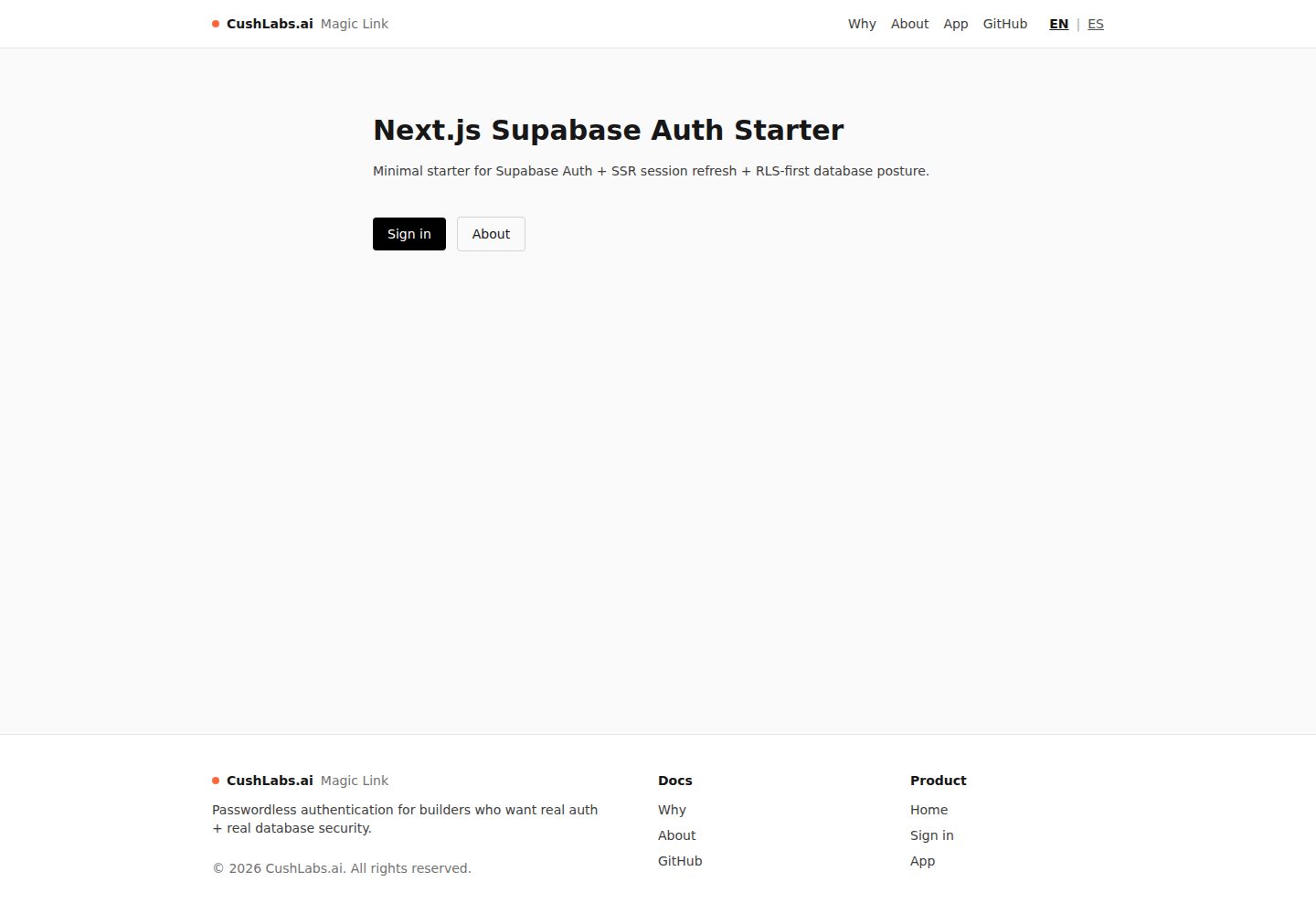
基于 Next.js App Router 与 Supabase 的认证启动器,聚焦邮箱魔法链接登录、SSR 会话刷新与 RLS 数据库策略,附带受保护路由和可选管理员边界示例。
看看你的网站会是什么样
浏览真实页面截图,比较内容排版与手机效果。点击下方缩略图切换,放大查看整页细节。
全部页面与视图 3
截图用于了解视觉与布局,交互效果请以实际项目为准。
采集于 2026-10-01查看来源
值得关注的模板亮点
从已有项目资料中,快速了解它的特点。
middleware.ts 中通过 @supabase/ssr 实现 SSR 会话刷新
自带 SQL 迁移:profiles 与 notes 表默认启用 RLS 并按用户隔离
提供 /app 受保护路由与基于 profiles.role 的 /admin 管理员边界示例
英语/西班牙语双语界面,语言偏好通过 cookie 持久化
环境变量用 Zod 校验,CI 包含 typecheck、lint、build
模板详细介绍
这是一个以认证与数据库安全为核心的 Next.js 启动器模板,使用 App Router 与 TypeScript(strict),通过 Supabase Auth 实现免密码的邮箱魔法链接登录,并在 middleware.ts 中借助 @supabase/ssr 完成 SSR 会话刷新。模板自带 SQL 迁移,创建 profiles 表(与 auth.users 一对一)、app_role 枚举(user/admin)、新用户注册时自动建档的触发器,以及 notes 演示表,两者均默认启用 RLS 并配有按用户隔离的策略。
路由层面提供公开落地页、关于页、魔法链接说明页、登录页、需登录访问的 /app,以及由 profiles.role 控制的管理员路由 /admin。界面支持英语与西班牙语双语切换,语言偏好通过 cookie 持久化;环境变量使用 Zod 校验,CI 覆盖 typecheck、lint 与 build。
使用前需要自备 Supabase 项目(托管或本地)并执行两份迁移文件,否则只有公开页面可渲染,认证与受保护路由不可用。模板明确不包含计费、团队、订阅、多租户 RBAC,也不属于 shadcn/ui 设计系统、UI 组件库、CMS 或通用 Next.js 样板。
Next.jsSaaS启动器
适合你的项目吗?
适用场景
- 为需要真实登录与数据库行级安全的 MVP 提供起点
- 演示 Supabase RLS 按用户隔离数据的效果
- 验证魔法链接登录与 SSR 会话刷新在 Next.js 中的配合方式
- 作为带管理员角色边界的认证流程参考实现
适合人群
- 准备自建 Supabase 项目并需要认证骨架的开发者
- 希望以 RLS 为默认前提搭建数据层的团队
- 需要双语(英语/西班牙语)界面基础的 Next.js 项目
上手与定制指南
结合仓库当前版本的说明,按下面的资料检查内容、配置与运行要求。
- 1
复制 .env.example 为 .env.local,填入 NEXT_PUBLIC_SUPABASE_URL 与 NEXT_PUBLIC_SUPABASE_PUBLISHABLE_KEY(旧版 anon key 仍受支持)
- 2
在 Supabase 中依次执行 supabase/migrations 下的 init.sql 与 notes.sql 迁移
- 3
在 Supabase Auth 设置中添加 /auth/callback 回调地址,本地开发为 http://localhost:3000/auth/callback
- 4
如需管理员权限,在 SQL 编辑器中将 profiles 表中对应用户的 role 更新为 admin
- 5
未配置 Supabase 项目与环境变量时,仅公开页面可渲染,认证与受保护路由不可用
授权与来源资料
使用条件与限制
免费使用 · 保留许可声明本次收录的是公开仓库中采用 MIT 许可的免费版本;免费范围为该版本代码,不代表外部服务或第三方素材免费。
使用时需要遵守
- 允许免费使用、修改、商用和分发该版本代码。
- 分发代码副本或实质性部分时,保留原作者版权声明和完整 MIT 许可声明。
- 代码按现状提供;担保与责任限制以原许可证及适用法律为准。
额外费用与待核对事项
- 使用该模板需自备 Supabase 项目(托管或本地),项目本身不提供数据库后端。
- 未配置 Supabase 项目与环境变量时,仅公开落地页可渲染,认证与受保护路由均不可用。
- 若要部署支持真实登录的公开演示,需要托管版 Supabase 项目。
- 部署公开演示需要托管式 Next.js 部署环境(推荐 Vercel)。
- 需在 Supabase Auth 设置中配置 /auth/callback 回调地址,否则魔法链接登录无法完成。
- 该启动器不需要 service role key;若后续自行添加,切勿将其暴露到浏览器端。
- 演示图片、字体、图标及其他第三方素材需按各自许可核对,不能仅凭代码的 MIT 许可判断。
- 域名、托管、数据库、支付或 AI 等外部服务可能另外收费。
查看原文依据
Permission is hereby granted, free of charge
许可证原文
You bring your own Supabase project (hosted or local).
README 原文
Without a Supabase project + env vars, the public landing page will render, but auth and protected routes will not be functional.
README 原文
A hosted Supabase project
README 原文
A hosted Next.js deployment (Vercel recommended)
README 原文
Add these redirect URLs in Supabase Auth settings:
README 原文
https://github.com/RCushmaniii/nextjs-supabase-auth-starter/blob/main/LICENSEhttps://github.com/RCushmaniii/nextjs-supabase-auth-starter/blob/main/README.mdThis starter does not require a service role key.
README 原文
DeepSeek 根据仓库许可证和 README 整理 ·2026-10-01。结果仅覆盖已读取资料,依赖、图片、字体及后续条款变更以各自原文为准。
项目核对记录与介绍依据
模板资料
- 来源平台
- GitHub
- 资料与维护参考分
- 资料较完整 · 85 / 100
- 技术栈
- Next.js · React
- 网站类型
- SaaS · 启动器
这个分数如何计算
本站按许可资料(最高30分)、演示链接(12分)、预览图(10分)、Star数(15分)、记录的维护时间(15分)、描述完整度(8分)、功能记录(5分)和分类资料(5分)计算。它不是代码、安全或性能测试,也不是 Google 评分;有链接不代表已实测可用。
这个项目需要核对什么
- 记录的仓库更新时间
- 2026-09-12
- 截图检查日期
- 2026-10-01
已收录演示链接。请用你的内容与屏幕尺寸检查;有演示不代表表单、认证或支付已经可用。
目录记录的主要技术栈是 Next.js。请通过依赖清单和锁文件核对实际版本与托管要求。这些说明基于收录资料,不代表代码审计或部署实测。
查看具体选型方法 →介绍的制作与核对状态
介绍由 AI 辅助整理目录与仓库资料。仓库作者不等于这篇介绍的审核者。
已完成服务器许可规则与 AI 来源核对;未经过人工编辑审核。
查看当时使用的来源资料
SHA-256: a3580979095bb18d28a394385cc4d0509e3c1b2b7035b8366ce200ed37bc497f
2026-10-01T00:58:42.166Z
来源文件 / 仓库# Next.js Supabase Auth Starter (CushLabs.ai) A minimal, production-minded Next.js App Router starter focused on **Supabase Auth**, **SSR session refresh**, and an **RLS-first database posture**. Built as a clean, modern demo you can fork for MVPs. ## Live Demo - **App**: https://nextjs-supabase-auth-starter.vercel.app - **About**: https://nextjs-supabase-auth-starter.vercel.app/about - **Why Magic Links**: https://nextjs-supabase-auth-starter.vercel.app/why-use-magic-links ## Screenshots ### Sign In Page <img src=".github/images/login.jpg" alt="Sign In Page" width="370"> ## Why this starter - **Secure by default** - RLS-first database posture (no “turn off RLS to make it work” shortcuts) - **SSR-ready auth** - Middleware-based session refresh via `@supabase/ssr` - **Realistic gating patterns** - Protected routes (`/app`) and optional admin boundary (`/admin`) - **Demo-friendly UX** - Bilingual UI (EN/ES) with cookie persistence - Simple, responsive public layout (mobile hamburger nav) ## Features - Next.js 14 App Router + TypeScript (strict) - **Passwordless Authentication**: Supabase Auth with email magic links (no passwords to manage) - SSR-friendly session refresh in `middleware.ts` via `@supabase/ssr` - Protected routes example (`/app`) - Optional admin boundary example (`/admin`) gated by `profiles.role` - **Bilingual Support**: Full i18n implementation (English/Spanish) with cookie persistence - RLS-first migrations included: - `profiles` table + role enum + trigger + RLS policies - `notes` table with strict per-user RLS policies (RLS proof playground) - Environment variable validation (Zod) - Minimal CI: `typecheck`, `lint`, `build` ## What This Repo Is This repo IS: - A minimal, production-minded auth + RLS starter - A good base to clone for MVPs where you want real auth and real DB security ## What This Repo Is Not - A shadcn/ui starter or design system template - A full SaaS product (billing, teams, subscriptions, multi-tenant RBAC) - A UI kit / component library - A CMS/blog starter - A general-purpose Next.js boilerplate ## BYO Supabase (How Templates Work) This is a template repo. - You bring your own Supabase project (hosted or local). - This repo provides the schema + RLS via SQL migrations. Without a Supabase project + env vars, the public landing page will render, but auth and protected routes will not be functional. ## Demo walkthrough (what to try) - **1) Sign in** - Go to `/sign-in` and request a magic link - **2) Prove SSR session refresh** - Visit `/app` (protected) - Refresh the page; you should remain signed in (middleware refresh) - **3) Prove RLS per-user isolation** - Create notes under your account - Sign in as a different user; you should not see the other user’s notes - **4) Optional: admin gating** - Promote a user to `admin` in `profiles` - Visit `/admin` ## Quickstart ### 1) Install dependencies ```bash npm install ``` ### 2) Configure env Copy `.env.example` to `.env.local` and fill in values: PowerShell: ```powershell Copy-Item .env.example .env.local ``` macOS/Linux: ```bash cp .env.example .env.local ``` Required: - `NEXT_PUBLIC_SUPABASE_URL` - `NEXT_PUBLIC_SUPABASE_PUBLISHABLE_KEY` (preferred, `sb_publishable_...`) Legacy (still supported): - `NEXT_PUBLIC_SUPABASE_ANON_KEY` (legacy `anon` JWT key) Optional: - `NEXT_PUBLIC_APP_URL` (useful as a fallback for auth redirect URL; set it to `http://localhost:3000` in dev) ### 3) Apply the database migration (RLS included) Run: - `supabase/migrations/20251214190000_init.sql` - `supabase/migrations/20251216010600_notes.sql` Apply it via: - Supabase Dashboard SQL editor, or - Supabase CLI migrations What it does: - Creates `public.app_role` enum (`user`, `admin`) - Creates `public.profiles` (1:1 with `auth.users`) - Enables RLS on `public.profiles` - Adds policies for users to read/update their own profile (admins can read/update all) - Adds a trigger to create `profiles` rows on new user signup - Creates `public.notes` (demo table) - Enables strict per-user RLS policies on `public.notes` (RLS proof playground) Promote a user to admin (in SQL editor): ```sql update public.profiles set role = 'admin' where id = '<user-uuid>'; ``` ### 4) Run the app ```bash npm run dev ``` ## Deploying a public demo (Supabase Hosted + Vercel) If you want a public demo that supports real sign-in, you need: - A hosted Supabase project - A hosted Next.js deployment (Vercel recommended) ### 1) Create a Supabase project - Create a project in Supabase - Copy your project URL and publishable key ### 2) Apply migrations Run these in order (Supabase Dashboard SQL editor is fine): - `supabase/migrations/20251214190000_init.sql` - `supabase/migrations/20251216010600_notes.sql` ### 3) Configure Supabase Auth redirect URLs Add these redirect URLs in Supabase Auth settings: - `http://localhost:3000/auth/callback` - `http://localhost:3001/auth/callback` (optional if you use 3001 locally) - `https://YOUR_DEPLOY_DOMAIN/auth/callback` ### 4) Deploy to Vercel - Import the repo into Vercel (GitHub) - Set these environment variables: - `NEXT_PUBLIC_SUPABASE_URL` - `NEXT_PUBLIC_SUPABASE_PUBLISHABLE_KEY` - `NEXT_PUBLIC_APP_URL=https://YOUR_DEPLOY_DOMAIN` ### 5) Promote an admin user (optional) ```sql update public.profiles set role = 'admin' where id = '<user-uuid>'; ``` ## Routes - `/` - Public landing page - `/about` - About page with features and benefits - `/why-use-magic-links` - Detailed explanation of passwordless authentication - `/sign-in` - Sign-in page (email magic link) - `/app` - Protected route (auth required) - `/admin` - Admin-only route (requires `profiles.role = 'admin'`) - `/lang?lang=<en|es>&next=<path>` - Language switcher ## Security Notes (Read This) - **RLS is enabled** on `public.profiles` by default. - **Do not disable RLS** to “make things work”. Fix policies instead. - This starter does not require a service role key. - If you add one later, **never expose it to the browser**. ## Project Structure ```text . ├─ app/ │ ├─ (marketing)/page.tsx │ ├─ (auth)/sign-in/ │ ├─ (auth)/auth/callback/ │ ├─ (auth)/auth/sign-out/ │ ├─ app/ (protected) │ └─ admin/ (admin-only) ├─ lib/ │ ├─ env.ts │ ├─ auth/ │ └─ supabase/ ├─ supabase/ │ ├─ migrations/ │ └─ config.toml ├─ middleware.ts └─ .github/workflows/ci.yml ``` ## Scripts - `npm run dev` - `npm run typecheck` - `npm run lint` - `npm run build` - `npm run start` ## License See `LICENSE`.
看看同类模板
对比同技术栈与用途的模板,找到更适合的视觉与内容结构。

ai-website-cloner-template
Clone any website with one command using AI coding agents
Next.js · 启动器

Next.js SaaS Starter
Next.js SaaS Starter 是 Next.js 官方维护的 SaaS 起点模板,定位介于学习资源和可直接部署的脚手架之间。
Next.js · SaaS

Next.js Commerce
Next.js Commerce 是 Vercel 团队维护的电商启动模板,基于 Next.js App Router 构建,采用服务端渲染、React Server Components、Server Actions …
Next.js · 电商

Next-js-Boilerplate
Next-js-Boilerplate 是一个面向 Next.js 16、Tailwind CSS 4 和 TypeScript 的启动器,核心定位是开发者体验优先。
Next.js · 启动器

tailwind-nextjs-starter-blog
tailwind-nextjs-starter-blog 是一个面向个人技术博客的 Next.js 与 Tailwind CSS 启动模板,其 v2 版本基于 App Router 与 React Server Comp…
Next.js · 博客

next-forge
Production-grade Turborepo template for Next.js apps.
Next.js · 启动器