monorepo 结构:apps/web 应用与 ui、eslint-config、typescript-config 共享包分离
Next.jsReact启动器
turbo-start-contentful — Next.js 启动器模板
作者 robotostudio
基于 Next.js App Router、Contentful CMS、Shadcn UI 与 Turborepo 的 monorepo 启动模板,内置页面构建器与博客系统。
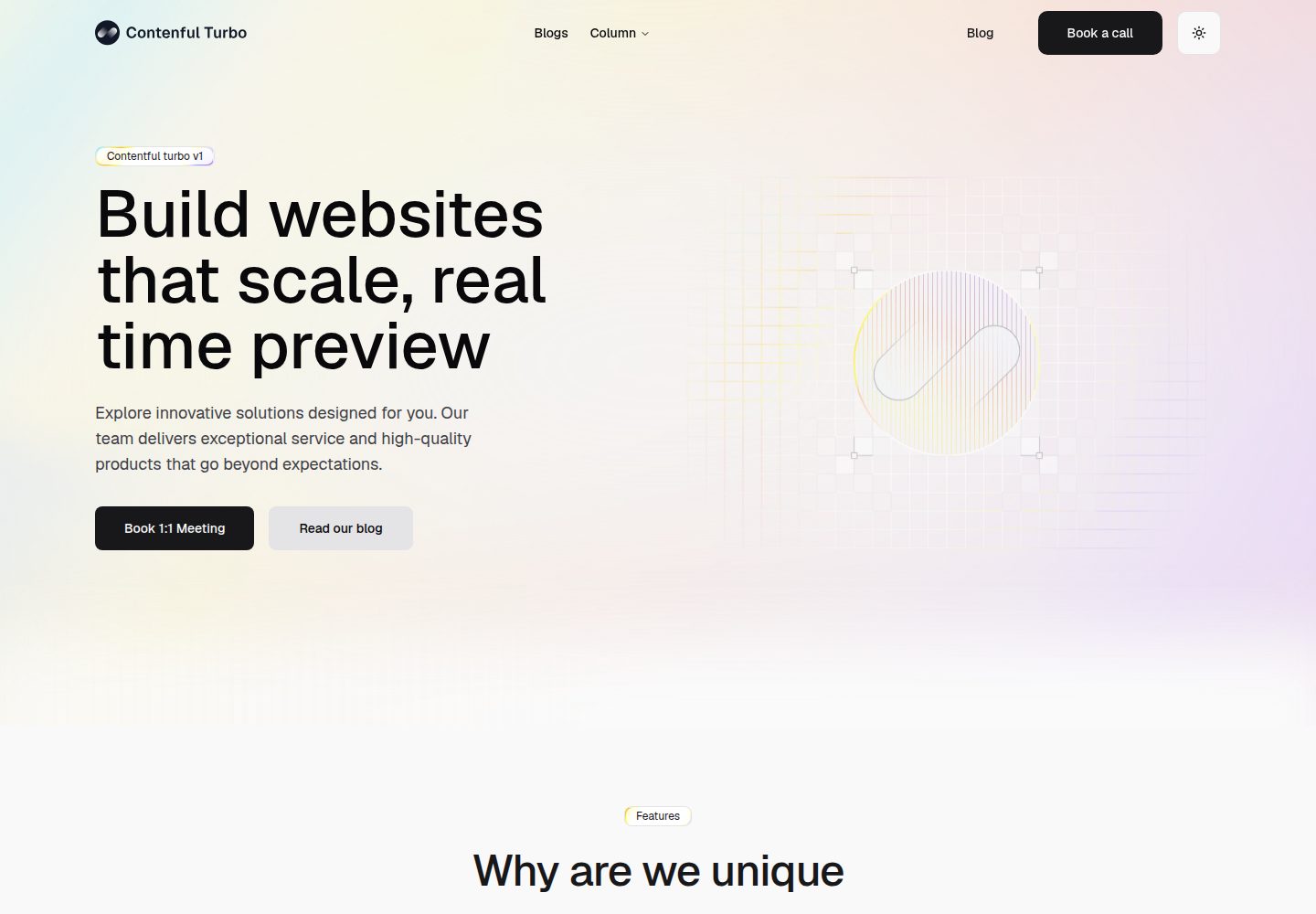
看看你的网站会是什么样
浏览真实页面截图,比较内容排版与手机效果。点击下方缩略图切换,放大查看整页细节。
全部页面与视图 3
截图用于了解视觉与布局,交互效果请以实际项目为准。
采集于 2026-10-04查看来源
值得关注的模板亮点
从已有项目资料中,快速了解它的特点。
Contentful 无头 CMS 集成,含富文本渲染、预览模式与图片优化
页面构建器支持 Hero、CTA、FAQ、功能卡片等可复用区块
内置博客系统与 SEO 支持(元数据、站点地图、JSON-LD、robots.txt)
使用 Shadcn UI 与 Tailwind CSS 构建界面,TypeScript 贯穿全栈
通过 TurboRepo 统一管理 dev、build、lint、type-check 等脚本
模板详细介绍
这是一个由 Roboto Studio 维护的 monorepo 启动模板,把 Next.js 前端应用与共享包放在同一个仓库中。仓库结构分为 apps/web(Next.js 应用)与 packages 下的 ui、eslint-config、typescript-config 三个共享包,根目录用 turbo.json 统一管理构建任务。
内容层使用 Contentful 作为无头 CMS,支持通过页面构建器组合 Hero、CTA、FAQ、功能卡片等可复用区块,并提供博客系统与富文本渲染。模板包含草稿内容的预览模式,以及基于 Contentful 交付 API 的图片优化。SEO 方面提供元数据、站点地图、JSON-LD 结构化数据与 robots.txt。
使用前需要准备 Node.js 24+、pnpm 以及 Contentful 账号与空间,并在 apps/web 下配置 .env.local,填入空间 ID、访问令牌、预览令牌、环境名与预览密钥。新增内容类型后需运行 typegen 生成 TypeScript 类型,再补充对应渲染组件。部署文档以 Vercel 为例,需将根目录指向 apps/web 并配置环境变量;其他支持 Node.js 的平台也可部署。
Next.js启动器
适合你的项目吗?
适用场景
- 需要以 Contentful 为内容源搭建营销站点或企业官网
- 希望用页面构建器让编辑自由组合首页与落地页区块
- 在 monorepo 中同时维护前端应用与共享 UI、配置包
- 需要带博客、预览模式与 SEO 基础能力的 Next.js 项目起点
适合人群
- 熟悉 Next.js App Router 与 TypeScript 的开发者
- 已使用或计划使用 Contentful 作为 CMS 的团队
- 需要 monorepo 与共享组件库的多人协作项目
- 希望以 MIT 许可代码为基础二次开发的个人或团队
上手与定制指南
结合仓库当前版本的说明,按下面的资料检查内容、配置与运行要求。
- 1
环境要求 Node.js 24+,推荐使用 pnpm 作为包管理器
- 2
需自备 Contentful 账号与空间,并在 apps/web 下创建 .env.local 填写空间 ID、访问令牌、预览令牌、环境名与预览密钥
- 3
克隆仓库后执行 pnpm install,再用 pnpm run dev 启动,默认地址为 http://localhost:3000
- 4
新增 Contentful 内容类型后运行 pnpm --filter web typegen 生成 TypeScript 类型
- 5
部署到 Vercel 时需将根目录设为 apps/web 并配置环境变量;其他支持 Node.js 的平台亦可部署
授权与来源资料
使用条件与限制
免费使用 · 保留许可声明本次收录的是公开仓库中采用 MIT 许可的免费版本;免费范围为该版本代码,不代表外部服务或第三方素材免费。
使用时需要遵守
- 允许免费使用、修改、商用和分发该版本代码。
- 分发代码副本或实质性部分时,保留原作者版权声明和完整 MIT 许可声明。
- 代码按现状提供;担保与责任限制以原许可证及适用法律为准。
额外费用与待核对事项
- 演示图片、字体、图标及其他第三方素材需按各自许可核对,不能仅凭代码的 MIT 许可判断。
- 域名、托管、数据库、支付或 AI 等外部服务可能另外收费。
- 使用该模板必须自备 Contentful 账号与空间,属于外部服务依赖,需自行注册并承担相应服务成本。
- 运行前必须在 apps/web 下配置 .env.local,填入 Contentful 空间 ID、访问令牌、预览令牌与环境名等密钥,否则无法获取内容。
- 预览模式需要额外配置预览密钥 CONTENTFUL_PREVIEW_SECRET,属于项目特定的外部凭据要求。
- 环境要求 Node.js 24 及以上版本,低于该版本无法按文档运行。
- 文档推荐使用 pnpm 作为包管理器,安装与脚本命令均以 pnpm 为准。
- 部署示例依赖 Vercel 平台,需将仓库连接至 Vercel 并配置环境变量,属于外部托管服务依赖。
查看原文依据
Permission is hereby granted, free of charge
许可证原文
- Contentful account and space
README 原文
CONTENTFUL_SPACE_ID=your_space_id CONTENTFUL_ACCESS_TOKEN=your_access_token CONTENTFUL_PREVIEW_ACCESS_TOKEN=your_preview_token CONTENTFUL_ENVIRONMENT=master
README 原文
CONTENTFUL_PREVIEW_SECRET=your_preview_secret
README 原文
- Node.js 24+
README 原文
- pnpm (recommended package manager)
README 原文
https://github.com/robotostudio/turbo-start-contentful/blob/main/LICENSEhttps://github.com/robotostudio/turbo-start-contentful/blob/main/README.md1. Connect your repository to Vercel
README 原文
DeepSeek 根据仓库许可证和 README 整理 ·2026-10-05。结果仅覆盖已读取资料,依赖、图片、字体及后续条款变更以各自原文为准。
项目核对记录与介绍依据
模板资料
- 来源平台
- GitHub
- 资料与维护参考分
- 资料较完整 · 87 / 100
- 技术栈
- Next.js · React
- 网站类型
- 启动器
这个分数如何计算
本站按许可资料(最高30分)、演示链接(12分)、预览图(10分)、Star数(15分)、记录的维护时间(15分)、描述完整度(8分)、功能记录(5分)和分类资料(5分)计算。它不是代码、安全或性能测试,也不是 Google 评分;有链接不代表已实测可用。
这个项目需要核对什么
- 记录的仓库更新时间
- 2026-09-02
- 截图检查日期
- 2026-10-05
已收录演示链接。请用你的内容与屏幕尺寸检查;有演示不代表表单、认证或支付已经可用。
目录记录的主要技术栈是 Next.js。请通过依赖清单和锁文件核对实际版本与托管要求。这些说明基于收录资料,不代表代码审计或部署实测。
查看具体选型方法 →介绍的制作与核对状态
介绍由 AI 辅助整理目录与仓库资料。仓库作者不等于这篇介绍的审核者。
审核声明: [email protected] · 2026-10-05
查看当时使用的来源资料
SHA-256: 065bdf20368c54c3dc18ef718de289d4127f1a10745ad1352dea70cdefef04f6
2026-10-05T00:25:22.850Z
来源文件 / 仓库# Next.js Monorepo with Contentful CMS A modern, full-stack monorepo template built with Next.js App Router, Contentful CMS, Shadcn UI, and TurboRepo for building scalable web applications with a top-tier content management system. Built by [Roboto Studio](https://robotostudio.com/services/contentful) and used in production client builds. <img width="2401" height="1260" alt="Turbostart contenful opengraph final" src="https://github.com/user-attachments/assets/8172d614-ed00-4d17-b65f-0661484f0e39" /> ## What's Inside This monorepo demonstrates modern web development practices with a focus on developer experience, performance, and maintainability. ### 🏗️ Monorepo Structure ``` turbo-next-contentful/ ├── apps/ │ └── web/ # Next.js frontend application ├── packages/ │ ├── ui/ # Shared UI components (Shadcn UI) │ ├── eslint-config/ # Shared ESLint configuration │ └── typescript-config/ # Shared TypeScript configuration └── turbo.json # TurboRepo configuration ``` ### 🚀 Frontend Application (`apps/web`) - **Next.js 16 App Router** - Modern React framework with file-based routing - **TypeScript** - Type-safe development experience - **Shadcn UI + Tailwind CSS** - Beautiful, accessible UI components - **Server Components** - Optimized rendering and performance - **Dynamic Page Builder** - Flexible content layouts from Contentful - **Blog System** - Full-featured blog with rich text support - **SEO Optimized** - Built-in metadata, sitemaps, and structured data ### 📝 Content Management - **Contentful CMS** - Headless content management system - **Rich Text Rendering** - Custom rich text components - **Preview Mode** - Live preview of draft content - **Image Optimization** - Automatic image optimization and delivery ### 🔧 Development Tools - **TurboRepo** - Monorepo build system with intelligent caching - **Shared Packages** - Reusable components, configs, and utilities - **ESLint & Prettier** - Code quality and formatting - **TypeScript** - End-to-end type safety ## Getting Started ### Prerequisites - Node.js 24+ - pnpm (recommended package manager) - Contentful account and space ### 1. Clone and Install ```bash git clone <your-repo-url> cd turbo-next-contentful pnpm install ``` ### 2. Environment Setup Create a `.env.local` file in `apps/web/`: ```bash # Contentful Configuration CONTENTFUL_SPACE_ID=your_space_id CONTENTFUL_ACCESS_TOKEN=your_access_token CONTENTFUL_PREVIEW_ACCESS_TOKEN=your_preview_token CONTENTFUL_ENVIRONMENT=master # Preview Mode CONTENTFUL_PREVIEW_SECRET=your_preview_secret ``` ### 3. Start Development ```bash pnpm run dev ``` This starts the Next.js application at [http://localhost:3000](http://localhost:3000). ## Content Structure The application supports various content types through Contentful: - **Pages** - Dynamic pages with flexible page builder - **Blog Posts** - Articles with rich text content - **Global Settings** - Site-wide configuration - **Navigation** - Header and footer content - **Reusable Sections** - Hero, CTA, FAQ, Feature cards ## Key Features ### 🎨 Page Builder Flexible content sections that can be mixed and matched: - Hero sections with call-to-actions - Feature cards with icons - FAQ accordions - Call-to-action blocks ### 📱 Responsive Design Mobile-first approach with Tailwind CSS utilities and responsive components. ### ⚡ Performance - Server-side rendering with Next.js App Router - Optimized images with Contentful's delivery API - Static generation where possible - Intelligent caching with TurboRepo ### 🔍 SEO Ready - Automatic sitemap generation - Structured data (JSON-LD) - Meta tags and Open Graph support - Dynamic robots.txt ## Deployment ### Vercel (Recommended) 1. Connect your repository to Vercel 2. Set the root directory to `apps/web` 3. Configure environment variables 4. Deploy automatically on git push ### Other Platforms The Next.js app can be deployed to any platform that supports Node.js applications. ## Extending the Project ### Adding New Components Shared components go in `packages/ui/src/components/`. App-specific components go in `apps/web/src/components/`. ### Adding Content Types 1. Create content types in Contentful 2. Run `pnpm --filter web typegen` to generate TypeScript types 3. Add components to render the new content types ### Customizing Styles The project uses Tailwind CSS with a shared configuration. Customize `tailwind.config.ts` in the respective packages. ## Scripts - `pnpm run dev` - Start development servers - `pnpm run build` - Build all applications - `pnpm --filter web typegen` - Generate TypeScript types from Contentful schema - `pnpm run lint` - Run ESLint across all packages - `pnpm run type-check` - Run TypeScript checks ## Learn More - [Next.js Documentation](https://nextjs.org/docs) - [Contentful Documentation](https://www.contentful.com/developers/docs/) - [TurboRepo Documentation](https://turbo.build/repo/docs) - [Shadcn UI Documentation](https://ui.shadcn.com/) ## Contributing Contributions are welcome! Please read our contributing guidelines and code of conduct before submitting pull requests. ## License [MIT](LICENSE) © [Roboto Studio](https://robotostudio.com)
看看同类模板
对比同技术栈与用途的模板,找到更适合的视觉与内容结构。

ai-website-cloner-template
Clone any website with one command using AI coding agents
Next.js · 启动器

Next.js SaaS Starter
Next.js SaaS Starter 是 Next.js 官方维护的 SaaS 起点模板,定位介于学习资源和可直接部署的脚手架之间。
Next.js · SaaS

Next.js Commerce
Next.js Commerce 是 Vercel 团队维护的电商启动模板,基于 Next.js App Router 构建,采用服务端渲染、React Server Components、Server Actions …
Next.js · 电商

Next-js-Boilerplate
Next-js-Boilerplate 是一个面向 Next.js 16、Tailwind CSS 4 和 TypeScript 的启动器,核心定位是开发者体验优先。
Next.js · 启动器

tailwind-nextjs-starter-blog
tailwind-nextjs-starter-blog 是一个面向个人技术博客的 Next.js 与 Tailwind CSS 启动模板,其 v2 版本基于 App Router 与 React Server Comp…
Next.js · 博客

next-forge
Production-grade Turborepo template for Next.js apps.
Next.js · 启动器