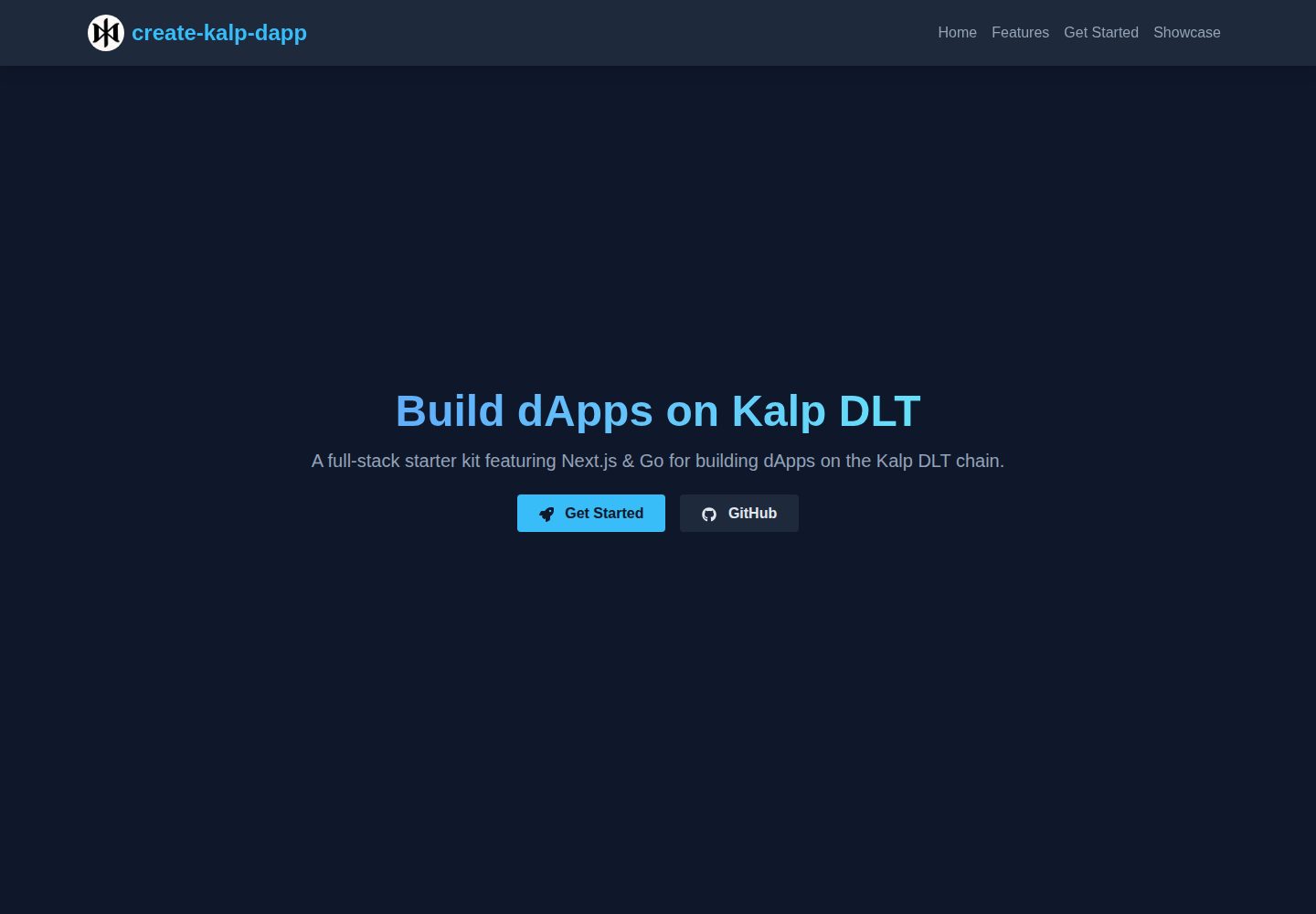
提供 Next.js 前端与 Go 后端的全栈项目结构
Next.jsReact启动器
create-kalp-dapp — Next.js 启动器模板
作者 Spydiecy
create-kalp-dapp 是一个全栈起步模板,前端使用 Next.js,后端使用 Go,用于在 Kalp DLT 区块链上构建 dApp 和开发智能合约,内置一个问候语示例 dApp。
看看你的网站会是什么样
浏览真实页面截图,比较内容排版与手机效果。点击下方缩略图切换,放大查看整页细节。
全部页面与视图 2
截图用于了解视觉与布局,交互效果请以实际项目为准。
采集于 2026-10-14查看来源
值得关注的模板亮点
从已有项目资料中,快速了解它的特点。
内置问候语智能合约 krc.go,包含 Init、SetGreeting、GetGreeting 函数
前端通过 useKalpApi 钩子调用 Kalp DLT API 与合约交互
通过 npx create-kalp-dapp 命令快速生成项目
部署流程对接 Kalp Studio 的 Kalp Instant Deployer 与 API 密钥机制
模板详细介绍
该模板通过 npx create-kalp-dapp <your-dapp-name> 创建项目,生成 backend 与 frontend 两个目录。backend 使用 Go,包含 go.mod、go.sum、main.go 和 krc.go,其中 krc.go 提供 Init、SetGreeting、GetGreeting 三个函数的问候语合约。frontend 使用 Next.js,包含 src/app、src/hooks、src/utils,以及 .env.local.example、next.config.mjs、package.json 和 tailwind.config.ts。前端通过 src/hooks/useKalpApi.tsx 中的 useKalpApi 钩子调用 Kalp DLT API,界面可查看当前问候语并设置新问候语。
部署流程依赖 Kalp Studio:需要注册登录 Kalp Studio 平台,进入 Kalp Instant Deployer 创建智能合约,上传 backend 文件夹打包的 backend.zip,部署后获得各函数的 API 端点,并生成 API 密钥。前端需将 .env.local.example 复制为 .env.local,填入 NEXT_PUBLIC_API_KEY 与 NEXT_PUBLIC_CONTRACT_ID,然后运行 npm run dev 在 http://localhost:3000 查看。README 未提供后端本地运行方式、合约编译命令、测试方法、生产部署步骤以及依赖的具体版本号。
Next.js启动器
适合你的项目吗?
适用场景
- 在 Kalp DLT 上创建并部署问候语智能合约
- 基于 Next.js 前端与 Go 后端搭建 dApp 起步项目
- 学习通过 Kalp Studio 提供的 API 端点与智能合约交互
- 作为开发者在本地运行前端并连接已部署合约进行调试
适合人群
- 需要在 Kalp DLT 区块链上开发 dApp 的开发者
- 希望使用 Next.js 与 Go 组合搭建全栈区块链项目的团队
- 想通过示例合约了解 Kalp Studio 部署与 API 调用流程的人员
上手与定制指南
结合仓库当前版本的说明,按下面的资料检查内容、配置与运行要求。
- 1
运行 npx create-kalp-dapp <your-dapp-name> 创建项目并进入目录
- 2
后端进入 backend 目录执行 go mod tidy 安装依赖
- 3
在 Kalp Studio 的 Kalp Instant Deployer 中创建智能合约并上传 backend 文件夹打包的 backend.zip
- 4
部署后从 Kalp Studio 获取 API 端点并生成 API 密钥
- 5
前端进入 frontend 目录执行 npm install,复制 .env.local.example 为 .env.local 并填写 NEXT_PUBLIC_API_KEY 与 NEXT_PUBLIC_CONTRACT_ID,然后运行 npm run dev
授权与来源资料
使用条件与限制
免费使用 · 保留许可声明本次收录的是公开仓库中采用 MIT 许可的免费版本;免费范围为该版本代码,不代表外部服务或第三方素材免费。
使用时需要遵守
- 允许免费使用、修改、商用和分发该版本代码。
- 分发代码副本或实质性部分时,保留原作者版权声明和完整 MIT 许可声明。
- 代码按现状提供;担保与责任限制以原许可证及适用法律为准。
额外费用与待核对事项
- 演示图片、字体、图标及其他第三方素材需按各自许可核对,不能仅凭代码的 MIT 许可判断。
- 域名、托管、数据库、支付或 AI 等外部服务可能另外收费。
- 使用该模板部署智能合约需要先注册并登录 Kalp Studio 平台账号。
- 调用合约 API 前必须在 Kalp Studio 中生成 API 密钥用于身份验证。
- 前端运行前需在 .env.local 中填入 Kalp Studio 的 API 密钥与已部署的合约 ID。
- 所有合约交互均依赖 Kalp Studio 提供的 Kalp DLT API 端点,无法脱离该外部服务使用。
查看原文依据
Permission is hereby granted, free of charge
许可证原文
1. Sign Up and Log In to [Kalp Studio Platform](https://console.kalp.studio/)
README 原文
In Kalp Studio, navigate to the API key generation section and generate a new API key to authenticate your API requests.
README 原文
- Update `NEXT_PUBLIC_API_KEY` and `NEXT_PUBLIC_CONTRACT_ID` with your Kalp Studio API key and deployed contract ID
README 原文
https://github.com/Spydiecy/create-kalp-dapp/blob/main/LICENSEhttps://github.com/Spydiecy/create-kalp-dapp/blob/main/README.mdAll interactions are handled through the Kalp DLT API, using the endpoints provided by Kalp Studio.
README 原文
DeepSeek 根据仓库许可证和 README 整理 ·2026-10-14。结果仅覆盖已读取资料,依赖、图片、字体及后续条款变更以各自原文为准。
项目核对记录与介绍依据
模板资料
- 来源平台
- GitHub
- 资料与维护参考分
- 资料一般 · 68 / 100
- 技术栈
- Next.js · React
- 网站类型
- 启动器
这个分数如何计算
本站按许可资料(最高30分)、演示链接(12分)、预览图(10分)、Star数(15分)、记录的维护时间(15分)、描述完整度(8分)、功能记录(5分)和分类资料(5分)计算。它不是代码、安全或性能测试,也不是 Google 评分;有链接不代表已实测可用。
这个项目需要核对什么
- 记录的仓库更新时间
- 2024-09-22
- 截图检查日期
- 2026-10-14
已收录演示链接。请用你的内容与屏幕尺寸检查;有演示不代表表单、认证或支付已经可用。
目录记录的主要技术栈是 Next.js。请通过依赖清单和锁文件核对实际版本与托管要求。这些说明基于收录资料,不代表代码审计或部署实测。
查看具体选型方法 →介绍的制作与核对状态
介绍由 AI 辅助整理目录与仓库资料。仓库作者不等于这篇介绍的审核者。
审核声明: codex-user-requested-batch-review-20261015 · 2026-10-15
查看当时使用的来源资料
SHA-256: 2ace339a40f82b3982ef19030b01f1562dc346cc8c2e8796206e4058dfd19bbf
2026-10-14T02:26:33.248Z
来源文件 / 仓库# create-kalp-dapp     A full-stack starter template featuring Next.js & Go, designed for building dApps and developing smart contracts on the Kalp DLT blockchain. This starter kit provides a simple greeting dApp to demonstrate interaction with a Kalp DLT smart contract.  ## 🚀 Quick Start ```sh npx create-kalp-dapp <your-dapp-name> # cd into the directory cd <your-dapp-name> ``` ## 📦 Installation Open your terminal and run: ```sh npx create-kalp-dapp <your-dapp-name> cd <your-dapp-name> ``` ## 🏗 Project Structure After creation, your project should look like this: ``` <your-dapp-name>/ ├── backend/ │ ├── vendor/ │ ├── go.mod │ ├── go.sum │ ├── main.go │ └── krc.go ├── frontend/ │ ├── src/ │ │ ├── app/ │ │ ├── hooks/ │ │ └── utils/ │ ├── .env.local.example │ ├── next.config.mjs │ ├── package.json │ └── tailwind.config.ts └── README.md ``` ## 📜 Smart Contract Development ### Setting up the Smart Contract Project 1. Navigate to the smart contract directory: ``` cd backend ``` 2. Install dependencies: ``` go mod tidy ``` ### Smart Contract Code The main smart contract file is `krc.go`. It includes a simple greeting contract with `Init`, `SetGreeting`, and `GetGreeting` functions. ### Compiling and Deploying the Smart Contract 1. Sign Up and Log In to [Kalp Studio Platform](https://console.kalp.studio/) 2. Go to Kalp Instant Deployer 3. Click on "Create New" Smart Contract 4. Enter the details: - Name: Enter a name for your smart contract - Category: Choose a category - Description: Add a description (optional)  5. Upload your `backend.zip` file (zip the contents of the `backend` folder)  6. Deploy your contract After deployment, Kalp Studio will provide you with API endpoints for each function of your smart contract.  ### Generating API Key In Kalp Studio, navigate to the API key generation section and generate a new API key to authenticate your API requests. ## 💻 Frontend Development ### Setting up the Frontend 1. Navigate to the frontend directory: ``` cd frontend ``` 2. Install dependencies: ``` npm install ``` 3. Set up environment variables: - Copy `.env.local.example` to `.env.local` - Update `NEXT_PUBLIC_API_KEY` and `NEXT_PUBLIC_CONTRACT_ID` with your Kalp Studio API key and deployed contract ID ### Running the Frontend Start the development server: ``` npm run dev ``` Visit `http://localhost:3000` to see your dApp in action.  ## 🔧 Interacting with the Smart Contract The frontend includes a simple interface to interact with your greeting smart contract: - View the current greeting - Set a new greeting All interactions are handled through the Kalp DLT API, using the endpoints provided by Kalp Studio. ## 🔑 API Integration The `useKalpApi` hook in `src/hooks/useKalpApi.tsx` handles all API calls to your smart contract. Make sure to update the contract ID and API key in your `.env.local` file for proper functionality. ## ➡️ Contributing We welcome contributions! Please see our [CONTRIBUTING.md](https://github.com/Spydiecy/create-kalp-dapp/blob/main/CONTRIBUTING.md) file for details on how to get started. ## ⚖️ License create-kalp-dapp is licensed under the [MIT License](https://github.com/Spydiecy/create-kalp-dapp/blob/main/LICENSE). ⭐️ If you find this project helpful, please give it a star on GitHub!
看看同类模板
对比同技术栈与用途的模板,找到更适合的视觉与内容结构。

ai-website-cloner-template
Clone any website with one command using AI coding agents
Next.js · 启动器

Next.js SaaS Starter
Next.js SaaS Starter 是 Next.js 官方维护的 SaaS 起点模板,定位介于学习资源和可直接部署的脚手架之间。
Next.js · SaaS

Next.js Commerce
Next.js Commerce 是 Vercel 团队维护的电商启动模板,基于 Next.js App Router 构建,采用服务端渲染、React Server Components、Server Actions …
Next.js · 电商

Next-js-Boilerplate
Next-js-Boilerplate 是一个面向 Next.js 16、Tailwind CSS 4 和 TypeScript 的启动器,核心定位是开发者体验优先。
Next.js · 启动器

tailwind-nextjs-starter-blog
tailwind-nextjs-starter-blog 是一个面向个人技术博客的 Next.js 与 Tailwind CSS 启动模板,其 v2 版本基于 App Router 与 React Server Comp…
Next.js · 博客

next-forge
Production-grade Turborepo template for Next.js apps.
Next.js · 启动器