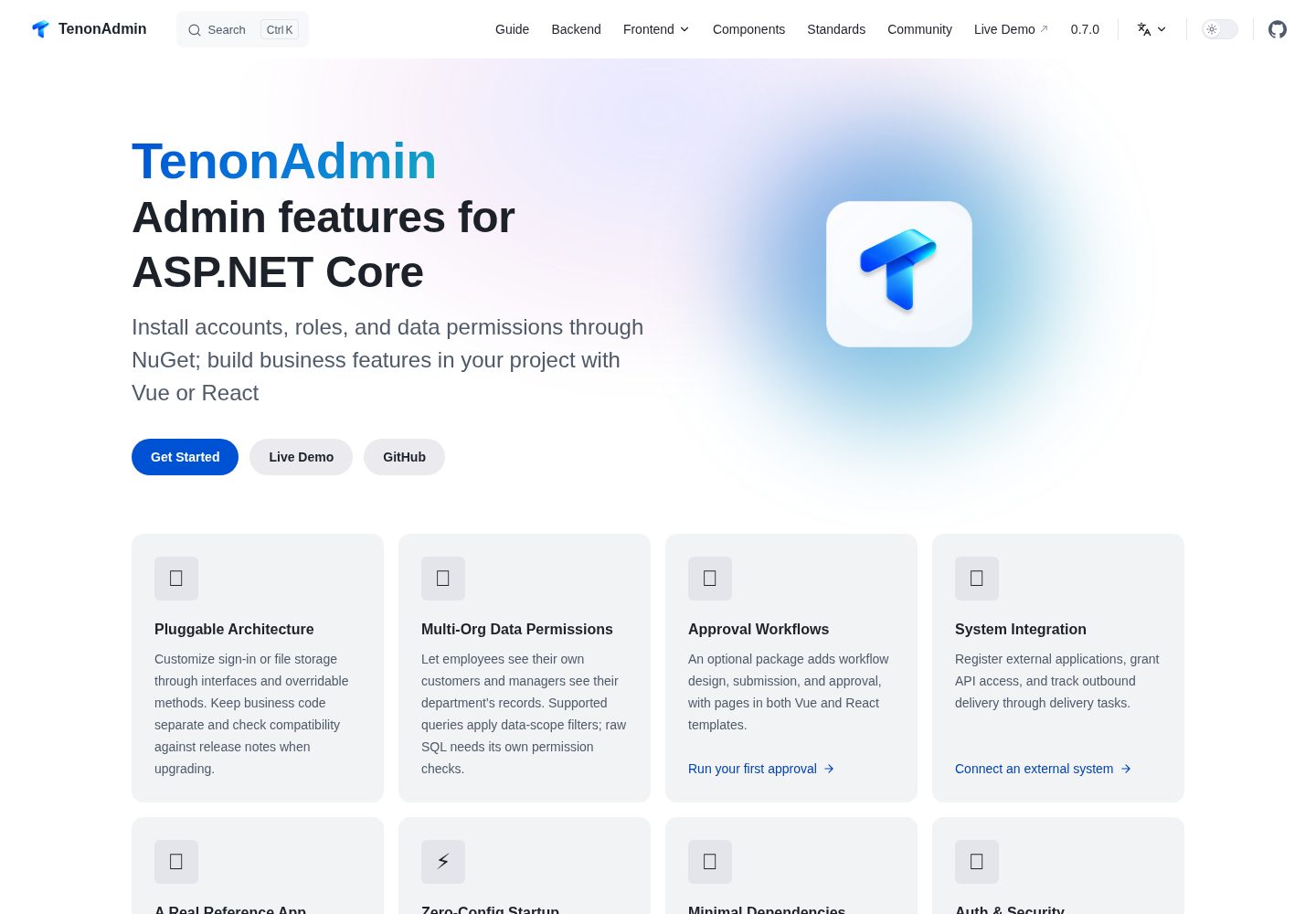
通过 NuGet 安装,在 Program.cs 中调用 AddTenonAdmin 与 MapTenonAdmin 完成接入
VueReact后台
TenonAdmin — Vue 后台模板
作者 Tenon-Net
TenonAdmin 是一个面向 ASP.NET Core 的后台管理框架,提供用户、角色、菜单、组织与数据权限等常见功能,并附带 Vue 3 + Naive UI 和 React 19 + Ant Design 两套前端模板。
看看你的网站会是什么样
浏览真实页面截图,比较内容排版与手机效果。点击下方缩略图切换,放大查看整页细节。
全部页面与视图 3
截图用于了解视觉与布局,交互效果请以实际项目为准。
采集于 2026-09-30查看来源
值得关注的模板亮点
从已有项目资料中,快速了解它的特点。
默认使用 SQLite,首次启动自动创建数据库、表与初始账号
提供 Vue 3 + Naive UI 与 React 19 + Ant Design 两套前端模板,连接同一后端 API
内置用户、角色、组织树、菜单、按钮与接口权限,以及多种数据权限范围
可选包提供审批工作流、Excel 导入导出、定时任务与系统集成
仓库包含面向 AI 编码助手的开发 Skills,说明模块、实体、接口与页面实现约定
模板详细介绍
TenonAdmin 是一个面向 ASP.NET Core 的后台管理框架,通过 NuGet 包安装,在 Program.cs 中调用 AddTenonAdmin 和 MapTenonAdmin 完成核心接入。框架内置用户、角色、菜单、组织、数据权限等管理功能,并注册认证、角色权限、数据权限与管理 API。默认使用 SQLite,首次启动时自动创建数据库、表与初始账号,无需预先准备数据库服务器。
前端提供两套模板:Vue 3 + Naive UI 与 React 19 + Ant Design,两者连接同一套后端 API,业务应用只需选择其中一套。业务实体、接口与页面保留在应用自身项目中,框架通过扩展接口支持自定义登录、文件存储与权限规则;后端更新通过 NuGet 版本交付。
权限分为角色权限与数据权限:角色权限控制菜单、按钮与接口访问,数据权限控制用户可查询的业务记录范围,支持全部数据、当前组织、当前组织及下级、当前用户、指定组织等数据范围。业务实体遵循框架的数据范围约定后,受支持的查询会按当前用户角色自动过滤;原生 SQL 与自定义数据访问路径需要自行做权限校验。
可选包包括审批工作流、Excel 导入导出、定时任务与系统集成。审批工作流通过独立包提供流程设计、动态表单、步骤字段权限、审批处理、超时处理与运行记录;定时任务支持代码、HTTP 与 SQL 类型,SQL 执行需在配置中开启。仓库还包含面向 AI 编码助手的开发 Skills,用于模块、实体、接口、前端页面、服务扩展与导入导出的实现约定,属于开发说明与参考模板,不是独立的代码生成器。
VueReact后台
适合你的项目吗?
适用场景
- 构建企业内部业务系统或运营管理后台
- 为已有的 ASP.NET Core 项目添加后台管理功能
- 需要按组织与角色控制业务数据访问范围的场景
- 需要审批流程、Excel 导入导出或定时任务等可选能力的后台项目
- 团队在 Vue 与 React 之间选择前端技术栈的后台开发
适合人群
- 使用 ASP.NET Core 并需要后台管理功能的开发团队
- 希望业务代码与后台框架源码分离、通过 NuGet 升级框架的项目
- 需要角色权限与数据权限控制的内部系统
- 在 Vue 3 + Naive UI 或 React 19 + Ant Design 之间选择前端模板的团队
上手与定制指南
结合仓库当前版本的说明,按下面的资料检查内容、配置与运行要求。
- 1
后端需要 .NET 10 SDK,前端建议使用 Node.js 22.12 或更高版本
- 2
运行示例:克隆 dev 分支后执行 dotnet run --project backend/samples/MinimalHost,后端运行在 http://localhost:5100
- 3
Vue 前端在 web 目录执行 npm install 与 npm run dev,默认访问 http://localhost:5173
- 4
React 前端在 web-react 目录执行 npm install 与 npm run dev,默认访问 http://localhost:5174
- 5
初始账号 superAdmin 的随机密码仅在账号首次创建时打印到控制台,需保存并在登录后修改;前端模板与扩展包应保持与 TenonAdmin 相同版本
授权与来源资料
使用条件与限制
免费使用 · 保留许可声明本次收录的是公开仓库中采用 Apache-2.0 许可的免费版本;免费范围为该版本代码,不代表外部服务或第三方素材免费。
使用时需要遵守
- 允许免费使用、修改、商用和分发;分发时需随附 Apache-2.0 许可证。
- 修改过的文件需显著标明改动,并保留相关版权、专利、商标及归属声明。
- 若原项目附有 NOTICE 文件,分发衍生作品时需保留其中适用的归属声明。
- 许可包含适用的贡献者专利授权;发起许可所述专利诉讼会终止该专利授权,且不授予商标使用权。
- 代码按现状提供;担保与责任限制以原许可证及适用法律为准。
额外费用与待核对事项
- 定时任务的 SQL 类型作业默认不可用,需在配置中显式开启 SQL 执行后才能使用。
- 审批工作流向外部系统发送消息需要自行实现真实传输通道,框架不提供开箱即用的外部消息发送。
- 审批工作流为可选独立包,需单独安装并注册,且版本必须与 TenonAdmin 主包保持一致。
- Excel 导入导出、外部登录、Redis 缓存、工作流与系统集成均为可选扩展包,需按需单独安装配置。
- 多因素认证中的短信与外部登录需自行接入相应集成,框架不内置这些外部服务。
- 系统集成功能位于独立于 TenonAdmin 元包的 Integration 包中,需另行安装并配置应用凭据与开放接口。
- 数据权限仅对遵循框架约定的受支持查询生效,原生 SQL 与自定义数据访问路径需自行实现权限校验。
- 前端模板与扩展包必须与后端 TenonAdmin 版本匹配,否则可能出现不兼容。
- 初始账号 superAdmin 的随机密码仅在首次创建时打印一次,需及时保存并在登录后修改。
- 项目中的第三方组件与素材仍受各自许可证约束,使用前需自行核实其授权条件。
- 演示图片、字体、图标及其他第三方素材需按各自许可核对,不能仅凭代码的 Apache-2.0 许可判断。
- 域名、托管、数据库、支付或 AI 等外部服务可能另外收费。
查看原文依据
no-charge, royalty-free, irrevocable copyright license
许可证原文
SQL execution must be enabled in configuration
README 原文
Sending workflow messages to external systems requires a real transport implementation
README 原文
Install and register `TenonAdmin.Workflow` at the same version as `TenonAdmin`.
README 原文
Install Excel, external login, Redis, workflow, and `TenonAdmin.Integration` extensions as needed
README 原文
configurable multi-factor authentication, with SMS and external login integrations as needed
README 原文
The Integration package is separate from the `TenonAdmin` meta-package
README 原文
Raw SQL and custom data-access paths need their own permission checks.
README 原文
Use a frontend template that matches the backend version, and keep extension packages at the same version as `TenonAdmin`.
README 原文
The console prints the initial random password **only when the account is first created**.
README 原文
https://github.com/Tenon-Net/TenonAdmin/blob/main/LICENSEhttps://github.com/Tenon-Net/TenonAdmin/blob/main/README.mdThird-party components and assets remain subject to their respective licenses.
README 原文
DeepSeek 根据仓库许可证和 README 整理 ·2026-09-30。结果仅覆盖已读取资料,依赖、图片、字体及后续条款变更以各自原文为准。
项目核对记录与介绍依据
模板资料
- 来源平台
- GitHub
- 资料与维护参考分
- 资料较完整 · 92 / 100
- 技术栈
- Vue · React
- 网站类型
- 后台
这个分数如何计算
本站按许可资料(最高30分)、演示链接(12分)、预览图(10分)、Star数(15分)、记录的维护时间(15分)、描述完整度(8分)、功能记录(5分)和分类资料(5分)计算。它不是代码、安全或性能测试,也不是 Google 评分;有链接不代表已实测可用。
这个项目需要核对什么
- 记录的仓库更新时间
- 2026-09-30
- 截图检查日期
- 2026-09-30
已收录演示链接。请用你的内容与屏幕尺寸检查;有演示不代表表单、认证或支付已经可用。
目录记录的主要技术栈是 Vue。请通过依赖清单和锁文件核对实际版本与托管要求。这些说明基于收录资料,不代表代码审计或部署实测。
查看具体选型方法 →介绍的制作与核对状态
介绍由 AI 辅助整理目录与仓库资料。仓库作者不等于这篇介绍的审核者。
已完成服务器许可规则与 AI 来源核对;未经过人工编辑审核。
查看当时使用的来源资料
SHA-256: 23646e4ffcaf19172b1a947220914086b79ab2c4144fa1ef6a870432af55bdc7
2026-09-30T08:53:24.768Z
来源文件 / 仓库<!-- 本文件与中文基准版 README.zh-CN.md 保持同步。 -->
English | [简体中文](README.zh-CN.md) | [日本語](README.ja.md)
<p align="center">
<img src="site/public/tenon-mark.png" width="96" height="96" alt="TenonAdmin">
</p>
<h1 align="center">TenonAdmin</h1>
<p align="center"><strong>Three lines of code to add an admin framework to your ASP.NET Core project.</strong></p>
<p align="center">Install with NuGet · Keep business code in your application · Vue / React frontends</p>
<p align="center">
<a href="https://www.nuget.org/packages/TenonAdmin"><img src="https://img.shields.io/badge/NuGet-0.7.0-004880?logo=nuget&logoColor=white" alt="NuGet 0.7.0"></a>
<img src="https://img.shields.io/badge/.NET-10-512BD4" alt=".NET 10">
<img src="https://img.shields.io/badge/ASP.NET_Core-512BD4?logo=dotnet&logoColor=white" alt="ASP.NET Core">
<img src="https://img.shields.io/badge/Vue-3-4FC08D?logo=vuedotjs&logoColor=white" alt="Vue 3">
<img src="https://img.shields.io/badge/Naive_UI-Vue-36AD6A" alt="Naive UI">
<img src="https://img.shields.io/badge/React-19-61DAFB?logo=react&logoColor=20232A" alt="React 19">
<img src="https://img.shields.io/badge/Ant_Design-6-0170FE?logo=antdesign&logoColor=white" alt="Ant Design 6">
<img src="https://img.shields.io/badge/SqlSugar-ORM-2F6F9F" alt="SqlSugar ORM">
<a href="https://github.com/Tenon-Net/TenonAdmin/actions/workflows/backend-ci.yml"><img src="https://img.shields.io/github/actions/workflow/status/Tenon-Net/TenonAdmin/backend-ci.yml?branch=dev" alt="dev backend build status"></a>
<a href="LICENSE"><img src="https://img.shields.io/github/license/Tenon-Net/TenonAdmin" alt="Apache License 2.0"></a>
</p>
<p align="center">
<a href="#quick-start">Quick start</a> ·
<a href="#screenshots">Screenshots</a> ·
<a href="https://tenonadmin.52moyu.net/login">Live demo</a> ·
<a href="https://tenon.52moyu.net/">Documentation</a> ·
<a href="CHANGELOG.md">Changelog</a>
</p>
## Introduction
TenonAdmin is an admin framework for ASP.NET Core. It provides common features such as users, roles, menus, organizations, and data permissions, with Vue and React admin interfaces. Use it to build internal business systems and operations dashboards, or add administration features to an existing .NET project.
Install `TenonAdmin` through NuGet, then add the core integration in `Program.cs`:
```csharp
builder.Services.AddTenonAdmin(builder.Configuration);
var app = builder.Build();
app.MapTenonAdmin();
```
The framework registers authentication, role permissions, data permissions, and administration APIs. It uses SQLite by default and creates the database, tables, and initial account on first startup, so there is no database server to set up first. See [Quick start](#quick-start) for the complete startup code and frontend commands.
Keep business entities, endpoints, and pages for customers, orders, and other modules in your own project. Extension interfaces let you customize login, file storage, and permission rules. Backend framework updates arrive through NuGet, while your business code stays separate from the framework source.
## Key features
### Build business features in your project and adapt the framework
When building a customer management module, reuse the existing accounts, roles, menus, and file management. Write customer entities, business endpoints, and admin pages in your application project. There is no need to put business code inside the framework source, and you can keep the application's existing business logic.
When a built-in implementation does not fit, such as when files need to go to object storage or login responses need extra business information, replace the relevant service or inherit the built-in service and override the step you need. Interfaces and overridable methods let you make that change without copying the entire implementation.
Backend fixes and new features are delivered as NuGet versions. Check the changelog when upgrading and adjust extensions and frontend API calls where needed. See [Service replacement and extension](skills/replace-service.md) for examples.
### Control actions and the records users can access
Role permissions determine which menus, buttons, and endpoints a user can access. Data permissions determine which business records they can query. The same customer list can show a department manager their department's data, give a higher-level manager access to subordinate departments, or allow selected organizations to work together.
Once a business entity follows the framework's data-scope conventions, supported queries apply filters based on the current user's roles. The customer query stays in the business service; the framework handles its data scope. Raw SQL and custom data-access paths need their own permission checks.
The independent example application uses a customer list to show how different accounts receive different records. See the [multi-organization data permissions example](https://github.com/Tenon-Net/tenon-example/blob/dev/docs/showcase-multi-org-data-scope.md).
### Choose Vue or React to suit your team
The Vue version uses Vue 3 and Naive UI. The React version uses React 19 and Ant Design 6. Both connect to the same backend APIs, so you only need one frontend for your business application.
New pages can reuse tables, forms, dictionary selectors, organization and user selectors, file uploads, and permission components. For example, filtering, pagination, an edit dialog, and button permissions on a customer list can follow existing pages and components rather than being rebuilt for each module.
API types can be generated from the backend's OpenAPI document and refreshed when endpoints change. Each frontend maintains its own dependencies and components. See the [Vue component documentation](web/COMPONENTS.md) and [React component documentation](web-react/COMPONENTS.md).
### Add approval workflows where your business needs them
Approval workflows are provided through an optional package. Use the process designer to set approvers, conditional branches, parallel branches, and carbon copies, and control which form fields can be viewed or edited at each step. Once a process is published, users can submit requests, handle pending approvals, and view progress and approval records.
The approval interface supports return, withdrawal, transfer, delegation, and adding or removing approvers. Process administrators can inspect runtime status, timeouts, and retry records. Vue and React both provide workflow interfaces against the same backend APIs.
Install and register `TenonAdmin.Workflow` at the same version as `TenonAdmin`. AI evaluation records results for reference; it does not automatically approve, reject, or advance a workflow. See the [workflow documentation](https://tenon.52moyu.net/guide/workflow) for integration and configuration.
### Give AI coding assistants the project's development conventions
The repository includes development Skills for modules, entities, endpoints, frontend pages, service extensions, and import/export. They contain implementation steps, reference code, and validation requirements. Ask your AI coding assistant to read the relevant instructions before writing code so it can follow the project's entity, service, permission, and component conventions.
For example:
> Follow `skills/new-module.md` to add a product management module with a name, code, category, and enabled status. Include category filtering, import/export, and menu and button permissions.
These Skills are development instructions and reference templates, not a standalone code generator. Review business rules, permissions, and test results after generation. Start with [Development Skills](skills/README.md).
## Quick start
The backend requires the .NET 10 SDK. Node.js 22.12 or later is recommended for the frontend. Run the repository sample for a first look, then follow the independent-project steps below when adding your own business features.
> Use a frontend template that matches the backend version, and keep extension packages at the same version as `TenonAdmin`. Read the [changelog](CHANGELOG.md) before upgrading.
### Run the complete sample
Clone the `dev` branch and start the backend:
```bash
git clone --branch dev --single-branch https://github.com/Tenon-Net/TenonAdmin.git
cd TenonAdmin
dotnet run --project backend/samples/MinimalHost
```
The backend runs at `http://localhost:5100`. The sample uses SQLite by default and creates its tables and the `superAdmin` account during initial setup.
The console prints the initial random password **only when the account is first created**. Save it for sign-in.
Open another terminal and start one frontend from the repository root.
**Vue:**
```bash
cd web
npm install
npm run dev
```
Open `http://localhost:5173` and sign in as `superAdmin` with the password from the console.
**React:**
```bash
cd web-react
npm install
npm run dev
```
Open `http://localhost:5174` and sign in with the same account. Choose either frontend; the backend only needs to run once. Change the initial password after signing in.
### Add TenonAdmin to your ASP.NET Core project
Install the backend package from your project directory:
```bash
dotnet add package TenonAdmin
```
A minimal `Program.cs` for a new host looks like this:
```csharp
using TenonAdmin.AspNetCore;
var builder = WebApplication.CreateBuilder(args);
// TenonAdmin 的核心接入
builder.Services.AddTenonAdmin(builder.Configuration);
var app = builder.Build();
app.MapTenonAdmin();
app.Run();
```
`AddTenonAdmin` registers framework services, and `MapTenonAdmin` adds the administration APIs. In an existing project, merge these two calls into your startup flow and keep your configuration, services, and business routes.
Use the matching Vue or React template for the admin interface. SQLite is the default database. To use MySQL, SQL Server, or PostgreSQL, set the database type and connection string in configuration.
See the [getting started guide](https://tenon.52moyu.net/guide/getting-started) for database settings, the project template, and integration with existing applications. Install Excel, external login, Redis, workflow, and `TenonAdmin.Integration` extensions as needed, then register and configure them according to their documentation. The Integration package is separate from the `TenonAdmin` meta-package; follow [System Integration](https://tenon.52moyu.net/guide/integration) to enable its application credentials, open APIs, outbound calls, and reliable delivery.
## Feature overview
| Category | Main features |
| --- | --- |
| Users and organizations | Users, roles, organization tree, positions, online sessions, and forced sign-out |
| Permissions | Menu, button, and endpoint permissions; all data, current organization, current organization and descendants, current user, and selected organizations as data scopes |
| Login and security | Account and password, captcha, login lockout, and rate limiting; configurable multi-factor authentication, with SMS and external login integrations as needed |
| Administration | Multi-application portal, dictionaries, configuration, announcements, push messages, operation logs, and recycle bin |
| File management | Upload and download, signed access, chunked and resumable uploads, and instant upload for existing files |
| Excel import/export (optional package) | Import templates, data inspection, cell validation, duplicate detection, error reports, and export column selection |
| Scheduled jobs | Scheduled, fixed-interval, and one-time execution; code, HTTP, and SQL jobs, with logs, timeouts, retries, and failure alerts; SQL execution must be enabled in configuration |
| Approval workflows (optional package) | Process design, dynamic forms, field permissions per step, approval handling, timeout handling, and runtime records |
| System integration (optional package) | Application credentials and API keys, open endpoint and data-scope grants, outbound call records, and reliable delivery with retries and manual resolution |
| Frontend support | Vue and React templates, Chinese and English, light and dark themes, layout settings, business components, and OpenAPI type generation |
| Data and deployment | SQLite, MySQL, SQL Server, PostgreSQL, multiple database connections, a standalone Worker, Docker, health checks, and a Redis cache extension |
See the [deployment guide](docs/deployment.md) for production configuration and multiple replicas. Sending workflow messages to external systems requires a real transport implementation; details are in the [workflow documentation](https://tenon.52moyu.net/guide/workflow).
## Screenshots
Click an image to view it at full size.
<!-- 每行两张,使用仓库中的等比缩略图;新增截图时继续追加 <tr>,并同步原图与缩略图。 -->
<table>
<tr>
<td width="50%" align="center" valign="top">
<a href="docs/screenshots/vue-admin.png"><img src="docs/screenshots/thumbs/vue-admin.png" alt="Vue user management" width="480"></a>
<br>Vue user management
</td>
<td width="50%" align="center" valign="top">
<a href="docs/screenshots/react-admin.png"><img src="docs/screenshots/thumbs/react-admin.png" alt="React user management" width="480"></a>
<br>React user management
</td>
</tr>
<tr>
<td width="50%" align="center" valign="top">
<a href="docs/screenshots/role-permissions.png"><img src="docs/screenshots/thumbs/role-permissions.png" alt="Role permissions" width="480"></a>
<br>Role permissions
</td>
<td width="50%" align="center" valign="top">
<a href="docs/screenshots/org-management.png"><img src="docs/screenshots/thumbs/org-management.png" alt="Organization management" width="480"></a>
<br>Organization management
</td>
</tr>
<tr>
<td width="50%" align="center" valign="top">
<a href="docs/screenshots/dictionary.png"><img src="docs/screenshots/thumbs/dictionary.png" alt="Dictionary management" width="480"></a>
<br>Dictionary management
</td>
<td width="50%" align="center" valign="top">
<a href="docs/screenshots/file-management.png"><img src="docs/screenshots/thumbs/file-management.png" alt="File management" width="480"></a>
<br>File management
</td>
</tr>
<tr>
<td width="50%" align="center" valign="top">
<a href="docs/screenshots/scheduled-jobs.png"><img src="docs/screenshots/thumbs/scheduled-jobs.png" alt="Scheduled jobs" width="480"></a>
<br>Scheduled jobs
</td>
<td width="50%" align="center" valign="top">
<a href="docs/screenshots/workflow-pending.png"><img src="docs/screenshots/thumbs/workflow-pending.png" alt="Pending approvals" width="480"></a>
<br>Pending approvals
</td>
</tr>
<tr>
<td width="50%" align="center" valign="top">
<a href="docs/screenshots/workflow-designer.png"><img src="docs/screenshots/thumbs/workflow-designer.png" alt="Process designer" width="480"></a>
<br>Process designer
</td>
<td width="50%" align="center" valign="top">
<a href="docs/screenshots/workflow-approval.png"><img src="docs/screenshots/thumbs/workflow-approval.png" alt="Approval details" width="480"></a>
<br>Approval details
</td>
</tr>
<tr>
<td width="50%" align="center" valign="top">
<a href="docs/screenshots/integration-apps.png"><img src="docs/screenshots/thumbs/integration-apps.png" alt="Application integrations" width="480"></a>
<br>Application integrations
</td>
<td width="50%" align="center" valign="top">
<a href="docs/screenshots/delivery-tasks.png"><img src="docs/screenshots/thumbs/delivery-tasks.png" alt="Reliable delivery" width="480"></a>
<br>Reliable delivery
</td>
</tr>
</table>
These screenshots show the current `TenonAdmin.Integration` module: integration application management and its credential and permission entry points on the left, and reliable-delivery tasks and attempt records on the right. Follow [System Integration](https://tenon.52moyu.net/guide/integration) to install the optional package and run the complete flow.
## Documentation and business example
[tenon-example](https://github.com/Tenon-Net/tenon-example) is an independent business application. Its backend uses TenonAdmin through NuGet, its frontend is based on an admin template, and its business code includes a CRM module. Start here to see how to organize application code outside the framework.
The [live demo](https://tenonadmin.52moyu.net/login) is a separate deployment of that application and follows its version. Run the repository sample locally to try the current `dev` branch.
| Task | Documentation |
| --- | --- |
| Add the framework and configure a database | [Getting started](https://tenon.52moyu.net/guide/getting-started) |
| Add a business module | [Module development](skills/new-module.md) · [All development Skills](skills/README.md) |
| Build frontend pages | [Vue components](web/COMPONENTS.md) · [React components](web-react/COMPONENTS.md) |
| Customize built-in services | [Service replacement and extension](skills/replace-service.md) |
| Add import/export and approvals | [Excel import/export](skills/wire-import-export.md) · [Approval workflows](https://tenon.52moyu.net/guide/workflow) |
| Understand the backend structure | [Architecture](https://tenon.52moyu.net/backend/architecture) |
| Deploy and upgrade | [Deployment guide](docs/deployment.md) · [Changelog](CHANGELOG.md) |
<details>
<summary>Repository layout</summary>
```text
TenonAdmin/
├── backend/
│ ├── src/ Backend NuGet package source
│ ├── samples/ Sample hosts and standalone Worker
│ └── tests/ Backend tests
├── web/ Vue admin interface
├── web-react/ React admin interface
├── templates/ Backend project template
├── skills/ Development instructions and reference code
├── site/ Documentation site
└── docs/ Architecture, deployment, and development references
```
</details>
## Contributing
Development takes place on `dev`. Report problems through [Issues](https://github.com/Tenon-Net/TenonAdmin/issues), including the version, steps to reproduce, and relevant logs. Submit code changes as pull requests to `dev`.
## Copyright and license
Copyright © Tenon-Net
This project is licensed under the [Apache License 2.0](LICENSE), which permits commercial use, modification, and distribution.
When distributing this project or a derivative work, include a copy of the license, mark changed files, and retain applicable copyright, patent, trademark, and attribution notices in distributed source code. Follow Section 4 of the license for attribution notices from a NOTICE file.
Third-party components and assets remain subject to their respective licenses.
看看同类模板
对比同技术栈与用途的模板,找到更适合的视觉与内容结构。

vuestic-admin
Vuestic Admin is an open-source, ready-to-use admin template suite designed for rapid development, easy mainte…
Vue · 后台

v3-admin-vite
v3-admin-vite 是一个主打 AI 编程友好体验的 Vue3 后台管理模板,基于 Vue3、Vite、TypeScript、Element Plus 构建。
Vue · 后台

vue-typescript-admin-template
vue-typescript-admin-template 是一套面向后台管理界面的前端解决方案,基于 Vue 2.6、TypeScript 和 Element UI 构建。
Vue · 后台

vue-antd-admin
Vue Antd Admin 是 Ant Design Pro 的 Vue 实现版本,目标是为中后台项目提供一套开箱即用的前端与设计解决方案。
Vue · 后台

coreui-free-vue-admin-template
Free Vue Admin & Dashboard Template Built for AI-Assisted Development
Vue · 后台
nova-admin
A simple and flexible admin template based on Vue3, Vite, TypeScript, NaiveUI
Vue · 后台