复制自 Jekyll Now 并做主题定制,采用 MIT 许可
Jekyll博客
jekyll-border-blog — Jekyll 博客模板
作者 thorty
基于 Jekyll Now 修改的 Jekyll 博客主题,采用 MIT 许可,可通过 GitHub Pages 直接托管,支持 Markdown 写作、语法高亮、Disqus 评论与 Google Analytics。
看看你的网站会是什么样
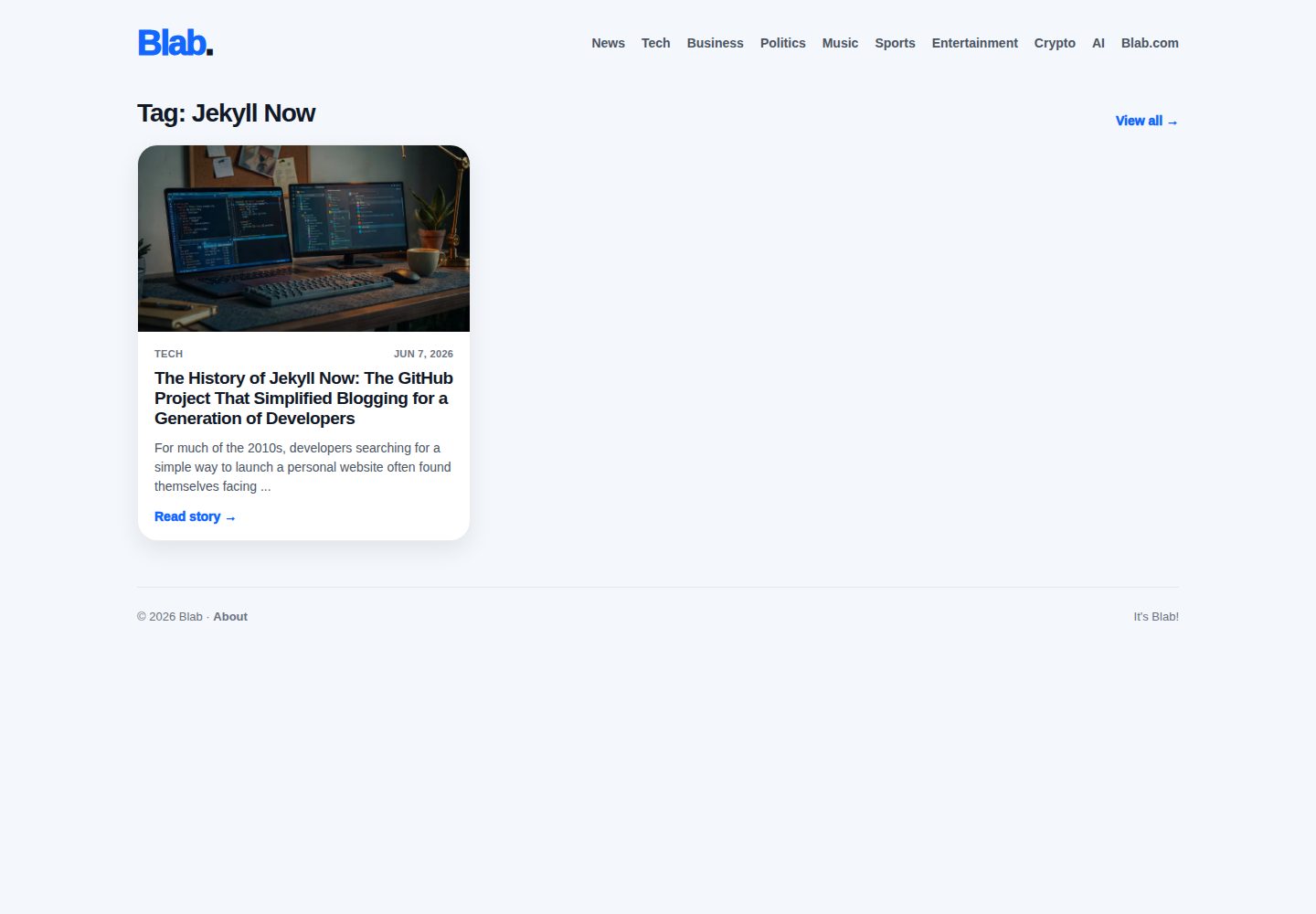
浏览真实页面截图,比较内容排版与手机效果。点击下方缩略图切换,放大查看整页细节。
全部页面与视图 3
截图用于了解视觉与布局,交互效果请以实际项目为准。
采集于 2026-10-03查看来源
值得关注的模板亮点
从已有项目资料中,快速了解它的特点。
fork-first 工作流,可直接在 GitHub 网页端创建、修改和发布文章
支持 Markdown 写作与代码语法高亮
可在 _config.yml 中开启 Disqus 评论与 Google Analytics
提供响应式布局与页脚 SVG 社交图标
模板详细介绍
jekyll-border-blog 是 thorty 在 GitHub 上发布的 Jekyll 博客主题,README 中说明其代码复制自 Jekyll Now 仓库并做了主题定制。它面向 GitHub Pages 用户站点,采用 fork-first 工作流:把仓库 fork 到自己的用户名下并重命名为 yourusername.github.io,即可通过 GitHub Pages 构建和访问博客,无需在本地安装 Ruby、gem 或 Markdown 处理器。
主题提供响应式基础布局,支持 Markdown 写作、代码语法高亮、Disqus 评论、Google Analytics 统计以及页脚 SVG 社交图标。站点名称、描述、头像等选项集中在 _config.yml 中配置;文章放在 _posts 目录,文件名需符合 year-month-day-title.md 格式,并在文件顶部包含 front-matter。
如果需要在本地预览,README 给出的方式是安装 github-pages gem、克隆仓库后运行 jekyll serve,再访问本地 4000 端口。该仓库最后更新于 2018 年,README 顶部保留了 2016 年关于 Jekyll 3 与 GitHub Pages 更新的提示,使用前建议核对当前 GitHub Pages 的构建环境与依赖兼容性。
Jekyll博客
适合你的项目吗?
适用场景
- 在 GitHub Pages 上搭建个人技术博客
- 以 Markdown 撰写并发布文章,不接触命令行
- 为博客接入 Disqus 评论和 Google Analytics 统计
- 在本地通过 jekyll serve 预览站点后再推送更新
适合人群
- 希望用 GitHub Pages 免费托管博客的开发者
- 偏好 Markdown 写作、不想配置 Ruby 本地环境的用户
- 需要评论、统计与社交图标等基础博客功能的个人站点
上手与定制指南
结合仓库当前版本的说明,按下面的资料检查内容、配置与运行要求。
- 1
Fork 仓库后重命名为 yourgithubusername.github.io
- 2
编辑 _config.yml 填写站点名称、描述、头像等选项
- 3
在 _posts 目录新建文章,文件名使用 year-month-day-title.md 格式并包含 front-matter
- 4
本地预览需安装 github-pages gem,克隆仓库后运行 jekyll serve 并访问 http://127.0.0.1:4000/
- 5
仓库最后更新于 2018 年,使用前请核对当前 GitHub Pages 构建环境与依赖兼容性
授权与来源资料
使用条件与限制
免费使用 · 保留许可声明本次收录的是公开仓库中采用 MIT 许可的免费版本;免费范围为该版本代码,不代表外部服务或第三方素材免费。
使用时需要遵守
- 允许免费使用、修改、商用和分发该版本代码。
- 分发代码副本或实质性部分时,保留原作者版权声明和完整 MIT 许可声明。
- 代码按现状提供;担保与责任限制以原许可证及适用法律为准。
额外费用与待核对事项
- Disqus 评论与 Google Analytics 统计为可选功能,启用后需自行注册对应第三方服务账号并接受其条款,可能涉及外部服务与数据收集。
- 免费托管依赖 GitHub Pages 服务,需遵守 GitHub 的服务条款与使用限制,并非项目自身提供的托管。
- 本地预览需安装 github-pages gem 及 Ruby 环境,属于额外依赖,非项目自带。
- 演示图片、字体、图标及其他第三方素材需按各自许可核对,不能仅凭代码的 MIT 许可判断。
- 域名、托管、数据库、支付或 AI 等外部服务可能另外收费。
查看原文依据
Permission is hereby granted, free of charge
许可证原文
You can easily turn on Google Analytics tracking, Disqus commenting and social icons here too.
README 原文
Free hosting on your GitHub Pages user site
README 原文
https://github.com/thorty/jekyll-border-blog/blob/master/LICENSEhttps://github.com/thorty/jekyll-border-blog/blob/master/README.mdInstall Jekyll and plug-ins in one fell swoop. `gem install github-pages`
README 原文
DeepSeek 根据仓库许可证和 README 整理 ·2026-10-03。结果仅覆盖已读取资料,依赖、图片、字体及后续条款变更以各自原文为准。
项目核对记录与介绍依据
模板资料
- 来源平台
- GitHub
- 资料与维护参考分
- 资料一般 · 65 / 100
- 技术栈
- Jekyll
- 网站类型
- 博客
这个分数如何计算
本站按许可资料(最高30分)、演示链接(12分)、预览图(10分)、Star数(15分)、记录的维护时间(15分)、描述完整度(8分)、功能记录(5分)和分类资料(5分)计算。它不是代码、安全或性能测试,也不是 Google 评分;有链接不代表已实测可用。
这个项目需要核对什么
- 记录的仓库更新时间
- 2018-07-15
- 截图检查日期
- 2026-10-03
已收录演示链接。请用你的内容与屏幕尺寸检查;有演示不代表表单、认证或支付已经可用。
目录记录的主要技术栈是 Jekyll。请通过依赖清单和锁文件核对实际版本与托管要求。这些说明基于收录资料,不代表代码审计或部署实测。
查看具体选型方法 →介绍的制作与核对状态
介绍由 AI 辅助整理目录与仓库资料。仓库作者不等于这篇介绍的审核者。
审核声明: [email protected] · 2026-10-04
查看当时使用的来源资料
SHA-256: 8a1f8f89647001610cffe45f227e8bca80f2c385546d0e40792d20ae8cfa0c72
2026-10-03T14:22:33.290Z
来源文件 / 仓库> March, 2016: If you're on an old version of Jekyll Now and run into a) build warnings or b) syntax highlighting issues caused by [Jekyll 3 and GitHub Pages updates](https://github.com/blog/2100-github-pages-now-faster-and-simpler-with-jekyll-3-0), just :sparkles:[update your _config.yml](https://github.com/barryclark/jekyll-now/pull/445/files):sparkles: and you'll be set! # Jekyll Now **Jekyll** is a static site generator that's perfect for GitHub hosted blogs ([Jekyll Repository](https://github.com/jekyll/jekyll)) **Jekyll Now** makes it easier to create your Jekyll blog, by eliminating a lot of the up front setup. - You don't need to touch the command line - You don't need to install/configure ruby, rvm/rbenv, ruby gems :relaxed: - You don't need to install runtime dependencies like markdown processors, Pygments, etc - If you're on Windows, this will make setting up Jekyll a lot easier - It's easy to try out, you can just delete your forked repository if you don't like it In a few minutes you'll be set up with a minimal, responsive blog like the one below giving you more time to spend on writing epic blog posts!  ## Quick Start ### Step 1) Fork Jekyll Now to your User Repository Fork this repo, then rename the repository to yourgithubusername.github.io. Your Jekyll blog will often be viewable immediately at <https://yourgithubusername.github.io> (if it's not, you can often force it to build by completing step 2)  ### Step 2) Customize and view your site Enter your site name, description, avatar and many other options by editing the _config.yml file. You can easily turn on Google Analytics tracking, Disqus commenting and social icons here too. Making a change to _config.yml (or any file in your repository) will force GitHub Pages to rebuild your site with jekyll. Your rebuilt site will be viewable a few seconds later at <https://yourgithubusername.github.io> - if not, give it ten minutes as GitHub suggests and it'll appear soon > There are 3 different ways that you can make changes to your blog's files: > 1. Edit files within your new username.github.io repository in the browser at GitHub.com (shown below). > 2. Use a third party GitHub content editor, like [Prose by Development Seed](http://prose.io). It's optimized for use with Jekyll making markdown editing, writing drafts, and uploading images really easy. > 3. Clone down your repository and make updates locally, then push them to your GitHub repository.  ### Step 3) Publish your first blog post Edit `/_posts/2014-3-3-Hello-World.md` to publish your first blog post. This [Markdown Cheatsheet](http://www.jekyllnow.com/Markdown-Style-Guide/) might come in handy.  > You can add additional posts in the browser on GitHub.com too! Just hit the + icon in `/_posts/` to create new content. Just make sure to include the [front-matter](http://jekyllrb.com/docs/frontmatter/) block at the top of each new blog post and make sure the post's filename is in this format: year-month-day-title.md ## Local Development 1. Install Jekyll and plug-ins in one fell swoop. `gem install github-pages` This mirrors the plug-ins used by GitHub Pages on your local machine including Jekyll, Sass, etc. 2. Clone down your fork `git clone https://github.com/yourusername/yourusername.github.io.git` 3. Serve the site and watch for markup/sass changes `jekyll serve` 4. View your website at http://127.0.0.1:4000/ 5. Commit any changes and push everything to the master branch of your GitHub user repository. GitHub Pages will then rebuild and serve your website. ## Moar! I've created a more detailed walkthrough, [**Build A Blog With Jekyll And GitHub Pages**](http://www.smashingmagazine.com/2014/08/01/build-blog-jekyll-github-pages/) over at the Smashing Magazine website. Check it out if you'd like a more detailed walkthrough and some background on Jekyll. :metal: It covers: - A more detailed walkthrough of setting up your Jekyll blog - Common issues that you might encounter while using Jekyll - Importing from Wordpress, using your own domain name, and blogging in your favorite editor - Theming in Jekyll, with Liquid templating examples - A quick look at Jekyll 2.0’s new features, including Sass/Coffeescript support and Collections ## Jekyll Now Features ✓ Command-line free _fork-first workflow_, using GitHub.com to create, customize and post to your blog ✓ Fully responsive and mobile optimized base theme (**[Theme Demo](http://jekyllnow.com)**) ✓ Sass/Coffeescript support using Jekyll 2.0 ✓ Free hosting on your GitHub Pages user site ✓ Markdown blogging ✓ Syntax highlighting ✓ Disqus commenting ✓ Google Analytics integration ✓ SVG social icons for your footer ✓ 3 http requests, including your avatar ✘ No installing dependencies ✘ No need to set up local development ✘ No configuring plugins ✘ No need to spend time on theming ✘ More time to code other things ... wait ✓! ## Questions? [Open an Issue](https://github.com/barryclark/jekyll-now/issues/new) and let's chat! ## Other forkable themes You can use the [Quick Start](https://github.com/barryclark/jekyll-now#quick-start) workflow with other themes that are set up to be forked too! Here are some of my favorites: - [Hyde](https://github.com/poole/hyde) by MDO - [Lanyon](https://github.com/poole/lanyon) by MDO - [mojombo.github.io](https://github.com/mojombo/mojombo.github.io) by Tom Preston-Werner - [Left](https://github.com/holman/left) by Zach Holman - [Minimal Mistakes](https://github.com/mmistakes/minimal-mistakes) by Michael Rose - [Skinny Bones](https://github.com/mmistakes/skinny-bones-jekyll) by Michael Rose ## Credits - [Jekyll](https://github.com/jekyll/jekyll) - Thanks to its creators, contributors and maintainers. - [SVG icons](https://github.com/neilorangepeel/Free-Social-Icons) - Thanks, Neil Orange Peel. They're beautiful. - [Solarized Light Pygments](https://gist.github.com/edwardhotchkiss/2005058) - Thanks, Edward. - [Joel Glovier](http://joelglovier.com/writing/) - Great Jekyll articles. I used Joel's feed.xml in this repository. - [David Furnes](https://github.com/dfurnes), [Jon Uy](https://github.com/jonuy), [Luke Patton](https://github.com/lkpttn) - Thanks for the design/code reviews. - [Bart Kiers](https://github.com/bkiers), [Florian Simon](https://github.com/vermluh), [Henry Stanley](https://github.com/henryaj), [Hun Jae Lee](https://github.com/hunjaelee), [Javier Cejudo](https://github.com/javiercejudo), [Peter Etelej](https://github.com/etelej), [Ben Abbott](https://github.com/jaminscript), [Ray Nicholus](https://github.com/rnicholus), [Erin Grand](https://github.com/eringrand), [Léo Colombaro](https://github.com/LeoColomb), [Dean Attali](https://github.com/daattali), [Clayton Errington](https://github.com/cjerrington), [Colton Fitzgerald](https://github.com/coltonfitzgerald), [Trace Mayer](https://github.com/sunnankar) - Thanks for your [fantastic contributions](https://github.com/barryclark/jekyll-now/commits/master) to the project! ## Contributing Issues and Pull Requests are greatly appreciated. If you've never contributed to an open source project before I'm more than happy to walk you through how to create a pull request. You can start by [opening an issue](https://github.com/barryclark/jekyll-now/issues/new) describing the problem that you're looking to resolve and we'll go from there. I want to keep Jekyll Now as minimal as possible. Every line of code should be one that's useful to 90% of the people using it. Please bear that in mind when submitting feature requests. If it's not something that most people will use, it probably won't get merged. :guardsman:
看看同类模板
对比同技术栈与用途的模板,找到更适合的视觉与内容结构。

al-folio
al-folio 是一个面向学者与研究人员的 Jekyll 作品集主题,设计简洁、响应式,适合搭建个人学术主页。
Jekyll · 作品集

minimal-mistakes
:triangular_ruler: Jekyll theme for building a personal site, blog, project documentation, or portfolio.
Jekyll · 作品集

Beautiful Jekyll
Beautiful Jekyll 是一个在 Jekyll 生态中经过长期打磨的博客主题,由 Dean Attali 维护,自 2015 年起积累了超过 5 万用户。
Jekyll · 博客

jekyll-TeXt-theme
💎 🐳 A super customizable Jekyll theme for personal site, team site, blog, project, documentation, etc.
Jekyll · 博客

startbootstrap-clean-blog-jekyll
A Jekyll version of the Clean Blog theme by Start Bootstrap
Jekyll · 博客

So Simple
So Simple 是 Michael Rose 开发的 Jekyll 主题,定位清晰:为文字和图片提供一个干净、可读性强的展示框架。
Jekyll · 博客