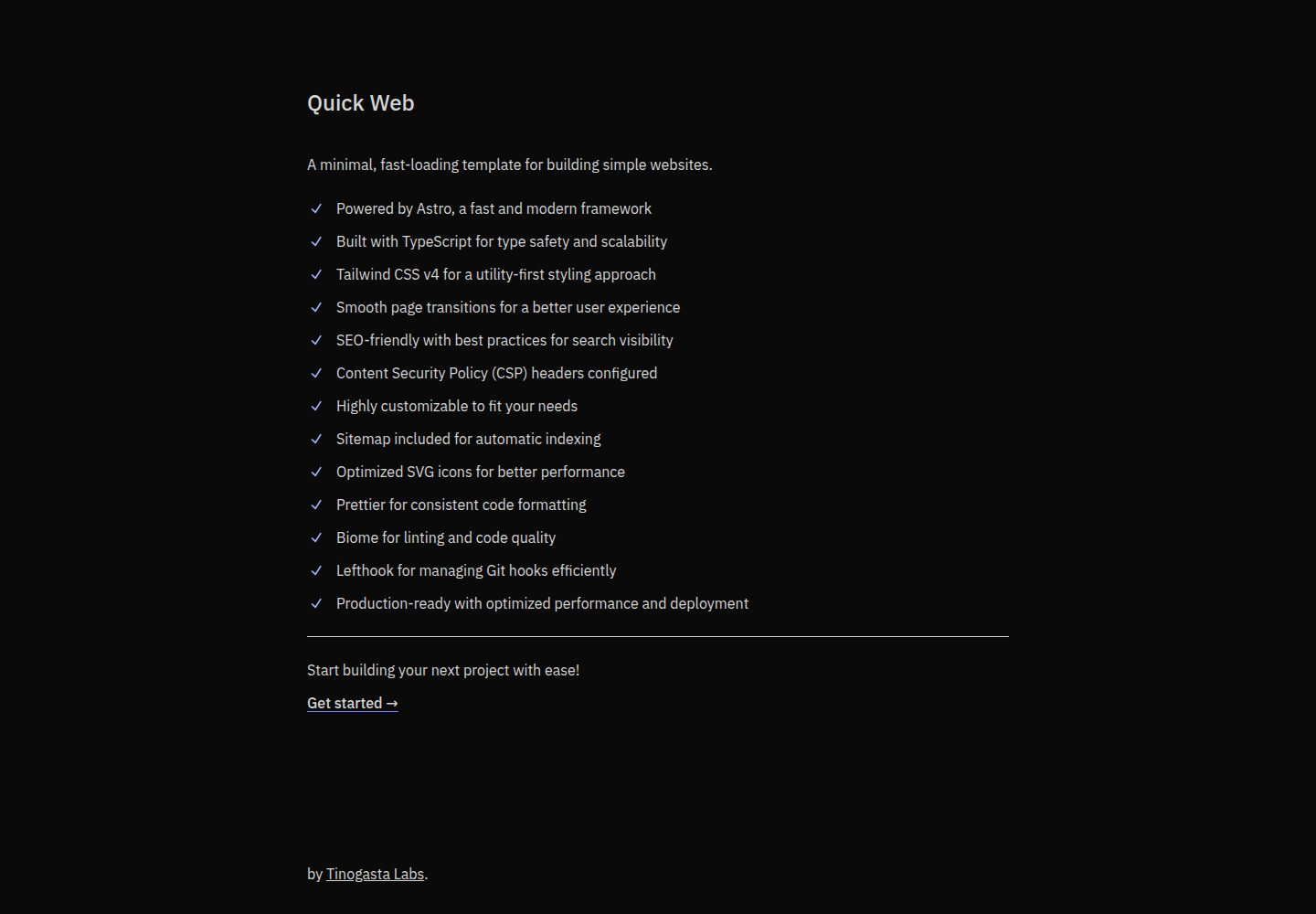
基于 Astro 的极简模板,面向简单网站与落地页
Astro企业官网
quick-web — Astro 企业官网模板
作者 tinux-labs
基于 Astro 的极简企业官网与落地页模板,使用 TypeScript 与 Tailwind CSS,内置 SEO、站点地图、CSP 与 SVG 图标精灵等基础配置。
看看你的网站会是什么样
浏览真实页面截图,比较内容排版与手机效果。点击下方缩略图切换,放大查看整页细节。
全部页面与视图 2
截图用于了解视觉与布局,交互效果请以实际项目为准。
采集于 2026-10-03查看来源
值得关注的模板亮点
从已有项目资料中,快速了解它的特点。
使用 TypeScript 与 Tailwind CSS 组织样式与类型
内置站点地图、SEO 相关配置与严格 CSP 响应头
通过 vite-plugin-icons-spritesheet 生成 SVG 图标精灵与类型
集成 Prettier、Biome 与 Lefthook 等代码质量与 Git 钩子工具
MIT 许可,允许免费使用、修改、商用与分发该版本代码
模板详细介绍
Quick Web 是 tinux-labs 在 GitHub 上开源的 Astro 模板,定位为构建简单网站与落地页的极简起点。README 说明其技术构成包括 Astro、TypeScript 与 Tailwind CSS,并带有页面过渡、SEO 相关配置、站点地图、严格 CSP 响应头、SVG 图标精灵、Prettier、Biome 与 Lefthook 等工程化设置。仓库采用 MIT 许可,允许免费使用、修改、商用与分发该版本代码,分发时需保留版权声明与完整许可声明。
模板的图标体系基于 vite-plugin-icons-spritesheet,原始 SVG 放在 resources/icons/ 目录,经编译生成精灵图与 TypeScript 类型,通过 src/components/ui/Icon 组件按名称引用;新增图标可用 Sly CLI 添加,也可手动放入目录。README 给出的开发流程为克隆仓库、pnpm install、pnpm run setup 后 pnpm dev。
需要留意的是,资料未提供页面结构、组件清单或样式细节,风格标注为待整理;演示图片、字体、图标等第三方素材的许可需单独核对,域名、托管等外部服务可能另行收费。README 中关于性能与生产可用的描述属于项目自述,未在本次资料中独立验证。
Astro企业官网
适合你的项目吗?
适用场景
- 搭建信息展示型的企业官网或产品介绍页
- 制作单页落地页并需要基础 SEO 与站点地图配置
- 以 Astro 与 Tailwind CSS 为起点的轻量前端项目
- 需要统一 SVG 图标管理与类型提示的静态站点
适合人群
- 希望用 Astro 快速起步的开发者
- 需要极简、轻量页面结构的企业官网项目
- 接受 pnpm 与命令行开发流程的团队
- 需要 MIT 许可代码用于商用或二次分发的使用者
上手与定制指南
结合仓库当前版本的说明,按下面的资料检查内容、配置与运行要求。
- 1
克隆仓库后执行 pnpm install,再运行 pnpm run setup,最后用 pnpm dev 启动开发
- 2
新增图标可用 Sly CLI 添加,或手动将 SVG 放入 resources/icons/ 目录
- 3
组件中通过 src/components/ui/Icon 按名称引用图标,如 <Icon name="avatar" class="size-5" />
- 4
演示图片、字体、图标等第三方素材需按各自许可单独核对
- 5
域名、托管等外部服务可能产生额外费用,需自行评估
授权与来源资料
使用条件与限制
免费使用 · 保留许可声明本次收录的是公开仓库中采用 MIT 许可的免费版本;免费范围为该版本代码,不代表外部服务或第三方素材免费。
使用时需要遵守
- 允许免费使用、修改、商用和分发该版本代码。
- 分发代码副本或实质性部分时,保留原作者版权声明和完整 MIT 许可声明。
- 代码按现状提供;担保与责任限制以原许可证及适用法律为准。
额外费用与待核对事项
- 演示图片、字体、图标及其他第三方素材需按各自许可核对,不能仅凭代码的 MIT 许可判断。
- 域名、托管、数据库、支付或 AI 等外部服务可能另外收费。
查看原文依据
https://github.com/tinux-labs/quick-web/blob/main/LICENSEhttps://github.com/tinux-labs/quick-web/blob/main/README.mdPermission is hereby granted, free of charge
许可证原文
DeepSeek 根据仓库许可证和 README 整理 ·2026-10-03。结果仅覆盖已读取资料,依赖、图片、字体及后续条款变更以各自原文为准。
项目核对记录与介绍依据
模板资料
- 来源平台
- GitHub
- 资料与维护参考分
- 资料较完整 · 77 / 100
- 技术栈
- Astro
- 网站类型
- 企业官网
这个分数如何计算
本站按许可资料(最高30分)、演示链接(12分)、预览图(10分)、Star数(15分)、记录的维护时间(15分)、描述完整度(8分)、功能记录(5分)和分类资料(5分)计算。它不是代码、安全或性能测试,也不是 Google 评分;有链接不代表已实测可用。
这个项目需要核对什么
- 记录的仓库更新时间
- 2025-07-01
- 截图检查日期
- 2026-10-03
已收录演示链接。请用你的内容与屏幕尺寸检查;有演示不代表表单、认证或支付已经可用。
目录记录的主要技术栈是 Astro。请通过依赖清单和锁文件核对实际版本与托管要求。这些说明基于收录资料,不代表代码审计或部署实测。
查看具体选型方法 →介绍的制作与核对状态
介绍由 AI 辅助整理目录与仓库资料。仓库作者不等于这篇介绍的审核者。
审核声明: [email protected] · 2026-10-04
查看当时使用的来源资料
SHA-256: abc1010ab568d992d48926ea58aa934b172fa430ecac7a3b068cf243d5be718b
2026-10-03T16:25:42.718Z
来源文件 / 仓库# Quick Web
A minimal, fast-loading template for building simple websites and landing pages.
Perfect for showcasing information with a clean, lightweight design.
## Features
- [x] Powered by Astro, a fast and modern framework
- [x] Built with TypeScript for type safety and scalability
- [x] Tailwind CSS v4 for a utility-first styling approach
- [x] Smooth page transitions for a better user experience
- [x] SEO-friendly with best practices for search visibility
- [x] Strict CSP headers configured for enhanced security against XSS attacks
and other vulnerabilities
- [x] Highly customizable to fit your needs
- [x] Sitemap included for automatic indexing
- [x] Optimized SVG icons for better performance
- [x] Prettier for consistent code formatting
- [x] Biome for linting and code quality
- [x] Lefthook for managing Git hooks efficiently
- [x] Production-ready with optimized performance and deployment
## Dev
```
git clone [email protected]:tinogasta-labs/quick-web.git my-awesome-web
cd my-awesome-web
pnpm install
pnpm run setup
pnpm dev
```
## Icons
This template uses SVG sprites for optimal icon performance, powered by
[vite-plugin-icons-spritesheet](https://github.com/forge-42/vite-plugin-icons-spritesheet/tree/main).
#### Icons Structure
```
├── resources/
│ └── icons/ # Raw SVG icons
└── src/
└── components/
└── Icon.tsx # Icon component
```
#### Adding New Icons
Using [Sly CLI](https://sly-cli.fly.dev/):
```
npx @sly-cli/sly add @radix-ui/icons avatar pencil-1
```
The SVG files will be automatically added to `./resources/icons/`.
> You can also manually add SVG files to the `./resources/icons/` directory.
### Using Icons in Components
Icons are automatically compiled into a sprite and TypeScript types are
generated. Use them in your components like this:
```astro
---
import Icon from '~/components/ui/Icon'
---
<Icon name="avatar" class="size-5" />
```
## Performance Insights

## Security Headers Test

## 🤝 Contributing
Contributions are welcome! Please feel free to submit a Pull Request.
看看同类模板
对比同技术栈与用途的模板,找到更适合的视觉与内容结构。

astrowind
⭕️ AstroWind: A free template using Astro v7 and Tailwind CSS v4. Astro starter theme.
Astro · 博客

astro-landing-page
An Astro + Tailwind CSS Example/Template for Landing Pages
Astro · 企业官网

Tailcast
Dark-themed website template built on Astro and Tailwind CSS
Astro · 企业官网

Positivus
A stunning and versatile Astro theme designed for digital marketing agencies.
Astro · 企业官网

qwind
⭕️ Qwind: A template to make your website using Qwik + Tailwind CSS.
Astro · 工具站

agency-landing-page-Astrojs
A simple agency landing page made with astrojs and tailwindcss
Astro · 企业官网