覆盖注册邮箱验证、登录会话、密码重置与修改、邮箱变更验证等账户流程
React电商启动器
tanstack-starter-vendure — React 电商模板
作者 vendurehq
Vendure 官方的 TanStack Start 店面启动器,提供完整的电商前端流程与可升级的源码结构。
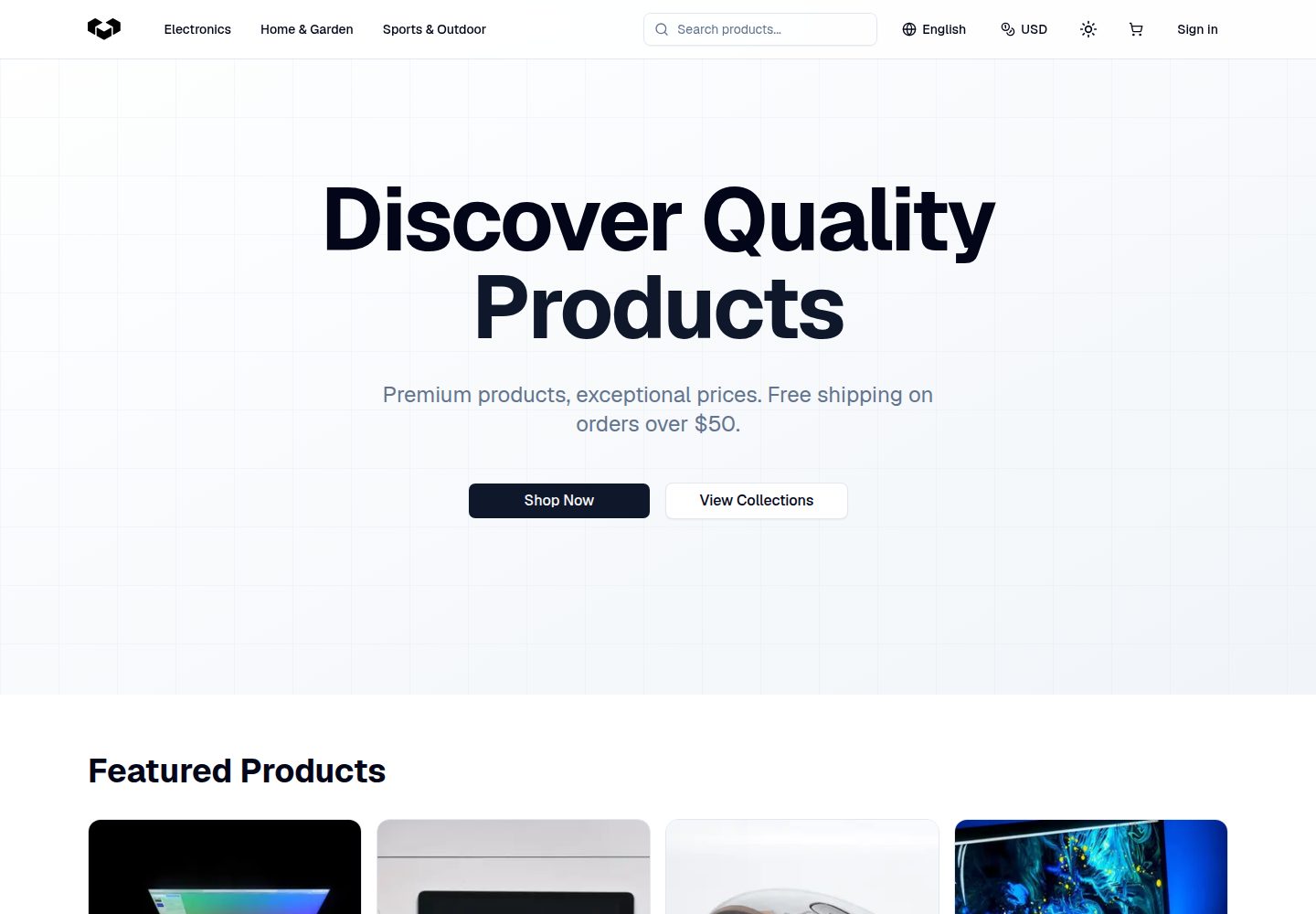
看看你的网站会是什么样
浏览真实页面截图,比较内容排版与手机效果。点击下方缩略图切换,放大查看整页细节。
全部页面与视图 3
截图用于了解视觉与布局,交互效果请以实际项目为准。
采集于 2026-10-02查看来源
值得关注的模板亮点
从已有项目资料中,快速了解它的特点。
包含个人资料、地址增删改与默认地址、订单历史分页与订单详情
商品侧支持集合与推荐商品、变体与图库、全文搜索与分面筛选、分页排序
购物车支持增删改数量、促销码与实时合计,结账为地址、配送、支付、确认多步流程
通过 Paraglide 提供英语与德语,支持多货币与持久化货币选择
源码按 routes、features、platform、site 等模块划分,并提供基于版本标签的上游升级工作流
模板详细介绍
这是 Vendure 官方发布的 TanStack Start 店面启动器,用于为 Vendure 无头电商后端搭建前端店铺。项目覆盖从浏览到下单的完整链路:商品集合与详情、变体与图库、全文搜索与分面筛选、分页排序,购物车增删改与促销码,以及包含收货地址、配送方式、支付和确认的多步结账流程。账户侧包含注册与邮箱验证、登录登出与会话管理、密码重置与修改、邮箱变更验证、个人资料与地址管理、订单历史与订单详情。国际化通过 Paraglide 实现,默认提供英语和德语,并支持多货币与货币选择的持久化,价格按区域格式化。
代码组织按职责划分:routes 负责路由与数据编排,config 存放店铺级配置,features 承载纵向业务能力,platform 处理 TanStack Start、本地化、缓存与 Vendure 集成,site 负责店铺组合、导航与品牌,components/ui 提供通用设计原语。README 要求保持路由文件精简,把主要行为放在对应模块中。
升级方面,项目提供带结构化集成意图的版本标签,通过 upgrade:init 记录来源、upgrade:prepare 生成包含新旧上游快照与报告模板的集成工作区,用于人工或编码代理合并上游变更而不覆盖本地定制。
使用前提是已有一个运行中且开放 Shop API 的 Vendure 服务器,需要配置 VENDURE_SHOP_API_URL 等环境变量。仓库采用 MIT 许可,免费范围为该版本代码;演示图片、字体、图标等第三方素材以及域名、托管、数据库、支付等外部服务需另行核对许可或费用。
React电商启动器
适合你的项目吗?
适用场景
- 为已有的 Vendure 后端搭建可定制的多语言、多货币前端店面
- 在启动器基础上开发账户、购物车与结账等电商前端功能
- 需要长期跟进 Vendure 上游更新并保留本地定制的店铺项目
- 作为学习 TanStack Start 与 Vendure Shop API 集成的参考实现
适合人群
- 已部署 Vendure 服务器并开放 Shop API 的开发者
- 需要源码自有、可自行修改的电商前端团队
- 关注多语言、多货币与可升级工作流的项目
上手与定制指南
结合仓库当前版本的说明,按下面的资料检查内容、配置与运行要求。
- 1
需要先准备运行中的 Vendure 服务器并开放 Shop API
- 2
复制 .env.example 为 .env,并将 VENDURE_SHOP_API_URL 指向该 API
- 3
依次执行 npm install、npm run generate、npm run dev,默认访问 http://localhost:3000
- 4
店面路径为 /en 与 /de,根路径会重定向到首选支持语言
- 5
环境模板中还记录了渠道、元数据、认证头与缓存再验证等可选设置
授权与来源资料
使用条件与限制
免费使用 · 保留许可声明本次收录的是公开仓库中采用 MIT 许可的免费版本;免费范围为该版本代码,不代表外部服务或第三方素材免费。
使用时需要遵守
- 允许免费使用、修改、商用和分发该版本代码。
- 分发代码副本或实质性部分时,保留原作者版权声明和完整 MIT 许可声明。
- 代码按现状提供;担保与责任限制以原许可证及适用法律为准。
额外费用与待核对事项
- 使用前提:必须自行部署并运行一个开放 Shop API 的 Vendure 服务器,本仓库仅提供前端店面,不含后端服务。
- 需配置环境变量 VENDURE_SHOP_API_URL 指向外部 Vendure Shop API,属于外部服务依赖。
- 结账支付环节需接入外部支付服务,可能涉及第三方账号、API 密钥及费用,需自行核对。
- 演示图片、字体、图标及其他第三方素材需按各自许可核对,不能仅凭代码的 MIT 许可判断。
- 域名、托管、数据库、支付或 AI 等外部服务可能另外收费。
查看原文依据
Permission is hereby granted, free of charge
许可证原文
You need a running Vendure server with its Shop API available.
README 原文
Copy the example environment, point `VENDURE_SHOP_API_URL` at that API
README 原文
https://github.com/vendurehq/tanstack-starter-vendure/blob/main/LICENSEhttps://github.com/vendurehq/tanstack-starter-vendure/blob/main/README.mdPayment integration
README 原文
DeepSeek 根据仓库许可证和 README 整理 ·2026-10-02。结果仅覆盖已读取资料,依赖、图片、字体及后续条款变更以各自原文为准。
项目核对记录与介绍依据
模板资料
- 来源平台
- GitHub
- 资料与维护参考分
- 资料较完整 · 88 / 100
- 技术栈
- React
- 网站类型
- 电商 · 启动器
这个分数如何计算
本站按许可资料(最高30分)、演示链接(12分)、预览图(10分)、Star数(15分)、记录的维护时间(15分)、描述完整度(8分)、功能记录(5分)和分类资料(5分)计算。它不是代码、安全或性能测试,也不是 Google 评分;有链接不代表已实测可用。
这个项目需要核对什么
- 记录的仓库更新时间
- 2026-08-27
- 截图检查日期
- 2026-10-02
已收录演示链接。请用你的内容与屏幕尺寸检查;有演示不代表表单、认证或支付已经可用。
目录记录的主要技术栈是 React。请通过依赖清单和锁文件核对实际版本与托管要求。这些说明基于收录资料,不代表代码审计或部署实测。
查看具体选型方法 →介绍的制作与核对状态
介绍由 AI 辅助整理目录与仓库资料。仓库作者不等于这篇介绍的审核者。
已完成服务器许可规则与 AI 来源核对;未经过人工编辑审核。
查看当时使用的来源资料
SHA-256: 2bd5e3173bf3fda86c451d3720ac5ca623259557e3453064d03f9718cf99f00f
2026-10-02T07:34:48.594Z
来源文件 / 仓库<p align="center">
<a href="https://vendure.io">
<img alt="Vendure logo" height="60" width="auto" src="https://a.storyblok.com/f/328257/699x480/8dbb4c7a3c/logo-icon.png/m/0x80">
</a>
</p>
<h1 align="center">
Vendure TanStack Start Storefront Starter
</h1>
<h3 align="center">
A TanStack Start storefront starter for Vendure headless commerce
</h3>
<p align="center">
A source-owned, customizable storefront with a managed path for adopting upstream releases.
</p>
<h4 align="center">
<a href="https://tanstack.vendure.io">Demo</a> |
<a href="https://docs.vendure.io">Documentation</a> |
<a href="https://vendure.io">Website</a>
</h4>
## Features
**Authentication & Accounts**
- Customer registration with email verification
- Login/logout with session management
- Password reset & change password
- Email address updates with verification
**Customer Account**
- Profile management (name, email, password)
- Address management (create, update, delete, set default)
- Order history with pagination & detailed order views
**Product Browsing**
- Collections & featured products
- Product detail pages with variants & galleries
- Full-text search with faceted filtering
- Pagination & sorting
**Shopping Cart**
- Add/remove items, adjust quantities
- Promotion code support
- Real-time cart updates with totals
**Checkout**
- Multi-step flow: shipping address, delivery method, payment, review
- Saved address selection
- Shipping method selection
- Payment integration
**Order Management**
- Order confirmation page
- Order tracking with status
- Detailed order information
**Internationalization**
- Multi-language support via Paraglide (English & German out of the box)
- Multi-currency support with persistent currency selection
- Locale-aware price formatting
**Built to Customize and Upgrade**
- Developer-owned source with no locked or generated application layer
- Feature-oriented modules with enforced dependency boundaries
- Colocated GraphQL operations and translations
- Structured release manifests for reconciling upstream changes with local customizations
## Getting Started
You need a running Vendure server with its Shop API available. Copy the example environment, point `VENDURE_SHOP_API_URL` at that API, install dependencies, generate derived files, and start the storefront:
```bash
cp .env.example .env
npm install
npm run generate
npm run dev
```
Open [http://localhost:3000](http://localhost:3000) with your browser to see the result. The storefront is available at `/en` and `/de`, and `/` redirects to the preferred supported locale.
The environment template also documents optional channel, metadata, authentication header, and cache revalidation settings.
## Architecture
Every human-authored storefront file is yours to change. The source is organized to keep those changes local and make future upgrades easier to reconcile:
```text
src/
routes/ TanStack Router route definitions and data orchestration
config/ Store-wide configuration
features/ Vertical commerce capabilities
platform/ TanStack Start, localization, caching, and Vendure integrations
site/ Store-specific composition, navigation, and branding
components/ui Generic design primitives
```
Keep `src/routes` files thin and put substantial behavior in the module that owns it. A feature exposes other modules through top-level files; its `components/` and `routes/` directories are private implementation details.
Read the [architecture guide](./docs/architecture.md) before adding a capability.
## Upgrading
Tagged releases include structured integration intent so a human or coding agent can adopt upstream changes without silently overwriting storefront customizations.
After creating a storefront from an immutable release tag, record its exact upstream provenance once:
```bash
npm run upgrade:init
git add .vendure/storefront.json
git commit -m "chore: initialize storefront provenance"
```
To prepare a later upgrade on a clean, dedicated branch:
```bash
npm run upgrade:prepare -- 1.1.0
```
The command creates a gitignored integration workspace containing the old and new upstream snapshots, release guidance, and a report template. Reconcile the changes, then follow the generated brief to verify and finalize the upgrade.
See the [upgrade guide](./docs/upgrades.md) for the complete managed upgrade, legacy onboarding, and release-authoring workflows.
## Development
Run the same checks used by CI before submitting a change:
```bash
npm run upgrade:validate
npm test
npm run test:e2e
npm run lint
npm run check-types
npm run build
```
Downstream-impacting pull requests require an upgrade note or an explicit exemption. See [CONTRIBUTING.md](./CONTRIBUTING.md) for the contribution workflow.
## Commands
```bash
npm run generate # Generate Paraglide messages
npm run check-types # Run generation and TypeScript checks
npm test # Run architecture, i18n, cache, and upgrade tests
npm run test:e2e # Run Playwright end-to-end tests
npm run lint # Run Biome lint
npm run build # Create a production Nitro build
```
TanStack Start generates `src/routeTree.gen.ts` through its Vite plugin during
development and production builds. The committed file lets type checks run
without a second route generator that can drift from TanStack Start.
Run the production server with `node .output/server/index.mjs`.
## Learn More
To learn more about TanStack Start and Vendure, take a look at the following resources:
- [TanStack Start Documentation](https://tanstack.com/start/latest/docs/framework/react/overview) - learn about TanStack Start features and APIs.
- [TanStack Router Documentation](https://tanstack.com/router/latest/docs/framework/react/overview) - learn about type-safe routing and data loading.
- [Vendure Documentation](https://docs.vendure.io) - learn about Vendure and its Shop API.
You can check out the [TanStack Start GitHub repository](https://github.com/TanStack/router/tree/main/packages/react-start) and the [Vendure GitHub repository](https://github.com/vendure-ecommerce/vendure). Feedback and contributions are welcome!
看看同类模板
对比同技术栈与用途的模板,找到更适合的视觉与内容结构。
ant-design-pro
Ant Design Pro 是 Ant Design 官方推出的企业级中后台前端脚手架,基于 React 19、Umi Max 4 和 antd 6 构建,内置 TypeScript 支持。
React · 后台

react-boilerplate
react-boilerplate 是一个为有一定 React 和 Redux 经验的开发者设计的启动器,目标是快速搭建可扩展、离线优先的 Web 应用。
React · 启动器

fastapi-react
fastapi-react 是一个基于 Cookiecutter 的模板,用于快速搭建 FastAPI 与 React(TypeScript)的全栈项目。
React · 后台

shadcn-landing-page
Free Landing page template using Shadcn, React, Typescript and Tailwind
React · 企业官网
start-ui-web
Start UI [web] 是 BearStudio 团队维护的一个有主见的全栈启动器,用于快速搭建 Web 应用。
React · 启动器
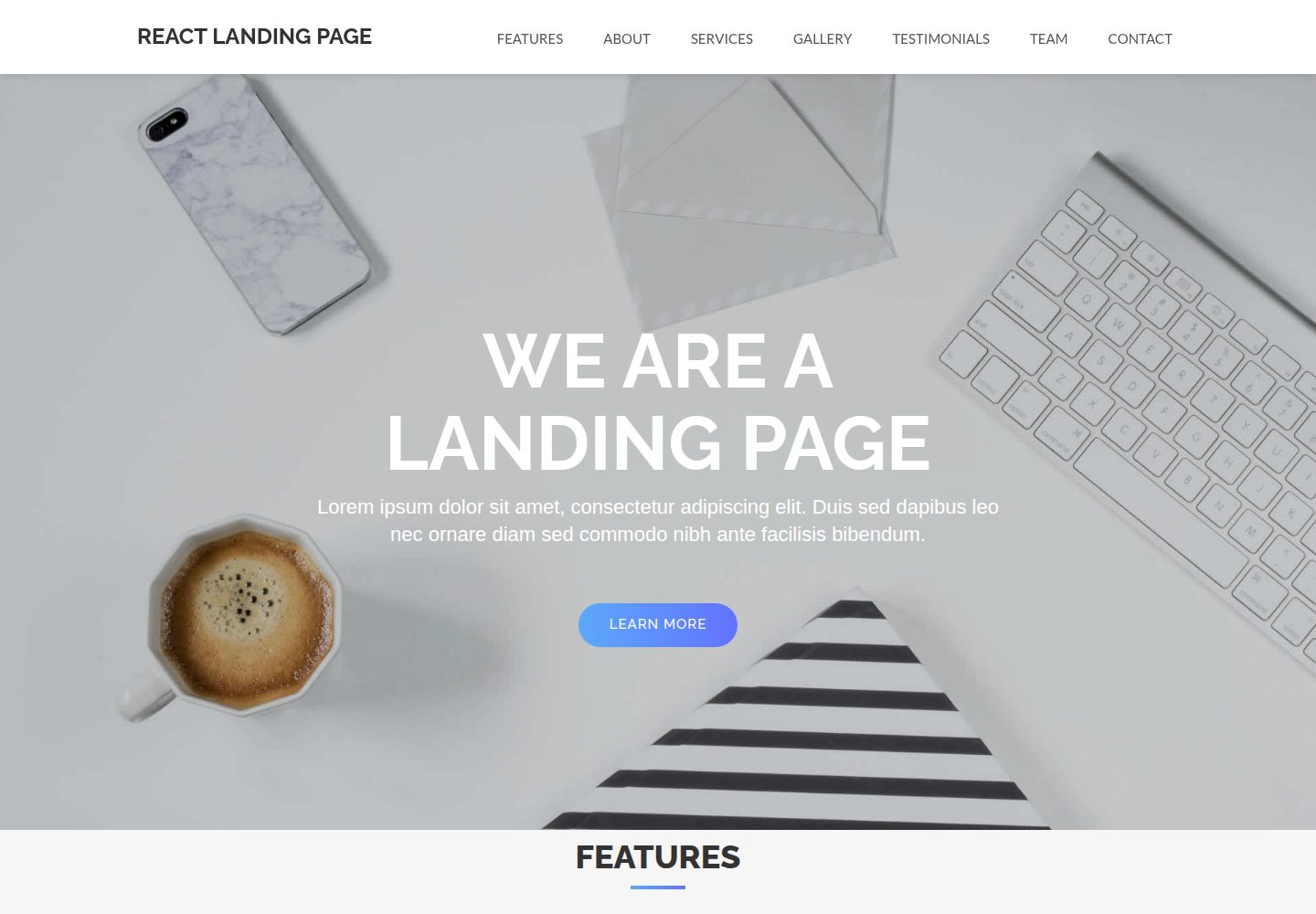
React-Landing-Page-Template
A simple react one page landing page templates for startups/companies
React · 企业官网