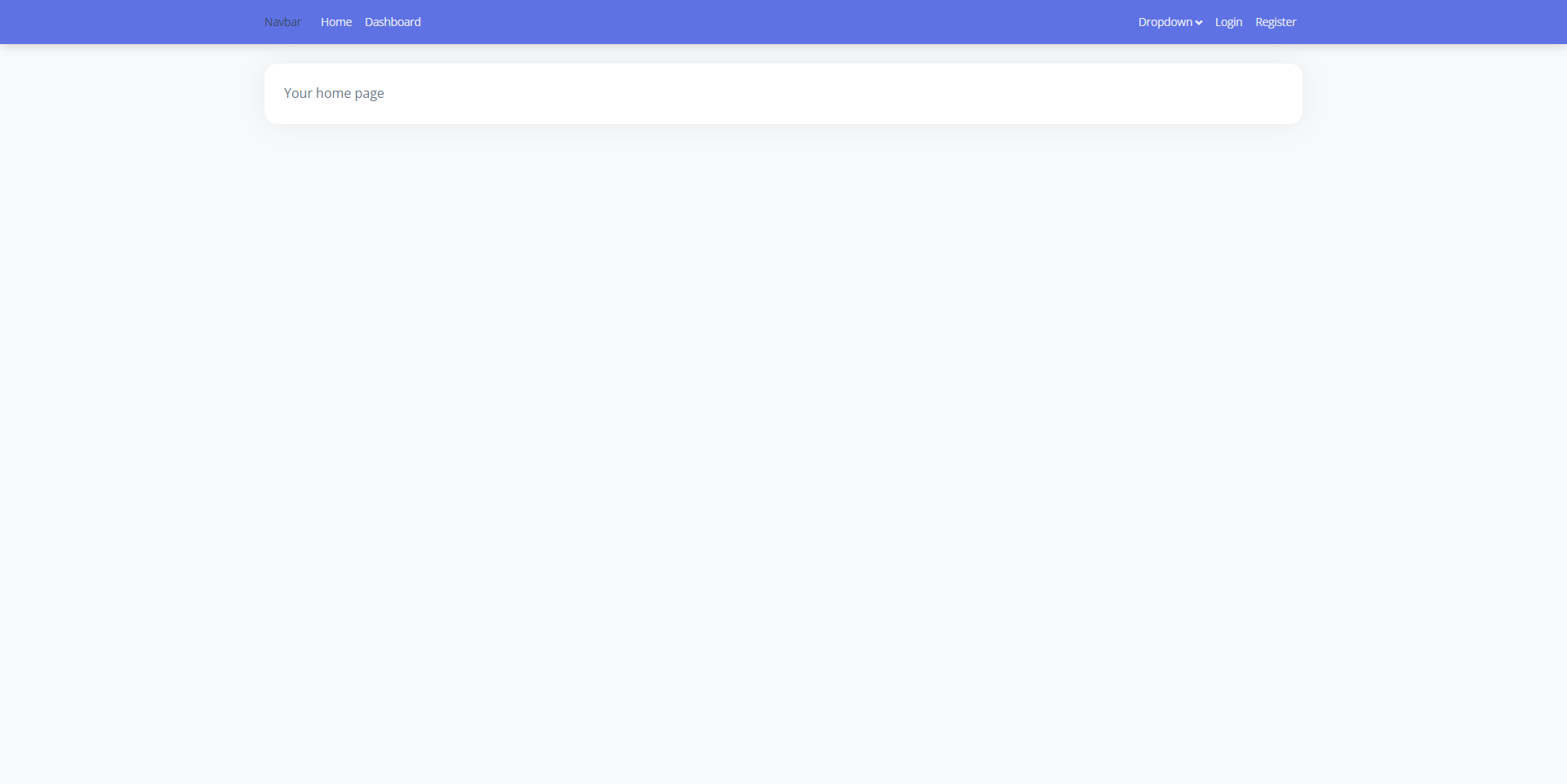
The Laravel backend and React frontend are connected through Inertia, with no separate API layer to maintain
LaravelReactAdmin dashboardStarter
laravel9-inertiajs-reactjs-starter — Laravel Admin dashboard Template
By agungksidik
A Laravel, Inertia, and React admin starter with multiple built-in layouts, login and registration, and user management pages.
Explore the design
Compare the page layouts and mobile experience. Open any screenshot for a closer look.
Author preview
Author-provided preview
Preview provided in the project README.
One original preview is available. Open the full image to inspect the design.
Screenshots show visual appearance; interactive behavior may differ.
Recorded 2026-09-30View source
What stands out
A quick read of the recorded project description.
Includes three built-in layouts: Guest, Base, and Auth, distinguishing visitor pages from post-login pages
Includes three authentication entry points: login, registration, and Google login
Provides basic admin interfaces such as a user management page and a profile page
Integrates Bootstrap 5 and Argon Dashboard 2 interface styles
Activity Log and Roles and Permissions in the Roadmap are not yet implemented
Template Details
This is an admin starter codebase for quickly building projects with a management interface using Laravel and React. The server side uses Laravel for routing, database migrations, and authentication; the frontend renders pages in React via Inertia, styles are based on Bootstrap 5, and the interface template integrates Argon Dashboard 2.
The repository already implements multiple layouts (Guest, Base, Auth), login, registration, Google login, user management, and a profile page. In the README Roadmap, Activity Log and Roles and Permissions are still marked as incomplete, meaning permissions and activity logging are not yet included.
The installation process is to clone the repository, run composer install and npm install, configure the database connection in .env, and run php artisan migrate --seed to create tables and seed data; Google login requires additionally filling in the client ID, secret, and callback URL. The default user password is set in UserFactory, and the README states it is 123456. The project uses the MIT license and can be used, modified, and distributed for free, but third-party assets such as demo images, fonts, and icons require separate license verification.
LaravelReactAdminStarter
Is it right for your project?
Use Cases
- As a starting point when building an admin management interface with Laravel as the backend and React as the frontend
- For projects that want ready-made authentication pages such as login, registration, and Google login
- For multi-page admin structures that need to distinguish visitor layouts from post-login layouts
- For scenarios requiring basic pages such as user list management and profile editing
Suitable For
- Developers familiar with Laravel and React who want to reduce the work of building basic admin pages
- Internal management system prototypes that need authentication and user management interfaces
- Projects using Bootstrap 5 and Argon Dashboard style as the interface baseline
- Teams that accept the MIT license and independently verify third-party asset licensing
Getting started & customization
Use these recorded setup notes alongside the repository instructions for your chosen version.
- 1
Install Composer and Node.js first, then clone the repository and run composer install and npm install
- 2
Configure the database name, username, and password in .env, then run php artisan migrate --seed to create tables and seed data
- 3
Google login requires filling in GOOGLE_CLIENT_ID, GOOGLE_CLIENT_SECRET, and GOOGLE_REDIRECT in .env
- 4
During development, use php artisan serve to start the server and npm run hot to start frontend hot reloading
- 5
The default user password is set in UserFactory, and the README states it is 123456; it should be changed before use
License & source material
Usage conditions & limitations
Free to use · keep license noticeThis listing covers the free version in a public repository under the MIT license; the free scope is the code of this version and does not mean external services or third-party assets are free.
Must comply with when using
- The code of this version may be used, modified, used commercially, and distributed for free.
- When distributing copies or substantial portions of the code, retain the original author's copyright notice and the full MIT license notice.
- The code is provided as is; warranties and limitations of liability are governed by the original license and applicable law.
Additional costs & items to verify
- The Google login feature requires applying for and configuring Google OAuth credentials (GOOGLE_CLIENT_ID, GOOGLE_CLIENT_SECRET, GOOGLE_REDIRECT), and depends on external services and accounts.
- Before use, you must prepare and configure the database connection yourself (database name, username, password); the project does not include a database service.
- Running it requires Composer and Node.js to be installed in advance, and composer install and npm install to be run to install dependencies.
- The interface is integrated based on the third-party Argon Dashboard 2 template; the licensing of that template's assets must be verified separately and is not granted together with this project's MIT license.
- Demo images, fonts, icons, and other third-party assets must be checked against their respective licenses and cannot be judged solely by the code's MIT license.
- External services such as domains, hosting, databases, payments, or AI may incur additional charges.
View Original Text Basis
Permission is hereby granted, free of charge
Original License Text
Google Sign In (Insert to your .env)
Original README
DB_DATABASE=yourdatabase_name
Original README
install Composer & NodeJs
Original README
https://github.com/agungksidik/laravel9-inertiajs-reactjs-starter/blob/master/LICENSE.txthttps://github.com/agungksidik/laravel9-inertiajs-reactjs-starter/blob/master/README.mdIntegrations Argon Dashboard 2 HTML template to ReactJs
Original README
Compiled by DeepSeek based on repository license and README ·2026-09-30. Results only cover the materials read; dependencies, images, fonts, and subsequent term changes are subject to their respective original texts.
Project checks & description sources
Template Information
- Source platforms
- GitHub
- Documentation and maintenance reference score
- Partly documented · 69 / 100
- Technologies
- Laravel · React
- Website type
- Admin dashboard · Starter
How this score is calculated
Our heuristic uses license records (up to 30), a demo link (12), a preview (10), stars (15), recorded maintenance (15), description completeness (8), feature records (5) and classification data (5). It is not a code, security or performance test, or a Google score. A link does not establish tested functionality.
What to verify for this project
- Repository update recorded
- 2022-02-24
- Screenshot last checked
- 2026-09-30
No demo link is recorded. Use the repository instructions to evaluate the project locally; the screenshot alone cannot establish interactive behavior.
The catalog identifies Laravel as the primary stack. Check the actual dependency manifest and lockfile for versions and hosting requirements. These notes use recorded metadata, not a code audit or a deployment test.
Use a selection guide →How this description was prepared
AI-assisted description based on catalog records and repository material. Repository authors are not automatically the reviewers of this description.
Automatically checked against source and license rules; no manual editorial review.
Inspect the recorded source material
SHA-256: d8a79e9ae6b934c95dfd33f2f482b83696dd6919e5b38eae8f868a32a88e3cee
2026-09-30T09:28:43.107Z
Source file / repository<div id="top"></div>
<!--
*** Thanks for checking out the Best-README-Template. If you have a suggestion
*** that would make this better, please fork the repo and create a pull request
*** or simply open an issue with the tag "enhancement".
*** Don't forget to give the project a star!
*** Thanks again! Now go create something AMAZING! :D
-->
<!-- PROJECT SHIELDS -->
<!--
*** I'm using markdown "reference style" links for readability.
*** Reference links are enclosed in brackets [ ] instead of parentheses ( ).
*** See the bottom of this document for the declaration of the reference variables
*** for contributors-url, forks-url, etc. This is an optional, concise syntax you may use.
*** https://www.markdownguide.org/basic-syntax/#reference-style-links
-->
[![Contributors][contributors-shield]][contributors-url]
[![Forks][forks-shield]][forks-url]
[![Stargazers][stars-shield]][stars-url]
[![Issues][issues-shield]][issues-url]
[![MIT License][license-shield]][license-url]
[![LinkedIn][linkedin-shield]][linkedin-url]
<!-- PROJECT LOGO -->
<br />
<div align="center">
<a href="https://github.com/agungksidik/laravel9-inertiajs-reactjs-starter">
<img src="https://raw.githubusercontent.com/agungksidik/public-assets/master/logo/laravel-logo.png" alt="Logo" width="90" height="90">
</a>
<a href="https://github.com/agungksidik/laravel9-inertiajs-reactjs-starter">
<img src="https://raw.githubusercontent.com/agungksidik/public-assets/master/logo/inertiajs-logo.png" alt="Logo" width="90" height="90">
</a>
<a href="https://github.com/agungksidik/laravel9-inertiajs-reactjs-starter">
<img src="https://raw.githubusercontent.com/agungksidik/public-assets/master/logo/reactjs-logo.png" alt="Logo" width="90" height="90">
</a>
<h3 align="center">Laravel Inertia ReactJs Starter</h3>
<p align="center">
This is a starter code to start the project, which already includes multiple layout admin templates with login for authentication
<br />
<a href="https://github.com/agungksidik/laravel9-inertiajs-reactjs-starter"><strong>Explore the docs »</strong></a>
<br />
<br />
<a href="https://github.com/agungksidik/laravel9-inertiajs-reactjs-starter">View Demo</a>
·
<a href="https://github.com/agungksidik/laravel9-inertiajs-reactjs-starter/issues">Report Bug</a>
·
<a href="https://github.com/agungksidik/laravel9-inertiajs-reactjs-starter/issues">Request Feature</a>
</p>
</div>
<!-- TABLE OF CONTENTS -->
<details>
<summary>Table of Contents</summary>
<ol>
<li>
<a href="#about-the-project">About The Project</a>
<ul>
<li><a href="#built-with">Built With</a></li>
</ul>
</li>
<li><a href="#screenshoot">Screenshoot</a></li>
<li><a href="#roadmap">Roadmap</a></li>
<li>
<a href="#getting-started">Getting Started</a>
<ul>
<li><a href="#prerequisites">Prerequisites</a></li>
<li><a href="#installation">Installation</a></li>
</ul>
</li>
<li><a href="#usage">Usage</a></li>
<li><a href="#contributing">Contributing</a></li>
<li><a href="#license">License</a></li>
<li><a href="#contact">Contact</a></li>
<li><a href="#acknowledgments">Acknowledgments</a></li>
</ol>
</details>
<!-- ABOUT THE PROJECT -->
## About The Project
<p align="center">
<img src="https://raw.githubusercontent.com/agungksidik/laravel9-inertiajs-reactjs-starter/master/images/screenshoot1.png" />
</p>
<p align="right">(<a href="#top">back to top</a>)</p>
### Built With
* [Laravel 9](https://laravel.com)
* [React.js](https://reactjs.org/)
* [Bootstrap 5](https://getbootstrap.com)
* [Inertia](https://inertiajs.com/)
* [Argon Dashboard 2](https://www.creative-tim.com/product/argon-dashboard)
* [Laravel Socialite](https://github.com/laravel/socialite)
<p align="right">(<a href="#top">back to top</a>)</p>
## Screenshoot
| Login | Register | Landing Page |
| --- | --- | --- |
| [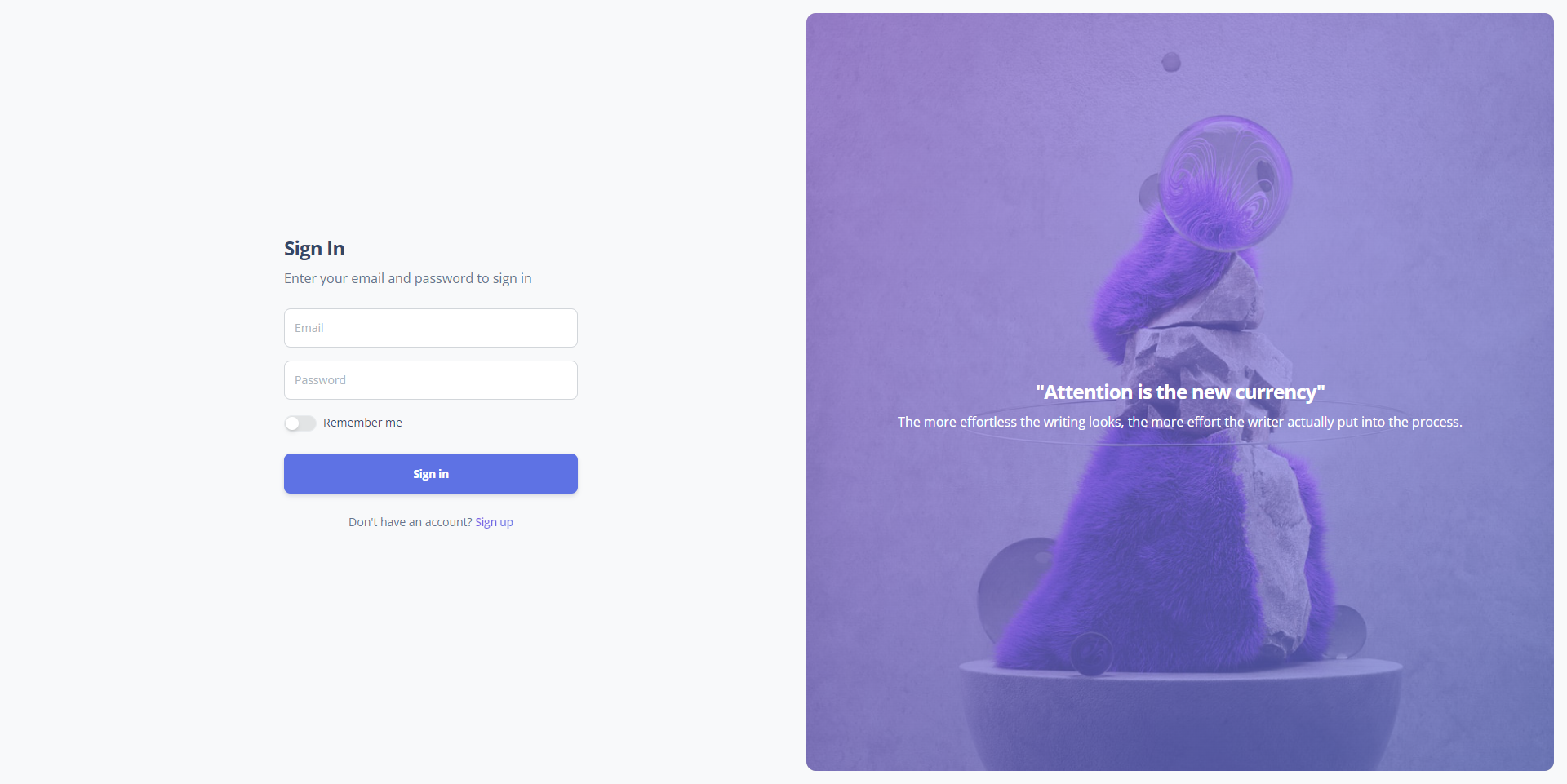](#) | [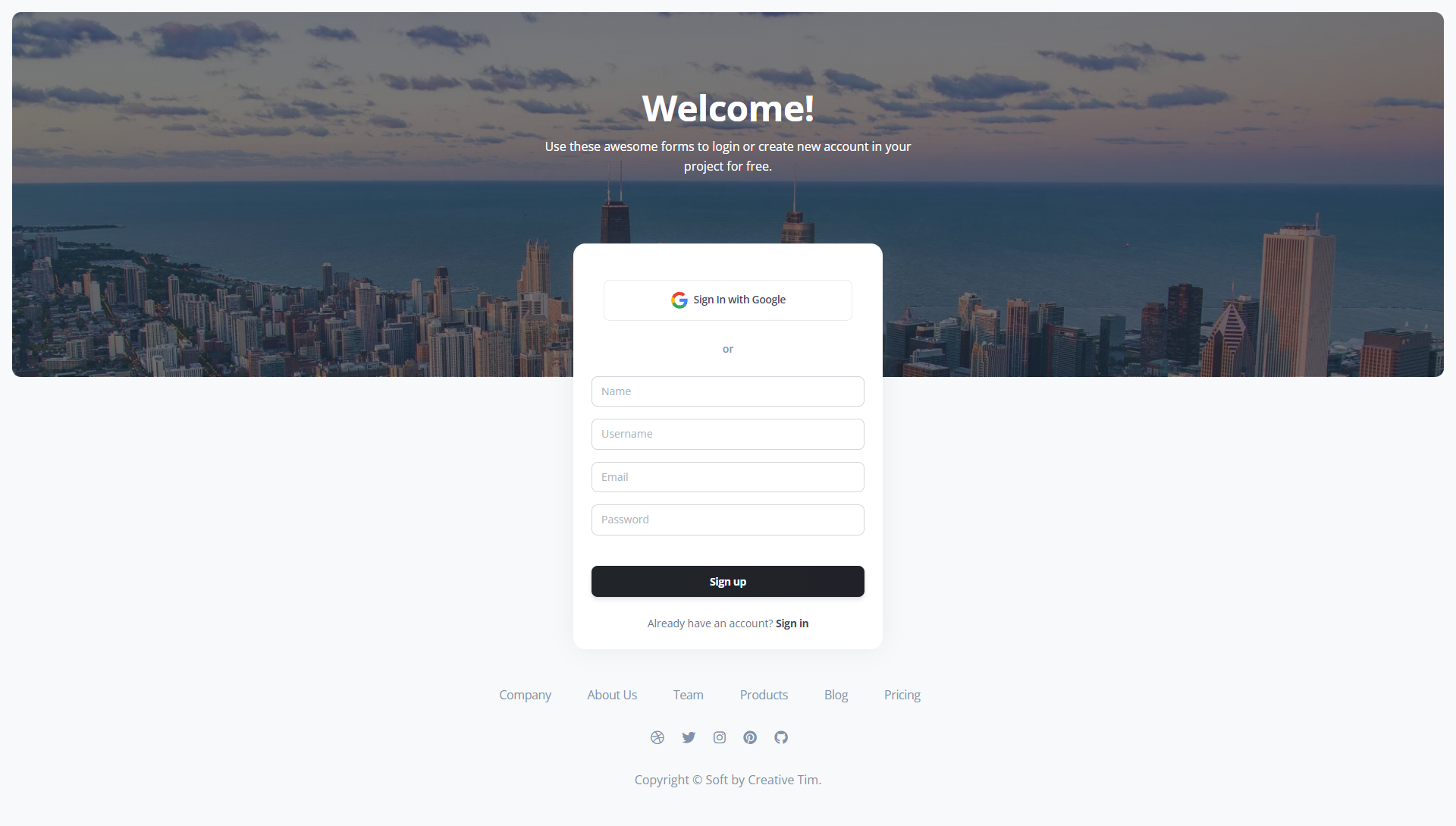](#) | [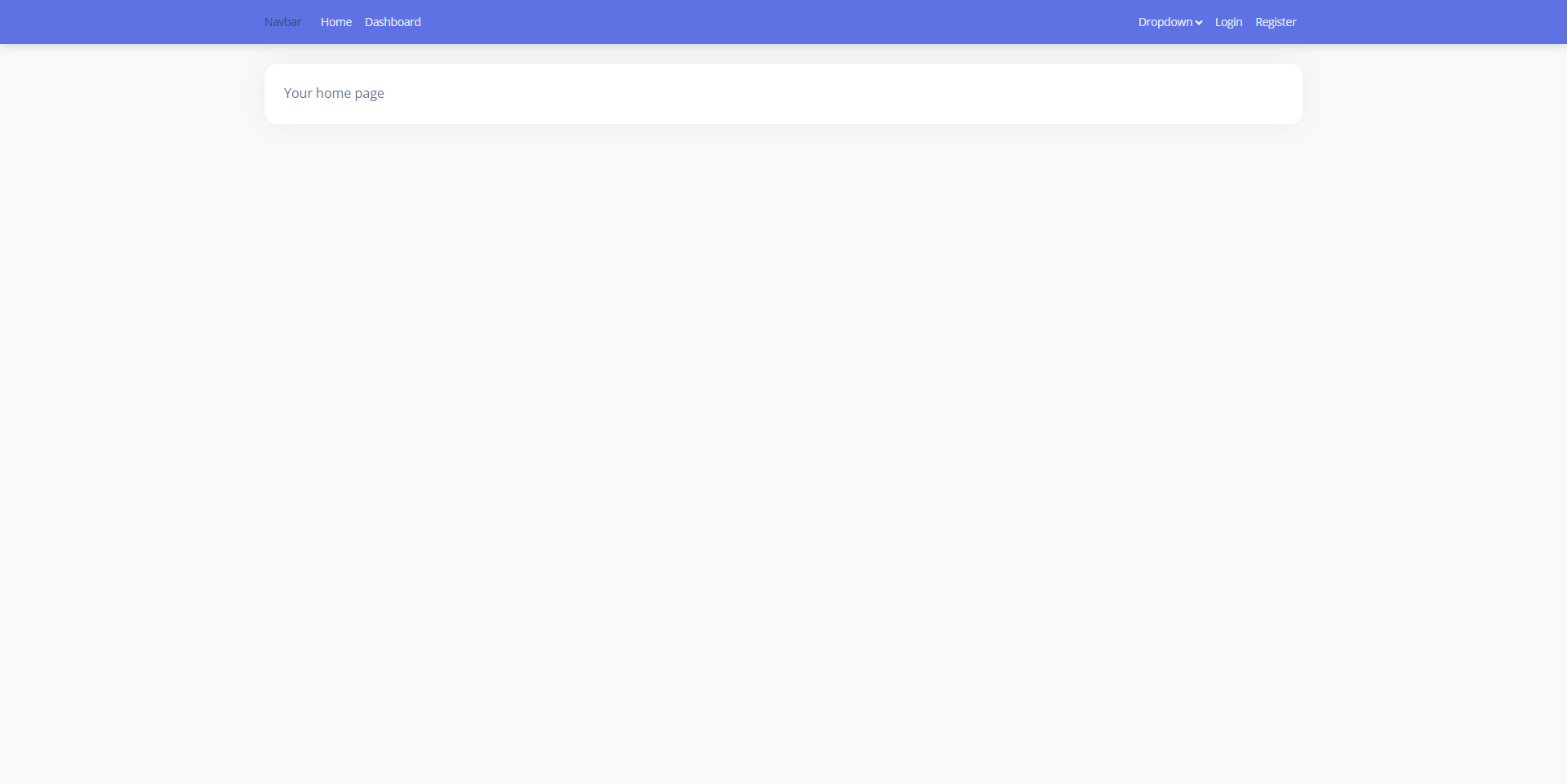](#) |
| Dashboard | Manage User | Profile Page |
| --- | --- | --- |
| [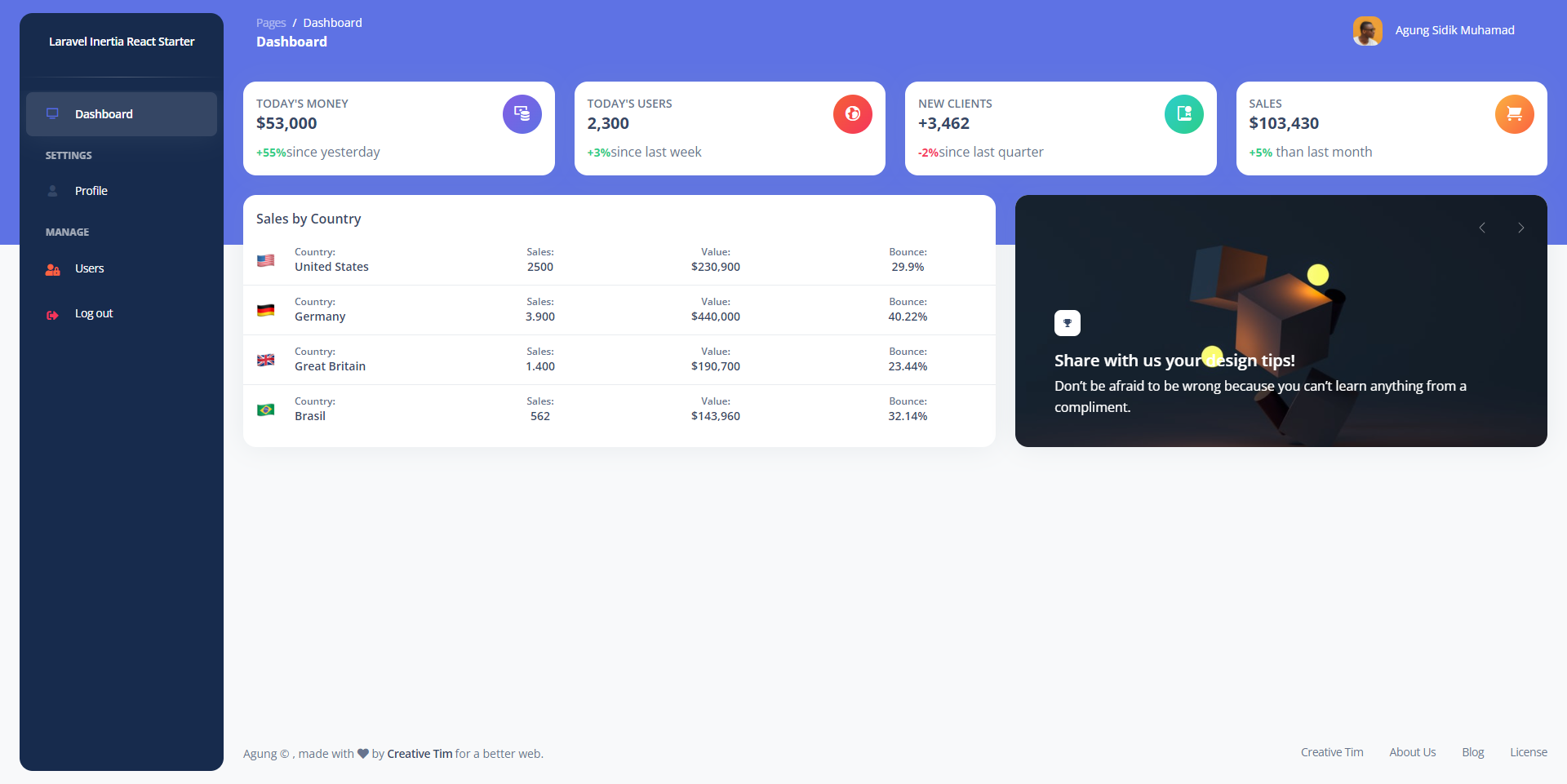](#) | [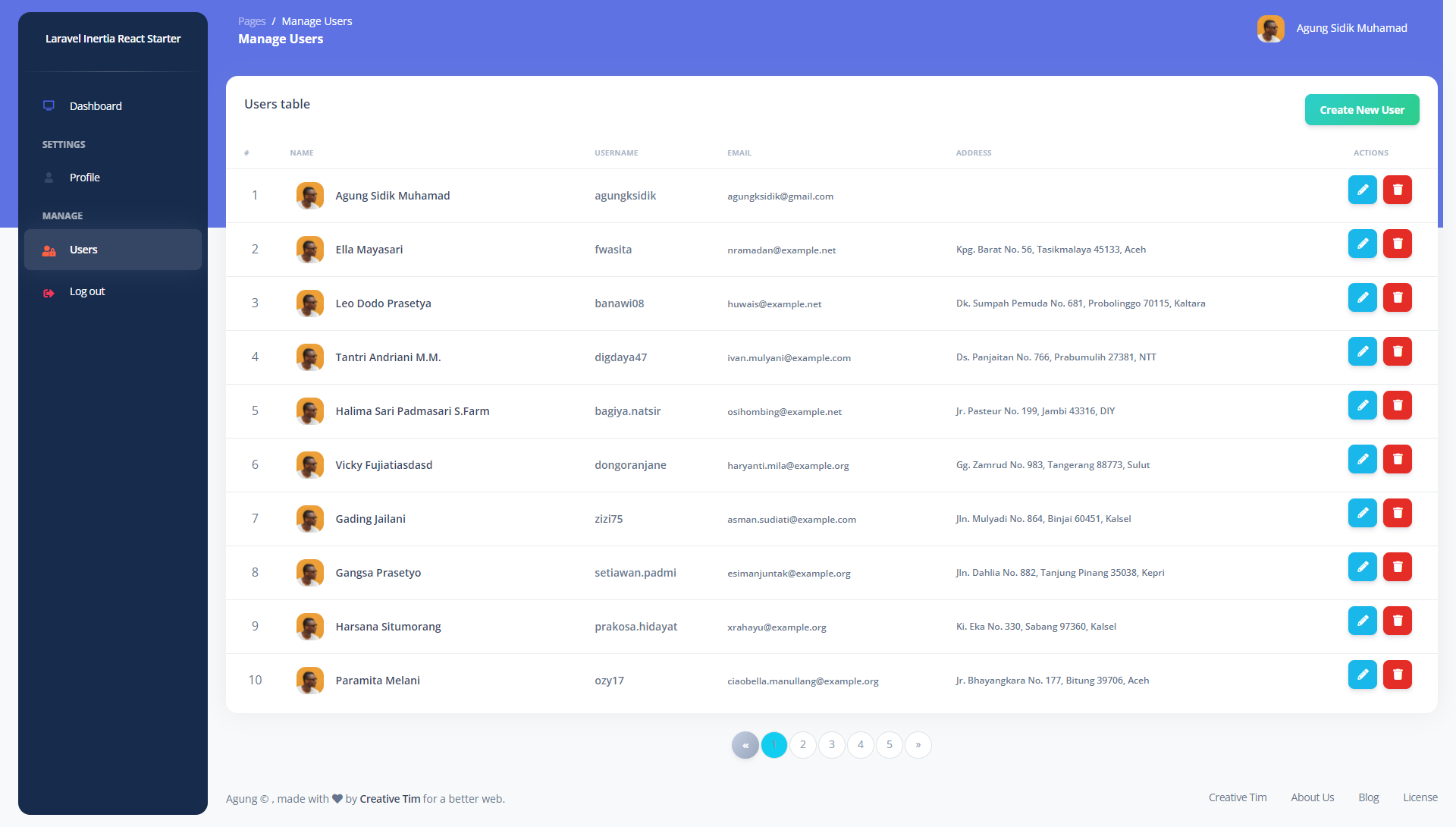](#) | [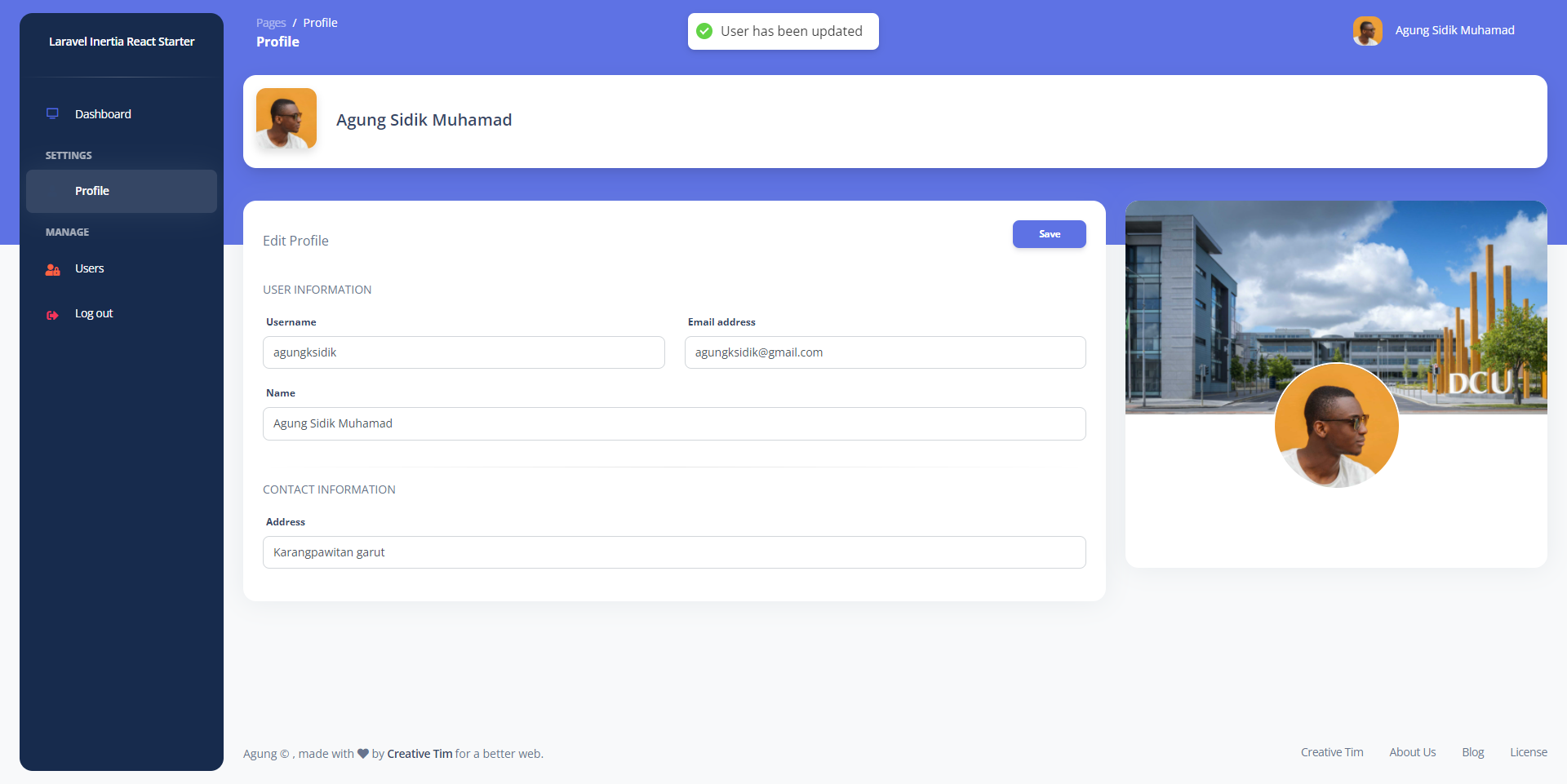](#) |
<p align="right">(<a href="#top">back to top</a>)</p>
<!-- ROADMAP -->
## Roadmap
- [x] Integrations Argon Dashboard 2 HTML template to ReactJs
- [x] Multiple layout (Guest, Base, Auth)
- [x] Authentication
- [x] Sign in
- [x] Register
- [x] Google Sign in
- [x] User Management
- [x] Profile
- [ ] Activity Log
- [ ] Roles and Permissions
See the [open issues](https://github.com/agungksidik/laravel9-inertiajs-reactjs-starter/issues) for a full list of proposed features (and known issues).
<p align="right">(<a href="#top">back to top</a>)</p>
<!-- GETTING STARTED -->
## Getting Started
Get a local copy (clone the repo)
### Prerequisites
install Composer & NodeJs
- [Composer](https://getcomposer.org/doc/00-intro.md)
- [Node Js](https://nodejs.org/en/download/)
### Installation
1. Clone the repo
```sh
git clone https://github.com/agungksidik/laravel9-inertiajs-reactjs-starter.git
```
2. Install dependency Laravel
```sh
composer install
```
3. Install NPM packages
```sh
npm install
npm run dev
```
4. Create table corresponds to .env
```js
DB_DATABASE=yourdatabase_name
DB_USERNAME=your_username
DB_PASSWORD=your_password
```
5. Run migration & Seeder
```sh
php artisan migrate --seed
```
6. Google Sign In (Insert to your .env)
```sh
GOOGLE_CLIENT_ID='your_client_id'
GOOGLE_CLIENT_SECRET='your_client_secret'
GOOGLE_REDIRECT='your_callback_url'
```
<p align="right">(<a href="#top">back to top</a>)</p>
<!-- USAGE EXAMPLES -->
## Usage
1. run server-side (Laravel)
```sh
php artisan serve
```
2. See webpack.min js
```sh
mix.browserSync('your_url.test'); //if using Laravel Valet
mix.browserSync('127.0.0.1:8000'); //if using artisan serve
```
3. run client-side (ReactJs)
```sh
npm run hot
```
4. Default password
```sh
setup in UserFactory
default '123456'
```
<p align="right">(<a href="#top">back to top</a>)</p>
<!-- CONTRIBUTING -->
## Contributing
Contributions are what make the open source community such an amazing place to learn, inspire, and create. Any contributions you make are **greatly appreciated**.
If you have a suggestion that would make this better, please fork the repo and create a pull request. You can also simply open an issue with the tag "enhancement".
Don't forget to give the project a star! Thanks again!
1. Fork the Project
2. Create your Feature Branch (`git checkout -b feature/AmazingFeature`)
3. Commit your Changes (`git commit -m 'Add some AmazingFeature'`)
4. Push to the Branch (`git push origin feature/AmazingFeature`)
5. Open a Pull Request
<p align="right">(<a href="#top">back to top</a>)</p>
<!-- LICENSE -->
## License
Distributed under the MIT License. See `LICENSE.txt` for more information.
<p align="right">(<a href="#top">back to top</a>)</p>
<!-- CONTACT -->
## Contact
Agung Sidik Muhamad - [@agungksidik](https://twitter.com/agungksidik) - [email protected]
Project Link: [https://github.com/agungksidik/laravel9-inertiajs-reactjs-starter](https://github.com/agungksidik/laravel9-inertiajs-reactjs-starter)
<p align="right">(<a href="#top">back to top</a>)</p>
<!-- ACKNOWLEDGMENTS -->
## Acknowledgments
<p align="right">(<a href="#top">back to top</a>)</p>
<!-- MARKDOWN LINKS & IMAGES -->
<!-- https://www.markdownguide.org/basic-syntax/#reference-style-links -->
[contributors-shield]: https://img.shields.io/github/contributors/agungksidik/laravel9-inertiajs-reactjs-starter.svg?style=for-the-badge
[contributors-url]: https://github.com/agungksidik/laravel9-inertiajs-reactjs-starter/graphs/contributors
[forks-shield]: https://img.shields.io/github/forks/agungksidik/laravel9-inertiajs-reactjs-starter.svg?style=for-the-badge
[forks-url]: https://github.com/agungksidik/laravel9-inertiajs-reactjs-starter/network/members
[stars-shield]: https://img.shields.io/github/stars/agungksidik/laravel9-inertiajs-reactjs-starter.svg?style=for-the-badge
[stars-url]: https://github.com/agungksidik/laravel9-inertiajs-reactjs-starter/stargazers
[issues-shield]: https://img.shields.io/github/issues/agungksidik/laravel9-inertiajs-reactjs-starter.svg?style=for-the-badge
[issues-url]: https://github.com/agungksidik/laravel9-inertiajs-reactjs-starter/issues
[license-shield]: https://img.shields.io/github/license/agungksidik/laravel9-inertiajs-reactjs-starter.svg?style=for-the-badge
[license-url]: https://github.com/agungksidik/laravel9-inertiajs-reactjs-starter/blob/master/LICENSE.txt
[linkedin-shield]: https://img.shields.io/badge/-LinkedIn-black.svg?style=for-the-badge&logo=linkedin&colorB=555
[linkedin-url]: https://www.linkedin.com/in/agung-sidik-muhamad-5b427620b/
[product-screenshot]: https://raw.githubusercontent.com/agungksidik/laravel9-inertiajs-reactjs-starter/master/images/screenshoot1.pngExplore similar templates
Compare previews and descriptions within the same stack and category.

sage
Sage is a WordPress starter theme maintained by Roots, using Laravel Blade components and templates, Vite builds, Tailwind CSS, and built-in block editor support.
Laravel · Starter

wave
Wave is an open-source SaaS starter kit built on Laravel and released under the MIT license.
Laravel · SaaS

coreui-free-laravel-admin-template
A free MIT-licensed Laravel admin template using CoreUI Bootstrap styles, with a sample login account and management examples for users, menus, roles, media, BREAD, and email templates.
Laravel · Admin dashboard

sneat-bootstrap-html-laravel-admin-template-free
Sneat Free is a Laravel admin template with a Bootstrap 5 frontend, MIT-licensed, offering a dashboard, multiple layouts, authentication pages, forms, and tables.
Laravel · Admin dashboard

filament-starter
A Laravel TALL stack starter template maintained by Log1x, with a preconfigured Filament admin panel and plugins including Curator, Gravatar, Exceptions, Jobs Monitor, Breezy, Peek, and Logger.
Laravel · Starter

electrik
Electrik is a Laravel SaaS starter kit installed as a Composer package, with authentication, teams, Stripe subscription billing, and the Slate 3 interface under the Electrik\ namespace rather than copied into App\.
Laravel · SaaS