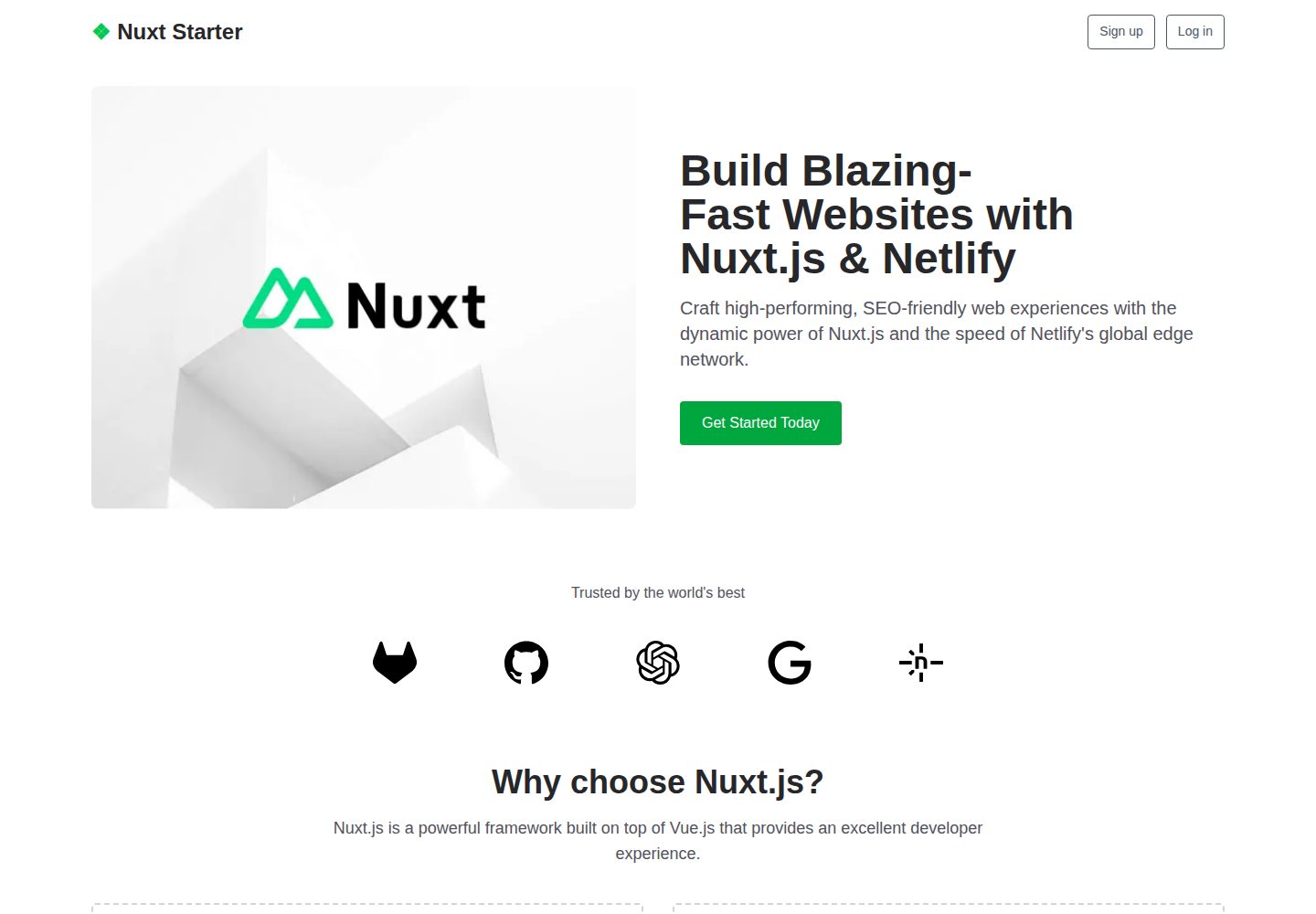
Minimal landing page template based on Nuxt 3 and Vue 3
NuxtVueCorporate WebsiteStarter
Nuxt — Nuxt Business Template
By agvybnlyw-source
A minimal landing page starter template built with Nuxt 3 and Tailwind CSS, including a Netlify deploy button and an example directory structure.
Explore the design
Compare the page layouts and mobile experience. Open any screenshot for a closer look.
Desktop homepage1 / 2
Desktop captureTop of page
Actual screenshot captured by the server browser.
All pages & views 2
Screenshots show visual appearance; interactive behavior may differ.
Recorded 2026-10-03View source
What stands out
A quick read of the recorded project description.
Uses Tailwind CSS for styling
Integrates Nuxt Image for image handling and Nuxt Icon for icons
Provides a one-click Netlify deploy button to fork a new repository and deploy directly
Directory structure divided into data, components, layouts, pages, public, and assets
README lists four npm scripts: dev, build, generate, and preview
Template Details
This is a minimal Nuxt template for quickly building landing pages, built with Nuxt 3 and Vue 3, styled with Tailwind CSS, and integrated with Nuxt Image for image handling and Nuxt Icon for icons. The repository provides a one-click Netlify deploy button; clicking it creates a new repository based on this template and configures it for deployment on Netlify.
The project structure is divided into data (JSON files storing content), components (Vue components), layouts (layout components), pages (pages), public (static files), and assets (resources requiring processing), making it easy to organize pages by separating content and views. The README lists scripts including npm run dev (local hot reload on port 3000), npm run build (production build and start the server), npm run generate (generate a static project), and npm run preview (preview the production build locally).
Prerequisites are Node.js v20.9 or higher, with optional use of nvm to manage Node versions. The template is positioned as a starter rather than a complete site; the README does not specify built-in page count, SEO configuration, forms, or CMS integration, so actual functionality should be based on the repository code.
NuxtCorporate WebsiteStarter
Is it right for your project?
Use Cases
- Quickly building product introduction or event landing pages
- Serving as a starting scaffold for Nuxt 3 projects
- Deploying static or server-side rendered pages on Netlify
- Maintaining page content via JSON files in the data directory
Suitable For
- Front-end developers who need a lightweight landing page starter template
- Teams using the Nuxt 3 and Tailwind CSS stack
- Users planning to deploy Nuxt sites on Netlify
Getting started & customization
Use these recorded setup notes alongside the repository instructions for your chosen version.
- 1
Requires Node.js v20.9 or higher; nvm can optionally be used to manage versions
- 2
Run npm install to install dependencies, then npm run dev to start hot reload on localhost:3000
- 3
Use npm run build for production builds, npm run generate for static generation, and npm run preview for local preview
- 4
The Netlify deploy button in the README can fork the repository and automatically configure deployment
- 5
Third-party assets such as demo images, fonts, and icons must be checked separately under their respective licenses
License & source material
Usage conditions & limitations
Free to use · keep license noticeThis entry covers the free version under the MIT license in the public repository; the free scope is the code of that version and does not mean external services or third-party assets are free.
Must comply with when using
- The code of this version may be used, modified, used commercially, and distributed for free.
- When distributing copies or substantial portions of the code, retain the original author's copyright notice and the full MIT license notice.
- The code is provided as is; warranties and limitations of liability are governed by the original license and applicable law.
Additional costs & items to verify
- The one-click deploy button depends on the Netlify platform: clicking it creates a new repository and automatically configures it for deployment on Netlify; using that deployment flow requires a Netlify account; local development and builds are not subject to this restriction.
- Official support is via the Netlify community forum, an external service; obtaining help requires visiting that site and is not built-in project support.
- Demo images, fonts, icons, and other third-party assets must be checked under their respective licenses and cannot be judged solely by the code's MIT license.
- External services such as domains, hosting, databases, payments, or AI may incur additional charges.
View Original Text Basis
Permission is hereby granted, free of charge
Original License Text
Clicking this button will create a new repo for you that looks exactly like this one, and sets that repo up immediately for deployment on Netlify.
Original README
https://github.com/agvybnlyw-source/Nuxt/blob/main/LICENSEhttps://github.com/agvybnlyw-source/Nuxt/blob/main/README.mdIf you get stuck along the way, get help in our [support forums](https://answers.netlify.com/).
Original README
Compiled by DeepSeek based on repository license and README ·2026-10-03. Results only cover the materials read; dependencies, images, fonts, and subsequent term changes are subject to their respective original texts.
Project checks & description sources
Template Information
- Source platforms
- GitHub
- Documentation and maintenance reference score
- More documented · 79 / 100
- Technologies
- Nuxt · Vue
- Website type
- Corporate Website · Starter
How this score is calculated
Our heuristic uses license records (up to 30), a demo link (12), a preview (10), stars (15), recorded maintenance (15), description completeness (8), feature records (5) and classification data (5). It is not a code, security or performance test, or a Google score. A link does not establish tested functionality.
What to verify for this project
- Repository update recorded
- 2025-08-04
- Screenshot last checked
- 2026-10-03
A demo link is listed. Check it with your own content and viewport sizes; its presence does not confirm that forms, authentication or payments work.
The catalog identifies Nuxt as the primary stack. Check the actual dependency manifest and lockfile for versions and hosting requirements. These notes use recorded metadata, not a code audit or a deployment test.
Use a selection guide →How this description was prepared
AI-assisted description based on catalog records and repository material. Repository authors are not automatically the reviewers of this description.
Review declaration: [email protected] · 2026-10-04
Inspect the recorded source material
SHA-256: bfbc0dc90ad5dbe9bb4a5550fc936fc0d7d9c044595d2bc979ccd0155658659c
2026-10-03T15:13:16.897Z
Source file / repository# Nuxt Starter  --- Nuxt Starter is a minimal template designed for creating quick landing pages, built with Nuxt 3 and Tailwind CSS. **View demo:** [https://demo-nuxt-starter.netlify.app/](https://demo-nuxt-starter.netlify.app/) ## Deploy to Netlify Want to deploy immediately? Click this button [](https://app.netlify.com/start/deploy?repository=https://github.com/netlify-templates/nuxt-starter) Clicking this button will create a new repo for you that looks exactly like this one, and sets that repo up immediately for deployment on Netlify. ## Features - 🚀 Nuxt 3 with Vue 3 - 🎨 Tailwind CSS for styling - 🖼️ Nuxt Image for optimized image handling - 🎯 Nuxt Icon for easy icon integration - 📱 Fully responsive design - ⚡ Fast and optimized performance A customizable Nuxt starter using: - [Nuxt](https://nuxt.com/) v3.x - [Tailwind CSS](https://tailwindcss.com/) v4.x - [Nuxt Icon](https://nuxt.com/modules/icon) - [Nuxt Image](https://nuxt.com/modules/image) | Prerequisites | | :------------------------ | | [Node.js](https://nodejs.org/) v20.9+. | | (optional) [nvm](https://github.com/nvm-sh/nvm) for Node version management. | ## Build Setup ```bash # install dependencies $ npm install # serve with hot reload at localhost:3000 $ npm run dev # build for production and launch server $ npm run build # generate static project $ npm run generate # preview production build locally $ npm run preview ``` ## Project Structure ``` ├── data/ # JSON file for content ├── components/ # Vue components ├── layouts/ # Layout components ├── pages/ # Application pages ├── public/ # Static files └── assets/ # Assets that need processing ``` ## Next Steps Here are a few suggestions on what to do next: - Check [Nuxt on Netlify documentation](https://docs.netlify.com/frameworks/nuxt/). - Check [Nuxt 3 documentation](https://nuxt.com/docs/getting-started/introduction) to learn more. - Explore [Tailwind CSS documentation](https://tailwindcss.com/docs) for styling options ## Support If you get stuck along the way, get help in our [support forums](https://answers.netlify.com/).
Explore similar templates
Compare previews and descriptions within the same stack and category.

laravel-nuxt
A Laravel + Nuxt decoupled starter kit with built-in login, registration, email verification, password reset, and Socialite third-party login (GitHub example), switchable between SPA and SSR.
Nuxt · Starter
landing
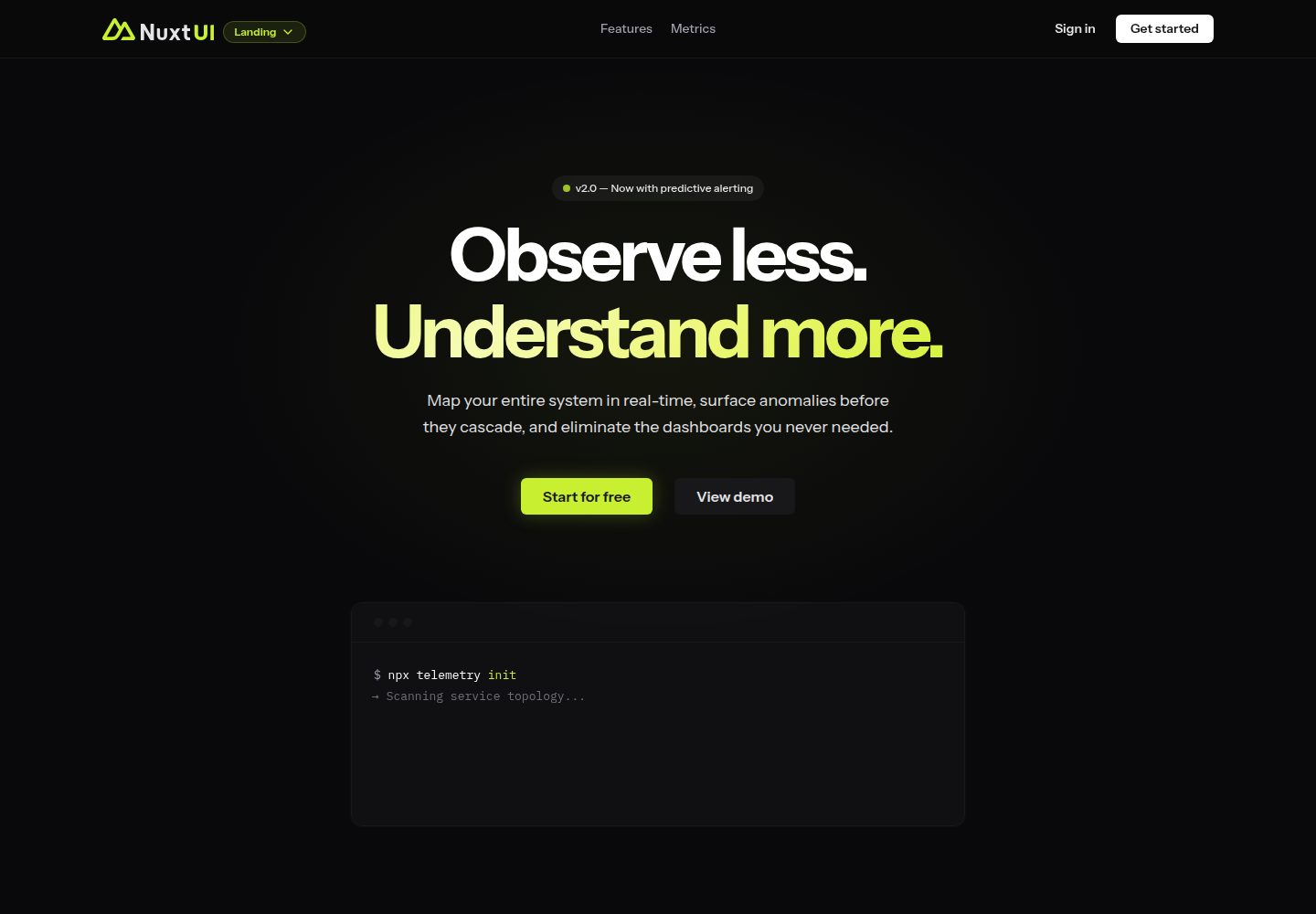
A landing page template from the official Nuxt UI repository, built with Nuxt, Nuxt UI, and Nuxt Content. It can be initialized via `npm create nuxt@latest -- -t ui/landing` or cloned and run with pnpm commands for development, build, and preview.
Nuxt · Corporate Website

canvas
Canvas is a Nuxt-based portfolio template that uses Nuxt Content for content management and Nuxt UI with Tailwind CSS for pages.
Nuxt · Portfolio

nuxt3-starter
A Nuxt 3 starter template generated by nuxi, preconfigured with UnoCSS, unplugin-icons, Pinia, and VueUse. It suits developers who need a quick Nuxt 3 project skeleton with atomic CSS and auto-import workflows, and is available under the MIT license.
Nuxt · Starter

starter
The official Nuxt starter template for Nuxt UI, based on Nuxt and Vue. It provides a runnable project skeleton, an online demo, and Nuxt UI installation documentation, with README commands for creating, installing, developing, building, and previewing.
Nuxt · Starter

bloggrify
Bloggrify is a Nuxt layer that turns Markdown files into a blog site, built on Nuxt Content with preconfigured analytics, newsletter, comments, SEO, RSS, and content components.
Nuxt · Blog