
Built on Nuxt, with Nuxt UI components and Tailwind CSS for responsive portfolio pages
NuxtVuePortfolioStarter
canvas — Nuxt Portfolio Template
By HugoRCD
Canvas is a Nuxt-based portfolio template that uses Nuxt Content for content management and Nuxt UI for components, supports multilingual, Nuxt Studio visual editing, and a Resend contact form, and is licensed under Apache-2.0.
Explore the design
Compare the page layouts and mobile experience. Open any screenshot for a closer look.
Desktop homepage1 / 3
Desktop captureTop of page
Actual screenshot captured by the server browser.
All pages & views 3
Screenshots show visual appearance; interactive behavior may differ.
Recorded 2026-09-30View source
What stands out
A quick read of the recorded project description.
Uses Nuxt Content for content management, with articles and works stored as Markdown and JSON files in the content/ directory
Integrates the Nuxt Studio visual editor, allowing content to be modified directly in the browser at the /admin path
Provides multilingual support via Nuxt i18n, with the demo site including English and other language versions
Built-in SEO-related capabilities: Nuxt OG Image for share images, Nuxt Robots for robots.txt, and automatic sitemap generation
The contact form sends emails via Resend; this server-side logic is not enabled when no API key is configured
Template Details
Canvas is a personal portfolio template released by HugoRCD, with the repository at https://github.com/HugoRCD/canvas and a demo site at https://canvas.hrcd.fr/en. The template is built on Nuxt, uses Nuxt UI components and Tailwind CSS for page construction, and employs Nuxt Content for the content layer, storing articles, works, and other items as Markdown and JSON files in the content/ directory, making them easy to edit directly or modify visually in the browser via Nuxt Studio.
Functionally, it covers common portfolio needs: multilingual support (Nuxt i18n), a contact form (sending emails via Resend; this server-side logic is not enabled when no API key is configured), SEO-related capabilities (Nuxt OG Image for generating Open Graph images, Nuxt Robots for generating robots.txt, and automatic sitemap generation), image optimization (Nuxt Image), and ESLint configuration. The template states compatibility with platforms such as NuxtHub and Vercel, and also provides a Docker image and a community docker-compose file.
Usage limitations: Nuxt Content v3 relies on SQLite for content storage by default, while serverless platforms such as Vercel and Netlify do not natively support SQLite, requiring an external database such as PostgreSQL, Turso, or D1; using Nuxt Studio in production requires configuring a GitHub OAuth application and repository information; the contact form depends on a Resend API key. The repository uses the Apache-2.0 license, allowing free use, modification, commercial use, and distribution, but third-party assets such as demo images, fonts, and icons must be checked separately for licensing, and external services such as domains, hosting, databases, and email may incur additional charges.
NuxtPortfolioStarter
Is it right for your project?
Use Cases
- Developers or designers building a personal portfolio site to showcase projects, articles, and personal information
- A portfolio that needs to be multilingual and present content to visitors in different languages
- Those who want to visually edit content in the browser via Nuxt Studio without directly changing code
- A personal site that needs a contact form integrated with Resend for sending emails
- Deploying to platforms such as NuxtHub or Vercel, or self-hosting with a Docker image
Suitable For
- Developers familiar with the Nuxt and Vue ecosystem who want to build on an existing template
- Individuals who need a portfolio template and accept managing content via Markdown/JSON
- Teams planning to use Nuxt Studio or Nuxt Content for content maintenance
- Users willing to configure an external database (PostgreSQL, Turso, D1, etc.) for serverless deployment
Getting started & customization
Use these recorded setup notes alongside the repository instructions for your chosen version.
- 1
After cloning the repository, install dependencies (the README uses pnpm install), copy .env.example to .env, and fill in the variables
- 2
Run pnpm dev for development, pnpm generate for static generation, and pnpm start for production startup
- 3
Adjust the global portfolio configuration in app.config.ts; content files are located in the content/ directory
- 4
Using Nuxt Studio in production requires creating a GitHub OAuth App, configuring STUDIO_GITHUB_CLIENT_ID and STUDIO_GITHUB_CLIENT_SECRET, and setting the repository information in nuxt.config.ts
- 5
The contact form requires configuring NUXT_PRIVATE_RESEND_API_KEY in .env and modifying the from field in the sendEmail route under server/api/; when deploying to a serverless platform, an external database must be connected for Nuxt Content
License & source material
Usage conditions & limitations
Free to use · keep license noticeThis entry covers the free version under the Apache-2.0 license in the public repository; the free scope is the code of that version and does not mean external services or third-party assets are free.
Must comply with when using
- Free use, modification, commercial use, and distribution are permitted; the Apache-2.0 license must be included when distributing.
- Modified files must prominently indicate changes, and relevant copyright, patent, trademark, and attribution notices must be retained.
- If the original project includes a NOTICE file, applicable attribution notices in it must be retained when distributing derivative works.
- The license includes an applicable contributor patent grant; initiating the patent litigation described in the license terminates that patent grant, and no trademark use rights are granted.
- The code is provided as is; warranties and limitations of liability are governed by the original license and applicable law.
Additional costs & items to verify
- When deploying to serverless platforms such as Vercel or Netlify, Nuxt Content v3 uses SQLite by default, and these platforms do not natively support SQLite, so an external database service such as PostgreSQL, Turso, or D1 must be connected, which may involve additional configuration and costs.
- Using the Nuxt Studio visual editor in production requires creating a GitHub OAuth application yourself and configuring STUDIO_GITHUB_CLIENT_ID, STUDIO_GITHUB_CLIENT_SECRET, and repository information, depending on a GitHub account and external authorization.
- The contact form depends on the third-party email service Resend, requiring account registration and an API key (NUXT_PRIVATE_RESEND_API_KEY) to enable; this server-side logic does not take effect when not configured.
- Accessing /admin to use the Nuxt Studio editor requires identity verification via a GitHub account, which is an external account dependency.
- Demo images, fonts, icons, and other third-party assets must be checked under their respective licenses and cannot be judged solely by the code's Apache-2.0 license.
- External services such as domains, hosting, databases, payments, or AI may incur separate charges.
View Original Text Basis
no-charge, royalty-free, irrevocable copyright license
Original License Text
Nuxt Content v3 relies by default on SQLite for content storage. Since these platforms do not support SQLite natively, we recommend connecting Canvas Portfolio to an external database
Original README
To enable Nuxt Studio in production, you need to configure GitHub OAuth
Original README
This portfolio uses [Resend](https://resend.com/) to handle the contact form, but it's not mandatory.
Original README
https://github.com/HugoRCD/canvas/blob/main/LICENSEhttps://github.com/HugoRCD/canvas/blob/main/README.mdYou'll be prompted to authenticate with GitHub to access the editor
Original README
Compiled by DeepSeek based on repository license and README ·2026-10-01. Results only cover the materials read; dependencies, images, fonts, and subsequent term changes are subject to their respective original texts.
Project checks & description sources
Template Information
- Source platforms
- GitHub
- Documentation and maintenance reference score
- More documented · 96 / 100
- Technologies
- Nuxt · Vue
- Website type
- Portfolio · Starter
How this score is calculated
Our heuristic uses license records (up to 30), a demo link (12), a preview (10), stars (15), recorded maintenance (15), description completeness (8), feature records (5) and classification data (5). It is not a code, security or performance test, or a Google score. A link does not establish tested functionality.
What to verify for this project
- Repository update recorded
- 2026-09-25
- Screenshot last checked
- 2026-10-01
A demo link is listed. Check it with your own content and viewport sizes; its presence does not confirm that forms, authentication or payments work.
The catalog identifies Nuxt as the primary stack. Check the actual dependency manifest and lockfile for versions and hosting requirements. These notes use recorded metadata, not a code audit or a deployment test.
Use a selection guide →How this description was prepared
AI-assisted description based on catalog records and repository material. Repository authors are not automatically the reviewers of this description.
Automatically checked against source and license rules; no manual editorial review.
Inspect the recorded source material
SHA-256: b54bc3f0835134785e88490b20bac091a7c665635f719626e1baf0216d2edf4e
2026-10-01T14:11:37.810Z
Source file / repository
<p align="center">
<a aria-label="Hugo's Website" href="https://hrcd.fr">
<img alt="" src="https://img.shields.io/badge/Website-hrcd.fr-blue?style=for-the-badge&labelColor=000000&logo=google-chrome&logoColor=white">
<a aria-label="License" href="https://github.com/hugorcd/canvas/blob/main/LICENSE">
<img alt="" src="https://img.shields.io/npm/l/vue.svg?style=for-the-badge&labelColor=000000&color=blue">
</a>
<a aria-label="Follow Hugo on Twitter" href="https://twitter.com/HugoRCD__">
<img alt="" src="https://img.shields.io/twitter/follow/HugoRCD__.svg?style=for-the-badge&labelColor=000000&logo=twitter&label=Follow%20Hugo&logoWidth=20&logoColor=white">
</a>
</p>
# Canvas template
Canvas Portfolio is a fully customizable i18n portfolio template built with Nuxt and Nuxt UI, designed to help you showcase your work, testimonials, and key information with ease. The template integrates with Nuxt Studio for a smooth editing experience, while leveraging Nuxt Content for content management. Built with performance, flexibility, and responsiveness in mind, Canvas Portfolio provides a robust foundation for developers and creatives alike.
## Demo
You can see a live demo at [canvas.hrcd.fr](https://canvas.hrcd.fr/).
## Features
- **Modern Components & Layouts** – Includes built-in components.
- **Nuxt UI v3** – Utilize pre-built, customizable UI components.
- **Nuxt Studio** – Built-in visual editor to edit content directly from the browser.
- **NuxtHub ready** - Deploy on NuxtHub in seconds.
- **Tailwind CSS** – A beautiful, responsive design system.
- **Working Contact Form** – Integrated with Resend for easy email handling.
- **Multi-language Support** – Powered by Nuxt i18n.
- **SEO-Ready** – Open Graph Image (Nuxt OG Image) & Nuxt Robots for automatic robots.txt generation.
- **Good practices** – Auto-generated sitemap, optimized images (Nuxt Image), and ESLint (Nuxt config with Flat config).
- **Fully Responsive** – Adapts to all modern browsers and devices.
- **Minimal & Professional Design** – Clean, elegant, and easy to customize.
## Quick Setup
1. Clone this repository if you have access or download it from the store
```bash
git clone [email protected]:HugoRCD/canvas.git
```
2. Install dependencies
```bash
pnpm install
```
3. Copy the `.env.example` file to `.env` and fill in the values
```bash
cp .env.example .env
```
4. Start development server
```bash
pnpm dev
```
5. Generate static project
```bash
pnpm generate
```
6. Start production server
```bash
pnpm start
```
## Deployments
Canvas Portfolio is designed to simplify the deployment process on various platforms, whether serverless or not. Below are several detailed methods to deploy your portfolio.
### 1. Serverless Platforms (Vercel, Netlify, etc.)
When using serverless platforms, it's important to note that Nuxt Content v3 relies by default on SQLite for content storage. Since these platforms do not support SQLite natively, we recommend connecting Canvas Portfolio to an external database such as:
- **PostgreSQL**
- **Turso**
- **D1**
For further details on this process and the suitable solutions for serverless deployments, refer to the official Nuxt Content documentation:
[Nuxt Content and Serverless Deployment](https://content.nuxt.com/docs/deploy/serverless)
#### Vercel deployment do not need any extra configuration.
[](https://vercel.com/new/clone?repository-url=https%3A%2F%2Fgithub.com%2FHugoRCD%2Fcanvas&env=NUXT_PRIVATE_RESEND_API_KEY,NUXT_PUBLIC_SITE_URL,STUDIO_GITHUB_CLIENT_ID,STUDIO_GITHUB_CLIENT_SECRET&envDescription=You%20will%20require%20an%20API%20key%20for%20Resend%20and%20Nuxt%20Studio%2C%20but%20it%20is%20not%20essential%20for%20the%20portfolio%20to%20work.%20Simply%20add%20%22test%2C%22%20for%20example%2C%20and%20edit%20the%20variable%20later.&project-name=canvas-portfolio&repository-name=canvas-portfolio&demo-title=Canvas&demo-url=canvas.hrcd.fr&demo-image=https%3A%2F%2Fcanvas.hrcd.fr%2Fog.png)
---
### 2. Deployment on Nuxthub
Nuxthub offers a powerful solution to deploy your portfolio in just a few clicks. With fast global delivery through the Cloudflare network, Nuxthub also provides advanced features such as:
- KV storage for optimized data management
- High-performance caching to reduce loading times
- Integration of AI tools and analytics for performance improvements
Check out the [official Nuxthub documentation](https://hub.nuxt.com/docs/getting-started/installation#add-to-a-nuxt-project) for more info.
NuxtHub deployment do not need any extra configuration.
[](https://hub.nuxt.com/new?repo=HugoRCD/canvas-nuxthub)
---
### 3. Deployment via Docker
Canvas Portfolio is also available as a Docker image, making it easy to deploy in containerized environments. An official Docker image is automatically created using a GitHub workflow whenever a new release is made, or it can be triggered manually.
This workflow not only builds the official Canvas image but also provides a standard way for anyone who forks the project to create their own Docker image with a proper version tag (e.g., v2.0, v1.0.0, etc.).
**To pull the latest Docker image:**
```bash
docker pull ghcr.io/hugorcd/canvas:latest
```
You can also use Docker Compose for a quick deployment. A community-provided [docker-compose.community.yml](docker-compose.community.yml) file is available and can be used with platforms like Coolify for one-click deployments.
## How to Modify the Portfolio Content
This portfolio uses [Nuxt Content](https://content.nuxt.com/) to manage the content. Here's how you can modify it:
First check the `app.config.ts` file to change the global configuration of the portfolio, there is a lot of stuff you can change here.
### Writing
1. Navigate to the `content/2.articles` directory.
2. Here, you'll find Markdown files for each article. To modify an article, simply open its Markdown file and make your changes.
3. To add a new article, create a new Markdown file in this directory. The name of the file will be used as the URL slug for the article.
### Works
1. Navigate to the `content/1.works/` directory.
2. Here, you'll find Markdown files for each article. To modify an article, simply open its Markdown file and make your changes.
3. To add a new project, add a new JSON file in this directory.
#### Featured Works
To change the featured works on the homepage, simply add the `"featured": true` key the JSON file.
### Other Content
Simply go to the `content/` directory and edit any of the Markdown or JSON files to modify the content.
## Editing Content with Nuxt Studio
Canvas Portfolio includes [Nuxt Studio](https://content.nuxt.com/docs/studio/setup), a built-in visual editor that allows you to edit your content directly from the browser without touching code.
### Accessing Nuxt Studio
1. Start your development server:
```bash
pnpm dev
```
2. Navigate to `/admin` in your browser (e.g., `http://localhost:3000/admin`)
3. You'll be prompted to authenticate with GitHub to access the editor
### Setting Up Nuxt Studio
To enable Nuxt Studio in production, you need to configure GitHub OAuth:
1. Create a GitHub OAuth App:
- Go to [GitHub Developer Settings](https://github.com/settings/developers)
- Click "New OAuth App"
- Set the Authorization callback URL to: `https://your-domain.com`
- Copy the Client ID and Client Secret
2. Add the following environment variables to your `.env` file:
```bash
STUDIO_GITHUB_CLIENT_ID=your_github_client_id
STUDIO_GITHUB_CLIENT_SECRET=your_github_client_secret
```
3. Update the repository configuration in `nuxt.config.ts` to match your GitHub repository:
```ts
studio: {
repository: {
provider: 'github',
owner: 'your-username',
repo: 'your-repo-name',
branch: 'main',
},
}
```
Once configured, you can edit all your content (articles, projects, pages) directly from the `/admin` interface with a user-friendly visual editor.
## Setup the Contact Form
This portfolio uses [Resend](https://resend.com/) to handle the contact form, but it's not mandatory. The server handle will not be used if you don't set the `NUXT_PRIVATE_RESEND_API_KEY` environment variable.
To set it up, follow these steps:
- Get your api key from [Resend](https://resend.com/) here [your api key](https://resend.com/api-keys)
- Add your api key in the `.env` file
- change the `from` key in the `sendEmail` route in the `server/api/` folder, you can customize everything you want in this route
- That's it, you're good to go!
<!-- automd:fetch url="gh:hugorcd/markdown/main/src/contributions.md" -->
## Contributing
To start contributing, you can follow these steps:
1. First raise an issue to discuss the changes you would like to make.
2. Fork the repository.
3. Create a branch using conventional commits and the issue number as the branch name. For example, `feat/123` or `fix/456`.
4. Make changes following the local development steps.
5. Commit your changes following the [Conventional Commits](https://www.conventionalcommits.org/en/v1.0.0/) specification.
6. If your changes affect the code, run tests using `bun run test`.
7. Create a pull request following the [Pull Request Template](https://github.com/HugoRCD/markdown/blob/main/src/pull_request_template.md).
- To be merged, the pull request must pass the tests/workflow and have at least one approval.
- If your changes affect the documentation, make sure to update it.
- If your changes affect the code, make sure to update the tests.
8. Wait for the maintainers to review your pull request.
9. Once approved, the pull request will be merged in the next release !
<!-- /automd -->
<!-- automd:fetch url="gh:hugorcd/markdown/main/src/local_development_dev.md" -->
<details>
<summary>Local development</summary>
- Clone this repository
- Install latest LTS version of [Node.js](https://nodejs.org/en/)
- Enable [Corepack](https://github.com/nodejs/corepack) using `corepack enable`
- Install dependencies using `bun install`
- Start development server using `bun dev`
- Open [http://localhost:3000](http://localhost:3000) in your browser
</details>
<!-- /automd -->
<!-- automd:fetch url="gh:hugorcd/markdown/main/src/sponsors.md" -->
## Sponsors
<p align="center">
<a href="https://cdn.jsdelivr.net/gh/hugorcd/static/sponsors.svg">
<img src='https://cdn.jsdelivr.net/gh/hugorcd/static/sponsors.svg' alt="HugoRCD sponsors" />
</a>
</p>
<!-- /automd -->
## Community
<!-- automd:contributors license=Apache author=HugoRCD github="hugorcd/canvas" -->
Published under the [APACHE](https://github.com/hugorcd/canvas/blob/main/LICENSE) license.
Made by [@HugoRCD](https://github.com/HugoRCD) and [community](https://github.com/hugorcd/canvas/graphs/contributors) 💛
<br><br>
<a href="https://github.com/hugorcd/canvas/graphs/contributors">
<img src="https://contrib.rocks/image?repo=hugorcd/canvas" />
</a>
<!-- /automd -->
<!-- automd:with-automd lastUpdate -->
---
_🤖 auto updated with [automd](https://automd.unjs.io) (last updated: Mon Feb 10 2025)_
<!-- /automd -->
Explore similar templates
Compare previews and descriptions within the same stack and category.

laravel-nuxt
A Laravel + Nuxt decoupled starter kit with built-in login, registration, email verification, password reset, and Socialite third-party login (GitHub example), switchable between SPA and SSR.
Nuxt · Starter
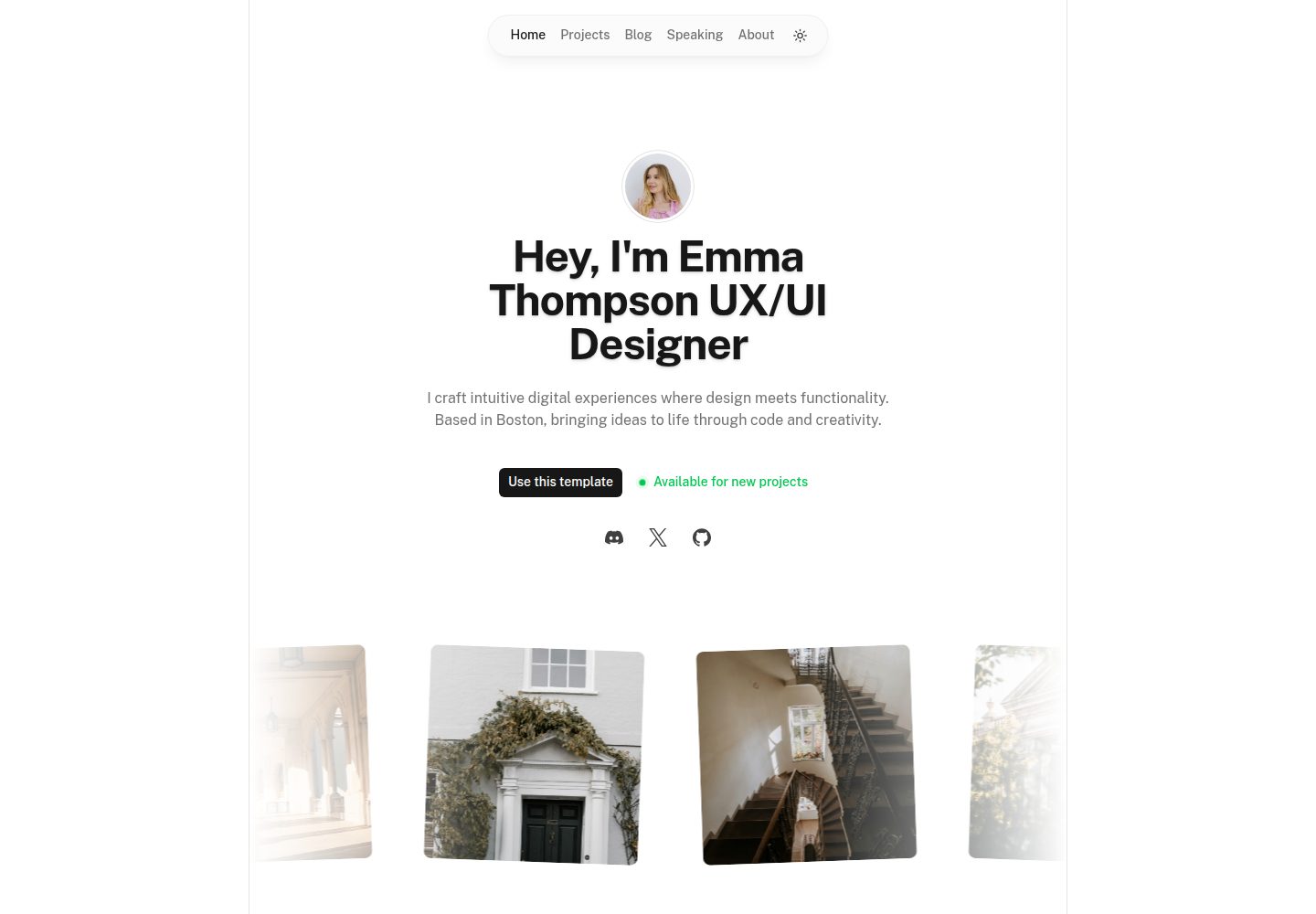
portfolio
A Nuxt portfolio template using Nuxt UI for interface components and Nuxt Content for content, intended to showcase projects, skills, and blog.
Nuxt · Portfolio

nuxt3-starter
A Nuxt 3 starter template generated by nuxi, preconfigured with UnoCSS, unplugin-icons, Pinia, and VueUse. It suits developers who need a quick Nuxt 3 project skeleton with atomic CSS and auto-import workflows, and is available under the MIT license.
Nuxt · Starter

starter
The official Nuxt starter template for Nuxt UI, based on Nuxt and Vue. It provides a runnable project skeleton, an online demo, and Nuxt UI installation documentation, with README commands for creating, installing, developing, building, and previewing.
Nuxt · Starter

bloggrify
Bloggrify is a Nuxt layer that turns Markdown files into a blog site, built on Nuxt Content with preconfigured analytics, newsletter, comments, SEO, RSS, and content components.
Nuxt · Blog
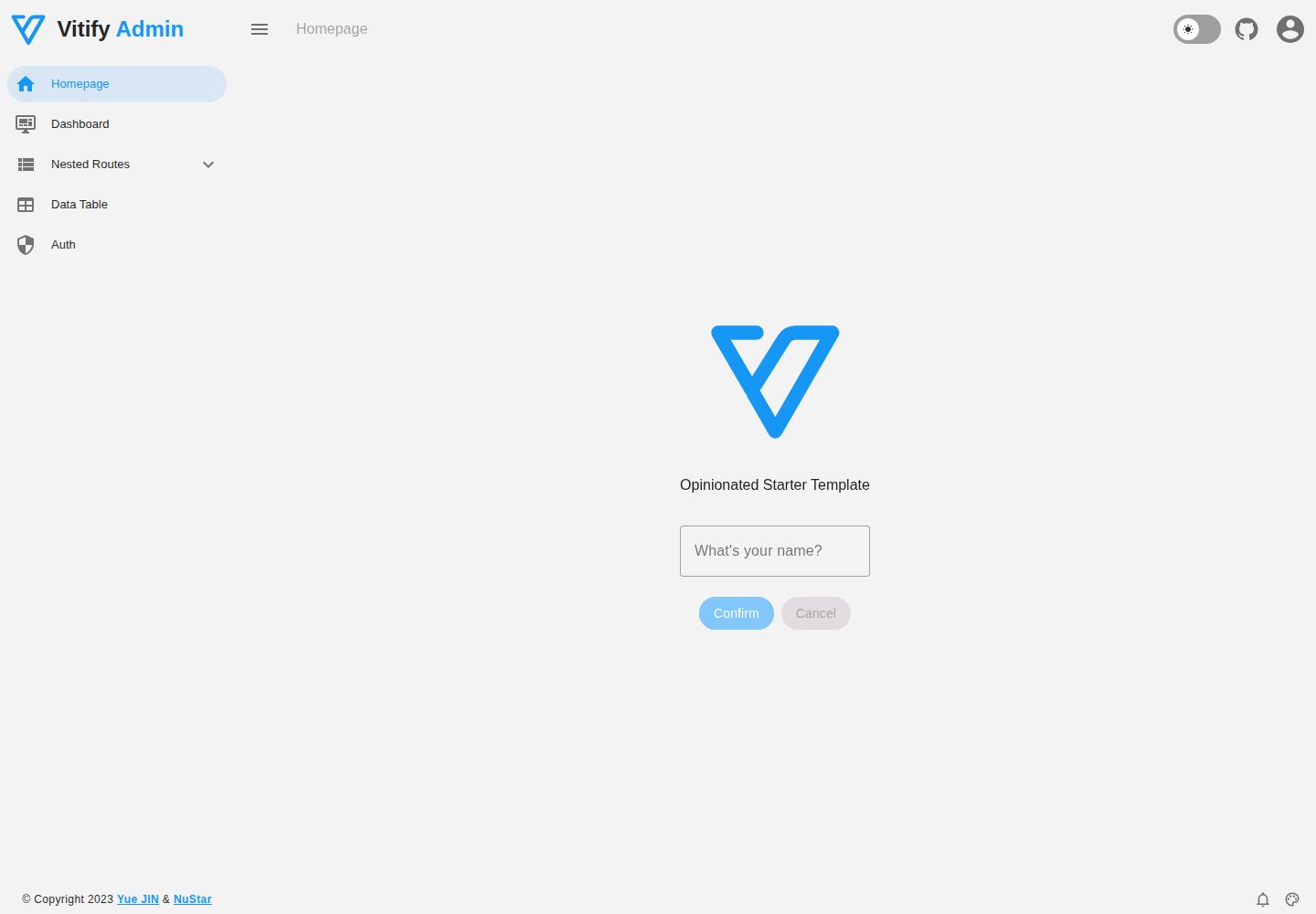
vitify-nuxt
Vitify Nuxt is an admin dashboard starter template built on Nuxt and Vuetify, featuring a drawer layout, automatic navigation and breadcrumbs, notification state, ECharts charts, theming and dark mode, and authentication via nuxt-auth-utils.
Nuxt · Admin dashboard