Uses Eleventy as the static site generator, with Nunjucks templates and Markdown content
EleventyStarter
teatime-starter — Eleventy Starter Template
By alanmosely
teatime-starter is an Eleventy-based static site starter that uses Tailwind CSS and Alpine.js and can be deployed to Netlify or Firebase Hosting.
Explore the design
Compare the page layouts and mobile experience. Open any screenshot for a closer look.
Desktop homepage1 / 2
Desktop captureTop of page
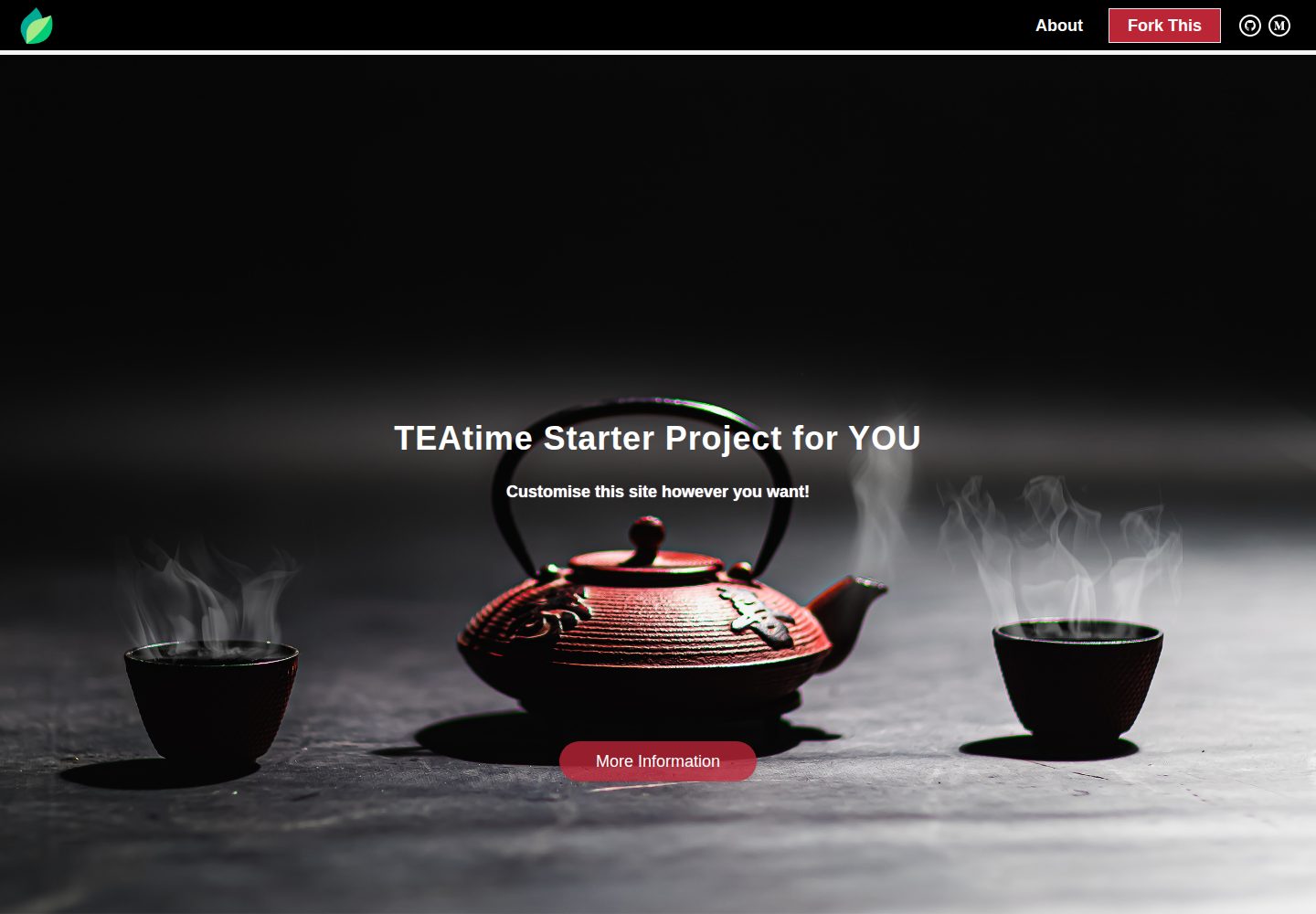
Actual screenshot captured by the server browser.
All pages & views 2
Screenshots show visual appearance; interactive behavior may differ.
Recorded 2026-09-30View source
What stands out
A quick read of the recorded project description.
Integrates Tailwind CSS and Alpine.js, and demonstrates native CSS and native JS approaches
Built-in basic SEO configuration: Front Matter, Google Analytics, Facebook Pixel, dynamic sitemap.xml, and robots.txt
Provides a custom 404 page and processes images via the Eleventy Image Plugin
Provides deployment configuration for both Netlify and Firebase Hosting
Includes AGENTS.md and CLAUDE.md documenting conventions and commands for AI coding agents
Template Details
teatime-starter is an Eleventy starter project maintained by alanmosely and licensed under MIT. It combines Eleventy, Tailwind CSS, and Alpine.js for building static websites. The template uses Nunjucks as its templating language and supports Markdown content and custom attributes. The project includes basic SEO-related configuration, including HTML tags generated from Front Matter, Google Analytics and Facebook Pixel integration, a dynamic sitemap.xml and robots.txt, and a custom 404 page. The build pipeline includes PostCSS, Lightning CSS, and html-minifier-terser, and uses the Eleventy Image Plugin for image processing.
The project structure is clear: eleventy.config.js handles Eleventy configuration, netlify.toml and firebase.json correspond to deployment settings for Netlify and Firebase Hosting respectively, and the src directory contains _data, _includes, _layouts, css, static, and page files. The build outputs to the public directory, which is git-ignored. The README notes that the repository has been updated to Eleventy 3, Tailwind CSS 4, and Node 24, and states that Node.js 22 or newer is required.
Regarding usage limitations: the README mentions Firebase integration; before enabling related dynamic features, you need to configure it yourself and verify Firebase quotas and billing. Third-party assets such as demo images, fonts, and icons must be checked against their respective licenses and cannot be judged solely by the code's MIT license. External services such as domains, hosting, databases, payments, or AI may incur separate charges.
EleventyStarter
Is it right for your project?
Use Cases
- Quickly building a static website using Eleventy, Tailwind CSS, and Alpine.js
- Wanting to deploy directly with Netlify or Firebase Hosting as the hosting platform
- Needing a starting project that includes basic SEO, a 404 page, and image optimization configuration
- Wanting to reference Tailwind CSS 4's CSS-first configuration and Eleventy plugins, filters, and shortcodes
Suitable For
- Front-end developers familiar with or willing to learn Eleventy and Nunjucks
- Individuals or teams that need a static site starter and will configure hosting and third-party services themselves
- Projects that want to build lightweight pages using Tailwind CSS and Alpine.js
Getting started & customization
Use these recorded setup notes alongside the repository instructions for your chosen version.
- 1
Requires Node.js 22 or newer; can be installed using nvm or nvm-windows
- 2
After cloning the repository, run npm i to install dependencies
- 3
Configure the domain, site name, social links, and Facebook Pixel, etc., in env.js and site.json under src/_data
- 4
Theme colors and the hero background image are defined in the @theme block in src/_includes/css/_page.css
- 5
Run npm run start locally; by default access http://localhost:8080; before deploying to Firebase, set the project id in .firebaserc and log in
License & source material
Usage conditions & limitations
Free to use · keep license noticeThis entry covers the free version in the public repository under the MIT license; the free scope is the code of this version and does not mean that external services or third-party assets are free.
Must comply with when using
- Allows free use, modification, commercial use, and distribution of this version's code.
- When distributing copies or substantial portions of the code, retain the original author's copyright notice and the full MIT license notice.
- The code is provided as is; warranties and limitations of liability are governed by the original license and applicable law.
Additional costs & items to verify
- Deploying to Firebase Hosting requires your own Firebase account, setting the project id in .firebaserc, and logging in to firebase-tools; Firebase services may incur charges.
- Enabling Google Analytics and Facebook Pixel requires registering the corresponding accounts and configuring tracking ids; these are external services.
- Using Netlify one-click deployment requires having and logging into a Netlify account; hosting services may incur separate charges.
- The README mentions Firebase integration; before enabling related dynamic features, you need to configure it yourself and verify Firebase quotas and billing.
- Demo images, fonts, icons, and other third-party assets must be checked against their respective licenses and cannot be judged solely by the code's MIT license.
- External services such as domains, hosting, databases, payments, or AI may incur separate charges.
View Original Text Basis
Permission is hereby granted, free of charge
Original License Text
set your project id in `.firebaserc`, sign in once with `npx firebase-tools login`
Original README
[Google Analytics](https://analytics.google.com) and [Facebook Pixel](https://www.facebook.com/business/learn/facebook-ads-pixel) integration
Original README
https://github.com/alanmosely/teatime-starter/blob/master/LICENSEhttps://github.com/alanmosely/teatime-starter/blob/master/README.mdIf you have a [Netlify](https://netlify.com) account and are logged in
Original README
Compiled by DeepSeek based on repository license and README ·2026-10-01. Results only cover the materials read; dependencies, images, fonts, and subsequent term changes are subject to their respective original texts.
Project checks & description sources
Template Information
- Source platforms
- GitHub
- Documentation and maintenance reference score
- More documented · 83 / 100
- Technologies
- Eleventy
- Website type
- Starter
How this score is calculated
Our heuristic uses license records (up to 30), a demo link (12), a preview (10), stars (15), recorded maintenance (15), description completeness (8), feature records (5) and classification data (5). It is not a code, security or performance test, or a Google score. A link does not establish tested functionality.
What to verify for this project
- Repository update recorded
- 2026-09-16
- Screenshot last checked
- 2026-10-01
A demo link is listed. Check it with your own content and viewport sizes; its presence does not confirm that forms, authentication or payments work.
The catalog identifies Eleventy as the primary stack. Check the actual dependency manifest and lockfile for versions and hosting requirements. These notes use recorded metadata, not a code audit or a deployment test.
Use a selection guide →How this description was prepared
AI-assisted description based on catalog records and repository material. Repository authors are not automatically the reviewers of this description.
Automatically checked against source and license rules; no manual editorial review.
Inspect the recorded source material
SHA-256: 3bdba299159af933f3ed22ee8c3b048f4a54861ff4c264ec2edb518fbc771dda
2026-10-01T15:01:58.244Z
Source file / repository# 🍵 The TEAtime Starter Project
> [This Medium story](https://medium.com/geekculture/build-and-host-the-low-code-website-you-always-wanted-734f43c25874) is a complete guide on how to build and host the low-code website you’ve always wanted, for free, in a day
>
> _The story covers the original 2022 stack; this repo has since been modernised to Eleventy 3, Tailwind CSS 4 and Node 24 — the concepts in the story still apply, but some configuration details differ_
## Demo
https://teatime-starter.netlify.app
[](https://app.netlify.com/sites/teatime-starter/deploys)
[](https://teatime-starter.netlify.app)
## Deploy your own
### Netlify
If you have a [Netlify](https://netlify.com) account and are logged in, you can deploy this site in under a minute:
<a href="https://app.netlify.com/start/deploy?repository=https://github.com/alanmosely/teatime-starter"><img src="https://www.netlify.com/img/deploy/button.svg" alt="Deploy to Netlify"></a>
### Firebase Hosting
The project also ships ready for [Firebase Hosting](https://firebase.google.com/docs/hosting): set your project id in `.firebaserc`, sign in once with `npx firebase-tools login`, then:
```
npm run deploy
```
## Ingredients
- [**T**ailwind CSS](https://tailwindcss.com) v4, including CSS-first configuration and optimisation ('vanilla' CSS is also demonstrated)
- [**E**leventy](https://www.11ty.dev), including plugins, filters and shortcodes
- [**A**lpine.js](https://alpinejs.dev), including basic animation with CSS ('vanilla' JS is also demonstrated)
- [Nunjucks](https://mozilla.github.io/nunjucks) templates
- [Markdown](https://www.markdownguide.org), including custom attributes
- Custom 404 'Page not found' page
- AI-agent friendly: conventions and commands are documented in [AGENTS.md](AGENTS.md) (picked up by Codex and most coding agents, and by Claude Code via [CLAUDE.md](CLAUDE.md))
- Basic SEO:
- HTML tags with [Front Matter](https://www.11ty.dev/docs/data-frontmatter)
- [Google Analytics](https://analytics.google.com) and [Facebook Pixel](https://www.facebook.com/business/learn/facebook-ads-pixel) integration
- Performance optimisation with [postcss](https://postcss.org), [Lightning CSS](https://lightningcss.dev) (built into Tailwind v4) and [html-minifier-terser](https://www.npmjs.com/package/html-minifier-terser)
- Image optimisation with the [Eleventy Image Plugin](https://www.11ty.dev/docs/plugins/image)
- Dynamic sitemap.xml and robots.txt
## Project structure
```
├── eleventy.config.js # Eleventy config: plugins, shortcodes, transforms
├── netlify.toml # Netlify build settings (Node version, publish dir)
├── firebase.json # Firebase Hosting settings
└── src/
├── _data/ # Global data: site.json (site metadata), env.js (URLs, tracking ids)
├── _includes/ # Partials: navbar, footer, head, js, page content
│ └── css/_page.css # Tailwind entry: @theme block with colours & hero images
├── _layouts/ # base.njk and page.njk layouts
├── css/page.11ty.js # Compiles the CSS with PostCSS + Tailwind at build time
├── static/ # Copied verbatim to the site root (images, favicons)
└── *.njk / *.md # Pages: index, credits, 404, sitemap, robots
```
The build output goes to `public/` (git-ignored — never edit it directly).
## Getting started
### Install Node.js
Use `nvm` or `nvm-windows` to install the latest LTS version of `Node.js, npm and npx` (Node.js 22 or newer is required): https://docs.npmjs.com/downloading-and-installing-node-js-and-npm
### Clone the repository
```
git clone https://github.com/alanmosely/teatime-starter.git
```
### Install the dependencies
```
npm i
```
### Optionally customise the site
Configure your domain name, website name, social media links, facebook pixel and more in the `env.js` and `site.json` files in the `src/_data` directory
Theme colours and the hero background images are defined in the `@theme` block in `src/_includes/css/_page.css` ([Tailwind CSS v4 CSS-first configuration](https://tailwindcss.com/docs/theme))
### Run the website locally
```
npm run start
```
### Browse the local website
Open http://localhost:8080 in a browser of your choice
## Scripts
| Command | What it does |
| --- | --- |
| `npm start` | Serve the site locally with live reload (dev URLs) |
| `npm run build` | Clean and build with dev URLs |
| `npm run build:prod` | Build with production URLs (used by Netlify) |
| `npm run clean` | Delete the `public` output directory |
| `npm run deploy` | Build for production and deploy to Firebase Hosting |
## License
[MIT](LICENSE)
Explore similar templates
Compare previews and descriptions within the same stack and category.

eleventy-base-blog
The officially maintained Eleventy blog starter template, MIT licensed, includes posts, tag pages, archives, an about page, a 404 page, an Atom feed, and sitemap.xml, with per-page CSS bundling, syntax highlighting, and image optimization.
Eleventy · Blog

eleventy-garden
An Eleventy-based digital garden starter template for building a personal knowledge site organized through hyperlinks. It supports Roam-style double-bracket links, backlink display, and hover cards for backlinks.
Eleventy · Starter

eleventastic
Eleventastic is an Eleventy starter kit by Max Böck, used as the base for new 11ty projects. It integrates Sass, Webpack, SVG icon sprites, critical CSS, and HTML minification into the 11ty build without external steps.
Eleventy · Starter

neat-starter
An Eleventy-based static site starter template integrating Netlify CMS, Alpine.js, and Tailwind CSS. It provides a ready-to-run example site, a one-click Netlify deploy button, and an MIT-licensed codebase.
Eleventy · Starter

Eleventy-Starter-Boilerplate
An Eleventy-based blog starter template with Tailwind CSS, Webpack, PostCSS, ESLint, and Prettier, optional Netlify CMS, and built-in SEO metadata, sitemap, and 404 page.
Eleventy · Blog

eleventy-plus-vite
A static site starter combining Eleventy and Vite, with a live-reloading development server, Vite-based production post-processing, a PostCSS pipeline with Autoprefixer and cssnano, critical CSS inlining and asynchronous CSS loading, a web font loading strategy example, fluid typography, basic dark mode, an…
Eleventy · Starter