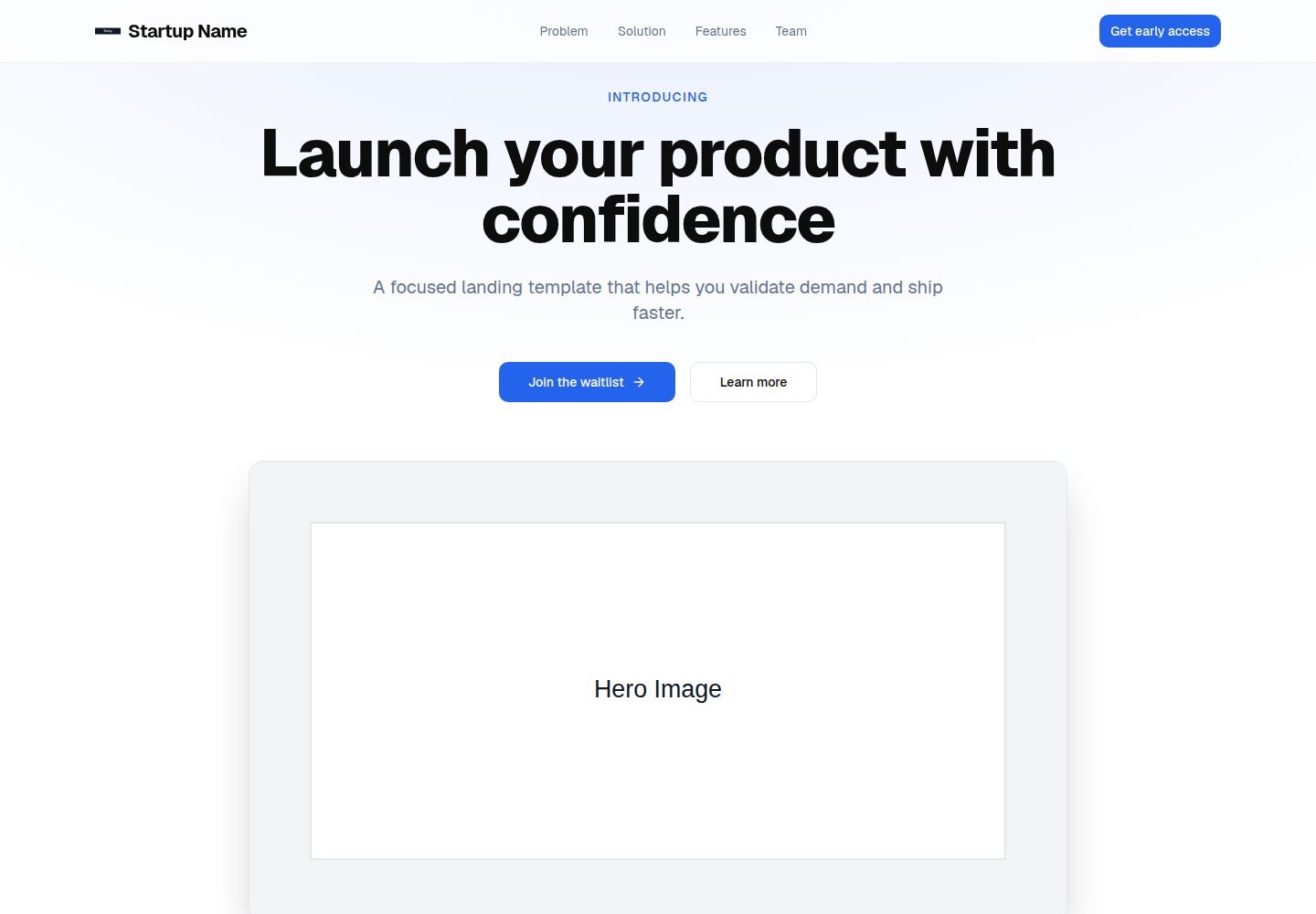
Includes landing page sections such as Hero, problem, solution, features, social proof, and team, which can be toggled per section in config/site.ts
Next.jsReactSaaSCorporate Website
startup-landing — Next.js SaaS Template
By Alessandro624
A Next.js landing page template for early-stage startup teams, including Hero, features, social proof, team sections, and a waitlist form with validation.
Explore the design
Compare the page layouts and mobile experience. Open any screenshot for a closer look.
Desktop homepage1 / 2
Desktop captureTop of page
Actual screenshot captured by the server browser.
All pages & views 2
Screenshots show visual appearance; interactive behavior may differ.
Recorded 2026-10-02View source
What stands out
A quick read of the recorded project description.
The waitlist form uses Zod validation on both frontend and backend; the backend route integrates Supabase storage and Resend notifications, and uses Upstash Redis for rate limiting
Built-in SEO metadata, Open Graph, Twitter cards, sitemap, and robots configuration
Security response headers including CSP are set via proxy.ts
Copy, brand configuration, brand color, and static assets are centralized in data/content.ts, config/site.ts, globals.css, and the public/ directory respectively
Template Details
This is a startup landing page template built on the Next.js App Router, with the repository under the MIT license. The page structure covers common sections such as Hero and CTA, problem and solution, features, social proof, and team, and each section can be enabled or disabled individually via the sections toggle in config/site.ts. Copy is centralized in data/content.ts, while the brand name, URL, email, social accounts, etc. are configured in config/site.ts. The brand primary color is adjusted via --primary in styles/globals.css, and static assets such as images are placed in the public/ directory.
The waitlist form is the most fully featured part of the template: the frontend uses React Hook Form with Zod validation, the backend /api/waitlist also validates input with Zod, and integration points are reserved for Supabase storage and Resend email notifications. The API route uses Upstash Redis for rate limiting. The repository provides supabase/schema.sql, which must be executed in the Supabase SQL editor to create the table.
The template also includes SEO metadata, Open Graph, Twitter cards, sitemap and robots, as well as security response headers (including CSP) set via proxy.ts; animations use Framer Motion, icons use Lucide React, and the font is Geist. Before use, all [PLACEHOLDER] content must be replaced; the full checklist is in PLACEHOLDERS.md. siteConfig.url must be a valid URL, otherwise the build will fail. The waitlist API requires environment variables for Supabase, Resend, and Upstash, and the analytics scripts are optional.
Next.jsSaaSCorporate website
Is it right for your project?
Use Cases
- Build an introduction page for an early-stage startup product and collect waitlist emails
- Provide a starting structure for marketing landing pages that need quick replacement of copy and brand configuration
- Reference a form API implementation with validation, rate limiting, and email notifications in a Next.js project
Suitable For
- Early-stage startup teams and independent developers
- Agencies or freelancers building landing pages for startups
- Product marketing teams that need editable, clearly structured landing page code
Getting started & customization
Use these recorded setup notes alongside the repository instructions for your chosen version.
- 1
Run npm install to install dependencies, copy .env.example to .env.local, and fill in the environment variables
- 2
The waitlist API requires SUPABASE_URL, SUPABASE_SERVICE_ROLE_KEY, RESEND_API_KEY, RESEND_FROM_EMAIL, RESEND_NOTIFY_EMAIL, UPSTASH_REDIS_REST_URL, and UPSTASH_REDIS_REST_TOKEN to be configured
- 3
Execute supabase/schema.sql in the Supabase SQL editor to create the table
- 4
Replace all [PLACEHOLDER] content and ensure siteConfig.url in config/site.ts is a valid URL, otherwise the build will fail
- 5
Analytics scripts are optional; set NEXT_PUBLIC_GA_ID, NEXT_PUBLIC_POSTHOG_KEY, or NEXT_PUBLIC_META_PIXEL_ID as needed
License & source material
Usage conditions & limitations
Free to use · keep license noticeThis entry covers the free version under the MIT license in the public repository; the free scope is the code of this version and does not mean that external services or third-party assets are free.
Must comply with when using
- Free use, modification, commercial use, and distribution of this version's code are permitted.
- When distributing copies or substantial portions of the code, retain the original author's copyright notice and the full MIT license notice.
- The code is provided as is; warranties and limitations of liability are governed by the original license and applicable law.
Additional costs & items to verify
- The waitlist API is an optional feature; if enabled, you must configure your own accounts and API keys for Supabase, Resend, and Upstash Redis (SUPABASE_URL, SUPABASE_SERVICE_ROLE_KEY, RESEND_API_KEY, UPSTASH_REDIS_REST_URL, etc.), all of which are external services with paid or limited free tiers.
- The waitlist form does not connect to any database or email service by default; you must integrate external services such as Supabase and Resend yourself and bear their account and cost requirements.
- Before using waitlist storage, you must manually execute the table creation SQL in Supabase, which depends on the external Supabase service.
- The one-click deploy button must be replaced with your own repository address, and deploying to Vercel requires your own Vercel account.
- Before use, all [PLACEHOLDER] content (brand, copy, images, etc.) must be replaced, otherwise the page remains in a placeholder state.
- siteConfig.url must be a valid URL, otherwise the build will fail.
- Analytics scripts (Google Analytics, PostHog, Meta Pixel) are optional; enabling them requires applying for the corresponding third-party accounts and keys yourself.
- Demo images, fonts, icons, and other third-party assets must be checked against their respective licenses and cannot be judged solely by the code's MIT license.
- External services such as domains, hosting, databases, payments, or AI may incur additional charges.
View Original Text Basis
Permission is hereby granted, free of charge
Original License Text
Required for the waitlist API:
Original README
Connect your database or email provider (Resend, Loops, etc.).
Original README
Run the SQL in `supabase/schema.sql` inside the Supabase SQL editor.
Original README
Replace `<YOUR_REPO_URL>` with your GitHub repo URL to enable 1-click deploy.
Original README
All placeholders use the `[PLACEHOLDER]` format.
Original README
`siteConfig.url` must be a valid URL or the build will fail.
Original README
https://github.com/Alessandro624/startup-landing/blob/main/LICENSEhttps://github.com/Alessandro624/startup-landing/blob/main/README.mdSet any of these env vars to enable their scripts in `app/layout.tsx`:
Original README
Compiled by DeepSeek based on repository license and README ·2026-10-02. Results only cover the materials read; dependencies, images, fonts, and subsequent term changes are subject to their respective original texts.
Project checks & description sources
Template Information
- Source platforms
- GitHub
- Documentation and maintenance reference score
- More documented · 85 / 100
- Technologies
- Next.js · React
- Website type
- SaaS · Corporate Website
How this score is calculated
Our heuristic uses license records (up to 30), a demo link (12), a preview (10), stars (15), recorded maintenance (15), description completeness (8), feature records (5) and classification data (5). It is not a code, security or performance test, or a Google score. A link does not establish tested functionality.
What to verify for this project
- Repository update recorded
- 2026-05-12
- Screenshot last checked
- 2026-10-02
A demo link is listed. Check it with your own content and viewport sizes; its presence does not confirm that forms, authentication or payments work.
The catalog identifies Next.js as the primary stack. Check the actual dependency manifest and lockfile for versions and hosting requirements. These notes use recorded metadata, not a code audit or a deployment test.
Use a selection guide →How this description was prepared
AI-assisted description based on catalog records and repository material. Repository authors are not automatically the reviewers of this description.
Automatically checked against source and license rules; no manual editorial review.
Inspect the recorded source material
SHA-256: c7afbdf6dbf6280722a4fb0584b52fb191ace6c4814f544328c0b2401b635b23
2026-10-02T06:55:44.542Z
Source file / repository# Startup Landing - Next.js Template A clean landing page template for startups. Replace placeholders, deploy, done.      --- ## Who this is for - Early-stage founders and teams - Agencies and freelancers building startup landing pages - Product marketing teams that need a fast, editable site --- ## What you get - Hero with CTA - Problem, solution, features, social proof, team - Waitlist form with client and server validation - Supabase storage and Resend notification hooks - Rate limiting on API routes (Upstash) - SEO metadata, Open Graph, Twitter card, sitemap, robots - Security headers with CSP - Framer Motion animations --- ## Tech stack | Layer | Tech | | --- | --- | | Framework | Next.js 16 (App Router) | | Language | TypeScript (strict) | | Styling | Tailwind CSS + CSS variables | | UI | shadcn/ui primitives (Button, Input) | | Animations | Framer Motion | | Icons | Lucide React | | Validation | Zod + React Hook Form | | Data | Supabase | | Email | Resend | | Rate limiting | Upstash Redis | | Fonts | Geist (Vercel) | | Deployment | Vercel | --- ## Demo (Vercel) [](https://vercel.com/new/clone?repository-url=<YOUR_REPO_URL>) Replace `<YOUR_REPO_URL>` with your GitHub repo URL to enable 1-click deploy. --- ## Quick start ```bash # 1. Install npm install # 2. Guided setup (optional) npm run setup # 3. Configure env cp .env.example .env.local # 4. Dev server npm run dev # 5. Type check npm run type-check # 6. Production build npm run build ``` --- ## Replace placeholders (required) All placeholders use the `[PLACEHOLDER]` format. Full list: PLACEHOLDERS.md. 1. **Brand and SEO** - `config/site.ts` -> name, URL, email, socials, analytics - `app/layout.tsx` -> SEO keywords - `app/robots.ts` and `app/sitemap.ts` -> use `siteConfig.url` 2. **Copy** - `data/content.ts` -> text, stats, proof, team 3. **Brand color** - `styles/globals.css` -> update `--primary` 4. **Assets** - `public/` -> logo, hero image, team photos, partner logos, OG image Important: `siteConfig.url` must be a valid URL or the build will fail. --- ## Section toggles Enable or disable sections in `config/site.ts` under `sections`. --- ## Analytics (optional) Set any of these env vars to enable their scripts in `app/layout.tsx`: - `NEXT_PUBLIC_GA_ID` - `NEXT_PUBLIC_POSTHOG_KEY` - `NEXT_PUBLIC_META_PIXEL_ID` --- ## Waitlist API `POST /api/waitlist` validates input with Zod. Connect your database or email provider (Resend, Loops, etc.). ## Supabase schema Run the SQL in `supabase/schema.sql` inside the Supabase SQL editor. --- ## Env vars Required for the waitlist API: - `SUPABASE_URL` - `SUPABASE_SERVICE_ROLE_KEY` - `RESEND_API_KEY` - `RESEND_FROM_EMAIL` - `RESEND_NOTIFY_EMAIL` - `UPSTASH_REDIS_REST_URL` - `UPSTASH_REDIS_REST_TOKEN` Optional analytics: - `NEXT_PUBLIC_GA_ID` - `NEXT_PUBLIC_POSTHOG_KEY` - `NEXT_PUBLIC_META_PIXEL_ID` Server-side env vars must not use the `NEXT_PUBLIC` prefix. --- ## Project structure ```text /app -> Pages and API routes /components/layout -> Navbar, Footer /components/sections -> Landing sections /components/ui -> UI primitives /config/site.ts -> Global config /data/content.ts -> All copy /lib/validations.ts -> Zod schemas /styles/globals.css -> Design tokens /supabase/schema.sql -> Supabase table schema llm.txt -> Project summary for LLM tools proxy.ts -> Security headers ```
Explore similar templates
Compare previews and descriptions within the same stack and category.

Next.js SaaS Starter
The official Next.js SaaS starter template, integrating email/password authentication, Stripe Checkout subscriptions, a dashboard with user/team CRUD, basic Owner/Member RBAC, and activity logging.
Next.js · SaaS

SaaS-Boilerplate
SaaS-Boilerplate is an open-source SaaS starter template built with Next.js App Router, React 19, TypeScript, Tailwind CSS, and Shadcn UI.
Next.js · SaaS

create-t3-turbo
A full-stack TypeScript monorepo starter from T3 OSS, listed in the Vercel template directory. It splits apps for Next.js, Expo and optional TanStack Start, with shared packages for tRPC v11, better-auth, Drizzle + Supabase and shadcn/ui.
Next.js · Starter

saas-starter-kit
BoxyHQ's open-source Next.js enterprise SaaS starter template provides a reusable foundation with authentication, team management, SAML SSO, directory sync, webhooks, audit logs, and Stripe payments.
Next.js · SaaS
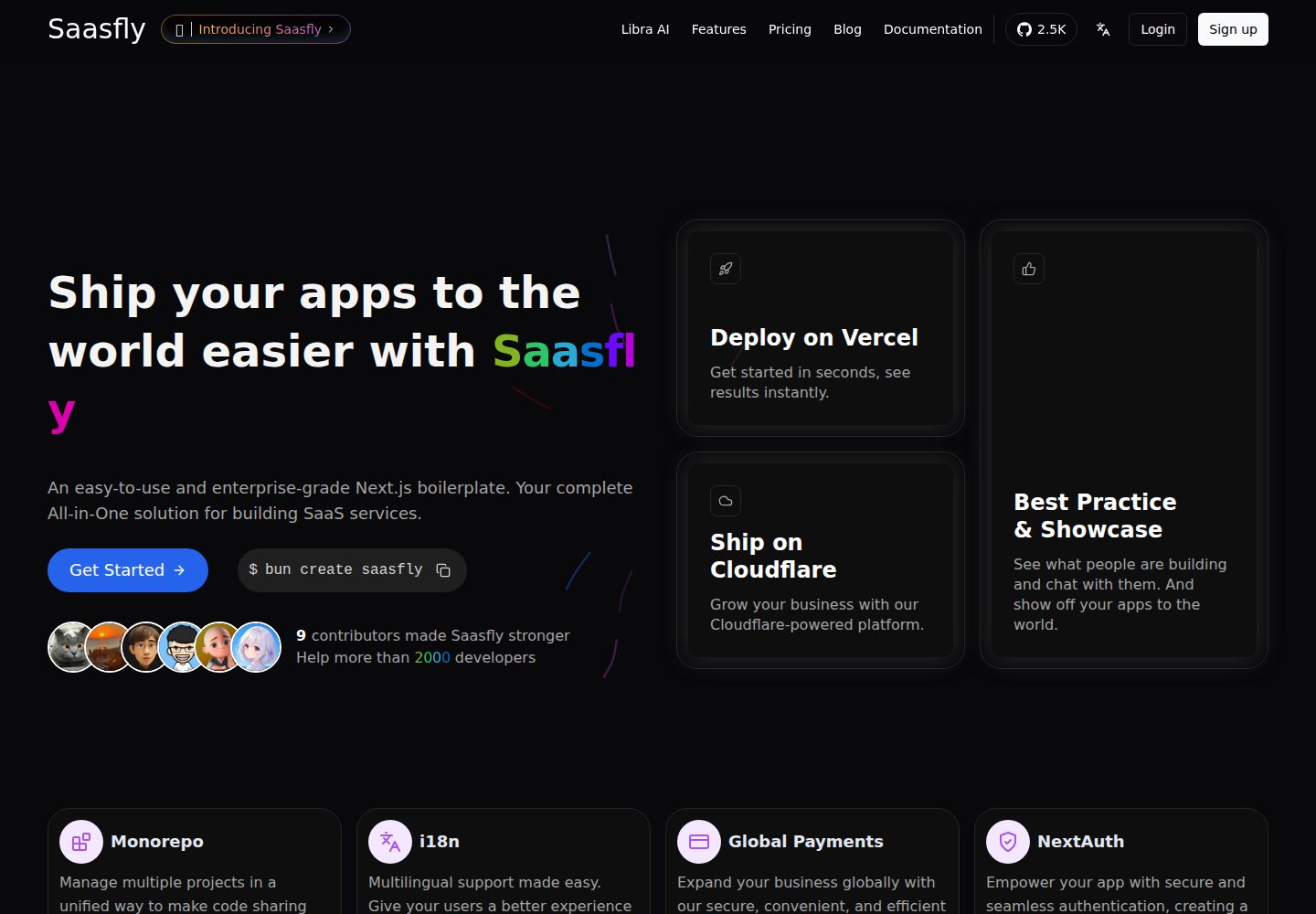
saasfly
Saasfly is an MIT-licensed Next.js SaaS starter template with built-in Clerk authentication, Stripe payment, PostgreSQL, Resend email, internationalization, SEO, tRPC, and Zustand. It is created via `bun create saasfly` and deployable on Vercel.
Next.js · SaaS

Next-JS-Landing-Page-Starter-Template
A free Next.js landing page starter template written in Tailwind CSS and TypeScript, featuring built-in navbar, hero, features, CTA banner, and footer sections.
Next.js · Corporate Website