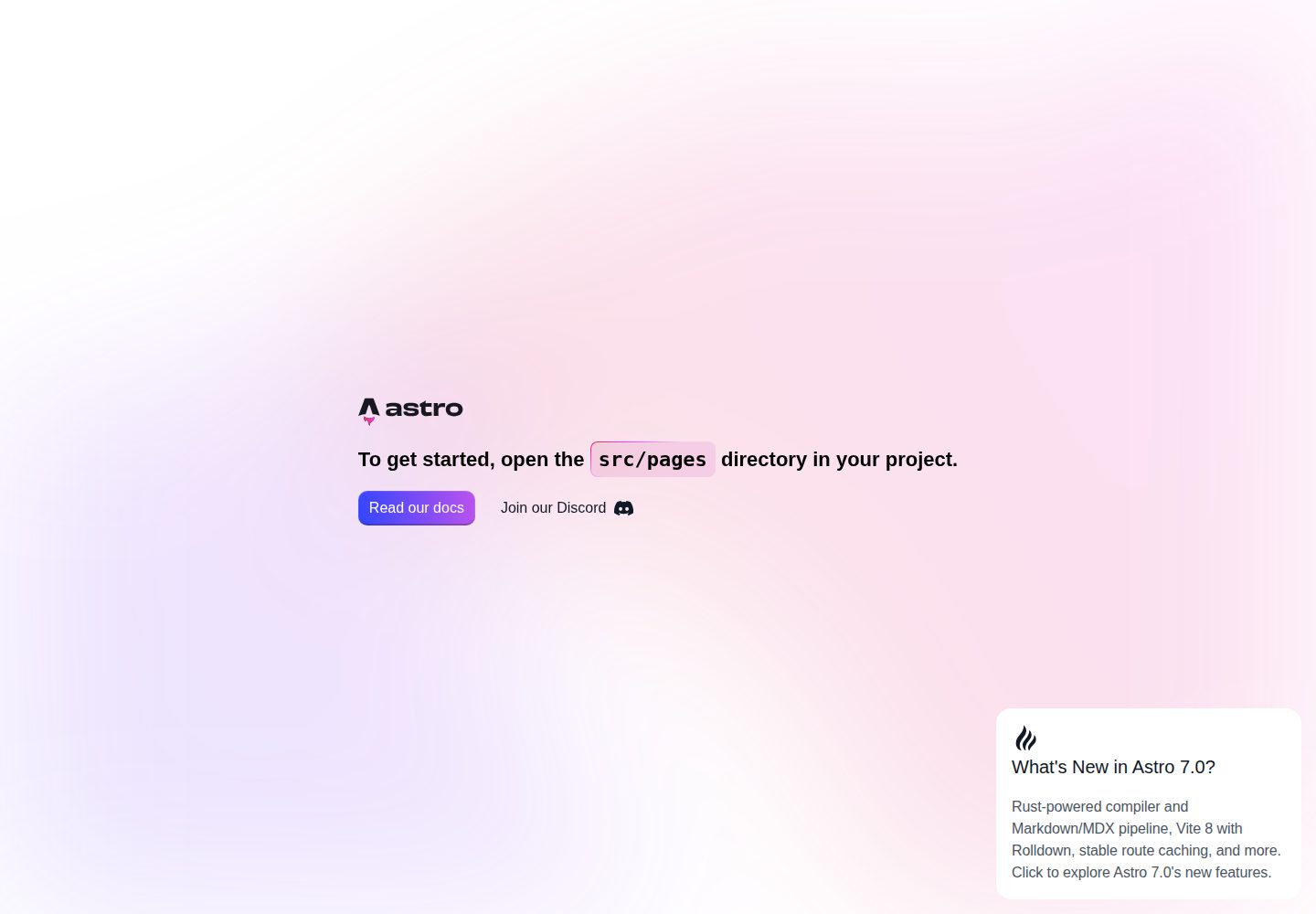
Centrally configure SEO meta tags such as title, description, keywords, and author in Layout.astro
AstroStarter
astro-starter — Astro Starter Template
By alipiry
An Astro-based starter template with built-in SEO meta tags, OpenGraph and Twitter Cards configuration, and a development toolchain integrating ESLint, Prettier, TypeScript, Husky, and GitHub Actions.
Explore the design
Compare the page layouts and mobile experience. Open any screenshot for a closer look.
Desktop homepage1 / 2
Desktop captureTop of page
Actual screenshot captured by the server browser.
All pages & views 2
Screenshots show visual appearance; interactive behavior may differ.
Recorded 2026-10-02View source
What stands out
A quick read of the recorded project description.
Built-in OpenGraph and Twitter Cards social sharing metadata, with an og.png share image provided
Automatically generate sitemap and robots.txt via @astrojs/sitemap and astro-robots-txt
Integrate ESLint, Prettier, TypeScript, and corresponding Astro plugins
Use Husky, lint-staged, and commitlint to run type checks, code fixes, and format validation before commits
Provide two GitHub Actions workflows: quality.yml and build.yml
Template Details
This is a starter template for Astro projects, focusing on SEO and development workflow configuration. The template centrally handles meta tags such as title, description, keywords, and author in Layout.astro, configures OpenGraph and Twitter Cards for social previews, and generates sitemap and robots.txt via @astrojs/sitemap and astro-robots-txt. The project structure is divided into assets, components, layouts, and pages, with the public directory providing multi-platform favicons and an og.png social share image.
For development tools, the template integrates ESLint (with Astro plugin), Prettier (with Astro formatting), TypeScript type checking, and uses Husky, lint-staged, and commitlint to run type checks, code fixes, and format validation before commits, with commit messages following Conventional Commits. The repository includes two GitHub Actions workflows, quality.yml and build.yml, responsible for code quality checks and build verification respectively.
Usage limitations: The template itself is a static site starter and does not include backend, database, or authentication capabilities; Netlify, Cloudflare Workers, and GitHub Pages mentioned in the README are deployment options that require separate configuration. Third-party assets such as demo images, fonts, and icons must be checked against their respective licenses, and the MIT license only covers the code of this version.
AstroStarter
Is it right for your project?
Use Cases
- Quickly configure SEO meta tags and social share previews for an Astro site
- Use ESLint, Prettier, TypeScript, and Git hooks directly in a new project
- Static sites that need automatically generated sitemap and robots.txt
- Continuously check code quality and builds via GitHub Actions
Suitable For
- Developers building static sites with Astro
- Projects that value SEO metadata and social sharing configuration
- Teams looking to standardize code linting, formatting, and commit conventions
- Projects that need to manage dependencies with pnpm and integrate GitHub Actions
Getting started & customization
Use these recorded setup notes alongside the repository instructions for your chosen version.
- 1
Install dependencies with pnpm install; Git hooks are installed automatically via the prepare script
- 2
Copy .env.example to .env and set SITE_URL and APP_ENV
- 3
Run pnpm dev to start the local development server, default address is localhost:4321
- 4
Modify site information and social account configuration in src/layouts/Layout.astro as needed
- 5
Replace the favicon and og.png in the public directory to match the actual site
License & source material
Usage conditions & limitations
Free to use · keep license noticeThis entry covers the free version under the MIT license in a public repository; the free scope is the code of this version and does not imply that external services or third-party assets are free.
Must comply with when using
- Free use, modification, commercial use, and distribution of this version's code are permitted.
- When distributing copies or substantial portions of the code, retain the original author's copyright notice and the full MIT license notice.
- The code is provided as is; warranties and limitations of liability are governed by the original license and applicable law.
Additional costs & items to verify
- Deploying to Netlify requires registering an account and connecting the repository yourself; it is an external service, not a built-in capability of the template.
- Before use, configure the SITE_URL and APP_ENV environment variables on the deployment platform, otherwise site information may be incorrect.
- You must create the .env file and fill in environment variables yourself; the template does not provide a default usable configuration.
- Demo images, fonts, icons, and other third-party assets must be checked against their respective licenses and cannot be judged solely by the code's MIT license.
- External services such as domains, hosting, databases, payments, or AI may incur additional charges.
View Original Text Basis
Permission is hereby granted, free of charge
Original License Text
Netlify will build directly from source
Original README
Set `SITE_URL` and `APP_ENV` environment variable in Netlify dashboard
Original README
https://github.com/alipiry/astro-starter/blob/develop/LICENSEhttps://github.com/alipiry/astro-starter/blob/develop/README.mdcp .env.example .env
Original README
Compiled by DeepSeek based on repository license and README ·2026-10-02. Results only cover the materials read; dependencies, images, fonts, and subsequent term changes are subject to their respective original texts.
Project checks & description sources
Template Information
- Source platforms
- GitHub
- Documentation and maintenance reference score
- More documented · 87 / 100
- Technologies
- Astro
- Website type
- Starter
How this score is calculated
Our heuristic uses license records (up to 30), a demo link (12), a preview (10), stars (15), recorded maintenance (15), description completeness (8), feature records (5) and classification data (5). It is not a code, security or performance test, or a Google score. A link does not establish tested functionality.
What to verify for this project
- Repository update recorded
- 2026-07-05
- Screenshot last checked
- 2026-10-02
A demo link is listed. Check it with your own content and viewport sizes; its presence does not confirm that forms, authentication or payments work.
The catalog identifies Astro as the primary stack. Check the actual dependency manifest and lockfile for versions and hosting requirements. These notes use recorded metadata, not a code audit or a deployment test.
Use a selection guide →How this description was prepared
AI-assisted description based on catalog records and repository material. Repository authors are not automatically the reviewers of this description.
Automatically checked against source and license rules; no manual editorial review.
Inspect the recorded source material
SHA-256: a5e7e410edffeac6bdd083a03c53c388abfd48b95a2bad875fa805203605bea1
2026-10-02T07:16:16.752Z
Source file / repository# 🚀 Astro Starter
A modern, SEO-optimized Astro starter template with comprehensive meta tags, social media integration, and essential web development tools.
[](https://app.netlify.com/projects/astro-starter-ap/deploys)
<div align="center">
<h2>Made with ❤ by <a href="https://github.com/alipiry">Ali Piry</a></h2>
</div>
## ✨ Features
- **🎯 SEO Optimized**: Complete OpenGraph, Twitter Cards, and meta tag setup
- **🔍 Search Engine Friendly**: Automated sitemap and robots.txt generation
- **⚡ Modern Tooling**: ESLint, Prettier, and TypeScript configuration
- **🚀 CI/CD Ready**: GitHub Actions workflows for quality checks and builds
- **🎨 Clean Architecture**: Organized component structure with layouts
- **🌐 Social Media Integration**: Twitter and OpenGraph meta tags configured
- **🔧 Git Hooks**: Husky and lint-staged for automated pre-commit quality checks
## 🏗️ Project Structure
```text
/
├── .github/ # GitHub workflows and templates
│ └── workflows/ # CI/CD automation
│ ├── quality.yml # Code quality checks
│ ├── build.yml # Build verification
├── public/ # Static assets
│ ├── favicon.ico # Traditional favicon
│ ├── favicon-16x16.png # Browser favicon (16x16)
│ ├── favicon-32x32.png # Browser favicon (32x32)
│ ├── apple-touch-icon.png # iOS home screen icon
│ ├── android-chrome-*.png # Android icons (192x192, 512x512)
│ ├── og.png # OpenGraph/Twitter image
│ └── favicon.svg # SVG favicon
├── src/
│ ├── assets/ # Build-time assets
│ │ ├── astro.svg
│ │ └── background.svg
│ ├── components/ # Reusable Astro components
│ │ └── Welcome.astro
│ ├── layouts/ # Page layouts
│ │ └── Layout.astro # Main layout with SEO
│ └── pages/ # File-based routing
│ └── index.astro
├── .husky/ # Git hooks (pre-commit, commit-msg)
├── astro.config.mjs # Astro configuration
├── eslint.config.mjs # ESLint configuration
├── tsconfig.json # TypeScript configuration
├── .prettierrc.mjs # Prettier configuration
├── .prettierignore # Prettier ignore patterns
├── lint-staged.config.js # Lint-staged configuration
├── commitlint.config.js # Commit message linting rules
├── pnpm-workspace.yaml # pnpm workspace + dependency overrides
├── .env.example # Environment variables template
└── package.json
```
## 🔧 Tech Stack
- **Framework**: [Astro](https://astro.build/) - Modern static site generator
- **SEO**: [astro-seo](https://github.com/jonasmerlin/astro-seo) - Comprehensive SEO component
- **Integrations**:
- `@astrojs/sitemap` - Automatic sitemap generation
- `astro-robots-txt` - Robots.txt generation
- **Development Tools**:
- ESLint with Astro plugin
- Prettier with Astro formatting
- TypeScript support
- Husky for Git hooks
- lint-staged for pre-commit quality checks
- **Package Manager**: pnpm for fast installations
## 🚀 Quick Start
1. **Clone and install dependencies**
```bash
pnpm install
```
2. **Set up environment variables**
```bash
cp .env.example .env
```
3. **Start development server**
```bash
pnpm dev
```
4. **Open your browser**
Navigate to `http://localhost:4321`
## 📋 Available Commands
| Command | Action |
| :---------------------- | :----------------------------------------------- |
| `pnpm install` | Installs dependencies |
| `pnpm dev` | Starts local dev server at `localhost:4321` |
| `pnpm build` | Build your production site to `./dist/` |
| `pnpm preview` | Preview your build locally, before deploying |
| `pnpm run lint` | Run ESLint to check code quality |
| `pnpm run lint:fix` | Fix ESLint issues automatically |
| `pnpm run format` | Format code with Prettier |
| `pnpm run format:check` | Check if code is properly formatted |
| `pnpm run type-check` | Run Astro's TypeScript checker |
| `pnpm astro ...` | Run CLI commands like `astro add`, `astro check` |
| `pnpm astro -- --help` | Get help using the Astro CLI |
## 🪝 Git Hooks & Pre-commit Checks
This project uses **Husky**, **lint-staged**, and **commitlint** to ensure code quality before commits:
| Hook | Action |
| ------------ | -------------------------------------------------------------------- |
| `pre-commit` | lint-staged (type-check + ESLint `--fix` + Prettier on staged files) |
| `commit-msg` | commitlint |
### Automated Quality Checks
When you commit changes, the following checks run automatically:
- **Type Checking**: Astro's TypeScript checker validates all `.ts`, `.tsx`, and `.astro` files
- **Linting**: ESLint fixes code style issues automatically
- **Formatting**: Prettier formats code according to project standards
### Configuration
The pre-commit hooks are configured in `lint-staged.config.js`:
```javascript
{
"**/*.{ts,tsx,astro}": "pnpm run type-check",
"**/*.astro": ["eslint --fix", "prettier --write"],
"**/*.{ts,tsx,js,jsx}": ["eslint --fix", "prettier --write"],
"**/*.{md,json,yaml,yml,css,scss,sass}": "prettier --write"
}
```
### Setup
Git hooks are automatically installed when you run `pnpm install` via the `prepare` script. If you need to reinstall them manually:
```bash
pnpm run prepare
```
### Commit Message Format
[Conventional Commits](https://www.conventionalcommits.org/) format, enforced by commitlint on `commit-msg`:
```
type(scope): subject
```
Examples:
```
chore(deps): bump astro to v7
fix(seo): correct twitter card image ref
chore(ci): cache pnpm store in build workflow
```
**Scopes** (optional but encouraged): `deps`, `security`, `ci`, `config`, `seo`, `assets`, `root`.
**Types:** `feat`, `fix`, `docs`, `style`, `refactor`, `perf`, `test`, `chore`, `ci`, `build`, `revert`.
Max header length: 100 characters. No trailing period on subject.
## 🔧 Configuration
### Environment Variables
Create a `.env` file in the root directory:
```bash
SITE_URL=https://your-domain.com
APP_ENV=production
```
### SEO Configuration
The `Layout.astro` includes comprehensive SEO setup:
- **Meta Tags**: Title, description, keywords, author
- **OpenGraph**: Complete social media preview setup
- **Twitter Cards**: Large image cards with metadata
- **Favicons**: Full cross-platform icon support
- **Structured Data**: Basic website structured data
### Customization
1. **Update site information** in `src/layouts/Layout.astro`
2. **Modify social media handles** in the Twitter configuration
3. **Replace favicon files** in the `public/` directory
4. **Update the OpenGraph image** (`public/og.png`)
## 📦 Dependencies
### Production
- `astro` - Core framework
- `astro-seo` - SEO component library
- `@astrojs/sitemap` - Sitemap generation
- `astro-robots-txt` - Robots.txt generation
### Development
- `eslint` + `eslint-plugin-astro` - Code linting
- `prettier` + `prettier-plugin-astro` - Code formatting
- `typescript-eslint` - TypeScript linting
- `husky` - Git hooks management
- `lint-staged` - Pre-commit quality checks
- `@commitlint/cli` - Commit message linting
- Various configuration plugins
## 🌐 Deployment
This starter includes automated GitHub Actions workflows for continuous integration and deployment:
### **GitHub Workflows**
The `.github/workflows/` directory contains the following CI/CD pipelines:
- **Code Quality** (`quality.yml`): Automated code quality checks
- Runs on push/PR to main/develop branches
- TypeScript checking with `astro check`
- ESLint code linting
- Prettier formatting validation
- Security audit with `pnpm audit`
- **Build** (`build.yml`): Build verification
- Runs after Code Quality workflow completes successfully
- Uses pnpm to install dependencies and build the project
- Validates that the project compiles correctly
### **Deployment Options**
**Recommended platforms:**
- **Netlify**: Automatic builds from repository with Git integration
- **Cloudflare Workers**: Serverless deployment with global CDN
- **GitHub Pages**: Static site hosting
- **Any static hosting provider**
### **Setup Instructions**
1. **GitHub Actions** run automatically on push/PR:
- Quality checks must pass before builds run
- Failed quality checks prevent unnecessary builds
2. **For Netlify deployment**:
- Connect repository to Netlify
- Set `SITE_URL` and `APP_ENV` environment variable in Netlify dashboard
- Netlify will build directly from source
## 📚 Learn More
- [Astro Documentation](https://docs.astro.build)
- [Astro Discord Community](https://astro.build/chat)
- [SEO Best Practices](https://docs.astro.build/en/guides/content/#seo)
## License
This project is licensed under the MIT License. See the [LICENSE](LICENSE) file for details.
Explore similar templates
Compare previews and descriptions within the same stack and category.

astrowind
AstroWind is a free, open-source Astro starter theme using Astro and Tailwind CSS, released under the MIT license.
Astro · Blog
accessible-astro-starter
An accessibility-focused Astro 6 starter template with WCAG 2.2 AA practices, Tailwind CSS 4, TypeScript, Prettier, ESLint, form validation, blog and portfolio examples, and preference toggles for dark mode, high contrast, and reduced motion.
Astro · Blog

astro-erudite
astro-erudite is an opinionated, unstyled static blog template built with Astro and native CSS, with no UI or CSS framework and minimal dependencies.
Astro · Portfolio

astro-shopify
A lightweight Shopify headless ecommerce starter template built with Astro and Svelte, integrating the Shopify Storefront API for product and inventory data, with built-in cart state management and basic add-to-cart and checkout flow.
Astro · E-commerce

brutal
Brutal is a neobrutalism Astro starter theme from ElianCodes, derived from the author's personal site and generalized. It includes a Markdown blog collection, build-time RSS and sitemap, image optimization, Tailwind CSS styling, and Biome checks, with no JavaScript by default.
Astro · Starter

qwind
Qwind is a free and open-source website template built on Qwik and Tailwind CSS, featuring directory-based routing via QwikCity, a Markdown blog, dark mode, and static deployment configuration.
Astro · Tool Site