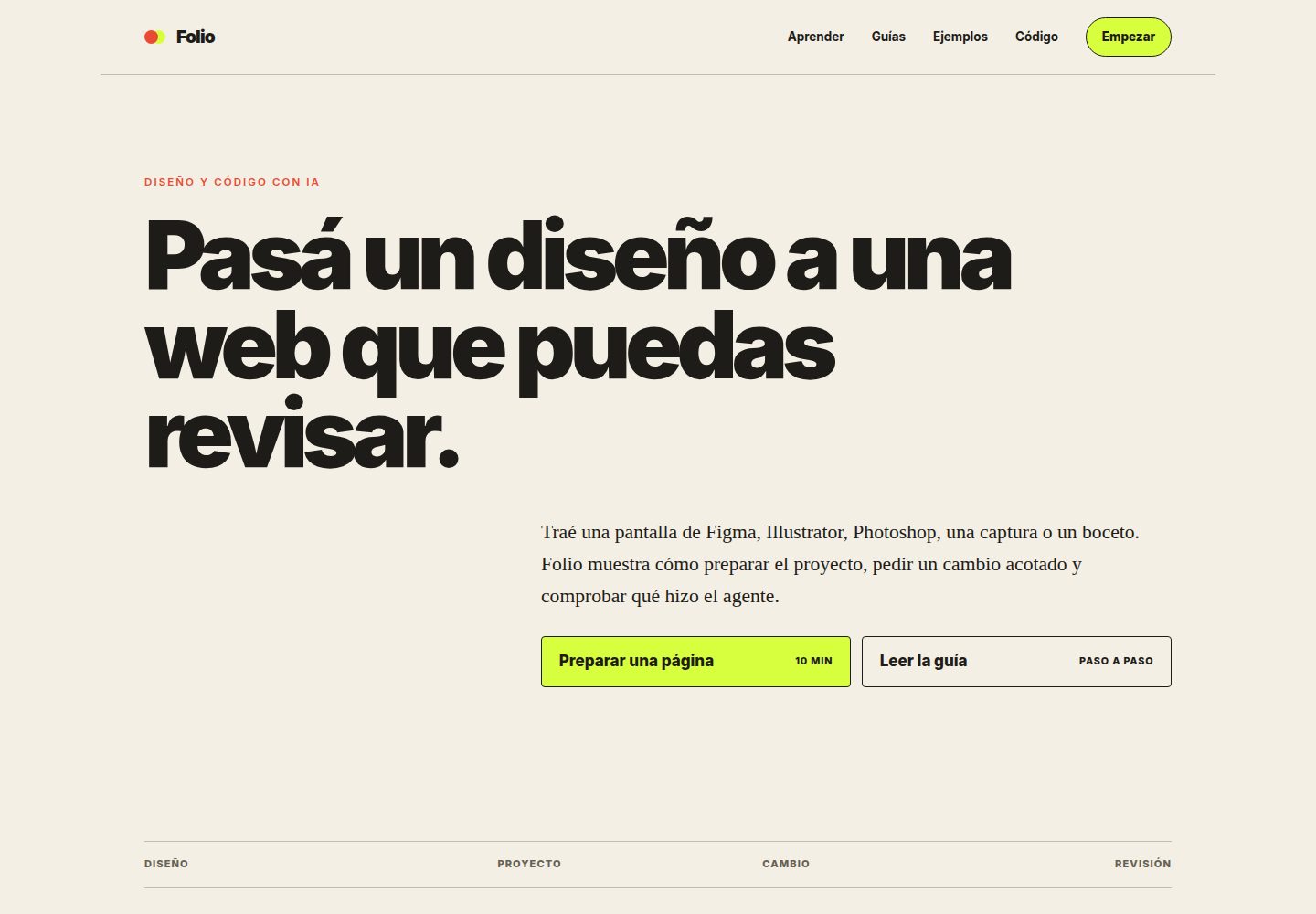
The same demo data corresponds to fifteen visual layouts from /t/01/ to /t/15/, allowing comparison of design decisions
AstroCorporate Website
resto-templates — Astro Business Template
By ashtonmorrow
Folio Resto is an Astro-based restaurant website template repository containing fifteen visual layouts, shared demo data, and Spanish-language operating guides, intended for comparing designs and replacing them with real restaurant information.
Explore the design
Compare the page layouts and mobile experience. Open any screenshot for a closer look.
Desktop homepage1 / 2
Desktop captureTop of page
Actual screenshot captured by the server browser.
All pages & views 2
Screenshots show visual appearance; interactive behavior may differ.
Recorded 2026-10-15View source
What stands out
A quick read of the recorded project description.
Shared content is centralized in src/data/restaurant.ts, avoiding repeated menu edits across fifteen pages
Provides npm run verify to check types, tests, build, routes, anchors, sitemap, and images
Optionally runs npm run test:browser to check navigation and forms at mobile and desktop sizes
The README includes a pre-publish checklist covering domain, photo replacement, WhatsApp, Maps, and robots.txt
Template Details
The repository holds both Folio's guide content and the Folio Resto demo project. The site structure includes a homepage, /aprender/ guided exercises, /guias/ a learning library, /ejemplos/ copyable examples, and fifteen visual versions from /t/01/ to /t/15/. Folio Resto presents the same demo information (brand, menu, photos) across fifteen layouts, making it easy to compare design choices without changing the content.
The README states that content is centralized in src/data/restaurant.ts, style tokens are in src/styles/tokens.css, images are in public/images/, and the site address is in astro.config.mjs. Usage involves creating a copy via GitHub's Use this template, connecting GitHub in Codex and specifying that copy, requiring it to first read README.md and CLAUDE.md, then choosing one base version in src/pages/t/ to replace the demo data.
Running requires Node.js 24, using npm ci to install dependencies and npm run dev to start local development. Before publishing, npm run verify can be run to check types, tests, build, routes, anchors, sitemap, and images, with output in dist/, which the README says can be used with any static hosting. The README does not provide specific framework version numbers, performance data, or statements about production readiness.
AstroCorporate Website
Is it right for your project?
Use Cases
- Choosing a visual layout for a restaurant website and replacing demo content with real brand, menu, and photos
- Moving from a design draft to a working static website under the guidance of Spanish-language guides
- Comparing how the same content appears under different typography and color schemes as a design reference
- Using npm run verify to check build output, routes, and images before publishing
Suitable For
- Developers who need a ready-made restaurant website structure and want to replace the content themselves
- Restaurant operators with limited coding experience who want to follow Spanish-language step-by-step guides
- Designers who need multiple layout references to decide on a final visual direction
Getting started & customization
Use these recorded setup notes alongside the repository instructions for your chosen version.
- 1
Requires Node.js 24; when using nvm, .nvmrc selects that version
- 2
Run nvm use, npm ci, and npm run dev in sequence to start local development; the default address is usually http://localhost:4321
- 3
Run npm run verify before publishing; output is located in dist/
- 4
For browser testing, first run npx playwright install chromium, then run npm run test:browser
- 5
Do not run npm run deploy directly from a copy; the README states that this command publishes the original Folio to its Cloudflare account, so use your own account's wrangler.jsonc configuration instead
License & source material
Usage conditions & limitations
Free to use · keep license noticeThis entry covers the free version under the MIT license in the public repository; the free scope is the code of that version and does not mean external services or third-party assets are free.
Must comply with when using
- Free use, modification, commercial use, and distribution of that version's code are permitted.
- When distributing copies or substantial portions of the code, retain the original author's copyright notice and the complete MIT license notice.
- The code is provided as is; warranties and limitations of liability are governed by the original license and applicable law.
Additional costs & items to verify
- Demo images, fonts, icons, and other third-party assets must be checked against their respective licenses and cannot be judged solely by the code's MIT license.
- External services such as domains, hosting, databases, payments, or AI may incur separate charges.
- npm run deploy publishes the original Folio to its Cloudflare account and should not be run from a copy; you must choose your own host, create business accounts, and replace the wrangler.jsonc configuration.
- All Casa Rufina demo photos and data must be replaced before publishing.
- The photos included in the repository are demo assets only and must be replaced before publishing a real website.
- Running the project requires Node.js 24.
- The usage flow requires connecting a GitHub account in Codex within ChatGPT and selecting the copy.
View Original Text Basis
Permission is hereby granted, free of charge
Original License Text
`npm run deploy` publica el Folio original en su cuenta de Cloudflare. No lo
Original README
- Reemplazá todas las fotos y datos de Casa Rufina.
Original README
Código bajo licencia MIT. Podés copiarlo, modificarlo y usarlo para tu negocio o para clientes. Las fotografías incluidas son material de demostración: reemplazalas antes de publicar un sitio real.
Original README
Necesitás Node.js 24. Si usás `nvm`, el archivo `.nvmrc` selecciona esa versión.
Original README
https://github.com/ashtonmorrow/resto-templates/blob/master/LICENSEhttps://github.com/ashtonmorrow/resto-templates/blob/master/README.md2. Abrí Codex dentro de ChatGPT, conectá tu cuenta de GitHub y elegí solamente tu copia.
Original README
Compiled by DeepSeek based on repository license and README ·2026-10-15. Results only cover the materials read; dependencies, images, fonts, and subsequent term changes are subject to their respective original texts.
Project checks & description sources
Template Information
- Source platforms
- GitHub
- Documentation and maintenance reference score
- More documented · 80 / 100
- Technologies
- Astro
- Website type
- Corporate Website
How this score is calculated
Our heuristic uses license records (up to 30), a demo link (12), a preview (10), stars (15), recorded maintenance (15), description completeness (8), feature records (5) and classification data (5). It is not a code, security or performance test, or a Google score. A link does not establish tested functionality.
What to verify for this project
- Repository update recorded
- 2026-09-03
- Screenshot last checked
- 2026-10-15
A demo link is listed. Check it with your own content and viewport sizes; its presence does not confirm that forms, authentication or payments work.
The catalog identifies Astro as the primary stack. Check the actual dependency manifest and lockfile for versions and hosting requirements. These notes use recorded metadata, not a code audit or a deployment test.
Use a selection guide →How this description was prepared
AI-assisted description based on catalog records and repository material. Repository authors are not automatically the reviewers of this description.
Review declaration: codex-user-requested-batch-review-20261015 · 2026-10-15
Inspect the recorded source material
SHA-256: 9ca91bf52318f647abef63f4644e024bf7ae1e60ddf874e48b348a4c71974fa5
2026-10-15T02:34:33.743Z
Source file / repository# Folio Este repositorio contiene las guías de Folio y el proyecto de demostración Folio Resto. El recorrido empieza con una referencia de diseño, sigue por los archivos que controlan la página y termina con una revisión del cambio. Sitio en vivo: [folio.unwoke.ninja](https://folio.unwoke.ninja/) ## Estructura del sitio - `/`: presentación de Folio y entrada al recorrido. - `/aprender/`: primera práctica guiada. - `/guias/`: biblioteca de aprendizaje. - `/ejemplos/`: proyectos abiertos que se pueden visitar y copiar. - `/t/01/` a `/t/15/`: versiones visuales del primer ejemplo. ## Primer ejemplo: Folio Resto Folio Resto es una web gastronómica con quince direcciones visuales. Todas usan la misma información de demostración, para que puedas comparar decisiones de diseño sin cambiar de marca, carta o fotografías. ## Hacer una copia y abrirla 1. Tocá **Use this template** arriba de esta página para crear una copia en tu cuenta. 2. Abrí Codex dentro de ChatGPT, conectá tu cuenta de GitHub y elegí solamente tu copia. 3. Pedile que lea `README.md` y `CLAUDE.md` antes de cambiar nada. 4. Elegí una base en `src/pages/t/` y reemplazá la información de demostración. 5. Revisá la versión móvil y publicala en una cuenta que controles. Para ubicarte en el proyecto antes de editar, pegá este pedido: > Quiero adaptar Folio Resto para mi negocio gastronómico. Primero leé el README y CLAUDE.md. Conservá la estructura y preguntame solamente por los datos que falten: nombre, tipo de local, ciudad, carta, horarios, WhatsApp, dirección, reservas, colores y fotos. Después reemplazá el contenido de demostración, verificá la versión móvil y explicame cómo publicarlo en una cuenta que yo controle. Guía ilustrada en español: [crear la web de tu restaurante con ChatGPT](https://folio.unwoke.ninja/guias/crear-web-restaurante-con-chatgpt/). Si venís del diseño y recién empezás con código: [del diseño a una web real con IA](https://folio.unwoke.ninja/guias/del-diseno-a-una-web-con-ia/). ## Dónde se cambia cada cosa - `src/data/restaurant.ts`: nombre, historia, carta, horarios, ubicación, WhatsApp y redes. - `src/pages/t/01.astro` a `src/pages/t/15.astro`: las quince composiciones. - `src/styles/tokens.css`: colores y tipografías de cada estilo. - `public/images/`: fotografías del restaurante y de los platos. - `astro.config.mjs`: dirección pública del sitio. El contenido compartido evita tener que cambiar la carta quince veces. Elegí una sola composición para tu sitio final; las demás pueden seguir como referencia o eliminarse. ## Ejecutar el proyecto Necesitás Node.js 24. Si usás `nvm`, el archivo `.nvmrc` selecciona esa versión. ```bash nvm use npm ci npm run dev ``` Astro mostrará una dirección local, normalmente `http://localhost:4321`. Antes de publicar, ejecutá la comprobación completa: ```bash npm run verify ``` La comprobación revisa tipos, tests, build, rutas, anclas, sitemap e imágenes. Los archivos terminados quedan en `dist/` y funcionan en cualquier hosting estático. Para probar también la navegación y los formularios en tamaños de teléfono y escritorio, instalá Chromium una vez y ejecutá la revisión de navegador: ```bash npx playwright install chromium npm run test:browser ``` `npm run deploy` publica el Folio original en su cuenta de Cloudflare. No lo ejecutes desde una copia: primero elegí un proveedor, creá una cuenta del negocio y reemplazá `wrangler.jsonc` por la configuración de esa cuenta. ## Antes de publicar - Registrá el dominio a nombre del restaurante. - Conservá acceso a la cuenta donde se publica. - Reemplazá todas las fotos y datos de Casa Rufina. - Probá carta, WhatsApp, reservas, Maps y redes desde un teléfono. - Actualizá `astro.config.mjs` y `public/robots.txt` con tu dominio. El sitemap se genera desde las páginas compiladas para que no quede desactualizado. - Guardá una copia del código y de las credenciales en un lugar seguro. ## Editar las guías La voz instructiva está definida en `voice/VOICE.md`. Después de modificar la prosa de `src/data/guides.ts`, ejecutá: ```bash npm run lint:voice ``` El comando detecta hábitos mecánicos. La lista de comprobación humana del perfil de voz sigue siendo obligatoria. ## Licencia Código bajo licencia MIT. Podés copiarlo, modificarlo y usarlo para tu negocio o para clientes. Las fotografías incluidas son material de demostración: reemplazalas antes de publicar un sitio real.
Explore similar templates
Compare previews and descriptions within the same stack and category.

astrowind
AstroWind is a free, open-source Astro starter theme using Astro and Tailwind CSS, released under the MIT license.
Astro · Blog

astro-landing-page
An Astro + Tailwind CSS landing page example template with theme variables, dark mode, responsive layout, and Open Graph tags, under the MIT license, suitable as a starting point for single-page product, event, or corporate homepage sites.
Astro · Corporate Website

Tailcast
Tailcast is a dark-themed corporate website template built with Astro and Tailwind CSS for a fictional startup.
Astro · Corporate Website

Positivus
Positivus is an Astro and Tailwind CSS landing page theme for digital marketing agencies, maintained by manulthanura with a demo on Vercel.
Astro · Corporate Website
foxi-astro-theme
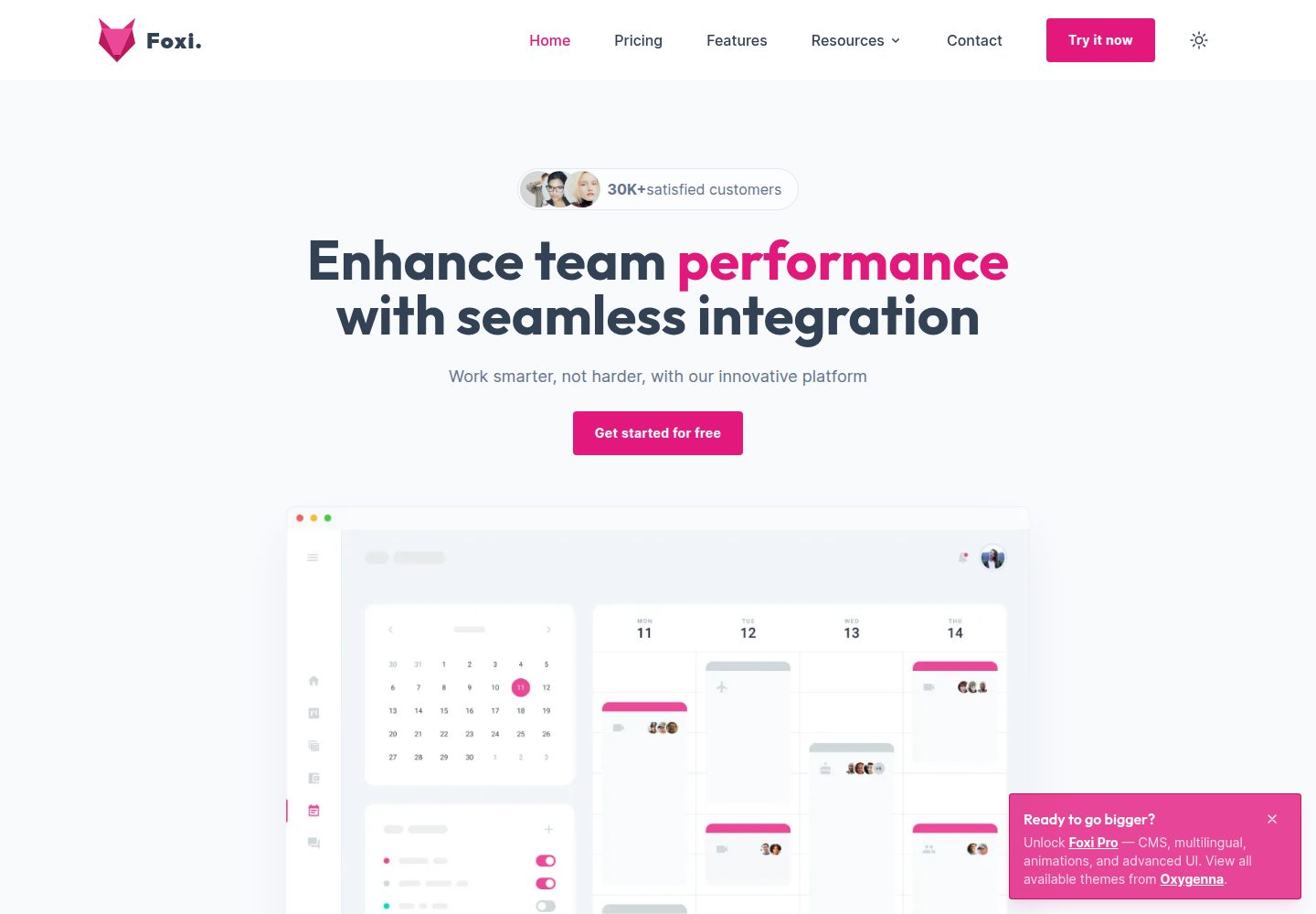
Foxi is a free, open-source Astro template built with Tailwind CSS, positioned as a responsive starting point for SaaS and corporate websites.
Astro · Blog

qwind
Qwind is a free and open-source website template built on Qwik and Tailwind CSS, featuring directory-based routing via QwikCity, a Markdown blog, dark mode, and static deployment configuration.
Astro · Tool Site