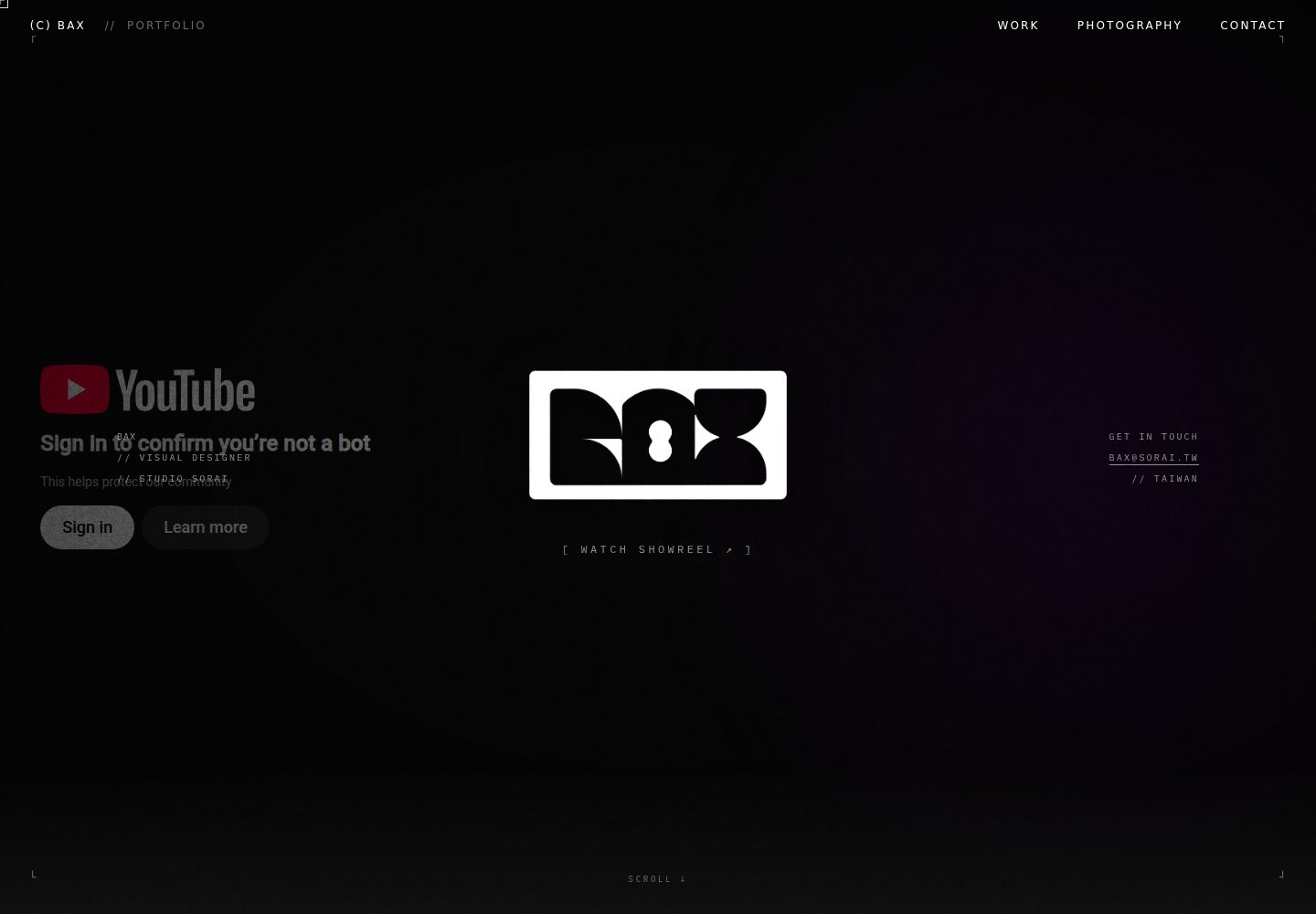
Work content is maintained as Markdown files in the works directory, and the build automatically generates works and detail pages
HTMLPortfolio
Bax-Portfolio — HTML Portfolio Template
By Batkixni
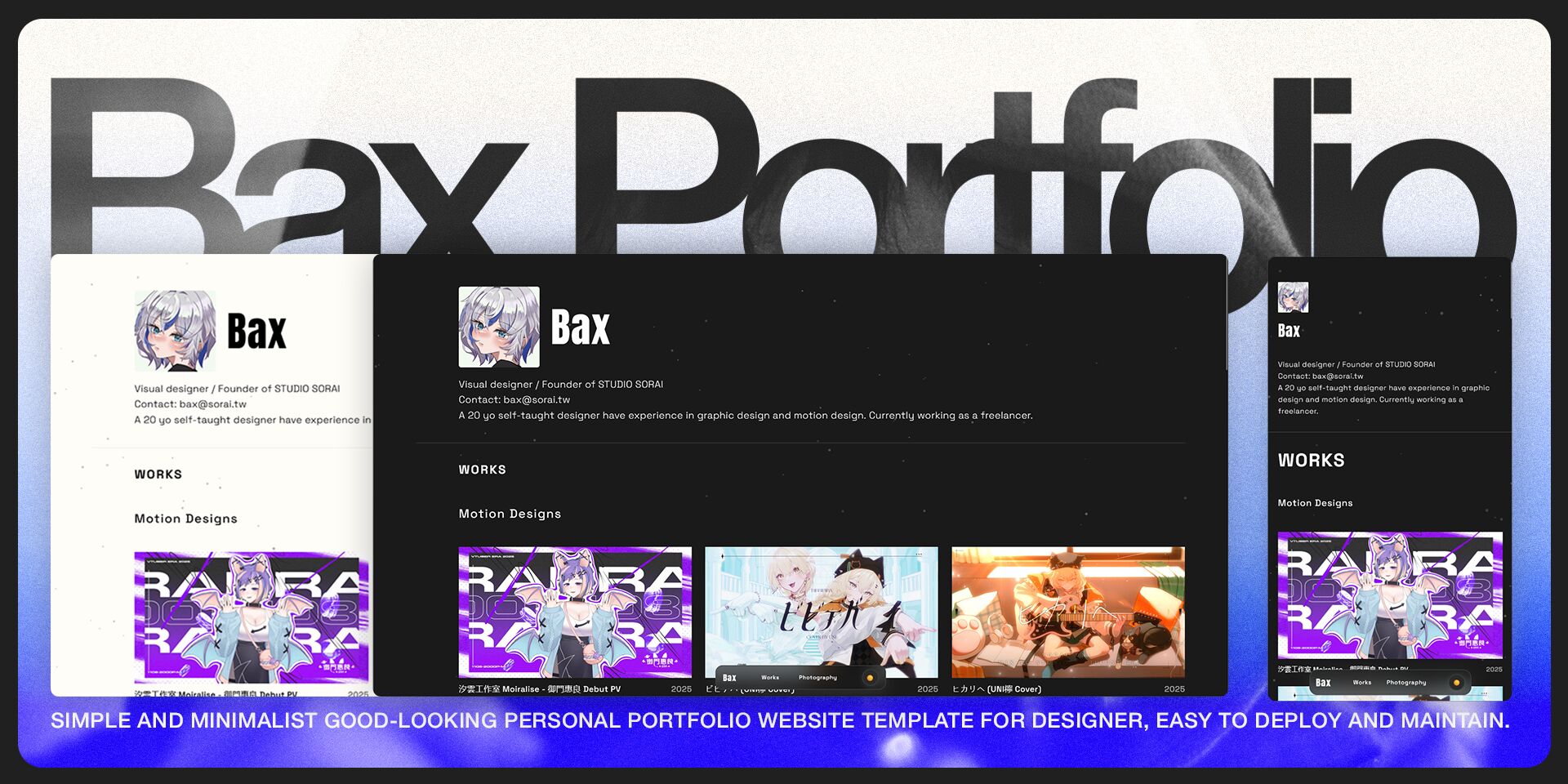
A personal portfolio website template for motion designers, managing work content with Markdown, including a photography page, light and dark themes, and visual elements such as a particle background.
Explore the design
Compare the page layouts and mobile experience. Open any screenshot for a closer look.
Desktop homepage1 / 2
Desktop captureTop of page
Actual screenshot captured by the server browser.
All pages & views 2
Screenshots show visual appearance; interactive behavior may differ.
Recorded 2026-10-03View source
What stands out
A quick read of the recorded project description.
Supports !vid to embed local videos, !yt to embed YouTube videos, and %grid to generate responsive multi-column grids
Includes a separate /photography page for displaying photography and static visual work
Includes visual interactions such as light and dark theme switching, a particle background, and a custom cursor that follows the mouse
Loads work content via HTMX without refreshing the page
Template Details
Bax-Portfolio is a personal portfolio website template for motion designers. The repository is primarily HTML and uses Node.js and Express for local development and content generation. Work content is maintained through Markdown files in the works directory, supporting extended syntax to embed local videos (!vid) and YouTube videos (!yt) in the body, as well as %grid syntax to generate responsive multi-column grid layouts. In addition to the portfolio, it provides a separate /photography page for displaying photography or static visual work.
In terms of visuals and interaction, the template includes a responsive layout, light and dark theme switching, a particle background, and a custom cursor that follows the mouse, and uses HTMX to load content without refreshing the page. The build process generates work detail pages based on Markdown. Development commands include yarn dev (local development, port 3001), yarn start (production server, port 3000), and yarn generate / yarn generate:force to generate work pages.
Before use, note that the repository README explicitly states the project has been rewritten with Astro and Tailwind CSS and points to the new repository astro-regulus; the current version is an older implementation. Custom categories (such as adding a UI/UX section) require modifying build.js, src/js/app.js, and src/index.html in three places, keeping the id, hx-get path, and works directory consistent. Removing the photography page involves not only deleting the HTML but also photography.js and backend logic. The code is under the MIT license, but the license terms for third-party assets such as demo images, fonts, and icons, as well as dependencies like GSAP and p5.js, must be checked separately.
HTMLPortfolio
Is it right for your project?
Use Cases
- Motion designers building a personal portfolio website to showcase motion and video projects
- Personal sites that need to present both a portfolio and photography/static visual work
- Static sites where work content is updated via Markdown rather than a backend system
- A development workflow that runs locally via Node.js and Express and generates work pages
Suitable For
- Creative professionals such as motion designers and visual designers
- Users familiar with HTML, CSS, and JavaScript who are willing to edit source code directly
- Personal projects that accept Markdown files as the content management method
- Showcase websites that need light and dark themes and animated visual effects
Getting started & customization
Use these recorded setup notes alongside the repository instructions for your chosen version.
- 1
Requires Node.js 16.0+; Yarn is recommended (npm/pnpm also supported)
- 2
After cloning the repository, run yarn to install dependencies, then use yarn dev to start the development server and visit http://localhost:3001
- 3
To add a work, create a .md file in the works/motion or works/graphic directory and fill in front-matter such as title, description, image, date, tags, and category according to the template
- 4
To modify the title, introduction, footer, logo, avatar, and Open Graph information, edit src/index.html, src/photography.html, src/404.html, and templates/work-template.html
- 5
The repository README states the project has been rewritten with Astro and Tailwind CSS; for a maintained version, use the astro-regulus repository
License & source material
Usage conditions & limitations
Free to use · keep license noticeThis entry covers the free version under the MIT license in the public repository; the free scope is the code of this version and does not mean external services or third-party assets are free.
Must comply with when using
- Allows free use, modification, commercial use, and distribution of this version's code.
- When distributing copies or substantial portions of the code, retain the original author's copyright notice and the full MIT license notice.
- The code is provided as is; warranties and limitations of liability are governed by the original license and applicable law.
Additional costs & items to verify
- The README explicitly states this repository has been rewritten with Astro + Tailwind CSS; the current version is an older implementation, and a continuously maintained version should use the astro-regulus repository.
- The project depends on GSAP, which uses the Standard "No-Charge" license, not a free license such as MIT; commercial or specific uses may be subject to GSAP's own terms and must be checked separately.
- The project depends on p5.js, which uses the LGPL 2.1 license, different from the project's own MIT license; distribution or modification must comply with LGPL terms.
- The README states that most of the project's features and code were generated with the assistance of AI models; users must evaluate code quality and suitability themselves.
- Demo images, fonts, icons, and other third-party assets must be checked under their respective licenses and cannot be judged solely by the code's MIT license.
- External services such as domains, hosting, databases, payments, or AI may incur additional charges.
View Original Text Basis
Permission is hereby granted, free of charge
Original License Text
This project have been rebuilt in Astro and Tailwind CSS, to use the newest and under maintenance version, please go [here](https://github.com/Batkixni/astro-regulus)
Original README
**GSAP** ](https://gsap.com/)| **Standard "No-Charge" License**
Original README
**p5.js** ](https://p5js.org/ )| **GNU Lesser General Public License 2.1 (LGPL 2.1)**
Original README
https://github.com/Batkixni/Bax-Portfolio/blob/main/LICENSEhttps://github.com/Batkixni/Bax-Portfolio/blob/main/README.mdA majority of the features, structure, and code in this project were generated and optimized with the assistance of **Claude 3.7 and 4.0** models.
Original README
Compiled by DeepSeek based on repository license and README ·2026-10-03. Results only cover the materials read; dependencies, images, fonts, and subsequent term changes are subject to their respective original texts.
Project checks & description sources
Template Information
- Source platforms
- GitHub
- Documentation and maintenance reference score
- More documented · 83 / 100
- Technologies
- HTML
- Website type
- Portfolio
How this score is calculated
Our heuristic uses license records (up to 30), a demo link (12), a preview (10), stars (15), recorded maintenance (15), description completeness (8), feature records (5) and classification data (5). It is not a code, security or performance test, or a Google score. A link does not establish tested functionality.
What to verify for this project
- Repository update recorded
- 2026-01-15
- Screenshot last checked
- 2026-10-03
A demo link is listed. Check it with your own content and viewport sizes; its presence does not confirm that forms, authentication or payments work.
The catalog identifies HTML as the primary stack. Check the actual dependency manifest and lockfile for versions and hosting requirements. These notes use recorded metadata, not a code audit or a deployment test.
Use a selection guide →How this description was prepared
AI-assisted description based on catalog records and repository material. Repository authors are not automatically the reviewers of this description.
Automatically checked against source and license rules; no manual editorial review.
Inspect the recorded source material
SHA-256: c666be385bfc8dc8acece70648b7d7b3c0bdaf17da94dd4a42ced9289b2bfd4a
2026-10-03T02:06:27.425Z
Source file / repository# 🟦 Bax Portfolio - Personal Portfolio Website
A modern, responsive portfolio website specifically built for **Motion Designers**, combining smooth animations, an elegant user experience, and an extremely simplified content management workflow.
> [!IMPORTANT]
> This project have been rebuilt in Astro and Tailwind CSS, to use the newest and under maintenance version, please go [here](https://github.com/Batkixni/astro-regulus)
[中文版](https://github.com/Batkixni/Bax-Portfolio/blob/main/README-zh.md)
## 🌠 Core Key Features
### Portfolio & Content Management
* **Designer Content Core:** Built for creative designers, the entire portfolio is automatically updated simply by writing **Markdown (.md)** files within the `/works` folder.
* **Dedicated Photography Page:** Includes a special `/photography` page for showcasing photography, static graphics, or other visual art creations.
* **Quick Media Embedding:** Supports extended Markdown syntax:
* `!vid`: For quickly embedding local videos.
* `!yt`: For quickly embedding YouTube videos.
* **Advanced Layout:** Supports the `%grid` special syntax for quickly creating responsive, multi-column grid layouts for projects.
### Visual & UX
* **Responsive Design** - Adapts to all device sizes.
* **Dark/Light Theme** - One-click theme mode switching.
* **Particle Background** - Dynamic interactive particle system.
* **Custom Cursor** - Dynamic cursor effect that follows the mouse.
### Animation & Technical
* **HTMX Integration** - Dynamic content loading without page refresh.
* **Static Generation** - Automatically generates portfolio and blog detail pages.
* **Modular Architecture** - Easy-to-maintain and extendable code structure.
-----
## ✒️ Quick Start
### Environment Requirements
* Node.js 16.0+
* **Yarn (Recommended)** or npm/pnpm
### Installation Steps
1. Clone the project
```bash
git clone https://github.com/Batkixni/Bax-Portfolio.git
cd bax-website
```
2. Install dependencies
```bash
yarn
```
3. Start the development server
```bash
yarn dev
```
4. Open your browser and visit `http://localhost:3001`
-----
## 📝 Add New Portfolio Work
1. Create a new `.md` file in the `works/motion/` or `works/graphic/` directory.
2. Use the following format:
```markdown
---
title: "Project Title"
description: "Project Description"
image: "/src/images/work-cover.jpg"
date: "2024"
tags: ["tag1", "tag2"]
category: "motion-design"
---
# Project Content
Write the detailed description of the project here...
```
-----
## 🛠️ Customization Guide
### 1\. Modify Basic Info (Title, Footer & Bio)
You need to modify the `<title>` tag and Footer information in the following files:
* `src/index.html` (Homepage)
* `src/photography.html` (Photography Page)
* `src/404.html` (Error Page)
* `templates/work-template.html` (Work Detail Page Template)
**Modify Title:**
Find `<title>{{title}} - Bax Portfolio</title>` and change it to your desired website title.
**Modify Bio:**
In `src/index.html`, find the **Hero Section** under \`\` and edit the text introduction.
**Modify Footer:**
In all the files listed above, find the \`\` section and update the copyright and contact information.
### 2\. Modify Logo & Avatar (Branding)
Please replace the following images in the `src/images/` folder:
* `favico.svg` & `favico.jpg`: Website Logo (Browser favicon).
* `header.jpg`: The circular personal avatar displayed in the Homepage Hero Section.
### 3\. Modify Loading Animation
To replace the loading screen with your own SVG logo, please modify the four HTML files mentioned above (index, photography, 404, work-template).
Find the \`\` section and paste your SVG code to replace the existing `<svg id="loading-svg" ...>` block.
### 4\. Configure Social Media Preview (Open Graph / SEO)
To ensure your website displays the correct preview image and information when shared on platforms like Facebook, Twitter, or Line, please modify the \`\` section in all HTML files.
**Example Configuration:**
````html
<meta property="og:type" content="website" />
<meta property="og:url" content="https://yourdomain.com/" />
<meta property="og:title" content="Your Name - Creative Portfolio" />
<meta property="og:description" content="Visual designer / Motion Graphics" />
<meta property="og:image" content="./images/og-preview.svg" /> <meta property="og:image:width" content="1200" />
<meta property="og:image:height" content="630" />
<meta property="og:site_name" content="My Portfolio" />
<meta property="og:locale" content="en_US" />
````
---
## ⚙️ Advanced Configuration
### Remove Photography Page
If you don't need the photography portfolio feature, follow these steps to hide it:
1. Open `src/index.html`.
2. Find the `` section and delete the link inside `<div class="nav-links">`.
3. Simply delete the `src/photography.html` file.
*(Note: A deeper removal involves `src/js/photography.js` and backend logic, but these steps are sufficient to make the page inaccessible to users and will not affect the site's operation.)*
### Customize Portfolio Sections
By default, the site includes **Motion**, **Graphic**, and **Cinematic** sections.
#### 1. Simple Section Deletion
If you only need to delete a section (e.g., Cinematic), just delete the entire corresponding `<section id="cinematic" ...>` block from `src/index.html`.
#### 2. Add or Rename Sections (Advanced)
To add a new category (using "UI/UX" as an example) or modify paths, you must edit three files in order:
**Step A: Modify `build.js`**
Update the directory structure and Markdown validation paths:
```javascript
// Ensure all directories exist
const directories = [
// ...other paths
"works/motion",
"works/uiux", // Modify or add your path
];
// Validate markdown files
const workDirs = [
"works/motion",
"works/uiux", // Modify or add your path
];
````
**Step B: Modify `src/js/app.js`**
Find the `// Immediately reload HTMX content` comment, then add your grid variable and reload logic:
```javascript
// 1. Define variables (recommend naming as xxxGrid)
const motionGrid = document.getElementById("motion-grid");
const uiuxGrid = document.getElementById("uiux-grid"); // Add new
// 2. Copy and modify the reload logic
if (uiuxGrid && typeof htmx !== "undefined") {
console.log("Reloading uiux grid on pageshow");
htmx.trigger(uiuxGrid, "load");
}
```
**Step C: Modify `src/index.html`**
Copy an existing Section block and modify its `id`, `hx-get` path, and `hx-target`:
```html
<section id="uiux" class="portfolio-section animate-element">
<h2 class="section-title animate-element">UI/UX Designs</h2>
<div
class="portfolio-grid"
id="uiux-grid"
hx-get="/api/works/uiux"
hx-trigger="load"
hx-target="#uiux-grid"
>
<div class="loading">Loading...</div>
</div>
</section>
```
*(Note: The `id="uiux-grid"` must match the variable in `app.js`; the `hx-get` path must match the folder in `build.js`.)*
**Step D: Create the Folder**
In the project's root `works/` directory, create the corresponding folder (e.g., `works/uiux/`) and place your `.md` files inside.
-----
## 💻 Development Commands
```bash
# Development Mode (Hot Reload + API)
yarn dev # Runs at http://localhost:3001
# Production Build & Deploy
yarn start # Production server at :3000
# Content Management
yarn generate # Generate work pages
yarn generate:force # Force regenerate all pages
```
-----
## Technical Stack
### Frontend Technologies
* HTML5 - Semantic Markup
* CSS3 - Modern CSS features and CSS Variables
* JavaScript ES6+ - Modular JavaScript
* GSAP 3.12 - Animation Engine
* P5.js - Particle System
* HTMX - Dynamic Content Loading
* **Vidstack** - Modern video player component (used for handling `!vid` embedding)
### Backend Technologies
* Node.js - Server Environment
* Express.js - Web Framework with compression & caching
* Marked - Markdown Parser
* Front-Matter - Metadata Processing
* **Sharp** - High-performance image processing
-----
## 💡 Important Note
* **AI Collaboration:** A majority of the features, structure, and code in this project were generated and optimized with the assistance of **Claude 3.7 and 4.0** models.
-----
## 📜 License and Attribution
This project uses the following open-source packages. Their license terms and official websites are noted below:
| Package Name | License |
| :--- | :--- |
| [**GSAP** ](https://gsap.com/)| **Standard "No-Charge" License** |
| [**p5.js** ](https://p5js.org/ )| **GNU Lesser General Public License 2.1 (LGPL 2.1)** |
| [**HTMX**](https://htmx.org/ )| **MIT License** |
| [**Vidstack** ](https://www.vidstack.io/ )| **MIT License** |
This project itself is licensed under the **MIT License**. If you have any questions, please open an issue on this Github repo.
Explore similar templates
Compare previews and descriptions within the same stack and category.

simplefolio
Simplefolio is a minimal single-page portfolio template for developers, built with HTML, Bootstrap, SCSS, and Parcel under the MIT license. It includes Hero, About, Projects, Contact, and Footer sections, with content edited in /src/index.html and theme colors controlled by two SCSS variables.
HTML · Portfolio

Freelancer
A bright, single-page Bootstrap portfolio template for freelancers, designers, and small studios. It includes a responsive portfolio grid with modal detail windows and an SB Forms contact form that requires an API token.
HTML · Portfolio

Resume
A single-page resume and CV template from Start Bootstrap, built on Bootstrap with a fixed sidebar and content sections.
HTML · Portfolio

Creative
A single-page marketing template by Start Bootstrap for creative agencies and product services, built on Bootstrap with SCSS, featuring a portfolio grid and call-to-action sections. It includes pre-set SB Forms markers for form integration and npm build scripts for source customization.
HTML · Corporate Website

Grayscale
A dark single-page Bootstrap template from Start Bootstrap for photography, events and brand storytelling, with a large hero and clearly separated sections.
HTML · Corporate Website

startbootstrap-stylish-portfolio
A one-page Bootstrap portfolio theme from Start Bootstrap with multiple content sections and an off-canvas navigation menu. Basic use means editing HTML/CSS under dist and opening index.html; advanced use relies on npm with Pug and SCSS build scripts.
HTML · Portfolio