作品内容以 works 目录下的 Markdown 文件维护,构建时自动生成作品与详情页
HTML作品集
Bax-Portfolio — HTML 作品集模板
作者 Batkixni
面向动态设计师的个人作品集网站模板,用 Markdown 管理作品内容,包含摄影页面、明暗主题与粒子背景等视觉元素。
看看你的网站会是什么样
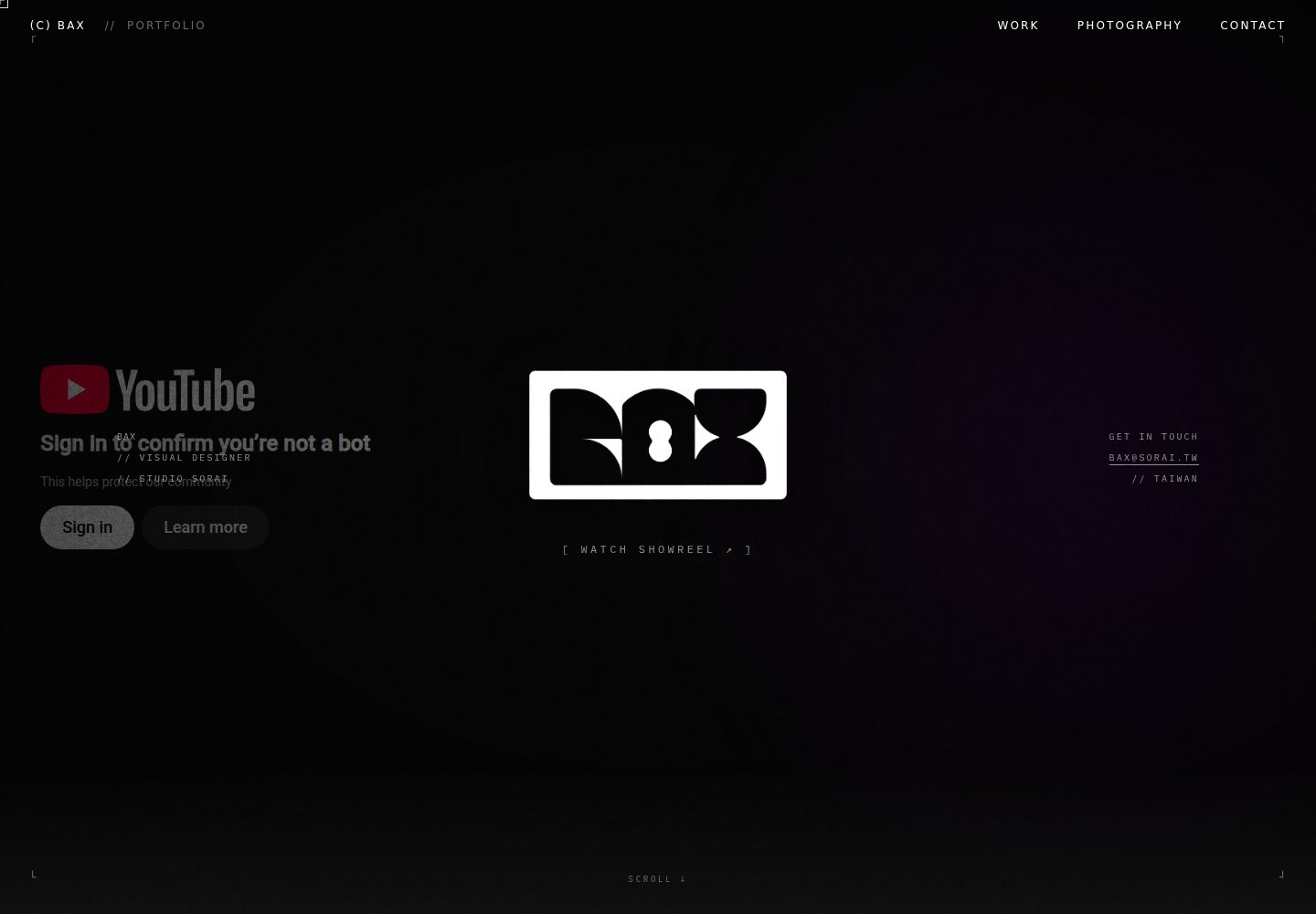
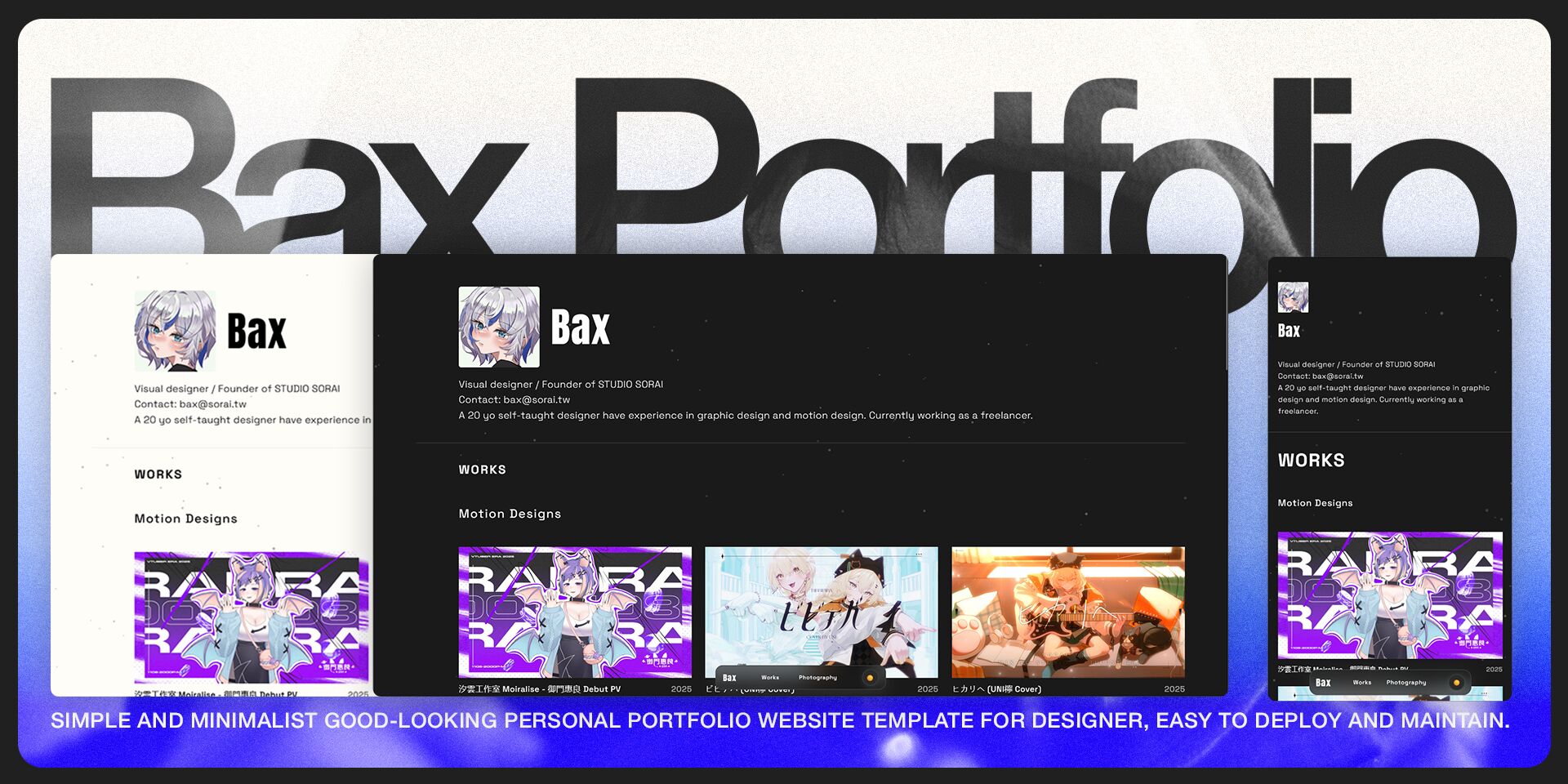
浏览真实页面截图,比较内容排版与手机效果。点击下方缩略图切换,放大查看整页细节。
全部页面与视图 2
截图用于了解视觉与布局,交互效果请以实际项目为准。
采集于 2026-10-03查看来源
值得关注的模板亮点
从已有项目资料中,快速了解它的特点。
支持 !vid 嵌入本地视频、!yt 嵌入 YouTube 视频,以及 %grid 生成响应式多列网格
内置独立的 /photography 页面,用于展示摄影与静态视觉作品
包含明暗主题切换、粒子背景和跟随鼠标的自定义光标等视觉交互
通过 HTMX 在不刷新页面的情况下加载作品内容
模板详细介绍
Bax-Portfolio 是一个面向动态设计师(Motion Designer)的个人作品集网站模板,仓库以 HTML 为主,使用 Node.js 与 Express 提供本地开发与内容生成能力。作品内容通过 works 目录下的 Markdown 文件维护,支持在正文中使用扩展语法嵌入本地视频(!vid)、YouTube 视频(!yt),以及用 %grid 语法生成响应式多列网格布局;除作品集外还提供独立的 /photography 页面用于展示摄影或静态视觉作品。
视觉与交互方面,模板包含响应式布局、明暗主题切换、粒子背景和跟随鼠标的自定义光标,并通过 HTMX 实现不刷新页面的内容加载。构建流程会依据 Markdown 生成作品详情页,开发命令包括 yarn dev(本地开发,端口 3001)、yarn start(生产服务,端口 3000)以及 yarn generate / yarn generate:force 生成作品页面。
使用前需要注意:仓库 README 明确说明该项目已用 Astro 与 Tailwind CSS 重写,并指向新仓库 astro-regulus,当前版本属于旧实现。自定义分类(如新增 UI/UX 栏目)需要同时修改 build.js、src/js/app.js 与 src/index.html 三处,并保持 id、hx-get 路径与 works 目录一致;移除摄影页面除删除 HTML 外还涉及 photography.js 与后端逻辑。代码采用 MIT 许可,但演示图片、字体、图标等第三方素材以及 GSAP、p5.js 等依赖的许可条款需单独核对。
HTML作品集
适合你的项目吗?
适用场景
- 动态设计师搭建个人作品集网站,集中展示动效与影像类项目
- 需要同时呈现作品集与摄影/静态视觉作品的个人站点
- 希望用 Markdown 而非后台系统来更新作品内容的静态站点
- 在本地通过 Node.js 与 Express 运行并生成作品页面的开发流程
适合人群
- 动态设计师、视觉设计师等创意从业者
- 熟悉 HTML、CSS、JavaScript 并愿意直接编辑源码的使用者
- 接受以 Markdown 文件作为内容管理方式的个人项目
- 需要明暗主题与动画视觉效果的展示型网站
上手与定制指南
结合仓库当前版本的说明,按下面的资料检查内容、配置与运行要求。
- 1
环境要求 Node.js 16.0+,推荐使用 Yarn(也支持 npm/pnpm)
- 2
克隆仓库后执行 yarn 安装依赖,再用 yarn dev 启动开发服务器并访问 http://localhost:3001
- 3
新增作品时在 works/motion 或 works/graphic 目录创建 .md 文件,并按模板填写 title、description、image、date、tags、category 等 front-matter
- 4
修改标题、简介、页脚、Logo、头像与 Open Graph 信息需要编辑 src/index.html、src/photography.html、src/404.html 和 templates/work-template.html
- 5
仓库 README 指出项目已用 Astro 与 Tailwind CSS 重写,如需维护中的版本应改用 astro-regulus 仓库
授权与来源资料
使用条件与限制
免费使用 · 保留许可声明本次收录的是公开仓库中采用 MIT 许可的免费版本;免费范围为该版本代码,不代表外部服务或第三方素材免费。
使用时需要遵守
- 允许免费使用、修改、商用和分发该版本代码。
- 分发代码副本或实质性部分时,保留原作者版权声明和完整 MIT 许可声明。
- 代码按现状提供;担保与责任限制以原许可证及适用法律为准。
额外费用与待核对事项
- README 明确说明本仓库已被 Astro + Tailwind CSS 重写,当前版本属于旧实现,如需持续维护的版本应改用 astro-regulus 仓库。
- 项目依赖 GSAP,其采用 Standard "No-Charge" 许可,并非 MIT 等自由许可;商用或特定用途可能受 GSAP 自身条款约束,需单独核对。
- 项目依赖 p5.js,采用 LGPL 2.1 许可,与项目自身的 MIT 许可不同,分发或修改时需遵守 LGPL 条款。
- README 说明项目大部分功能与代码由 AI 模型辅助生成,使用者需自行评估代码质量与适用性。
- 演示图片、字体、图标及其他第三方素材需按各自许可核对,不能仅凭代码的 MIT 许可判断。
- 域名、托管、数据库、支付或 AI 等外部服务可能另外收费。
查看原文依据
Permission is hereby granted, free of charge
许可证原文
This project have been rebuilt in Astro and Tailwind CSS, to use the newest and under maintenance version, please go [here](https://github.com/Batkixni/astro-regulus)
README 原文
**GSAP** ](https://gsap.com/)| **Standard "No-Charge" License**
README 原文
**p5.js** ](https://p5js.org/ )| **GNU Lesser General Public License 2.1 (LGPL 2.1)**
README 原文
https://github.com/Batkixni/Bax-Portfolio/blob/main/LICENSEhttps://github.com/Batkixni/Bax-Portfolio/blob/main/README.mdA majority of the features, structure, and code in this project were generated and optimized with the assistance of **Claude 3.7 and 4.0** models.
README 原文
DeepSeek 根据仓库许可证和 README 整理 ·2026-10-03。结果仅覆盖已读取资料,依赖、图片、字体及后续条款变更以各自原文为准。
项目核对记录与介绍依据
模板资料
- 来源平台
- GitHub
- 资料与维护参考分
- 资料较完整 · 83 / 100
- 技术栈
- HTML
- 网站类型
- 作品集
这个分数如何计算
本站按许可资料(最高30分)、演示链接(12分)、预览图(10分)、Star数(15分)、记录的维护时间(15分)、描述完整度(8分)、功能记录(5分)和分类资料(5分)计算。它不是代码、安全或性能测试,也不是 Google 评分;有链接不代表已实测可用。
这个项目需要核对什么
- 记录的仓库更新时间
- 2026-01-15
- 截图检查日期
- 2026-10-03
已收录演示链接。请用你的内容与屏幕尺寸检查;有演示不代表表单、认证或支付已经可用。
目录记录的主要技术栈是 HTML。请通过依赖清单和锁文件核对实际版本与托管要求。这些说明基于收录资料,不代表代码审计或部署实测。
查看具体选型方法 →介绍的制作与核对状态
介绍由 AI 辅助整理目录与仓库资料。仓库作者不等于这篇介绍的审核者。
已完成服务器许可规则与 AI 来源核对;未经过人工编辑审核。
查看当时使用的来源资料
SHA-256: c666be385bfc8dc8acece70648b7d7b3c0bdaf17da94dd4a42ced9289b2bfd4a
2026-10-03T02:06:27.425Z
来源文件 / 仓库# 🟦 Bax Portfolio - Personal Portfolio Website
A modern, responsive portfolio website specifically built for **Motion Designers**, combining smooth animations, an elegant user experience, and an extremely simplified content management workflow.
> [!IMPORTANT]
> This project have been rebuilt in Astro and Tailwind CSS, to use the newest and under maintenance version, please go [here](https://github.com/Batkixni/astro-regulus)
[中文版](https://github.com/Batkixni/Bax-Portfolio/blob/main/README-zh.md)
## 🌠 Core Key Features
### Portfolio & Content Management
* **Designer Content Core:** Built for creative designers, the entire portfolio is automatically updated simply by writing **Markdown (.md)** files within the `/works` folder.
* **Dedicated Photography Page:** Includes a special `/photography` page for showcasing photography, static graphics, or other visual art creations.
* **Quick Media Embedding:** Supports extended Markdown syntax:
* `!vid`: For quickly embedding local videos.
* `!yt`: For quickly embedding YouTube videos.
* **Advanced Layout:** Supports the `%grid` special syntax for quickly creating responsive, multi-column grid layouts for projects.
### Visual & UX
* **Responsive Design** - Adapts to all device sizes.
* **Dark/Light Theme** - One-click theme mode switching.
* **Particle Background** - Dynamic interactive particle system.
* **Custom Cursor** - Dynamic cursor effect that follows the mouse.
### Animation & Technical
* **HTMX Integration** - Dynamic content loading without page refresh.
* **Static Generation** - Automatically generates portfolio and blog detail pages.
* **Modular Architecture** - Easy-to-maintain and extendable code structure.
-----
## ✒️ Quick Start
### Environment Requirements
* Node.js 16.0+
* **Yarn (Recommended)** or npm/pnpm
### Installation Steps
1. Clone the project
```bash
git clone https://github.com/Batkixni/Bax-Portfolio.git
cd bax-website
```
2. Install dependencies
```bash
yarn
```
3. Start the development server
```bash
yarn dev
```
4. Open your browser and visit `http://localhost:3001`
-----
## 📝 Add New Portfolio Work
1. Create a new `.md` file in the `works/motion/` or `works/graphic/` directory.
2. Use the following format:
```markdown
---
title: "Project Title"
description: "Project Description"
image: "/src/images/work-cover.jpg"
date: "2024"
tags: ["tag1", "tag2"]
category: "motion-design"
---
# Project Content
Write the detailed description of the project here...
```
-----
## 🛠️ Customization Guide
### 1\. Modify Basic Info (Title, Footer & Bio)
You need to modify the `<title>` tag and Footer information in the following files:
* `src/index.html` (Homepage)
* `src/photography.html` (Photography Page)
* `src/404.html` (Error Page)
* `templates/work-template.html` (Work Detail Page Template)
**Modify Title:**
Find `<title>{{title}} - Bax Portfolio</title>` and change it to your desired website title.
**Modify Bio:**
In `src/index.html`, find the **Hero Section** under \`\` and edit the text introduction.
**Modify Footer:**
In all the files listed above, find the \`\` section and update the copyright and contact information.
### 2\. Modify Logo & Avatar (Branding)
Please replace the following images in the `src/images/` folder:
* `favico.svg` & `favico.jpg`: Website Logo (Browser favicon).
* `header.jpg`: The circular personal avatar displayed in the Homepage Hero Section.
### 3\. Modify Loading Animation
To replace the loading screen with your own SVG logo, please modify the four HTML files mentioned above (index, photography, 404, work-template).
Find the \`\` section and paste your SVG code to replace the existing `<svg id="loading-svg" ...>` block.
### 4\. Configure Social Media Preview (Open Graph / SEO)
To ensure your website displays the correct preview image and information when shared on platforms like Facebook, Twitter, or Line, please modify the \`\` section in all HTML files.
**Example Configuration:**
````html
<meta property="og:type" content="website" />
<meta property="og:url" content="https://yourdomain.com/" />
<meta property="og:title" content="Your Name - Creative Portfolio" />
<meta property="og:description" content="Visual designer / Motion Graphics" />
<meta property="og:image" content="./images/og-preview.svg" /> <meta property="og:image:width" content="1200" />
<meta property="og:image:height" content="630" />
<meta property="og:site_name" content="My Portfolio" />
<meta property="og:locale" content="en_US" />
````
---
## ⚙️ Advanced Configuration
### Remove Photography Page
If you don't need the photography portfolio feature, follow these steps to hide it:
1. Open `src/index.html`.
2. Find the `` section and delete the link inside `<div class="nav-links">`.
3. Simply delete the `src/photography.html` file.
*(Note: A deeper removal involves `src/js/photography.js` and backend logic, but these steps are sufficient to make the page inaccessible to users and will not affect the site's operation.)*
### Customize Portfolio Sections
By default, the site includes **Motion**, **Graphic**, and **Cinematic** sections.
#### 1. Simple Section Deletion
If you only need to delete a section (e.g., Cinematic), just delete the entire corresponding `<section id="cinematic" ...>` block from `src/index.html`.
#### 2. Add or Rename Sections (Advanced)
To add a new category (using "UI/UX" as an example) or modify paths, you must edit three files in order:
**Step A: Modify `build.js`**
Update the directory structure and Markdown validation paths:
```javascript
// Ensure all directories exist
const directories = [
// ...other paths
"works/motion",
"works/uiux", // Modify or add your path
];
// Validate markdown files
const workDirs = [
"works/motion",
"works/uiux", // Modify or add your path
];
````
**Step B: Modify `src/js/app.js`**
Find the `// Immediately reload HTMX content` comment, then add your grid variable and reload logic:
```javascript
// 1. Define variables (recommend naming as xxxGrid)
const motionGrid = document.getElementById("motion-grid");
const uiuxGrid = document.getElementById("uiux-grid"); // Add new
// 2. Copy and modify the reload logic
if (uiuxGrid && typeof htmx !== "undefined") {
console.log("Reloading uiux grid on pageshow");
htmx.trigger(uiuxGrid, "load");
}
```
**Step C: Modify `src/index.html`**
Copy an existing Section block and modify its `id`, `hx-get` path, and `hx-target`:
```html
<section id="uiux" class="portfolio-section animate-element">
<h2 class="section-title animate-element">UI/UX Designs</h2>
<div
class="portfolio-grid"
id="uiux-grid"
hx-get="/api/works/uiux"
hx-trigger="load"
hx-target="#uiux-grid"
>
<div class="loading">Loading...</div>
</div>
</section>
```
*(Note: The `id="uiux-grid"` must match the variable in `app.js`; the `hx-get` path must match the folder in `build.js`.)*
**Step D: Create the Folder**
In the project's root `works/` directory, create the corresponding folder (e.g., `works/uiux/`) and place your `.md` files inside.
-----
## 💻 Development Commands
```bash
# Development Mode (Hot Reload + API)
yarn dev # Runs at http://localhost:3001
# Production Build & Deploy
yarn start # Production server at :3000
# Content Management
yarn generate # Generate work pages
yarn generate:force # Force regenerate all pages
```
-----
## Technical Stack
### Frontend Technologies
* HTML5 - Semantic Markup
* CSS3 - Modern CSS features and CSS Variables
* JavaScript ES6+ - Modular JavaScript
* GSAP 3.12 - Animation Engine
* P5.js - Particle System
* HTMX - Dynamic Content Loading
* **Vidstack** - Modern video player component (used for handling `!vid` embedding)
### Backend Technologies
* Node.js - Server Environment
* Express.js - Web Framework with compression & caching
* Marked - Markdown Parser
* Front-Matter - Metadata Processing
* **Sharp** - High-performance image processing
-----
## 💡 Important Note
* **AI Collaboration:** A majority of the features, structure, and code in this project were generated and optimized with the assistance of **Claude 3.7 and 4.0** models.
-----
## 📜 License and Attribution
This project uses the following open-source packages. Their license terms and official websites are noted below:
| Package Name | License |
| :--- | :--- |
| [**GSAP** ](https://gsap.com/)| **Standard "No-Charge" License** |
| [**p5.js** ](https://p5js.org/ )| **GNU Lesser General Public License 2.1 (LGPL 2.1)** |
| [**HTMX**](https://htmx.org/ )| **MIT License** |
| [**Vidstack** ](https://www.vidstack.io/ )| **MIT License** |
This project itself is licensed under the **MIT License**. If you have any questions, please open an issue on this Github repo.
看看同类模板
对比同技术栈与用途的模板,找到更适合的视觉与内容结构。

simplefolio
⚡️ A minimal portfolio template for Developers
HTML · 作品集

Freelancer
Freelancer 是 Start Bootstrap 出品的单页作品集模板,专为自由职业者、设计师和小型工作室设计。 页面结构清晰,包含多个内容区块、响应式作品集网格,每个作品项目配有模态窗口展示详情。
HTML · 作品集

Resume
Resume 是 Start Bootstrap 推出的简历与 CV 主题,基于 Bootstrap 构建,采用固定侧边栏加内容区块的结构。
HTML · 作品集

Creative
Creative 是 Start Bootstrap 团队维护的一款单页营销模板,定位明确:为创意机构或产品服务提供一个以作品展示和行动号召为核心的落地页。
HTML · 企业官网

Grayscale
Grayscale 是 Start Bootstrap 出品的深色系单页 HTML 模板,基于 Bootstrap 构建。 它的视觉重心放在大尺寸首屏和清晰的内容分区上,整体氛围偏暗,适合摄影、活动或品牌叙事类网站。
HTML · 企业官网

startbootstrap-stylish-portfolio
Stylish Portfolio 是 Start Bootstrap 维护的单页作品集主题,基于 Bootstrap 构建,采用多个内容区块加离屏导航菜单的结构。
HTML · 作品集