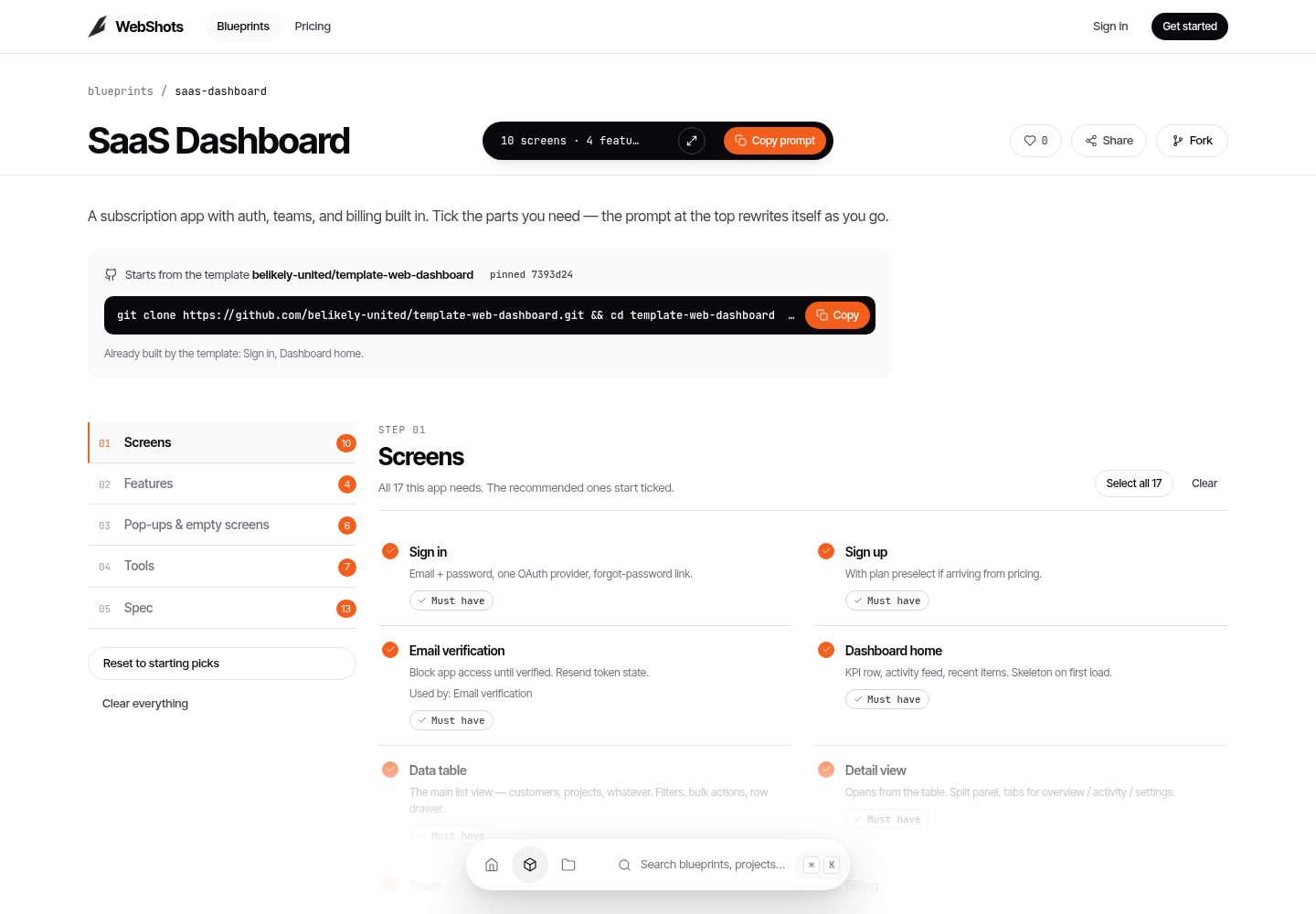
Config-driven: webshots.config.json manages the brand name, logo, and accent color; src/config/dashboard.ts manages the sidebar and sample data
Next.jsReactAdmin dashboardSaaS
template-web-dashboard — Next.js Admin dashboard Template
By belikely-united
BeLikely Dashboard is a config-driven Next.js admin dashboard template with built-in sample data for previewing the interface first; after connecting Firebase, email/Google sign-in and Firestore data are enabled.
Explore the design
Compare the page layouts and mobile experience. Open any screenshot for a closer look.
Desktop homepage1 / 2
Desktop captureTop of page
Actual screenshot captured by the server browser.
All pages & views 2
Screenshots show visual appearance; interactive behavior may differ.
Recorded 2026-10-05View source
What stands out
A quick read of the recorded project description.
Runs in preview mode when Firebase is not configured, directly showing sample data so you can see the interface first
After connecting Firebase, enables email/password and Google sign-in; data reads go through Firestore and fall back to sample data
Includes shadcn/ui-style components such as sidebar, top bar, StatCard, OverviewChart, and ThemeToggle, plus light/dark themes
Provides firestore.rules and an optional seed.mjs script to write sample data to Firestore
Deployment target is Firebase App Hosting; apphosting.yaml stores runtime configuration and environment variables
Template Details
This template targets admin and SaaS data interfaces, built with Next.js App Router, TypeScript, Tailwind CSS, and shadcn/ui. It provides UI elements such as a sidebar, top bar, KPI cards, overview charts, activity lists, and light/dark theme switching.
The template is config-driven: webshots.config.json controls the brand name, logo, and accent color; src/config/dashboard.ts defines sidebar entries and sample data; public/logo.svg can be replaced with your own logo. When Firebase configuration is not filled in, the dashboard runs in preview mode, showing sample data without requiring login. After filling in the Firebase Web configuration, access requires logging in at /login; authentication supports email/password and Google; data reads go through Firestore, and it falls back to sample data when there is no data.
The repository includes firestore.rules and an optional scripts/seed.mjs seed script that can write sample data to Firestore. The deployment target is Firebase App Hosting; apphosting.yaml stores runtime configuration and NEXT_PUBLIC_FIREBASE_* environment variables. The README states that App Hosting requires the Blaze (pay-as-you-go) plan. The template uses the MIT license; the code can be used, modified, commercialized, and distributed for free, but external services such as Firebase, demo images, and third-party assets such as fonts and icons require separate license and cost verification.
Next.jsAdmin dashboardSaaS
Is it right for your project?
Use Cases
- Quickly building a data overview interface for a SaaS admin dashboard or internal tool
- Wanting to preview the admin UI with sample data first, then decide whether to connect Firebase
- Admin projects using Firebase Auth and Firestore for authentication and data storage
- Needing an admin template with replaceable brand name, logo, and accent color
Suitable For
- Admin management projects using Next.js and TypeScript
- SaaS or internal tools that need Firebase authentication and a Firestore data layer
- Teams that want to adjust branding and sidebar structure through configuration
- Projects that accept Firebase App Hosting as the deployment method
Getting started & customization
Use these recorded setup notes alongside the repository instructions for your chosen version.
- 1
Run pnpm install, copy .env.example to .env.local and fill in the Firebase Web configuration, then run pnpm dev to start
- 2
When Firebase configuration is not filled in, the dashboard is in preview mode; after filling it in, login at /login is required
- 3
The Firebase project needs Email/Password and Google authentication enabled, and a Firestore database created; rules are in firestore.rules
- 4
Optional: run node --env-file=.env.local scripts/seed.mjs with SEED_EMAIL and SEED_PASSWORD to write sample data
- 5
Deploying to Firebase App Hosting requires the Blaze pay-as-you-go plan, and environment variables must be configured in apphosting.yaml
License & source material
Usage conditions & limitations
Free to use · keep license noticeThis listing covers the free version in the public repository under the MIT license; the free scope is the code of that version and does not mean external services or third-party assets are free.
Must comply with when using
- The code of this version may be used, modified, commercialized, and distributed for free.
- When distributing copies or substantial portions of the code, retain the original author's copyright notice and the full MIT license notice.
- The code is provided as is; warranties and limitations of liability are governed by the original license and applicable law.
Additional costs & items to verify
- The README mentions Firebase integration; before enabling related dynamic features, you must configure it yourself and verify Firebase quotas and charges.
- Demo images, fonts, icons, and other third-party assets must be checked under their respective licenses; they cannot be judged solely by the code's MIT license.
- External services such as domains, hosting, databases, payments, or AI may incur separate charges.
- Deploying with Firebase App Hosting requires the Blaze (pay-as-you-go) plan for the Firebase project, which incurs external service costs.
- Deploying to Firebase App Hosting requires the Blaze pay-as-you-go plan, which is an external paid service requirement.
- Enabling real login and data features requires providing your own Firebase Web configuration, meaning it depends on external Firebase services and accounts.
- When Firebase is not configured, only sample data can be viewed in preview mode; after configuration, login is required to access the dashboard.
- Using authentication features requires manually enabling Email/Password and Google sign-in methods in the Firebase project.
- Data features depend on creating your own Firestore database, which is an external service configuration requirement.
View Original Text Basis
Permission is hereby granted, free of charge
Original License Text
Create a Firebase project (Blaze plan — App Hosting requires it).
Original README
App Hosting needs the **Blaze (pay-as-you-go)** plan.
Original README
Add your Firebase web config to turn on real login + data.
Original README
Without Firebase config, the dashboard shows in **preview mode** (sample data, no login). With config, you must sign in at `/login`.
Original README
**Authentication** → enable **Email/Password** and **Google**.
Original README
https://github.com/belikely-united/template-web-dashboard/blob/main/LICENSEhttps://github.com/belikely-united/template-web-dashboard/blob/main/README.md**Firestore** → create a database. Rules ship in `firestore.rules`.
Original README
Compiled by DeepSeek based on repository license and README ·2026-10-05. Results only cover the materials read; dependencies, images, fonts, and subsequent term changes are subject to their respective original texts.
Project checks & description sources
Template Information
- Source platforms
- GitHub
- Documentation and maintenance reference score
- More documented · 85 / 100
- Technologies
- Next.js · React
- Website type
- Admin dashboard · SaaS
How this score is calculated
Our heuristic uses license records (up to 30), a demo link (12), a preview (10), stars (15), recorded maintenance (15), description completeness (8), feature records (5) and classification data (5). It is not a code, security or performance test, or a Google score. A link does not establish tested functionality.
What to verify for this project
- Repository update recorded
- 2026-10-05
- Screenshot last checked
- 2026-10-05
A demo link is listed. Check it with your own content and viewport sizes; its presence does not confirm that forms, authentication or payments work.
The catalog identifies Next.js as the primary stack. Check the actual dependency manifest and lockfile for versions and hosting requirements. These notes use recorded metadata, not a code audit or a deployment test.
Use a selection guide →How this description was prepared
AI-assisted description based on catalog records and repository material. Repository authors are not automatically the reviewers of this description.
Review declaration: [email protected] · 2026-10-06
Inspect the recorded source material
SHA-256: d818be8336309a40e4e72b5ba5b84d959b2f844fe956b7d2eefdc1693cad1b9c
2026-10-05T15:51:48.728Z
Source file / repository# BeLikely Dashboard A clean, **config-driven** admin dashboard starter. - **Next.js 15 (App Router) + TypeScript + Tailwind CSS v4 + shadcn/ui** - **Firebase Auth** (email/password + Google) and **Firestore** for data - Light/dark theme - Deploys on **Firebase App Hosting** (server-rendered) It works out of the box with **sample data**, so you can see the UI before any Firebase setup. Add your Firebase web config to turn on real login + data. --- ## Quick start ```bash pnpm install cp .env.example .env.local # fill in your Firebase web config pnpm dev # http://localhost:3000 ``` Without Firebase config, the dashboard shows in **preview mode** (sample data, no login). With config, you must sign in at `/login`. ## Make it your own 1. **`webshots.config.json`** — brand name, logo and **accent colour**. [WebShots](https://webshots.design) writes this file when you start a project from a blueprint; edit it by hand any time. 2. **`src/config/dashboard.ts`** — sidebar items and the sample data. 3. Replace **`public/logo.svg`** with your logo. 3. Add your **Firebase web config** to `.env.local` (and to `apphosting.yaml` for deploy). ## Firebase setup (one time per project) 1. Create a Firebase project (Blaze plan — App Hosting requires it). 2. **Authentication** → enable **Email/Password** and **Google**. 3. **Firestore** → create a database. Rules ship in `firestore.rules`. 4. Copy the **web app config** into `.env.local` / `apphosting.yaml`. ### (Optional) seed sample data into Firestore ```bash [email protected] SEED_PASSWORD=... \ node --env-file=.env.local scripts/seed.mjs ``` ## Build ```bash pnpm build ``` ## Deploy (Firebase App Hosting) ```bash firebase use <your-project-id> firebase apphosting:backends:create # first time firebase deploy ``` `apphosting.yaml` holds the runtime config + the `NEXT_PUBLIC_FIREBASE_*` env vars. App Hosting needs the **Blaze (pay-as-you-go)** plan. --- ## Structure ``` webshots.config.json # ← brand: name, logo, accent colour webshots.json # what this template builds, for WebShots and AI agents src/ config/dashboard.ts # ← sidebar and sample data lib/ firebase.ts # Firebase init (web config from env) auth.tsx # auth context (email + Google) data.ts # Firestore reads (fall back to sample data) app/ layout.tsx # root layout + theme login/page.tsx # sign in (dash)/layout.tsx # protected shell (sidebar/topbar) (dash)/page.tsx # Overview (KPIs, chart, activity) globals.css # shadcn theme tokens (light/dark) components/ ui/ # shadcn-style primitives Sidebar / Topbar / StatCard / OverviewChart / ThemeToggle public/ logo.svg # ← replace with your logo scripts/ seed.mjs # optional Firestore seeder ``` ## For AI agents `webshots.json` says which parts of WebShots' SaaS Dashboard and Internal Tool blueprints this template already builds. When WebShots starts a project, it also writes `BLUEPRINT.md`: the picked parts still to build. --- MIT licensed. Built by [BeLikely](https://belikely.com).
Explore similar templates
Compare previews and descriptions within the same stack and category.

Next.js SaaS Starter
The official Next.js SaaS starter template, integrating email/password authentication, Stripe Checkout subscriptions, a dashboard with user/team CRUD, basic Owner/Member RBAC, and activity logging.
Next.js · SaaS

SaaS-Boilerplate
SaaS-Boilerplate is an open-source SaaS starter template built with Next.js App Router, React 19, TypeScript, Tailwind CSS, and Shadcn UI.
Next.js · SaaS

next-shadcn-dashboard-starter
An MIT-licensed admin dashboard starter built with Next.js 16, shadcn/ui, Tailwind CSS v4, and TypeScript.
Next.js · Admin dashboard

create-t3-turbo
A full-stack TypeScript monorepo starter from T3 OSS, listed in the Vercel template directory. It splits apps for Next.js, Expo and optional TanStack Start, with shared packages for tRPC v11, better-auth, Drizzle + Supabase and shadcn/ui.
Next.js · Starter

saas-starter-kit
BoxyHQ's open-source Next.js enterprise SaaS starter template provides a reusable foundation with authentication, team management, SAML SSO, directory sync, webhooks, audit logs, and Stripe payments.
Next.js · SaaS

Studio Admin · Radix UI
Studio Admin is an admin dashboard template built with Next.js 16, TypeScript, Tailwind CSS v4, and Shadcn UI.
Next.js · Admin dashboard