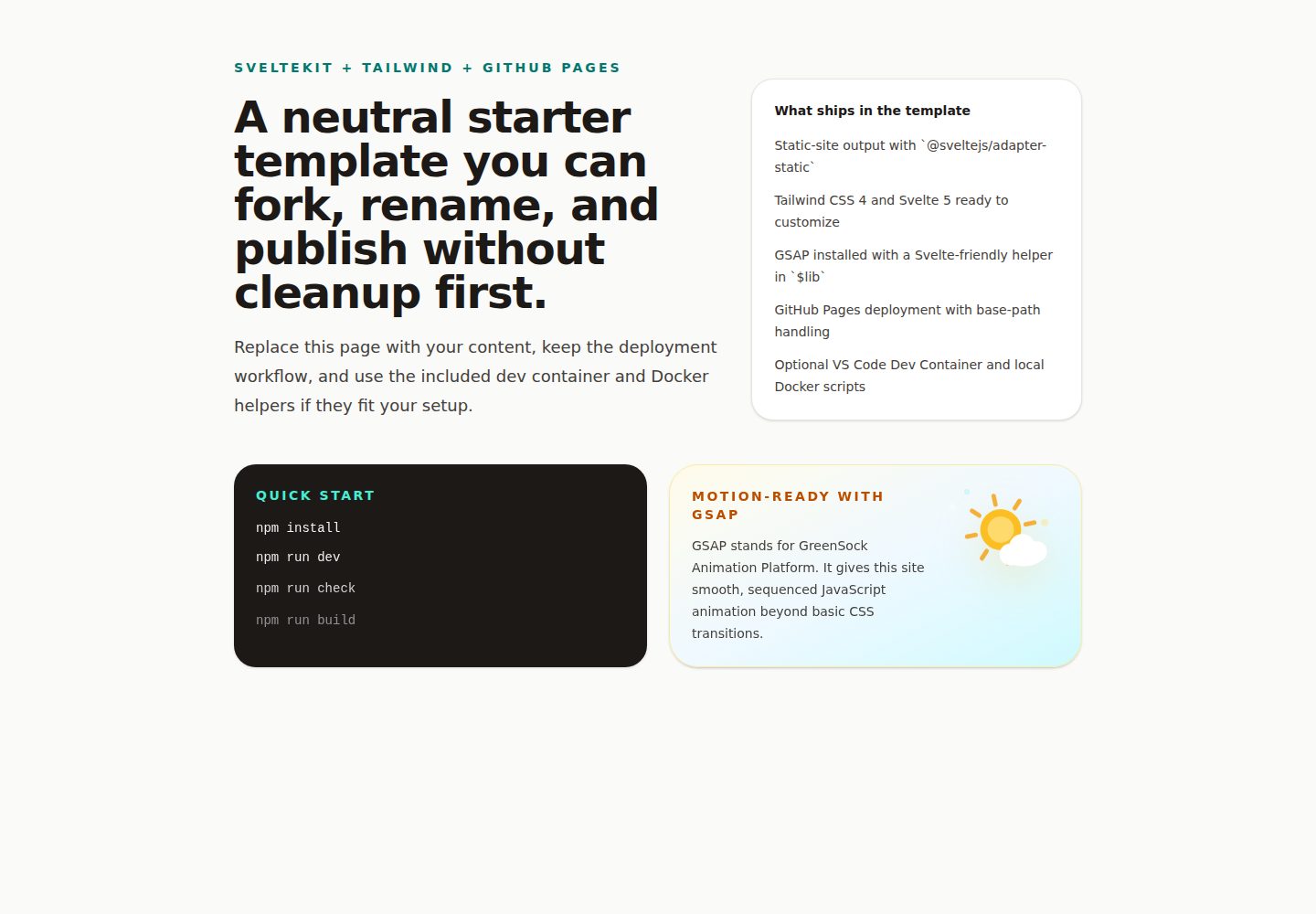
SvelteKit with the static adapter, targeting static deployment to GitHub Pages
SvelteStarter
ai-workshop-starter-web-sveltekit-tailwind — Svelte Starter Template
By BillRaymond
This is a GitHub template based on SvelteKit and Tailwind CSS, used to build and publish static sites to GitHub Pages, and includes a VS Code Dev Container and GSAP animation support.
Explore the design
Compare the page layouts and mobile experience. Open any screenshot for a closer look.
Desktop homepage1 / 2
Desktop captureTop of page
Actual screenshot captured by the server browser.
All pages & views 2
Screenshots show visual appearance; interactive behavior may differ.
Recorded 2026-10-13View source
What stands out
A quick read of the recorded project description.
Includes Tailwind CSS, GSAP, Vite, and Node 22 dependencies
Provides a VS Code Dev Container development environment configuration
Includes a CI workflow for building and type checking
Includes a GitHub Actions workflow for automatic deployment to GitHub Pages
Provides $lib helper functions for GSAP and VS Code snippets
Template Details
This template is aimed at developers who want to quickly set up a static website and deploy it to GitHub Pages. The README states that its tech stack includes SvelteKit (using the static adapter), Tailwind CSS, GSAP, Vite, and Node 22, and provides a VS Code Dev Container workflow. The template includes a CI workflow for building and type checking, as well as a GitHub Actions workflow for automatic deployment to GitHub Pages. The README also describes the steps for creating a repository from the template, enabling GitHub Pages, cloning in VS Code and starting the Dev Container, previewing locally, making the first modifications, and the daily modification process. The template provides shared helper functions for GSAP and VS Code snippets. The README does not describe the template's performance, production readiness, or any other features beyond the above.
SvelteStarter
Is it right for your project?
Use Cases
- Create a personal or company static website from the template and deploy it to GitHub Pages
- Develop SvelteKit and Tailwind CSS in a VS Code Dev Container
- Add GSAP animations to Svelte components
- Automate building, type checking, and deployment via GitHub Actions
Suitable For
- Developers who need to quickly launch a static site and deploy it to GitHub Pages
- Front-end projects using SvelteKit and Tailwind CSS
- Teams that want to keep the development environment consistent in a containerized environment
- Projects that need to integrate GSAP animations in Svelte
Getting started & customization
Use these recorded setup notes alongside the repository instructions for your chosen version.
- 1
Click Use this template on GitHub to create a new repository, and set it to Public (required for using GitHub Pages with a free account)
- 2
In the repository Settings > Pages, set Source to GitHub Actions
- 3
Clone the repository in VS Code, install the Dev Containers extension, and open the container via the command palette
- 4
Preview the local site via the Ports view in VS Code
- 5
Local commands include npm install, npm run dev, npm run build, npm run check
License & source material
Usage conditions & limitations
Free to use · keep license noticeThis entry covers the free version under the MIT license in the public repository; the free scope is the code of this version, and does not mean that external services or third-party assets are free.
Must comply with when using
- Allows free use, modification, commercial use, and distribution of this version of the code.
- When distributing copies or substantial portions of the code, retain the original author's copyright notice and the complete MIT license notice.
- The code is provided as is; warranties and limitations of liability are governed by the original license and applicable law.
Additional costs & items to verify
- Demo images, fonts, icons, and other third-party assets need to be checked against their respective licenses, and cannot be judged solely by the code's MIT license.
- External services such as domains, hosting, databases, payments, or AI may incur additional charges.
- When using GitHub Pages with a free account, the repository must be set to Public.
- The Dev Containers extension must first be installed in VS Code.
- The first modification example relies on the Claude or ChatGPT extension in VS Code.
- Before reopening the project in the container, ensure Docker Desktop is running.
View Original Text Basis
Permission is hereby granted, free of charge
Original License Text
4. Set visibility to **Public** (required for GitHub Pages on free accounts).
Original README
> **Tip:** Install the [Dev Containers extension](https://marketplace.visualstudio.com/items?itemName=ms-vscode-remote.remote-containers) in VS Code before following these steps if you have not already.
Original README
1. Open the Claude or ChatGPT extension in VS Code and start a new chat.
Original README
https://github.com/BillRaymond/ai-workshop-starter-web-sveltekit-tailwind/blob/main/LICENSEhttps://github.com/BillRaymond/ai-workshop-starter-web-sveltekit-tailwind/blob/main/README.md- Make sure Docker Desktop is running before reopening in the container.
Original README
Compiled by DeepSeek based on repository license and README ·2026-10-13. Results only cover the materials read; dependencies, images, fonts, and subsequent term changes are subject to their respective original texts.
Project checks & description sources
Template Information
- Source platforms
- GitHub
- Documentation and maintenance reference score
- More documented · 83 / 100
- Technologies
- Svelte
- Website type
- Starter
How this score is calculated
Our heuristic uses license records (up to 30), a demo link (12), a preview (10), stars (15), recorded maintenance (15), description completeness (8), feature records (5) and classification data (5). It is not a code, security or performance test, or a Google score. A link does not establish tested functionality.
What to verify for this project
- Repository update recorded
- 2026-05-06
- Screenshot last checked
- 2026-10-13
A demo link is listed. Check it with your own content and viewport sizes; its presence does not confirm that forms, authentication or payments work.
The catalog identifies Svelte as the primary stack. Check the actual dependency manifest and lockfile for versions and hosting requirements. These notes use recorded metadata, not a code audit or a deployment test.
Use a selection guide →How this description was prepared
AI-assisted description based on catalog records and repository material. Repository authors are not automatically the reviewers of this description.
Review declaration: codex-user-requested-batch-review-20261015 · 2026-10-15
Inspect the recorded source material
SHA-256: 7f9a204d3c0769a0e79383d49ab091517c9c6d0be91b548cef9682fc5f0882c1
2026-10-13T19:36:47.129Z
Source file / repository# SvelteKit + Tailwind GitHub Pages Template
This repository is a GitHub template for building and publishing a static site with SvelteKit, Tailwind CSS, GSAP, VS Code Dev Containers, and GitHub Pages.
It is designed to be forked, renamed, and repurposed without carrying forward workshop branding or repo-specific deployment assumptions.
Created by Bill Raymond, owner of [Cambermast LLC](https://cambermast.com), with the tagline `AI Agility in Action`.
## Table of Contents
- [SvelteKit + Tailwind GitHub Pages Template](#sveltekit--tailwind-github-pages-template)
- [Table of Contents](#table-of-contents)
- [What This Template Includes](#what-this-template-includes)
- [One-Time Setup](#one-time-setup)
- [1. Create your repository from the template](#1-create-your-repository-from-the-template)
- [2. Enable GitHub Pages](#2-enable-github-pages)
- [3. Open your repository in VS Code](#3-open-your-repository-in-vs-code)
- [4. Start the Dev Container](#4-start-the-dev-container)
- [5. Preview your site locally](#5-preview-your-site-locally)
- [6. Make your first change](#6-make-your-first-change)
- [Every time you want to make a change](#every-time-you-want-to-make-a-change)
- [Deployment Model](#deployment-model)
- [After Using This Template](#after-using-this-template)
- [Local Commands](#local-commands)
- [Troubleshooting](#troubleshooting)
- [Technical Notes](#technical-notes)
## What This Template Includes
- SvelteKit with the static adapter configured for GitHub Pages
- Svelte 5, Tailwind CSS 4, GSAP, Vite, and Node 22
- A VS Code Dev Container workflow for consistent local development
- A dedicated CI workflow for build and type-check validation on branches and pull requests
- GitHub Actions deployment to GitHub Pages
- Dynamic dev-port fallback behavior that works well in VS Code and containers
- A shared `$lib` GSAP helper plus a VS Code snippet for Svelte animations
## One-Time Setup
### 1. Create your repository from the template
1. Select **Use this template** at the top of this GitHub repository page.
2. Choose **Create a new repository**.
3. Name your repository. Keep it simple, lowercase, and use dashes in between each word. For example:
`my-company-website` or `my-portfolio`.
4. Set visibility to **Public** (required for GitHub Pages on free accounts).
5. Select **Create repository from template**.
### 2. Enable GitHub Pages
1. In your new repository on GitHub, select **Settings**.
2. In the left sidebar, select **Pages**.
3. Under **Source**, select **GitHub Actions**.
### 3. Open your repository in VS Code
You will clone your new repository directly to your computer using VS Code. Cloning downloads a full copy of the repository so you can work on it locally.
> **Tip:** Install the [Dev Containers extension](https://marketplace.visualstudio.com/items?itemName=ms-vscode-remote.remote-containers) in VS Code before following these steps if you have not already.
1. Open VS Code.
2. Open the Command Palette (`Ctrl+Shift+P` on Windows or `Cmd+Shift+P` on Mac).
3. Type **Git: Clone** and press Return.
4. Select **Clone from GitHub** and press Return.
5. Select the new repository you created from this template.
6. Choose a folder on your computer to save the repository into.
7. When VS Code asks if you want to open the cloned repository, select **Open**.
### 4. Start the Dev Container
1. Open the Command Palette (`Ctrl+Shift+P` on Windows or `Cmd+Shift+P` on Mac).
2. Type **Dev Containers: Open Folder in Container** and press Return.
3. Browse to the folder where you cloned the repository and confirm.
4. Wait for the container to build and the dev server to start. This may take a few minutes the first time.
### 5. Preview your site locally
1. Open the Command Palette (`Ctrl+Shift+P` on Windows or `Cmd+Shift+P` on Mac) and type **View: Toggle Ports**, then press Return.
2. In the **Ports** tab that appears, find the forwarded port entry and select the globe icon to open the running site in your browser.
### 6. Make your first change
Before publishing, try making a small change to confirm everything is working end to end.
1. Open the Claude or ChatGPT extension in VS Code and start a new chat.
2. Ask the AI to make a small visible change. For example: `Add the following text to the home page: "testing to see if github pages works"`.
3. Open the Command Palette (`Ctrl+Shift+P` on Windows or `Cmd+Shift+P` on Mac) and type **View: Toggle Ports**, then select the globe icon to preview the change in your browser.
4. Prompt the AI to commit the change and sync it to GitHub. For example: `Commit the change you just made and sync to GitHub. Check status and wait until it is complete and then provide the url so I can view the page online`.
5. Save the URL for your live site so you can verify changes moving forward.
## Every time you want to make a change
1. Think about the one thing you want to change in the website.
2. Open a new chat in your AI tool and describe that single change.
3. Apply the suggestion in VS Code and preview it locally using the globe icon in the **Ports** tab.
4. When you are happy with the changes, prompt your AI tool (Claude or ChatGPT) to commit the changes and sync them to GitHub for you. For example: `Commit the changes you just made and sync to GitHub`.
5. Wait for the GitHub Actions workflows to complete, then verify the change on your live site.
## Deployment Model
This template is intended for static-site deployment on GitHub Pages.
- `@sveltejs/adapter-static` is the production adapter
- `.github/workflows/deploy-pages.yml` builds and deploys the site to GitHub Pages
- The workflow automatically sets `BASE_PATH` so both project pages and user/organization pages work correctly
## After Using This Template
- Remove or replace the attribution line near the top of this README.
- Replace the starter page, metadata, social metadata, images, and favicon with your own before launch.
- Update the package metadata only if you want a different package name than the neutral default.
- Keep the included MIT license if it fits your project, or replace it with a different license if your needs differ.
## Local Commands
```sh
npm install
npm run dev
npm run build
npm run check
```
## GSAP
GSAP is included as a first-class dependency in this template.
- Import `withGsapContext` from `$lib` for Svelte-friendly setup and cleanup.
- The starter home page already uses this pattern as a working example.
- In VS Code, use the `gsap-svelte` snippet inside a `.svelte` file to scaffold a new animation block quickly.
If you want to build and run the dev image directly outside VS Code:
```sh
npm run docker:dev:build
npm run docker:dev:run
```
## Troubleshooting
- Make sure Docker Desktop is running before reopening in the container.
- The first container build can take a few minutes.
- If you do not see the running site, check the VS Code Ports view.
- If the container gets into a bad state, try `Dev Containers: Rebuild Container`.
- Manual deploys are available through the `Deploy to GitHub Pages` workflow if you want to publish before your first push to the default branch.
- **On Windows, source changes may not appear in the browser automatically.** When a Dev Container runs on a Windows host, the Linux container does not receive file-change notifications from the Windows filesystem, so Vite's watcher can miss edits. This template detects a Windows host via `HOST_OS` (set in `devcontainer.json`) and enables Vite polling automatically. If hot-reload stops working, rebuild the container to pick up the latest configuration.
- **If GitHub Actions warns about deprecated Node 20 actions, that warning is about the internal runtime used by a GitHub Action, not this template's configured Node.js version for building the site.** This template currently builds with Node 22.
## Technical Notes
More setup details are in [TECHNICAL_SETUP.md](./TECHNICAL_SETUP.md).
Explore similar templates
Compare previews and descriptions within the same stack and category.

CMSaasStarter
CMSaasStarter is an MIT-licensed SaaS starter template built with SvelteKit, TailwindCSS, DaisyUI, and Supabase, with Stripe Checkout and Stripe Portal for payments.
Svelte · Admin dashboard
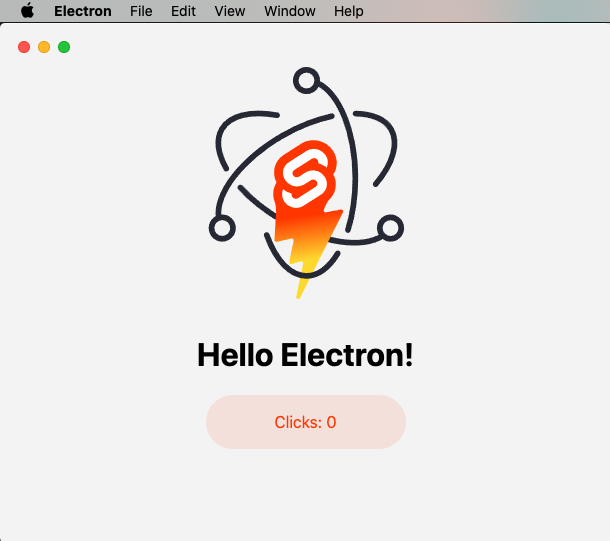
sveltekit-electron
A minimal SvelteKit + Electron starter template for cross-platform desktop applications. It provides clone, install, development, and build commands, with build targets adjustable in package.json and defaulting to Mac, Windows, and Linux.
Svelte · Starter
tauri-sveltekit
A minimal Tauri 2 and SvelteKit desktop starter template that builds the frontend as a static SPA via @sveltejs/adapter-static and loads it in Tauri's WebView.
Svelte · Starter
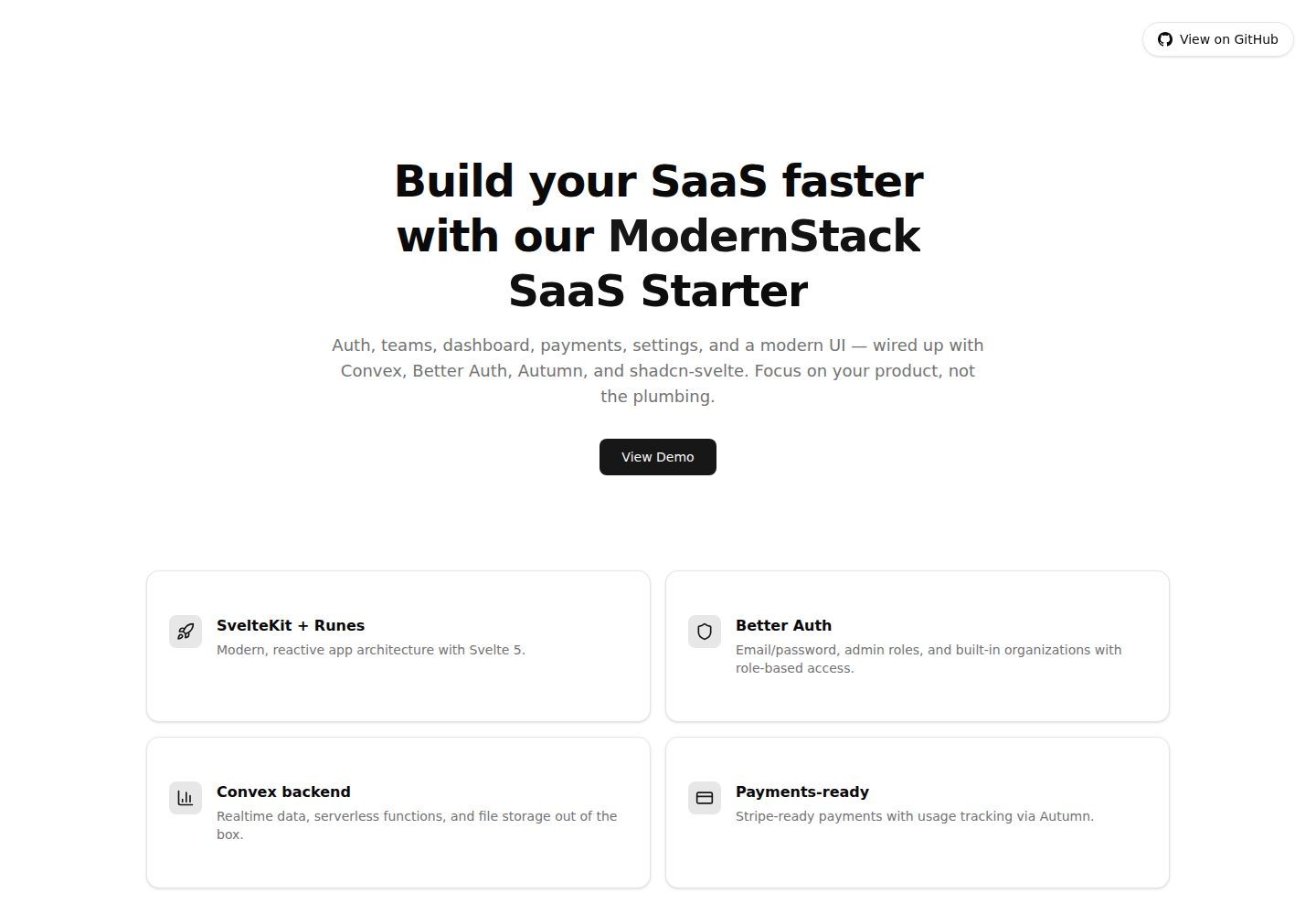
modernstack-saas
A SaaS starter template built with SvelteKit, Convex, Better Auth, and shadcn-svelte. It includes subscription billing via Autumn/Stripe, user and admin dashboards, user settings, organization multi-tenancy with roles and invitations, and a waitlist mode that can disable public registration.
Svelte · Admin dashboard

sveltekit-mdsvex-blog-template
A SvelteKit and MDsveX blog starter for Markdown writing with embedded Svelte components, Tailwind CSS typography, tags, dark mode, SEO metadata, and Cloudflare Workers deployment configuration. Requires Node.js 22.12+ and pnpm 11.17.0; third-party demo assets need separate license verification.
Svelte · Portfolio
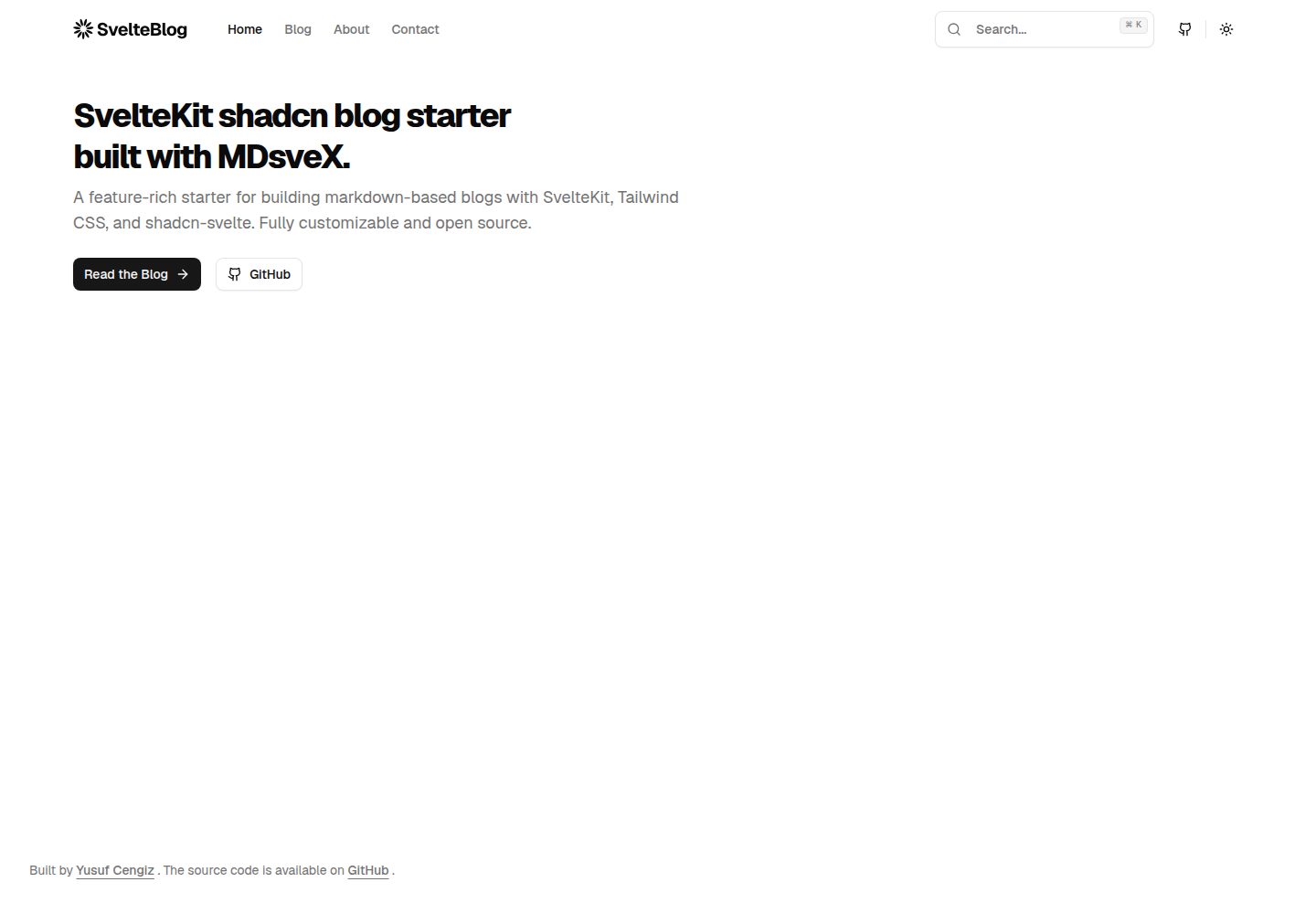
sveltekit-shadcn-blog-starter
A SvelteKit blog starter that combines shadcn-svelte, Tailwind CSS, MDsveX, and TypeScript, offering multi-author support, tag archives, built-in search, light/dark themes, and automatic sitemap and RSS generation.
Svelte · Blog