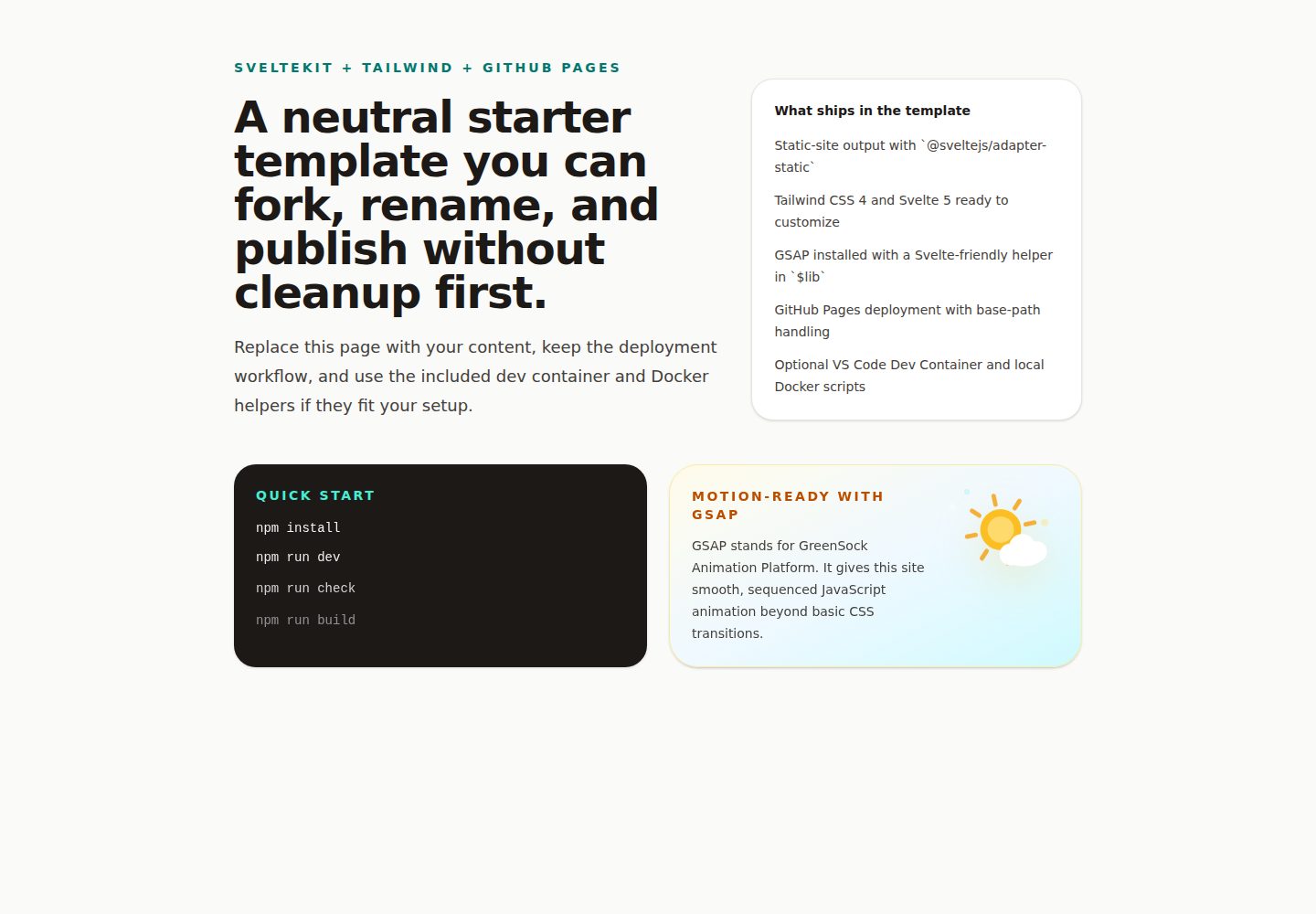
SvelteKit 配合静态适配器,面向 GitHub Pages 静态部署
Svelte启动器
ai-workshop-starter-web-sveltekit-tailwind — Svelte 启动器模板
作者 BillRaymond
这是一个基于 SvelteKit 与 Tailwind CSS 的 GitHub 模板,用于构建并发布静态站点到 GitHub Pages,并包含 VS Code Dev Container 与 GSAP 动画支持。
看看你的网站会是什么样
浏览真实页面截图,比较内容排版与手机效果。点击下方缩略图切换,放大查看整页细节。
全部页面与视图 2
截图用于了解视觉与布局,交互效果请以实际项目为准。
采集于 2026-10-13查看来源
值得关注的模板亮点
从已有项目资料中,快速了解它的特点。
包含 Tailwind CSS、GSAP、Vite 与 Node 22 依赖
提供 VS Code Dev Container 开发环境配置
包含构建与类型检查的 CI 工作流
包含自动部署到 GitHub Pages 的 GitHub Actions 工作流
提供 GSAP 的 $lib 辅助函数与 VS Code 代码片段
模板详细介绍
该模板面向希望快速搭建静态网站并部署到 GitHub Pages 的开发者。README 说明其技术栈包括 SvelteKit(使用静态适配器)、Tailwind CSS、GSAP、Vite 与 Node 22,并提供 VS Code Dev Container 工作流。模板包含用于构建与类型检查的 CI 工作流,以及自动部署到 GitHub Pages 的 GitHub Actions 工作流。README 还描述了从模板创建仓库、启用 GitHub Pages、在 VS Code 中克隆并启动 Dev Container、本地预览、进行首次修改的步骤,以及日常修改流程。模板提供了 GSAP 的共享辅助函数与 VS Code 代码片段。README 未说明模板的性能、生产就绪程度或除上述内容外的其他功能。
Svelte启动器
适合你的项目吗?
适用场景
- 从模板创建个人或公司静态网站并部署到 GitHub Pages
- 在 VS Code Dev Container 中进行 SvelteKit 与 Tailwind CSS 开发
- 为 Svelte 组件添加 GSAP 动画
- 通过 GitHub Actions 自动化构建、类型检查与部署
适合人群
- 需要快速启动静态站点并部署到 GitHub Pages 的开发者
- 使用 SvelteKit 与 Tailwind CSS 的前端项目
- 希望在容器化环境中保持开发环境一致的团队
- 需要在 Svelte 中集成 GSAP 动画的项目
上手与定制指南
结合仓库当前版本的说明,按下面的资料检查内容、配置与运行要求。
- 1
在 GitHub 上点击 Use this template 创建新仓库,并设置为 Public(免费账户使用 GitHub Pages 所需)
- 2
在仓库 Settings > Pages 中将 Source 设置为 GitHub Actions
- 3
在 VS Code 中克隆仓库,安装 Dev Containers 扩展后通过命令面板打开容器
- 4
通过 VS Code 的 Ports 视图预览本地站点
- 5
本地命令包括 npm install、npm run dev、npm run build、npm run check
授权与来源资料
使用条件与限制
免费使用 · 保留许可声明本次收录的是公开仓库中采用 MIT 许可的免费版本;免费范围为该版本代码,不代表外部服务或第三方素材免费。
使用时需要遵守
- 允许免费使用、修改、商用和分发该版本代码。
- 分发代码副本或实质性部分时,保留原作者版权声明和完整 MIT 许可声明。
- 代码按现状提供;担保与责任限制以原许可证及适用法律为准。
额外费用与待核对事项
- 演示图片、字体、图标及其他第三方素材需按各自许可核对,不能仅凭代码的 MIT 许可判断。
- 域名、托管、数据库、支付或 AI 等外部服务可能另外收费。
- 使用免费账户的 GitHub Pages 时,仓库必须设为 Public。
- 需要先在 VS Code 中安装 Dev Containers 扩展。
- 首次修改示例依赖 VS Code 中的 Claude 或 ChatGPT 扩展。
- 在容器中重新打开项目前,需要确保 Docker Desktop 正在运行。
查看原文依据
Permission is hereby granted, free of charge
许可证原文
4. Set visibility to **Public** (required for GitHub Pages on free accounts).
README 原文
> **Tip:** Install the [Dev Containers extension](https://marketplace.visualstudio.com/items?itemName=ms-vscode-remote.remote-containers) in VS Code before following these steps if you have not already.
README 原文
1. Open the Claude or ChatGPT extension in VS Code and start a new chat.
README 原文
https://github.com/BillRaymond/ai-workshop-starter-web-sveltekit-tailwind/blob/main/LICENSEhttps://github.com/BillRaymond/ai-workshop-starter-web-sveltekit-tailwind/blob/main/README.md- Make sure Docker Desktop is running before reopening in the container.
README 原文
DeepSeek 根据仓库许可证和 README 整理 ·2026-10-13。结果仅覆盖已读取资料,依赖、图片、字体及后续条款变更以各自原文为准。
项目核对记录与介绍依据
模板资料
- 来源平台
- GitHub
- 资料与维护参考分
- 资料较完整 · 83 / 100
- 技术栈
- Svelte
- 网站类型
- 启动器
这个分数如何计算
本站按许可资料(最高30分)、演示链接(12分)、预览图(10分)、Star数(15分)、记录的维护时间(15分)、描述完整度(8分)、功能记录(5分)和分类资料(5分)计算。它不是代码、安全或性能测试,也不是 Google 评分;有链接不代表已实测可用。
这个项目需要核对什么
- 记录的仓库更新时间
- 2026-05-06
- 截图检查日期
- 2026-10-13
已收录演示链接。请用你的内容与屏幕尺寸检查;有演示不代表表单、认证或支付已经可用。
目录记录的主要技术栈是 Svelte。请通过依赖清单和锁文件核对实际版本与托管要求。这些说明基于收录资料,不代表代码审计或部署实测。
查看具体选型方法 →介绍的制作与核对状态
介绍由 AI 辅助整理目录与仓库资料。仓库作者不等于这篇介绍的审核者。
审核声明: codex-user-requested-batch-review-20261015 · 2026-10-15
查看当时使用的来源资料
SHA-256: 7f9a204d3c0769a0e79383d49ab091517c9c6d0be91b548cef9682fc5f0882c1
2026-10-13T19:36:47.129Z
来源文件 / 仓库# SvelteKit + Tailwind GitHub Pages Template
This repository is a GitHub template for building and publishing a static site with SvelteKit, Tailwind CSS, GSAP, VS Code Dev Containers, and GitHub Pages.
It is designed to be forked, renamed, and repurposed without carrying forward workshop branding or repo-specific deployment assumptions.
Created by Bill Raymond, owner of [Cambermast LLC](https://cambermast.com), with the tagline `AI Agility in Action`.
## Table of Contents
- [SvelteKit + Tailwind GitHub Pages Template](#sveltekit--tailwind-github-pages-template)
- [Table of Contents](#table-of-contents)
- [What This Template Includes](#what-this-template-includes)
- [One-Time Setup](#one-time-setup)
- [1. Create your repository from the template](#1-create-your-repository-from-the-template)
- [2. Enable GitHub Pages](#2-enable-github-pages)
- [3. Open your repository in VS Code](#3-open-your-repository-in-vs-code)
- [4. Start the Dev Container](#4-start-the-dev-container)
- [5. Preview your site locally](#5-preview-your-site-locally)
- [6. Make your first change](#6-make-your-first-change)
- [Every time you want to make a change](#every-time-you-want-to-make-a-change)
- [Deployment Model](#deployment-model)
- [After Using This Template](#after-using-this-template)
- [Local Commands](#local-commands)
- [Troubleshooting](#troubleshooting)
- [Technical Notes](#technical-notes)
## What This Template Includes
- SvelteKit with the static adapter configured for GitHub Pages
- Svelte 5, Tailwind CSS 4, GSAP, Vite, and Node 22
- A VS Code Dev Container workflow for consistent local development
- A dedicated CI workflow for build and type-check validation on branches and pull requests
- GitHub Actions deployment to GitHub Pages
- Dynamic dev-port fallback behavior that works well in VS Code and containers
- A shared `$lib` GSAP helper plus a VS Code snippet for Svelte animations
## One-Time Setup
### 1. Create your repository from the template
1. Select **Use this template** at the top of this GitHub repository page.
2. Choose **Create a new repository**.
3. Name your repository. Keep it simple, lowercase, and use dashes in between each word. For example:
`my-company-website` or `my-portfolio`.
4. Set visibility to **Public** (required for GitHub Pages on free accounts).
5. Select **Create repository from template**.
### 2. Enable GitHub Pages
1. In your new repository on GitHub, select **Settings**.
2. In the left sidebar, select **Pages**.
3. Under **Source**, select **GitHub Actions**.
### 3. Open your repository in VS Code
You will clone your new repository directly to your computer using VS Code. Cloning downloads a full copy of the repository so you can work on it locally.
> **Tip:** Install the [Dev Containers extension](https://marketplace.visualstudio.com/items?itemName=ms-vscode-remote.remote-containers) in VS Code before following these steps if you have not already.
1. Open VS Code.
2. Open the Command Palette (`Ctrl+Shift+P` on Windows or `Cmd+Shift+P` on Mac).
3. Type **Git: Clone** and press Return.
4. Select **Clone from GitHub** and press Return.
5. Select the new repository you created from this template.
6. Choose a folder on your computer to save the repository into.
7. When VS Code asks if you want to open the cloned repository, select **Open**.
### 4. Start the Dev Container
1. Open the Command Palette (`Ctrl+Shift+P` on Windows or `Cmd+Shift+P` on Mac).
2. Type **Dev Containers: Open Folder in Container** and press Return.
3. Browse to the folder where you cloned the repository and confirm.
4. Wait for the container to build and the dev server to start. This may take a few minutes the first time.
### 5. Preview your site locally
1. Open the Command Palette (`Ctrl+Shift+P` on Windows or `Cmd+Shift+P` on Mac) and type **View: Toggle Ports**, then press Return.
2. In the **Ports** tab that appears, find the forwarded port entry and select the globe icon to open the running site in your browser.
### 6. Make your first change
Before publishing, try making a small change to confirm everything is working end to end.
1. Open the Claude or ChatGPT extension in VS Code and start a new chat.
2. Ask the AI to make a small visible change. For example: `Add the following text to the home page: "testing to see if github pages works"`.
3. Open the Command Palette (`Ctrl+Shift+P` on Windows or `Cmd+Shift+P` on Mac) and type **View: Toggle Ports**, then select the globe icon to preview the change in your browser.
4. Prompt the AI to commit the change and sync it to GitHub. For example: `Commit the change you just made and sync to GitHub. Check status and wait until it is complete and then provide the url so I can view the page online`.
5. Save the URL for your live site so you can verify changes moving forward.
## Every time you want to make a change
1. Think about the one thing you want to change in the website.
2. Open a new chat in your AI tool and describe that single change.
3. Apply the suggestion in VS Code and preview it locally using the globe icon in the **Ports** tab.
4. When you are happy with the changes, prompt your AI tool (Claude or ChatGPT) to commit the changes and sync them to GitHub for you. For example: `Commit the changes you just made and sync to GitHub`.
5. Wait for the GitHub Actions workflows to complete, then verify the change on your live site.
## Deployment Model
This template is intended for static-site deployment on GitHub Pages.
- `@sveltejs/adapter-static` is the production adapter
- `.github/workflows/deploy-pages.yml` builds and deploys the site to GitHub Pages
- The workflow automatically sets `BASE_PATH` so both project pages and user/organization pages work correctly
## After Using This Template
- Remove or replace the attribution line near the top of this README.
- Replace the starter page, metadata, social metadata, images, and favicon with your own before launch.
- Update the package metadata only if you want a different package name than the neutral default.
- Keep the included MIT license if it fits your project, or replace it with a different license if your needs differ.
## Local Commands
```sh
npm install
npm run dev
npm run build
npm run check
```
## GSAP
GSAP is included as a first-class dependency in this template.
- Import `withGsapContext` from `$lib` for Svelte-friendly setup and cleanup.
- The starter home page already uses this pattern as a working example.
- In VS Code, use the `gsap-svelte` snippet inside a `.svelte` file to scaffold a new animation block quickly.
If you want to build and run the dev image directly outside VS Code:
```sh
npm run docker:dev:build
npm run docker:dev:run
```
## Troubleshooting
- Make sure Docker Desktop is running before reopening in the container.
- The first container build can take a few minutes.
- If you do not see the running site, check the VS Code Ports view.
- If the container gets into a bad state, try `Dev Containers: Rebuild Container`.
- Manual deploys are available through the `Deploy to GitHub Pages` workflow if you want to publish before your first push to the default branch.
- **On Windows, source changes may not appear in the browser automatically.** When a Dev Container runs on a Windows host, the Linux container does not receive file-change notifications from the Windows filesystem, so Vite's watcher can miss edits. This template detects a Windows host via `HOST_OS` (set in `devcontainer.json`) and enables Vite polling automatically. If hot-reload stops working, rebuild the container to pick up the latest configuration.
- **If GitHub Actions warns about deprecated Node 20 actions, that warning is about the internal runtime used by a GitHub Action, not this template's configured Node.js version for building the site.** This template currently builds with Node 22.
## Technical Notes
More setup details are in [TECHNICAL_SETUP.md](./TECHNICAL_SETUP.md).
看看同类模板
对比同技术栈与用途的模板,找到更适合的视觉与内容结构。

CMSaasStarter
A modern SaaS template/boilerplate built with SvelteKit, Tailwind, and Supabase. Includes marketing page, blog…
Svelte · 后台
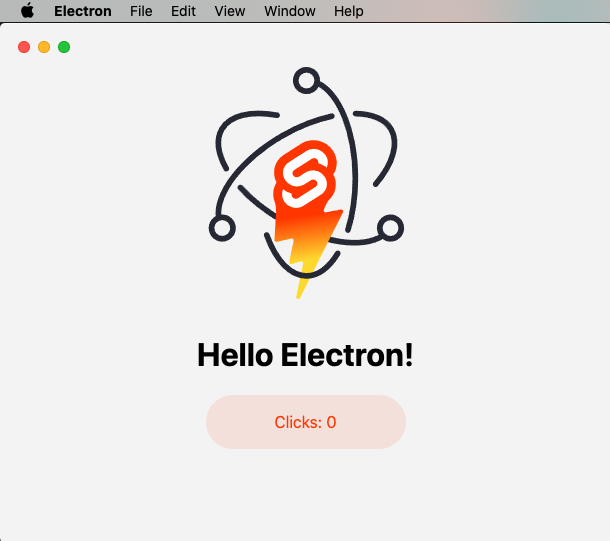
sveltekit-electron
Minimal Sveltekit + Electron starter template.
Svelte · 启动器
tauri-sveltekit
A minimal Tauri & SvelteKit starter template
Svelte · 启动器
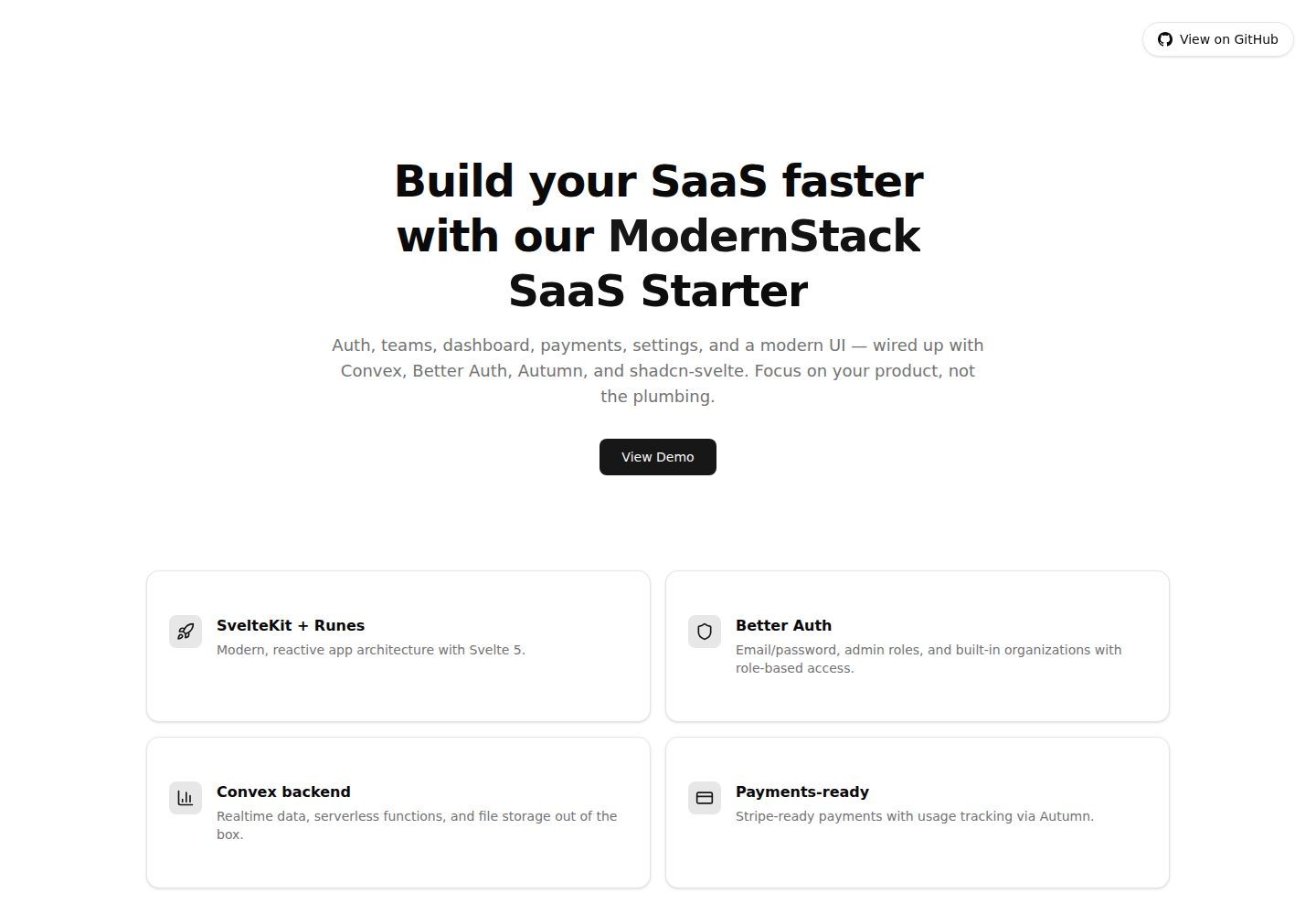
modernstack-saas
A modern SaaS template/boilerplate built with SvelteKit, Convex, Better Auth, and shadcn-svelte. Includes subs…
Svelte · 后台

sveltekit-mdsvex-blog-template
MDsveX blog starter template built with Sveltekit & Tailwind
Svelte · 作品集
sveltekit-shadcn-blog-starter
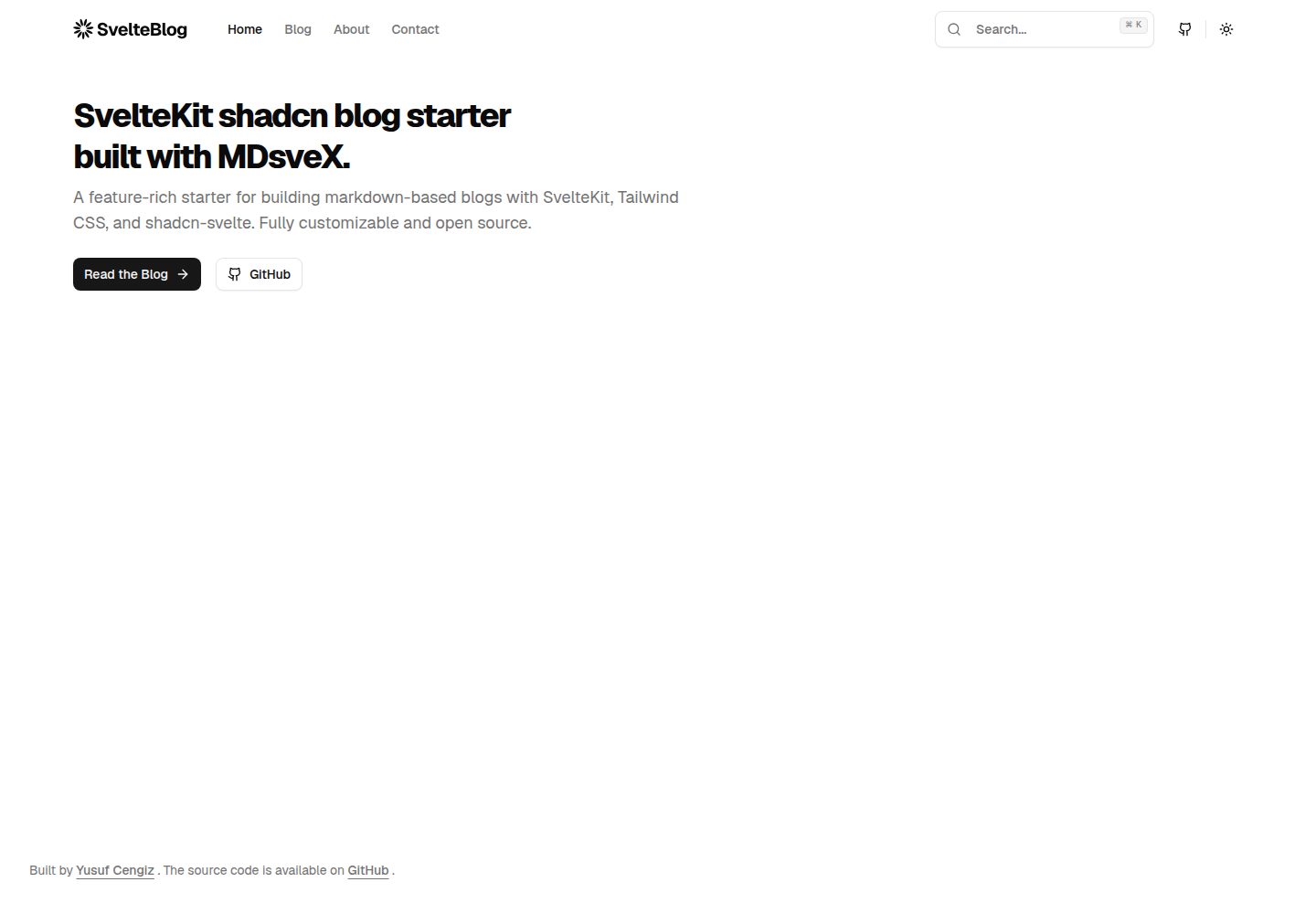
Production-ready SvelteKit blog starter featuring shadcn-svelte UI, MDsveX for Markdown, Tailwind CSS styling,…
Svelte · 博客