集成 Better Auth,支持邮箱密码、Google OAuth、密码重置、邮箱变更验证与会话管理
Svelte后台SaaS启动器
modernstack-saas — Svelte 后台模板
作者 joachimchauvet
基于 SvelteKit、Convex 与 Better Auth 的 SaaS 启动模板,包含订阅计费、用户与管理员后台、组织多租户及等待名单功能。
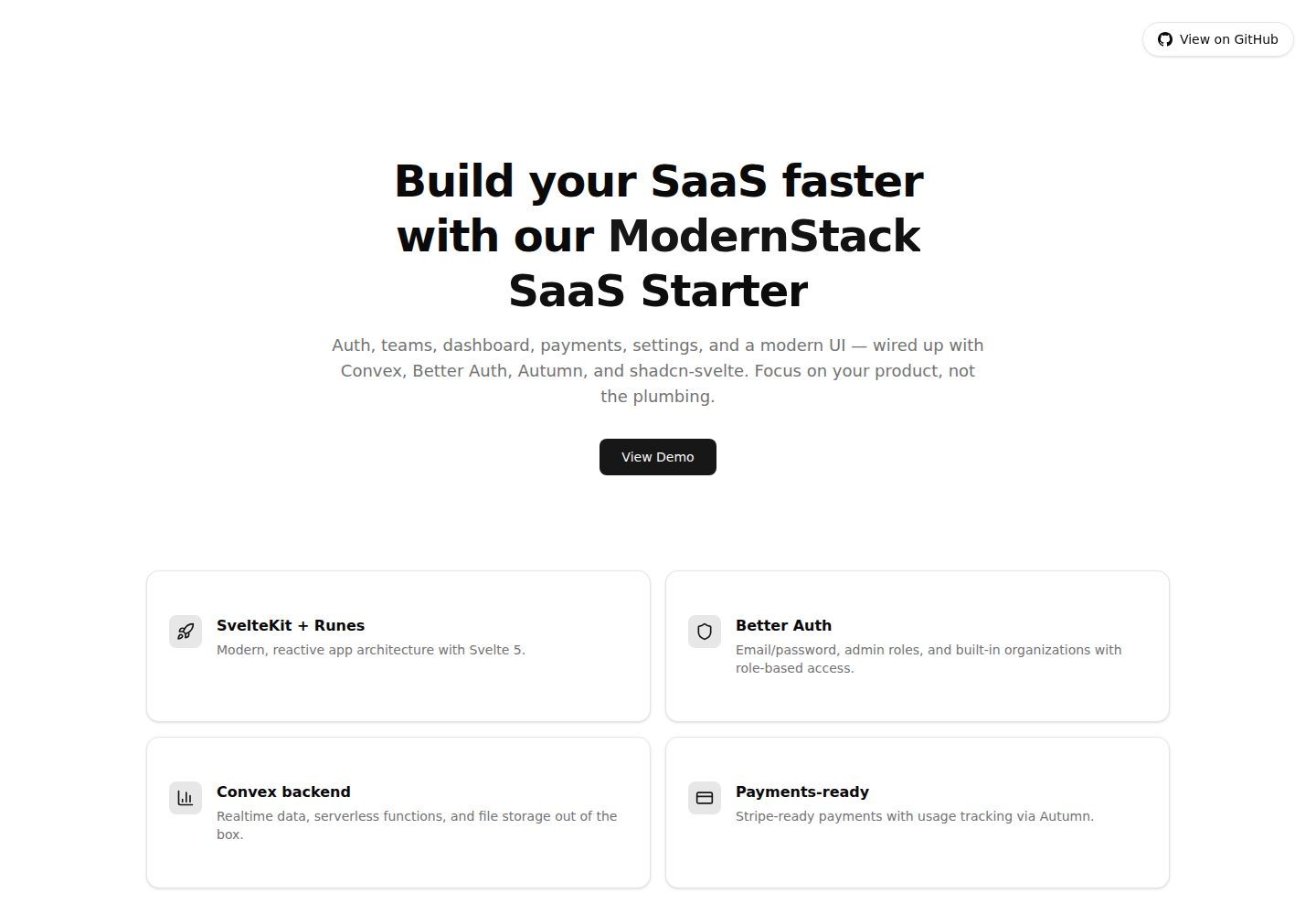
看看你的网站会是什么样
浏览真实页面截图,比较内容排版与手机效果。点击下方缩略图切换,放大查看整页细节。
全部页面与视图 2
截图用于了解视觉与布局,交互效果请以实际项目为准。
采集于 2026-09-30查看来源
值得关注的模板亮点
从已有项目资料中,快速了解它的特点。
通过 Autumn 封装 Stripe 实现订阅计费,计费范围绑定当前组织
组织与多租户支持:角色(owner/admin/member)、默认组织自动创建、组织切换、成员管理与邮件邀请
可关闭公开注册并切换为等待名单,支持双重确认邮件、限流与管理员管理界面
基于 shadcn-svelte 与 Tailwind CSS v4 的仪表盘、数据表格、侧边栏与设置页面
包含 GitHub Actions 代码质量检查与 Cloudflare Pages 部署工作流,以及按 PR 的 Convex 预览部署
模板详细介绍
ModernStack SaaS Starter 是一个面向 SaaS 产品的启动模板,前端使用 SvelteKit 与 Svelte 5,后端采用 Convex 提供实时数据库与无服务器函数,认证由 Better Auth 负责,UI 基于 shadcn-svelte 与 Tailwind CSS v4 构建。模板内置订阅计费(通过 Autumn 封装 Stripe)、用户与管理员仪表盘、用户设置、组织与多租户支持,以及可关闭公开注册并转为等待名单的机制。
功能层面,认证系统支持邮箱密码、Google OAuth、密码重置、邮箱变更验证与会话管理;用户管理包含资料设置与头像上传(使用 Convex 存储)。组织模块提供 owner/admin/member 角色、默认组织自动创建、组织切换、成员管理与邮件邀请流程,计费按当前组织范围结算。等待名单功能可通过环境变量关闭公开注册,注册页切换为收集姓名与邮箱的表单,支持双重确认邮件、枚举安全提示与基于 @convex-dev/rate-limiter 的限流,管理员可浏览、筛选和移除等待名单条目。
开发体验方面,项目使用 TypeScript,提供类型安全的数据库查询、ESLint 与 Prettier 配置,并在 /docs 与 CLAUDE.md 中提供面向 LLM 的文档。仓库包含 GitHub Actions 工作流用于代码质量检查与 Cloudflare Pages 部署,以及按 PR 创建 Convex 预览部署的流程。
需要注意的限制:模板默认使用 adapter-cloudflare,但可替换为其他 SvelteKit 适配器;README 中列出的部分路线图项目(如 GitHub Action 对 Cloudflare Workers 的完整支持、Stripe 管理后台统计、欢迎邮件模板、Playwright E2E 测试)尚未完成。部署时 SvelteKit 的 PUBLIC_CONVEX_URL、PUBLIC_CONVEX_SITE_URL 与 SITE_URL 在构建时注入,需在构建环境而非运行时设置。
Svelte后台SaaS启动器
适合你的项目吗?
适用场景
- 需要快速搭建带订阅计费与用户后台的 SaaS 产品原型
- 为多租户应用实现组织、角色与邀请流程
- 在公开注册关闭时收集等待名单并管理潜在用户
- 使用 SvelteKit 与 Convex 构建实时数据驱动的管理后台
- 作为学习 Svelte 5、Better Auth 与 Convex 集成的参考项目
适合人群
- 熟悉 SvelteKit 与 TypeScript 的开发者
- 需要 SaaS 启动模板以缩短初始搭建时间的团队
- 计划使用 Convex 作为后端并需要认证与计费集成的项目
- 希望以 MIT 许可使用和修改代码的开发者
上手与定制指南
结合仓库当前版本的说明,按下面的资料检查内容、配置与运行要求。
- 1
需要 Node.js 24+ 与 pnpm(或 npm),克隆后运行 pnpm install
- 2
运行 pnpm convex dev 初始化 Convex 项目并生成部署 URL
- 3
Convex 环境变量需单独设置,包括 SITE_URL、BETTER_AUTH_SECRET,以及可选的 RESEND_API_KEY、Google OAuth 凭据、AUTUMN_SECRET_KEY 和 SIGNUPS_DISABLED
- 4
SvelteKit 的 PUBLIC_CONVEX_URL、PUBLIC_CONVEX_SITE_URL 与 SITE_URL 在构建时注入,需在构建环境设置
- 5
部署前运行 pnpm convex deploy 部署后端,并按需替换 adapter-cloudflare 为其他适配器
授权与来源资料
使用条件与限制
免费使用 · 保留许可声明本次收录的是公开仓库中采用 MIT 许可的免费版本;免费范围为该版本代码,不代表外部服务或第三方素材免费。
使用时需要遵守
- 允许免费使用、修改、商用和分发该版本代码。
- 分发代码副本或实质性部分时,保留原作者版权声明和完整 MIT 许可声明。
- 代码按现状提供;担保与责任限制以原许可证及适用法律为准。
额外费用与待核对事项
- 订阅计费为可选功能,需自行注册 Autumn 并配置 AUTUMN_SECRET_KEY 才能启用,未配置时计费相关功能不可用。
- 密码重置、邮箱变更等邮件功能依赖第三方服务 Resend,需配置 RESEND_API_KEY 才能使用,否则相关流程不可用。
- Google OAuth 登录为可选功能,需自行申请 Google 客户端凭据并设置 GOOGLE_CLIENT_ID 与 GOOGLE_CLIENT_SECRET。
- 在 PR 预览部署中 Google OAuth 无法使用,因为临时域名未注册为回调地址,预览环境只能用邮箱密码登录。
- Convex 预览部署在免费/入门套餐下闲置 5 天后自动删除,Pro 及以上为 14 天,长期预览需付费套餐。
- GitHub Action 对 Cloudflare Workers 的部署支持尚未完成,目前仅 Cloudflare Pages 部署可完整使用。
- 预览环境的数据克隆默认关闭,启用后可能复制真实个人数据与失效的计费客户 ID,建议以预发布环境作为数据源。
- 演示图片、字体、图标及其他第三方素材需按各自许可核对,不能仅凭代码的 MIT 许可判断。
- 域名、托管、数据库、支付或 AI 等外部服务可能另外收费。
查看原文依据
Permission is hereby granted, free of charge
许可证原文
Optional - Enable billing with Autumn/Stripe
README 原文
Required if you want email functionality (password reset, email change)
README 原文
Optional - Enable Google OAuth (see docs/better_auth.md for setup)
README 原文
Google OAuth doesn't work on previews
README 原文
idle previews are auto-deleted after **5 days** on Free/Starter (**14 days** on Pro and up)
README 原文
Currently, only Cloudflare Pages deployment is fully functional
README 原文
https://github.com/joachimchauvet/modernstack-saas/blob/dev/LICENSEhttps://github.com/joachimchauvet/modernstack-saas/blob/dev/README.mdData cloning is off by default.
README 原文
DeepSeek 根据仓库许可证和 README 整理 ·2026-10-01。结果仅覆盖已读取资料,依赖、图片、字体及后续条款变更以各自原文为准。
项目核对记录与介绍依据
模板资料
- 来源平台
- GitHub
- 资料与维护参考分
- 资料较完整 · 96 / 100
- 技术栈
- Svelte
- 网站类型
- 后台 · SaaS · 启动器
这个分数如何计算
本站按许可资料(最高30分)、演示链接(12分)、预览图(10分)、Star数(15分)、记录的维护时间(15分)、描述完整度(8分)、功能记录(5分)和分类资料(5分)计算。它不是代码、安全或性能测试,也不是 Google 评分;有链接不代表已实测可用。
这个项目需要核对什么
- 记录的仓库更新时间
- 2026-07-13
- 截图检查日期
- 2026-10-01
已收录演示链接。请用你的内容与屏幕尺寸检查;有演示不代表表单、认证或支付已经可用。
目录记录的主要技术栈是 Svelte。请通过依赖清单和锁文件核对实际版本与托管要求。这些说明基于收录资料,不代表代码审计或部署实测。
查看具体选型方法 →介绍的制作与核对状态
介绍由 AI 辅助整理目录与仓库资料。仓库作者不等于这篇介绍的审核者。
已完成服务器许可规则与 AI 来源核对;未经过人工编辑审核。
查看当时使用的来源资料
SHA-256: 07eee8b971a7d9db6ed4c949158a75ca34152ad09c22a2aaa4420bfdfcfe3ab3
2026-10-01T13:30:08.600Z
来源文件 / 仓库# ModernStack SaaS Starter - SvelteKit + Convex + Better Auth A production-ready SaaS starter template built for the [Modern Stack Hackathon](https://www.convex.dev/hackathons/modernstack), featuring SvelteKit, Convex, Better Auth, Autumn Stripe billing, and more. ## Tech Stack - **[SvelteKit](https://kit.svelte.dev/)** with **[Svelte 5](https://svelte.dev/)** - Modern, reactive frontend framework - **[Convex](https://convex.dev/)** - Real-time backend database with serverless functions - **[Better Auth](https://www.better-auth.com/)** - Comprehensive authentication solution with email/password and OAuth - **[Autumn](https://useautumn.com/)** - Stripe billing wrapper for seamless payment integration - **[Resend](https://resend.com/)** - Transactional email service for password resets and email verification - **[shadcn-svelte](https://www.shadcn-svelte.com/)** - Beautiful, accessible UI components - **[Tailwind CSS v4](https://tailwindcss.com/)** - Utility-first CSS framework - **[Lucide](https://lucide.dev/)** - Beautiful icon library ## Features - ✅ **Authentication System** - Email/password authentication - Google OAuth support - Password reset flow - Email change with verification - Session management - ✅ **User Management** - User profile settings - Avatar upload with Convex storage - Account information management - ✅ **Closed Signups & Waitlist** - Flip `npx convex env set SIGNUPS_DISABLED true` to close public signups per environment - Sign-up page swaps to a waitlist form (name + email); enforcement is server-side in Better Auth - Double opt-in confirmation emails when Resend is configured (single opt-in fallback otherwise) - Enumeration-safe: joining always shows the same success message, whether or not the address is already on the list - Organization invitations and admin-created accounts still work while signups are closed - Per-IP and per-address rate limiting via `@convex-dev/rate-limiter` - Admin page to browse, filter, and remove waitlist entries - ✅ **Organizations & Multi-tenancy** - Better Auth organization plugin with roles (owner/admin/member) - Default organization auto-created per user (B2C works out of the box) - Immutable ownership: each organization keeps its creator as sole owner - Organization switcher, settings page, member management - Email invitations with accept/decline flow - Billing scoped to the active organization - ✅ **UI Components** - Dashboard with charts and data tables - Sidebar navigation - Settings pages (Account, Password, Email) - Responsive design - Dark/light mode ready - ✅ **Developer Experience** - TypeScript throughout - Type-safe database queries - Hot module replacement - ESLint & Prettier configured - LLM-focused documentation in `/docs` + `CLAUDE.md` for AI-assisted development - GitHub Actions CI/CD for code quality checks and Cloudflare deployments ## Roadmap Planned features and improvements: - [x] **OAuth Support** - Complete social provider integration and example with Google OAuth - [x] **Multi-tenancy / Team Support** - Organizations, team invites, and role-based permissions - [ ] **GitHub Action for Cloudflare Workers** - Currently, only Cloudflare Pages deployment is fully functional - [ ] **Rate Limiting** - API rate limiting and request throttling (waitlist endpoints are already rate limited via `@convex-dev/rate-limiter`) - [ ] **Stripe Stats in Admin Dashboard** - Revenue analytics and subscription metrics - [ ] **Welcome Email Template** - Branded welcome emails for new users - [ ] **E2E Tests with Playwright** - Comprehensive end-to-end testing suite ## Getting Started ### Starting a new project from this template After cloning, make it yours: 1. **Branding**: edit `src/lib/config.ts` (app name, description, links) — it feeds page titles, the sidebar brand, email subjects, and landing-page links. 2. **Environment**: set the Convex env vars (`SITE_URL`, `RESEND_API_KEY`, `EMAIL_FROM`, `AUTUMN_SECRET_KEY`, Google OAuth credentials) — see the docs in `/docs`. 3. **Assets**: replace `src/lib/assets/favicon.svg`. 4. **Landing page**: rewrite the marketing copy in `src/routes/+page.svelte`. 5. **Products**: define your plans in `autumn.config.ts` and push them with `pnpm dlx atmn push`. ### Prerequisites - Node.js 24+ (see `.node-version`) - pnpm (recommended) or npm ### Installation 1. Clone the repository: ```sh git clone https://github.com/joachimchauvet/modernstack-saas cd modernstack-saas ``` 2. Install dependencies: ```sh pnpm install ``` 3. Initialize Convex: ```sh pnpm convex dev ``` When you run `convex dev` for the first time, it will: - Create a new Convex project (or connect to an existing one) - Generate your Convex deployment URL - Output your `CONVEX_DEPLOYMENT` and `PUBLIC_CONVEX_URL` values in `.env.local` 4. Set up environment variables: Convex functions run in Convex's cloud environment and can't read your local .env files. You must set environment variables separately for Convex and SvelteKit. #### A. Set Convex Environment Variables After `convex dev` completes, set these in Convex's environment: ```sh # Required - Better Auth needs this to set cookies correctly npx convex env set SITE_URL http://localhost:5173 # Required - Generate a secret for Better Auth npx convex env set BETTER_AUTH_SECRET=$(openssl rand -base64 32) # Required if you want email functionality (password reset, email change) npx convex env set RESEND_API_KEY your_resend_api_key npx convex env set RESET_EMAIL_FROM "Your App <[email protected]>" # Optional - Customize reply to address npx convex env set RESET_EMAIL_REPLY_TO [email protected] # Optional - Enable Google OAuth (see docs/better_auth.md for setup) npx convex env set GOOGLE_CLIENT_ID your_google_client_id npx convex env set GOOGLE_CLIENT_SECRET your_google_client_secret # Optional - Enable billing with Autumn/Stripe npx convex env set AUTUMN_SECRET_KEY your_autumn_secret_key # Optional - Close public signups and collect a waitlist instead # (organization invitations and admin-created accounts keep working; # unset the var or set anything but "true" to reopen signups) npx convex env set SIGNUPS_DISABLED true ``` Verify your Convex env vars are set: ```sh npx convex env list ``` After setting Convex environment variables, restart your convex dev server (`pnpm convex dev`). #### B. Set SvelteKit Environment Variables Update your `.env.local` file in the root directory: ```env # PUBLIC_CONVEX_URL is auto-generated by Convex PUBLIC_CONVEX_URL=https://xxx.convex.cloud # PUBLIC_CONVEX_SITE_URL: Convert the .convex.cloud URL to .convex.site # Example: if PUBLIC_CONVEX_URL is https://xxx.convex.cloud, # then PUBLIC_CONVEX_SITE_URL should be https://xxx.convex.site PUBLIC_CONVEX_SITE_URL=https://xxx.convex.site # This should match what you set in Convex (used by SvelteKit hooks) SITE_URL=http://localhost:5173 ``` 5. Start the development server: ```sh pnpm dev ``` The app will be running at `http://localhost:5173` ## Development Run both the SvelteKit dev server and Convex in parallel: ```sh # Terminal 1 - Convex backend pnpm convex dev # Terminal 2 - SvelteKit frontend pnpm dev ``` ## Project Structure ``` ├── src/ │ ├── lib/ │ │ ├── components/ # UI components │ │ ├── auth-client.ts # Better Auth client │ │ └── ... │ ├── routes/ │ │ ├── (app)/ # Protected routes │ │ │ ├── dashboard/ │ │ │ └── settings/ │ │ └── auth/ # Authentication routes │ └── convex/ # Convex backend │ ├── auth.ts # Auth configuration │ ├── storage.ts # File storage │ └── ... ``` ## Building for Production Create a production build: ```sh pnpm build ``` Preview the production build: ```sh pnpm preview ``` ## Deployment This starter uses [adapter-cloudflare](https://kit.svelte.dev/docs/adapter-cloudflare) by default, but you can swap it for any SvelteKit adapter: - [Vercel](https://kit.svelte.dev/docs/adapter-vercel) - [Netlify](https://kit.svelte.dev/docs/adapter-netlify) - [Node](https://kit.svelte.dev/docs/adapter-node) - [Other adapters](https://kit.svelte.dev/docs/adapters) ### Deployment Steps 1. Deploy your Convex backend: ```sh pnpm convex deploy ``` 2. Set Convex environment variables for production: ```sh # Update SITE_URL to your production domain npx convex env set SITE_URL https://yourdomain.com # Set other Convex env vars if not already set npx convex env set BETTER_AUTH_SECRET=$(openssl rand -base64 32) npx convex env set RESEND_API_KEY your_resend_api_key npx convex env set RESET_EMAIL_FROM "Your App <[email protected]>" npx convex env set RESET_EMAIL_REPLY_TO [email protected] npx convex env set GOOGLE_CLIENT_ID your_google_client_id npx convex env set GOOGLE_CLIENT_SECRET your_google_client_secret npx convex env set AUTUMN_SECRET_KEY your_autumn_secret_key ``` 3. Set SvelteKit environment variables for build: These variables use SvelteKit's `$env/static/*` imports, which means they're baked into the bundle at build time. Set them where your build runs, not in your hosting platform's runtime environment variables. - `PUBLIC_CONVEX_URL` - Your Convex deployment URL - `PUBLIC_CONVEX_SITE_URL` - Your Convex site URL - `SITE_URL` - Your production domain (e.g., `https://yourdomain.com`) **If using GitHub Actions** (like the included Cloudflare Pages workflow): Set these as GitHub repository variables (Settings → Secrets and variables → Actions → Variables): - `PUBLIC_CONVEX_URL` - `PUBLIC_CONVEX_SITE_URL` - `SITE_URL` The workflow will automatically use these during the build step. **If deploying directly from your machine or other CI/CD:** Set these as environment variables when running `pnpm build`: - **Vercel**: Project Settings → Environment Variables (make sure they're available at build time) - **Netlify**: Site Settings → Environment Variables (available during build) - **Cloudflare Pages**: Settings → Environment Variables (if not using GitHub Actions) - **Cloudflare Workers**: `wrangler secret put VARIABLE_NAME` (for runtime secrets only) 4. Deploy your frontend to your chosen platform ## Documentation This project includes comprehensive documentation optimized for LLM consumption: - **`/docs`** - Framework-specific guides and best practices - `svelte/` - Svelte 5 runes, reactivity, templating, and state management - `better_auth.md` - Authentication setup and patterns - `convex.md` - Backend queries, mutations, and real-time data - `tailwind_v4.md` - Styling with Tailwind CSS v4 - `autumn.md` - Billing and subscription management ## CI/CD GitHub Actions workflows are included for: - **Code Quality** (`.github/workflows/code-quality.yml`) - Linting, formatting, type checking, and spell checking on every push/PR - **Cloudflare Pages** (`.github/workflows/cloudflare-pages.yml`) - Branch deployments: on push to `dev`/`main` it deploys the Convex backend, then builds and deploys the frontend. Uses the `development` (for `dev`) and `production` (for `main`) GitHub Environments. - **Convex + Pages Preview** (`.github/workflows/convex-preview.yml`) - Per-PR previews: spins up an isolated Convex preview deployment, optionally clones data into it, then deploys a Cloudflare Pages preview wired to that backend, and comments the URLs on the PR. ### Branch deployments The Pages workflow runs `pnpm convex deploy` before building, so each environment needs a `CONVEX_DEPLOY_KEY` secret in addition to the build variables above. | GitHub Environment | Trigger | Secrets | Variables | | ------------------ | -------------- | -------------------------------------------------------------------- | ------------------------------------------------------------------------------------ | | `development` | push to `dev` | `CONVEX_DEPLOY_KEY`, `CLOUDFLARE_API_TOKEN`, `CLOUDFLARE_ACCOUNT_ID` | `PUBLIC_CONVEX_URL`, `PUBLIC_CONVEX_SITE_URL`, `SITE_URL`, `CLOUDFLARE_PROJECT_NAME` | | `production` | push to `main` | same as above (production keys) | same as above (production values) | Enable required reviewers on the `production` environment for a deliberate release gate. ### Preview deployments The preview workflow is **project-agnostic** — it never names a Convex project. Which project a preview lands in, and which deployment data is copied from, is decided entirely by the deploy keys you put in the `preview` GitHub Environment. > **Plan note.** Preview deployments work on all plans, including the free tier — but idle previews are auto-deleted after **5 days** on Free/Starter (**14 days** on Pro and up). Each open PR consumes a preview deployment in the preview key's project. Configure the **`preview`** GitHub Environment: | Type | Name | Purpose | | -------- | ----------------------------------------------- | ------------------------------------------------------------------------------------------------------------------------------ | | Secret | `CONVEX_PREVIEW_DEPLOY_KEY` | A Convex **preview** deploy key. Creates the preview and imports/runs against it. | | Secret | `CONVEX_SOURCE_DEPLOY_KEY` | _Optional._ A **non-preview** key (staging or prod) for the deployment to copy data from. Only needed when data cloning is on. | | Secret | `CLOUDFLARE_API_TOKEN`, `CLOUDFLARE_ACCOUNT_ID` | Cloudflare Pages deploy. | | Variable | `CLOUDFLARE_PROJECT_NAME` | Pages project (defaults to the repo name). | | Variable | `CONVEX_PREVIEW_COPY_DATA` | `true` to clone data into previews (default off). | | Variable | `CONVEX_PREVIEW_INCLUDE_FILE_STORAGE` | `true` to also copy file storage (e.g. uploaded avatars). | Per-preview runtime env (`SITE_URL`, `CONVEX_DEPLOYMENT_KIND`) is set automatically by the workflow. Secrets that are the **same for every preview** — `BETTER_AUTH_SECRET`, an Autumn **sandbox** key, Google OAuth credentials — should be set once as Convex **"default environment variables for preview deployments"** in the dashboard, so they stay out of CI logs. Notes: - **Data cloning is off by default.** When enabled, copied auth/org rows may contain real personal data and dangling billing customer IDs; `preview:postImportCleanup` (`src/convex/preview.ts`) clears ephemeral Better Auth state (`session`, `verification`, `invitation`, `jwks`) after import. Prefer staging over production as the source. - **Google OAuth doesn't work on previews** — the ephemeral origin isn't a registered redirect URI. Use email/password on previews. - **Schema-changing PRs** may get an empty preview: a snapshot from an older schema can fail to import against the new one, and the import step is intentionally non-fatal. - **Fork PRs** don't receive previews — GitHub withholds environment secrets from forks. - **Teardown** is automatic: Convex auto-expires idle previews (~5 days on Free/Starter, ~14 on Pro+); there's no CLI command to delete one. ## Built for Modern Stack Hackathon This starter template was created for the [Convex Modern Stack Hackathon](https://www.convex.dev/hackathons/modernstack), showcasing the power of combining modern web technologies to build production-ready SaaS applications. --- ## 🚀 Ready to Ship? **Stop plumbing, start vibing.** Modern stack, zero setup headaches. ✓ Auth • ✓ Payments • ✓ Real-time DB • ✓ Your brilliant idea? **Add here →** [**Fork & Ship on GitHub**](https://github.com/joachimchauvet/modernstack-saas) • MIT Licensed • Built for developers
看看同类模板
对比同技术栈与用途的模板,找到更适合的视觉与内容结构。

CMSaasStarter
A modern SaaS template/boilerplate built with SvelteKit, Tailwind, and Supabase. Includes marketing page, blog…
Svelte · 后台
sveltekit-electron
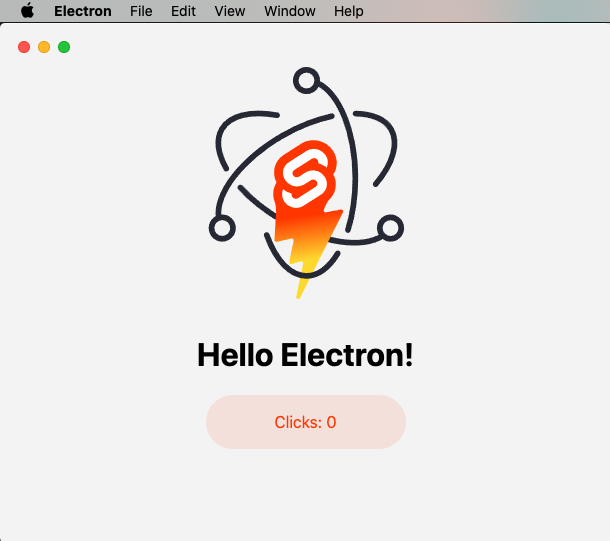
Minimal Sveltekit + Electron starter template.
Svelte · 启动器

tauri-sveltekit
A minimal Tauri & SvelteKit starter template
Svelte · 启动器

sveltekit-mdsvex-blog-template
MDsveX blog starter template built with Sveltekit & Tailwind
Svelte · 作品集
sveltekit-shadcn-blog-starter
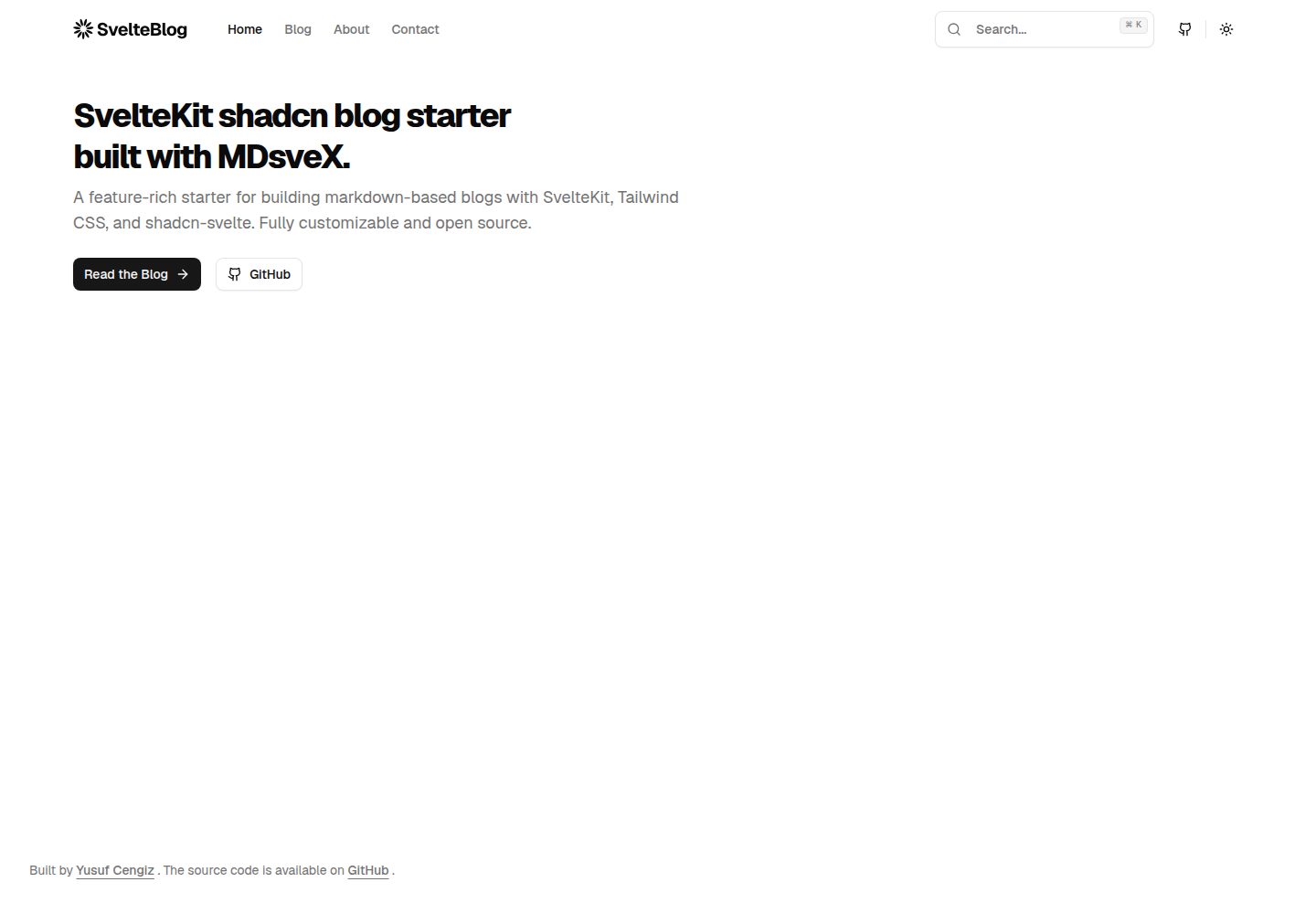
Production-ready SvelteKit blog starter featuring shadcn-svelte UI, MDsveX for Markdown, Tailwind CSS styling,…
Svelte · 博客
takeka
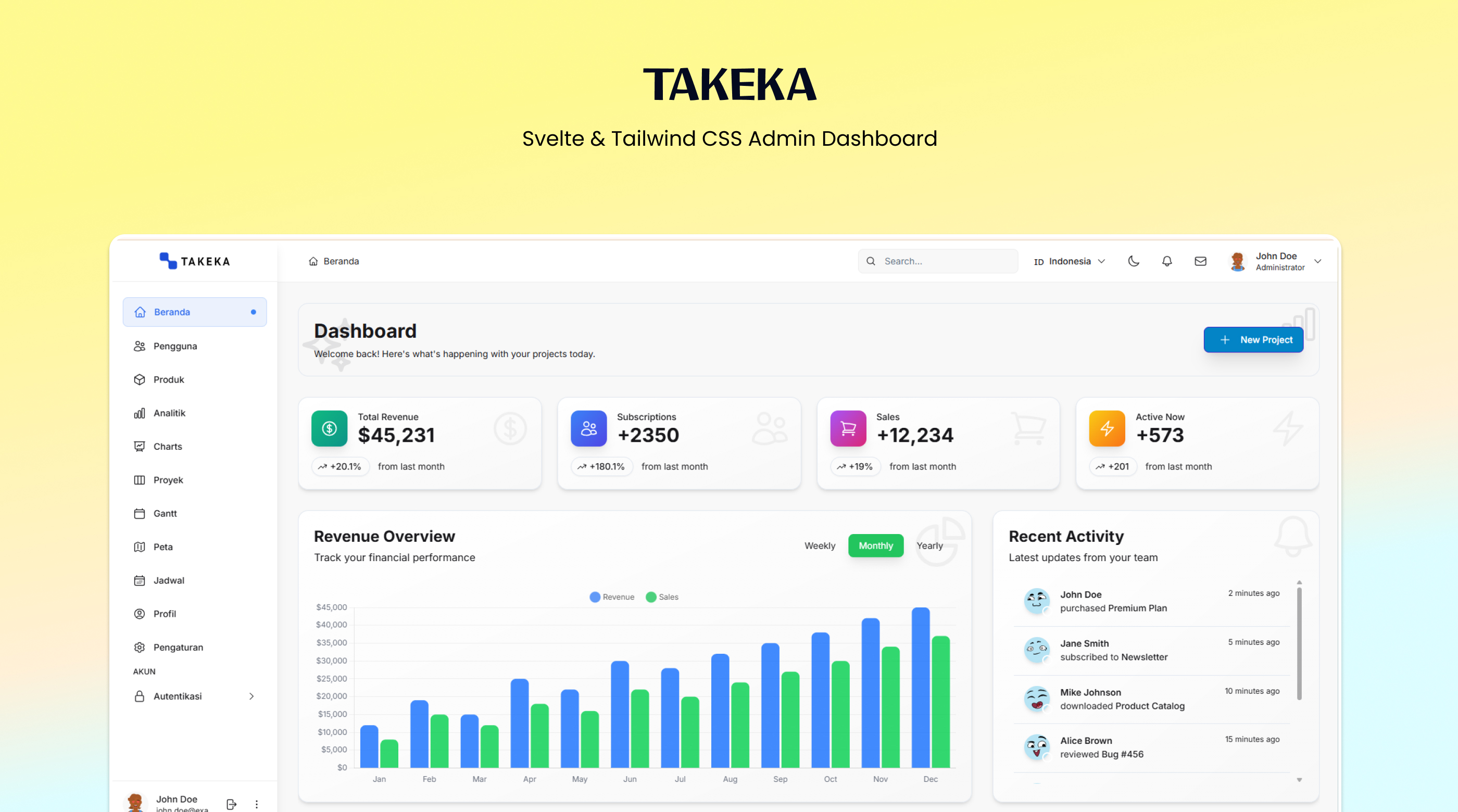
Takeka 是一套面向管理后台的开源前端模板,技术栈以 Svelte 5 为核心,配合 Vite 构建、Tailwind CSS 与 DaisyUI 组件库。
Svelte · 后台