Built with Vite + Vue and the Bitrix24 UI component library
VueAdmin dashboard
templates-dashboard-vue — Vue Admin dashboard Template
By bitrix24
A backend dashboard template based on Vue and Bitrix24 UI, with built-in multi-page routing, a collapsible sidebar, a command palette, and light/dark themes. It can run standalone or be embedded in a Bitrix24 portal.
Explore the design
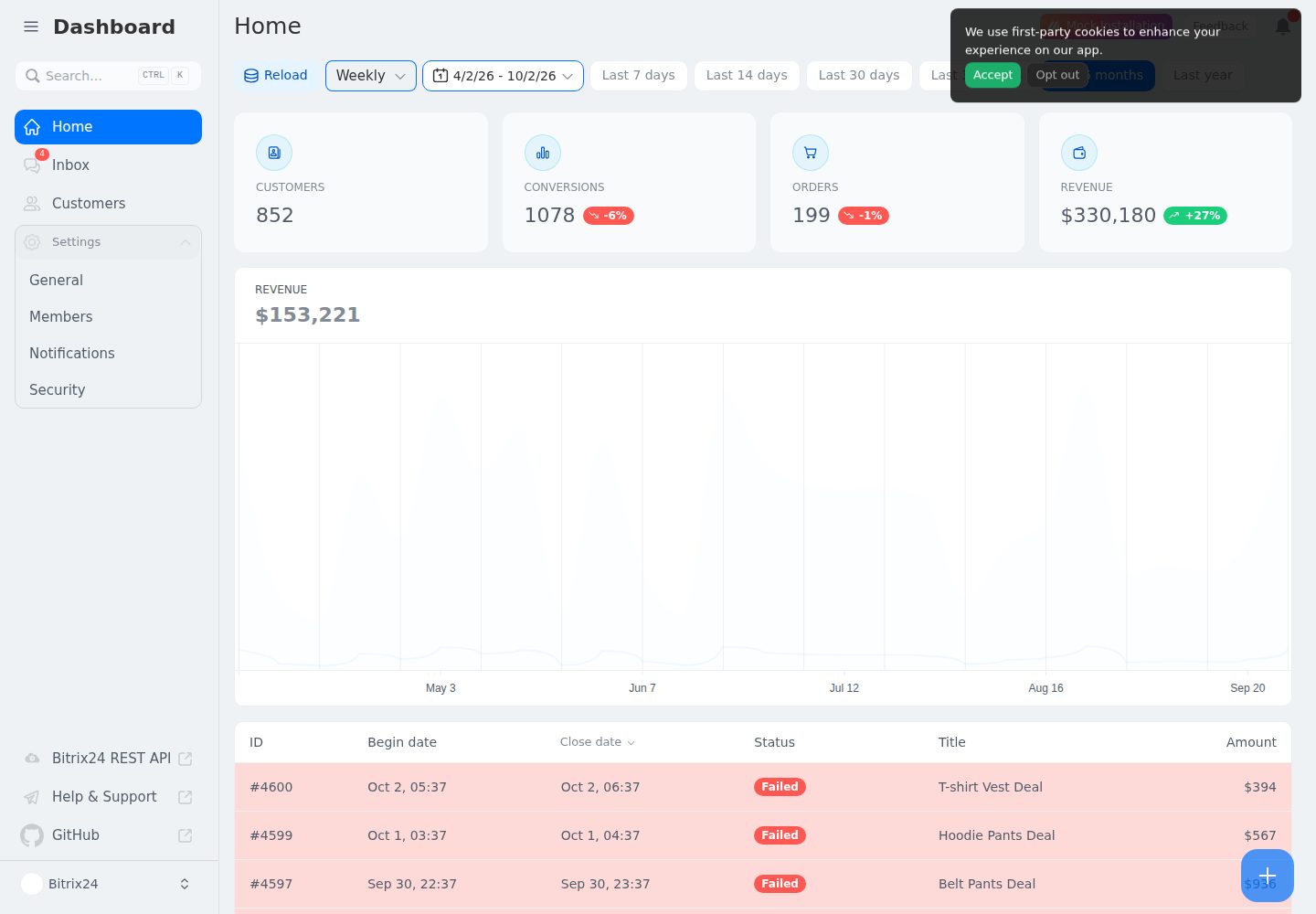
Compare the page layouts and mobile experience. Open any screenshot for a closer look.
Desktop homepage1 / 2
Desktop captureTop of page
Actual screenshot captured by the server browser.
All pages & views 2
Screenshots show visual appearance; interactive behavior may differ.
Recorded 2026-10-02View source
What stands out
A quick read of the recorded project description.
Supports multi-page routing, a collapsible sidebar, and a command palette
Built-in keyboard shortcuts and light/dark theme switching
Can run standalone (using test data) or be embedded in a Bitrix24 portal as an application
Includes vue-i18n localization files for 19 languages
Provides a complete validation script covering ESLint, vue-tsc, Vitest, and build
Template Details
This is a backend dashboard template built with Vite + Vue, using interface components from Bitrix24 UI and icons from @bitrix24/b24icons. The template provides multi-page routing, a collapsible sidebar, keyboard shortcuts, light/dark themes, and a command palette, along with built-in state and formatting logic for CRM deal statistics.
The template supports two modes of operation: when opened standalone outside Bitrix24, it renders generated test data, making it easy to develop the interface without a portal; when embedded in a Bitrix24 portal, it calls the REST API via @bitrix24/b24jssdk and requires the crm and user_brief permissions. The project includes localization files for 19 languages, with copy managed using vue-i18n.
The repository is MIT-licensed, and the free scope covers this version of the code; third-party assets such as demo images, fonts, and icons must be checked against their respective licenses, and external services such as domains, hosting, and databases may incur separate charges.
VueBackend
Is it right for your project?
Use Cases
- Developing an embedded CRM data dashboard for a Bitrix24 portal
- Developing and debugging the backend interface standalone without a portal
- Using it as a starting template for a Vue admin interface for further development
- Backend data display projects that require multilingual support
Suitable For
- Developers who need a starting point for a Vue backend dashboard
- Teams planning to embed the application in a Bitrix24 portal
- Data interface projects that require multilingual support and light/dark themes
Getting started & customization
Use these recorded setup notes alongside the repository instructions for your chosen version.
- 1
Requires Node.js >= 22 and pnpm >= 12; the repository pins the pnpm version via the packageManager field, and corepack enable can be run to enable it automatically
- 2
After cloning the repository, run pnpm install to install dependencies, and pnpm dev to start the development server (default http://localhost:5173)
- 3
pnpm lint, pnpm typecheck, and pnpm test can be used to run ESLint, vue-tsc, and Vitest respectively, or run scripts/check.sh (scripts/check.ps1 on Windows) for the full validation
- 4
When used as a Bitrix24 application, the crm and user_brief permissions must be enabled in the application settings, and the application URL and installation URL must be configured
- 5
To add a language, create the corresponding JSON file under src/locales and register it in src/i18n.ts
License & source material
Usage conditions & limitations
Free to use · keep license noticeThis entry covers the free version in the public repository under the MIT license; the free scope is limited to this version of the code and does not imply that external services or third-party assets are free.
Must comply with when using
- Free use, modification, commercial use, and distribution of this version of the code are permitted.
- When distributing copies or substantial portions of the code, retain the original author's copyright notice and the full MIT license notice.
- The code is provided as is; warranties and limitations of liability are governed by the original license and applicable law.
Additional costs & items to verify
- When embedded as a Bitrix24 application, the crm and user_brief permissions must be enabled in the application settings; otherwise, CRM entities and user profile data cannot be accessed.
- Embedding in a Bitrix24 portal requires registering the application in the Bitrix24 partner portal or as a local application and configuring the application URL and installation URL, which depends on a Bitrix24 platform account.
- The embedded portal mode calls the Bitrix24 REST API via @bitrix24/b24jssdk and requires an available Bitrix24 portal environment.
- Demo images, fonts, icons, and other third-party assets must be checked against their respective licenses and cannot be judged solely by the code's MIT license.
- External services such as domains, hosting, databases, payments, or AI may incur separate charges.
View Original Text Basis
Permission is hereby granted, free of charge
Original License Text
The following permissions must be enabled in the application settings:
Original README
When registering the application in the Bitrix24 Partner Portal or as a local app, use the following endpoints:
Original README
https://github.com/bitrix24/templates-dashboard-vue/blob/main/LICENSEhttps://github.com/bitrix24/templates-dashboard-vue/blob/main/README.mdembedded in a portal it talks to the REST API via
Original README
Compiled by DeepSeek based on repository license and README ·2026-10-02. Results only cover the materials read; dependencies, images, fonts, and subsequent term changes are subject to their respective original texts.
Project checks & description sources
Template Information
- Source platforms
- GitHub
- Documentation and maintenance reference score
- More documented · 83 / 100
- Technologies
- Vue
- Website type
- Admin dashboard
How this score is calculated
Our heuristic uses license records (up to 30), a demo link (12), a preview (10), stars (15), recorded maintenance (15), description completeness (8), feature records (5) and classification data (5). It is not a code, security or performance test, or a Google score. A link does not establish tested functionality.
What to verify for this project
- Repository update recorded
- 2026-10-02
- Screenshot last checked
- 2026-10-02
A demo link is listed. Check it with your own content and viewport sizes; its presence does not confirm that forms, authentication or payments work.
The catalog identifies Vue as the primary stack. Check the actual dependency manifest and lockfile for versions and hosting requirements. These notes use recorded metadata, not a code audit or a deployment test.
Use a selection guide →How this description was prepared
AI-assisted description based on catalog records and repository material. Repository authors are not automatically the reviewers of this description.
Automatically checked against source and license rules; no manual editorial review.
Inspect the recorded source material
SHA-256: 966a6501671b4ade25858c5b5f1e97886a6eada5916ecb520345041797261234
2026-10-02T15:41:17.074Z
Source file / repository# Vue Dashboard Template [](https://bitrix24.github.io/b24ui/) Kickstart your project with the Vite + Vue application template — packed with multi‑page support, a collapsible sidebar, keyboard shortcuts, light/dark themes, a command palette, and more, all powered by [Bitrix24 UI](https://bitrix24.github.io/b24ui/). - [Live demo](https://bitrix24.github.io/templates-dashboard-vue/) - [@bitrix24/b24ui](https://bitrix24.github.io/b24ui/docs/getting-started/installation/vue/) - [@bitrix24/b24icons](https://bitrix24.github.io/b24icons/) - [@bitrix24/b24jssdk](https://bitrix24.github.io/b24jssdk/) > The dashboard template for Nuxt is on https://github.com/bitrix24/templates-dashboard. ## Quick Start ```bash [Terminal] git clone https://github.com/bitrix24/templates-dashboard-vue.git <project-name> cd <project-name> ``` ## Prerequisites - **Node.js** `>= 22` - **pnpm** `>= 12` (the repo pins `[email protected]` via the `packageManager` field; run `corepack enable` to pick it up automatically) ## Setup Make sure to install the dependencies: ```bash pnpm install ``` Quality checks: ```bash pnpm lint # ESLint pnpm typecheck # vue-tsc pnpm test # Vitest unit tests ``` Run the full gate (install + lint + test + typecheck + build) with one command: ```bash bash scripts/check.sh # Linux / macOS powershell -ExecutionPolicy Bypass -File scripts/check.ps1 # Windows ``` ## Development Server Start the development server on `http://localhost:5173`: ```bash pnpm dev ``` ## Production Build the application for production: ```bash pnpm build ``` Locally preview production build: ```bash pnpm preview ``` > [!NOTE] > This template works both ways: > - **Standalone** — opened outside Bitrix24 it renders generated test data, so you can develop the UI without a portal. > - **As a Bitrix24 app** — embedded in a portal it talks to the REST API via [@bitrix24/b24jssdk](https://bitrix24.github.io/b24jssdk/). See [As B24 App](#as-b24-app) below. ## Project Structure ``` src/ ├── App.vue # Root component: B24 init, locale, global toaster ├── main.ts # App bootstrap (router, i18n, unhead) ├── i18n.ts # vue-i18n setup and locale loading ├── assets/ # Global CSS and background images ├── components/ # UI components (home, customers, inbox, settings, icons, ...) ├── composables/ │ ├── useB24.ts # Bitrix24 frame lifecycle (init / get / getFrame / helper) │ ├── useDashboard.ts # Shared dashboard state & keyboard shortcuts │ └── useDealStats/ # CRM deal statistics: api, helpers, formatters, mocks ├── layouts/ # Page layouts (default, clear) ├── locales/ # i18n messages (19 locales) ├── pages/ # File-based routes; settings/ holds nested settings pages ├── types/ # Shared TypeScript types ├── utils/ # Small helpers └── route-map.d.ts # Auto-generated route types (do not edit) scripts/ # check.sh / check.ps1 — full local verification ``` # As B24 App A browser-based application for Bitrix24. ## Required Scopes The following permissions must be enabled in the application settings: * `crm` — access to CRM entities. * `user_brief` — access to basic user profile data. ## Configuration When registering the application in the Bitrix24 Partner Portal or as a local app, use the following endpoints: | Parameter | URL | | :--- | :--- | | **Application URL** | `https://your-app.example.com` | | **Installation URL** | `https://your-app.example.com/install` | ## Getting Started 1. Open your **Bitrix24**. 2. Go to **Applications** -> **Add Application** 3. Select **Local Application** 4. Fill in the URLs provided above and check the required **Scopes**. 5. Click **Save** and open the app. # Localization UI strings live in `src/locales/*.json` (19 locales), wired up through `vue-i18n` in `src/i18n.ts`. To add a language, create a new `<lang>.json` next to the existing ones and register it in `src/i18n.ts`.
Explore similar templates
Compare previews and descriptions within the same stack and category.

vuestic-admin
Vuestic Admin is an open-source Vue 3 admin template maintained by Epicmax, built on Vuestic UI with Vite, Pinia, and Tailwind CSS. It provides a ready-to-run dashboard with a dark theme, global configuration, i18n internationalization, and responsive layout.
Vue · Admin dashboard

v3-admin-vite
v3-admin-vite is an AI-friendly Vue3 admin template built on Vue3, Vite, TypeScript, and Element Plus. It keeps a lean structure with detailed comments, supports backend-controlled dynamic route permissions, page-level and button-level permissions, multiple themes and layouts, and mobile compatibility.
Vue · Admin dashboard

vue-typescript-admin-template
A Vue 2.6 + TypeScript + Element UI admin template ported from vue-element-admin, offering type safety and enterprise features like permission authentication, internationalization, dynamic themes, editors, charts, Excel/PDF handling, and PWA support.
Vue · Admin dashboard

vue-antd-admin
Vue Antd Admin is the Vue implementation of Ant Design Pro, providing an out-of-the-box front-end and design solution for admin dashboards.
Vue · Admin dashboard

coreui-free-vue-admin-template
CoreUI's official free Vue admin template, MIT licensed, built on Vue 3 and the CoreUI component library with Vue Router, Pinia, and Vite.
Vue · Admin dashboard
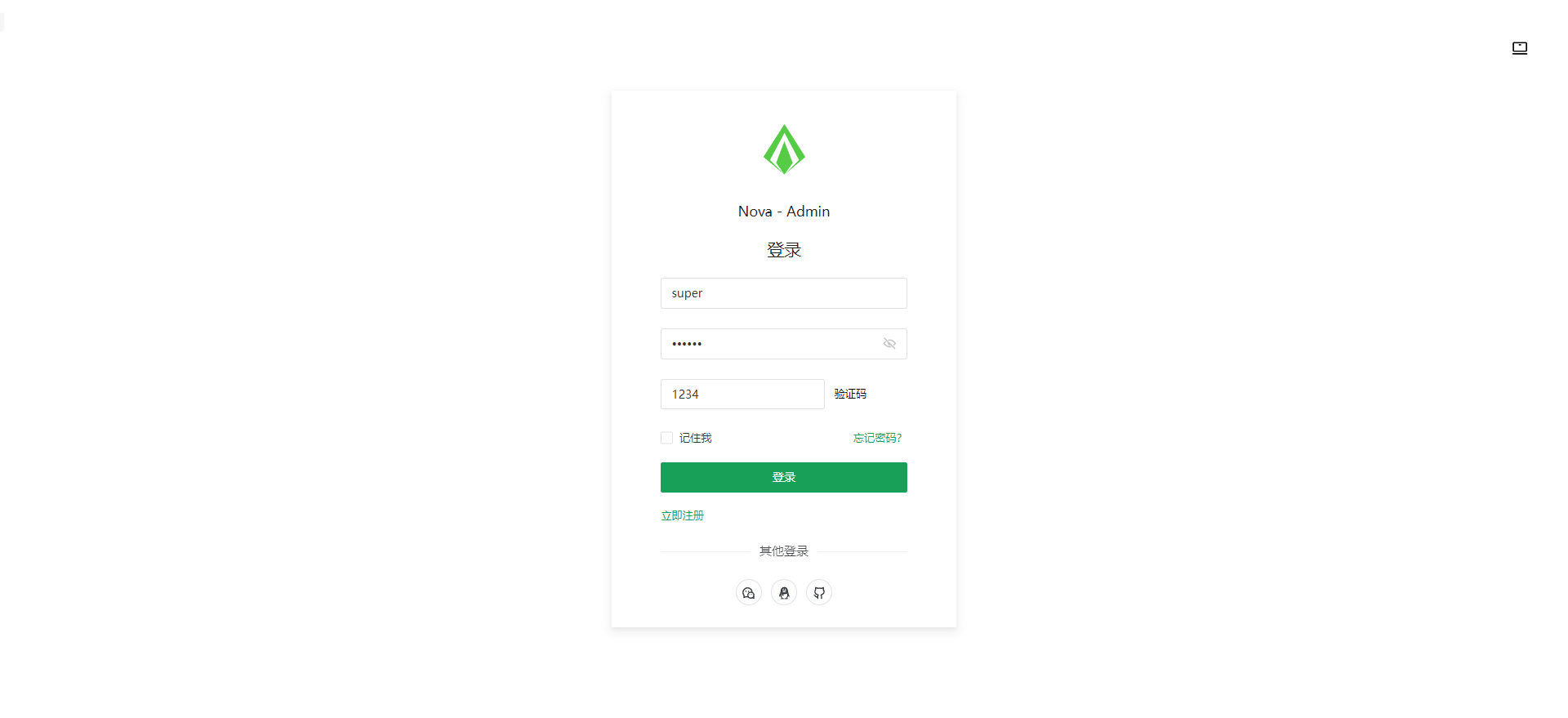
nova-admin
Nova Admin is an admin template built on Vue3, Vite, TypeScript, and Naive UI, with Unocss for styling.
Vue · Admin dashboard