Uses a Notion database as the content source, with posts written and published in Notion
EleventyBlogStarter
eleventy-notion-starter-blog — Eleventy Blog Template
By carlknutson
An Eleventy-based blog starter that manages posts via a Notion database and generates Markdown files using GitHub Actions.
Explore the design
Compare the page layouts and mobile experience. Open any screenshot for a closer look.
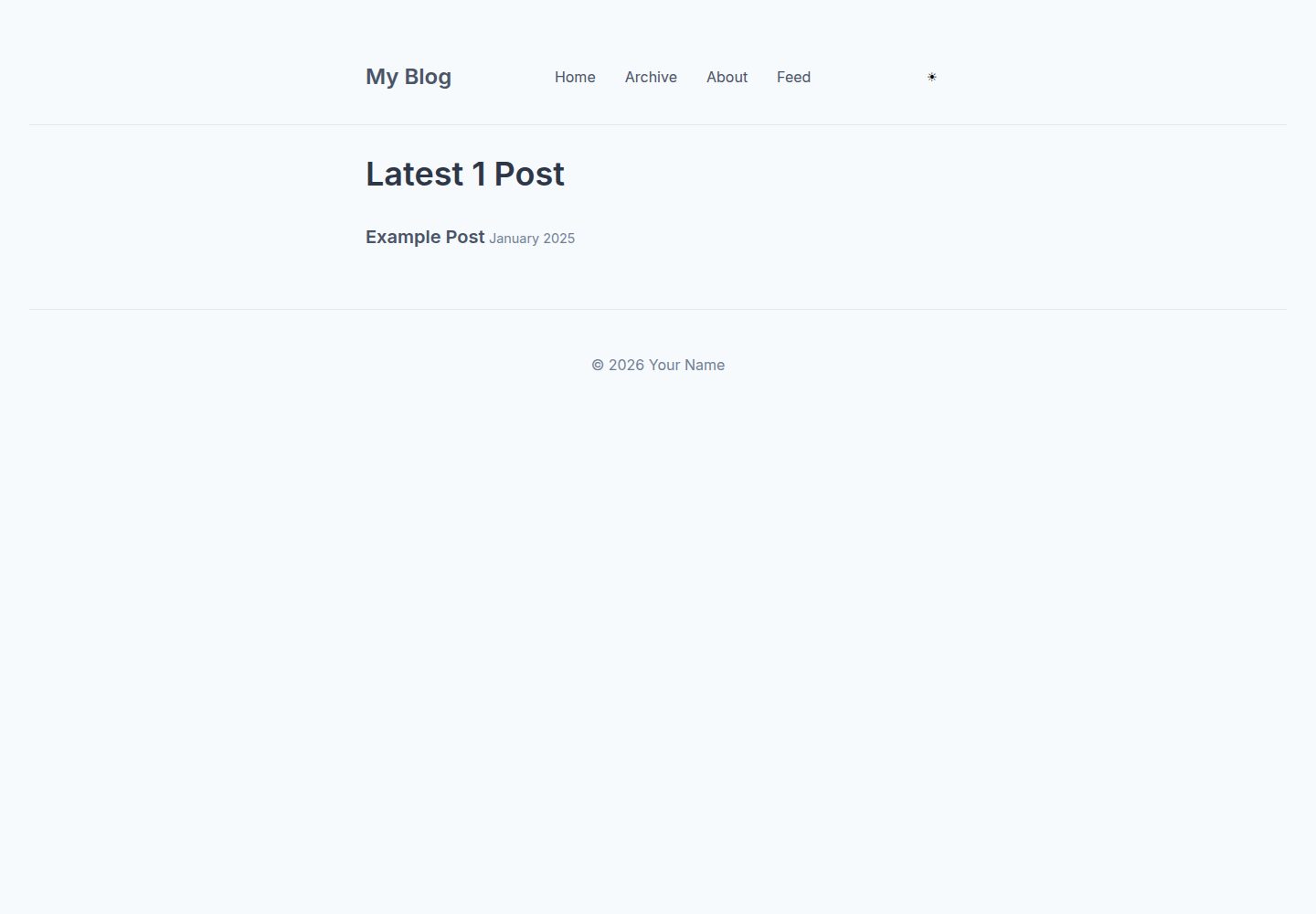
Desktop homepage1 / 3
Desktop captureTop of page
Actual screenshot captured by the server browser.
All pages & views 3
Screenshots show visual appearance; interactive behavior may differ.
Recorded 2026-09-30View source
What stands out
A quick read of the recorded project description.
Manually triggers notion-to-md.js via GitHub Actions to convert Notion content to Markdown and commit it to the repository
Automatically downloads images embedded in Notion pages locally and uses image alt text as filenames
The Notion database uses five fixed properties: Title, Description, Tags, Publish, and Published
Includes a gh-pages.yml workflow for deployment to GitHub Pages
Modified from Eleventy's official eleventy-base-blog, using Nunjucks templates
Template Details
This is an Eleventy-based blog template whose core feature is using Notion as a content management backend. Posts are maintained in a Notion database, fetched and converted to Markdown by the .github/scripts/notion-to-md.js script, and written to the content/blog/ directory; the script is manually triggered via the GitHub Actions workflow generate-md.yml, and after running it commits the generated Markdown back to the repository. The Notion database must include five properties: Title, Description, Tags, Publish, and Published. The Publish checkbox controls whether the corresponding Markdown is generated or updated; unchecking it does not delete existing content. Images embedded in pages are downloaded locally when the workflow runs, using the image alt text set in Notion as the filename, and image links in the Markdown are replaced accordingly. Local development requires Node.js 18 or higher; after installing dependencies with npm install, start the development server with npm start.
The template's Eleventy configuration is in eleventy.config.js, layouts and reusable components are under the _includes/ directory using Nunjucks templates, styles are centralized in public/css/, and global data is in _data/. For deployment, the repository includes a gh-pages.yml workflow; after selecting GitHub Actions as the source in GitHub Pages settings, pushing to the main branch automatically builds and deploys. This template is modified from Eleventy's official eleventy-base-blog.
EleventyBlogStarter
Is it right for your project?
Use Cases
- Sites where you want to write in Notion and have a script sync to a static blog
- Blogs that need to generate Markdown from Notion content and bring it under Git version control
- Personal sites planning to deploy the blog to GitHub Pages
- Eleventy projects that need a local development server with hot reload support
Suitable For
- Developers familiar with basic Node.js and GitHub Actions operations
- Users who use Notion as a writing tool and want to keep Markdown files
- Projects that need to quickly set up a blog structure based on Eleventy
Getting started & customization
Use these recorded setup notes alongside the repository instructions for your chosen version.
- 1
Requires Node.js 18 or higher; after installing dependencies, start the local development server with npm start
- 2
Create a Notion integration and obtain an Internal Integration Token, configured as the environment variable NOTION_KEY
- 3
Create a Notion database and share it with the integration, configuring the database ID as the environment variable NOTION_BLOG_ID
- 4
The Notion database must include five properties: Title, Description, Tags, Publish, and Published
- 5
Add NOTION_KEY and NOTION_BLOG_ID as secrets in the GitHub repository settings, and manually trigger the generate-md.yml workflow
License & source material
Usage conditions & limitations
Free to use · keep license noticeThis entry covers the free version under the MIT license in the public repository; the free scope is the code of this version and does not imply that external services or third-party assets are free.
Must comply with when using
- Free use, modification, commercial use, and distribution of this version's code are permitted.
- When distributing copies or substantial portions of the code, retain the original author's copyright notice and the full MIT license notice.
- The code is provided as is; warranties and limitations of liability are governed by the original license and applicable law.
Additional costs & items to verify
- Using this template requires creating a Notion integration and obtaining an Internal Integration Token, configured as the environment variable NOTION_KEY; otherwise content cannot be fetched.
- You must create a database in Notion and share it with the integration, configuring the database ID as the environment variable NOTION_BLOG_ID; the template depends on this external service.
- The GitHub Actions workflow requires NOTION_KEY and NOTION_BLOG_ID to be configured in the repository secrets to run properly.
- The content generation script must be manually triggered via GitHub Actions workflow_dispatch; it does not automatically sync Notion content.
- Unchecking the Publish property in Notion only stops updating the corresponding Markdown; it does not delete already generated content.
- Local running requires Node.js 18 or higher.
- Demo images, fonts, icons, and other third-party assets must be checked against their respective licenses; they cannot be judged solely by the code's MIT license.
- External services such as domains, hosting, databases, payments, or AI may incur additional charges.
View Original Text Basis
Permission is hereby granted, free of charge
Original License Text
Set this token as an environment variable named `NOTION_KEY`
Original README
Set this database ID as an environment variable named `NOTION_BLOG_ID`
Original README
ensure you have set `NOTION_KEY` and `NOTION_BLOG_ID` as repository secrets
Original README
This script is designed to be run manually via a GitHub Actions workflow
Original README
Unchecking this property will prevent further updates to the Markdown file, but will not delete existing content.
Original README
https://github.com/carlknutson/eleventy-notion-starter-blog/blob/main/LICENSEhttps://github.com/carlknutson/eleventy-notion-starter-blog/blob/main/README.mdMake sure you have [Node.js](https://nodejs.org/en/) (version 18 or higher) installed.
Original README
Compiled by DeepSeek based on repository license and README ·2026-10-01. Results only cover the materials read; dependencies, images, fonts, and subsequent term changes are subject to their respective original texts.
Project checks & description sources
Template Information
- Source platforms
- GitHub
- Documentation and maintenance reference score
- More documented · 85 / 100
- Technologies
- Eleventy
- Website type
- Blog · Starter
How this score is calculated
Our heuristic uses license records (up to 30), a demo link (12), a preview (10), stars (15), recorded maintenance (15), description completeness (8), feature records (5) and classification data (5). It is not a code, security or performance test, or a Google score. A link does not establish tested functionality.
What to verify for this project
- Repository update recorded
- 2026-06-11
- Screenshot last checked
- 2026-10-01
A demo link is listed. Check it with your own content and viewport sizes; its presence does not confirm that forms, authentication or payments work.
The catalog identifies Eleventy as the primary stack. Check the actual dependency manifest and lockfile for versions and hosting requirements. These notes use recorded metadata, not a code audit or a deployment test.
Use a selection guide →How this description was prepared
AI-assisted description based on catalog records and repository material. Repository authors are not automatically the reviewers of this description.
Automatically checked against source and license rules; no manual editorial review.
Inspect the recorded source material
SHA-256: 0eb4081699ab1466f093248edbe344421cb43162e41dfa34bd27a1e78abee2d8
2026-10-01T15:16:59.381Z
Source file / repository# Eleventy Notion Starter Blog
This is a blog template built with [Eleventy](https://www.11ty.dev/), designed to be easily integrated with Notion for content management.
## Table of Contents
- [Getting Started](#getting-started)
- [Prerequisites](#prerequisites)
- [Installation](#installation)
- [Running Locally](#running-locally)
- [Notion Integration](#notion-integration)
- [Setting up Notion API Key](#setting-up-notion-api-key)
- [Creating Your Notion Database](#creating-your-notion-database)
- [Generating Content from Notion](#generating-content-from-notion)
- [Deployment](#deployment)
- [Customization](#customization)
- [GitHub Pages Setup](#github-pages-setup)
- [Original Template](#original-template)
- [Eleventy Resources](#eleventy-resources)
## Getting Started
### Prerequisites
Make sure you have [Node.js](https://nodejs.org/en/) (version 18 or higher) installed. You can check your version with:
```bash
node --version
```
### Installation
1. **Create a new repository from this template:**
On GitHub, click the "Use this template" button to create a new repository based on this one. Then, clone your newly created repository:
```bash
git clone https://github.com/your-username/your-new-repo.git
cd your-new-repo
```
2. Install the dependencies:
```bash
npm install
```
### Running Locally
To start a local development server with hot-reloading:
```bash
npm start
```
This will typically run the site at `http://localhost:8080/`.
## Notion Integration
This blog template is pre-configured to pull content directly from a Notion database. This allows you to manage your blog posts in Notion and generate static Markdown files for your Eleventy site.
### Setting up Notion API Key
1. Go to [Notion Developers](https://www.notion.so/my-integrations) and create a new integration.
2. Give your integration a name (e.g., "My Blog Integration").
3. Copy the "Internal Integration Token" (this is your API key).
4. Set this token as an environment variable named `NOTION_KEY` in your deployment environment or in a `.env` file for local development.
### Creating Your Notion Database
1. Create a new database in Notion.
2. Share your database with the integration you created in the previous step. Click the "Share" button in the top right corner of your Notion database, then invite your integration.
3. Copy your database ID. You can find this in the URL of your Notion database. It's the string of characters between `notion.so/` and `?v=`.
4. Set this database ID as an environment variable named `NOTION_BLOG_ID` in your deployment environment or in a `.env` file for local development. For local development, add `NOTION_BLOG_ID=your_notion_database_id_here` to your `.env` file.
Your Notion database should have the following properties (case-sensitive):
- `Title` (Type:Title)
- `Description` (Type: Text)
- `Tags` (Type: Multi-select)
- `Publish` (Type: Checkbox) - If checked, the corresponding Markdown file will be created or updated. Unchecking this property will prevent further updates to the Markdown file, but will not delete existing content.
- `Published` (Type: Date)
### Generating Content from Notion
The `notion-to-md.js` script (located in `.github/scripts/`) is responsible for fetching content from your Notion database and converting it into Markdown files. This script is designed to be run manually via a GitHub Actions workflow (`.github/workflows/generate-md.yml`) using `workflow_dispatch`. When triggered, it generates the Markdown files and commits them to your repository. **For this GitHub Action to function correctly, ensure you have set `NOTION_KEY` and `NOTION_BLOG_ID` as repository secrets in your GitHub repository settings.**
### Handling Images in Notion
Images embedded directly within your Notion pages will be automatically downloaded and saved locally when the `generate-md.yml` workflow runs. The `save-images.cjs` script (also in `.github/scripts/`) handles this process by replacing the Notion image URLs in the generated Markdown with local file paths.
To include images:
1. **Embed images directly in your Notion page content.** You can drag and drop images, paste them, or use Notion's image block.
2. **Add alt text to your images in Notion.** The alt text you provide for an image in Notion will be used as the filename when the image is downloaded and saved locally by the `save-images.cjs` script. This is crucial for proper image mapping and organization.
3. When the `generate-md.yml` workflow is triggered, the images will be downloaded to a directory alongside your Markdown file, and the Markdown will be updated to reference these local images.
**Note on Image Metadata:** Before uploading images to Notion, you might want to remove any sensitive metadata (like location data) from them. You can use online tools like [verexif.com](https://www.verexif.com/en/index.php) for this purpose.
You can also run the script locally to generate content:
```bash
node .github/scripts/notion-to-md.js
```
This will create Markdown files in the `content/blog/` directory.
## Customization
This template is designed to be easily customizable. Here are some key areas you might want to explore:
- **Eleventy Configuration:** The main Eleventy configuration is in `eleventy.config.js`. Here you can adjust collections, add plugins, and define global data.
- **Layouts and Includes:** The `_includes/` directory contains Nunjucks templates for your site's layout (`_includes/layouts/`) and reusable components (`_includes/`).
- **CSS Styling:** All the main CSS is located in the `public/css/` directory. You can modify `index.css` or create new CSS files to change the look and feel of your blog.
- **Data Files:** The `_data/` directory holds global data that can be accessed throughout your templates, such as `metadata.js`.
## GitHub Pages Setup
To publish your blog to GitHub Pages:
1. Go to your repository on GitHub.
2. Navigate to **Settings** > **Pages**.
3. Under "Build and deployment", select **GitHub Actions** as the source.
4. The `gh-pages.yml` workflow will automatically build and deploy your site whenever changes are pushed to the `main` branch.
## Original Template
This template was originally based on the [Eleventy Base Blog](https://github.com/11ty/eleventy-base-blog) by the Eleventy team.
## Eleventy Resources
- [Eleventy Documentation](https://www.11ty.dev/docs/)
- [Eleventy Getting Started Guide](https://www.11ty.dev/docs/getting-started/)
- [Eleventy on GitHub](https://github.com/11ty/eleventy)
Explore similar templates
Compare previews and descriptions within the same stack and category.

eleventy-base-blog
The officially maintained Eleventy blog starter template, MIT licensed, includes posts, tag pages, archives, an about page, a 404 page, an Atom feed, and sitemap.xml, with per-page CSS bundling, syntax highlighting, and image optimization.
Eleventy · Blog

eleventy-garden
An Eleventy-based digital garden starter template for building a personal knowledge site organized through hyperlinks. It supports Roam-style double-bracket links, backlink display, and hover cards for backlinks.
Eleventy · Starter

eleventastic
Eleventastic is an Eleventy starter kit by Max Böck, used as the base for new 11ty projects. It integrates Sass, Webpack, SVG icon sprites, critical CSS, and HTML minification into the 11ty build without external steps.
Eleventy · Starter

neat-starter
An Eleventy-based static site starter template integrating Netlify CMS, Alpine.js, and Tailwind CSS. It provides a ready-to-run example site, a one-click Netlify deploy button, and an MIT-licensed codebase.
Eleventy · Starter

Eleventy-Starter-Boilerplate
An Eleventy-based blog starter template with Tailwind CSS, Webpack, PostCSS, ESLint, and Prettier, optional Netlify CMS, and built-in SEO metadata, sitemap, and 404 page.
Eleventy · Blog

eleventy-plus-vite
A static site starter combining Eleventy and Vite, with a live-reloading development server, Vite-based production post-processing, a PostCSS pipeline with Autoprefixer and cssnano, critical CSS inlining and asynchronous CSS loading, a web font loading strategy example, fluid typography, basic dark mode, an…
Eleventy · Starter