
Vite-based React + TypeScript project starter
ViteReactStarter
typescript-react_best_practices-vite_template — Vite Starter Template
By CodelyTV
A Vite + React + TypeScript starter template by CodelyTV, preconfigured with unit testing, end-to-end testing, linting, and CI workflows.
Explore the design
Compare the page layouts and mobile experience. Open any screenshot for a closer look.
Desktop homepage
Desktop captureTop of page
Actual screenshot captured by the server browser.
One original preview is available. Open the full image to inspect the design.
Screenshots show visual appearance; interactive behavior may differ.
Recorded 2026-10-02View source
What stands out
A quick read of the recorded project description.
Preconfigured Jest and React Testing Library unit tests
Preconfigured Cypress and Testing Library end-to-end tests
ESLint and Prettier using Codely's shared configuration
Includes GitHub Actions workflows that run tests and checks on push
Provides a Makefile and .editorconfig, with styling using Sass
Template Details
This template is for creating Vite-based React applications written in TypeScript, with engineering tools preconfigured according to CodelyTV's practices. The repository offers two ways to create a project: the GitHub "Use this template" button and degit. The README lists metadata to update after creation, including the name, author, and license in package.json, the author in LICENSE, the title in index.html, the favicon in the public directory, and the README itself.
Testing is split into two layers: unit tests use Jest and React Testing Library, run via npm run test; end-to-end tests use Cypress and Testing Library, requiring the development server to be started first, then run via npm run cy:open or npm run cy:run. Linting is handled by ESLint and Prettier, using Codely's shared configuration, with lint and lint:fix scripts provided. The repository also includes GitHub Actions workflows that run tests and checks on push, and provides a Makefile to unify project commands. Styling uses Sass, and a .editorconfig is included for shared IDE configuration.
The README's FAQ explains why Vite was chosen over Next.js, Remix, or Create React App: React officially recommends using a framework, but the official documentation also provides a way to use Vite or Parcel without a framework. This template targets scenarios that do not need full framework capabilities, such as learning React's own features and boundaries. The template is MIT licensed, and the free scope is limited to this version of the code; third-party assets such as demo images, fonts, and icons, as well as external services like domains, hosting, and databases, require separate license or cost verification.
ViteReactStarter
Is it right for your project?
Use Cases
- Creating a pure React single-page application without frameworks like Next.js
- Introducing unit tests, end-to-end tests, and linting early in a project
- Unifying ESLint, Prettier, and CI configuration for team projects
- Serving as a practice project foundation for learning React's own features and boundaries
Suitable For
- Developers who want to start a React project with Vite rather than a full framework
- TypeScript teams needing out-of-the-box testing and linting configuration
- Learners who want to reference CodelyTV's engineering practices for organizing project structure
Getting started & customization
Use these recorded setup notes alongside the repository instructions for your chosen version.
- 1
Create a repository via the GitHub "Use this template" button, or create a local project with npx degit CodelyTV/vite-react_best_practices-template#main my-app
- 2
After creation, update the name, author, and license in package.json, the author in LICENSE, the title in index.html, the favicon in the public directory, and the README
- 3
Run cd my-app, npm install, and npm start in sequence; the development server runs on localhost:3000
- 4
Unit tests use npm run test; end-to-end tests require starting the development server first, then running npm run cy:open or npm run cy:run
- 5
Linting uses npm run lint, and automatic fixes use npm run lint:fix
License & source material
Usage conditions & limitations
Free to use · keep license noticeThis entry covers the free version under the MIT license in the public repository; the free scope is limited to this version of the code and does not imply that external services or third-party assets are free.
Must comply with when using
- The code in this version may be used, modified, used commercially, and distributed for free.
- When distributing copies or substantial portions of the code, retain the original author's copyright notice and the full MIT license notice.
- The code is provided as is; warranties and limitations of liability are governed by the original license and applicable law.
Additional costs & items to verify
- The MIT license requires retaining the original copyright and license notice; when using the template to create a project, the README suggests changing the author in LICENSE to your own information, but you must not remove or alter the original copyright notice and must retain Codely's copyright and license text in copies or substantial portions.
- After creating a project from the template, you must update metadata such as name, author, and license in package.json yourself and clean up the README; the template does not handle these project-specific configurations for you.
- The React video course mentioned in the README is paid Codely Pro content and must be purchased separately; it is not part of the free scope of this MIT template, while the template code itself can be used for free.
- Demo images, fonts, icons, and other third-party assets must be checked against their respective licenses and cannot be judged solely by the code's MIT license.
- External services such as domains, hosting, databases, payments, or AI may incur additional charges.
View Original Text Basis
Permission is hereby granted, free of charge
Original License Text
Change the author in [`LICENSE`](https://github.com/CodelyTV/vite-react_best_practices-template/blob/main/LICENSE)
Original README
Update the [`package.json`](https://github.com/CodelyTV/vite-react_best_practices-template/blob/main/package.json):
Original README
https://github.com/CodelyTV/typescript-react_best_practices-vite_template/blob/main/LICENSEhttps://github.com/CodelyTV/typescript-react_best_practices-vite_template/blob/main/README.mdThis is something we do in [our React video course](https://pro.codely.com/library/react-de-0-aplicando-buenas-practicas-192069/460310/about/).
Original README
Compiled by DeepSeek based on repository license and README ·2026-10-02. Results only cover the materials read; dependencies, images, fonts, and subsequent term changes are subject to their respective original texts.
Project checks & description sources
Template Information
- Source platforms
- GitHub
- Documentation and maintenance reference score
- More documented · 81 / 100
- Technologies
- Vite · React
- Website type
- Starter
How this score is calculated
Our heuristic uses license records (up to 30), a demo link (12), a preview (10), stars (15), recorded maintenance (15), description completeness (8), feature records (5) and classification data (5). It is not a code, security or performance test, or a Google score. A link does not establish tested functionality.
What to verify for this project
- Repository update recorded
- 2023-08-03
- Screenshot last checked
- 2026-10-02
A demo link is listed. Check it with your own content and viewport sizes; its presence does not confirm that forms, authentication or payments work.
The catalog identifies Vite as the primary stack. Check the actual dependency manifest and lockfile for versions and hosting requirements. These notes use recorded metadata, not a code audit or a deployment test.
Use a selection guide →How this description was prepared
AI-assisted description based on catalog records and repository material. Repository authors are not automatically the reviewers of this description.
Automatically checked against source and license rules; no manual editorial review.
Inspect the recorded source material
SHA-256: d3389f639f66d22fcf202f20c3b561e21b2e58ebf0588aa885509505e070c8e5
2026-10-02T11:39:41.879Z
Source file / repository<p align="center">
<a href="https://codely.com">
<img src="https://user-images.githubusercontent.com/10558907/170513882-a09eee57-7765-4ca4-b2dd-3c2e061fdad0.png" width="300px" height="92px" alt="Codely logo"/>
</a>
</p>
<h1 align="center">
<⚡⚛️> Vite React Best Practices Template (by Codely)
</h1>
<p align="center">
<a href="https://github.com/CodelyTV/vite-react_best_practices-template/actions/workflows/tests.yml"><img src="https://github.com/CodelyTV/vite-react_best_practices-template/actions/workflows/tests.yml/badge.svg" alt="Build status"/></a>
<a href="https://github.com/CodelyTV"><img src="https://img.shields.io/badge/CodelyTV-OS-green.svg?style=flat-square" alt="Codely Open Source"/></a>
<a href="https://pro.codely.com"><img src="https://img.shields.io/badge/CodelyTV-PRO-black.svg?style=flat-square" alt="Codely Pro Courses"/></a>
</p>
<p align="center">
Template for creating React apps with TypeScript following best practices: Unit and end-to-end tests, Continuous Integration, and linting.
<br />
<br />
<a href="https://github.com/CodelyTV/vite-react_best_practices-template/stargazers">Stars are welcome 😊</a>
</p>
## ⚡ Using this Vite template
1. Create your project based on this template:
- a) If you want to create a GitHub repository, we would recommend to use the GitHub "Use this template" button and clone your newly created repository
- b) If you prefer to just create a local project, you can use [degit](https://github.com/Rich-Harris/degit):
```bash
npx degit CodelyTV/vite-react_best_practices-template#main my-app
```
2. Update your project meta-information:
- [ ] Update the [`package.json`](https://github.com/CodelyTV/vite-react_best_practices-template/blob/main/package.json):
- [ ] Specify proper values for the `name`, `author` and `license` properties
- [ ] Remove the `private` property if you plan to publish the app as a npm package
- [ ] Change the author in [`LICENSE`](https://github.com/CodelyTV/vite-react_best_practices-template/blob/main/LICENSE)
- [ ] Change the title in [`index.html`](https://github.com/CodelyTV/vite-react_best_practices-template/blob/main/index.html)
- [ ] Replace the favicon in the [`public`](https://github.com/CodelyTV/vite-react_best_practices-template/blob/main/public) directory
- [ ] Clean up this [`README.md`](https://github.com/CodelyTV/vite-react_best_practices-template/blob/main/README.md)
3. Run your app:
1. `cd my-app`: Move to your project root directory
2. `npm install`: Install all the project dependencies
3. `npm start`: Start the development server on [localhost:3000](http://localhost:3000)
## ✅ Testing
### Unit tests
`npm run test`: Run unit tests with Jest and React Testing Library
### End-to-end tests
1. `npm start`: Start the development server on [localhost:3000](http://localhost:3000)
2. Run end-to-end tests with Cypress choosing one of the following options:
- `npm run cy:open`: Open Cypress in dev mode
- `npm run cy:run`: Execute Cypress in CLI
## 🔦 Linting
- `npm run lint`: Run linter
- `npm run lint:fix`: Fix lint issues
## 🌈 Tech Stack
- [TypeScript](https://www.typescriptlang.org)
- [ESLint](https://eslint.org) and [Prettier](https://prettier.io) already configured with the [🤏 Codely's configuration](https://github.com/CodelyTV/eslint-config-codely)
- [Jest](https://jestjs.io) with [React Testing Library](https://testing-library.com/docs/react-testing-library/intro) for the unit tests
- [Cypress](https://www.cypress.io) with [Testing Library](https://testing-library.com/docs/cypress-testing-library) for the end-to-end tests
- [GitHub Action Workflows](https://github.com/features/actions) set up to run tests and linting on push
- [Makefile](https://github.com/CodelyTV/vite-react_best_practices-template/blob/main/Makefile) for standardize how to run projects
- [Sass](https://sass-lang.com) to supercharge CSS with nested classes and more fun
- [.editorconfig](https://editorconfig.org) for sharing the IDE config
## 🤔 FAQ
### 🤷♂️ Why Vite and not Next.js, Remix, or Create React App
React updated the official recommendation about how to start a new project. Previously, they recommended Create React App (CRA) and we did [this very same template based on CRA](https://github.com/CodelyTV/cra-template-codely), and right now they recommend to directly use a framework like Next.js, Remix, or Gatsby.
However, they also include an specific section in the official documentation on how to use React without a framework, and the recommended way is to use Vite or Parcel.
Even if not using a framework such as Next.js is something to double check, we are interested into having this template for use cases where you are not interested into the benefits of a complete framework. For instance, theses cases could be as simple as learning the React.js features and limitations in order to have a clear vision where React ends and a framework starts. This is something we do in [our React video course](https://pro.codely.com/library/react-de-0-aplicando-buenas-practicas-192069/460310/about/).
### 👻 Why not adding `.vscode` or `.idea` to the `.gitignore` template
These are folders created due to personal environment preferences. We should ignore these personal development environment preferences to be ignored using your global `.gitignore` file and leave the project `.gitignore` file as clean as possible, that is, only containing the project specific rules.
You can create a `.gitignore_global` file with rules that will apply to all your repositories with:
```bash
touch ~/.gitignore_global
git config --global core.excludesfile ~/.gitignore_global
```
## 👌 Codely Code Quality Standards
Publishing this package we are committing ourselves to the following code quality standards:
- 🤝 Respect **Semantic Versioning**: No breaking changes in patch or minor versions
- 🤏 No surprises in transitive dependencies: Use the **bare minimum dependencies** needed to meet the purpose
- 🎯 **One specific purpose** to meet without having to carry a bunch of unnecessary other utilities
- ✅ **Tests** as documentation and usage examples
- 📖 **Well documented ReadMe** showing how to install and use
- ⚖️ **License favoring Open Source** and collaboration
## 🔀 Related information
This application was generated using the [<⚡⚛️> Vite React Best Practices Template](https://github.com/CodelyTV/vite-react_best_practices-template). Feel free to check it out and star the repo! 🌟😊🙌
Explore similar templates
Compare previews and descriptions within the same stack and category.

react-starter-kit
A full-stack SaaS monorepo starter built on Vite and React, with Bun, TypeScript, tRPC, Drizzle ORM, Better Auth, Stripe, and Cloudflare Workers. It includes email OTP, passkey, Google OAuth, organizations, subscription billing, Drizzle migrations, seed scripts, and Terraform infrastructure.
Vite · SaaS

cove
Cove is a minimal TanStack Start starter template maintained by mugnavo, integrating React, TanStack Router/Query, Tailwind CSS, shadcn/ui, Drizzle ORM with PostgreSQL, Better Auth, Vite Plus, and Nitro.
Vite · SaaS

vite-react-boilerplate
A production-ready Vite + React starter template with TypeScript, Tailwind CSS, TanStack Router/Query/Table, Storybook, React Hook Form + Zod, Vitest and Playwright testing, plus Husky/Commitizen/Commitlint commit conventions.
Vite · Starter

react-vite-admin
A backend management starter built on Vite and React, integrating Recoil, React Query, TypeScript, and Axios, with Ant Design-style interface screenshots. Suitable as a starting point for management-side projects, licensed under MIT, with Chinese documentation and common scripts.
Vite · Admin dashboard

cloudflare-starter-kit
A Cloudflare Workers project scaffolding template maintained by kriasoft, using Vite and TypeScript, with three built-in workspaces: api, app, and edge, and preconfigured local testing, multiple environments, and a GitHub Actions deployment workflow.
Vite · Starter
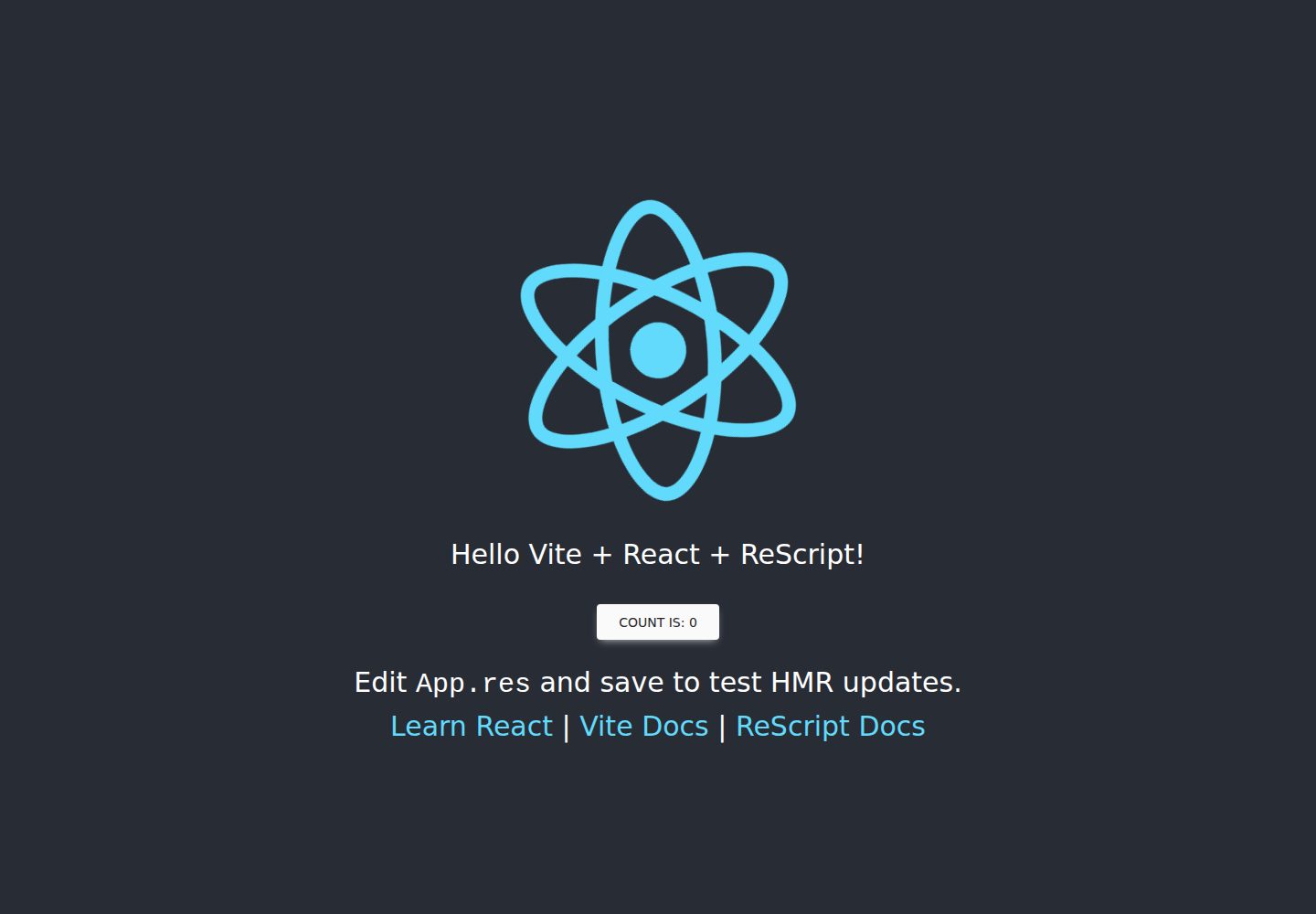
vitejs-template-react-rescript
A Vite-based React starter that integrates ReScript and rescript-react into the official Vite React template via @jihchi/vite-plugin-rescript, with Vitest, rescript-vitest, React Testing Library, and Tailwind CSS configured.
Vite · Starter