
Integrates TypeScript, ESLint, and Prettier, providing a foundation for type checking and code standards
ViteReactStarter
vite-react-boilerplate — Vite Starter Template
By RicardoValdovinos
A starter template based on Vite and React, preconfigured with TypeScript, Tailwind CSS, TanStack Router and Query, form validation, unit and end-to-end testing, and more.
Explore the design
Compare the page layouts and mobile experience. Open any screenshot for a closer look.
Author preview
Author-provided preview
Preview provided in the project README.
One original preview is available. Open the full image to inspect the design.
Screenshots show visual appearance; interactive behavior may differ.
Recorded 2026-10-08View source
What stands out
A quick read of the recorded project description.
Includes Tailwind CSS, Storybook, and TanStack Router / Query / Table, covering styling, component development, and data fetching
Includes React Hook Form and Zod for form state management and schema validation
Configures Vitest unit tests and Playwright end-to-end tests, with accompanying test scripts
Provides Git hooks and commit message conventions via Husky, Commitizen, and Commitlint
Includes a Dockerfile (NGINX base image) and build/deployment instructions
Template Details
This template is aimed at getting Vite + React projects started, with an emphasis on type safety and scalability. The stack includes TypeScript, ESLint, Prettier, Tailwind CSS, Storybook, TanStack Router / Query / Table, Zustand, React Hook Form, Zod, React Testing Library, Vitest, Playwright, Nivo, react-i18next, Faker, Dayjs, and Git commit convention tools such as Husky, Commitizen, and Commitlint. The project does not include a demo application; it provides only a few utilities, development tools, and an initial home route, with placeholder READMEs in directories describing the recommended structure. Before use, install NodeJS 24+ and pnpm; after cloning, delete .git, install dependencies, and run the setup script to initialize Git, Husky, and Playwright. Testing is split into unit tests (Vitest, watch mode by default) and end-to-end tests (Playwright). For deployment, run the build and point to dist/index.html, or build a container using the included Dockerfile based on an NGINX base image. The project does not provide a CI template.
ViteReactStarter
Is it right for your project?
Use Cases
- Quickly starting a new Vite + React project with type safety and testing configuration
- Building a frontend application directly with Tailwind CSS, the TanStack family of libraries, and Storybook
- Introducing common dependencies such as form validation, state management, internationalization, and data visualization into a project
- Deploying a React single-page application via Docker or static build artifacts
Suitable For
- Developers familiar with React and TypeScript who want to reduce initial configuration work
- Frontend projects that need baseline unit and end-to-end testing configuration
- Teams that accept pnpm as the package manager and are willing to use Husky commit conventions
- Those planning to build medium-to-large frontend applications with Tailwind CSS and the TanStack ecosystem
Getting started & customization
Use these recorded setup notes alongside the repository instructions for your chosen version.
- 1
Requirements: NodeJS 24+ and pnpm (or an equivalent package manager); Docker is also required when using the Dockerfile
- 2
After cloning the repository, it is recommended to delete the .git directory, then run pnpm install and pnpm run setup to initialize Git, Husky, and Playwright
- 3
Faker is for testing and demos only and should not be used in production; prefer localized subpackage imports to avoid excessive bundle size
- 4
Unit tests run in watch mode by default; for a single run, change the test:unit script in package.json to vitest run
- 5
The project does not include a CI template; continuous integration must be configured by the user
License & source material
Usage conditions & limitations
Free to use · keep license noticeThis entry covers the free version from a public repository under the MIT license; the free scope is the code of that version and does not imply that external services or third-party assets are free.
Must comply with when using
- You may use, modify, commercialize, and distribute the code of this version for free.
- When distributing copies or substantial portions of the code, retain the original author's copyright notice and the full MIT license notice.
- The code is provided as is; warranties and limitations of liability are governed by the original license and applicable law.
Additional costs & items to verify
- Demo images, fonts, icons, and other third-party assets must be checked against their respective licenses; the code's MIT license alone is not sufficient to determine this.
- External services such as domains, hosting, databases, payments, or AI may incur additional charges.
- Faker is for testing and demos only and must not be used in production.
- The project does not include a CI template; continuous integration configuration must be set up by the user.
- The template does not include a demo application; it provides only a few utilities, development tools, and an initial home route.
- Using the included Dockerfile requires installing Docker separately.
- Running the project requires NodeJS 24+ and pnpm (or an equivalent package manager).
- Importing Faker from the main package pulls in the entire library, increasing bundle size by up to 2+ MB; localized subpackage imports are recommended.
View Original Text Basis
Permission is hereby granted, free of charge
Original License Text
Faker should **NOT** be used in production and instead be limited to testing and demos.
Original README
Due to the vast array of tools, opinions, requirements and preferences a CI template is not included in this project.
Original README
This boilerplate project does not include a demo. At most, a few utilities (types, devtools, initial home page routes) are included.
Original README
If you'd like to use the included Dockerfile then [Docker](https://www.docker.com) is required as well:
Original README
- [NodeJS 24+](https://nodejs.org/en) - [pnpm](https://pnpm.io) (or equivalent)
Original README
https://github.com/RicardoValdovinos/vite-react-boilerplate/blob/main/LICENSEhttps://github.com/RicardoValdovinos/vite-react-boilerplate/blob/main/README.mdimporting Faker from the main package (without a locale) will result in the entire Faker lib being imported causing bundle sizes to increase up to 2+ MB
Original README
Compiled by DeepSeek based on repository license and README ·2026-10-08. Results only cover the materials read; dependencies, images, fonts, and subsequent term changes are subject to their respective original texts.
Project checks & description sources
Template Information
- Source platforms
- GitHub
- Documentation and maintenance reference score
- More documented · 88 / 100
- Technologies
- Vite · React
- Website type
- Starter
How this score is calculated
Our heuristic uses license records (up to 30), a demo link (12), a preview (10), stars (15), recorded maintenance (15), description completeness (8), feature records (5) and classification data (5). It is not a code, security or performance test, or a Google score. A link does not establish tested functionality.
What to verify for this project
- Repository update recorded
- 2026-06-24
- Screenshot last checked
- 2026-10-08
No demo link is recorded. Use the repository instructions to evaluate the project locally; the screenshot alone cannot establish interactive behavior.
The catalog identifies Vite as the primary stack. Check the actual dependency manifest and lockfile for versions and hosting requirements. These notes use recorded metadata, not a code audit or a deployment test.
Use a selection guide →How this description was prepared
AI-assisted description based on catalog records and repository material. Repository authors are not automatically the reviewers of this description.
Review declaration: [email protected] · 2026-10-08
Inspect the recorded source material
SHA-256: 929fbb416c8a24cd55604f3e4fdb77d8ee09a6a45114f758ac11edd6573adb8a
2026-10-08T12:35:09.730Z
Source file / repository# Vite React Boilerplate  Everything you need to kick off your next Vite + React web app! ## Table of Contents - [Overview](#overview) - [Requirements](#requirements) - [Getting Started](#getting-started) - [Important Note](#important-note) - [Testing](#testing) - [Preparing for Deployment](#preparing-for-deployment) - [DevTools](#devtools) - [Installed Packages](#installed-packages) ## Overview Built with type safety, scalability, and developer experience in mind. A batteries included Vite + React template. - [pnpm](https://pnpm.io) - A strict and efficient alternative to npm with up to 3x faster performance - [TypeScript](https://www.typescriptlang.org) - A typed superset of JavaScript designed with large scale applications in mind - [ESLint](https://eslint.org) - Static code analysis to help find problems within a codebase - [Prettier](https://prettier.io) - An opinionated code formatter - [Vite](https://vitejs.dev) - Feature rich and highly optimized frontend tooling with TypeScript support out of the box - [React](https://react.dev) - A modern front-end JavaScript library for building user interfaces based on components - [Tailwind CSS](https://tailwindcss.com) - A utility-first CSS framework packed with classes to build any web design imaginable - [Storybook](https://storybook.js.org) - A frontend workshop for building UI components and pages in isolation - [TanStack Router](https://tanstack.com/router/v1) - Fully typesafe, modern and scalable routing for React applications - [TanStack Query](https://tanstack.com/query/latest) - Declarative, always-up-to-date auto-managed queries and mutations - [TanStack Table](https://tanstack.com/table/v8) - Headless UI for building powerful tables & datagrids - [Zustand](https://zustand-demo.pmnd.rs) - An unopinionated, small, fast and scalable bearbones state-management solution - [React Hook Form](https://react-hook-form.com) - Performant, flexible and extensible forms with easy-to-use validation - [Zod](https://zod.dev) - TypeScript-first schema validation with static type inference - [React Testing Library](https://testing-library.com) - A very light-weight, best practice first, solution for testing React components - [Vitest](https://vitest.dev) - A blazing fast unit test framework powered by Vite - [Playwright](https://playwright.dev) - Enables reliable end-to-end testing for modern web apps - [Nivo](https://nivo.rocks) - A rich set of data visualization components, built on top of D3 and React - [react-i18next](https://react.i18next.com/) - A powerful internationalization framework for React/React Native based on i18next - [Faker](https://fakerjs.dev/) - Generate massive amounts of fake (but realistic) data for testing and development - [Dayjs](https://day.js.org/en/) - A minimalist JavaScript library that parses, validates, manipulates, and displays dates and times for modern browsers - [Husky](https://github.com/typicode/husky#readme) + [Commitizen](https://github.com/commitizen/cz-cli#readme) + [Commitlint](https://github.com/conventional-changelog/commitlint#readme) - Git hooks and commit linting to ensure use of descriptive and practical commit messages - [ts-reset](https://github.com/total-typescript/ts-reset#readme) - Improvements for TypeScripts built-in typings for use in applications - [Docker](https://www.docker.com) - Containerization tool for deploying your vite-react-boilerplate app A more detailed list of the included packages can be found in the [Installed Packages](#installed-packages) section. Packages not shown above include Devtools, ui helper libraries, and eslint plugins/configs. ## Requirements - [NodeJS 24+](https://nodejs.org/en) - [pnpm](https://pnpm.io) (or equivalent) If you'd like to use the included Dockerfile then [Docker](https://www.docker.com) is required as well: ## Getting Started Getting started is a simple as cloning the repository ``` git clone [email protected]:RicardoValdovinos/vite-react-boilerplate.git ``` Changing into the new directory ``` cd vite-react-boilerplate ``` Removing the .git folder (and any additional files, folders or dependencies you may not need) ``` rm -rf .git ``` Installing dependencies ``` pnpm install ``` And running the setup script (initializes git repository and husky and installs playwright) ``` pnpm run setup ``` Congrats! You're ready to starting working on that new project! If you'd rather run the commands above in one go, check out the command below: ``` git clone [email protected]:RicardoValdovinos/vite-react-boilerplate.git &&\ cd vite-react-boilerplate &&\ rm -rf .git &&\ pnpm install &&\ pnpm run setup ``` **Note**: This project comes with two git hooks added by [husky](https://typicode.github.io/husky/). A prepare-commit-msg hook to run the [Commitizen](https://github.com/commitizen/cz-cli#readme) cli for those nice commit messages and a commit-msg hook to run [Commitlint](https://commitlint.js.org/#/) on the message itself. Commitlint will ensure the commit message follows the [Conventional Commits specification](https://www.conventionalcommits.org/en/v1.0.0/) (it will if you used commitizen). If you wish to remove any hooks, simply delete the corresponding file in the .husky directory. ## Important Note 1. This boilerplate project does not include a demo. At most, a few utilities (types, devtools, initial home page routes) are included. There is no glue to get in your way when trying to modify the template. 2. Due to empty directories not being included in git commits, placeholder README files have been added to these empty directories. These README files contain simple descriptions about how the different directories in the accompanying folder structure may be used. As an example check out the [recommended component organizational structure](src/components/README.md) as well as the [recommended folder structure](src/features/README.md). 3. [Faker](https://fakerjs.dev/) is included to encourage more isolated testing and allow for rapid development of demos and MVPs. However, please make note that, [due to a bug](https://github.com/faker-js/faker/issues/1791), importing Faker from the main package (without a locale) will result in the entire Faker lib being imported causing bundle sizes to increase up to 2+ MB. Instead prefer [localized imports](https://fakerjs.dev/guide/localization.html#individual-localized-packages) as shown below. ``` // import { faker } from '@faker-js/faker'; import { faker } from '@faker-js/faker/locale/en'; // prefer localization when possible ``` The imported lib will instead be around 600 KB. Nonetheless, Faker should **NOT** be used in production and instead be limited to testing and demos. 4. Starting May 2025, this project and its dependencies are set to be updated once a month or as issues/PR's come in. ## Testing Unit testing is handled by React Testing Library and Vitest while End-to-End (E2E) Testing is conducted by Playwright. If you'd like to run all tests, Unit and E2E alike, execute the following command: ``` pnpm run test ``` ### Unit Testing When running unit test scripts, it is assumed that unit tests will be colocated with the source files. Take a look at the placeholder README file in `src/components` for [an example](src/components/README.md). If you'd like to execute unit tests specifically, the below command will execute vitest: ``` pnpm run test:unit ``` If instead you are interested in coverage reporting, run: ``` pnpm run test:unit:coverage ``` All unit tests run in watch mode by default. If you'd like to disable watch mode, change the package.json test scripts with the following before: ``` "scripts": { "test:unit": "vitest src/", "test:unit:coverage": "vitest --coverage src/" } ``` After: ``` "scripts": { "test:unit": "vitest run src/", "test:unit:coverage": "vitest run --coverage src/" } ``` **Note**: Faker is included to provide mock data. See the [Important Note](#important-note) section for crucial details regarding this package. Specifically, point 3. ### End-to-End (E2E) Testing Running E2E tests use a similar syntax to running unit tests: ``` pnpm run test:e2e ``` If you wish to see the reports, run: ``` pnpm run test:e2e:report ``` ## Preparing for Deployment Instructions are provided for deploying both with and without Docker. Both options still require a platform to host the application. ### Without Docker Deploying is as easy as running ``` pnpm run build ``` and pointing your web server to the generated `index.html` file found at `dist/index.html` ### With Docker A Dockerfile with an [NGINX](https://www.nginx.com) base image is also provided for quick and easy deployments. Simply execute the following commands: 1. `pnpm run build` 2. `docker build . -t <container_name>` - Example: `docker build . -t todo-app` 3. `docker run -p <port_number>:80 <container_name>` - Example: `docker run -p 8080:80 todo-app` ### Continuous Integration Due to the vast array of tools, opinions, requirements and preferences a CI template is not included in this project. ## Devtools This project includes a set of Devtools. Some are additional package dependencies whereas others come built-in to the packages themselves. ### Devtool dependencies: - [@tanstack/react-query-devtools](https://tanstack.com/query/v4/docs/react/devtools) - Dedicated dev tools to help visualize the inner workings of React Query - [@tanstack/router-devtools](https://tanstack.com/router/v1/docs/devtools) - Dedicated dev tools to help visualize the inner workings of TanStack Router - [@tanstack/react-table-devtools](https://www.npmjs.com/package/@tanstack/react-table-devtools) - Dedicated dev tools to help visualize the inner workings of TanStack Table - [@hookform/DevTools](https://react-hook-form.com/dev-tools) - React Hook Form Devtools to help debug forms with validation A set of utility components are provided in `src/components/utils/development-tools/`. These [wrapper components](https://tanstack.com/router/v1/docs/devtools#only-importing-and-using-devtools-in-developmentgit) check whether the application is running in development or production mode and render the component or null respectively. In other words, you can confidently use them during development without having to worry about them showing up for end users in production. **TanStack Query Devtools** are ready to go out of the box. The development vs. production rendering mechanism is built into the devtools. If you do wish to [render the devtools in production](https://tanstack.com/query/latest/docs/react/devtools) you can freely do so by following the TanStack Query Devtools documentation. The devtools component can be found in `src/App.tsx`. When running the application in development mode you can find the TanStack Query Devtools icon in the bottom left corner of the page sporting the [React Query Logo](https://img.stackshare.io/service/25599/default_c6db7125f2c663e452ba211df91b2ced3bb7f0ff.png). **TanStack Router Devtools**, however, utilizes its respective utility component in this project. The initial setup has been taken care of but if you wish to modify or remove the component, have a look in `src/App.tsx`. The TanStack Router Devtools icon can be found in the bottom right corner of the page denoted by the vertically stacked "TANSTACK ROUTER" logo. The above components, along with their imports, are commented out to start. **TanStack Table Devtools** Documentation is, at the time of writing this, non-existent. Having said that, usage is similar to the other TanStack devtools. A utility component restricting the devtools to development builds has been provided. The difference in comparison to the other TanStack devtools is the lack of floating mode. Instead, the Devtools are rendered as a component within the actual TanStack Table you define. An additional caveat being that the DevTools component (built-in and provided utility alike) require a table prop from the `useReactTable()` hook. In other words, if you have multiple tables, each table must have its own Devtools component. Check the simplified code below. ``` function Table(): FunctionComponent { /* some code */ const table = useReactTable({ data, columns, getCoreRowModel: getCoreRowModel(), }); return ( <> {/* table code */} <TanStackTableDevelopmentTools table={table} /> </> ) } ``` **React Hook Form DevTools** icon can be recognized in the top right corner of the page by the pink React Hook Form clipboard logo. A utility component has also provided. Like the TanStack Table Devtools component above, a prop must be passed from a specific hook. In this case, it is the control prop from the `useForm()` hook. Similar to TanStack Table, use of React Hook Form DevTools requires the component be added to each unique form. More information can be found in the [React Hook Form DevTools documentation](https://react-hook-form.com/dev-tools). To reiterate, if you wish to restrict the Devtools to development builds use the provided components found at `src/components/utils/development-tools` instead of the built-in components from their respective modules. ### Built-in Devtools: - Zustand **Zustand** provides a built-in [devtools middleware](https://github.com/pmndrs/zustand#redux-devtools) for use with [Redux DevTools](https://github.com/reduxjs/redux-devtools#redux-devtools). ## Installed Packages A simplified list can be found in the [Overview](#overview) section. ### Base - [TypeScript](https://www.typescriptlang.org) - [Vite](https://vitejs.dev) - [React](https://react.dev) ### Routing - [TanStack Router](https://tanstack.com/router/v1) ### Linting & Formatting - [ESLint](https://eslint.org) - [typescript-eslint](https://typescript-eslint.io) - [eslint-config-prettier](https://github.com/prettier/eslint-config-prettier#readme) - [eslint-plugin-react](https://github.com/jsx-eslint/eslint-plugin-react#readme) - [eslint-plugin-react-hooks](https://www.npmjs.com/package/eslint-plugin-react-hooks) - [eslint-plugin-react-refresh](https://github.com/ArnaudBarre/eslint-plugin-react-refresh) - [eslint-plugin-unicorn](https://github.com/sindresorhus/eslint-plugin-unicorn#readme) - [eslint-plugin-storybook](https://github.com/storybookjs/eslint-plugin-storybook#readme) - [Prettier](https://prettier.io) ### State Management - [TanStack Query (React Query)](https://tanstack.com/query/latest) - [Zustand](https://zustand-demo.pmnd.rs) ### UI - [Tailwind CSS](https://tailwindcss.com) - [HeadlessUI](https://headlessui.com) - [heroicons](https://heroicons.com) - [TanStack Table](https://tanstack.com/table/v8) - [Storybook](https://storybook.js.org) ### Forms - [React Hook Form](https://react-hook-form.com) - [Zod](https://zod.dev) ### Data Visualization - [Nivo](https://nivo.rocks) - [Line](https://nivo.rocks/line/) - [Bar](https://nivo.rocks/bar/) - [Pie](https://nivo.rocks/pie/) ### Testing - [Vitest](https://vitest.dev) - [React Testing Library](https://testing-library.com/docs/react-testing-library/intro/) - [Playwright](https://playwright.dev) ### Development Tools - [TanStack Query Devtools](https://tanstack.com/query/latest/docs/react/devtools?from=reactQueryV3&original=https%3A%2F%2Ftanstack.com%2Fquery%2Fv3%2Fdocs%2Fdevtools) - [TanStack Router Devtools](https://tanstack.com/router/v1/docs/devtools) - [TanStack Table Devtools](https://www.npmjs.com/package/@tanstack/react-table-devtools) - [React Hook Form Devtools](https://react-hook-form.com/dev-tools) ### Git - [Husky](https://github.com/typicode/husky#readme) - [Commitizen](https://github.com/commitizen/cz-cli#readme) - [Commitlint](https://github.com/conventional-changelog/commitlint#readme) ### Other - [i18next-browser-languageDetector](https://github.com/i18next/i18next-browser-languageDetector) - [i18next](https://www.i18next.com/) - [react-i18next](https://react.i18next.com/) - [ts-reset](https://github.com/total-typescript/ts-reset#readme) - [Faker](https://fakerjs.dev/) - [Dayjs](https://day.js.org/en/)
Explore similar templates
Compare previews and descriptions within the same stack and category.

react-starter-kit
A full-stack SaaS monorepo starter built on Vite and React, with Bun, TypeScript, tRPC, Drizzle ORM, Better Auth, Stripe, and Cloudflare Workers. It includes email OTP, passkey, Google OAuth, organizations, subscription billing, Drizzle migrations, seed scripts, and Terraform infrastructure.
Vite · SaaS

cove
Cove is a minimal TanStack Start starter template maintained by mugnavo, integrating React, TanStack Router/Query, Tailwind CSS, shadcn/ui, Drizzle ORM with PostgreSQL, Better Auth, Vite Plus, and Nitro.
Vite · SaaS

react-vite-admin
A backend management starter built on Vite and React, integrating Recoil, React Query, TypeScript, and Axios, with Ant Design-style interface screenshots. Suitable as a starting point for management-side projects, licensed under MIT, with Chinese documentation and common scripts.
Vite · Admin dashboard

typescript-react_best_practices-vite_template
A Vite + React + TypeScript starter template by CodelyTV, preconfigured with Jest and React Testing Library unit tests, Cypress end-to-end tests, ESLint and Prettier using Codely's shared configuration, GitHub Actions workflows, a Makefile, and Sass.
Vite · Starter

cloudflare-starter-kit
A Cloudflare Workers project scaffolding template maintained by kriasoft, using Vite and TypeScript, with three built-in workspaces: api, app, and edge, and preconfigured local testing, multiple environments, and a GitHub Actions deployment workflow.
Vite · Starter
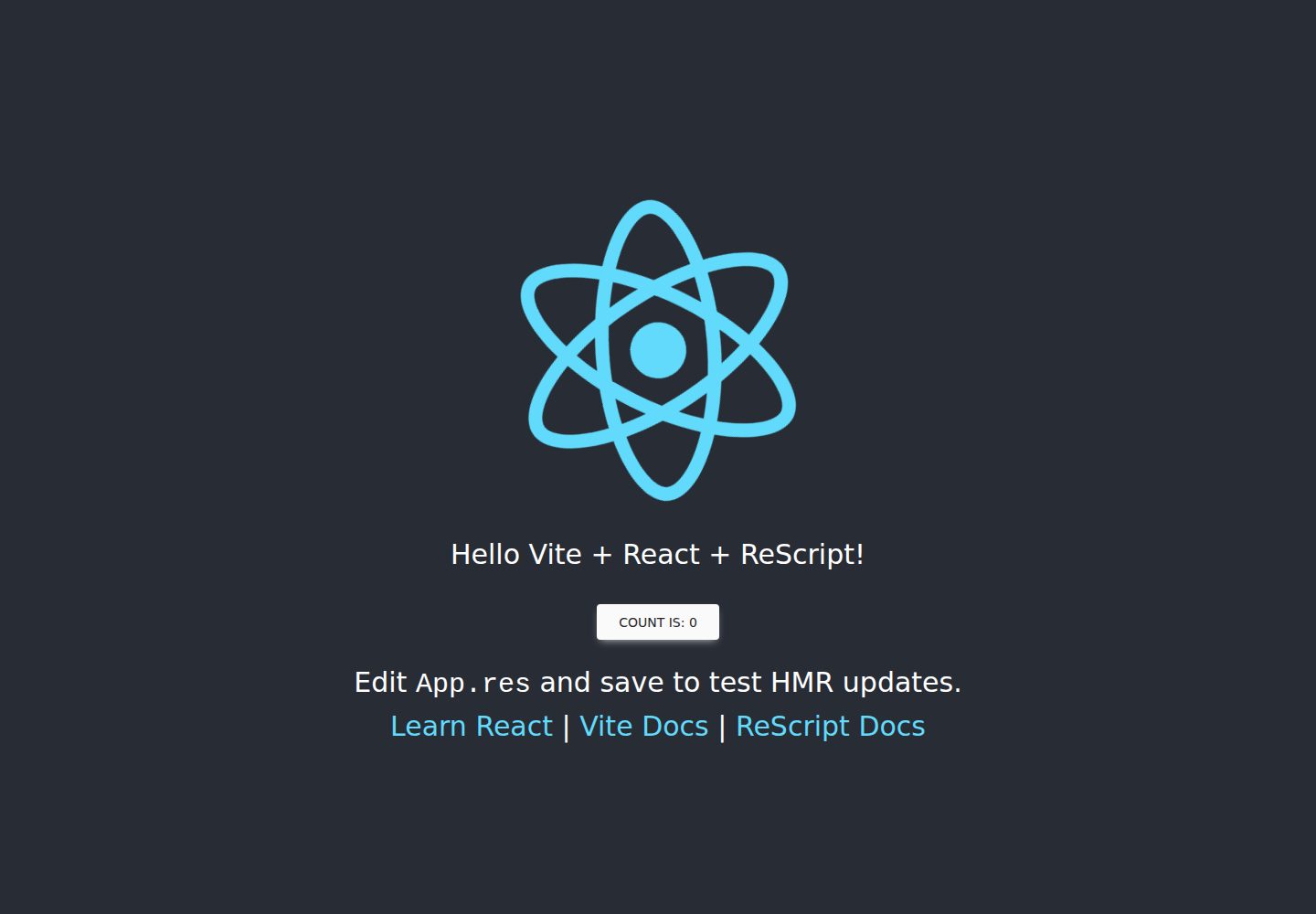
vitejs-template-react-rescript
A Vite-based React starter that integrates ReScript and rescript-react into the official Vite React template via @jihchi/vite-plugin-rescript, with Vitest, rescript-vitest, React Testing Library, and Tailwind CSS configured.
Vite · Starter