
Modern documentation layout based on Bootstrap 5, with responsive design and mobile support
HugoHTMLDocumentationTool Site
lotusdocs — Hugo Documentation Template
By colinwilson
Lotus Docs is a free Hugo documentation theme developed by Colin Wilson, built on Bootstrap 5, offering responsive documentation layouts, dark mode, multilingual support, static search, and multiple deployment options.
Explore the design
Compare the page layouts and mobile experience. Open any screenshot for a closer look.
Desktop homepage1 / 3
Desktop captureTop of page
Actual screenshot captured by the server browser.
All pages & views 3
Screenshots show visual appearance; interactive behavior may differ.
Recorded 2026-10-02View source
What stands out
A quick read of the recorded project description.
Built-in dark mode, multilingual support (i18n), customizable accent colors, and social links
Static search based on FlexSearch enabled by default, with DocSearch also supported
Supports Prism.js syntax highlighting, KaTeX math formulas, and Mermaid diagrams
Provides a landing page template, a documentation sidebar with icons, and an optional page table-of-contents menu
Can be deployed via GitHub Pages, GitLab Pages, Vercel, Netlify, or Cloudflare Pages
Template Details
Lotus Docs is a documentation site theme for Hugo. The repository is MIT-licensed, and the demo site also serves as the theme's usage documentation. Built on Bootstrap 5, it provides a modern documentation layout, responsive mobile support, dark mode, multilingual support (i18n), an optional page table-of-contents menu, a documentation sidebar with icons, customizable theme accent colors, and social media links.
For content and interaction, the theme includes a landing page template, supports Prism.js syntax highlighting, KaTeX math formulas, Mermaid diagrams, and custom shortcodes such as PrismJS, Alerts, Tabs, and Tables. For search, a static search plugin based on FlexSearch is enabled by default, and DocSearch is also supported. It also includes feedback components, Open Graph, and integrations for Google Analytics v4 and Plausible Analytics.
There are three installation methods: as a Hugo Module (recommended), as a Git submodule, or by cloning the theme files locally. Before use, Hugo Extended (minimum 0.140.0), git, and Go (minimum v1.21) are required, and the site must be initialized as a Hugo Module because the theme depends on the Hugo Bootstrap Module. The configuration examples in the README include settings such as enabling Goldmark's unsafe rendering and attribute parsing.
Note that the repository's MIT license covers this version of the code; third-party assets such as demo images, fonts, and icons must be checked against their respective licenses. External services such as domains and hosting may incur separate charges. Statements in the README such as perfect Lighthouse scores, fast, and secure are project self-descriptions and have not been independently verified in this material.
HugoHTMLDocumentationUtility site
Is it right for your project?
Use Cases
- Building a structured documentation site for an open-source project or product
- Technical documentation that requires multilingual support, dark mode, and in-site search
- Displaying code highlighting, math formulas, or Mermaid diagrams in documentation
- Deploying the documentation site to static hosting platforms such as GitHub Pages, Netlify, or Vercel
Suitable For
- Developers using Hugo who want to quickly obtain a documentation theme
- Teams that need to maintain multilingual technical documentation
- Users who prefer the Bootstrap 5 styling system and want to customize the theme's appearance
Getting started & customization
Use these recorded setup notes alongside the repository instructions for your chosen version.
- 1
Requires Hugo Extended (minimum 0.140.0), git, and Go (minimum v1.21)
- 2
It is recommended to initialize the site as a Hugo Module and then import the theme as a module, because it depends on the Hugo Bootstrap Module
- 3
It can also be installed via a Git submodule or by locally cloning themes/lotusdocs
- 4
The configuration must set module.imports, tableOfContents, and Goldmark-related options according to the README examples
- 5
Use hugo new docs/example-page.md to create content and hugo server -D for local preview
License & source material
Usage conditions & limitations
Free to use · keep license noticeThis entry covers the free version under the MIT license in the public repository; the free scope is the code of this version and does not mean that external services or third-party assets are free.
Must comply with when using
- The code of this version may be used, modified, used commercially, and distributed free of charge.
- When distributing copies or substantial portions of the code, retain the original author's copyright notice and the complete MIT license notice.
- The code is provided as is; warranties and limitations of liability are governed by the original license and applicable law.
Additional costs & items to verify
- Using this theme requires Hugo Extended, with a minimum version of 0.140.0; the standard Hugo version cannot meet the requirement.
- The build environment requires git and Go (minimum v1.21); otherwise, the theme cannot be installed and used in the recommended way.
- The site must be initialized as a Hugo Module because the theme depends on the Hugo Bootstrap Module, which limits non-modular usage.
- Custom fonts depend on the external Google Fonts service, which may involve third-party service availability and privacy compliance issues.
- Custom icons depend on the external Google Material Symbols service; its availability and license must be confirmed before use.
- The optional DocSearch search feature depends on the external Algolia service and may require applying for an account or API key.
- Analytics features require integration with external services such as Google Analytics v4 or Plausible, which usually require an account and configuration.
- Cross-browser testing depends on the external BrowserStack service, which is a third-party paid or account-required service.
- Demo images, fonts, icons, and other third-party assets must be checked against their respective licenses and cannot be judged solely by the code's MIT license.
- External services such as domains, hosting, databases, payments, or AI may incur additional charges.
View Original Text Basis
Permission is hereby granted, free of charge
Original License Text
Hugo **Extended** (minimum version: 0.140.0)
Original README
- git - Go (minimum version v1.21)
Original README
it's necessary to initialize your site as a Hugo Module
Original README
Custom fonts (via [Google Fonts](https://fonts.google.com/))
Original README
Custom icons (via [Google Material Symbols](https://fonts.google.com/icons?icon.style=Outlined&icon.set=Material+Symbols))
Original README
Support for [DocSearch](https://docsearch.algolia.com/)
Original README
Analytics ([Google Analytics v4](https://analytics.google.com/analytics/web/), [Plausible Analytics](https://plausible.io/))
Original README
https://github.com/colinwilson/lotusdocs/blob/release/LICENSEhttps://github.com/colinwilson/lotusdocs/blob/release/README.mdCross-browser testing via [BrowserStack](https://browserstack.com)
Original README
Compiled by DeepSeek based on repository license and README ·2026-10-02. Results only cover the materials read; dependencies, images, fonts, and subsequent term changes are subject to their respective original texts.
Project checks & description sources
Template Information
- Source platforms
- Hugo Themes
- Documentation and maintenance reference score
- More documented · 96 / 100
- Technologies
- Hugo · HTML
- Website type
- Documentation · Tool Site
How this score is calculated
Our heuristic uses license records (up to 30), a demo link (12), a preview (10), stars (15), recorded maintenance (15), description completeness (8), feature records (5) and classification data (5). It is not a code, security or performance test, or a Google score. A link does not establish tested functionality.
What to verify for this project
- Repository update recorded
- 2026-06-02
- Screenshot last checked
- 2026-10-02
A demo link is listed. Check it with your own content and viewport sizes; its presence does not confirm that forms, authentication or payments work.
The catalog identifies Hugo as the primary stack. Check the actual dependency manifest and lockfile for versions and hosting requirements. These notes use recorded metadata, not a code audit or a deployment test.
Use a selection guide →How this description was prepared
AI-assisted description based on catalog records and repository material. Repository authors are not automatically the reviewers of this description.
Automatically checked against source and license rules; no manual editorial review.
Inspect the recorded source material
SHA-256: 1f69100d894a6af0bac653850c125aec9f8bd539b4e016713c375148f6a06a93
2026-10-02T10:31:43.803Z
Source file / repository# Lotus Docs
[Lotus Docs](https://lotusdocs.dev) is an easily updated and customisable [Hugo](https://gohugo.io/) theme for building fast, secure, and SEO-friendly documentation sites.
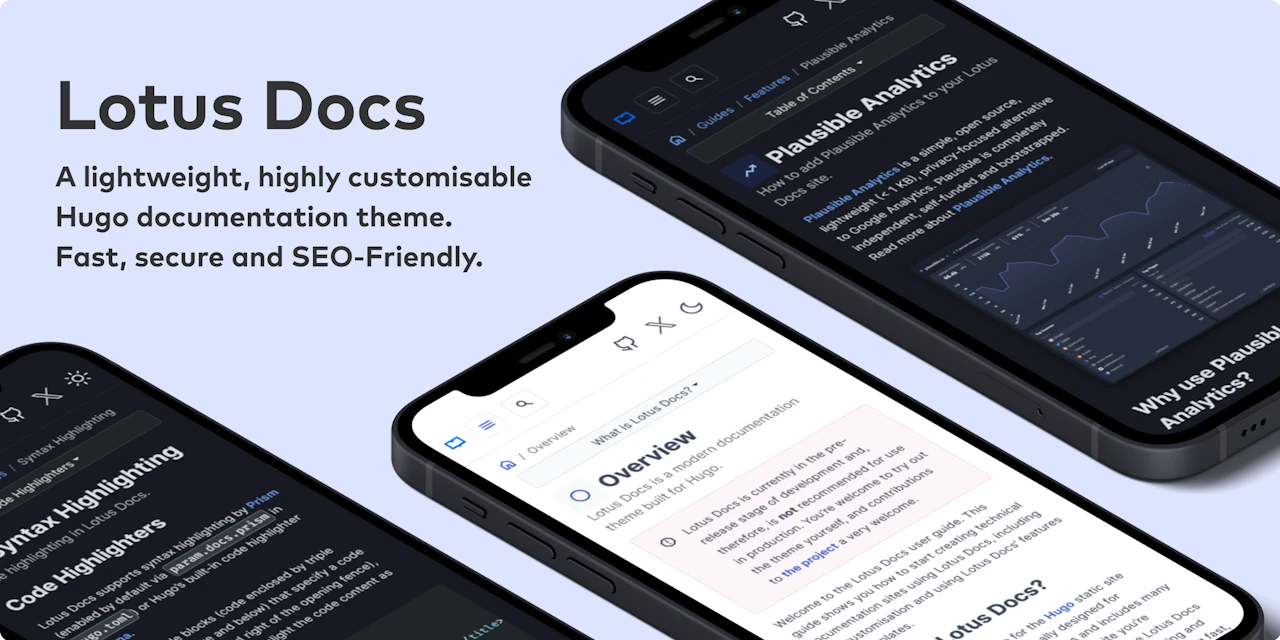
Check out the demo site [https://lotusdocs.dev/docs/](https://lotusdocs.dev/docs/) (also doubles as the documentation guide for Lotus Docs 📖)
## Features
* [x] Modern documentation layout
* [x] Responsive design / Mobile support
* [x] Fast, Accessible and SEO-Friendly (4 x 💯 scores on [Google Lighthouse](https://pagespeed.web.dev/)!)
* [x] Secure by default
* [x] Built on Bootstrap 5
* [x] Deploy on [GitHub Pages](https://lotusdocs.dev/docs/deployment/platforms/github-pages/), [GitLab Pages](https://lotusdocs.dev/docs/deployment/platforms/gitlab-pages/), [Vercel](https://vercel.com/), [Netlify](https://netlify.com), or [Cloudflare Pages](https://pages.cloudflare.com/)
* [x] Multilingual support (i18n)
* [x] Powerful Syntax Highlighting via [Prism.js](https://prismjs.com/)
* [x] Dark Mode
* [x] Custom fonts (via [Google Fonts](https://fonts.google.com/))
* [x] Custom icons (via [Google Material Symbols](https://fonts.google.com/icons?icon.style=Outlined&icon.set=Material+Symbols))
* [x] Landing page template included
* [x] Documentation sidebar menu (with optional icons)
* [x] Table of Contents menu on each page (optional)
* [x] Customisable theme accent colour
* [x] Social media links (Github, Twitter, Instagram etc)
* [x] Static Search plugin option (powered by [FlexSearch](https://github.com/nextapps-de/flexsearch), enabled by default)
* [x] Support for [DocSearch](https://docsearch.algolia.com/)
* [x] Custom shortcodes (PrismJS, Alerts, Tabs, Tables)
* [x] Analytics ([Google Analytics v4](https://analytics.google.com/analytics/web/), [Plausible Analytics](https://plausible.io/))
* [x] Cross-browser testing via [BrowserStack](https://browserstack.com)
* [x] Feedback widget
* [x] Math equations powered by [KaTeX](https://katex.org/)
* [x] [Mermaid](https://mermaid.js.org/) Support
* [x] [Open Graph](https://ogp.me/)
## Getting Started
### Requirements
- Hugo **Extended** (minimum version: 0.140.0)
- git
- Go (minimum version v1.21)
### Initialize your site as a Hugo Module
The Lotus Docs theme makes use of the [Hugo Bootstrap Module](https://github.com/gohugoio/hugo-mod-bootstrap-scss). For this reason, it's necessary to initialize your site as a Hugo Module. If your site isn't already, use the `hugo mod init` command to initialize your site as a Hugo module:
```bash
hugo mod init github.com/<username>/<your-hugo-site-name>
```
### Install Options
The Lotus Docs theme can be installed using one of the following methods:
- As a Hugo Module[^1] (recommended)
- As a Git submodule
- Clone the theme files locally
Prerequisites:
- `contentDir` present in project folder
### Install as a Hugo Module (recommended)
Edit the `hugo.toml` configuration file to include the [Lotus Docs theme](https://github.com/colinwilson/lotusdocs) and the [Hugo Bootstrap module](https://github.com/gohugoio/hugo-mod-bootstrap-scss) as modules:
```toml
baseURL = 'http://example.org/'
languageCode = 'en-us'
title = 'My New Hugo Site'
contentDir = 'content'
enableEmoji = true
[module]
[[module.imports]]
path = "github.com/colinwilson/lotusdocs"
disable = false
[[module.imports]]
path = "github.com/gohugoio/hugo-mod-bootstrap-scss/v5"
disable = false
[markup]
[markup.tableOfContents]
endLevel = 3
startLevel = 1
[markup.goldmark]
[markup.goldmark.renderer]
unsafe = true # https://jdhao.github.io/2019/12/29/hugo_html_not_shown/
[markup.goldmark.parser]
[markup.goldmark.parser.attribute]
block = true
```
### Install as a Git Submodule
From the root of your project run the following `git` commands:
```bash
git init
git submodule add https://github.com/colinwilson/lotusdocs themes/lotusdocs
```
Edit the `hugo.toml` config file:
```toml
baseURL = 'http://example.org/'
languageCode = 'en-us'
title = 'My New Hugo Site'
contentDir = 'content'
enableEmoji = true
[module]
# uncomment line below for temporary local development of module
# or when using a 'theme' as a git submodule
replacements = "github.com/colinwilson/lotusdocs -> lotusdocs"
[[module.imports]]
path = "github.com/colinwilson/lotusdocs"
disable = false
[[module.imports]]
path = "github.com/gohugoio/hugo-mod-bootstrap-scss/v5"
disable = false
[markup]
[markup.tableOfContents]
endLevel = 3
startLevel = 1
[markup.goldmark]
[markup.goldmark.renderer]
unsafe = true # https://jdhao.github.io/2019/12/29/hugo_html_not_shown/
[markup.goldmark.parser]
[markup.goldmark.parser.attribute]
block = true
```
### Install Locally
There may be cases where you prefer to customize and maintain the Lotus Docs theme yourself. In such cases, use `git` to clone the theme into the `themes/lotusdocs` directory:
```bash
git clone https://github.com/colinwilson/lotusdocs themes/lotusdocs
```
Edit the `hugo.toml` config file:
```toml
baseURL = 'http://example.org/'
languageCode = 'en-us'
title = 'My New Hugo Site'
[module]
# uncomment line below for temporary local development of module,
# when using a 'theme' as a git submodule or git cloned files
replacements = "github.com/colinwilson/lotusdocs -> lotusdocs"
[[module.imports]]
path = "github.com/colinwilson/lotusdocs"
disable = false
[[module.imports]]
path = "github.com/gohugoio/hugo-mod-bootstrap-scss/v5"
disable = false
```
## Create New Content
Navigate to the root of your Hugo project and use the `hugo new` command to create a file in the `content/docs` directory:
```shell
hugo new docs/example-page.md
```
This will create a markdown file named `example-page.md` with the following default front matter:
```yaml
---
title: "Example Page"
description: ""
icon: "article"
date: "2023-05-22T00:27:57+01:00"
lastmod: "2023-05-22T00:27:57+01:00"
draft: false
toc: true
weight: 999
---
```
Modify the above front matter options to suit your needs.
## Preview your site locally
Now that you've created some sample content you can preview your new Lotus Docs site using the `huge server` command:
```shell
hugo server -D
```
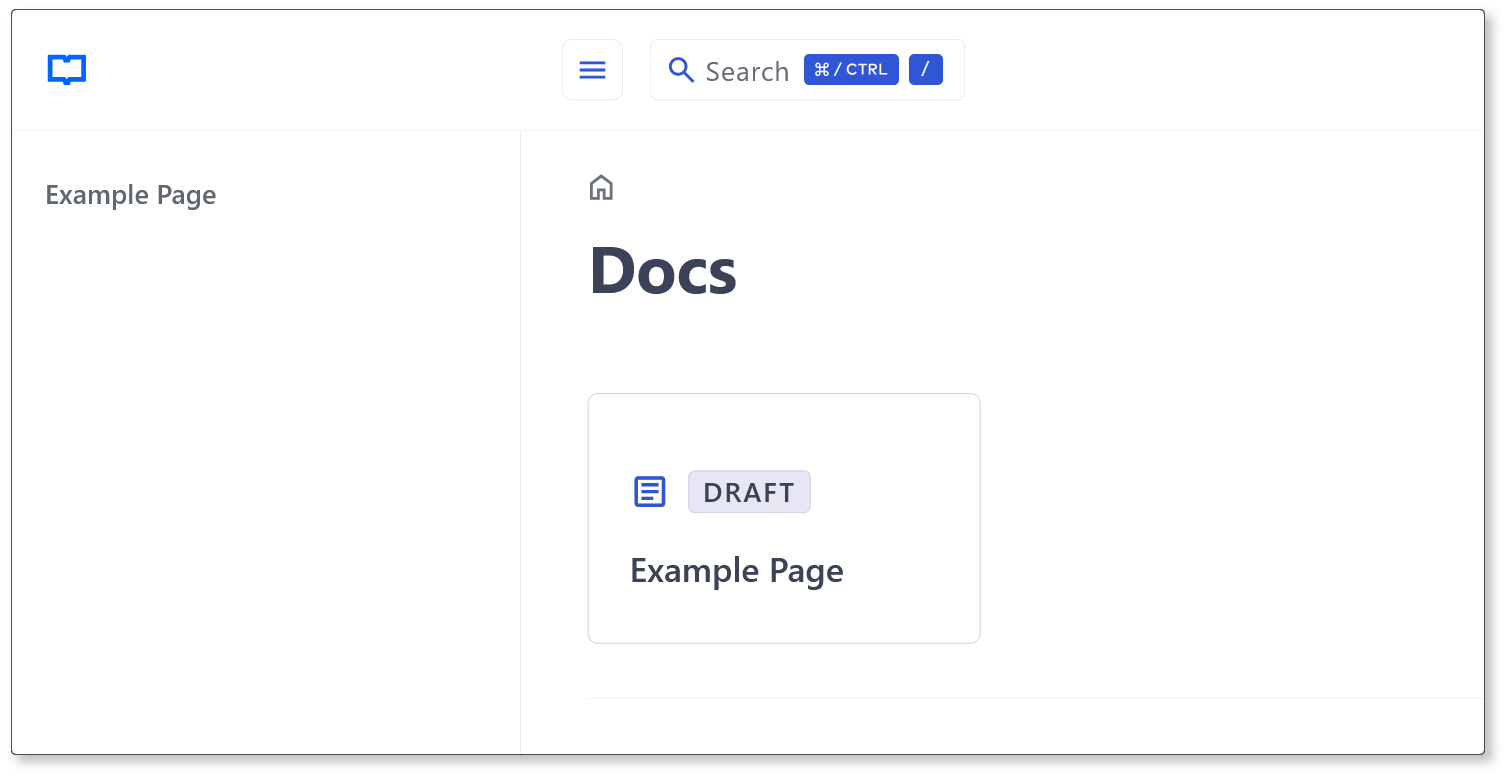
Navigate to `localhost:1313/docs/` and you should see a card link to the **Example Page** created earlier:
## Author
[Colin Wilson](https://github.com/colinwilson)
Copyright © 2022-2025 [Colin Wilson](https://github.com/colinwilson)
[^1]: [Hugo Modules](https://gohugo.io/hugo-modules/)
Explore similar templates
Compare previews and descriptions within the same stack and category.

hugo-book
Hugo Book is a Hugo documentation theme that aims to make documentation sites as simple as a plain book. It emphasizes clean, lightweight, mobile-friendly, and zero initial configuration, and comes with an example site that doubles as documentation.
Hugo · Documentation

hugo-coder
hugo-coder is a minimalist Hugo blog theme maintained by luizdepra under the MIT license. It provides a clean, text-focused blog appearance, configuration documentation in the docs directory, and a complete exampleSite with hugo.toml.
Hugo · Blog

docsy
Docsy is a Hugo theme for technical documentation sites, governed by the Linux Foundation and licensed under Apache-2.0. It provides simple navigation and site structure for open source project and product documentation.
Hugo · Documentation

hextra
Hextra is a Hugo theme for documentation and blog sites, built on Hugo and Tailwind CSS with design referencing Nextra.
Hugo · Documentation

doks
Doks is a Hugo documentation theme in the Thulite ecosystem, built for long-form reading with a minimal responsive layout and documentation-optimized typography. It includes FlexSearch-powered configurable search, dark/light mode, code syntax highlighting, i18n, multi-version documentation management, and blog pages.
Hugo · Tool Site

hugo-theme-introduction
Introduction is a minimal Hugo theme that can be configured as a single-page site or a full site with multiple sections. Homepage sections are generated from Markdown files under content/home/, with weight sorting and optional images.
Hugo · Portfolio