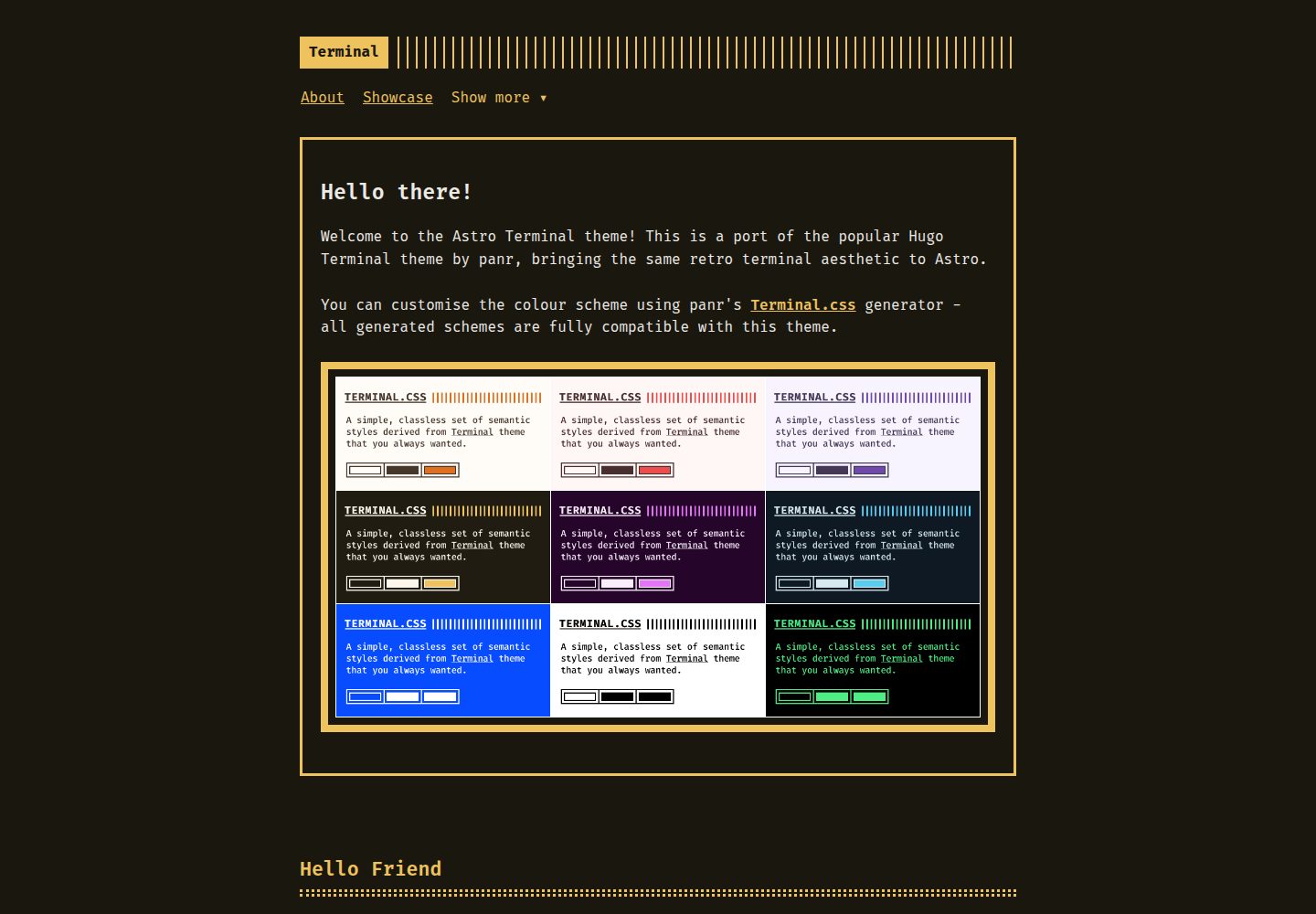
Ported from panr's Hugo Terminal theme, retaining the terminal-style visuals and color scheme
AstroStarter
astro-theme-terminal — Astro Starter Template
By dennisklappe
astro-theme-terminal is a blog starter that ports panr's Hugo Terminal theme to Astro, featuring terminal-style colors and monospace fonts, with support for tags, RSS, and Shiki syntax highlighting, under the MIT license.
Explore the design
Compare the page layouts and mobile experience. Open any screenshot for a closer look.
Desktop homepage1 / 3
Desktop captureTop of page
Actual screenshot captured by the server browser.
All pages & views 3
Screenshots show visual appearance; interactive behavior may differ.
Recorded 2026-10-05View source
What stands out
A quick read of the recorded project description.
Colors controlled via CSS custom properties, compatible with panr's Terminal.css color scheme generator
Uses Fira Code monospace font by default, changeable in fonts.css and terminal.css
Uses Astro's built-in Shiki for code syntax highlighting, with a terminal-style color scheme
Supports tag index and tag detail pages, and automatically generates RSS feed
Includes a GitHub Actions workflow for deployment to GitHub Pages
Template Details
This is a blog theme starter for Astro. The author ported panr's Hugo Terminal theme to Astro, with design credit to the original author. Visually, it adopts a terminal style: dark background, monospace font (Fira Code by default), a header with terminal decorations, and colors controlled via CSS custom properties, compatible with panr's Terminal.css color scheme generator.
For content structure, posts go in src/content/posts/, using Markdown frontmatter to declare title, description, date, author, and tags; pages go in src/pages/, wrapped by BaseLayout. The theme provides a post list, post detail, tag index and tag detail pages (/tags and /tags/[tag-name]), and automatically generated RSS feed. Code blocks use Astro's built-in Shiki for syntax highlighting, with a color scheme consistent with the terminal style.
Styles are split into multiple modular CSS files, including terminal.css (variables and core styles), fonts.css, main.css, header.css, menu.css, footer.css, post.css, buttons.css, code.css, syntax.css, pagination.css, gist.css, and terms.css, making it easy to modify as needed. The navigation menu is edited in src/layouts/BaseLayout.astro, supporting main menu items and dropdown menus.
The repository includes a GitHub Actions workflow for deployment to GitHub Pages; when deploying to a custom domain or different subpath, you need to adjust site and base in astro.config.mjs. During development, the site runs at the root path; base only takes effect in production builds. The README requires Astro v5.0.0 or higher and Node.js 18 or higher.
Limitations: This is a port of an existing Hugo theme, with design copyright belonging to the original author panr; the theme itself does not include additional features like comments, search, or CMS, as not mentioned in the README. Third-party assets such as images, fonts, and icons in the demo need to be checked separately under their respective licenses; the MIT license only covers the code of this version.
AstroStarter
Is it right for your project?
Use Cases
- Building a text-focused personal blog or technical notes site
- A showcase website that needs a terminal-style appearance, monospace fonts, and dark color scheme
- A content site that wants to organize posts with tags and provide RSS subscription
- A static site project deployed to GitHub Pages
Suitable For
- Developers familiar with Astro and Markdown content writing
- Creators who prefer terminal aesthetics and want to quickly start a blog
- Users who need an MIT-licensed codebase that can be freely modified and distributed
- Users planning to host a static site on GitHub Pages
Getting started & customization
Use these recorded setup notes alongside the repository instructions for your chosen version.
- 1
README requires Astro v5.0.0 or higher and Node.js 18 or higher
- 2
You can git clone the repository, or use 'Use this template' on GitHub to create a new repository and then install dependencies
- 3
Run npm run dev for local development, and npm run build for building
- 4
Set site (and base when deploying to a subpath) in astro.config.mjs
- 5
To deploy to GitHub Pages, set Source to GitHub Actions in the repository's Settings → Pages
License & source material
Usage conditions & limitations
Free to use · keep license noticeThis entry covers the free version under the MIT license in the public repository; the free scope is the code of this version and does not imply that external services or third-party assets are free.
Must comply with when using
- Free use, modification, commercial use, and distribution of this version's code are allowed.
- When distributing copies or substantial portions of the code, retain the original author's copyright notice and the full MIT license notice.
- The code is provided as is; warranties and limitations of liability are governed by the original license and applicable law.
Additional costs & items to verify
- Demo images, fonts, icons, and other third-party assets need to be checked under their respective licenses; they cannot be judged solely by the code's MIT license.
- External services such as domains, hosting, databases, payments, or AI may incur additional charges.
- This theme is a port of panr's Hugo Terminal theme; all design credit belongs to the original author panr, and attribution and design credit to the original author must be retained when using it.
- The original Hugo Terminal theme is under the MIT license, and this Astro port uses the same license; the copyright of the original design belongs to panr, and that copyright and license notice must be retained when distributing.
- The runtime environment requires Astro v5.0.0 or higher and Node.js 18 or higher; lower versions will not work properly.
- When deploying to a custom domain or different subpath, you must modify the site and base configurations in astro.config.mjs, otherwise paths will be incorrect.
- The base path only takes effect in production builds; in development mode, the site runs at the root path /, so path behavior differs between development and production environments.
- When using the included GitHub Actions workflow to deploy to GitHub Pages, you need to set Source to GitHub Actions in the repository's Settings → Pages.
View Original Text Basis
Permission is hereby granted, free of charge
Original License Text
This is an adaptation of the [Hugo Terminal Theme](https://github.com/panr/hugo-theme-terminal) created by [panr](https://github.com/panr). All design credit goes to the original author.
Original README
The original Hugo Terminal Theme is licensed under the MIT License. This Astro port maintains the same licence. Copyright for the original design: panr
Original README
- Astro v5.0.0 or higher - Node.js 18 or higher
Original README
To deploy to a custom domain or different base path, update the `site` and `base` options in `astro.config.mjs`.
Original README
**Note**: The base path is only applied in production builds. During development, the site runs at the root path (`/`) for easier testing.
Original README
https://github.com/dennisklappe/astro-theme-terminal/blob/main/LICENSEhttps://github.com/dennisklappe/astro-theme-terminal/blob/main/README.md1. Go to your repository Settings → Pages 2. Set Source to "GitHub Actions"
Original README
Compiled by DeepSeek based on repository license and README ·2026-10-05. Results only cover the materials read; dependencies, images, fonts, and subsequent term changes are subject to their respective original texts.
Project checks & description sources
Template Information
- Source platforms
- Astro Themes
- Documentation and maintenance reference score
- More documented · 79 / 100
- Technologies
- Astro
- Website type
- Starter
How this score is calculated
Our heuristic uses license records (up to 30), a demo link (12), a preview (10), stars (15), recorded maintenance (15), description completeness (8), feature records (5) and classification data (5). It is not a code, security or performance test, or a Google score. A link does not establish tested functionality.
What to verify for this project
- Repository update recorded
- 2025-11-17
- Screenshot last checked
- 2026-10-05
A demo link is listed. Check it with your own content and viewport sizes; its presence does not confirm that forms, authentication or payments work.
The catalog identifies Astro as the primary stack. Check the actual dependency manifest and lockfile for versions and hosting requirements. These notes use recorded metadata, not a code audit or a deployment test.
Use a selection guide →How this description was prepared
AI-assisted description based on catalog records and repository material. Repository authors are not automatically the reviewers of this description.
Review declaration: [email protected] · 2026-10-06
Inspect the recorded source material
SHA-256: 033dbf7819f0d8d771a166e8c02e30d0014a401e7120456eb376980055f9dd18
2026-10-05T14:47:45.462Z
Source file / repository# Astro Terminal Theme
I love both Astro and the Terminal theme by panr, so I decided to port this theme to Astro. This is an adaptation of the [Hugo Terminal Theme](https://github.com/panr/hugo-theme-terminal) created by [panr](https://github.com/panr). All design credit goes to the original author.
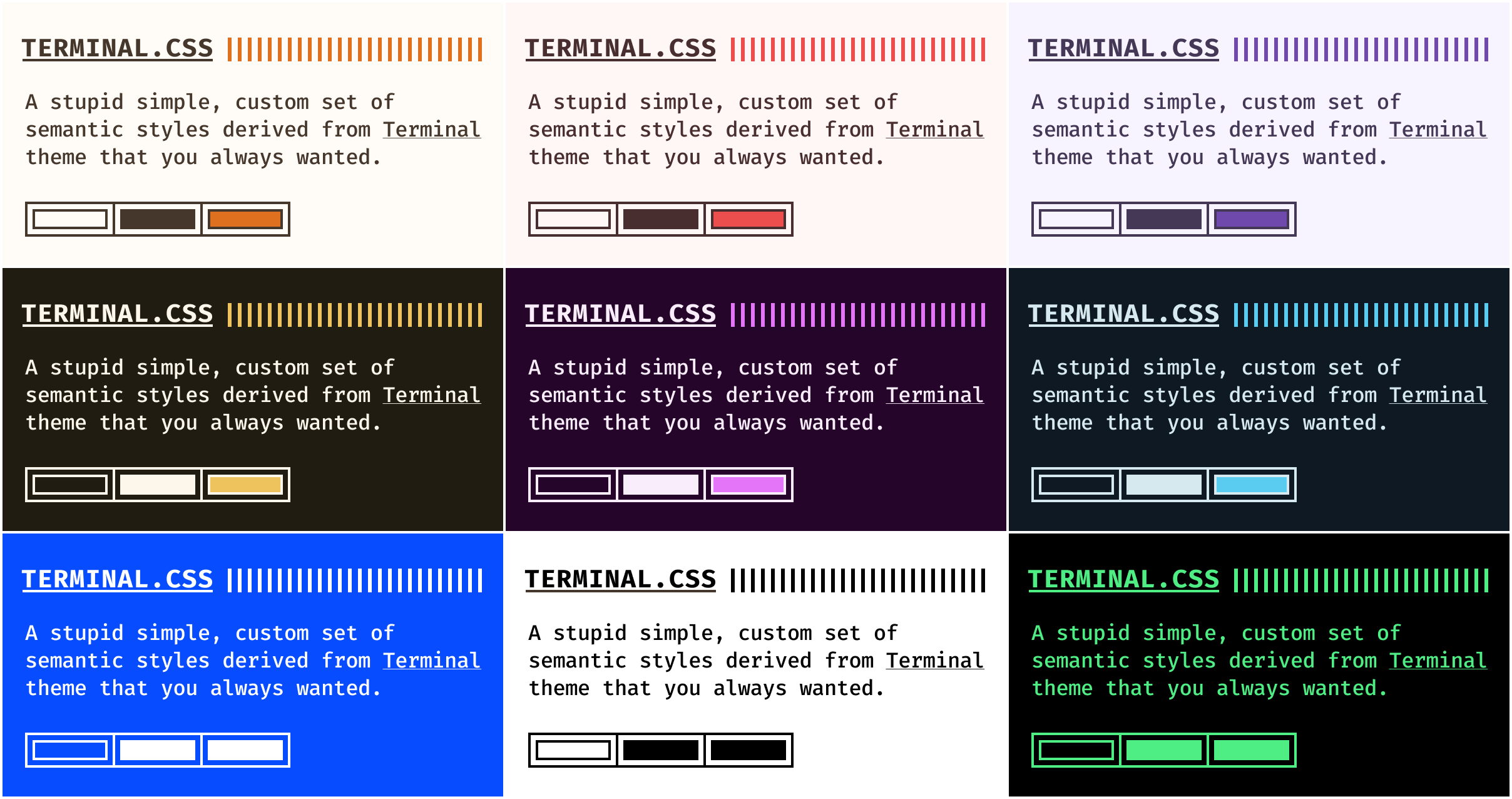
- [Demo site](https://dennisklappe.github.io/astro-theme-terminal/)
- [Terminal.css - Create your own colour scheme](https://panr.github.io/terminal-css/)
## Features
- **Customisable colour schemes** — works with panr's [Terminal.css colour scheme generator](https://panr.github.io/terminal-css/) or choose from the default schemes available there
- **[Fira Code](https://github.com/tonsky/FiraCode)** as default monospaced font — easily changeable
- **nice syntax highlighting** — thanks to Astro's built-in Shiki support
- **fully responsive** — works great on mobile and desktop
- **tag support** — organise posts with tags and browse by tag
- **RSS feed** — automatically generated RSS feed for your blog
## Requirements
- Astro v5.0.0 or higher
- Node.js 18 or higher
## Installation
### Clone repository
```bash
git clone https://github.com/dennisklappe/astro-theme-terminal.git your-site-name
cd your-site-name
npm install
```
### Use as a template
You can also use this repository as a template on GitHub:
1. Click the "Use this template" button on the GitHub repository
2. Create a new repository from the template
3. Clone your new repository and install dependencies
## How to start
```bash
npm run dev
```
## How to build
```bash
npm run build
```
## Configuration
### Site Configuration
Edit `astro.config.mjs`:
```js
import { defineConfig } from 'astro/config';
export default defineConfig({
site: 'https://your-domain.com',
markdown: {
shikiConfig: {
theme: 'css-variables',
langs: [],
wrap: true,
},
},
});
```
### Theme Configuration
The theme uses CSS custom properties for theming. To change colours, modify the variables in `src/styles/terminal.css`:
```css
:root {
--background: #1e2022;
--foreground: #d6deeb;
--accent: #ffa86a;
--secondary: #8be9fd;
--selection: #4c5f7a;
--code-border: #4c5f7a;
--comment: #637777;
}
```
You can also use panr's [Terminal.css generator](https://panr.github.io/terminal-css/) to create your own colour scheme - this Astro port is fully compatible with the generated colour schemes.
### Navigation Menu
Edit the navigation in `src/layouts/BaseLayout.astro`. The theme includes a dropdown menu for additional pages:
```astro
<!-- Main navigation items -->
<li><a href="/about">About</a></li>
<li><a href="/posts/showcase">Showcase</a></li>
<!-- Dropdown menu -->
<ul class="menu__dropdown">
<li><a href="/posts">Posts</a></li>
<li><a href="/tags">Tags</a></li>
<li><a href="/posts/rich-content">Rich Content</a></li>
</ul>
```
## Content
### Posts
Create posts in `src/content/posts/`:
```md
---
title: 'My First Post'
description: 'This is my first blog post'
pubDate: 2024-01-01
author: 'Your Name'
tags: ['astro', 'terminal']
---
Your content here...
```
### Pages
Create pages in `src/pages/`:
```astro
---
import BaseLayout from '../layouts/BaseLayout.astro';
---
<BaseLayout title="About">
<div class="page">
<h1>About</h1>
<p>Your content here...</p>
</div>
</BaseLayout>
```
## Syntax Highlighting
The theme uses Astro's built-in Shiki syntax highlighter with a custom monochrome theme that matches the terminal aesthetic. Code blocks automatically get syntax highlighting:
```js
// JavaScript example
function hello() {
console.log("Hello, World!");
}
```
## Layouts
### BaseLayout
The main layout that includes header, footer, and all necessary CSS imports.
### PostLayout
Layout specifically for posts, includes metadata display and post navigation.
## Components
- **Header** - Site header with terminal decoration
- **Footer** - Site footer with copyright
- **PostCard** - Post preview card
- **Pagination** - Page navigation component
- **FormattedDate** - Date formatting component
## Features
### Tags
Posts can be organised with tags. Each tag gets its own page at `/tags/[tag-name]` showing all posts with that tag. A tag index page at `/tags` displays all available tags.
## Customization
### Fonts
To change the monospace font, update the font import in `src/styles/fonts.css` and the font-family in `src/styles/terminal.css`.
### Colours
Create your own colour scheme or choose from the default schemes using panr's [Terminal.css generator](https://panr.github.io/terminal-css/).
### CSS Structure
The theme uses modular CSS files:
- `terminal.css` - Core theme styles and variables
- `fonts.css` - Font imports and utilities
- `main.css` - Layout and utility classes
- `header.css` - Header styles
- `menu.css` - Navigation menu
- `footer.css` - Footer styles
- `post.css` - Post styles
- `buttons.css` - Button components
- `code.css` - Code block functionality
- `syntax.css` - Syntax highlighting theme
- `pagination.css` - Pagination styles
- `gist.css` - GitHub Gist embed styles
- `terms.css` - Terms and conditions styles
## Deployment
### GitHub Pages
This theme includes a GitHub Actions workflow for automatic deployment to GitHub Pages:
1. Go to your repository Settings → Pages
2. Set Source to "GitHub Actions"
3. Push to the `main` branch or manually trigger the workflow
4. Your site will be available at `https://[username].github.io/astro-theme-terminal`
To deploy to a custom domain or different base path, update the `site` and `base` options in `astro.config.mjs`.
**Note**: The base path is only applied in production builds. During development, the site runs at the root path (`/`) for easier testing.
## Contributing
If you find any bugs or have ideas for improvements, please open an issue or submit a pull request.
## Credits
This theme is a port of the [Hugo Terminal Theme](https://github.com/panr/hugo-theme-terminal) created by [panr](https://github.com/panr). All design decisions, colour schemes, and visual aesthetics are credited to the original author.
Astro port created by [Dennis Klappe](https://github.com/dennisklappe).
## License
The original Hugo Terminal Theme is licensed under the MIT License. This Astro port maintains the same licence.
Copyright for the original design: panr
---
Made with love for the Astro communityExplore similar templates
Compare previews and descriptions within the same stack and category.

astrowind
AstroWind is a free, open-source Astro starter theme using Astro and Tailwind CSS, released under the MIT license.
Astro · Blog
accessible-astro-starter
An accessibility-focused Astro 6 starter template with WCAG 2.2 AA practices, Tailwind CSS 4, TypeScript, Prettier, ESLint, form validation, blog and portfolio examples, and preference toggles for dark mode, high contrast, and reduced motion.
Astro · Blog

astro-erudite
astro-erudite is an opinionated, unstyled static blog template built with Astro and native CSS, with no UI or CSS framework and minimal dependencies.
Astro · Portfolio

astro-shopify
A lightweight Shopify headless ecommerce starter template built with Astro and Svelte, integrating the Shopify Storefront API for product and inventory data, with built-in cart state management and basic add-to-cart and checkout flow.
Astro · E-commerce

brutal
Brutal is a neobrutalism Astro starter theme from ElianCodes, derived from the author's personal site and generalized. It includes a Markdown blog collection, build-time RSS and sitemap, image optimization, Tailwind CSS styling, and Biome checks, with no JavaScript by default.
Astro · Starter

qwind
Qwind is a free and open-source website template built on Qwik and Tailwind CSS, featuring directory-based routing via QwikCity, a Markdown blog, dark mode, and static deployment configuration.
Astro · Tool Site