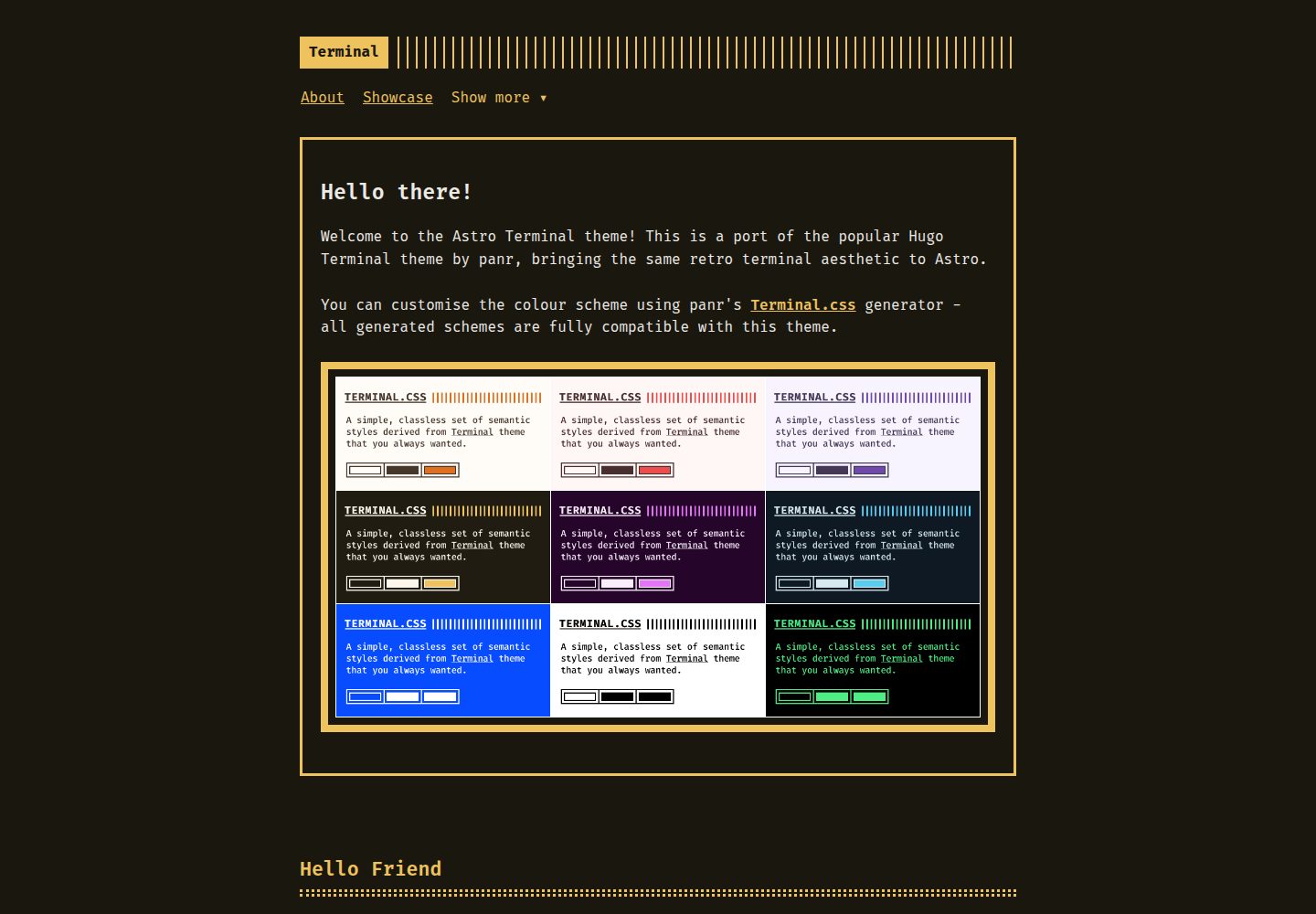
移植自 panr 的 Hugo Terminal 主题,保留终端风格视觉与配色
Astro启动器
astro-theme-terminal — Astro 启动器模板
作者 dennisklappe
astro-theme-terminal 是把 panr 的 Hugo Terminal 主题移植到 Astro 的博客启动器,采用终端风格配色与等宽字体,支持标签、RSS 与 Shiki 语法高亮,MIT 许可。
看看你的网站会是什么样
浏览真实页面截图,比较内容排版与手机效果。点击下方缩略图切换,放大查看整页细节。
全部页面与视图 3
截图用于了解视觉与布局,交互效果请以实际项目为准。
采集于 2026-10-05查看来源
值得关注的模板亮点
从已有项目资料中,快速了解它的特点。
通过 CSS 自定义属性控制配色,兼容 panr 的 Terminal.css 配色生成器
默认使用 Fira Code 等宽字体,可在 fonts.css 与 terminal.css 中更换
使用 Astro 内置 Shiki 做代码语法高亮,并配有终端风格配色
支持标签索引与标签详情页,自动生成 RSS 订阅
附带 GitHub Actions 工作流,可部署到 GitHub Pages
模板详细介绍
这是一个面向 Astro 的博客主题启动器,作者把 panr 的 Hugo Terminal 主题移植到 Astro,设计归属原作者。视觉上采用终端风格:深色背景、等宽字体(默认 Fira Code)、带终端装饰的页头,配色通过 CSS 自定义属性控制,并兼容 panr 的 Terminal.css 配色生成器。
内容结构上,文章放在 src/content/posts/,使用 Markdown frontmatter 声明标题、描述、日期、作者和标签;页面放在 src/pages/,通过 BaseLayout 包裹。主题提供文章列表、文章详情、标签索引与标签详情页(/tags 与 /tags/[tag-name]),以及自动生成的 RSS 订阅。代码块使用 Astro 内置的 Shiki 做语法高亮,并配有与终端风格一致的配色。
样式拆分为多个模块化 CSS 文件,包括 terminal.css(变量与核心样式)、fonts.css、main.css、header.css、menu.css、footer.css、post.css、buttons.css、code.css、syntax.css、pagination.css、gist.css 和 terms.css,便于按需修改。导航菜单在 src/layouts/BaseLayout.astro 中编辑,支持主菜单项与下拉菜单。
仓库附带 GitHub Actions 工作流,可部署到 GitHub Pages;部署到自定义域名或不同子路径时,需要调整 astro.config.mjs 中的 site 与 base。开发时站点运行在根路径,base 只在生产构建中生效。README 要求 Astro v5.0.0 或更高、Node.js 18 或更高。
限制方面:这是对既有 Hugo 主题的移植,设计版权归原作者 panr;主题本身不包含评论、搜索、CMS 等额外功能,README 未提及。演示中的图片、字体、图标等第三方素材需按各自许可单独核对,MIT 许可只覆盖该版本代码。
Astro启动器
适合你的项目吗?
适用场景
- 搭建以文字为主的个人博客或技术笔记站点
- 需要终端风格外观、等宽字体与深色配色的展示型网站
- 希望用标签组织文章并提供 RSS 订阅的内容站点
- 部署到 GitHub Pages 的静态站点项目
适合人群
- 熟悉 Astro 与 Markdown 内容写作的开发者
- 偏好终端美学、希望快速起步博客的创作者
- 需要 MIT 许可、可自由修改与分发代码的使用者
- 计划用 GitHub Pages 托管静态站点的用户
上手与定制指南
结合仓库当前版本的说明,按下面的资料检查内容、配置与运行要求。
- 1
README 要求 Astro v5.0.0 或更高、Node.js 18 或更高
- 2
可 git clone 仓库,或在 GitHub 上使用 Use this template 创建新仓库后安装依赖
- 3
本地开发运行 npm run dev,构建运行 npm run build
- 4
在 astro.config.mjs 中设置 site(以及部署到子路径时的 base)
- 5
部署到 GitHub Pages 需在仓库 Settings → Pages 中把 Source 设为 GitHub Actions
授权与来源资料
使用条件与限制
免费使用 · 保留许可声明本次收录的是公开仓库中采用 MIT 许可的免费版本;免费范围为该版本代码,不代表外部服务或第三方素材免费。
使用时需要遵守
- 允许免费使用、修改、商用和分发该版本代码。
- 分发代码副本或实质性部分时,保留原作者版权声明和完整 MIT 许可声明。
- 代码按现状提供;担保与责任限制以原许可证及适用法律为准。
额外费用与待核对事项
- 演示图片、字体、图标及其他第三方素材需按各自许可核对,不能仅凭代码的 MIT 许可判断。
- 域名、托管、数据库、支付或 AI 等外部服务可能另外收费。
- 该主题是对 panr 的 Hugo Terminal 主题的移植,全部设计归属原作者 panr,使用时需保留对原作者的署名与设计归属。
- 原始 Hugo Terminal 主题采用 MIT 许可,本 Astro 移植版沿用同一许可;原始设计的版权归 panr,分发时需保留该版权与许可声明。
- 运行环境要求 Astro v5.0.0 或更高版本、Node.js 18 或更高版本,低于该版本无法正常使用。
- 部署到自定义域名或不同子路径时,必须修改 astro.config.mjs 中的 site 与 base 配置,否则路径会不正确。
- base 路径仅在生产构建中生效,开发模式下站点运行在根路径 /,因此开发与生产环境的路径行为不一致。
- 使用自带的 GitHub Actions 工作流部署到 GitHub Pages 时,需在仓库 Settings → Pages 中把 Source 设为 GitHub Actions。
查看原文依据
Permission is hereby granted, free of charge
许可证原文
This is an adaptation of the [Hugo Terminal Theme](https://github.com/panr/hugo-theme-terminal) created by [panr](https://github.com/panr). All design credit goes to the original author.
README 原文
The original Hugo Terminal Theme is licensed under the MIT License. This Astro port maintains the same licence. Copyright for the original design: panr
README 原文
- Astro v5.0.0 or higher - Node.js 18 or higher
README 原文
To deploy to a custom domain or different base path, update the `site` and `base` options in `astro.config.mjs`.
README 原文
**Note**: The base path is only applied in production builds. During development, the site runs at the root path (`/`) for easier testing.
README 原文
https://github.com/dennisklappe/astro-theme-terminal/blob/main/LICENSEhttps://github.com/dennisklappe/astro-theme-terminal/blob/main/README.md1. Go to your repository Settings → Pages 2. Set Source to "GitHub Actions"
README 原文
DeepSeek 根据仓库许可证和 README 整理 ·2026-10-05。结果仅覆盖已读取资料,依赖、图片、字体及后续条款变更以各自原文为准。
项目核对记录与介绍依据
模板资料
- 来源平台
- Astro Themes
- 资料与维护参考分
- 资料较完整 · 79 / 100
- 技术栈
- Astro
- 网站类型
- 启动器
这个分数如何计算
本站按许可资料(最高30分)、演示链接(12分)、预览图(10分)、Star数(15分)、记录的维护时间(15分)、描述完整度(8分)、功能记录(5分)和分类资料(5分)计算。它不是代码、安全或性能测试,也不是 Google 评分;有链接不代表已实测可用。
这个项目需要核对什么
- 记录的仓库更新时间
- 2025-11-17
- 截图检查日期
- 2026-10-05
已收录演示链接。请用你的内容与屏幕尺寸检查;有演示不代表表单、认证或支付已经可用。
目录记录的主要技术栈是 Astro。请通过依赖清单和锁文件核对实际版本与托管要求。这些说明基于收录资料,不代表代码审计或部署实测。
查看具体选型方法 →介绍的制作与核对状态
介绍由 AI 辅助整理目录与仓库资料。仓库作者不等于这篇介绍的审核者。
审核声明: [email protected] · 2026-10-06
查看当时使用的来源资料
SHA-256: 033dbf7819f0d8d771a166e8c02e30d0014a401e7120456eb376980055f9dd18
2026-10-05T14:47:45.462Z
来源文件 / 仓库# Astro Terminal Theme
I love both Astro and the Terminal theme by panr, so I decided to port this theme to Astro. This is an adaptation of the [Hugo Terminal Theme](https://github.com/panr/hugo-theme-terminal) created by [panr](https://github.com/panr). All design credit goes to the original author.
- [Demo site](https://dennisklappe.github.io/astro-theme-terminal/)
- [Terminal.css - Create your own colour scheme](https://panr.github.io/terminal-css/)
## Features
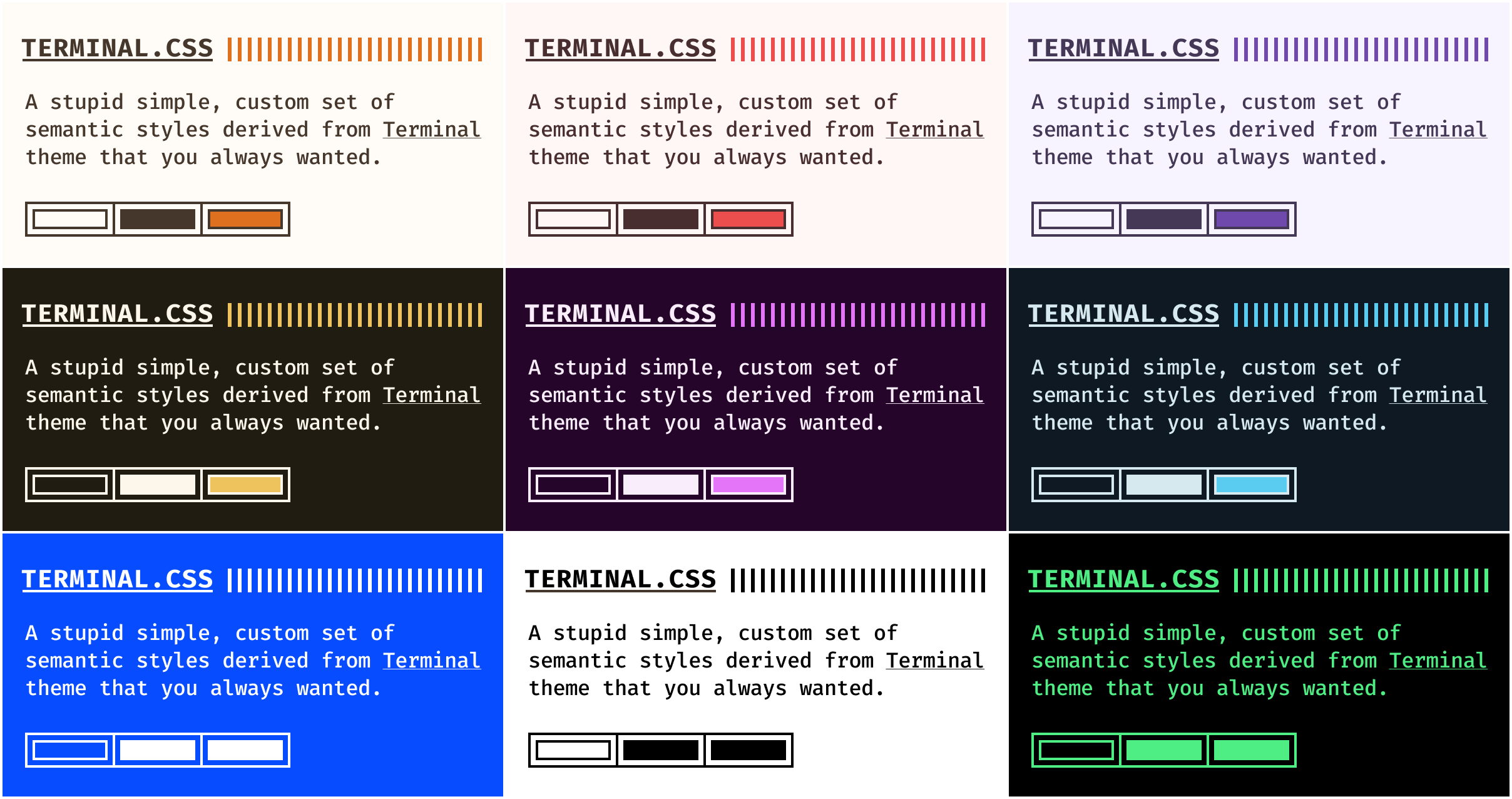
- **Customisable colour schemes** — works with panr's [Terminal.css colour scheme generator](https://panr.github.io/terminal-css/) or choose from the default schemes available there
- **[Fira Code](https://github.com/tonsky/FiraCode)** as default monospaced font — easily changeable
- **nice syntax highlighting** — thanks to Astro's built-in Shiki support
- **fully responsive** — works great on mobile and desktop
- **tag support** — organise posts with tags and browse by tag
- **RSS feed** — automatically generated RSS feed for your blog
## Requirements
- Astro v5.0.0 or higher
- Node.js 18 or higher
## Installation
### Clone repository
```bash
git clone https://github.com/dennisklappe/astro-theme-terminal.git your-site-name
cd your-site-name
npm install
```
### Use as a template
You can also use this repository as a template on GitHub:
1. Click the "Use this template" button on the GitHub repository
2. Create a new repository from the template
3. Clone your new repository and install dependencies
## How to start
```bash
npm run dev
```
## How to build
```bash
npm run build
```
## Configuration
### Site Configuration
Edit `astro.config.mjs`:
```js
import { defineConfig } from 'astro/config';
export default defineConfig({
site: 'https://your-domain.com',
markdown: {
shikiConfig: {
theme: 'css-variables',
langs: [],
wrap: true,
},
},
});
```
### Theme Configuration
The theme uses CSS custom properties for theming. To change colours, modify the variables in `src/styles/terminal.css`:
```css
:root {
--background: #1e2022;
--foreground: #d6deeb;
--accent: #ffa86a;
--secondary: #8be9fd;
--selection: #4c5f7a;
--code-border: #4c5f7a;
--comment: #637777;
}
```
You can also use panr's [Terminal.css generator](https://panr.github.io/terminal-css/) to create your own colour scheme - this Astro port is fully compatible with the generated colour schemes.
### Navigation Menu
Edit the navigation in `src/layouts/BaseLayout.astro`. The theme includes a dropdown menu for additional pages:
```astro
<!-- Main navigation items -->
<li><a href="/about">About</a></li>
<li><a href="/posts/showcase">Showcase</a></li>
<!-- Dropdown menu -->
<ul class="menu__dropdown">
<li><a href="/posts">Posts</a></li>
<li><a href="/tags">Tags</a></li>
<li><a href="/posts/rich-content">Rich Content</a></li>
</ul>
```
## Content
### Posts
Create posts in `src/content/posts/`:
```md
---
title: 'My First Post'
description: 'This is my first blog post'
pubDate: 2024-01-01
author: 'Your Name'
tags: ['astro', 'terminal']
---
Your content here...
```
### Pages
Create pages in `src/pages/`:
```astro
---
import BaseLayout from '../layouts/BaseLayout.astro';
---
<BaseLayout title="About">
<div class="page">
<h1>About</h1>
<p>Your content here...</p>
</div>
</BaseLayout>
```
## Syntax Highlighting
The theme uses Astro's built-in Shiki syntax highlighter with a custom monochrome theme that matches the terminal aesthetic. Code blocks automatically get syntax highlighting:
```js
// JavaScript example
function hello() {
console.log("Hello, World!");
}
```
## Layouts
### BaseLayout
The main layout that includes header, footer, and all necessary CSS imports.
### PostLayout
Layout specifically for posts, includes metadata display and post navigation.
## Components
- **Header** - Site header with terminal decoration
- **Footer** - Site footer with copyright
- **PostCard** - Post preview card
- **Pagination** - Page navigation component
- **FormattedDate** - Date formatting component
## Features
### Tags
Posts can be organised with tags. Each tag gets its own page at `/tags/[tag-name]` showing all posts with that tag. A tag index page at `/tags` displays all available tags.
## Customization
### Fonts
To change the monospace font, update the font import in `src/styles/fonts.css` and the font-family in `src/styles/terminal.css`.
### Colours
Create your own colour scheme or choose from the default schemes using panr's [Terminal.css generator](https://panr.github.io/terminal-css/).
### CSS Structure
The theme uses modular CSS files:
- `terminal.css` - Core theme styles and variables
- `fonts.css` - Font imports and utilities
- `main.css` - Layout and utility classes
- `header.css` - Header styles
- `menu.css` - Navigation menu
- `footer.css` - Footer styles
- `post.css` - Post styles
- `buttons.css` - Button components
- `code.css` - Code block functionality
- `syntax.css` - Syntax highlighting theme
- `pagination.css` - Pagination styles
- `gist.css` - GitHub Gist embed styles
- `terms.css` - Terms and conditions styles
## Deployment
### GitHub Pages
This theme includes a GitHub Actions workflow for automatic deployment to GitHub Pages:
1. Go to your repository Settings → Pages
2. Set Source to "GitHub Actions"
3. Push to the `main` branch or manually trigger the workflow
4. Your site will be available at `https://[username].github.io/astro-theme-terminal`
To deploy to a custom domain or different base path, update the `site` and `base` options in `astro.config.mjs`.
**Note**: The base path is only applied in production builds. During development, the site runs at the root path (`/`) for easier testing.
## Contributing
If you find any bugs or have ideas for improvements, please open an issue or submit a pull request.
## Credits
This theme is a port of the [Hugo Terminal Theme](https://github.com/panr/hugo-theme-terminal) created by [panr](https://github.com/panr). All design decisions, colour schemes, and visual aesthetics are credited to the original author.
Astro port created by [Dennis Klappe](https://github.com/dennisklappe).
## License
The original Hugo Terminal Theme is licensed under the MIT License. This Astro port maintains the same licence.
Copyright for the original design: panr
---
Made with love for the Astro community看看同类模板
对比同技术栈与用途的模板,找到更适合的视觉与内容结构。

astrowind
⭕️ AstroWind: A free template using Astro v7 and Tailwind CSS v4. Astro starter theme.
Astro · 博客
accessible-astro-starter
Accessible Astro Starter 是一个以无障碍为核心理念的 Astro 6 启动模板,由 incluud 团队维护。
Astro · 博客

astro-erudite
An opinionated, unstyled static blogging template built with Astro and native CSS.
Astro · 作品集

astro-shopify
astro-shopify 是一个面向开发者的轻量级电商启动模板,用于构建基于 Shopify 的无头店面。
Astro · 电商

brutal
A neobrutalism Astro starter theme
Astro · 启动器

qwind
⭕️ Qwind: A template to make your website using Qwik + Tailwind CSS.
Astro · 工具站