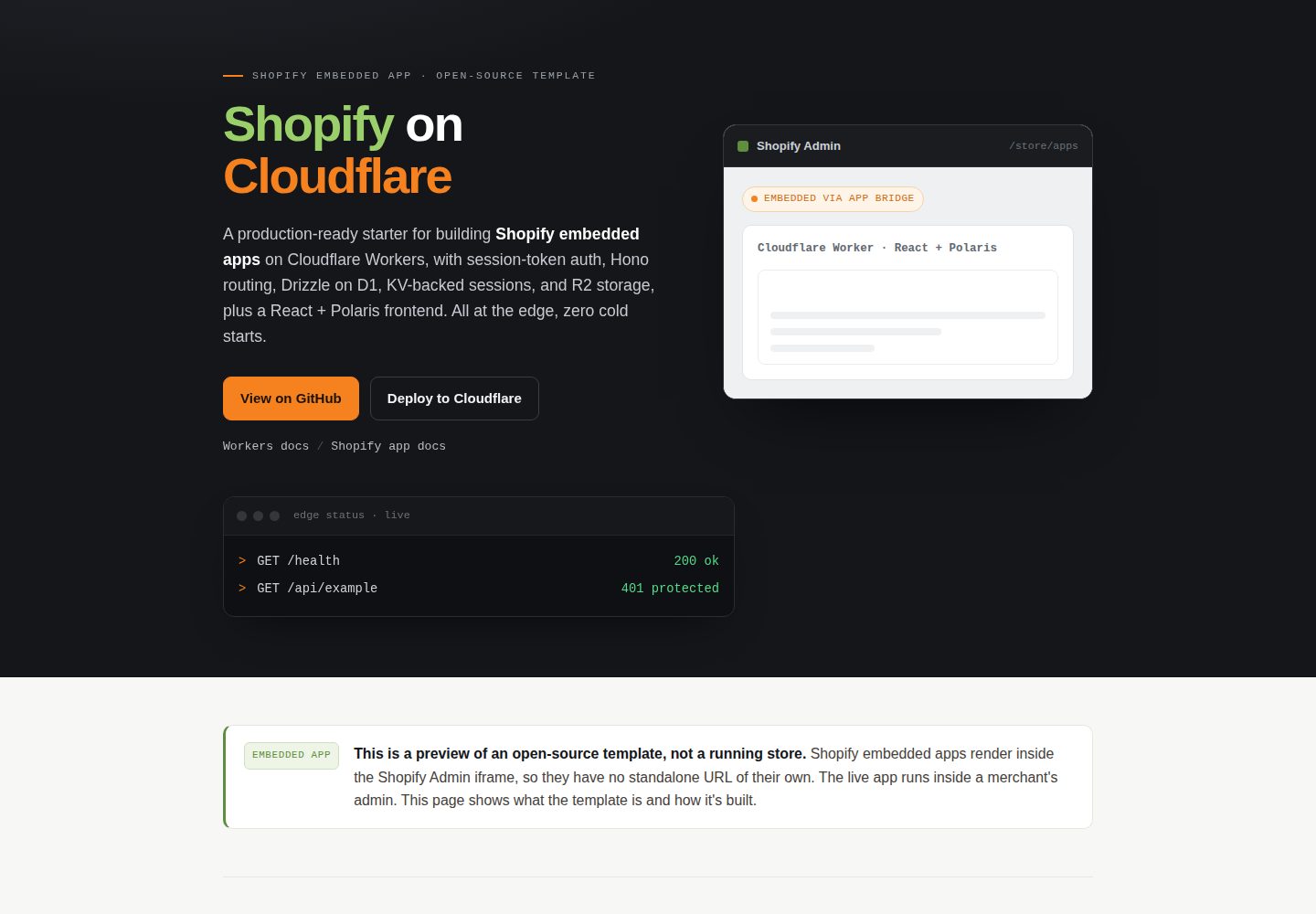
Shopify OAuth installation flow and App Bridge session token validation; /api/* routes are protected by middleware by default
ReactE-commerceStarter
shopify-on-cloudflare — React Ecommerce Template
By devkindhq
A Shopify embedded app template based on Cloudflare Workers, using Hono routing, D1 + Drizzle, KV session storage, R2 file storage, and a React + Shopify Polaris frontend.
Explore the design
Compare the page layouts and mobile experience. Open any screenshot for a closer look.
Desktop homepage1 / 2
Desktop captureTop of page
Actual screenshot captured by the server browser.
All pages & views 2
Screenshots show visual appearance; interactive behavior may differ.
Recorded 2026-10-01View source
What stands out
A quick read of the recorded project description.
KV stores Shopify sessions; D1 + Drizzle ORM provides the data layer with one example table
React frontend uses Shopify Polaris and App Bridge, served by the Workers static asset binding
Includes install/uninstall lifecycle and app/uninstalled webhook handling
Queues, Durable Objects, and Cron triggers are reserved as comments in wrangler.jsonc
Provides Vitest unit tests and a Playwright end-to-end smoke test script
Template Details
This is a Shopify embedded app starter template that runs on Cloudflare Workers. The backend uses Hono for routing, completes the installation flow via Shopify OAuth, and stores sessions in KV; all /api/* routes are validated by the requireShop middleware against the session token JWT sent from App Bridge. The data layer uses D1 (SQLite) with Drizzle ORM, and by default includes only one shopify_shop table. The example route GET /api/example queries D1 and returns JSON. The frontend is a React single-page application using Shopify Polaris and App Bridge, served by the Workers static asset binding.
The template already wires up the install and uninstall lifecycle, including the app/uninstalled webhook; in wrangler.jsonc, Queues, Durable Objects, and Cron triggers are kept as comments and can be enabled when needed. Local development runs both the frontend and the Worker on a single port via the Cloudflare Vite plugin, with D1, KV, and R2 bound locally; because Shopify OAuth requires a public HTTPS address, the repository provides a cloudflared tunnel script for development debugging.
Before use, you need to create your own Cloudflare D1 database, KV namespace, and R2 bucket, fill the returned IDs into wrangler.jsonc, and configure the app URL and callback address in the Shopify Partner dashboard. The template uses the MIT license, but third-party assets such as demo images, fonts, and icons, as well as external services such as domains and hosting, must be checked separately and paid for by you.
ReactE-commerceStarter
Is it right for your project?
Use Cases
- Developing an embedded admin app for Shopify merchants and wanting to deploy it on Cloudflare Workers
- Needing to integrate with Shopify Admin using session tokens instead of maintaining long-lived access tokens
- Managing app data on D1 with Drizzle ORM, storing sessions in KV, and storing files in R2
- Using it as a starting point to quickly scaffold a Shopify app skeleton with a Polaris UI and protected API routes
Suitable For
- Developers familiar with React, TypeScript, and Cloudflare Workers
- Teams that already have a Shopify Partner account and a development app and are ready to integrate OAuth
- Developers who want to control data storage and edge deployment themselves rather than use a managed backend platform
Getting started & customization
Use these recorded setup notes alongside the repository instructions for your chosen version.
- 1
Requires Node 20+, a Cloudflare account, and a Shopify Partner development app
- 2
Use wrangler to create a D1 database, KV namespace, and R2 bucket, and fill the returned IDs into wrangler.jsonc
- 3
Set SHOPIFY_CLIENT_ID, SHOPIFY_API_SECRET, and HOST via wrangler secret; for local development, copy .dev.vars.example and fill in the credentials
- 4
In the Shopify Partner dashboard, set the App URL to /shopify/install and the callback address to /shopify/callback; local debugging requires a cloudflared tunnel to provide an HTTPS address
- 5
Run the migration script before first run (locally npm run setup, remotely npm run d1:migrate)
License & source material
Usage conditions & limitations
Free to use · keep license noticeThis listing covers the free version of the public repository under the MIT license; the free scope is the code of that version and does not mean external services or third-party assets are free.
Must comply with when using
- You may use, modify, commercialize, and distribute the code of this version for free.
- When distributing copies or substantial portions of the code, retain the original author's copyright notice and the full MIT license notice.
- The code is provided as is; warranties and limitations of liability are governed by the original license and applicable law.
Additional costs & items to verify
- Using this template requires registering a Shopify Partner account and creating a development app to obtain the client ID and secret for OAuth integration.
- Deployment and operation require a Cloudflare account; the free tier is usable, but exceeding the free tier may incur charges.
- Shopify OAuth requires a public HTTPS address, so local development must expose the service via a cloudflared tunnel; the installation flow cannot be completed with localhost alone.
- The optional Bugsnag error monitoring integration requires your own API key and is a third-party external service; related dependencies can be removed if not used.
- The README promotes Devkind's paid custom development services, but this is an optional commercial service and does not affect the free use of the template itself.
- Demo images, fonts, icons, and other third-party assets must be checked against their respective licenses; the code's MIT license alone is not sufficient to determine this.
- External services such as domains, hosting, databases, payments, or AI may incur separate charges.
View Original Text Basis
Permission is hereby granted, free of charge
Original License Text
A Shopify Partner account + a development app
Original README
A Cloudflare account (free tier is fine)
Original README
Shopify OAuth requires a public HTTPS URL
Original README
VITE_BUGSNAG_API_KEY=your-bugsnag-api-key
Original README
https://github.com/devkindhq/shopify-on-cloudflare/blob/main/LICENSEhttps://github.com/devkindhq/shopify-on-cloudflare/blob/main/README.mdNeed a custom Shopify app or storefront built on Cloudflare? See [Devkind's Shopify development services](https://devkind.com.au/services/shopify).
Original README
Compiled by DeepSeek based on repository license and README ·2026-10-01. Results only cover the materials read; dependencies, images, fonts, and subsequent term changes are subject to their respective original texts.
Project checks & description sources
Template Information
- Source platforms
- GitHub
- Documentation and maintenance reference score
- More documented · 88 / 100
- Technologies
- React
- Website type
- E-commerce · Starter
How this score is calculated
Our heuristic uses license records (up to 30), a demo link (12), a preview (10), stars (15), recorded maintenance (15), description completeness (8), feature records (5) and classification data (5). It is not a code, security or performance test, or a Google score. A link does not establish tested functionality.
What to verify for this project
- Repository update recorded
- 2026-09-18
- Screenshot last checked
- 2026-10-01
A demo link is listed. Check it with your own content and viewport sizes; its presence does not confirm that forms, authentication or payments work.
The catalog identifies React as the primary stack. Check the actual dependency manifest and lockfile for versions and hosting requirements. These notes use recorded metadata, not a code audit or a deployment test.
Use a selection guide →How this description was prepared
AI-assisted description based on catalog records and repository material. Repository authors are not automatically the reviewers of this description.
Automatically checked against source and license rules; no manual editorial review.
Inspect the recorded source material
SHA-256: 849e347128d96c2b59678d2583598984763894dc8640dcfa56cc229b70dd0781
2026-10-01T01:29:16.510Z
Source file / repository# Shopify on Cloudflare
[](LICENSE)
[](https://workers.cloudflare.com)
[](https://hono.dev)
[](https://shopify.dev)
[](https://deploy.workers.cloudflare.com/?url=https://github.com/devkindhq/shopify-on-cloudflare)

**🔗 Live preview:** [cloudflare-shopify-starter-template.ali-d43.workers.dev/preview](https://cloudflare-shopify-starter-template.ali-d43.workers.dev/preview) (opens without a Shopify login).
**Keywords:** Shopify embedded app, Cloudflare Workers, Hono, Drizzle ORM, D1, KV, R2, React Polaris, session token auth, boilerplate, template, starter
<!-- dash-content-start -->
A production-ready Shopify embedded app boilerplate / template built on Cloudflare Workers. Features session-token auth, Hono routing, Drizzle ORM on D1, KV-backed session storage, R2 file storage, and a React 18 + Shopify Polaris frontend — all running at the edge with zero cold starts.
**Stack:** Cloudflare Workers (Hono) · D1 + Drizzle · KV (sessions) · R2 (files) · React 18 + Vite · Shopify Polaris + App Bridge.
What's wired up out of the box:
- Shopify OAuth + session-token auth (all `/api/*` routes are protected by middleware)
- KV-backed Shopify session storage
- D1 + Drizzle with a single `shopify_shop` table to extend
- Install / uninstall lifecycle, including `app/uninstalled` webhook
- One example protected API route (`GET /api/example`) and one Polaris page that fetches it
What's commented out as opt-in (in `wrangler.jsonc`): Cloudflare Queues, Durable Objects, Cron triggers.
---
## Architecture
```
Browser (Shopify Admin)
└── App Bridge (session token JWT)
└── Cloudflare Worker (Hono)
├── /shopify/install → OAuth install start
├── /shopify/callback → OAuth callback, session saved to KV
├── /api/* → requireShop middleware (JWT verification)
│ └── GET /api/example → queries D1, returns JSON
└── /* (static assets) → React + Polaris SPA (served via [assets])
```
- **Install flow:** `/shopify/install?shop=<shop>` → Shopify consent → `/shopify/callback` → session persisted in `SESSION_KV`.
- **Session-token flow:** App Bridge embeds a short-lived JWT in every API request header; the `requireShop` middleware verifies it and attaches the shop to the request context.
- **Data layer:** Drizzle ORM on D1 (SQLite). All tables cascade-delete on shop removal (`SHOP_REDACT` GDPR pattern).
<!-- dash-content-end -->
---
## Prerequisites
- Node 20+
- A Cloudflare account (free tier is fine)
- A Shopify Partner account + a development app
---
## One-time setup
### 1. Install dependencies
```bash
npm install
```
### 2. Create Cloudflare resources
```bash
# Database
wrangler d1 create shopify-on-cloudflare-db
# → copy the returned database_id into wrangler.jsonc
# KV namespace for Shopify sessions
wrangler kv:namespace create SESSION_KV
# → copy the returned id into wrangler.jsonc
# R2 bucket for file storage
wrangler r2 bucket create shopify-on-cloudflare-files
```
Open `wrangler.jsonc` and replace the `YOUR_*` placeholders (`database_id`, KV `id`) with the values above. (No `account_id` needed — Wrangler uses your logged-in account.)
### 3. Set Shopify secrets
In the Shopify Partner dashboard, create an app and copy its client ID and secret.
```bash
npx wrangler secret put SHOPIFY_CLIENT_ID
npx wrangler secret put SHOPIFY_API_SECRET
npx wrangler secret put HOST # bare hostname, no protocol, e.g. shopify-on-cloudflare.<you>.workers.dev
```
Copy `.env.example` to `.env` and fill in `VITE_SHOPIFY_CLIENT_ID` (the public client ID).
For **local development**, also copy `.dev.vars.example` to `.dev.vars` and fill in the same Shopify credentials — `wrangler dev` (via the Vite plugin) loads them from there, so you don't need `wrangler secret put` locally.
#### Shopify Partner Dashboard App URLs
After your first deploy (or when using a tunnel locally), set these values in the Shopify Partner Dashboard under **App setup**:
| Field | Value |
|---|---|
| App URL | `https://<your-worker-host>/shopify/install` |
| Allowed redirection URLs | `https://<your-worker-host>/shopify/callback` |
Replace `<your-worker-host>` with your `*.workers.dev` hostname (or custom domain).
### 4. Apply database migrations
```bash
npm run setup # local — apply D1 migrations for `npm run dev` (alias for d1:migrate:local)
npm run d1:migrate # remote — apply D1 migrations to your deployed D1
```
---
## Run locally
First time on a fresh clone, do the one-time setup — copy local vars and apply local migrations:
```bash
cp .dev.vars.example .dev.vars # then fill in your Shopify credentials
npm run setup # apply D1 migrations to the local database
```
Then a single command runs the whole app — React frontend **and** Worker backend — on one port, via the [Cloudflare Vite plugin](https://developers.cloudflare.com/workers/vite-plugin/):
```bash
npm run dev
```
Everything is served at http://localhost:5173, with the Worker running in the real `workerd` runtime and D1, KV, and R2 bound locally.
> **Shopify OAuth requires a public HTTPS URL** even in development.
> Use the included `cloudflared` tunnel to expose your local server:
>
> ```bash
> npm run dev:tunnel # exposes http://localhost:5173 via a cloudflared HTTPS tunnel
> ```
>
> Copy the printed `https://*.trycloudflare.com` URL and use
> `https://*.trycloudflare.com/shopify/install` as your **App URL** and
> `https://*.trycloudflare.com/shopify/callback` as your **Allowed redirection URL**
> in the Shopify Partner Dashboard for the duration of the dev session.
Seed a test shop and hit the example endpoint:
```bash
wrangler d1 execute shopify-on-cloudflare-db --local --command "
INSERT OR IGNORE INTO shopify_shop (id, myshopify_domain, domain, name, status, install_date)
VALUES ('test-shop-id', 'mystore.myshopify.com', 'mystore.myshopify.com', 'Test Store', 'installed', datetime('now'));
"
curl http://localhost:5173/api/example -H "x-shop-domain: mystore.myshopify.com"
# → {"shopId":"test-shop-id","now":"2026-..."}
```
---
## Testing
```bash
npm test # unit tests (Vitest)
npm run test:e2e # end-to-end smoke tests (Playwright)
```
The Playwright suite boots the app with `npm run dev` and checks the health endpoint, that protected `/api/*` routes reject unauthenticated requests, and that the SPA shell is served.
---
## Deploy
```bash
npm run deploy
```
`npm run deploy` builds the frontend and Worker together (`vite build`) and ships them with `wrangler deploy`.
---
## What's next
- Add tables: edit `src/db/schema.ts`, run `npm run d1:generate`, then `npm run d1:migrate`. New tables should have a non-null `shopId` FK to `shopify_shop` with `onDelete: 'cascade'` (GDPR `SHOP_REDACT` pattern).
- Add routes: drop a new file in `src/routes/`, export a Hono router, wire it in `src/index.ts`. `/api/*` paths are auth-guarded automatically.
- Add background jobs: uncomment the queues / durable-objects / cron blocks in `wrangler.jsonc` and add the matching `queue` / `scheduled` export to `src/index.ts`.
- Add a webhook topic: extend `TOPICS` in `src/lifecycle/webhooks.ts` and dispatch it in the handler.
---
## Optional integrations
### Bugsnag (error monitoring)
The frontend bundles `@bugsnag/js` and `@bugsnag/plugin-react`. To enable it, set your API key:
```bash
# .env (Vite/frontend)
VITE_BUGSNAG_API_KEY=your-bugsnag-api-key
```
If you do not use Bugsnag, you can safely remove `@bugsnag/js` and `@bugsnag/plugin-react` from `package.json` and delete the Bugsnag initialisation call in the frontend entry point.
---
## Contributing
Contributions, bug reports, and feature requests are welcome.
1. Fork the repository and create a branch from `main`.
2. Make your changes, keeping commits focused and atomic.
3. Follow the commit message convention enforced by `commitlint` (Conventional Commits: `feat:`, `fix:`, `chore:`, etc.).
4. Open a pull request — describe what you changed and why.
For significant changes, open an issue first to discuss the approach.
---
## Learn more
Need a custom Shopify app or storefront built on Cloudflare? See [Devkind's Shopify development services](https://devkind.com.au/services/shopify).
Built by [Devkind](https://devkind.com.au). Maintained by the Devkind Engineering team ([email protected]).
---
## License
MIT — see [LICENSE](LICENSE).
Explore similar templates
Compare previews and descriptions within the same stack and category.
ant-design-pro
Ant Design Pro is an enterprise-grade React admin scaffold built on React 19, Umi Max 4, and antd 6 with TypeScript.
React · Admin dashboard

react-boilerplate
A production-grade React + Redux starter for experienced developers, integrating Redux, redux-saga, styled-components, and react-router, with offline-first and PWA support, CLI code generation, and built-in testing and CI configuration. Requires Node.js v8.15.1 and npm v5 or higher; not suitable for beginners.
React · Starter

fastapi-react
A Cookiecutter template for FastAPI + React (TypeScript) full-stack projects, integrating PostgreSQL, SQLAlchemy, Alembic, Celery, Redis, JWT authentication, a react-admin admin panel, and a Docker Compose development environment with Nginx reverse proxy.
React · Admin dashboard

shadcn-landing-page
A free React landing page template built with TypeScript, Tailwind and Shadcn/UI, offering 16 ready-to-use sections such as Navbar, Hero, Pricing, FAQ and Footer, with responsive layout, dark mode and meta tags.
React · Corporate Website

start-ui-web
Start UI [web] is an opinionated full-stack starter from the BearStudio team, built on Node.js, TypeScript, React, and TanStack Start, with Tailwind CSS, shadcn/ui, React Hook Form, oRPC, Prisma, and Better Auth.
React · Starter

React-Landing-Page-Template
A React single-page landing page template for startups and service businesses, with copy and image references centralized in data.json, assets in public/img/, styles in public/css/, and a contact form that requires your own EmailJS service ID, template ID, and Public Key.
React · Corporate Website