
vCard-style theme for Grav CMS, usable for resume, portfolio, and blog
HTMLPortfolioBlog
grav-theme-hola — HTML Portfolio Template
By devlom
Hola is a vCard-style theme ported to Grav CMS, suitable for resume, portfolio, and blog sites, under the MIT license.
Explore the design
Compare the page layouts and mobile experience. Open any screenshot for a closer look.
Author preview
Author-provided previewTop of page
Preview provided in the project README.
One original preview is available. Open the full image to inspect the design.
Screenshots show visual appearance; interactive behavior may differ.
Recorded 2026-10-02View source
What stands out
A quick read of the recorded project description.
Provides default, error, blog list, blog item, and multiple modular page templates
Modular templates cover home banner, about, experience, portfolio, services, testimonials, resume, call to action, and statistics blocks
Supports single-page and regular page menus, multilingual metadata, custom logo, and contact form
README states Retina adaptation, parallax sections, animated statistics, and @font-face custom fonts
Code is MIT licensed, free to use, modify, commercialize, and distribute
Template Details
Hola is a vCard-style website theme for Grav CMS. The original design comes from styleshout and was ported to Grav by the Devlom team. The theme is positioned for resume, vCard, and portfolio use, targeting creative designers, developers, freelancers, photographers, and similar users.
The theme provides multiple page templates: default page, error page, blog list, and blog item, plus a set of modular templates covering home banner, about, experience, portfolio, services, testimonials, resume, blog, call to action, statistics, and basic text blocks. The README also mentions support for single-page and regular page menus, multilingual metadata, custom logo, contact form, portfolio section, animated statistics, parallax sections, @font-face custom fonts, and Retina adaptation.
For use, the theme can be installed via the Grav package manager or manually extracted into the user/themes directory; an official Hola Skeleton package is also available with sample content, configuration, theme, and plugins. For theme configuration, it is recommended to copy hola.yaml to user/config/themes and modify it there, avoiding direct changes to files inside the theme directory. Third-party assets such as demo images, fonts, and icons require separate license verification.
HTMLPortfolioBlog
Is it right for your project?
Use Cases
- Build a personal resume and vCard page for a designer, developer, freelancer, or photographer
- Combine modular templates into a portfolio site with portfolio, services, experience, and testimonials
- Maintain both blog list and blog item pages in Grav
- Quickly obtain a complete site with sample content and configuration via the Hola Skeleton package
Suitable For
- Individuals using Grav CMS who need a vCard or portfolio theme
- Creators who want to build a single-page resume or portfolio page using modular blocks
- Personal sites that need both blog and portfolio
- Developers who accept using the code under the MIT license and are willing to verify third-party asset licenses themselves
Getting started & customization
Use these recorded setup notes alongside the repository instructions for your chosen version.
- 1
Recommended installation via Grav package manager: run bin/gpm install hola in the Grav root directory
- 2
For manual installation, extract the repository into the user/themes directory and rename it to hola
- 3
For a complete site example, install the Hola Skeleton package, which includes sample content, configuration, theme, and plugins
- 4
When modifying configuration, copy user/themes/hola/hola.yaml to user/config/themes before editing, to avoid losing changes during updates
- 5
Custom logos can be placed in the user/themes/hola/images/logo directory and referenced via YAML or the Custom Logo field in theme options
License & source material
Usage conditions & limitations
Free to use · keep license noticeThis entry covers the free version under the MIT license in the public repository; the free scope applies to that version's code and does not imply that external services or third-party assets are free.
Must comply with when using
- Free use, modification, commercialization, and distribution of this version's code are permitted.
- When distributing copies or substantial portions of the code, retain the original author's copyright notice and the full MIT license notice.
- The code is provided as is; warranties and limitations of liability are governed by the original license and applicable law.
Additional costs & items to verify
- Before removing attribution/acknowledgment information from the template, you must review and comply with Styleshout's licensing policy, which may impose additional restrictions on removing copyright attribution.
- The theme's original design comes from third-party styleshout, and its assets and design may be subject to separate licenses; verify before use.
- Demo images come from Unsplash and gratisography and require separate license verification; they are not licensed together with the MIT code license.
- Fonts used are third-party resources and must be used under their respective licenses.
- Icon fonts come from iconmonstr and must be used under its license.
- Multiple third-party JavaScript libraries are included, each with independent licenses; verify each before use and redistribution.
- The complete site example requires additionally installing the Hola Skeleton package, which includes sample content, configuration, and plugins and is a separate repository.
- Demo images, fonts, icons, and other third-party assets require verification under their respective licenses and cannot be judged solely by the code's MIT license.
- External services such as domain, hosting, database, payment, or AI may incur additional charges.
View Original Text Basis
Permission is hereby granted, free of charge
Original License Text
Please take particular note of Styleshout's [licensing policy](http://www.styleshout.com/about-us/#remove-link) before removing any credits from the template.
Original README
Hola theme was originally designed by [styleshout](https://www.styleshout.com/) using the following resources as listed:
Original README
Stock Photos and Graphics: - Unsplash.com (https://unsplash.com/) - gratisography (https://gratisography.com/)
Original README
Fonts: - Montserrat Font (https://www.google.com/fonts/specimen/Montserrat) - Libre Baskerville Font (https://fonts.google.com/specimen/Libre+Baskerville)
Original README
Icons: - Iconic font (https://iconmonstr.com/iconicfont/)
Original README
Javascript Files: - JQuery (http://jquery.com/) - Modernizr (http://modernizr.com/) - Waypoints (http://imakewebthings.com/jquery-waypoints/) - jQuery Placeholder (https://github.com/mathiasbynens/jquery-placeholder) - jQuery Validation Plugin (https://jqueryvalidation.org/) - pace js (http://github.hubspot.com/pace/) - Masonry (http://masonry.desandro.com/) - Imagesloaded (https://imagesloaded.desandro.com/) - Parallax.js (http://pixelcog.github.io/parallax.js/) - Slick Slider (http://kenwheeler.github.io/slick/)
Original README
https://github.com/devlom/grav-theme-hola/blob/master/LICENSEhttps://github.com/devlom/grav-theme-hola/blob/master/README.mdThe theme by itself is useful, but you may have an easier time getting up and running by installing a skeleton.
Original README
Compiled by DeepSeek based on repository license and README ·2026-10-02. Results only cover the materials read; dependencies, images, fonts, and subsequent term changes are subject to their respective original texts.
Project checks & description sources
Template Information
- Source platforms
- GitHub
- Documentation and maintenance reference score
- Partly documented · 74 / 100
- Technologies
- HTML
- Website type
- Portfolio · Blog
How this score is calculated
Our heuristic uses license records (up to 30), a demo link (12), a preview (10), stars (15), recorded maintenance (15), description completeness (8), feature records (5) and classification data (5). It is not a code, security or performance test, or a Google score. A link does not establish tested functionality.
What to verify for this project
- Repository update recorded
- 2025-06-26
- Screenshot last checked
- 2026-10-02
No demo link is recorded. Use the repository instructions to evaluate the project locally; the screenshot alone cannot establish interactive behavior.
The catalog identifies HTML as the primary stack. Check the actual dependency manifest and lockfile for versions and hosting requirements. These notes use recorded metadata, not a code audit or a deployment test.
Use a selection guide →How this description was prepared
AI-assisted description based on catalog records and repository material. Repository authors are not automatically the reviewers of this description.
Automatically checked against source and license rules; no manual editorial review.
Inspect the recorded source material
SHA-256: e1921e5a45a74bbf21401da779a9dcac066478a133f4d070fca973b6bfb6644c
2026-10-02T16:24:13.371Z
Source file / repository# Hola Theme

**Hola** modern and stylish vCard website template for [Grav CMS](http://github.com/getgrav/grav), originally made by [styleshout](https://www.styleshout.com/). Designed to be a resume, vCard, portfolio template, it’s the perfect template for creative designers, developers, freelancers, photographer or any creative profession. It is fully responsive and retina/hi-dpi ready. It will look great on any devices from desktop to mobile phones. It has blog page templates, working contact form, stylish portfolio section and other features you will only find on premium templates. Built with clean and organized code, this template is also very easy to customize.
## Features
* HTML5 and CSS3
* Fully responsive layout
* Modern, stylish design
* Easy to customize
* Hundreds of icons avaliable
* Multiple page template types
* Retina ready
* Smooth scrolling home page nav
* Stylish portfolio section
* Animated stats section
* @font-face custom web fonts
* Parallax type sections included
* Compatible with all major browsers
* Blueprints included for **EVERY** section
* Hundreds of customization options
* Robust menu with both onepage and regular pages support
* Complete blog layout
* Multi-lingual metadata

### Supported Page Templates
* Default view template `default.md`
* Error view template `error.md`
* Blog view template `blog.md`
* Blog item view template `item.md`
* Modular view templates: `modular.md`
* Home Banner Modular view template - `home.md`
* About Modular view template - `about.md`
* Experience Modular view template - `experience.md`
* Portfolio Modular view template - `works.md`
* Services Modular view template - `services.md`
* Testimonials Modular view template - `testimonials.md`
* Resume Modular view template - `resume.md`
* Blog Modular view template - `blog.md`
* Call To Action Modular view template - `cta.md`
* Stats Modular view template - `stats.md`
* Basic One or Two Column Text Modular view template - `basic.md`
# Installation
Installing the Hola theme can be done in one of two ways. Our GPM (Grav Package Manager) installation method enables you to quickly and easily install the theme with a simple terminal command, while the manual method enables you to do so via a zip file.
The theme by itself is useful, but you may have an easier time getting up and running by installing a skeleton. The skeleton can be found in [Hola Skeleton](https://github.com/devlom/grav-skeleton-hola) package which are self-contained repositories for a complete sites which include: sample content, configuration, theme, and plugins.
## GPM Installation (Preferred)
The simplest way to install this theme is via the [Grav Package Manager (GPM)](http://learn.getgrav.org/advanced/grav-gpm) through your system's Terminal (also called the command line). From the root of your Grav install type:
bin/gpm install hola
This will install the Hola theme into your `/user/themes` directory within Grav. Its files can be found under `/your/site/grav/user/themes/hola`.
## Manual Installation
To install this theme, just download the zip version of this repository and unzip it under `/your/site/grav/user/themes`. Then, rename the folder to `hola`. You can find these files either on [GitHub](https://github.com/devlom/grav-theme-hola) or via [GetGrav.org](http://getgrav.org/downloads/themes).
You should now have all the theme files under
/your/site/grav/user/themes/hola
To make modifications, you can copy the `user/themes/hola/hola.yaml` file to `user/config/themes/` folder and modify, or you can use the admin plugin.
> NOTE: Do not modify the `user/themes/hola/hola.yaml` file directly or your changes will be lost with any updates
## Custom Logos
To add a custom logo, you should put the log into the `user/themes/hola/images/logo` folder. Standard image formats are support (`.png`,`.jpg`, `.gif`, `.svg`, etc.). Then reference the logo via the YAML like so:
```yaml
custom_logo:
- name: 'my-logo.png'
custom_logo_mobile:
- name: 'my-mobile-logo.png'
```
Alternatively, you can you use the drag-n-drop "Custom Logo" field in the Hola theme options.
## Multi-lingual metadata
Hola theme supports metadata for different languages
Copy the metadata you need from [Metadata - Grav Documentation](https://learn.getgrav.org/hints-tips/blogging/metadata) and paste it to your `user/pages/01._home/modular.lang.md`after `onpage_menu: false` for example.
## Sources and Credits
Hola theme was originally designed by [styleshout](https://www.styleshout.com/) using the following resources as listed:
Fonts:
- Montserrat Font (https://www.google.com/fonts/specimen/Montserrat)
- Libre Baskerville Font (https://fonts.google.com/specimen/Libre+Baskerville)
Icons:
- Iconic font (https://iconmonstr.com/iconicfont/)
Stock Photos and Graphics:
- Unsplash.com (https://unsplash.com/)
- gratisography (https://gratisography.com/)
Javascript Files:
- JQuery (http://jquery.com/)
- Modernizr (http://modernizr.com/)
- Waypoints (http://imakewebthings.com/jquery-waypoints/)
- jQuery Placeholder (https://github.com/mathiasbynens/jquery-placeholder)
- jQuery Validation Plugin (https://jqueryvalidation.org/)
- pace js (http://github.hubspot.com/pace/)
- Masonry (http://masonry.desandro.com/)
- Imagesloaded (https://imagesloaded.desandro.com/)
- Parallax.js (http://pixelcog.github.io/parallax.js/)
- Slick Slider (http://kenwheeler.github.io/slick/)
Other:
- Porting this template to GRAV was made possible with support of [davidhagenauer.com](http://davidhagenauer.com). Make sure to send cake!
- Conversion to Grav was handled by [Devlom](https://devlom.com) team.
Please take particular note of Styleshout's [licensing policy](http://www.styleshout.com/about-us/#remove-link) before removing any credits from the template.
Explore similar templates
Compare previews and descriptions within the same stack and category.

simplefolio
Simplefolio is a minimal single-page portfolio template for developers, built with HTML, Bootstrap, SCSS, and Parcel under the MIT license. It includes Hero, About, Projects, Contact, and Footer sections, with content edited in /src/index.html and theme colors controlled by two SCSS variables.
HTML · Portfolio

Freelancer
A bright, single-page Bootstrap portfolio template for freelancers, designers, and small studios. It includes a responsive portfolio grid with modal detail windows and an SB Forms contact form that requires an API token.
HTML · Portfolio

Casper
Casper is Ghost's official classic blog theme, long used as the default and still maintained.
HTML · Magazine

Resume
A single-page resume and CV template from Start Bootstrap, built on Bootstrap with a fixed sidebar and content sections.
HTML · Portfolio

Creative
A single-page marketing template by Start Bootstrap for creative agencies and product services, built on Bootstrap with SCSS, featuring a portfolio grid and call-to-action sections. It includes pre-set SB Forms markers for form integration and npm build scripts for source customization.
HTML · Corporate Website
startbootstrap-clean-blog
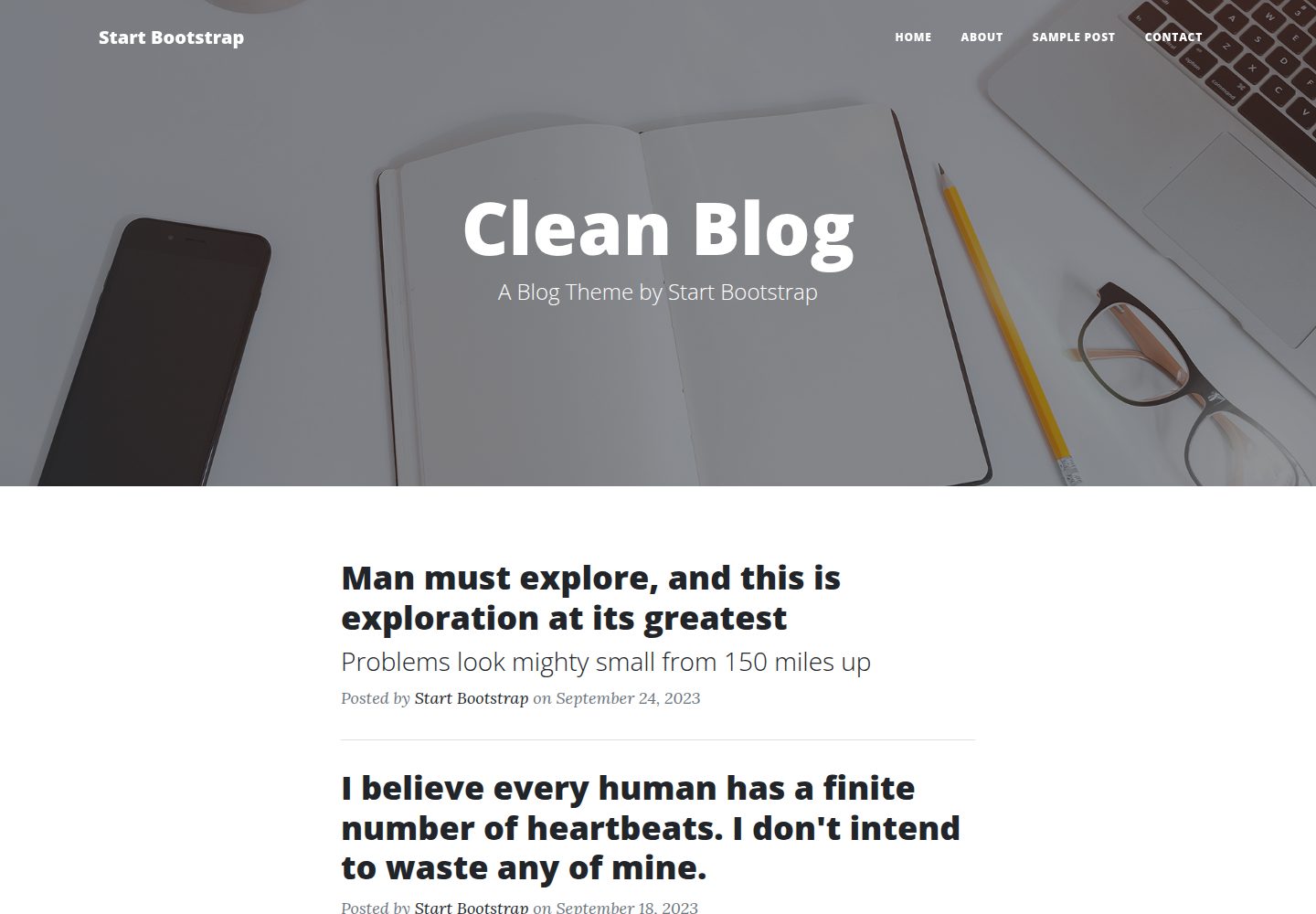
Clean Blog by Start Bootstrap is a responsive Bootstrap blog theme with a home page, about page, contact page, and sample post page, plus a working PHP contact form preconfigured for SB Forms.
HTML · Blog