No coding required; maintain content by editing only the two JSON files data/changelog.json and data/configuration.json
Next.jsReactTool Site
changelog-generator — Next.js Tool Template
By didaquis
A static changelog display template based on Next.js. Edit two JSON files to generate a publishable changelog page.
Explore the design
Compare the page layouts and mobile experience. Open any screenshot for a closer look.
Author preview
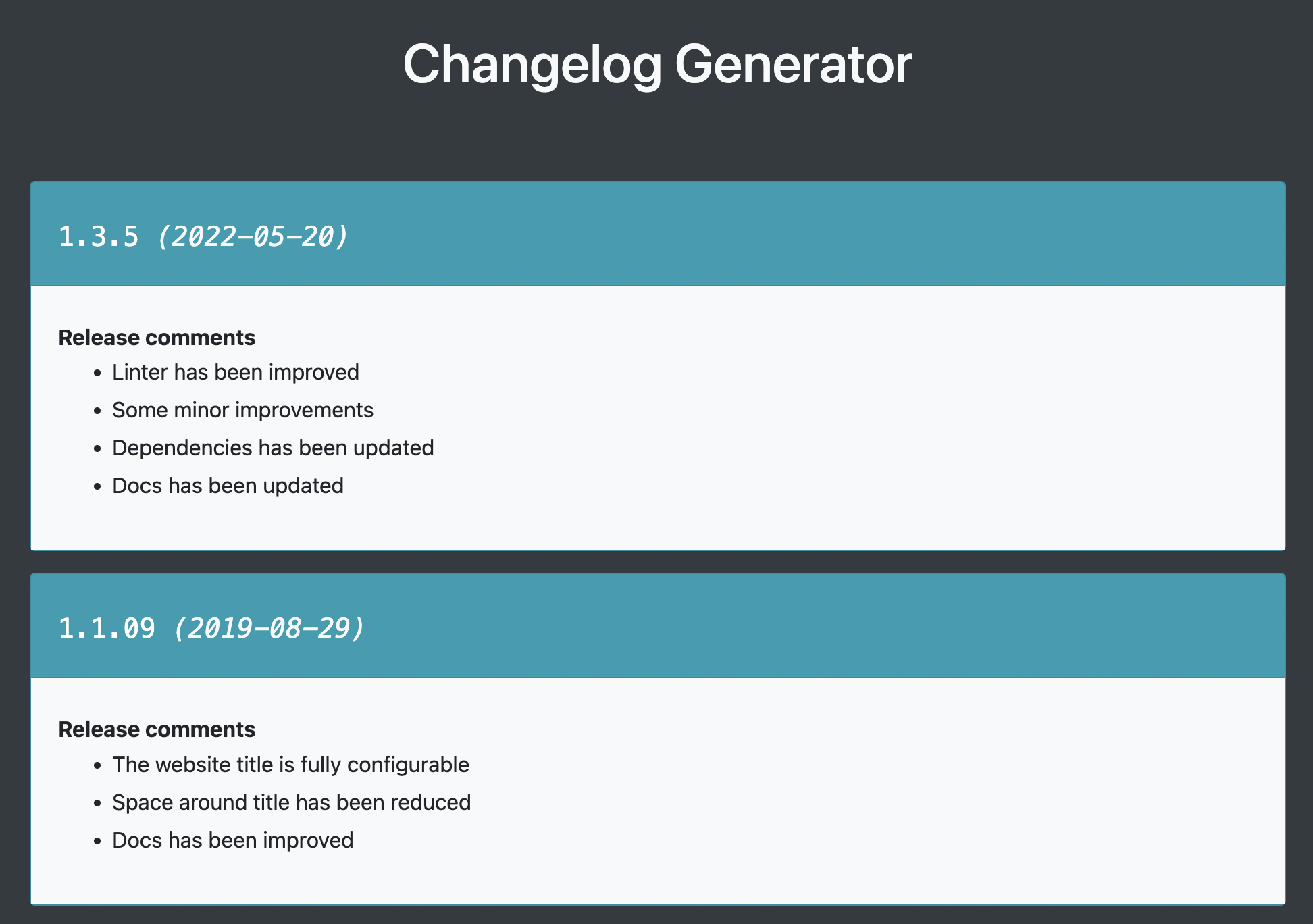
Author-provided previewTop of page
Preview provided in the project README.
One original preview is available. Open the full image to inspect the design.
Screenshots show visual appearance; interactive behavior may differ.
Recorded 2026-10-12View source
What stands out
A quick read of the recorded project description.
All interface text is customizable; no specific language is enforced
The publish command npm run publish generates a static /out directory that can be deployed to any static hosting service
Compatible with browser printing for exporting a PDF version of the changelog
Beyond changelogs, it can also be used for list-type content such as roadmaps or to-do lists
Template Details
This is a static website template for displaying project changelogs, built with Next.js and styled with Bootstrap 4. Its core idea is to separate content from code: all changelog data is stored in data/changelog.json, and site configuration is stored in data/configuration.json. Users do not need to write code; they only need to edit these two JSON files to maintain content.
Configuration options include site language, page title, maximum number of versions to display, list title, and the URL and text of the footer attribution link. Changelog data is displayed in the order in the JSON, with the first 10 versions shown by default. The template is not tied to a specific language because all interface text can be filled in as desired.
In terms of workflow, the project requires Node.js 16 or higher installed locally. After cloning the repository, run npm install to install dependencies, and use npm run dev to preview changes locally. To publish, run npm run publish, which generates an /out directory; deploy its contents to a web server, or host it on static hosting services such as GitHub Pages, Surge, or Netlify. If you need to export a PDF, run npm run build && npm run start, then use the browser's print function to generate a PDF.
The template is positioned as a lightweight static display tool. The README also notes: if changelog data needs frequent updates, consider automating the generation of changelog.json. It is suitable for content pages that list items by version or entry, such as changelogs, roadmaps, or to-do lists.
Next.jsTool site
Is it right for your project?
Use Cases
- Maintain a publicly accessible changelog page for an open-source project or product
- Organize version plans into a roadmap page for display
- Present a project to-do list in the form of versions or entries
- Situations where the changelog needs to be exported as a PDF for distribution
Suitable For
- Individual developers or small teams who want to maintain changelog content without writing code
- Projects that need static hosting and do not want to introduce backend services
- Those who accept updating content by editing JSON files
Getting started & customization
Use these recorded setup notes alongside the repository instructions for your chosen version.
- 1
Node.js 16 or higher must be installed locally; after cloning the repository, run npm install to install dependencies
- 2
Write changelog data to data/changelog.json and site configuration to data/configuration.json
- 3
Use npm run dev for local preview; the default address is http://localhost:3000
- 4
Run npm run publish to publish, and upload the generated /out directory contents to a web server or static hosting service
- 5
To export a PDF, run npm run build && npm run start, then use the browser's print function to generate it
License & source material
Usage conditions & limitations
Free to use · keep license noticeThis entry covers the free version under the MIT license in the public repository; the free scope is the code of this version and does not mean that external services or third-party assets are free.
Must comply with when using
- Free use, modification, commercial use, and distribution of this version's code are permitted.
- When distributing copies or substantial portions of the code, retain the original author's copyright notice and the full MIT license notice.
- The code is provided as is; warranties and limitations of liability are governed by the original license and applicable law.
Additional costs & items to verify
- Demo images, fonts, icons, and other third-party assets must be checked against their respective licenses; they cannot be judged solely by the code's MIT license.
- External services such as domains, hosting, databases, payments, or AI may incur additional charges.
- Using this template requires Node.js 16 or higher installed locally; otherwise, dependencies cannot be installed and build commands cannot be run.
- You must first clone or download the repository and run npm install to install dependencies before using this template.
- If changelog data needs frequent updates, the README suggests implementing automated generation of changelog.json yourself; the template itself does not provide this automation.
View Original Text Basis
Permission is hereby granted, free of charge
Original License Text
This project requires [Node.js](https://nodejs.org) 16 or higher installed on your computer.
Original README
Clone or download this repository and then install the dependencies: `npm install`.
Original README
https://github.com/didaquis/changelog-generator/blob/master/LICENSEhttps://github.com/didaquis/changelog-generator/blob/master/README.mdIf you need to update the changelog data frequently, you should consider automating the generation of the changelog.json file.
Original README
Compiled by DeepSeek based on repository license and README ·2026-10-12. Results only cover the materials read; dependencies, images, fonts, and subsequent term changes are subject to their respective original texts.
Project checks & description sources
Template Information
- Source platforms
- GitHub
- Documentation and maintenance reference score
- Partly documented · 56 / 100
- Technologies
- Next.js · React
- Website type
- Tool Site
How this score is calculated
Our heuristic uses license records (up to 30), a demo link (12), a preview (10), stars (15), recorded maintenance (15), description completeness (8), feature records (5) and classification data (5). It is not a code, security or performance test, or a Google score. A link does not establish tested functionality.
What to verify for this project
- Repository update recorded
- 2023-10-17
- Screenshot last checked
- 2026-10-12
No demo link is recorded. Use the repository instructions to evaluate the project locally; the screenshot alone cannot establish interactive behavior.
The catalog identifies Next.js as the primary stack. Check the actual dependency manifest and lockfile for versions and hosting requirements. These notes use recorded metadata, not a code audit or a deployment test.
Use a selection guide →How this description was prepared
AI-assisted description based on catalog records and repository material. Repository authors are not automatically the reviewers of this description.
Review declaration: [email protected] · 2026-10-13
Inspect the recorded source material
SHA-256: 9a6254dd6e7cc8bca477b5038b954bb619b31b1ffa1b3ac6032a464ceca87c21
2026-10-12T10:55:48.428Z
Source file / repository# Changelog-generator ⚡️ **A template for building static websites with the purpose of creating quick and easy changelogs!** This project is a simple way to create and maintain a changelog.  ## ✨ Features * **Without Coding!** You don't need to code anything. Only edit two JSON files * **No tied to language.** You can edit all text of website, so this repo doesn't force you to use any language * **Create a static website so fast.** You only need a couple of minutes * **Easy PDF creation.** Compatible with the browser's PDF print function * **Multipurpose.** Do changelogs, roadmaps or just TO DO lists! ## 🔨 How to use ### ⚠️ Requirements This project requires [Node.js](https://nodejs.org) 16 or higher installed on your computer. Clone or download this repository and then install the dependencies: `npm install`. ### 📝 Configuration and changelog data entry All configuration and data is obtained from JSON files. To add data that will be part of the changelog you must edit the file located in the directory `data/changelog.json`.  ``` 💡 TIP! If you need to update the changelog data frequently, you should consider automating the generation of the changelog.json file. ``` You should also edit the configuration file located in the directory `data/configuration.json`.  **Parameters to configure:** * `languageOfWebsite` => Set the language of website content (optional). Examples: `es` for spanish, or `en` for english. * `titleOfWebsite` => Set the page title (optional) * `limitOfVersionsToShow` => Set the number of versions to be displayed (starting at the top of JSON file. Default value is 10) * `textOfListHeader` => Set the title of the lists (optional) * `footerUrlLink` => Establish the link to indicate the authorship of the project (optional, but don't forget to set the property `footerTextLink` if you set a value) * `footerTextLink` => Establish the text of the link to indicate the authorship of the project (optional, but don't forget to set the property `footerUrlLink` if you set a value) You can run the command `npm run dev` to view the changes in live on `http://localhost:3000`. After edit both JSON files, you are ready to publish your website. ### 🚀 Publish Execute the comand `npm run publish`. Then a directory called `/out` will be created. Move all content of that folder to your web server. Of course, you can publish the website generated on GitHub Pages, Surge, Netlify or similar services. ``` 💡 TIP! If you would generate a PDF file with your changelog, you can run the command: `npm run build && npm run start`. Then navigate to `http://localhost:3000` and use the the browser's PDF print function to generate the PDF file. ``` ### 🌀 Development This project is made with [Next.js](https://nextjs.org) and [Bootstrap 4](https://getbootstrap.com). **Some useful commands:** * Run the project with 'watch' option: `npm run dev`. * Run a basic linter: `npm run lint`. ### 🐛 Issues, pull request or suggestions Feel free to open an issue to ask anything or even open a pull request to collaborate
Explore similar templates
Compare previews and descriptions within the same stack and category.
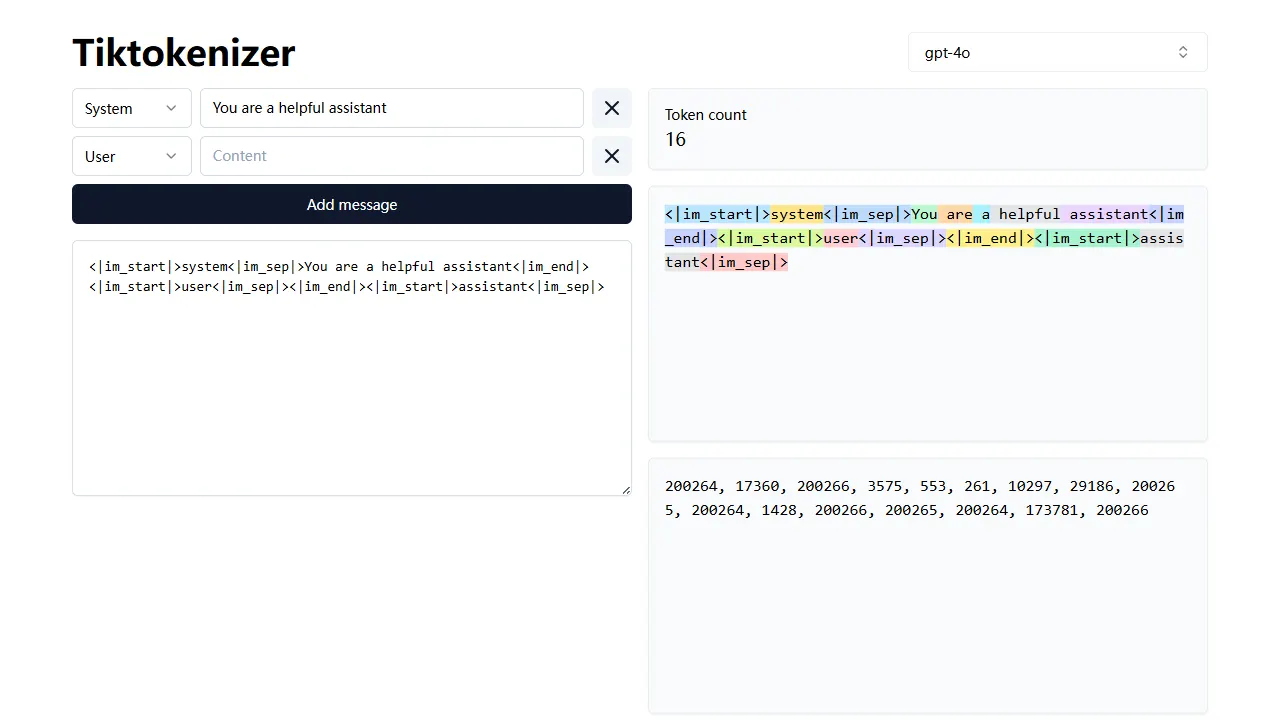
tiktokenizer
tiktokenizer is an open-source online tool site built with Next.js, TypeScript, and React that calculates token counts for text using the openai/tiktoken library.
Next.js · Tool Site

resume builder
An open-source resume builder built with Next.js, TypeScript, Material UI, and Zustand. It offers multiple templates and themes, real-time editing and preview, and requires no registration.
Next.js · Tool Site

picprose
PicProse is an open-source, Next.js-based cover image generator for bloggers, content creators, and developers. It fetches images via the Unsplash API, supports custom titles, author info, fonts, colors, and transparency, offers multiple aspect ratios, and exports to JPG, PNG, and SVG.
Next.js · Tool Site
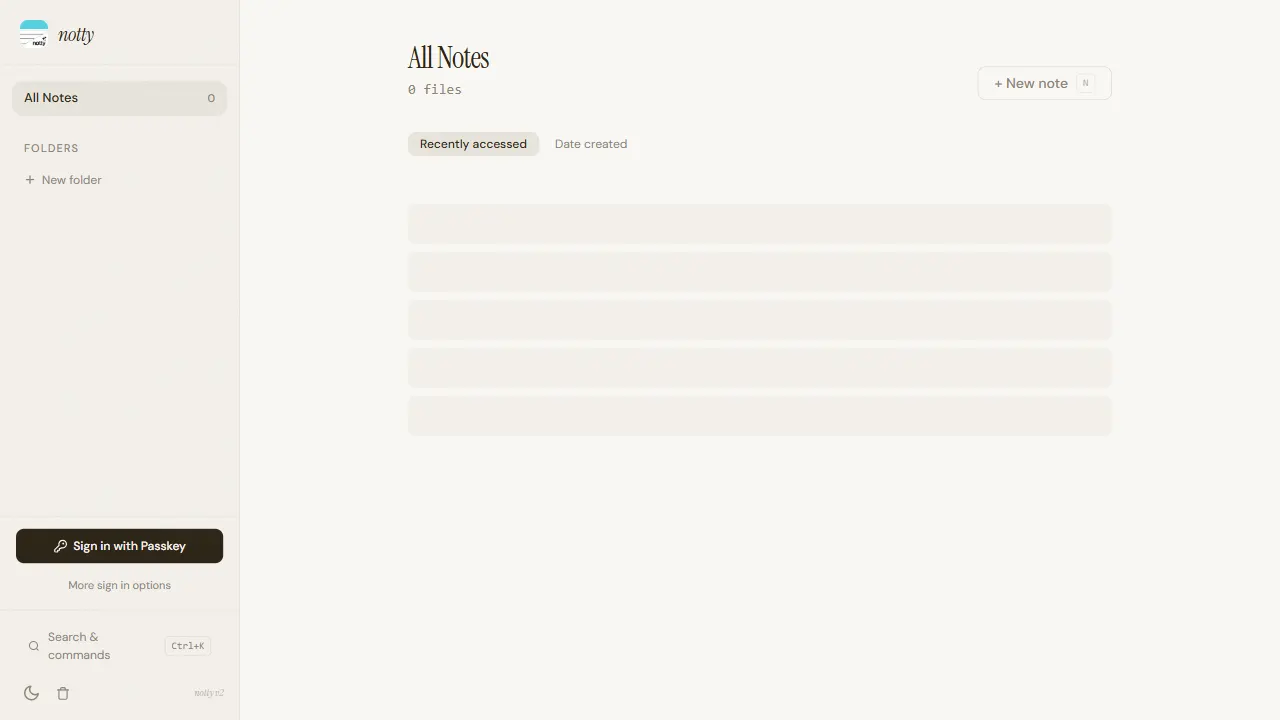
notty
Notty is an offline-first note-taking app template built with Next.js, TypeScript, React, Cloudflare Workers, and Yjs.
Next.js · Tool Site
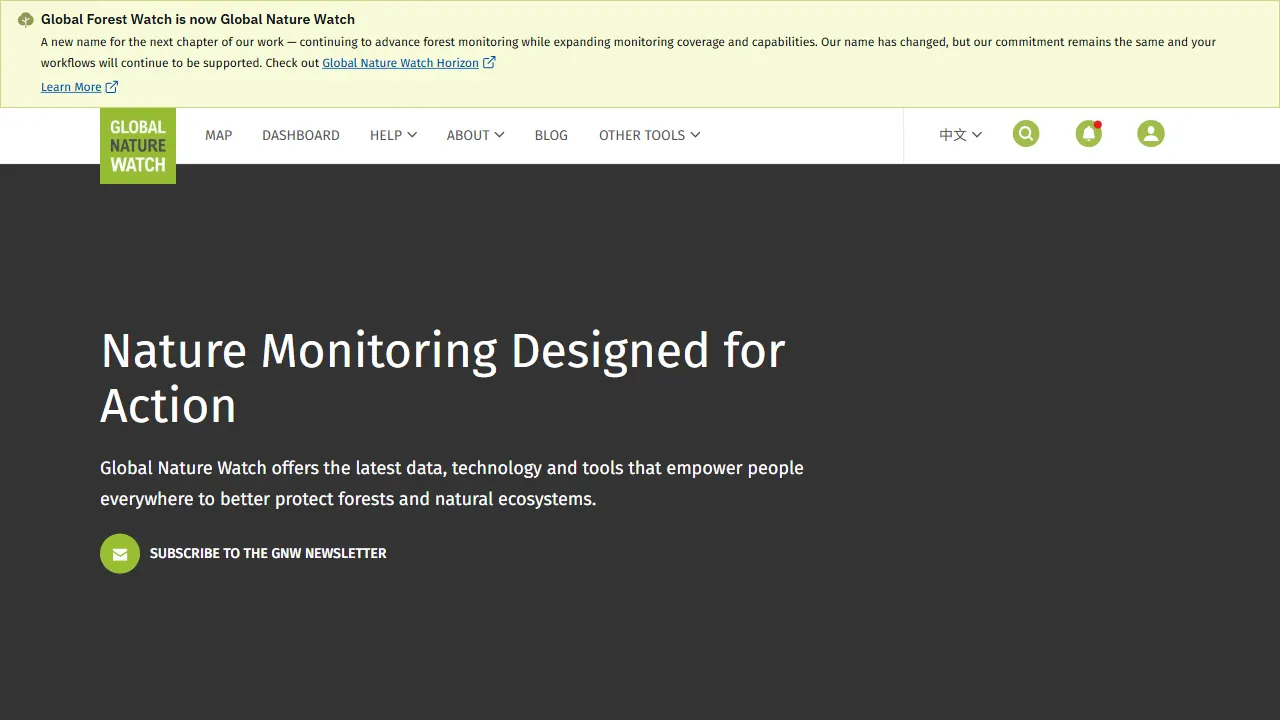
gfw
gfw is the official Global Forest Watch web application, an open-source tool site with a live online demo.
Next.js · Tool Site

la resume
la resume is an open-source online resume builder built with Next.js, TypeScript, and React. It provides ATS-optimized templates, one-click PDF/LaTeX export, requires no registration, and supports PWA installation.
Next.js · Tool Site