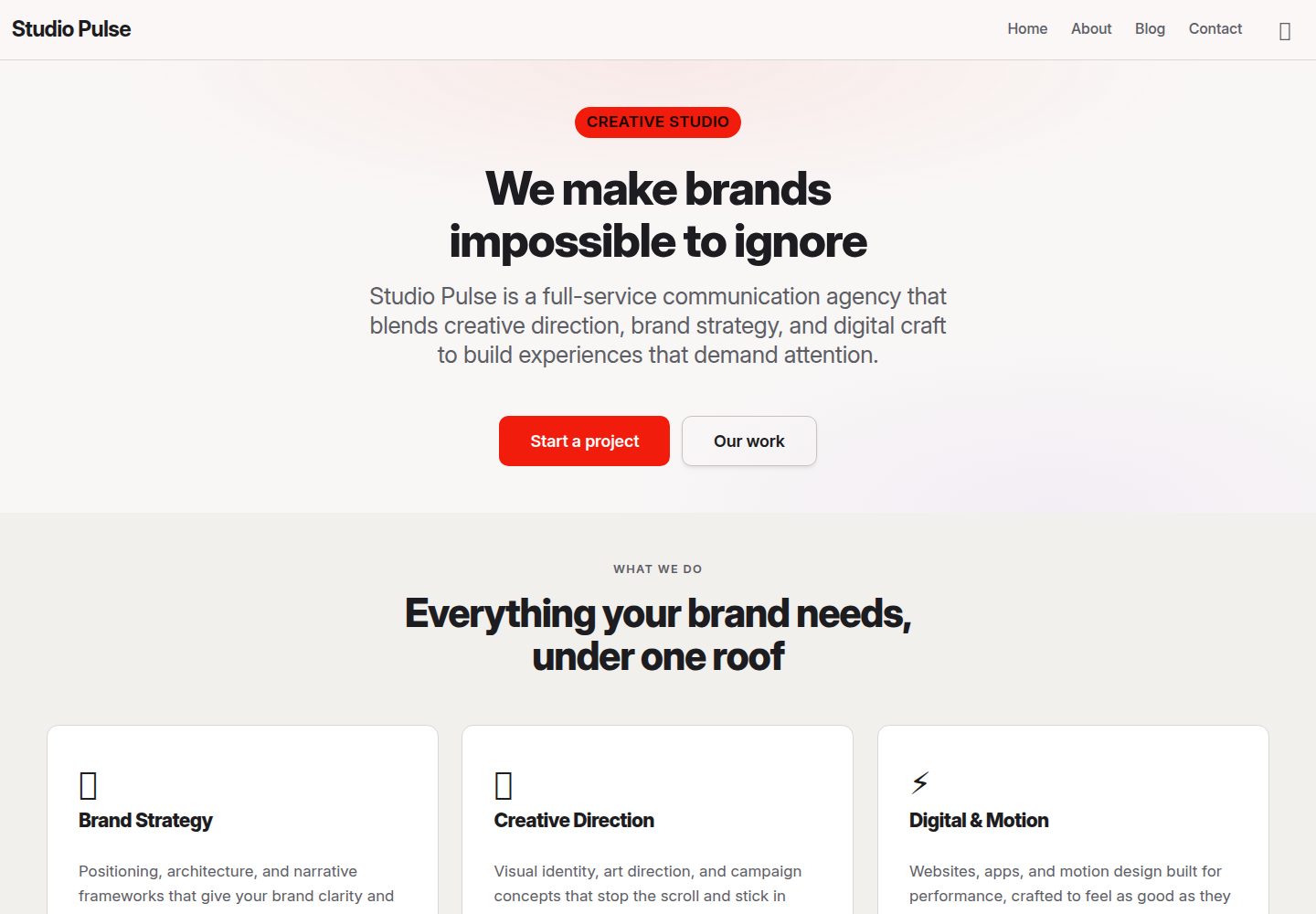
Multi-page structure: home, about, blog, and contact pages
AstroCorporate Website
studio-pulse — Astro Business Template
By DomeT99
Studio Pulse is a marketing website template for full-service communication agencies, statically generated with Astro and Bulma. It includes home, about, blog, and contact pages, and supports dark mode and client-side route transitions.
Explore the design
Compare the page layouts and mobile experience. Open any screenshot for a closer look.
Desktop homepage1 / 3
Desktop captureTop of page
Actual screenshot captured by the server browser.
All pages & views 3
Screenshots show visual appearance; interactive behavior may differ.
Recorded 2026-10-01View source
What stands out
A quick read of the recorded project description.
Dark/light mode toggle, with the preference written to localStorage and following the system prefers-color-scheme
Client-side navigation and soft fade transitions based on ClientRouter
Blog uses Astro content collections, with Markdown articles and typed frontmatter
Accessibility handling including skip link, semantic headings, aria-current, :focus-visible, and prefers-reduced-motion
Theme colors and surfaces managed centrally through CSS custom properties in global.css
Template Details
Studio Pulse is a marketing website template open-sourced by DomeT99 on GitHub, positioned as a brand showcase site for full-service communication agencies, covering brand strategy, creative direction, digital, and content services. The template uses Astro static generation, with styling based on Bulma plus a custom global stylesheet, and has few dependencies.
The site includes four pages: home, about, blog, and contact. The navigation bar provides a dark/light theme toggle, with the preference saved in localStorage and, on first visit, read from the system's prefers-color-scheme. ClientRouter is used between pages for client-side navigation and fade transitions. The blog is based on Astro content collections, with articles written in Markdown; frontmatter fields are constrained by the schema in src/content.config.ts and support title, date, description, author, and optional tags and image.
For accessibility, the template provides a skip link, semantic landmarks and heading hierarchy, aria-current for the current navigation item, visible :focus-visible outlines, support for prefers-reduced-motion, and form labels plus required and autocomplete attributes. Theme colors, surfaces, and borders are defined as CSS custom properties in src/styles/global.css, with light and dark themes distinguished via :root and [data-theme="dark"].
Usage limitations: the template is a static site and does not include a backend or database; the contact form provides only front-end markup, with no submission handling described. Third-party assets such as demo images, fonts, and icons must be checked separately under their respective licenses; the code's MIT license does not cover these assets.
AstroCorporate Website
Is it right for your project?
Use Cases
- Building a static marketing website for a communication, brand, or creative agency
- A showcase site that needs a blog section with articles maintained in Markdown
- An Astro project starting point with built-in dark mode and client-side page transitions
- A reference template for learning Astro content collections, Bulma theme customization, and accessibility practices
Suitable For
- Communication, brand strategy, or creative agencies
- Static marketing sites that need multiple pages plus a blog
- Front-end developers using Astro and Bulma
- Teams focused on dark mode and basic accessibility implementation
Getting started & customization
Use these recorded setup notes alongside the repository instructions for your chosen version.
- 1
Requires Node.js ≥ 22.12, with pnpm as the package manager
- 2
Run pnpm install to install dependencies, and pnpm dev to start the development server at localhost:4321
- 3
pnpm build generates the static site to ./dist/, and pnpm preview lets you preview the build locally
- 4
To add a blog post, create a Markdown file under src/content/blog/ and fill in the frontmatter according to the schema in src/content.config.ts
- 5
Third-party assets such as demo images, fonts, and icons must be checked under their respective licenses; the MIT license covers only the code
License & source material
Usage conditions & limitations
Free to use · keep license noticeThis entry covers the free version in the public repository under the MIT license; the free scope is the code of this version and does not mean external services or third-party assets are free.
Must comply with when using
- You may use, modify, commercialize, and distribute the code of this version for free.
- When distributing copies or substantial portions of the code, retain the original author's copyright notice and the full MIT license notice.
- The code is provided as is; warranties and limitations of liability are governed by the original license and applicable law.
Additional costs & items to verify
- Using this template requires Node.js 22.12 or later; lower versions cannot install and run it as documented.
- The date in blog post frontmatter must be an ISO date string, while tags and image are optional fields.
- Demo images, fonts, icons, and other third-party assets must be checked under their respective licenses and cannot be judged solely by the code's MIT license.
- External services such as domains, hosting, databases, payments, or AI may incur separate charges.
View Original Text Basis
Permission is hereby granted, free of charge
Original License Text
Prerequisites: **Node.js ≥ 22.12** (see `package.json` `engines`).
Original README
https://github.com/DomeT99/studio-pulse/blob/main/LICENSEhttps://github.com/DomeT99/studio-pulse/blob/main/README.mdThe `date` field accepts ISO date strings. `tags` and `image` are optional.
Original README
Compiled by DeepSeek based on repository license and README ·2026-10-01. Results only cover the materials read; dependencies, images, fonts, and subsequent term changes are subject to their respective original texts.
Project checks & description sources
Template Information
- Source platforms
- GitHub
- Documentation and maintenance reference score
- More documented · 83 / 100
- Technologies
- Astro
- Website type
- Corporate Website
How this score is calculated
Our heuristic uses license records (up to 30), a demo link (12), a preview (10), stars (15), recorded maintenance (15), description completeness (8), feature records (5) and classification data (5). It is not a code, security or performance test, or a Google score. A link does not establish tested functionality.
What to verify for this project
- Repository update recorded
- 2026-09-16
- Screenshot last checked
- 2026-10-01
A demo link is listed. Check it with your own content and viewport sizes; its presence does not confirm that forms, authentication or payments work.
The catalog identifies Astro as the primary stack. Check the actual dependency manifest and lockfile for versions and hosting requirements. These notes use recorded metadata, not a code audit or a deployment test.
Use a selection guide →How this description was prepared
AI-assisted description based on catalog records and repository material. Repository authors are not automatically the reviewers of this description.
Automatically checked against source and license rules; no manual editorial review.
Inspect the recorded source material
SHA-256: 07351530093da523895273e84de0d7a1908bb81350946a9a0971335e51ba559d
2026-10-01T04:26:56.250Z
Source file / repository# Studio Pulse Marketing site for a full-service communication agency — brand strategy, creative direction, digital, content, and more. Built with [Astro](https://astro.build) and [Bulma](https://bulma.io), statically generated and dependency-light. ## Features - **Multi-page site** — Home, About, Blog, Contact. - **Dark / light mode** — toggle in the navbar; preference persisted in `localStorage` and honors the OS `prefers-color-scheme` on first visit. - **SPA page transitions** — `<ClientRouter />` provides client-side navigation with a soft fade. - **Blog with content collections** — posts written in Markdown with typed frontmatter (`src/content/blog/`). - **Accessibility** — skip link, semantic landmarks and headings, `aria-current` on the active nav item, visible `:focus-visible` outlines, `prefers-reduced-motion` support, form labels + required/autocomplete attributes. ## Tech Stack | Layer | Choice | |-------|--------| | Framework | Astro 7 (static/SSG) | | CSS | Bulma 1.0.4 + custom global stylesheet | | Content | Astro Content Collections (`astro/loaders` `glob`) | | Package manager | pnpm | ## Project Structure ```text / ├── public/ # favicon + static assets ├── src/ │ ├── components/ │ │ ├── Card.astro # shared card component │ │ ├── Navbar.astro # navbar with burger menu + theme toggle │ │ └── Footer.astro # site footer │ ├── content/ │ │ └── blog/ # Markdown blog posts (content collection) │ ├── content.config.ts # content collection schema + loader │ ├── layouts/ │ │ └── Layout.astro # global layout: head, navbar, footer, theme toggle │ ├── pages/ │ │ ├── index.astro # Home │ │ ├── about.astro # About │ │ ├── blog/ │ │ │ ├── index.astro # Blog listing │ │ │ └── [...slug].astro # Individual blog post │ │ └── contact.astro # Contact │ └── styles/ │ └── global.css # design tokens (light/dark) + component overrides └── package.json ``` ## Getting Started Prerequisites: **Node.js ≥ 22.12** (see `package.json` `engines`). ```sh pnpm install pnpm dev ``` Open `http://localhost:4321`. ## Commands | Command | Action | | :---------------- | :-------------------------------------------- | | `pnpm install` | Install dependencies | | `pnpm dev` | Start local dev server at `localhost:4321` | | `pnpm build` | Build production site to `./dist/` | | `pnpm preview` | Preview the production build locally | ## Adding a Blog Post 1. Create a new Markdown file in `src/content/blog/`, e.g. `07-my-post.md`. 2. Add frontmatter matching the collection schema in `src/content.config.ts`: ```md --- title: "My Post Title" date: 2025-11-01 description: "Short summary shown on the blog listing page." author: "Team Member" tags: [strategy, branding] --- Your post body in Markdown here. ``` 3. The post is automatically available at `/blog/my-post/`. > The `date` field accepts ISO date strings. `tags` and `image` are optional. ## Theming All colors, surfaces, and borders are CSS custom properties defined in `src/styles/global.css`: - `:root` — light theme (default) - `[data-theme="dark"]` — dark theme The active theme is set on the `<html>` element by the inline script in `Layout.astro` (reads `localStorage`, falls back to `prefers-color-scheme`). During client-side navigation the theme is re-applied via the `astro:page-load` handler.
Explore similar templates
Compare previews and descriptions within the same stack and category.

astrowind
AstroWind is a free, open-source Astro starter theme using Astro and Tailwind CSS, released under the MIT license.
Astro · Blog

astro-landing-page
An Astro + Tailwind CSS landing page example template with theme variables, dark mode, responsive layout, and Open Graph tags, under the MIT license, suitable as a starting point for single-page product, event, or corporate homepage sites.
Astro · Corporate Website

Tailcast
Tailcast is a dark-themed corporate website template built with Astro and Tailwind CSS for a fictional startup.
Astro · Corporate Website

Positivus
Positivus is an Astro and Tailwind CSS landing page theme for digital marketing agencies, maintained by manulthanura with a demo on Vercel.
Astro · Corporate Website

qwind
Qwind is a free and open-source website template built on Qwik and Tailwind CSS, featuring directory-based routing via QwikCity, a Markdown blog, dark mode, and static deployment configuration.
Astro · Tool Site

agency-landing-page-Astrojs
A single-page digital agency landing page template built with Astro and Tailwind CSS, featuring light and dark themes and a modular component directory. Suitable for static showcase pages, with MIT-licensed code and third-party assets requiring separate license verification.
Astro · Corporate Website