After forking, rename to YourGitHubUserName.github.io to publish via GitHub Pages from the docs directory
HTMLStarter
quarto-academic-website-template — HTML Starter Template
By drganghe
A Quarto-based academic personal website template that can be forked and published via GitHub Pages, with automatic generation of a publication list from an Excel spreadsheet.
Explore the design
Compare the page layouts and mobile experience. Open any screenshot for a closer look.
Desktop homepage1 / 3
Desktop captureTop of page
Actual screenshot captured by the server browser.
All pages & views 3
Screenshots show visual appearance; interactive behavior may differ.
Recorded 2026-10-02View source
What stands out
A quick read of the recorded project description.
Site configuration is centralized in _quarto.yml, and content is distributed in /posts/, teaching.qmd, projects.yml, people.qmd and /people/, /files/
Maintain publication entries in publications.xlsx, convert to YAML with xlsx_to_yml.py, and then generate the listing page
A pre-render hook is already configured in _quarto.yml, so when publications.xlsx is updated, the conversion runs automatically before rendering
The publication list consists of pub-listing.qmd, pub-listing.ejs, and pub-listing.css, with an additional Lua filter to clean up extra ::: markers
Under the MIT license, this version of the code can be used, modified, used commercially, and distributed for free
Template Details
This is a Quarto website template for academic personal homepages, and the repository is under the MIT license. The usage path given in the README is: first fork the repository and rename it to YourGitHubUserName.github.io, set the publishing source to the docs directory (not root) in GitHub Pages, and after confirming the site is accessible, modify the basic site information in _quarto.yml, and add or remove content in /posts/, teaching.qmd, projects.yml, people.qmd and /people/, /files/, etc., then render and preview locally before committing and publishing.
One specific feature of the template is automatic generation of the publication list: maintain publications.xlsx, filling in columns such as Section, Authors, Year, Date, Title, Paper Link, Journal, Volume, Issue, Pages, DOI, and optionally additional fields such as PDF, Preprint, GitHub, Code, Data, Highly Cited, Categories; use xlsx_to_yml.py to convert Excel to YAML, and a pre-render hook is already configured in _quarto.yml, so the conversion runs automatically before rendering. The generated result corresponds to the pub-listing.qmd page, using the pub-listing.ejs template and pub-listing.css styles, and there is also a remove-stray-divfence.lua filter to handle extra ::: markers after rendering.
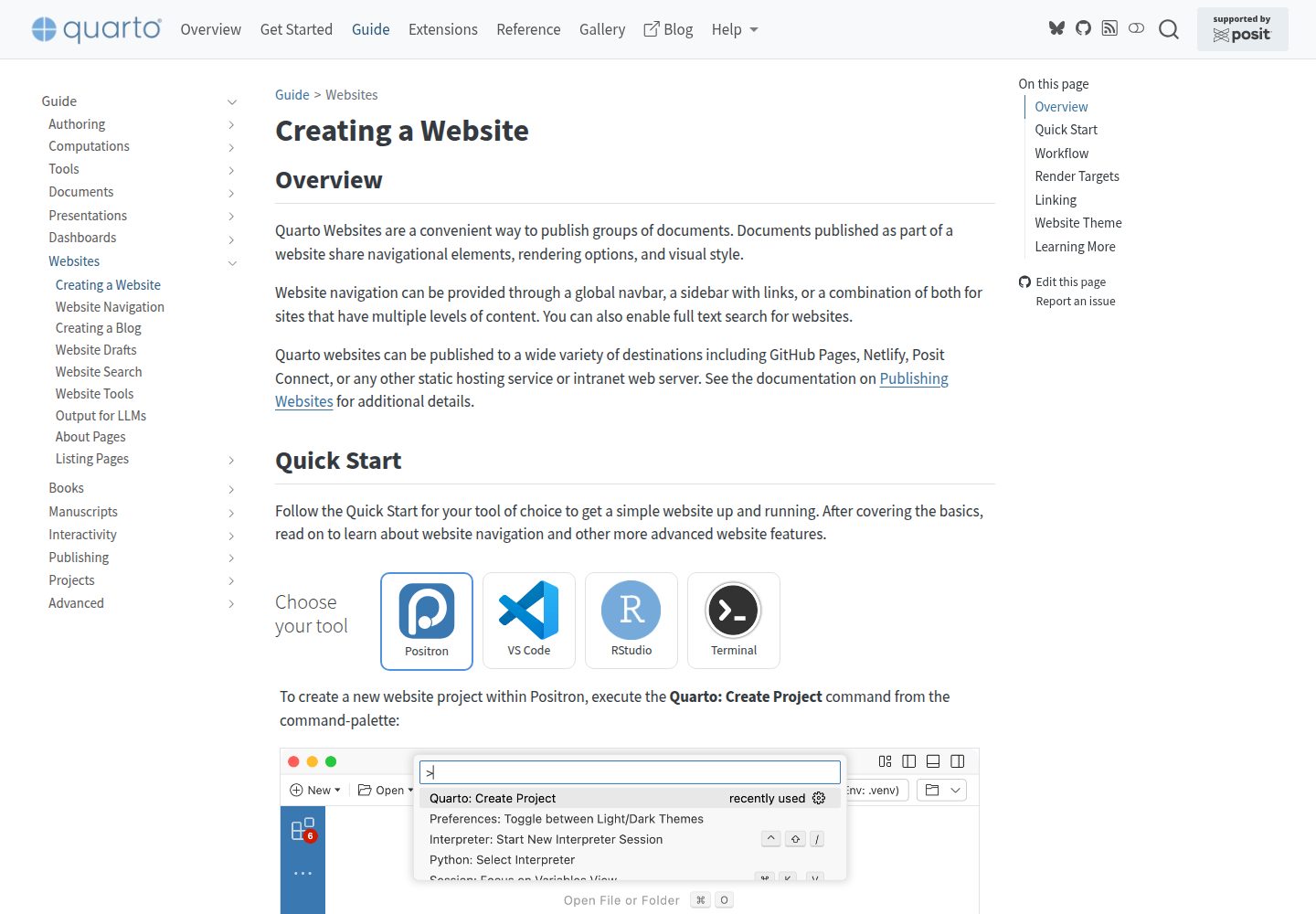
Before use, Quarto must be installed, and the conversion script depends on Python's openpyxl, with optional installation of pyyaml for validation. The template itself only provides the site structure and generation workflow, and does not include hosting, domains, or content assets; the demo screenshots are taken from the official Quarto documentation pages, and third-party assets such as images and fonts in the repository must be checked against their respective licenses.
HTMLLauncher
Is it right for your project?
Use Cases
- University faculty or researchers building a personal academic homepage to showcase publications, teaching, projects, and team members
- A site that already has a BibTeX bibliography and wants to convert it to Excel and then automatically generate a categorized publication list
- A personal website that hopes to use free GitHub Pages hosting and update content by committing code
- Pages that need to display achievements by sections such as Selected Work and Peer-reviewed Journal Paper
Suitable For
- Users familiar with the GitHub fork and GitHub Pages publishing workflow
- Authors willing to write .qmd content with Quarto and preview it by local rendering
- Users able to run Python scripts (installing openpyxl) to complete Excel-to-YAML conversion
- Academic site maintainers who need bilingual or multi-category publication lists and want to maintain data in Excel
Getting started & customization
Use these recorded setup notes alongside the repository instructions for your chosen version.
- 1
First install Quarto, and refer to the official documentation to learn the website preview and rendering commands
- 2
After forking the repository, rename it to YourGitHubUserName.github.io, and in GitHub Pages set the publishing source to the docs directory rather than root
- 3
Run pip install openpyxl; if validation is needed, pyyaml can also be installed
- 4
Modify _quarto.yml to configure the basic site information, and replace the content in /posts/, teaching.qmd, projects.yml, people.qmd, /files/ with your own
- 5
Render and preview locally before committing; after publishing, if a 404 appears or the README is displayed, check whether Pages is enabled and whether the publishing directory is docs
License & source material
Usage conditions & limitations
Free to use · keep license noticeThis entry covers the free version under the MIT license in the public repository; the free scope is this version of the code and does not mean that external services or third-party assets are free.
Must comply with when using
- This version of the code may be used, modified, used commercially, and distributed for free.
- When distributing copies or substantial portions of the code, retain the original author's copyright notice and the complete MIT license notice.
- The code is provided as is; warranties and limitations of liability are governed by the original license and applicable law.
Additional costs & items to verify
- Using the automatic publication list generation feature requires installing the Python dependency openpyxl (optional validation dependency pyyaml), and Quarto must be installed locally to render the site.
- Publishing depends on the GitHub Pages hosting service, and you must configure the repository publishing source as the docs directory yourself; the template itself does not provide hosting.
- Demo images, fonts, icons, and other third-party assets must be checked against their respective licenses and cannot be judged solely by the code's MIT license.
- External services such as domains, hosting, databases, payments, or AI may incur additional charges.
View Original Text Basis
Permission is hereby granted, free of charge
Original License Text
Install Python dependency
Original README
https://github.com/drganghe/quarto-academic-website-template/blob/main/LICENSEhttps://github.com/drganghe/quarto-academic-website-template/blob/main/README.mdTest to publish
Original README
Compiled by DeepSeek based on repository license and README ·2026-10-02. Results only cover the materials read; dependencies, images, fonts, and subsequent term changes are subject to their respective original texts.
Project checks & description sources
Template Information
- Source platforms
- GitHub
- Documentation and maintenance reference score
- More documented · 91 / 100
- Technologies
- HTML
- Website type
- Starter
How this score is calculated
Our heuristic uses license records (up to 30), a demo link (12), a preview (10), stars (15), recorded maintenance (15), description completeness (8), feature records (5) and classification data (5). It is not a code, security or performance test, or a Google score. A link does not establish tested functionality.
What to verify for this project
- Repository update recorded
- 2026-05-29
- Screenshot last checked
- 2026-10-02
A demo link is listed. Check it with your own content and viewport sizes; its presence does not confirm that forms, authentication or payments work.
The catalog identifies HTML as the primary stack. Check the actual dependency manifest and lockfile for versions and hosting requirements. These notes use recorded metadata, not a code audit or a deployment test.
Use a selection guide →How this description was prepared
AI-assisted description based on catalog records and repository material. Repository authors are not automatically the reviewers of this description.
Automatically checked against source and license rules; no manual editorial review.
Inspect the recorded source material
SHA-256: eb746cffbf0df1f904d274882333be68818f003baab1632d9076fa83f64268fc
2026-10-02T07:50:45.263Z
Source file / repository# Quarto Academic Website Template
Welcome! This is a simple and customizable template for building your own academic website using [Quarto](https://quarto.org/). You can easily fork, edit, and publish your site with just a few steps.
## 🚀 Quick Start
1. **Star** this repository to bookmark it for future reference.
1. **Fork** this repository and rename it to `YourGitHubUserName.github.io`.
1. **Test to publish** your site using [GitHub Pages](https://docs.github.com/en/pages/getting-started-with-github-pages/configuring-a-publishing-source-for-your-github-pages-site#publishing-from-a-branch) (make sure [configuring](https://quarto.org/docs/publishing/images/gh-pages-docs-dir.png) your GitHub repository to publish from the `docs` directory, not the `root` folder).
1. **Check** if your website works or not. If successful, you should see exactly the same website as [this one](https://drganghe.github.io/quarto-academic-website-template/) using your own Github Pages url:
- `https://YourGitHubUserName.github.io` if your repository name is `YourGitHubUserName.github.io`
- `https://YourGitHubUserName.github.io/RepositoryName` for other `RepositoryName`
- Errors:
- If [404](/files/images/Error1.png), it is likely you haven't set up GitHub Pages
- If it shows the [README](/files/images/Error2.png) file, it is likely you've published from the `root` folder, not the `docs` directory
If you achieve this milestone, congratulations! You are now ready to start updating your website:
1. **Update** the `_quarto.yml` file to configure your site’s basic settings.
1. **Add or edit content** in the following files and folders:
- `/posts/` – posts about publications, news, events
- `teaching.qmd` – teaching information
- `projects.yml` – research or other projects
- `people.qmd` and `/people/` – team or collaborators
- `/files/` - profiles, images, pdfs, and includes
1. [**Render and preview**](https://quarto.org/docs/websites/#website-preview) your site locally.
1. **`Commit` to publish** your updates.
1. **Refine and polish** your content and design as needed.
1. ✅ Enjoy your new website!
1. **Link** your website on your official pages to let Google and AI bots include in their search results.
## Automatically Generate a Neat Publication List
1. **Prepare your publication source file**:
- Recommended: maintain `publications.xlsx` (already supported by this template, you can convert a bib file to Excel using online tools).
2. **Fill `publications.xlsx` using the expected column names**:
- `Section`, `Authors`, `Year`, `Date`, `Title`, `Paper Link`, `Journal`, `Volume`, `Issue`, `Pages`, `DOI`
- Optional links/metadata: `PDF`, `Preprint`, `ShareIt`, `Supplemental Information`, `GitHub`, `Code`, `Data`
- Optional flags/info: `Highly Cited`, `Hot Paper`, `Awards`, `Media Coverage`, `Invited Presentation`, `Categories`
3. **Install Python dependency** (one-time):
- `pip install openpyxl`
- Optional validation support: `pip install pyyaml`
4. **Convert Excel to YAML**:
- `python xlsx_to_yml.py`
- Or with custom files: `python xlsx_to_yml.py input.xlsx output.yml`
- Force conversion: `python xlsx_to_yml.py --force`
5. **Render your site**:
- `quarto render`
- The project is already configured with `pre-render: python xlsx_to_yml.py` in `_quarto.yml`, so conversion will run automatically before rendering if there is any update in `publications.xlsx`.
6. **Check publication page output**:
- Main auto-generated page: `pub-listing.qmd`
- Listing template: `pub-listing.ejs`
- Styling: `pub-listing.css`
- Filter: The `remove-stray-divfence.lua` filter is added to remove excessive ::: in html after rendering.
7. **Categorize records correctly**:
- Use `Section` as either `Selected Work` or `Peer-reviewed Journal Paper` to place entries into corresponding sections. You can add other Section as needed.
- Use `Categories` with separators like `,`, `;`, or `|` for listing filters.
8. **Publish changes**:
- Enjoy your neat automatically generated publication list. You can customize style and template if you need to add new links and flags.
## 🛠 Requirements
- Install [Quarto](https://quarto.org/docs/get-started/)
- Learn the basics from the [official Quarto documentation](https://quarto.org/docs/websites/)
## 📚 More Examples & Tips
- [Quarto Academic Site Examples and Tips](https://drganghe.github.io/quarto-academic-site-examples.html)Explore similar templates
Compare previews and descriptions within the same stack and category.

startbootstrap-simple-sidebar
A Bootstrap off-canvas sidebar navigation HTML starter template from Start Bootstrap. It provides directly editable HTML and CSS in the dist directory, while the source uses Pug, SCSS, and JavaScript with npm build scripts for live preview and compilation.
HTML · Starter

adminkit
AdminKit is a free, MIT-licensed HTML admin and dashboard template built on Bootstrap 5. The free version includes 15 demo pages, 1 plugin, and 1 color scheme, with hundreds of UI components, forms, tables, charts, and icons.
HTML · Admin dashboard

Landing-Page
A general-purpose landing page HTML template maintained by Tailwind Toolbox, written in pure HTML and loading the complete Tailwind CSS via CDN.
HTML · Corporate Website

light-bootstrap-dashboard
Light Bootstrap Dashboard is a free, MIT-licensed admin dashboard template from Creative Tim, built on Bootstrap with a responsive static HTML structure.
HTML · Admin dashboard

sing-app
Sing App Lite is a free, open-source admin dashboard template from Flatlogic, built with Bootstrap 4.5 and SCSS. It provides a responsive layout, dashboard examples, typography, tables, notifications, basic charts, icons, maps, and a hover sidebar, along with styled Bootstrap components.
HTML · Admin dashboard

startbootstrap-modern-business
Modern Business is a multipurpose Bootstrap full-site HTML template from Start Bootstrap with 17 standalone pages covering home, about, services, portfolio, pricing, blog, FAQ, and contact.
HTML · Starter