Fork 后重命名为 YourGitHubUserName.github.io,即可用 GitHub Pages 从 docs 目录发布
HTML启动器
quarto-academic-website-template — HTML 启动器模板
作者 drganghe
基于 Quarto 的学术个人网站模板,可 Fork 后用 GitHub Pages 发布,并通过 Excel 表格自动生成论文列表。
看看你的网站会是什么样
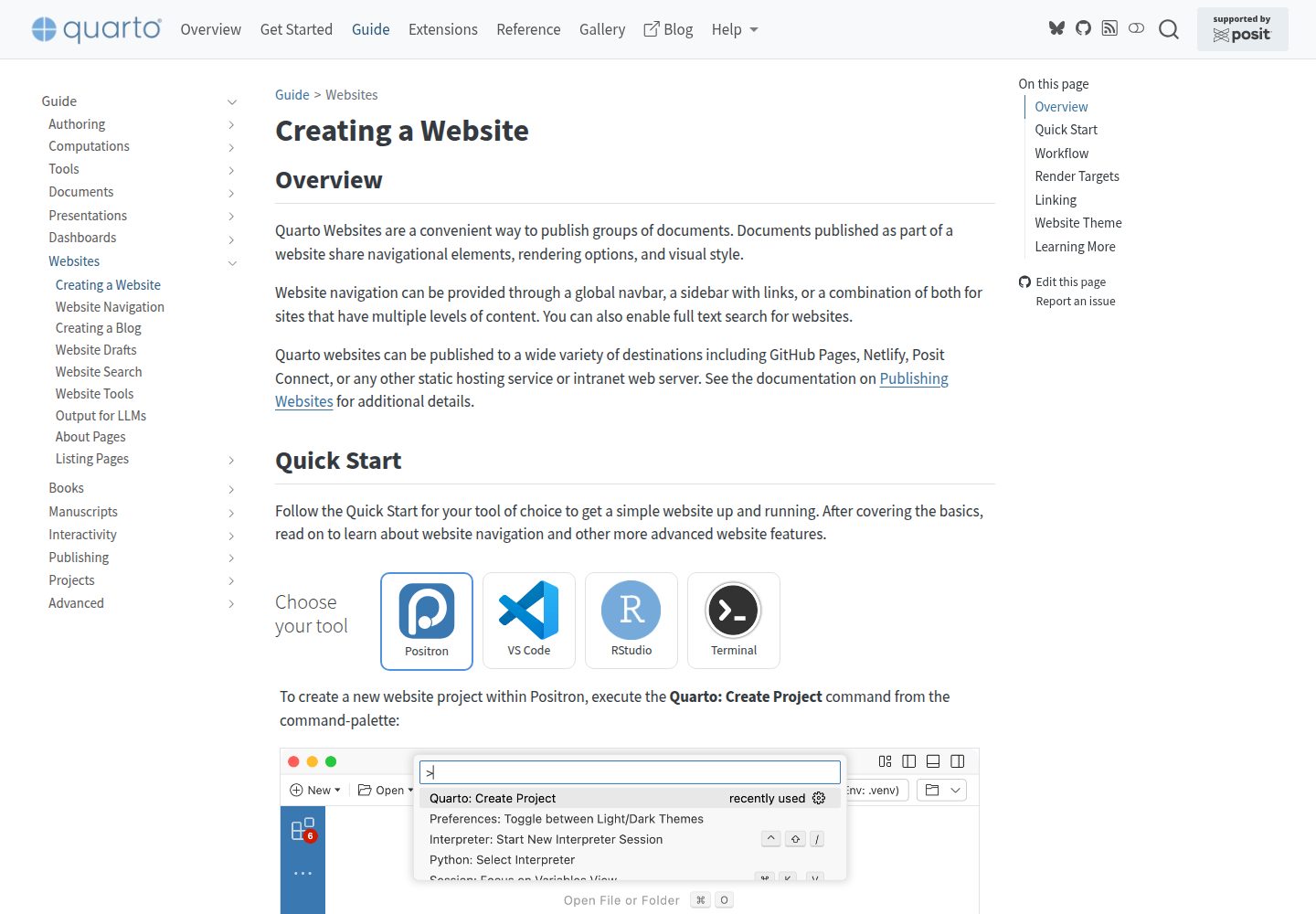
浏览真实页面截图,比较内容排版与手机效果。点击下方缩略图切换,放大查看整页细节。
全部页面与视图 3
截图用于了解视觉与布局,交互效果请以实际项目为准。
采集于 2026-10-02查看来源
值得关注的模板亮点
从已有项目资料中,快速了解它的特点。
站点配置集中在 _quarto.yml,内容分布在 /posts/、teaching.qmd、projects.yml、people.qmd 与 /people/、/files/
用 publications.xlsx 维护论文条目,xlsx_to_yml.py 转换为 YAML 后生成列表页
_quarto.yml 已配置 pre-render 钩子,publications.xlsx 有更新时渲染前自动执行转换
论文列表由 pub-listing.qmd、pub-listing.ejs、pub-listing.css 组成,另有 Lua 过滤器清理多余 ::: 标记
采用 MIT 许可,可免费使用、修改、商用和分发该版本代码
模板详细介绍
这是一个面向学术个人主页的 Quarto 网站模板,仓库采用 MIT 许可。README 给出的使用路径是:先 Fork 仓库并重命名为 YourGitHubUserName.github.io,在 GitHub Pages 中把发布来源设为 docs 目录(而非 root),确认站点可访问后再修改 _quarto.yml 配置站点基本信息,并在 /posts/、teaching.qmd、projects.yml、people.qmd 与 /people/、/files/ 等位置增删内容,本地渲染预览后提交发布。
模板的一个具体功能是论文列表自动生成:维护 publications.xlsx,按 Section、Authors、Year、Date、Title、Paper Link、Journal、Volume、Issue、Pages、DOI 等列填写,并可附加 PDF、Preprint、GitHub、Code、Data、Highly Cited、Categories 等可选字段;通过 xlsx_to_yml.py 将 Excel 转为 YAML,_quarto.yml 中已配置 pre-render 钩子,渲染前会自动执行转换。生成结果对应 pub-listing.qmd 页面,使用 pub-listing.ejs 模板与 pub-listing.css 样式,另有 remove-stray-divfence.lua 过滤器处理渲染后多余的 ::: 标记。
使用前需安装 Quarto,转换脚本依赖 Python 的 openpyxl,可选安装 pyyaml 用于校验。模板本身只提供站点结构与生成流程,不包含托管、域名或内容素材;演示截图取自 Quarto 官方文档页面,仓库内图片、字体等第三方素材需按各自许可核对。
HTML启动器
适合你的项目吗?
适用场景
- 高校教师或研究人员搭建个人学术主页,展示论文、教学、项目与团队成员
- 已有 BibTeX 文献库,想转成 Excel 后自动生成分类论文列表的站点
- 希望用 GitHub Pages 免费托管、通过提交代码更新内容的个人网站
- 需要按 Selected Work、Peer-reviewed Journal Paper 等 Section 分区展示成果的页面
适合人群
- 熟悉 GitHub Fork 与 GitHub Pages 发布流程的用户
- 愿意使用 Quarto 编写 .qmd 内容并本地渲染预览的作者
- 能运行 Python 脚本(安装 openpyxl)以完成 Excel 到 YAML 转换的用户
- 需要中英文或多分类论文列表、并希望用 Excel 维护数据的学术站点维护者
上手与定制指南
结合仓库当前版本的说明,按下面的资料检查内容、配置与运行要求。
- 1
先安装 Quarto,并参考官方文档了解网站预览与渲染命令
- 2
Fork 仓库后重命名为 YourGitHubUserName.github.io,在 GitHub Pages 中将发布来源设为 docs 目录而非 root
- 3
运行 pip install openpyxl;如需校验可再安装 pyyaml
- 4
修改 _quarto.yml 配置站点基本信息,并在 /posts/、teaching.qmd、projects.yml、people.qmd、/files/ 中替换为自己的内容
- 5
提交前先本地渲染预览;发布后若出现 404 或显示 README,检查 Pages 是否启用以及发布目录是否为 docs
授权与来源资料
使用条件与限制
免费使用 · 保留许可声明本次收录的是公开仓库中采用 MIT 许可的免费版本;免费范围为该版本代码,不代表外部服务或第三方素材免费。
使用时需要遵守
- 允许免费使用、修改、商用和分发该版本代码。
- 分发代码副本或实质性部分时,保留原作者版权声明和完整 MIT 许可声明。
- 代码按现状提供;担保与责任限制以原许可证及适用法律为准。
额外费用与待核对事项
- 使用论文列表自动生成功能需安装 Python 依赖 openpyxl(可选校验依赖 pyyaml),并需本地安装 Quarto 才能渲染站点。
- 发布依赖 GitHub Pages 托管服务,需自行配置仓库发布来源为 docs 目录,模板本身不提供托管。
- 演示图片、字体、图标及其他第三方素材需按各自许可核对,不能仅凭代码的 MIT 许可判断。
- 域名、托管、数据库、支付或 AI 等外部服务可能另外收费。
查看原文依据
Permission is hereby granted, free of charge
许可证原文
Install Python dependency
README 原文
https://github.com/drganghe/quarto-academic-website-template/blob/main/LICENSEhttps://github.com/drganghe/quarto-academic-website-template/blob/main/README.mdTest to publish
README 原文
DeepSeek 根据仓库许可证和 README 整理 ·2026-10-02。结果仅覆盖已读取资料,依赖、图片、字体及后续条款变更以各自原文为准。
项目核对记录与介绍依据
模板资料
- 来源平台
- GitHub
- 资料与维护参考分
- 资料较完整 · 91 / 100
- 技术栈
- HTML
- 网站类型
- 启动器
这个分数如何计算
本站按许可资料(最高30分)、演示链接(12分)、预览图(10分)、Star数(15分)、记录的维护时间(15分)、描述完整度(8分)、功能记录(5分)和分类资料(5分)计算。它不是代码、安全或性能测试,也不是 Google 评分;有链接不代表已实测可用。
这个项目需要核对什么
- 记录的仓库更新时间
- 2026-05-29
- 截图检查日期
- 2026-10-02
已收录演示链接。请用你的内容与屏幕尺寸检查;有演示不代表表单、认证或支付已经可用。
目录记录的主要技术栈是 HTML。请通过依赖清单和锁文件核对实际版本与托管要求。这些说明基于收录资料,不代表代码审计或部署实测。
查看具体选型方法 →介绍的制作与核对状态
介绍由 AI 辅助整理目录与仓库资料。仓库作者不等于这篇介绍的审核者。
已完成服务器许可规则与 AI 来源核对;未经过人工编辑审核。
查看当时使用的来源资料
SHA-256: eb746cffbf0df1f904d274882333be68818f003baab1632d9076fa83f64268fc
2026-10-02T07:50:45.263Z
来源文件 / 仓库# Quarto Academic Website Template
Welcome! This is a simple and customizable template for building your own academic website using [Quarto](https://quarto.org/). You can easily fork, edit, and publish your site with just a few steps.
## 🚀 Quick Start
1. **Star** this repository to bookmark it for future reference.
1. **Fork** this repository and rename it to `YourGitHubUserName.github.io`.
1. **Test to publish** your site using [GitHub Pages](https://docs.github.com/en/pages/getting-started-with-github-pages/configuring-a-publishing-source-for-your-github-pages-site#publishing-from-a-branch) (make sure [configuring](https://quarto.org/docs/publishing/images/gh-pages-docs-dir.png) your GitHub repository to publish from the `docs` directory, not the `root` folder).
1. **Check** if your website works or not. If successful, you should see exactly the same website as [this one](https://drganghe.github.io/quarto-academic-website-template/) using your own Github Pages url:
- `https://YourGitHubUserName.github.io` if your repository name is `YourGitHubUserName.github.io`
- `https://YourGitHubUserName.github.io/RepositoryName` for other `RepositoryName`
- Errors:
- If [404](/files/images/Error1.png), it is likely you haven't set up GitHub Pages
- If it shows the [README](/files/images/Error2.png) file, it is likely you've published from the `root` folder, not the `docs` directory
If you achieve this milestone, congratulations! You are now ready to start updating your website:
1. **Update** the `_quarto.yml` file to configure your site’s basic settings.
1. **Add or edit content** in the following files and folders:
- `/posts/` – posts about publications, news, events
- `teaching.qmd` – teaching information
- `projects.yml` – research or other projects
- `people.qmd` and `/people/` – team or collaborators
- `/files/` - profiles, images, pdfs, and includes
1. [**Render and preview**](https://quarto.org/docs/websites/#website-preview) your site locally.
1. **`Commit` to publish** your updates.
1. **Refine and polish** your content and design as needed.
1. ✅ Enjoy your new website!
1. **Link** your website on your official pages to let Google and AI bots include in their search results.
## Automatically Generate a Neat Publication List
1. **Prepare your publication source file**:
- Recommended: maintain `publications.xlsx` (already supported by this template, you can convert a bib file to Excel using online tools).
2. **Fill `publications.xlsx` using the expected column names**:
- `Section`, `Authors`, `Year`, `Date`, `Title`, `Paper Link`, `Journal`, `Volume`, `Issue`, `Pages`, `DOI`
- Optional links/metadata: `PDF`, `Preprint`, `ShareIt`, `Supplemental Information`, `GitHub`, `Code`, `Data`
- Optional flags/info: `Highly Cited`, `Hot Paper`, `Awards`, `Media Coverage`, `Invited Presentation`, `Categories`
3. **Install Python dependency** (one-time):
- `pip install openpyxl`
- Optional validation support: `pip install pyyaml`
4. **Convert Excel to YAML**:
- `python xlsx_to_yml.py`
- Or with custom files: `python xlsx_to_yml.py input.xlsx output.yml`
- Force conversion: `python xlsx_to_yml.py --force`
5. **Render your site**:
- `quarto render`
- The project is already configured with `pre-render: python xlsx_to_yml.py` in `_quarto.yml`, so conversion will run automatically before rendering if there is any update in `publications.xlsx`.
6. **Check publication page output**:
- Main auto-generated page: `pub-listing.qmd`
- Listing template: `pub-listing.ejs`
- Styling: `pub-listing.css`
- Filter: The `remove-stray-divfence.lua` filter is added to remove excessive ::: in html after rendering.
7. **Categorize records correctly**:
- Use `Section` as either `Selected Work` or `Peer-reviewed Journal Paper` to place entries into corresponding sections. You can add other Section as needed.
- Use `Categories` with separators like `,`, `;`, or `|` for listing filters.
8. **Publish changes**:
- Enjoy your neat automatically generated publication list. You can customize style and template if you need to add new links and flags.
## 🛠 Requirements
- Install [Quarto](https://quarto.org/docs/get-started/)
- Learn the basics from the [official Quarto documentation](https://quarto.org/docs/websites/)
## 📚 More Examples & Tips
- [Quarto Academic Site Examples and Tips](https://drganghe.github.io/quarto-academic-site-examples.html)看看同类模板
对比同技术栈与用途的模板,找到更适合的视觉与内容结构。

startbootstrap-simple-sidebar
An off canvas sidebar navigation Bootstrap HTML template created by Start Bootstrap
HTML · 启动器

adminkit
AdminKit is a free & open-source HTML dashboard & admin template based on Bootstrap 5
HTML · 后台

Landing-Page
Tailwind CSS Starter Template - Landing Page
HTML · 企业官网

light-bootstrap-dashboard
Light Bootstrap Dashboard is an admin dashboard template designed to be beautiful and simple.
HTML · 后台

sing-app
💥Free and open-source admin dashboard template built with Bootstrap 4.5 💥
HTML · 后台

startbootstrap-modern-business
A multipurpose Bootstrap full website template created by Start Bootstrap
HTML · 启动器