Built on Laravel and integrates technologies such as Voyager and TailwindCSS
LaravelStarter
Laravel-wave-starter-project — Laravel Starter Template
By EvanDaley
Wave is a Laravel-based SaaS starter kit that provides modules such as authentication, user profiles, subscriptions, blog, API, and Voyager admin panel. The README gives installation steps: clone the repository, configure MySQL, install Composer dependencies, and run migrations and seed data.
Explore the design
Compare the page layouts and mobile experience. Open any screenshot for a closer look.
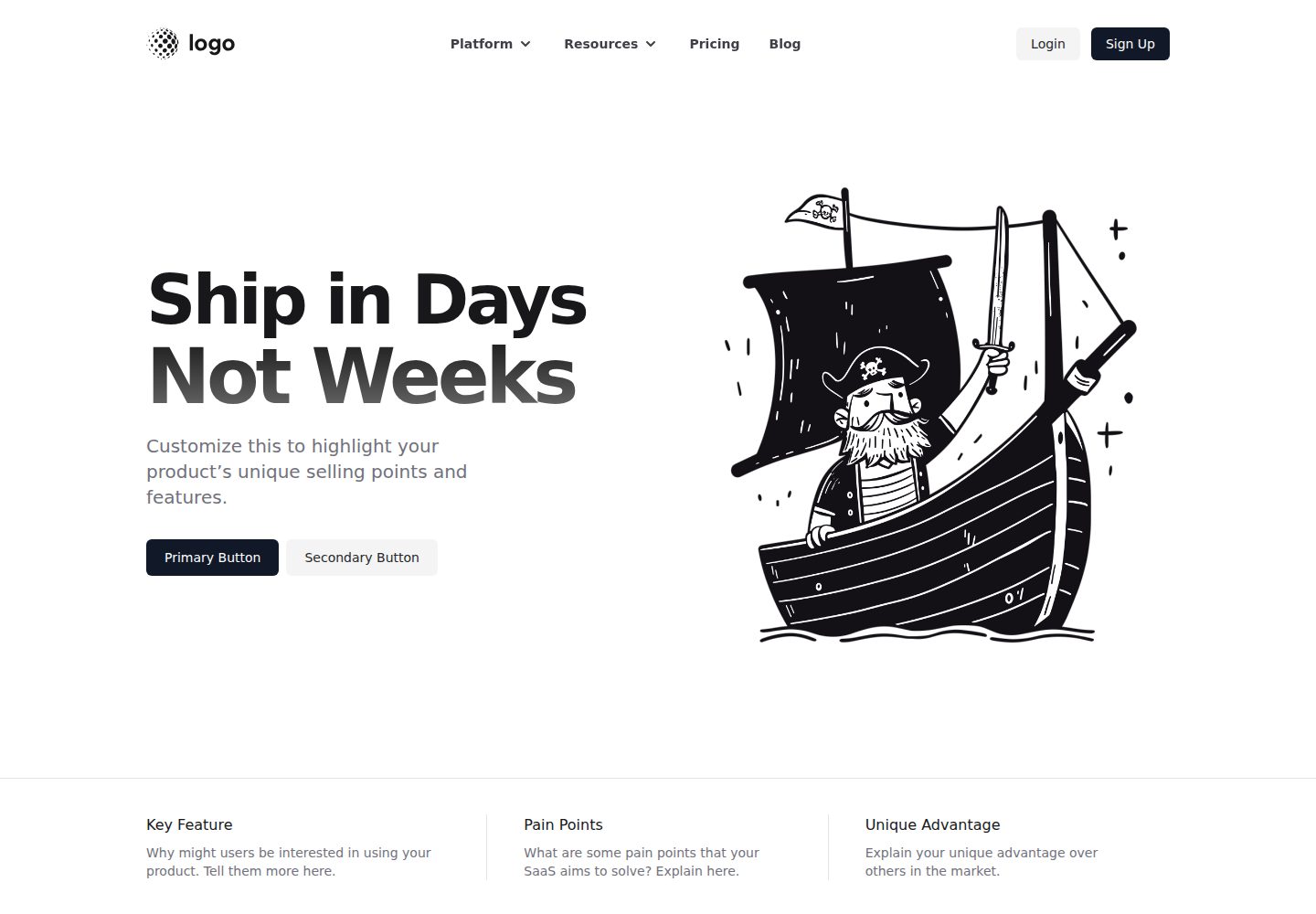
Desktop homepage1 / 3
Desktop captureTop of page
Actual screenshot captured by the server browser.
All pages & views 3
Screenshots show visual appearance; interactive behavior may differ.
Recorded 2026-10-13View source
What stands out
A quick read of the recorded project description.
Features listed in the README include authentication, user profiles, user impersonation login, subscriptions and subscription plans, user roles, notifications, announcements, blog, API, Voyager admin panel, and customizable themes
The installation process has four steps: create a MySQL database, configure .env, run composer install, and execute migrations and seed data
The README provides an online demo address and a button for deploying to DigitalOcean
The README mentions an accompanying video series; some videos require a DevDojo Pro subscription
Template Details
Wave is a Software as a Service starter kit used to build the foundational structure of SaaS applications. The README states that it is built on Laravel and integrates technologies such as Voyager and TailwindCSS.
The features listed in the README include: authentication, user profiles, user impersonation login, subscriptions, subscription plans, user roles, notifications, announcements, a working blog, an out-of-the-box API, Voyager admin panel, and customizable themes. These features all point to official documentation pages; the README itself does not elaborate on implementation details.
For installation, the README requires first cloning or downloading the repository, then following four steps: create a MySQL database; copy .env.example to .env and fill in DB_DATABASE, DB_USERNAME, DB_PASSWORD, and APP_URL; run composer install; execute php artisan migrate and php artisan db:seed. The README also mentions that an instance can be deployed via a DigitalOcean button and provides an online demo address.
The README does not specify the required PHP or Laravel versions, nor does it cover production deployment, security configuration, or performance-related matters.
LaravelStarter
Is it right for your project?
Use Cases
- Need to build the foundational structure of a SaaS application based on Laravel that includes user authentication and subscription modules
- Want to manage application data through the Voyager admin panel
- Need common SaaS supporting features such as blog, notifications, and announcements as a starting point
- Want to run a Wave instance locally or on DigitalOcean by following the steps in the README
Suitable For
- Developers using Laravel who want to start a SaaS project with a ready-made starter kit
- Developers who need a MySQL database and are familiar with Composer and Artisan commands
- Projects that want to use the Voyager admin panel for content and user management
Getting started & customization
Use these recorded setup notes alongside the repository instructions for your chosen version.
- 1
After cloning or downloading the repository, create a MySQL database and save the credentials
- 2
Copy .env.example to .env, fill in DB_DATABASE, DB_USERNAME, DB_PASSWORD, and change APP_URL to the application address
- 3
Run composer install to install dependencies
- 4
Run php artisan migrate and php artisan db:seed in sequence to complete database migration and seed data
- 5
The README does not specify the required PHP or Laravel versions, nor does it provide production deployment or security configuration instructions
License & source material
Usage conditions & limitations
Free to use · keep license noticeThis entry covers the free version under the MIT license in the public repository; the free scope is the code of this version and does not mean that external services or third-party assets are free.
Must comply with when using
- Permits free use, modification, commercial use, and distribution of this version's code.
- When distributing copies or substantial portions of the code, retain the original author's copyright notice and the complete MIT license notice.
- The code is provided as is; warranties and limitations of liability are governed by the original license and applicable law.
Additional costs & items to verify
- Demo images, fonts, icons, and other third-party assets must be checked against their respective licenses; they cannot be judged solely by the code's MIT license.
- External services such as domains, hosting, databases, payments, or AI may incur additional charges.
- The accompanying video series is free only for the first few episodes; the remaining videos require a DevDojo Pro subscription to watch; the subscription is optional paid content and does not affect the use of the code itself.
View Original Text Basis
Permission is hereby granted, free of charge
Original License Text
https://github.com/EvanDaley/Laravel-wave-starter-project/blob/main/LICENSE.mdhttps://github.com/EvanDaley/Laravel-wave-starter-project/blob/main/README.mdWe've also got a full video series on how you can setup, build, and configure Wave. 🍿 You can watch first few videos for free, and additional videos will require a [DevDojo Pro](https://devdojo.com/pro) subscription. By subscribing to a [DevDojo Pro](https://devdojo.com/pro) subscription you will also be supporting the ongoing development of this project. It's a win win! 🙌
Original README
Compiled by DeepSeek based on repository license and README ·2026-10-13. Results only cover the materials read; dependencies, images, fonts, and subsequent term changes are subject to their respective original texts.
Project checks & description sources
Template Information
- Source platforms
- GitHub
- Documentation and maintenance reference score
- Partly documented · 65 / 100
- Technologies
- Laravel
- Website type
- Starter
How this score is calculated
Our heuristic uses license records (up to 30), a demo link (12), a preview (10), stars (15), recorded maintenance (15), description completeness (8), feature records (5) and classification data (5). It is not a code, security or performance test, or a Google score. A link does not establish tested functionality.
What to verify for this project
- Repository update recorded
- 2021-11-02
- Screenshot last checked
- 2026-10-13
A demo link is listed. Check it with your own content and viewport sizes; its presence does not confirm that forms, authentication or payments work.
The catalog identifies Laravel as the primary stack. Check the actual dependency manifest and lockfile for versions and hosting requirements. These notes use recorded metadata, not a code audit or a deployment test.
Use a selection guide →How this description was prepared
AI-assisted description based on catalog records and repository material. Repository authors are not automatically the reviewers of this description.
Review declaration: codex-user-requested-batch-review-20261015 · 2026-10-15
Inspect the recorded source material
SHA-256: b75e8737d6950d5c5c7571f15a657567d5d8adfb02c8e4ae15ae904311c21704
2026-10-13T00:42:46.751Z
Source file / repository<p align="center"><a href="https://devdojo.com/wave" target="_blank"><img src="https://cdn.devdojo.com/assets/img/github-wave-logo.svg" width="240"></a></p> <p align="center"><a href="https://www.producthunt.com/posts/wave-2-0" target="_blank"><img src="https://cdn.devdojo.com/images/april2021/upvote-product-hunt-img.png" height="auto" width="auto"></a></p> ## Introduction [Wave](https://devdojo.com/wave) is a Software as a Service Starter Kit that can help you build your next great idea 💰. Wave is built with [Laravel](https://laravel.com), [Voyager](https://voyager.devdojo.com), [TailwindCSS](https://tailwindcss.com), and a few other awesome technologies. Here are some of the awesome features ✨: - [Authentication](https://wave.devdojo.com/docs/features/authentication) - [User Profiles](https://wave.devdojo.com/docs/features/user-profiles) - [User Impersonation](https://wave.devdojo.com/docs/features/user-impersonation) - [Subscriptions](https://wave.devdojo.com/docs/features/billing) - [Subscription Plans](https://wave.devdojo.com/docs/features/subscription-plans) - [User Roles](https://wave.devdojo.com/docs/features/user-roles) - [Notifications](https://wave.devdojo.com/docs/features/notifications) - [Announcements](https://wave.devdojo.com/docs/features/announcements) - [Fully Functional Blog](https://wave.devdojo.com/docs/features/blog) - [Out of the Box API](https://wave.devdojo.com/docs/features/api) - [Voyager Admin](https://wave.devdojo.com/docs/features/admin) - [Customizable Themes](https://wave.devdojo.com/docs/features/themes) ## Demo View a live [demo here](https://wave.devdojo.com), or deploy your own instance to DigitalOcean, by clicking the button below. <a href="https://cloud.digitalocean.com/apps/new?repo=https://github.com/thedevdojo/wave/tree/main" target="_blank"><img src="https://www.deploytodo.com/do-btn-blue.svg" width="240" alt="Deploy to DO"></a> ## Installation To install Wave, you'll want to clone or download this repo: ``` git clone https://github.com/thedevdojo/wave.git project_name ``` Next, we can install Wave with these **4 simple steps**: ### 1. Create a New Database During the installation we need to use a MySQL database. You will need to create a new database and save the credentials for the next step. ### 2. Copy the `.env.example` file We need to specify our Environment variables for our application. You will see a file named `.env.example`, you will need to duplicate that file and rename it to `.env`. Then, open up the `.env` file and update your *DB_DATABASE*, *DB_USERNAME*, and *DB_PASSWORD* in the appropriate fields. You will also want to update the *APP_URL* to the URL of your application. ```bash APP_URL=http://wave.test DB_CONNECTION=mysql DB_HOST=127.0.0.1 DB_PORT=3306 DB_DATABASE=wave DB_USERNAME=root DB_PASSWORD= ``` ### 3. Add Composer Dependencies Next, we will need to install all our composer dependencies by running the following command: ```php composer install ``` ### 4. Run Migrations and Seeds We need to migrate our database structure into our database, which we can do by running: ```php php artisan migrate ``` <br> Finally, we will need to seed our database with the following command: ```php php artisan db:seed ``` <br> 🎉 And that's it! You will now be able to visit your URL and see your Wave application up and running. ## Watch, Learn, and Build We've also got a full video series on how you can setup, build, and configure Wave. 🍿 You can watch first few videos for free, and additional videos will require a [DevDojo Pro](https://devdojo.com/pro) subscription. By subscribing to a [DevDojo Pro](https://devdojo.com/pro) subscription you will also be supporting the ongoing development of this project. It's a win win! 🙌 [Click here to watch the Wave Video Series](https://devdojo.com/course/wave). ## Documentation Checkout the [official documentation here](https://wave.devdojo.com/docs).
Explore similar templates
Compare previews and descriptions within the same stack and category.

sage
Sage is a WordPress starter theme maintained by Roots, using Laravel Blade components and templates, Vite builds, Tailwind CSS, and built-in block editor support.
Laravel · Starter

wave
Wave is an open-source SaaS starter kit built on Laravel and released under the MIT license.
Laravel · SaaS

filament-starter
A Laravel TALL stack starter template maintained by Log1x, with a preconfigured Filament admin panel and plugins including Curator, Gravatar, Exceptions, Jobs Monitor, Breezy, Peek, and Logger.
Laravel · Starter

electrik
Electrik is a Laravel SaaS starter kit installed as a Composer package, with authentication, teams, Stripe subscription billing, and the Slate 3 interface under the Electrik\ namespace rather than copied into App\.
Laravel · SaaS

php-saas
php-saas is a Laravel-based SaaS starter positioned as an everything-included kit. It generates new projects via a global Composer command and includes authentication with two-factor, API tokens, Stripe and Paddle billing, and project, team, and organization management.
Laravel · SaaS

filament-jetstream
A Laravel starter kit that implements Jetstream-like authentication and account features using Filament's native panels and components. It includes login, registration, two-factor authentication, session management, user profiles, and optional teams and API tokens.
Laravel · Starter