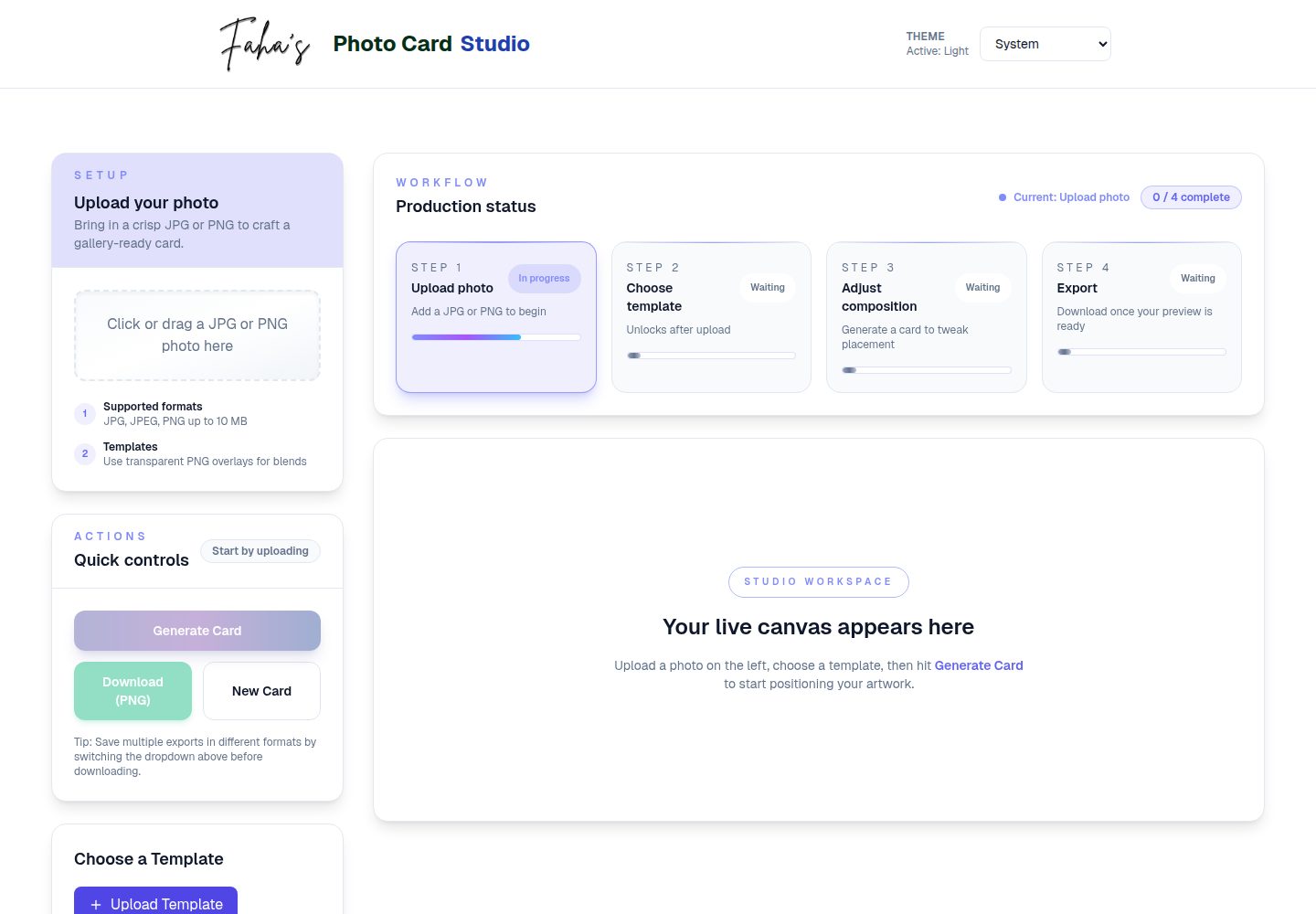
Supports selection, upload, preview, rename, and delete of PNG templates, and mentions local storage integration
Next.jsReactE-commerceTool SiteCorporate Website
photo-card — Next.js Ecommerce Template
By faha1999
Photo Card Generator is a Next.js-based web app for compositing product photos with PNG templates into social images with filters and adjustment options, and exporting as PNG or JPEG.
Explore the design
Compare the page layouts and mobile experience. Open any screenshot for a closer look.
Desktop homepage1 / 2
Desktop captureTop of page
Actual screenshot captured by the server browser.
All pages & views 2
Screenshots show visual appearance; interactive behavior may differ.
Recorded 2026-10-14View source
What stands out
A quick read of the recorded project description.
Photo upload supports JPG, JPEG, and PNG; templates are only PNG; 10MB limit with validation feedback
Provides image adjustments including zoom, brightness, contrast, grayscale, and sepia, and supports guide overlays for positioning
Live preview updates, export supports PNG and JPEG, customizable filenames
Uses the HTML5 Canvas API for image processing, and the interface uses Tailwind CSS for responsive layout
Template Details
Photo Card Generator is a Next.js-based web app for compositing user-uploaded photos with PNG templates into exportable image cards. The README states its positioning is aimed at eCommerce and social media content creation, offering template selection and management, photo upload and validation, image adjustments, live preview, and PNG/JPEG export.
In terms of features, the README lists: support for selecting and managing PNG-format templates; photos support JPG, JPEG, and PNG, templates only support PNG, with a 10MB file size limit and validation feedback; image adjustments include zoom, brightness, contrast, grayscale, and sepia effects; guide overlays are provided for positioning; export supports PNG/JPEG with customizable filenames; reset is supported; responsive layout is implemented with Tailwind CSS; preview updates in real time.
According to the README, the tech stack is Next.js, TypeScript, React, TailwindCSS, and Lucide React icons; image processing uses the HTML5 Canvas API; development tools include PostCSS, Autoprefixer, ESLint, and the TypeScript compiler. The README does not document backend services, data persistence, or a user account system; template management mentions local storage integration, but does not detail the specific implementation.
Limitations and undocumented items: the README does not provide browser compatibility ranges, performance metrics, accessibility support, deployment platform requirements, or production environment configuration instructions; the preview screenshot only proves the page exists and does not represent the scope of functionality.
Next.jseCommerceTool siteCorporate website
Is it right for your project?
Use Cases
- Apply templates to eCommerce product photos and adjust effects, then export images for social media posting
- Unify visual style for brand promotion assets and generate consistently styled image cards in batches
- Run in a local development environment and try out the template management and image adjustment workflow
Suitable For
- eCommerce operators and content creators who need to quickly produce social media product images
- Developers who want to build image compositing tools on top of Next.js and Canvas
- Frontend learners who need to run locally and set up a demo environment following the README steps
Getting started & customization
Use these recorded setup notes alongside the repository instructions for your chosen version.
- 1
Clone the repository: git clone https://github.com/faha1999/photo-card.git and enter the directory
- 2
Install dependencies: npm install
- 3
Start the development server: npm run dev, then visit http://localhost:3000
- 4
Production build and run: npm run build then npm start
- 5
Lint code: npm run lint
License & source material
Usage conditions & limitations
Free to use · keep license noticeThis entry covers the free version under the MIT license in the public repository; the free scope is the code of this version and does not mean external services or third-party assets are free.
Must comply with when using
- Free use, modification, commercial use, and distribution of this version's code are permitted.
- When distributing copies or substantial portions of the code, retain the original author's copyright notice and the full MIT license notice.
- The code is provided as is; warranties and limitations of liability are governed by the original license and applicable law.
Additional costs & items to verify
- Demo images, fonts, icons, and other third-party assets must be checked against their respective licenses and cannot be judged solely by the code's MIT license.
- External services such as domains, hosting, databases, payments, or AI may incur separate charges.
View Original Text Basis
https://github.com/faha1999/photo-card/blob/main/LICENSEhttps://github.com/faha1999/photo-card/blob/main/README.mdPermission is hereby granted, free of charge
Original License Text
Compiled by DeepSeek based on repository license and README ·2026-10-14. Results only cover the materials read; dependencies, images, fonts, and subsequent term changes are subject to their respective original texts.
Project checks & description sources
Template Information
- Source platforms
- GitHub
- Documentation and maintenance reference score
- More documented · 88 / 100
- Technologies
- Next.js · React
- Website type
- E-commerce · Tool Site · Corporate Website
How this score is calculated
Our heuristic uses license records (up to 30), a demo link (12), a preview (10), stars (15), recorded maintenance (15), description completeness (8), feature records (5) and classification data (5). It is not a code, security or performance test, or a Google score. A link does not establish tested functionality.
What to verify for this project
- Repository update recorded
- 2026-04-13
- Screenshot last checked
- 2026-10-14
A demo link is listed. Check it with your own content and viewport sizes; its presence does not confirm that forms, authentication or payments work.
The catalog identifies Next.js as the primary stack. Check the actual dependency manifest and lockfile for versions and hosting requirements. These notes use recorded metadata, not a code audit or a deployment test.
Use a selection guide →How this description was prepared
AI-assisted description based on catalog records and repository material. Repository authors are not automatically the reviewers of this description.
Review declaration: codex-user-requested-batch-review-20261017 · 2026-10-16
Inspect the recorded source material
SHA-256: 32a80b5a5cd15d9db77f0f504297864dfbe2163eb6bb7fbb0c5d3e786f562ea0
2026-10-14T11:40:48.898Z
Source file / repository# 📸 Photo Card Generator Create customizable photo cards with templates, filters, and adjustable image settings, perfect for social media posts, brand promotions, and eCommerce marketing. ## 🚀 Live Demo Check out the live demo: [Photo Card Generator](https://photo-card-beta.vercel.app/) ## 🎥 Demo Preview Photo Card Generator Transform your product photos into stunning social media content with this powerful Next.js-based Photo Card Generator. Built for eCommerce businesses and digital marketers, this modern web application streamlines the creation of professional photo cards with customizable templates, advanced filters, and flexible export options. Whether you're managing an online store, running social media campaigns, or handling brand assets, this tool helps you create consistent, eye-catching visuals in seconds. Featuring real-time previews, smart image validation, and responsive design, it's the perfect solution for modern digital content creation. > Create professional social media photo cards for your eCommerce products in seconds [](https://nextjs.org/) [](https://www.typescriptlang.org/) [](https://tailwindcss.com/) [](https://opensource.org/licenses/MIT) ## ✨ Features - 🖼️ Custom template selection and management (PNG format) - 📤 Smart file upload with validation: - Photos: JPG, JPEG, PNG formats - Templates: PNG format only - 10MB size limit with validation feedback - 🎨 Image adjustment controls: - Scale/resize - Brightness - Contrast - Grayscale - Sepia effects - 📏 Guide overlay for precise positioning - 💾 Multiple export formats (PNG/JPEG) - 📝 Custom filename support - 🔄 Reset and adjustment capabilities - 📱 Responsive design with Tailwind CSS - 🔍 Real-time preview updates ## Project Structure ``` ├── public/ │ ├── templates/ # Card template images │ │ ├── logo.png │ │ └── template.png │ └── video/ # Demo assets │ └── demo.gif # Application demo ├── src/ │ ├── app/ # Next.js app directory │ │ ├── Footer.tsx # Footer component │ │ ├── globals.css # Global styles │ │ ├── layout.tsx # Root layout │ │ └── page.tsx # Home page │ ├── components/ # React components │ │ ├── CardPreview.tsx # Preview component │ │ ├── Controls.tsx # Image controls │ │ ├── TemplateManager.tsx # Template management │ │ └── UploadArea.tsx # File upload area │ ├── types/ # TypeScript definitions │ │ ├── css.d.ts # CSS type definitions │ │ └── index.ts # Common type definitions │ └── utils/ │ └── generateCard.ts # Card generation logic ├── next-env.d.ts # Next.js TypeScript definitions ├── next.config.mjs # Next.js configuration ├── package.json # Project dependencies ├── postcss.config.js # PostCSS configuration ├── tailwind.config.js # Tailwind CSS configuration └── tsconfig.json # TypeScript configuration ``` ## Getting Started 1. **Clone the repository:** ```bash git clone https://github.com/faha1999/photo-card.git cd photo-card ``` 2. **Install dependencies:** ```bash npm install ``` 3. **Run the development server:** ```bash npm run dev ``` 4. Open [http://localhost:3000](http://localhost:3000) with your browser to see the application. ## 🛠️ Tech Stack - **Framework:** [Next.js](https://nextjs.org/) 15.4 - **Language:** [TypeScript](https://www.typescriptlang.org/) 5.9 - **UI Library:** [React](https://reactjs.org/) 19.1 - **Styling:** [TailwindCSS](https://tailwindcss.com/) 3.3 - **Icons:** [Lucide React](https://lucide.dev/) - **Image Manipulation:** HTML5 Canvas API - **Development Tools:** - PostCSS - Autoprefixer - ESLint - TypeScript Compiler ## Available Scripts - `npm run dev` - Starts the development server - `npm run build` - Builds the app for production - `npm start` - Runs the built app in production mode - `npm run lint` - Runs linting checks ## 🧩 Components ### App Components (`src/app/`) #### Footer.tsx - Renders the application footer - Contains project attribution and links - Responsive design with Tailwind CSS #### Layout.tsx - Main application layout wrapper - Handles metadata and SEO settings - Manages global styles and fonts #### Page.tsx - Main application page component - Orchestrates component composition - Manages global state and data flow ### Feature Components (`src/components/`) #### CardPreview.tsx - Renders real-time photo card preview - Implements HTML5 Canvas for image manipulation - Handles filters and effects (brightness, contrast, etc.) - Manages guide overlay for positioning - Provides real-time visual feedback - Supports touch interactions for mobile users #### Controls.tsx - Image adjustment interface - Scale/resize controls with predefined options - Advanced filter controls: - Brightness and contrast sliders - Grayscale and sepia effects - Blend mode selection - Export format selection (PNG/JPEG) - Custom filename input - Guide overlay toggle - Reset functionality #### TemplateManager.tsx - Template selection and management interface - Supports default and custom templates - PNG template upload functionality - Template preview with live updates - Template deletion and renaming features - Local storage integration for user templates - Drag-and-drop template switching #### UploadArea.tsx - Smart file upload component - Drag-and-drop functionality - File type validation: - Photos: JPG, JPEG, PNG support - Templates: PNG only restriction - 10MB file size limit enforcement - Real-time validation feedback - User-friendly error messages - Progress and status indicators ## � Types (`src/types/`) ### css.d.ts - TypeScript definitions for CSS modules - Style-related type declarations - Custom CSS property definitions ### index.ts - Core type definitions - Interface declarations for: - Filter settings - Position coordinates - Card state management - Component props - Image generation options ## 🛠️ Utils (`src/utils/`) ### generateCard.ts - Core image processing functionality - Advanced features: - Image scaling and positioning - Filter and effect application - Template overlay handling - Guide rendering system - Multiple export format support - Base64 conversion - Error handling - Performance optimizations ## ⚙️ Configuration Files ### next.config.mjs - Next.js framework configuration - Image optimization settings - Build and deployment options ### tailwind.config.js - Tailwind CSS customization - Theme and color palette settings - Responsive breakpoints - Custom plugin configuration ### tsconfig.json - TypeScript compiler options - Path aliases and module resolution - Strict type checking settings - Build optimization rules ## 🤝 Contributing Contributions are welcome! Here's how you can help: 1. Fork the repository 2. Create your feature branch: ```bash git checkout -b feature/AmazingFeature ``` 3. Commit your changes: ```bash git commit -m 'Add some AmazingFeature' ``` 4. Push to the branch: ```bash git push origin feature/AmazingFeature ``` 5. Open a Pull Request Please ensure your PR adheres to the following: - Follows the existing code style - Includes appropriate tests if applicable - Updates documentation as needed - Maintains TypeScript type safety ## 📄 License This project is licensed under the MIT License - see the [LICENSE](LICENSE) file for details. ## 👤 Contact Kawsar Ahmed Fahad - GitHub: [@faha1999](https://github.com/faha1999) ## 🌟 Show your support Give a ⭐️ if this project helped you!
Explore similar templates
Compare previews and descriptions within the same stack and category.

Next.js Commerce
Vercel's officially maintained Next.js App Router ecommerce starter with deep Shopify integration, offering a complete product catalog, cart, and checkout flow. Core logic is modular for swapping backends, and community provider versions exist for BigCommerce, Medusa, and Saleor.
Next.js · E-commerce

SaaS-Boilerplate
SaaS-Boilerplate is an open-source SaaS starter template built with Next.js App Router, React 19, TypeScript, Tailwind CSS, and Shadcn UI.
Next.js · SaaS

Next-JS-Landing-Page-Starter-Template
A free Next.js landing page starter template written in Tailwind CSS and TypeScript, featuring built-in navbar, hero, features, CTA banner, and footer sections.
Next.js · Corporate Website

next-saas-starter
A free Next.js SaaS marketing landing page template from Blazity, using static generation and styled-components with no extra UI library.
Next.js · SaaS
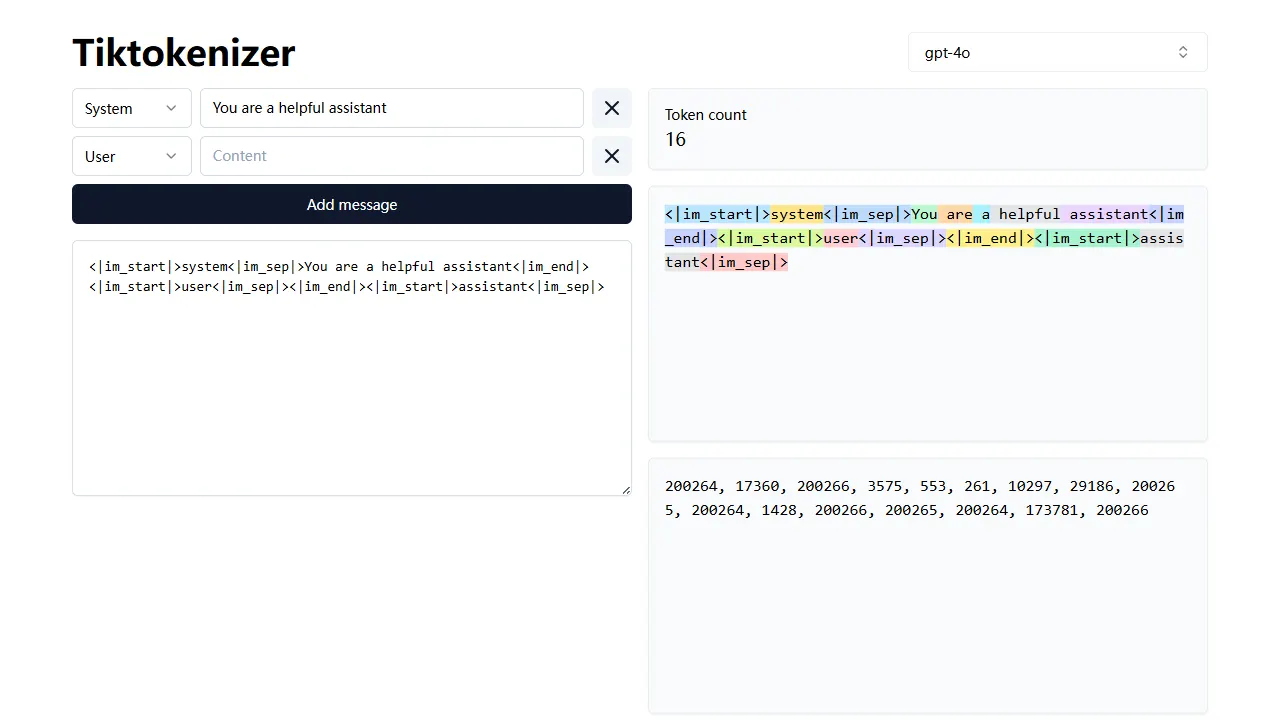
tiktokenizer
tiktokenizer is an open-source online tool site built with Next.js, TypeScript, and React that calculates token counts for text using the openai/tiktoken library.
Next.js · Tool Site

startup-nextjs
Startup is a free, MIT-licensed Next.js template from NextJSTemplates for SaaS startups and corporate landing pages.
Next.js · SaaS