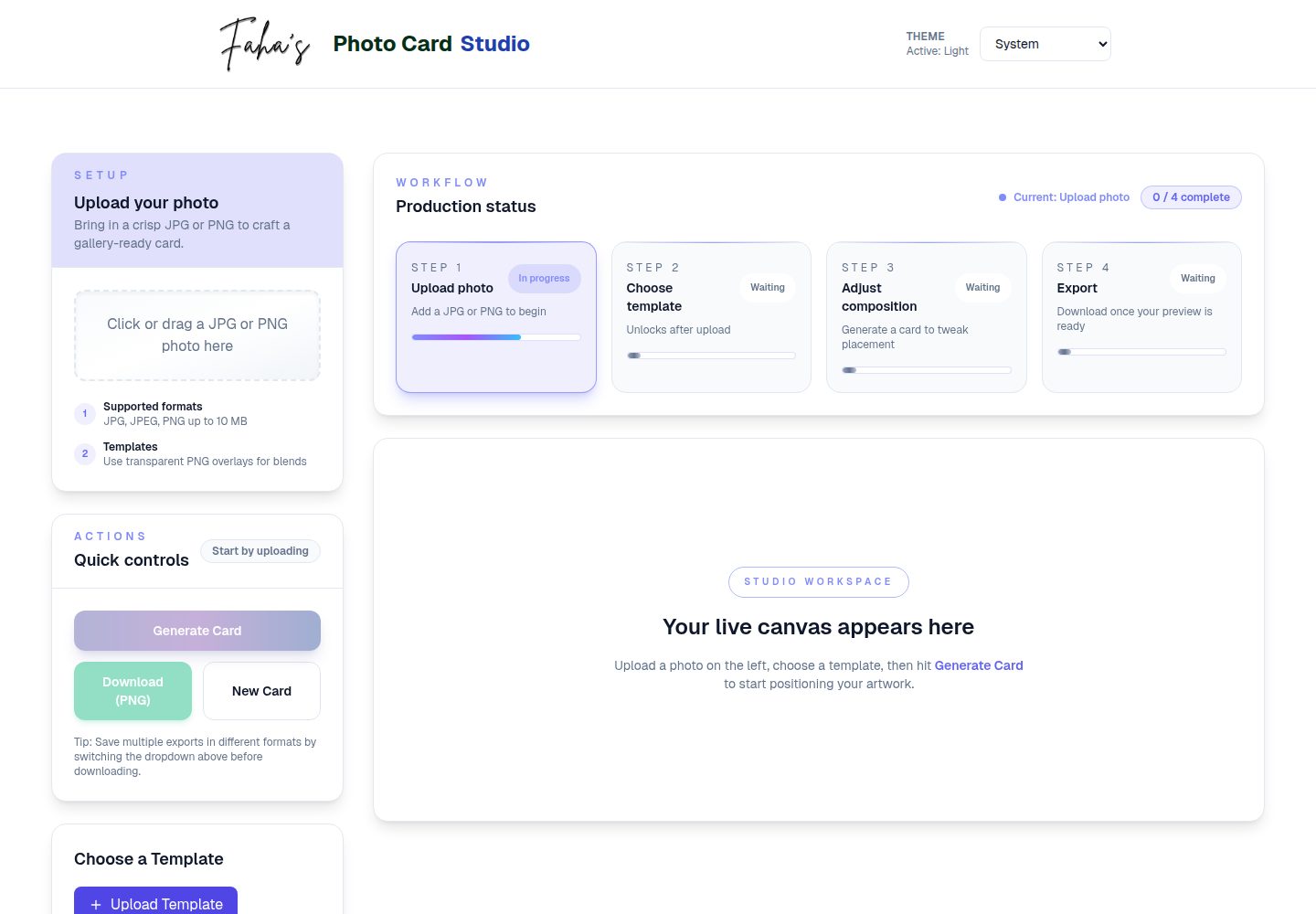
支持 PNG 模板的选择、上传、预览、重命名与删除,并提到本地存储集成
Next.jsReact电商工具站企业官网
photo-card — Next.js 电商模板
作者 faha1999
Photo Card Generator 是一个基于 Next.js 的网页应用,用于将产品照片与 PNG 模板合成带滤镜和调整选项的社交图片,并导出为 PNG 或 JPEG。
看看你的网站会是什么样
浏览真实页面截图,比较内容排版与手机效果。点击下方缩略图切换,放大查看整页细节。
全部页面与视图 2
截图用于了解视觉与布局,交互效果请以实际项目为准。
采集于 2026-10-14查看来源
值得关注的模板亮点
从已有项目资料中,快速了解它的特点。
照片上传支持 JPG、JPEG、PNG,模板仅限 PNG,限制 10MB 并给出校验反馈
提供缩放、亮度、对比度、灰度、褐色等图像调整,并支持辅助线叠加定位
实时预览更新,导出支持 PNG 与 JPEG,可自定义文件名
使用 HTML5 Canvas API 进行图像处理,界面基于 Tailwind CSS 实现响应式布局
模板详细介绍
Photo Card Generator 是一个基于 Next.js 的网页应用,用于把用户上传的照片与 PNG 模板合成为可导出的图片卡片。README 说明其定位是面向电商与社交媒体内容制作,提供模板选择与管理、照片上传与校验、图像调整、实时预览以及 PNG/JPEG 导出。
功能方面,README 列出:支持 PNG 格式模板的选择与管理;照片支持 JPG、JPEG、PNG,模板仅支持 PNG,文件大小上限 10MB 并给出校验反馈;图像调整包括缩放、亮度、对比度、灰度、褐色(sepia)效果;提供辅助线叠加用于定位;导出支持 PNG/JPEG 并可自定义文件名;支持重置;使用 Tailwind CSS 实现响应式布局;预览实时更新。
技术栈依据 README 为 Next.js、TypeScript、React、TailwindCSS、Lucide React 图标,图像处理使用 HTML5 Canvas API,开发工具包括 PostCSS、Autoprefixer、ESLint 与 TypeScript 编译器。README 未说明后端服务、数据持久化或用户账户体系;模板管理提到本地存储集成,但未展开具体实现细节。
限制与未说明项:README 未提供浏览器兼容范围、性能指标、无障碍支持、部署平台要求或生产环境配置说明;预览截图仅证明页面存在,不代表功能范围。
Next.js电商工具站企业官网
适合你的项目吗?
适用场景
- 为电商产品照片套用模板并调整效果,导出用于社交媒体发布的图片
- 为品牌推广素材统一视觉样式,批量生成风格一致的图片卡片
- 在本地开发环境中运行并试用模板管理与图像调整流程
适合人群
- 需要快速制作社交媒体产品图的电商运营与内容创作者
- 希望基于 Next.js 与 Canvas 二次开发图片合成工具的开发者
- 需要本地运行、按 README 步骤搭建演示环境的前端学习者
上手与定制指南
结合仓库当前版本的说明,按下面的资料检查内容、配置与运行要求。
- 1
克隆仓库:git clone https://github.com/faha1999/photo-card.git 并进入目录
- 2
安装依赖:npm install
- 3
启动开发服务器:npm run dev,然后访问 http://localhost:3000
- 4
生产构建与运行:npm run build 后执行 npm start
- 5
代码检查:npm run lint
授权与来源资料
使用条件与限制
免费使用 · 保留许可声明本次收录的是公开仓库中采用 MIT 许可的免费版本;免费范围为该版本代码,不代表外部服务或第三方素材免费。
使用时需要遵守
- 允许免费使用、修改、商用和分发该版本代码。
- 分发代码副本或实质性部分时,保留原作者版权声明和完整 MIT 许可声明。
- 代码按现状提供;担保与责任限制以原许可证及适用法律为准。
额外费用与待核对事项
- 演示图片、字体、图标及其他第三方素材需按各自许可核对,不能仅凭代码的 MIT 许可判断。
- 域名、托管、数据库、支付或 AI 等外部服务可能另外收费。
查看原文依据
https://github.com/faha1999/photo-card/blob/main/LICENSEhttps://github.com/faha1999/photo-card/blob/main/README.mdPermission is hereby granted, free of charge
许可证原文
DeepSeek 根据仓库许可证和 README 整理 ·2026-10-14。结果仅覆盖已读取资料,依赖、图片、字体及后续条款变更以各自原文为准。
项目核对记录与介绍依据
模板资料
- 来源平台
- GitHub
- 资料与维护参考分
- 资料较完整 · 88 / 100
- 技术栈
- Next.js · React
- 网站类型
- 电商 · 工具站 · 企业官网
这个分数如何计算
本站按许可资料(最高30分)、演示链接(12分)、预览图(10分)、Star数(15分)、记录的维护时间(15分)、描述完整度(8分)、功能记录(5分)和分类资料(5分)计算。它不是代码、安全或性能测试,也不是 Google 评分;有链接不代表已实测可用。
这个项目需要核对什么
- 记录的仓库更新时间
- 2026-04-13
- 截图检查日期
- 2026-10-14
已收录演示链接。请用你的内容与屏幕尺寸检查;有演示不代表表单、认证或支付已经可用。
目录记录的主要技术栈是 Next.js。请通过依赖清单和锁文件核对实际版本与托管要求。这些说明基于收录资料,不代表代码审计或部署实测。
查看具体选型方法 →介绍的制作与核对状态
介绍由 AI 辅助整理目录与仓库资料。仓库作者不等于这篇介绍的审核者。
审核声明: codex-user-requested-batch-review-20261017 · 2026-10-16
查看当时使用的来源资料
SHA-256: 32a80b5a5cd15d9db77f0f504297864dfbe2163eb6bb7fbb0c5d3e786f562ea0
2026-10-14T11:40:48.898Z
来源文件 / 仓库# 📸 Photo Card Generator Create customizable photo cards with templates, filters, and adjustable image settings, perfect for social media posts, brand promotions, and eCommerce marketing. ## 🚀 Live Demo Check out the live demo: [Photo Card Generator](https://photo-card-beta.vercel.app/) ## 🎥 Demo Preview Photo Card Generator Transform your product photos into stunning social media content with this powerful Next.js-based Photo Card Generator. Built for eCommerce businesses and digital marketers, this modern web application streamlines the creation of professional photo cards with customizable templates, advanced filters, and flexible export options. Whether you're managing an online store, running social media campaigns, or handling brand assets, this tool helps you create consistent, eye-catching visuals in seconds. Featuring real-time previews, smart image validation, and responsive design, it's the perfect solution for modern digital content creation. > Create professional social media photo cards for your eCommerce products in seconds [](https://nextjs.org/) [](https://www.typescriptlang.org/) [](https://tailwindcss.com/) [](https://opensource.org/licenses/MIT) ## ✨ Features - 🖼️ Custom template selection and management (PNG format) - 📤 Smart file upload with validation: - Photos: JPG, JPEG, PNG formats - Templates: PNG format only - 10MB size limit with validation feedback - 🎨 Image adjustment controls: - Scale/resize - Brightness - Contrast - Grayscale - Sepia effects - 📏 Guide overlay for precise positioning - 💾 Multiple export formats (PNG/JPEG) - 📝 Custom filename support - 🔄 Reset and adjustment capabilities - 📱 Responsive design with Tailwind CSS - 🔍 Real-time preview updates ## Project Structure ``` ├── public/ │ ├── templates/ # Card template images │ │ ├── logo.png │ │ └── template.png │ └── video/ # Demo assets │ └── demo.gif # Application demo ├── src/ │ ├── app/ # Next.js app directory │ │ ├── Footer.tsx # Footer component │ │ ├── globals.css # Global styles │ │ ├── layout.tsx # Root layout │ │ └── page.tsx # Home page │ ├── components/ # React components │ │ ├── CardPreview.tsx # Preview component │ │ ├── Controls.tsx # Image controls │ │ ├── TemplateManager.tsx # Template management │ │ └── UploadArea.tsx # File upload area │ ├── types/ # TypeScript definitions │ │ ├── css.d.ts # CSS type definitions │ │ └── index.ts # Common type definitions │ └── utils/ │ └── generateCard.ts # Card generation logic ├── next-env.d.ts # Next.js TypeScript definitions ├── next.config.mjs # Next.js configuration ├── package.json # Project dependencies ├── postcss.config.js # PostCSS configuration ├── tailwind.config.js # Tailwind CSS configuration └── tsconfig.json # TypeScript configuration ``` ## Getting Started 1. **Clone the repository:** ```bash git clone https://github.com/faha1999/photo-card.git cd photo-card ``` 2. **Install dependencies:** ```bash npm install ``` 3. **Run the development server:** ```bash npm run dev ``` 4. Open [http://localhost:3000](http://localhost:3000) with your browser to see the application. ## 🛠️ Tech Stack - **Framework:** [Next.js](https://nextjs.org/) 15.4 - **Language:** [TypeScript](https://www.typescriptlang.org/) 5.9 - **UI Library:** [React](https://reactjs.org/) 19.1 - **Styling:** [TailwindCSS](https://tailwindcss.com/) 3.3 - **Icons:** [Lucide React](https://lucide.dev/) - **Image Manipulation:** HTML5 Canvas API - **Development Tools:** - PostCSS - Autoprefixer - ESLint - TypeScript Compiler ## Available Scripts - `npm run dev` - Starts the development server - `npm run build` - Builds the app for production - `npm start` - Runs the built app in production mode - `npm run lint` - Runs linting checks ## 🧩 Components ### App Components (`src/app/`) #### Footer.tsx - Renders the application footer - Contains project attribution and links - Responsive design with Tailwind CSS #### Layout.tsx - Main application layout wrapper - Handles metadata and SEO settings - Manages global styles and fonts #### Page.tsx - Main application page component - Orchestrates component composition - Manages global state and data flow ### Feature Components (`src/components/`) #### CardPreview.tsx - Renders real-time photo card preview - Implements HTML5 Canvas for image manipulation - Handles filters and effects (brightness, contrast, etc.) - Manages guide overlay for positioning - Provides real-time visual feedback - Supports touch interactions for mobile users #### Controls.tsx - Image adjustment interface - Scale/resize controls with predefined options - Advanced filter controls: - Brightness and contrast sliders - Grayscale and sepia effects - Blend mode selection - Export format selection (PNG/JPEG) - Custom filename input - Guide overlay toggle - Reset functionality #### TemplateManager.tsx - Template selection and management interface - Supports default and custom templates - PNG template upload functionality - Template preview with live updates - Template deletion and renaming features - Local storage integration for user templates - Drag-and-drop template switching #### UploadArea.tsx - Smart file upload component - Drag-and-drop functionality - File type validation: - Photos: JPG, JPEG, PNG support - Templates: PNG only restriction - 10MB file size limit enforcement - Real-time validation feedback - User-friendly error messages - Progress and status indicators ## � Types (`src/types/`) ### css.d.ts - TypeScript definitions for CSS modules - Style-related type declarations - Custom CSS property definitions ### index.ts - Core type definitions - Interface declarations for: - Filter settings - Position coordinates - Card state management - Component props - Image generation options ## 🛠️ Utils (`src/utils/`) ### generateCard.ts - Core image processing functionality - Advanced features: - Image scaling and positioning - Filter and effect application - Template overlay handling - Guide rendering system - Multiple export format support - Base64 conversion - Error handling - Performance optimizations ## ⚙️ Configuration Files ### next.config.mjs - Next.js framework configuration - Image optimization settings - Build and deployment options ### tailwind.config.js - Tailwind CSS customization - Theme and color palette settings - Responsive breakpoints - Custom plugin configuration ### tsconfig.json - TypeScript compiler options - Path aliases and module resolution - Strict type checking settings - Build optimization rules ## 🤝 Contributing Contributions are welcome! Here's how you can help: 1. Fork the repository 2. Create your feature branch: ```bash git checkout -b feature/AmazingFeature ``` 3. Commit your changes: ```bash git commit -m 'Add some AmazingFeature' ``` 4. Push to the branch: ```bash git push origin feature/AmazingFeature ``` 5. Open a Pull Request Please ensure your PR adheres to the following: - Follows the existing code style - Includes appropriate tests if applicable - Updates documentation as needed - Maintains TypeScript type safety ## 📄 License This project is licensed under the MIT License - see the [LICENSE](LICENSE) file for details. ## 👤 Contact Kawsar Ahmed Fahad - GitHub: [@faha1999](https://github.com/faha1999) ## 🌟 Show your support Give a ⭐️ if this project helped you!
看看同类模板
对比同技术栈与用途的模板,找到更适合的视觉与内容结构。

Next.js Commerce
Next.js Commerce 是 Vercel 团队维护的电商启动模板,基于 Next.js App Router 构建,采用服务端渲染、React Server Components、Server Actions …
Next.js · 电商

SaaS-Boilerplate
🚀🎉📚 SaaS Boilerplate built with Next.js + Tailwind CSS + Shadcn UI + TypeScript. ⚡️ Full-stack React applic…
Next.js · SaaS

Next-JS-Landing-Page-Starter-Template
🚀 Free NextJS Landing Page Template written in Tailwind CSS 3 and TypeScript ⚡️ Made with developer experienc…
Next.js · 企业官网
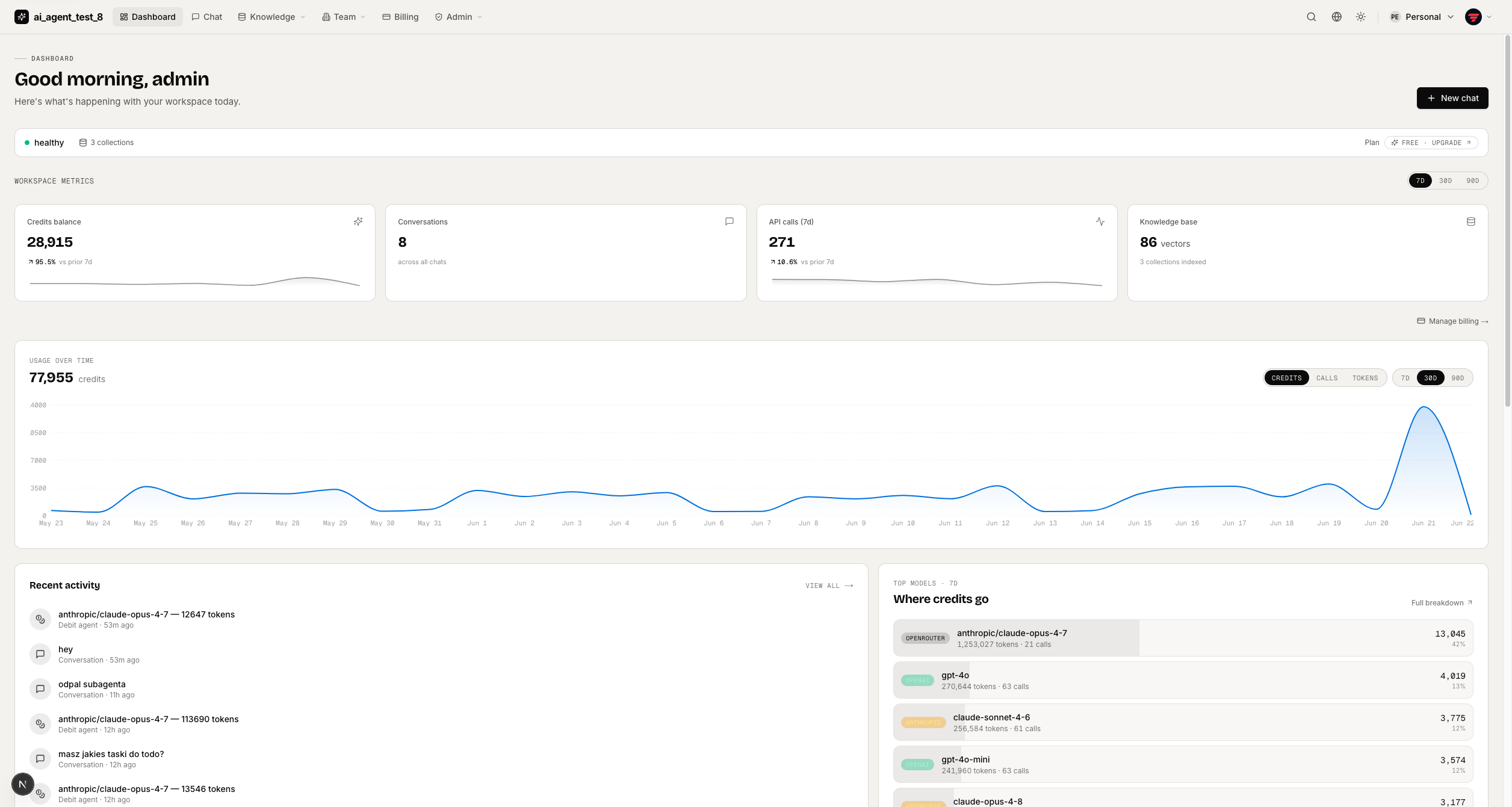
full-stack-ai-agent-template
Full-stack AI app generator — FastAPI + Next.js with AI Agents, RAG, streaming, auth, and 20+ integrations out…
Next.js · 工具站

next-saas-starter
⚡️ Free Next.js responsive landing page template for SaaS products made using JAMStack architecture.
Next.js · SaaS
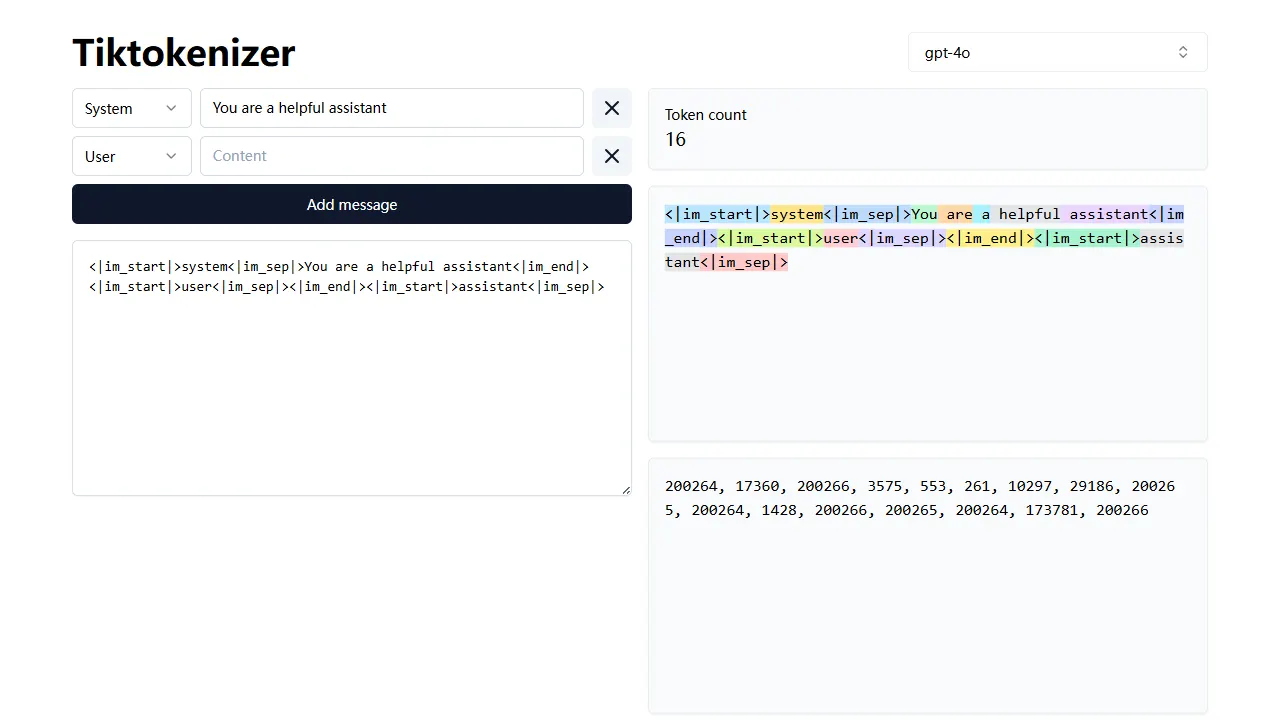
tiktokenizer
tiktokenizer 是一个开源的在线工具站项目,核心功能是计算文本对应的 token 数量,服务于 openai/tiktoken 库。
Next.js · 工具站