An Astro theme ported from Zola Persona and extended for freelancing, covering portfolios and blogs
AstroPortfolioBlog
astro-freelance-persona_theme — Astro Portfolio Template
By freelance-persona
An Astro theme for freelancer portfolios and blogs, ported from Zola Persona and extended with support for math formulas, chemical equations, and figure-card layout.
Explore the design
Compare the page layouts and mobile experience. Open any screenshot for a closer look.
Desktop homepage1 / 2
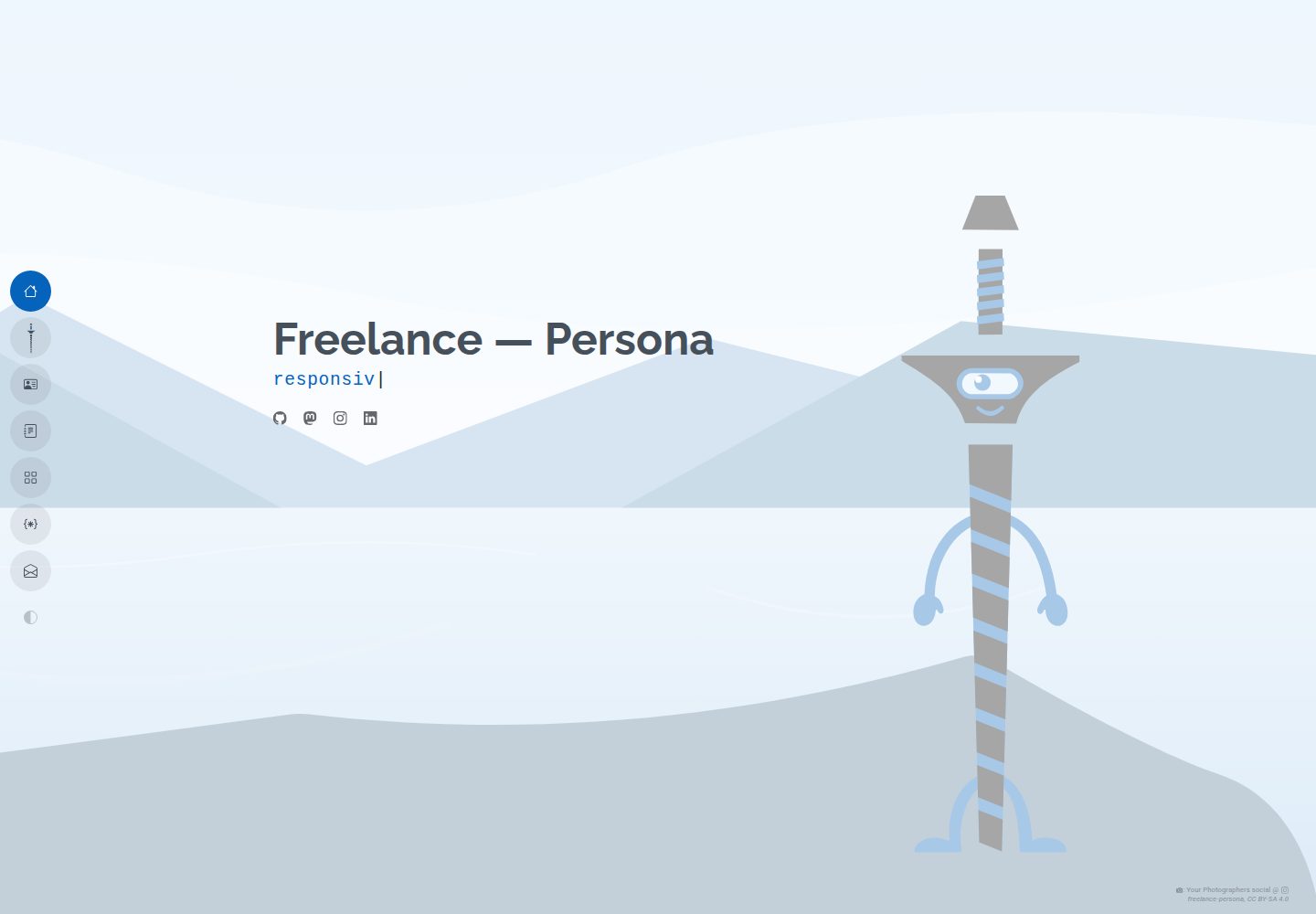
Desktop captureTop of page
Actual screenshot captured by the server browser.
All pages & views 2
Screenshots show visual appearance; interactive behavior may differ.
Recorded 2026-10-12View source
What stands out
A quick read of the recorded project description.
Markdown image links with query parameters generate editorial-style figure cards, supporting width, float, alignment, captions, and credits
Enabling tex in frontmatter allows LaTeX math formulas and mhchem chemical formulas
SVGs with ?inline are inlined and dark colors are mapped to currentColor, switching with light and dark themes
Fonts are managed centrally via src/fonts.ts and the configuration file; the starter includes Poppins, Raleway, and Roboto
Bun Workspaces monorepo with a starter template, playground development environment, and Playwright test suite
Template Details
This is an Astro theme for freelancers, portfolios, and blogs. It was initially ported from Zola Persona and customized and extended for freelancing with reference to Zola Gouyu. The theme centers on Markdown content; the main configuration file is src/freelance-persona.config.ts, and page-level Markdown can override theme-level settings via frontmatter.
For content layout, the theme includes built-in support for math and chemical formulas: after setting tex: true in an article's frontmatter, you can write LaTeX formulas with $...$ and $$...$$, and chemical formulas with mhchem syntax. When images are referenced as Markdown links with query parameters, they are wrapped into editorial-style .post-figure cards, supporting width (must include a relative unit such as 14rem, 8em, or 50%; unitless numbers and px are not accepted), float=left/right (floats are automatically cleared below 576px on mobile), align=left/center/right, and caption and credit parameters such as desc, credit, credit_url, license, and copyright; SVGs with ?inline are inlined and dark colors are mapped to currentColor to adapt to light and dark themes.
Fonts are imported via src/fonts.ts and configured in the fonts section of src/freelance-persona.config.ts. The starter includes Poppins, Raleway, and Roboto. The repository uses a Bun Workspaces monorepo structure: the root directory is the theme package, starter/ is the example template, and playground/ is used for local development, generated via bun run playground:setup. The starter includes a Playwright-based test suite with visual regression snapshots; snapshot files are git-ignored and must be generated locally or in CI.
Limitations to note: the README explicitly states the project is in pre-alpha, does not guarantee backward compatibility, follows a rolling release model, and has no LTS; the theme is provided as-is without warranty. The width parameter only adjusts the card container size via CSS; it does not change the source image dimensions at build time or generate a responsive srcset. For heavy images or galleries, consider using Astro's Image/Picture components instead. Third-party assets such as demo images, fonts, and icons require separate license verification.
AstroPortfolioBlog
Is it right for your project?
Use Cases
- Building a freelancer's personal portfolio and blog site
- Writing technical or popular-science articles that include math formulas or chemical equations
- Inserting figure cards with captions, credits, and license information into article body content
- Displaying SVG diagrams or illustrations that need to change color with light and dark themes
Suitable For
- Freelancers and individual creators who organize content with Astro and Markdown
- Bloggers who need formula typesetting and mixed text-and-image layout
- Users willing to accept rolling releases and not rely on backward compatibility commitments
- Developers who want to start quickly from the starter template and adjust the configuration themselves
Getting started & customization
Use these recorded setup notes alongside the repository instructions for your chosen version.
- 1
Create a site with the official template: bun create astro@latest -- --template freelance-persona/astro-freelance-persona_theme/theme/starter
- 2
Theme-level settings go in src/freelance-persona.config.ts; pages can override them in Markdown frontmatter
- 3
Local development requires Node.js v18+ and Bun v1.0+; after cloning, run bun install, then bun run playground:setup to generate the playground
- 4
The width parameter for figure cards must include a relative unit (such as 14rem, 8em, or 50%); unitless numbers and px are rejected
- 5
Visual regression snapshots are git-ignored; generate baselines in the playground with bun run test --update-snapshots
License & source material
Usage conditions & limitations
Free to use · keep license noticeThis entry covers the free version under the MIT license in the public repository; the free scope is the code of that version and does not mean external services or third-party assets are free.
Must comply with when using
- You may use, modify, commercialize, and distribute the code of this version for free.
- When distributing copies or substantial portions of the code, retain the original author's copyright notice and the full MIT license notice.
- The code is provided as-is; warranties and limitations of liability are governed by the original license and applicable law.
Additional costs & items to verify
- Demo images, fonts, icons, and other third-party assets must be checked under their respective licenses; the code's MIT license alone cannot be used to judge them.
- External services such as domains, hosting, databases, payments, or AI may incur separate charges.
- The project is in pre-alpha and provides no backward compatibility guarantees; upgrades may break existing configuration or content.
- It follows a rolling release model with no LTS long-term support version; breaking changes are released only as new major versions, and users must track and adapt to them themselves.
- The width parameter for figure cards must use relative CSS units (such as rem, em, or %); unitless numbers and px are rejected.
- The width parameter only adjusts the card container size via CSS in the browser; it does not change the source image dimensions at build time or generate a responsive srcset.
- For scenarios requiring source-level size optimization, such as heavy images or galleries, use Astro's native Image/Picture components instead of Markdown images.
- The theme and its accompanying content are provided as-is without any warranty.
View Original Text Basis
Permission is hereby granted, free of charge
Original License Text
**We are pre alpha:** There is no such thing as backward compatibility.
Original README
**We dont care about backward compatibility:** If something breaks, there will be a new major release. No such thing as LTS! This is a rolling release kinda model.
Original README
An explicit relative CSS unit (e.g. `width=14rem`, `width=8em`, or `width=50%`) is **required** (unitless numbers and `px` are rejected).
Original README
It does not resize the source file dimensions or generate fluid responsive `srcset`s at build time.
Original README
For heavy photography or image galleries requiring deep source-level dimension optimization, use Astro's native `<Image>` or `<Picture>` components in a `.astro` template rather than raw Markdown images.
Original README
https://github.com/freelance-persona/astro-freelance-persona_theme/blob/main/LICENSEhttps://github.com/freelance-persona/astro-freelance-persona_theme/blob/main/README.mdThis theme, and anything attached to it, comes with absolutely no warranty, I've got no idea what I'm doing!
Original README
Compiled by DeepSeek based on repository license and README ·2026-10-12. Results only cover the materials read; dependencies, images, fonts, and subsequent term changes are subject to their respective original texts.
Project checks & description sources
Template Information
- Source platforms
- GitHub
- Documentation and maintenance reference score
- More documented · 85 / 100
- Technologies
- Astro
- Website type
- Portfolio · Blog
How this score is calculated
Our heuristic uses license records (up to 30), a demo link (12), a preview (10), stars (15), recorded maintenance (15), description completeness (8), feature records (5) and classification data (5). It is not a code, security or performance test, or a Google score. A link does not establish tested functionality.
What to verify for this project
- Repository update recorded
- 2026-10-11
- Screenshot last checked
- 2026-10-12
A demo link is listed. Check it with your own content and viewport sizes; its presence does not confirm that forms, authentication or payments work.
The catalog identifies Astro as the primary stack. Check the actual dependency manifest and lockfile for versions and hosting requirements. These notes use recorded metadata, not a code audit or a deployment test.
Use a selection guide →How this description was prepared
AI-assisted description based on catalog records and repository material. Repository authors are not automatically the reviewers of this description.
Review declaration: [email protected] · 2026-10-13
Inspect the recorded source material
SHA-256: 84066898c62c38f257d9821105d9f53bba940e738c730b9d6558f92f8c164db7
2026-10-12T23:47:23.572Z
Source file / repository<!--
SPDX-FileCopyrightText: 2026 2026 The freelance-persona_theme Project Contributors
SPDX-License-Identifier: MIT
-->
# Astro freelance-persona theme
A modern, responsive, and lightweight theme for freelancing, portfolios, and blogs. Initially ported from Zola Persona, customized and expanded for the freelancing focus with elements from Zola Gouyu.
Modernized and adapted to Astro 5.
## 🚀 Quick Start (For Users)
To create a new website using this theme, simply run the following command. This will download the starter template and set everything up for you.
```bash
# To use the template from the official repository:
bun create astro@latest -- --template freelance-persona/astro-freelance-persona_theme/theme/starter
```
## 📜 The "Manifesto" (Agreed Design Rules)
1. **No Hardcoded Pixels:** Use relative units or CSS variables wherever possible.
2. **4-Level Hierarchy:** Settings are resolved in this strict order:
- Level 1: Frontmatter (Targeted Override)
- Level 2: Component Role (Context: Title vs Content)
- Level 3: User Config (Theme-wide Preference)
- Level 4: Code Fallback (raw in-code defaults that are deliberately
*conspicuous* — a project grabbed and pasted into the wild must LOOK
like it shows raw defaults, never like a finished design)
3. **Privacy First:** No external CDNs, minimal JS bloat.
4. **Configuration, Not Prescription:** The `starter` config file should be minimal. Defaults live in the lowest sensible level of code/logic that consumes the value, not in the user's config file or a theme wide shadow config file.
5. **We are pre alpha:** There is no such thing as backward compatibility.
6. **We dont care about backward compatibility:** If something breaks, there will be a new major release. No such thing as LTS! This is a rolling release kinda model.
## Configuration
The Main configuration file is `src/freelance-persona.config.ts`.<br>
This file is mainly for theme/web page wide settings.<br>
Each markdown file defining a page can override these settings and will often also offer page/section specific settings.
### 🧪 Math, Chemistry & Figure Layouts
This theme includes built-in support for mathematical formatting, chemical equations, theme-adaptive vector drawings, and advanced figure layouts.
1. **Math & Chemical Equations**:
Enable LaTeX math and chemical reactions by setting `tex: true` in your post frontmatter.
- **Math**: Use standard delimiters like `$E = mc^2$` (inline) or `$$a^2 + b^2 = c^2$$` (block).
- **Chemical Formulas**: Use the `mhchem` syntax `$\ce{C8H10N4O2}$` or `$$\ce{CO2 + H2O -> H2CO3}$$`.
2. **Theme-Aware Chemical Diagrams**:
To include skeletal formulas or structures (e.g. from ChemDraw or MarvinSketch) that automatically adapt their stroke and fill colors to Light/Dark modes:
- Save your unedited SVG in your content folder.
- Reference it in Markdown using the `?inline` parameter. Sizing, text wrapping, and alignment parameters are supported (see below).
- The build pipeline will inline the SVG and map all black/dark colors to `currentColor`, making them responsive to theme toggles.
3. **Figure Card Layouts (All Formats)**:
Any image link in a blog post (PNG, JPG, SVG) referenced with query parameters (e.g. `?width=12rem&float=right`) will be wrapped in an editorial-style `.post-figure` card:
- **Sizing (`width`)**: Sets custom widths. An explicit relative CSS unit (e.g. `width=14rem`, `width=8em`, or `width=50%`) is **required** (unitless numbers and `px` are rejected).
- **Float (Text Wrap)**: Float the graphic so paragraph text wraps around it using `float=left` or `float=right`. Floats are automatically cleared on mobile viewports (`< 576px`) to prevent text squishing.
- **Alignment (Block)**: Align the graphic block using `align=left`, `align=center` (default), or `align=right` (for block layouts where text does not wrap alongside it).
- **Descriptions & Captions**: Setting an alt text (e.g. `![Caffeine Molecule]`) or a `desc` parameter (e.g. `?desc=Some+description`) automatically creates a `<figcaption>` card section at the bottom.
- **Image Attributions**: Provide image attribution using `credit`, `credit_url` (or `credit_url`), `license`, and `copyright` query parameters. If a caption is present, the attribution displays inline at the bottom of the caption. If no caption is present, it renders as a subtle theme-wide absolute overlay at the bottom-right.
- **Path Resolution**: You can reference images relatively inside the content folder (e.g., `./caffeine.svg`) or use the global `@/` alias (e.g., `@/assets/img/avatar.svg`).
```markdown
<!-- Left-floated inline SVG card with description and attribution in the caption -->

<!-- Right-floated avatar image with absolute attribution overlay (no caption) -->

```
4. **Asset Optimization & Sizing Limitations**:
- **Vite Asset Pipeline**: Local images inside your content directories alongside your markdown files are copied, optimized, and hashed by Vite into the output `dist/_astro/` assets folder at build time.
- **Sizing Limitation**: The `width` parameter scales the figure container card dynamically in the browser using CSS container rules. It does not resize the source file dimensions or generate fluid responsive `srcset`s at build time. For heavy photography or image galleries requiring deep source-level dimension optimization, use Astro's native `<Image>` or `<Picture>` components in a `.astro` template rather than raw Markdown images.
### 🎨 Font Configuration
This theme uses a configurable font system. The starter template comes with **Poppins**, **Raleway**, and **Roboto** pre-configured.
To change fonts:
1. **Install the font package**: e.g., `bun add @fontsource/inter`
2. **Import the CSS**: Add the import to `src/fonts.ts`.
3. **Update Config**: Update the `fonts` section in `src/freelance-persona.config.ts`.
4. **Don't Forget**: to uninstall unneeded font package(s).
## Contributors
Thanks goes to these wonderful people ([emoji key](https://allcontributors.org/docs/en/emoji-key)):
<!-- ALL-CONTRIBUTORS-LIST:START - Do not remove or modify this section -->
<!-- prettier-ignore-start -->
<!-- markdownlint-disable -->
<!-- markdownlint-enable -->
<!-- prettier-ignore-end -->
<!-- ALL-CONTRIBUTORS-LIST:END -->
This project follows the [all-contributors](https://github.com/all-contributors/all-contributors) specification. Contributions of any kind welcome!
## 🛠️ Local Development Setup (For Contributors)
This repository is set up as a **Monorepo** using **Bun Workspaces**.
- **Root**: Contains the Theme package (`astro-freelance-persona_theme`).
- **`starter/`**: Contains a clean sample template for the theme.
- **`playground/`**: An initially empty folder, to be used as a local development and testing environment, copy the content of starter here.
### Prerequisites
- **Node.js** (v18+)
- **Bun** (v1.0+)
### Setup Steps
1. #### Clone the Repository
```fish
git clone https://github.com/freelance-persona/astro-freelance-persona_theme.git
cd astro-freelance-persona_theme
```
2. #### Install Dependencies
Run this in the root directory. It installs dependencies for the theme and the starter template.
```fish
bun install
```
3. #### Setup the Playground
Run the setup script from the root directory. This will copy the starter template into a git-ignored `playground` directory and automatically link the local theme for you.
```sh
bun run playground:setup
```
You can now edit the files in the `playground` directory to test the theme.
- ##### Reset playground
To reset the playground to its original state, simply run `bun run playground:setup` again.
4. #### Start Development Server
This starts the `playground` site in development mode.
```fish
bun run dev
```
- Open <http://localhost:4321> in your browser.
- Any changes you make to the theme files (`src/freelance-persona/...`) will **instantly hot-reload** in the browser.
### Building & Testing
Before submitting changes, ensure the production build works:<br>
`astro build` can and will catch some things that `bun run dev` won't.
```fish
# Runs astro check
bun run check
# Build the playground site using the local theme
bun run build
# Preview the built site
bun run preview
```
### Running Tests
The starter template includes a Playwright test suite that validates your content and theme functionality. Tests automatically parse your content files, so they work with your customized content.
```fish
# Install Playwright browsers (first time only)
bunx playwright install
# Run all tests
bun run test
# Run tests with verbose output
bunx playwright test --reporter=list
```
Tests are located in `testing/tests/` and use the `testing/utils/content-parser.ts` utility to dynamically read expected values from your content files.
#### 📸 Visual Regression Testing & Snapshots
The test suite includes visual regression tests that verify UI consistency using Playwright screenshots.
* **Intentionally Git-Ignored:** To prevent bloating the repository with large binary files, all `*.png` snapshot references are git-ignored. Snapshots only live locally and on CI environments.
* **Generating Baseline Snapshots:** Because snapshots are not committed to Git, you must generate the initial baseline screenshots on your local environment before running tests:
```fish
# Navigate to the playground and update snapshots
cd playground
bun run test --update-snapshots
```
* **Syncing Snapshots (For Theme/Starter Developers):** Tests run in the ephemeral `playground` workspace. To ensure updated snapshots persist across playground resets (`bun run playground:setup`), copy the updated snapshots back to the starter source folder:
```fish
cp -r playground/testing/tests/*-snapshots/ theme/starter/testing/tests/
```
### Architecture Notes
- **`playground/package.json`**: During local development, this uses the local version of the theme. When published as a template, it uses the version from the npm registry.
- **Imports**: The starter imports components from the theme package (e.g., `astro-freelance-persona_theme/components/...`) just like a real user would.
### Custom services/products pages
Linked to by freelance features should follow the following setup:
"Create a new file at `src/pages/services/your-service-name.astro` and then link to it in your `freelance.md` config."
## 🔒 Security & Local Hooks
To ensure commits remain secure, release-ready, and free of accidental secrets, you can install the repository's git and Jujutsu hooks:
### Git Hooks Installation
Run the following command from the repository root:
```bash
git config core.hooksPath .githooks
```
### Jujutsu (jj) Hooks Installation (outdated !FixMe!)
Add the following alias to your global `~/.config/jj/config.toml` configuration:
```toml
[aliases]
push-safe = ["util", "exec", "--", "/home/fabio/Documents/Programming/Website/Astro/astro_freelance-persona_theme/.jj-hooks/pre-push.sh"]
```
Then use `jj push-safe` instead of `jj git push` to push bookmarks.
<br>
<br>
<br>
<br>
— *This theme, and anything attached to it, comes with absolutely no warranty, I've got no idea what I'm doing!*<br>
*(and can't spell — shoutout to my fellow dyslexics)*
Explore similar templates
Compare previews and descriptions within the same stack and category.

astrowind
AstroWind is a free, open-source Astro starter theme using Astro and Tailwind CSS, released under the MIT license.
Astro · Blog

astro-paper
AstroPaper is a minimal, responsive, accessible, and SEO-friendly Astro blog theme. Articles are stored as Markdown/MDX in src/content/posts/, with subdirectories affecting URLs.
Astro · Blog

fuwari
Fuwari is a static blog template built with Astro and Tailwind CSS for personal blogs. It manages posts as Markdown files in src/content/posts/, with frontmatter for title, date, description, cover, tags, categories, draft status, and language.
Astro · Blog

Firefly
Firefly is a clean personal blog theme forked from Astro and Fuwari, offering four background modes, single/double sidebar and list/grid layouts, Pagefind client-side full-text search, and a six-language UI.
Astro · Blog

astro-theme-cactus
Astro Cactus is an Astro-based blog and portfolio theme that uses Markdown/MDX content collections to manage posts, notes, and tags, with frontmatter type-checked by a schema.
Astro · Portfolio

astrofy
Astrofy is a free and open-source personal portfolio website template built with Astro and TailwindCSS, with built-in blog, CV timeline, project showcase, store, and RSS feed modules.
Astro · Portfolio