从 Zola Persona 移植并针对自由职业场景扩展的 Astro 主题,覆盖作品集与博客
Astro作品集博客
astro-freelance-persona_theme — Astro 作品集模板
作者 freelance-persona
基于 Astro 的自由职业者作品集与博客主题,从 Zola Persona 移植并扩展,支持数学公式、化学式与图文卡片排版。
看看你的网站会是什么样
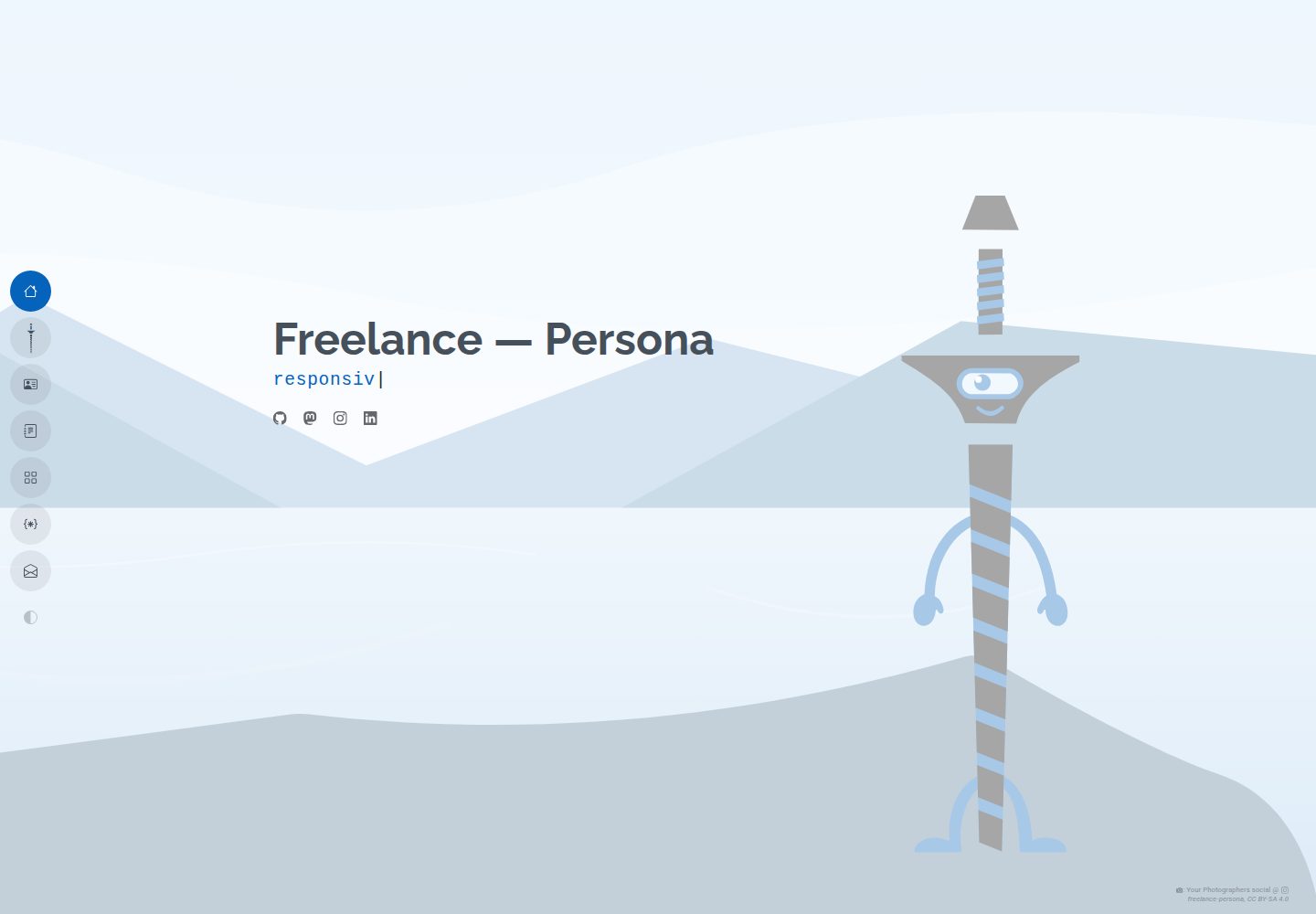
浏览真实页面截图,比较内容排版与手机效果。点击下方缩略图切换,放大查看整页细节。
全部页面与视图 2
截图用于了解视觉与布局,交互效果请以实际项目为准。
采集于 2026-10-12查看来源
值得关注的模板亮点
从已有项目资料中,快速了解它的特点。
Markdown 图片链接加查询参数即可生成编辑风格图文卡片,支持宽度、浮动、对齐、说明与署名
frontmatter 开启 tex 后可写 LaTeX 数学公式与 mhchem 化学式
带 ?inline 的 SVG 会内联并将深色映射为 currentColor,随明暗主题切换
字体通过 src/fonts.ts 与配置文件集中管理,starter 预置 Poppins、Raleway、Roboto
Bun Workspaces monorepo,含 starter 模板、playground 开发环境与 Playwright 测试套件
模板详细介绍
这是一个面向自由职业者、作品集与博客场景的 Astro 主题,最初从 Zola Persona 移植,并参考 Zola Gouyu 做了自由职业方向的定制与扩展。主题以 Markdown 内容为核心,主配置文件为 src/freelance-persona.config.ts,页面级 Markdown 可通过 frontmatter 覆盖主题级设置。
内容排版方面,主题内置数学与化学公式支持:在文章 frontmatter 中设置 tex: true 后,可用 $...$ 与 $$...$$ 写 LaTeX 公式,也可用 mhchem 语法写化学式。图片以带查询参数的 Markdown 链接引用时会被包装成编辑风格的 .post-figure 卡片,支持 width(必须带相对单位,如 14rem、8em、50%,不接受无单位数字与 px)、float=left/right(移动端小于 576px 自动清除浮动)、align=left/center/right,以及 desc、credit、credit_url、license、copyright 等说明与署名参数;带 ?inline 的 SVG 会被内联并把深色映射为 currentColor,以适配明暗主题。
字体通过 src/fonts.ts 导入与 src/freelance-persona.config.ts 的 fonts 段配置,starter 预置了 Poppins、Raleway、Roboto。仓库采用 Bun Workspaces 的 monorepo 结构,根目录是主题包,starter/ 是示例模板,playground/ 用于本地开发,通过 bun run playground:setup 生成。starter 附带基于 Playwright 的测试套件,包含视觉回归快照,快照文件被 git 忽略,需在本地或 CI 生成。
需要留意的限制:README 明确声明项目处于 pre-alpha 阶段,不保证向后兼容,采用滚动发布模式,没有 LTS;主题按现状提供且不附带担保。width 参数只通过 CSS 调整卡片容器尺寸,不会在构建时改变源图尺寸或生成响应式 srcset,重图片或图库场景建议改用 Astro 的 Image/Picture 组件。演示图片、字体、图标等第三方素材需单独核对许可。
Astro作品集博客
适合你的项目吗?
适用场景
- 搭建自由职业者的个人作品集与博客站点
- 撰写包含数学公式或化学方程式的技术、科普类文章
- 在文章正文中插入带说明、署名与许可信息的配图卡片
- 在明暗主题下展示需要跟随主题变色的 SVG 结构图或示意图
适合人群
- 使用 Astro 与 Markdown 组织内容的自由职业者与个人创作者
- 需要公式排版与图文混排能力的博客作者
- 愿意接受滚动发布、不依赖向后兼容承诺的使用者
- 希望基于 starter 模板快速起步并自行调整配置的开发者
上手与定制指南
结合仓库当前版本的说明,按下面的资料检查内容、配置与运行要求。
- 1
使用官方模板创建站点:bun create astro@latest -- --template freelance-persona/astro-freelance-persona_theme/theme/starter
- 2
主题级设置写在 src/freelance-persona.config.ts,页面可在 Markdown frontmatter 中覆盖
- 3
本地开发需 Node.js v18+ 与 Bun v1.0+,克隆后执行 bun install,再用 bun run playground:setup 生成 playground
- 4
图片卡片的 width 参数必须带相对单位(如 14rem、8em、50%),无单位数字与 px 会被拒绝
- 5
视觉回归快照被 git 忽略,需在 playground 中执行 bun run test --update-snapshots 生成基线
授权与来源资料
使用条件与限制
免费使用 · 保留许可声明本次收录的是公开仓库中采用 MIT 许可的免费版本;免费范围为该版本代码,不代表外部服务或第三方素材免费。
使用时需要遵守
- 允许免费使用、修改、商用和分发该版本代码。
- 分发代码副本或实质性部分时,保留原作者版权声明和完整 MIT 许可声明。
- 代码按现状提供;担保与责任限制以原许可证及适用法律为准。
额外费用与待核对事项
- 演示图片、字体、图标及其他第三方素材需按各自许可核对,不能仅凭代码的 MIT 许可判断。
- 域名、托管、数据库、支付或 AI 等外部服务可能另外收费。
- 项目处于 pre-alpha 阶段,不提供向后兼容保证,升级可能导致现有配置或内容失效。
- 采用滚动发布模式,无 LTS 长期支持版本;破坏性变更仅通过新的大版本发布,使用者需自行跟进适配。
- 图片卡片的 width 参数必须使用相对 CSS 单位(如 rem、em、%),无单位数字与 px 会被拒绝。
- width 参数仅在浏览器端通过 CSS 调整卡片容器尺寸,不会在构建时改变源图尺寸或生成响应式 srcset。
- 重图片或图库等需要源级尺寸优化的场景,需改用 Astro 原生 Image/Picture 组件,而非 Markdown 图片。
- 主题及其附带内容按现状提供,不附带任何担保。
查看原文依据
Permission is hereby granted, free of charge
许可证原文
**We are pre alpha:** There is no such thing as backward compatibility.
README 原文
**We dont care about backward compatibility:** If something breaks, there will be a new major release. No such thing as LTS! This is a rolling release kinda model.
README 原文
An explicit relative CSS unit (e.g. `width=14rem`, `width=8em`, or `width=50%`) is **required** (unitless numbers and `px` are rejected).
README 原文
It does not resize the source file dimensions or generate fluid responsive `srcset`s at build time.
README 原文
For heavy photography or image galleries requiring deep source-level dimension optimization, use Astro's native `<Image>` or `<Picture>` components in a `.astro` template rather than raw Markdown images.
README 原文
https://github.com/freelance-persona/astro-freelance-persona_theme/blob/main/LICENSEhttps://github.com/freelance-persona/astro-freelance-persona_theme/blob/main/README.mdThis theme, and anything attached to it, comes with absolutely no warranty, I've got no idea what I'm doing!
README 原文
DeepSeek 根据仓库许可证和 README 整理 ·2026-10-12。结果仅覆盖已读取资料,依赖、图片、字体及后续条款变更以各自原文为准。
项目核对记录与介绍依据
模板资料
- 来源平台
- GitHub
- 资料与维护参考分
- 资料较完整 · 85 / 100
- 技术栈
- Astro
- 网站类型
- 作品集 · 博客
这个分数如何计算
本站按许可资料(最高30分)、演示链接(12分)、预览图(10分)、Star数(15分)、记录的维护时间(15分)、描述完整度(8分)、功能记录(5分)和分类资料(5分)计算。它不是代码、安全或性能测试,也不是 Google 评分;有链接不代表已实测可用。
这个项目需要核对什么
- 记录的仓库更新时间
- 2026-10-11
- 截图检查日期
- 2026-10-12
已收录演示链接。请用你的内容与屏幕尺寸检查;有演示不代表表单、认证或支付已经可用。
目录记录的主要技术栈是 Astro。请通过依赖清单和锁文件核对实际版本与托管要求。这些说明基于收录资料,不代表代码审计或部署实测。
查看具体选型方法 →介绍的制作与核对状态
介绍由 AI 辅助整理目录与仓库资料。仓库作者不等于这篇介绍的审核者。
审核声明: [email protected] · 2026-10-13
查看当时使用的来源资料
SHA-256: 84066898c62c38f257d9821105d9f53bba940e738c730b9d6558f92f8c164db7
2026-10-12T23:47:23.572Z
来源文件 / 仓库<!--
SPDX-FileCopyrightText: 2026 2026 The freelance-persona_theme Project Contributors
SPDX-License-Identifier: MIT
-->
# Astro freelance-persona theme
A modern, responsive, and lightweight theme for freelancing, portfolios, and blogs. Initially ported from Zola Persona, customized and expanded for the freelancing focus with elements from Zola Gouyu.
Modernized and adapted to Astro 5.
## 🚀 Quick Start (For Users)
To create a new website using this theme, simply run the following command. This will download the starter template and set everything up for you.
```bash
# To use the template from the official repository:
bun create astro@latest -- --template freelance-persona/astro-freelance-persona_theme/theme/starter
```
## 📜 The "Manifesto" (Agreed Design Rules)
1. **No Hardcoded Pixels:** Use relative units or CSS variables wherever possible.
2. **4-Level Hierarchy:** Settings are resolved in this strict order:
- Level 1: Frontmatter (Targeted Override)
- Level 2: Component Role (Context: Title vs Content)
- Level 3: User Config (Theme-wide Preference)
- Level 4: Code Fallback (raw in-code defaults that are deliberately
*conspicuous* — a project grabbed and pasted into the wild must LOOK
like it shows raw defaults, never like a finished design)
3. **Privacy First:** No external CDNs, minimal JS bloat.
4. **Configuration, Not Prescription:** The `starter` config file should be minimal. Defaults live in the lowest sensible level of code/logic that consumes the value, not in the user's config file or a theme wide shadow config file.
5. **We are pre alpha:** There is no such thing as backward compatibility.
6. **We dont care about backward compatibility:** If something breaks, there will be a new major release. No such thing as LTS! This is a rolling release kinda model.
## Configuration
The Main configuration file is `src/freelance-persona.config.ts`.<br>
This file is mainly for theme/web page wide settings.<br>
Each markdown file defining a page can override these settings and will often also offer page/section specific settings.
### 🧪 Math, Chemistry & Figure Layouts
This theme includes built-in support for mathematical formatting, chemical equations, theme-adaptive vector drawings, and advanced figure layouts.
1. **Math & Chemical Equations**:
Enable LaTeX math and chemical reactions by setting `tex: true` in your post frontmatter.
- **Math**: Use standard delimiters like `$E = mc^2$` (inline) or `$$a^2 + b^2 = c^2$$` (block).
- **Chemical Formulas**: Use the `mhchem` syntax `$\ce{C8H10N4O2}$` or `$$\ce{CO2 + H2O -> H2CO3}$$`.
2. **Theme-Aware Chemical Diagrams**:
To include skeletal formulas or structures (e.g. from ChemDraw or MarvinSketch) that automatically adapt their stroke and fill colors to Light/Dark modes:
- Save your unedited SVG in your content folder.
- Reference it in Markdown using the `?inline` parameter. Sizing, text wrapping, and alignment parameters are supported (see below).
- The build pipeline will inline the SVG and map all black/dark colors to `currentColor`, making them responsive to theme toggles.
3. **Figure Card Layouts (All Formats)**:
Any image link in a blog post (PNG, JPG, SVG) referenced with query parameters (e.g. `?width=12rem&float=right`) will be wrapped in an editorial-style `.post-figure` card:
- **Sizing (`width`)**: Sets custom widths. An explicit relative CSS unit (e.g. `width=14rem`, `width=8em`, or `width=50%`) is **required** (unitless numbers and `px` are rejected).
- **Float (Text Wrap)**: Float the graphic so paragraph text wraps around it using `float=left` or `float=right`. Floats are automatically cleared on mobile viewports (`< 576px`) to prevent text squishing.
- **Alignment (Block)**: Align the graphic block using `align=left`, `align=center` (default), or `align=right` (for block layouts where text does not wrap alongside it).
- **Descriptions & Captions**: Setting an alt text (e.g. `![Caffeine Molecule]`) or a `desc` parameter (e.g. `?desc=Some+description`) automatically creates a `<figcaption>` card section at the bottom.
- **Image Attributions**: Provide image attribution using `credit`, `credit_url` (or `credit_url`), `license`, and `copyright` query parameters. If a caption is present, the attribution displays inline at the bottom of the caption. If no caption is present, it renders as a subtle theme-wide absolute overlay at the bottom-right.
- **Path Resolution**: You can reference images relatively inside the content folder (e.g., `./caffeine.svg`) or use the global `@/` alias (e.g., `@/assets/img/avatar.svg`).
```markdown
<!-- Left-floated inline SVG card with description and attribution in the caption -->

<!-- Right-floated avatar image with absolute attribution overlay (no caption) -->

```
4. **Asset Optimization & Sizing Limitations**:
- **Vite Asset Pipeline**: Local images inside your content directories alongside your markdown files are copied, optimized, and hashed by Vite into the output `dist/_astro/` assets folder at build time.
- **Sizing Limitation**: The `width` parameter scales the figure container card dynamically in the browser using CSS container rules. It does not resize the source file dimensions or generate fluid responsive `srcset`s at build time. For heavy photography or image galleries requiring deep source-level dimension optimization, use Astro's native `<Image>` or `<Picture>` components in a `.astro` template rather than raw Markdown images.
### 🎨 Font Configuration
This theme uses a configurable font system. The starter template comes with **Poppins**, **Raleway**, and **Roboto** pre-configured.
To change fonts:
1. **Install the font package**: e.g., `bun add @fontsource/inter`
2. **Import the CSS**: Add the import to `src/fonts.ts`.
3. **Update Config**: Update the `fonts` section in `src/freelance-persona.config.ts`.
4. **Don't Forget**: to uninstall unneeded font package(s).
## Contributors
Thanks goes to these wonderful people ([emoji key](https://allcontributors.org/docs/en/emoji-key)):
<!-- ALL-CONTRIBUTORS-LIST:START - Do not remove or modify this section -->
<!-- prettier-ignore-start -->
<!-- markdownlint-disable -->
<!-- markdownlint-enable -->
<!-- prettier-ignore-end -->
<!-- ALL-CONTRIBUTORS-LIST:END -->
This project follows the [all-contributors](https://github.com/all-contributors/all-contributors) specification. Contributions of any kind welcome!
## 🛠️ Local Development Setup (For Contributors)
This repository is set up as a **Monorepo** using **Bun Workspaces**.
- **Root**: Contains the Theme package (`astro-freelance-persona_theme`).
- **`starter/`**: Contains a clean sample template for the theme.
- **`playground/`**: An initially empty folder, to be used as a local development and testing environment, copy the content of starter here.
### Prerequisites
- **Node.js** (v18+)
- **Bun** (v1.0+)
### Setup Steps
1. #### Clone the Repository
```fish
git clone https://github.com/freelance-persona/astro-freelance-persona_theme.git
cd astro-freelance-persona_theme
```
2. #### Install Dependencies
Run this in the root directory. It installs dependencies for the theme and the starter template.
```fish
bun install
```
3. #### Setup the Playground
Run the setup script from the root directory. This will copy the starter template into a git-ignored `playground` directory and automatically link the local theme for you.
```sh
bun run playground:setup
```
You can now edit the files in the `playground` directory to test the theme.
- ##### Reset playground
To reset the playground to its original state, simply run `bun run playground:setup` again.
4. #### Start Development Server
This starts the `playground` site in development mode.
```fish
bun run dev
```
- Open <http://localhost:4321> in your browser.
- Any changes you make to the theme files (`src/freelance-persona/...`) will **instantly hot-reload** in the browser.
### Building & Testing
Before submitting changes, ensure the production build works:<br>
`astro build` can and will catch some things that `bun run dev` won't.
```fish
# Runs astro check
bun run check
# Build the playground site using the local theme
bun run build
# Preview the built site
bun run preview
```
### Running Tests
The starter template includes a Playwright test suite that validates your content and theme functionality. Tests automatically parse your content files, so they work with your customized content.
```fish
# Install Playwright browsers (first time only)
bunx playwright install
# Run all tests
bun run test
# Run tests with verbose output
bunx playwright test --reporter=list
```
Tests are located in `testing/tests/` and use the `testing/utils/content-parser.ts` utility to dynamically read expected values from your content files.
#### 📸 Visual Regression Testing & Snapshots
The test suite includes visual regression tests that verify UI consistency using Playwright screenshots.
* **Intentionally Git-Ignored:** To prevent bloating the repository with large binary files, all `*.png` snapshot references are git-ignored. Snapshots only live locally and on CI environments.
* **Generating Baseline Snapshots:** Because snapshots are not committed to Git, you must generate the initial baseline screenshots on your local environment before running tests:
```fish
# Navigate to the playground and update snapshots
cd playground
bun run test --update-snapshots
```
* **Syncing Snapshots (For Theme/Starter Developers):** Tests run in the ephemeral `playground` workspace. To ensure updated snapshots persist across playground resets (`bun run playground:setup`), copy the updated snapshots back to the starter source folder:
```fish
cp -r playground/testing/tests/*-snapshots/ theme/starter/testing/tests/
```
### Architecture Notes
- **`playground/package.json`**: During local development, this uses the local version of the theme. When published as a template, it uses the version from the npm registry.
- **Imports**: The starter imports components from the theme package (e.g., `astro-freelance-persona_theme/components/...`) just like a real user would.
### Custom services/products pages
Linked to by freelance features should follow the following setup:
"Create a new file at `src/pages/services/your-service-name.astro` and then link to it in your `freelance.md` config."
## 🔒 Security & Local Hooks
To ensure commits remain secure, release-ready, and free of accidental secrets, you can install the repository's git and Jujutsu hooks:
### Git Hooks Installation
Run the following command from the repository root:
```bash
git config core.hooksPath .githooks
```
### Jujutsu (jj) Hooks Installation (outdated !FixMe!)
Add the following alias to your global `~/.config/jj/config.toml` configuration:
```toml
[aliases]
push-safe = ["util", "exec", "--", "/home/fabio/Documents/Programming/Website/Astro/astro_freelance-persona_theme/.jj-hooks/pre-push.sh"]
```
Then use `jj push-safe` instead of `jj git push` to push bookmarks.
<br>
<br>
<br>
<br>
— *This theme, and anything attached to it, comes with absolutely no warranty, I've got no idea what I'm doing!*<br>
*(and can't spell — shoutout to my fellow dyslexics)*
看看同类模板
对比同技术栈与用途的模板,找到更适合的视觉与内容结构。

astrowind
⭕️ AstroWind: A free template using Astro v7 and Tailwind CSS v4. Astro starter theme.
Astro · 博客

astro-paper
A minimal, accessible and SEO-friendly Astro blog theme.
Astro · 博客

fuwari
✨A static blog template built with Astro.
Astro · 博客

Firefly
Firefly 是一款基于 Astro 的静态博客主题,由 CuteLeaf 在 saicaca 的 Fuwari 模板基础上二次开发,主打清新美观的视觉风格。
Astro · 博客

astro-theme-cactus
A simple Astro theme. Use it to create your blog or website.
Astro · 作品集

astrofy
Astrofy is a free and open-source template for your Personal Portfolio Website built with Astro and TailwindCS…
Astro · 作品集